
LightScope 3.4
LightScope is a comprehensive solution providing professional light measurement and analysis using your iOS device's camera sensor.
Download
2.27 MB
7downloads
0this week
FreeCommercial
0reviews
Screenshots
About LightScope
LightScope is a comprehensive solution providing professional light measurement and analysis using your iOS device's camera sensor.
?Key Measurement Features?
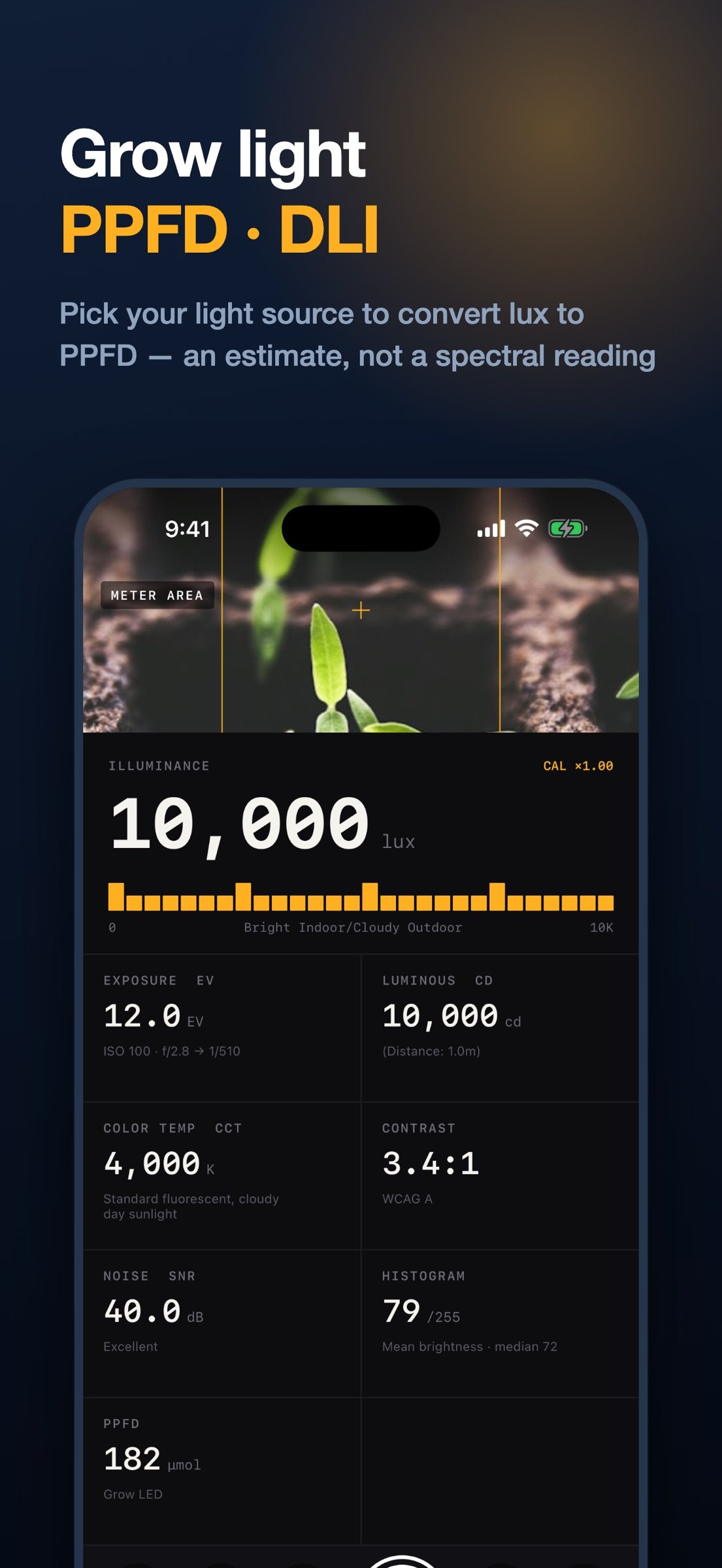
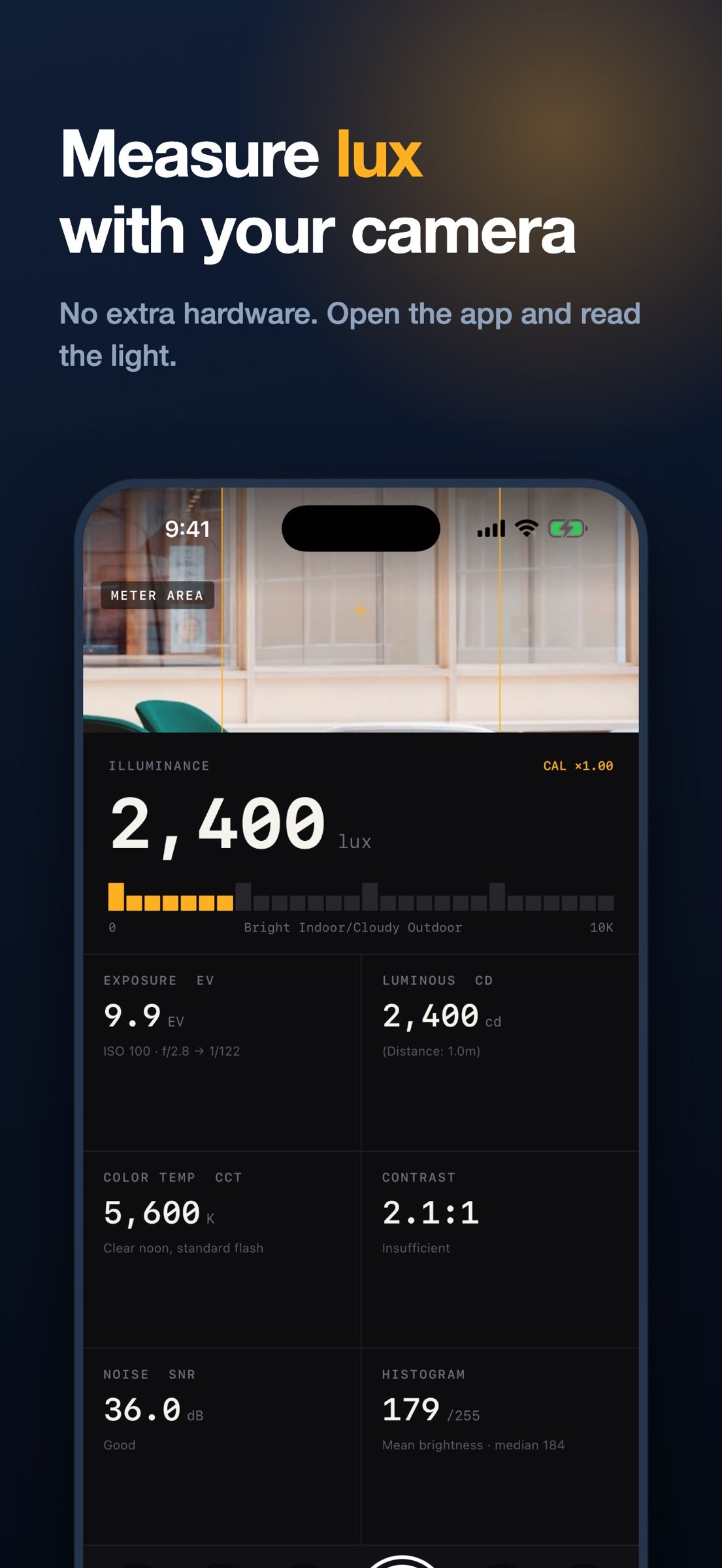
o Illuminance (lux) Measurement: Calculates accurate illuminance by analyzing EXIF data from the camera sensor. Illuminance is derived using the formula: (F-number2 / (Exposure Time x ISO)) x Calibration Factor.
o Exposure (EV) Calculator: Converts measured illuminance to EV and suggests proper exposure combinations in standard stops for your ISO and aperture (or shutter) settings.
o Luminous Intensity (candela) Calculation: Automatically calculates the luminous intensity of a light source based on the set distance. Uses the formula: Illuminance (lux) x Distance2.
o Color Temperature (K) & Tint Analysis: Precisely measures the light source's color temperature (1500K~15000K) and tint (green-magenta bias) by analyzing the camera's white balance sensor data -- useful for identifying fluorescent and LED lighting.
o Real-time Histogram: Visualizes the balance of shadows, midtones, and highlights through 16-level brightness distribution analysis.
o Contrast Ratio Measurement: Evaluates the brightness ratio between bright and dark areas of a scene (based on 10th/90th percentiles) according to WCAG accessibility standards.
o Noise Measurement (SNR): Calculates the signal-to-noise ratio in dB to evaluate image quality in the shooting environment.
?Advanced Features?
o Image Capture and Storage: Captures camera images at the time of measurement and stores them with measurement data.
o Full-screen Image View: Zoom, pan, and rotate captured images for detailed inspection.
o Gallery Saving: Save captured images to your device's photo library.
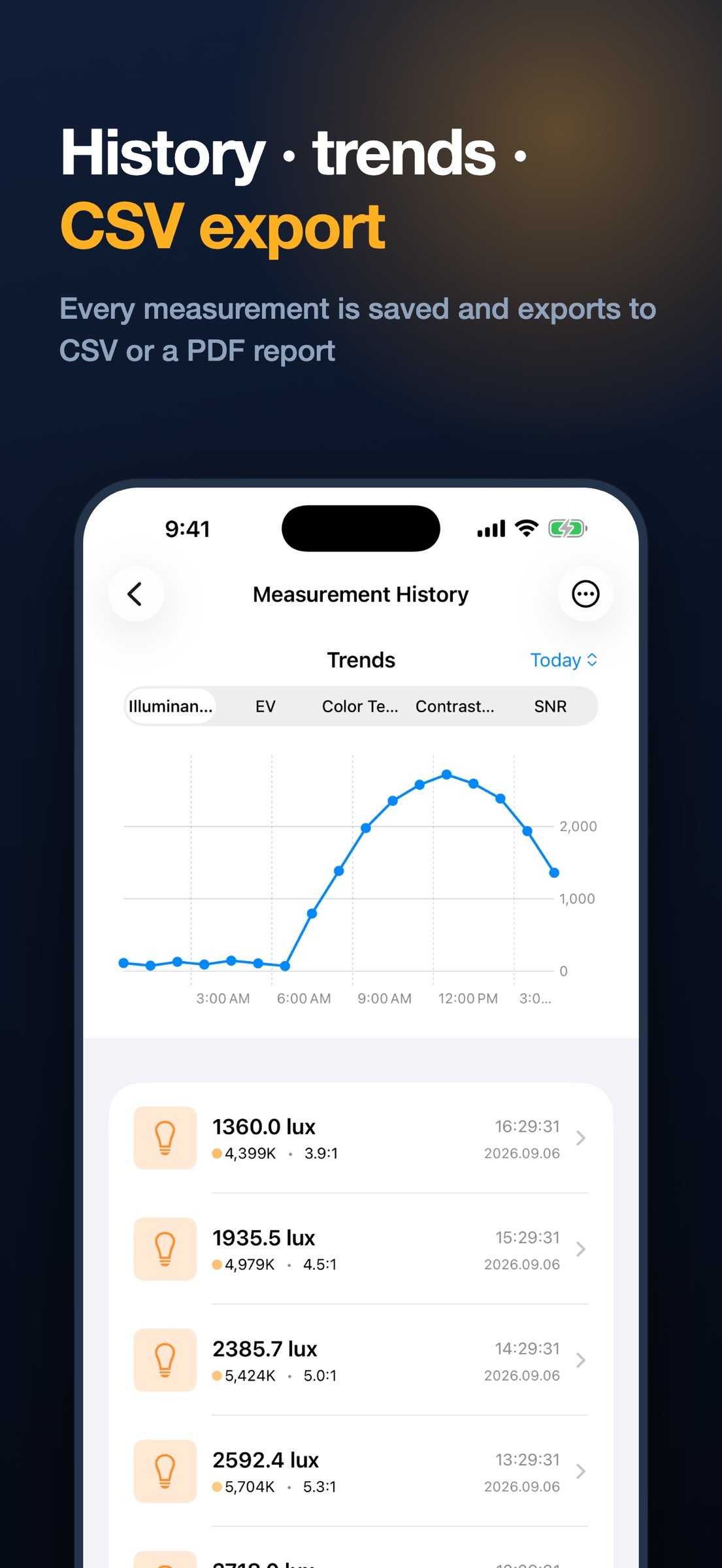
o Measurement History and Trends: Save all measurements chronologically and chart trends for lux, EV, color temperature, contrast, and SNR.
o Continuous Logging: Automatically record measurements at a set interval (1-60s) -- great for lighting design and site surveys.
o Full-Resolution Image Storage: Keep captured images at original quality for detailed inspection and gallery saving.
o Export All History: Export every measurement as a CSV file or a PDF report.
o Notes & Location Tags: Attach notes to measurements and optionally save the measurement location.
o Home Screen Widget: See your last measurement (lux, color temperature, contrast, SNR) right on the home screen.
o Camera Full-screen Mode: Hide panels to focus on the camera view while checking key measurements via a mini info panel.
o Measurement Lock: Freeze exposure and white balance for stable, steady readings.
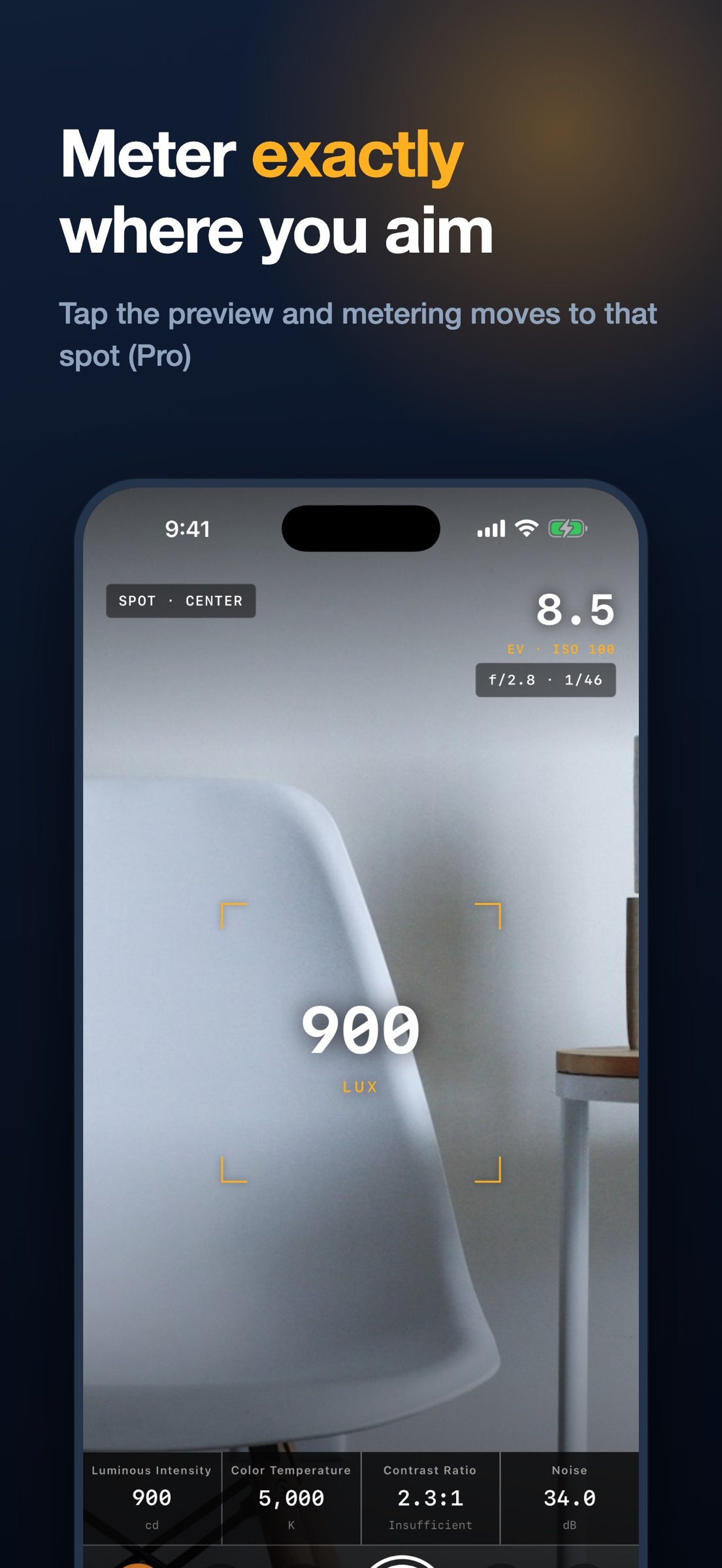
o Spot Metering: In full-screen mode, tap anywhere to meter around that point.
o Perfect Dark/Light Mode Support: All UI elements automatically adapt to the system theme.
?User Settings?
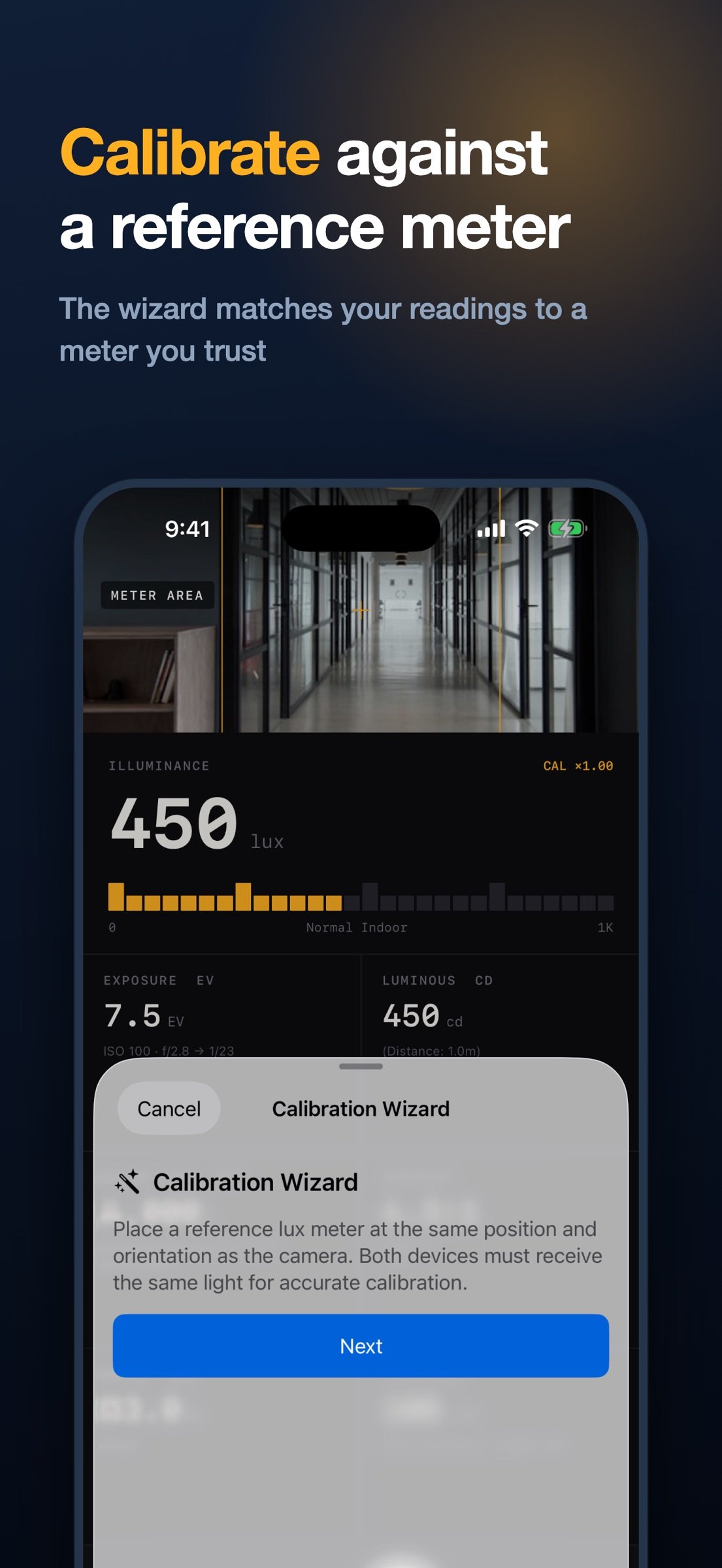
o Calibration Wizard: Enter a reading from a reference lux meter and the calibration factor is calculated automatically. Manual slider adjustment is also available.
o Distance Setting: Set the distance to the light source for precise luminous intensity (cd) calculations.
o Front/Rear Camera Selection: Choose the appropriate camera for your measurement situation.
?Technical Features?
o Support for measuring various light source types: natural light, LED, fluorescent, incandescent, etc.
o Color temperature and tint sourced directly from the camera ISP's white balance estimation for reliable readings
o 10-frame moving average filter for measurement stabilization
o Center-weighted or spot (tap-to-meter) analysis for accurate evaluation of the main subject
o Automatic exposure quality assessment based on histogram analysis
Perfect tool for photographers, videographers, lighting designers, UI/UX developers, and anyone who needs accurate light measurements.
License: Commercial
?Key Measurement Features?
o Illuminance (lux) Measurement: Calculates accurate illuminance by analyzing EXIF data from the camera sensor. Illuminance is derived using the formula: (F-number2 / (Exposure Time x ISO)) x Calibration Factor.
o Exposure (EV) Calculator: Converts measured illuminance to EV and suggests proper exposure combinations in standard stops for your ISO and aperture (or shutter) settings.
o Luminous Intensity (candela) Calculation: Automatically calculates the luminous intensity of a light source based on the set distance. Uses the formula: Illuminance (lux) x Distance2.
o Color Temperature (K) & Tint Analysis: Precisely measures the light source's color temperature (1500K~15000K) and tint (green-magenta bias) by analyzing the camera's white balance sensor data -- useful for identifying fluorescent and LED lighting.
o Real-time Histogram: Visualizes the balance of shadows, midtones, and highlights through 16-level brightness distribution analysis.
o Contrast Ratio Measurement: Evaluates the brightness ratio between bright and dark areas of a scene (based on 10th/90th percentiles) according to WCAG accessibility standards.
o Noise Measurement (SNR): Calculates the signal-to-noise ratio in dB to evaluate image quality in the shooting environment.
?Advanced Features?
o Image Capture and Storage: Captures camera images at the time of measurement and stores them with measurement data.
o Full-screen Image View: Zoom, pan, and rotate captured images for detailed inspection.
o Gallery Saving: Save captured images to your device's photo library.
o Measurement History and Trends: Save all measurements chronologically and chart trends for lux, EV, color temperature, contrast, and SNR.
o Continuous Logging: Automatically record measurements at a set interval (1-60s) -- great for lighting design and site surveys.
o Full-Resolution Image Storage: Keep captured images at original quality for detailed inspection and gallery saving.
o Export All History: Export every measurement as a CSV file or a PDF report.
o Notes & Location Tags: Attach notes to measurements and optionally save the measurement location.
o Home Screen Widget: See your last measurement (lux, color temperature, contrast, SNR) right on the home screen.
o Camera Full-screen Mode: Hide panels to focus on the camera view while checking key measurements via a mini info panel.
o Measurement Lock: Freeze exposure and white balance for stable, steady readings.
o Spot Metering: In full-screen mode, tap anywhere to meter around that point.
o Perfect Dark/Light Mode Support: All UI elements automatically adapt to the system theme.
?User Settings?
o Calibration Wizard: Enter a reading from a reference lux meter and the calibration factor is calculated automatically. Manual slider adjustment is also available.
o Distance Setting: Set the distance to the light source for precise luminous intensity (cd) calculations.
o Front/Rear Camera Selection: Choose the appropriate camera for your measurement situation.
?Technical Features?
o Support for measuring various light source types: natural light, LED, fluorescent, incandescent, etc.
o Color temperature and tint sourced directly from the camera ISP's white balance estimation for reliable readings
o 10-frame moving average filter for measurement stabilization
o Center-weighted or spot (tap-to-meter) analysis for accurate evaluation of the main subject
o Automatic exposure quality assessment based on histogram analysis
Perfect tool for photographers, videographers, lighting designers, UI/UX developers, and anyone who needs accurate light measurements.
License: Commercial
| Release info | New Release on Oct 07, 2026 |
|---|---|
| Release notes | iPhone Duo support. • Unfold and the screen splits in two — camera preview on the left, readings on the right. The divider follows the hinge position the device reports • On the folded outer screen, all six readings (illuminance, exposure, luminous intensity, color temperature, contrast, noise) still fit without scrolling The metered area is now exact. • The rectangle on screen matches the region the camera actually measures, instead of an estimate that drifted with the screen's aspect ratio • When the metering point sits near an edge, the rectangle is clipped just as the sampling is • If the metered area ends up hidden behind a screen element, it turns red to tell you Also • Location and photo permission prompts are now translated into Korean and Japanese |
| Listing data | App Store |
Reviews
No reviews yet. Be the first to review LightScope.
Used LightScope? Tell other visitors what you thought.
Log in to write a reviewOther products by this publisher
- "No Distractions" for YouTube 4.10 ----
- #Bible 11.6 "Incredible App - My sister shared this app with me a few weeks ago and it is truly incredible.
- #filmphotography 1.4.2 So, you decided to shoot on film?
- $quirrel 1.5.1 $quirrel Budget & Finance helps you plan each paycheck, track spending, manage debt, and see what is safe to spend before the next payday.
- % Percentage Calculator Pro 1.41 This is the Pro version of % Percentage Calculator.
Most viewed iOS Photo & Video
-
1
 ShortDiShow 2.0
Drama Quest Island — An offline interactive short-drama adventure.
-
2
 Infuse 8.5.10
Infuse: Enterprise provides the same great features as the standard version of Infuse and includes permanent access to all Pro features via a traditional paid app.
-
3
 AI Video Generator 2.0.3
Vixel – AI Video Generator
-
4
 OPlayer 4.8
Play all your videos directly without having to convert them!
-
5
 Necrometer II 1.2
Necrometer II is a paranormal investigation companion designed for ghost hunters and researchers.
-
6
 CapCut 20.1.0
CapCut offers easy-to-use video editing functions, in-APP fonts and effects, advanced features such as keyframe animation, smooth slow-motion, chroma key, and stabilization, to help you capture and snip moments.
-
7
 Ai Photo 1.1.2
AI Photo Retouch – BG Eraser
- 8 #filmphotography 1.4.2 So, you decided to shoot on film?
-
9
 Treblo 1.6.5
Make songs with the world's best AI music model.
-
10
 Pop Dot Comics 1.48
Create a comic worthy of the Sunday newspaper or your favorite pulp-fiction cover.
Most downloaded iOS Photo & Video
-
1
Infuse 8.5.10
Infuse: Enterprise provides the same great features as the standard version of Infuse and includes permanent access to all Pro features via a traditional paid app.
-
2
 DJI Fly 1.21.18
DJI Fly is designed to help pilots fly drones with ease.
-
3
 Analog Radio 3.0
The iPhone and iPad devices don't have the FM/AM radio antenna installed.
-
4
 TurboCollage Automatic 1.2.4
#1 Easy automatic photo collage maker for iPhone & iPad.
-
5
 Rozeta Sequencer Suite 1.3.16
Rozeta is a suite of MIDI sequencers and controllers that lets you explore a new, freeform approach to sequencing and controlling mobile music apps.
-
6
 ReelyGo 1.1.42
ReelyGo: Your Daily Drama Escape
-
7
Treblo 1.6.5
Make songs with the world's best AI music model.
-
8
Pop Dot Comics 1.48
Create a comic worthy of the Sunday newspaper or your favorite pulp-fiction cover.
-
9
 AGAIN. Rehearsal Notes 2.0.1
AGAIN. is the rehearsal app that remembers why the band stopped — and, new in Version 2, who said what in a writing session or a table read.
-
10
 SSS IPTV, Simple, Smart Super 1.0.2
An Easiest way to watch TV Online or Movies or Series, Bring your Own list M3u,