Key Mapper 4.7.0
Make shortcuts for ANYTHING! Remap volume, power, keyboard, or floating buttons!
Download
14.31 MB · keymapper-4.7.0-foss.apk
24downloads
0this week
FreeFreeware
0reviews
Screenshots
About Key Mapper
Make custom macros on your keyboard or gamepad, make on-screen buttons in any app, and unlock new functionality from your volume buttons!
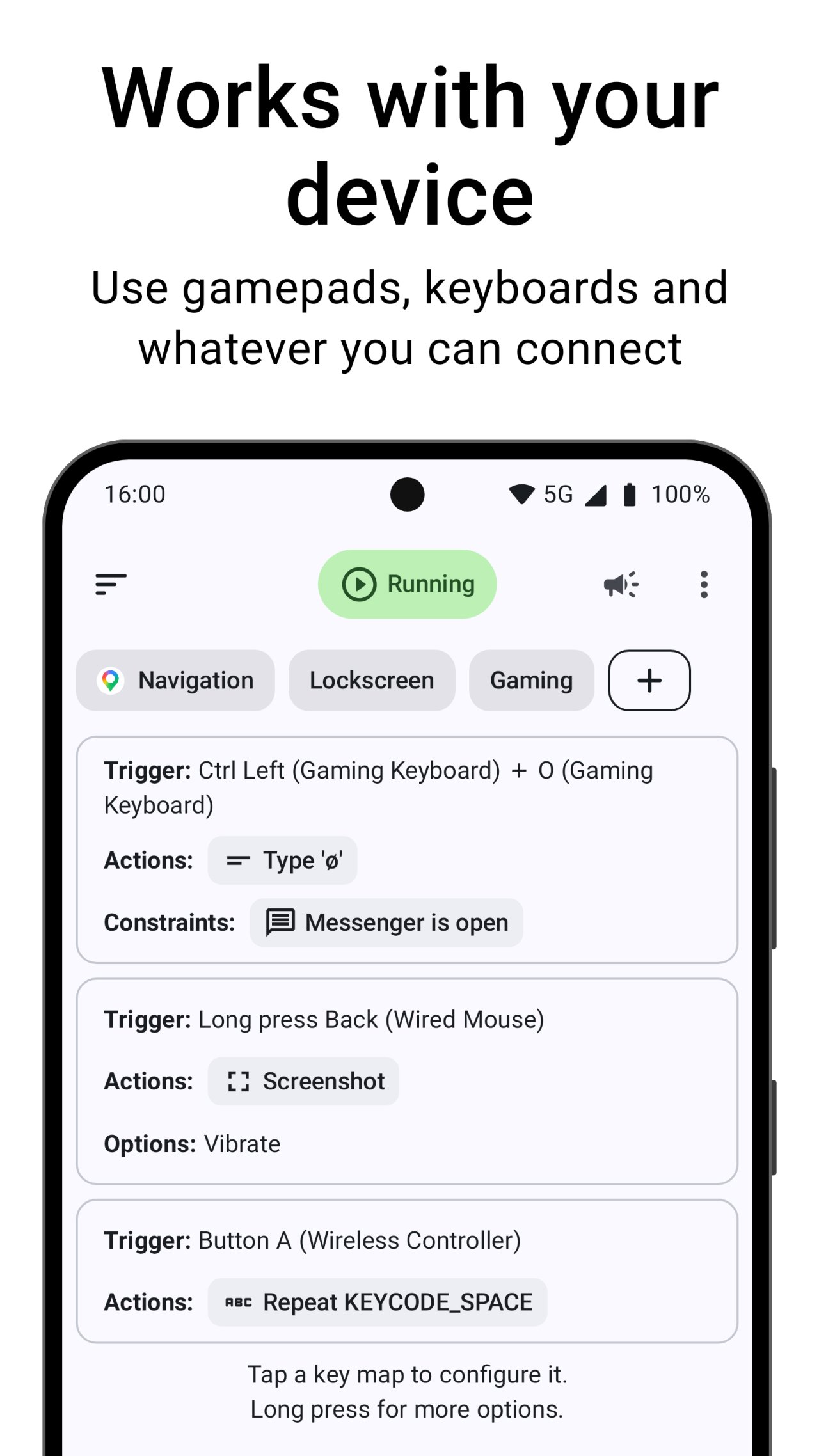
Key Mapper supports a huge variety of buttons and keys*:
- ALL your phone buttons (volume AND side key)
- Game controllers (D-pad, ABXY, and most others)
- Keyboards
- Headsets and headphones
- Fingerprint sensor
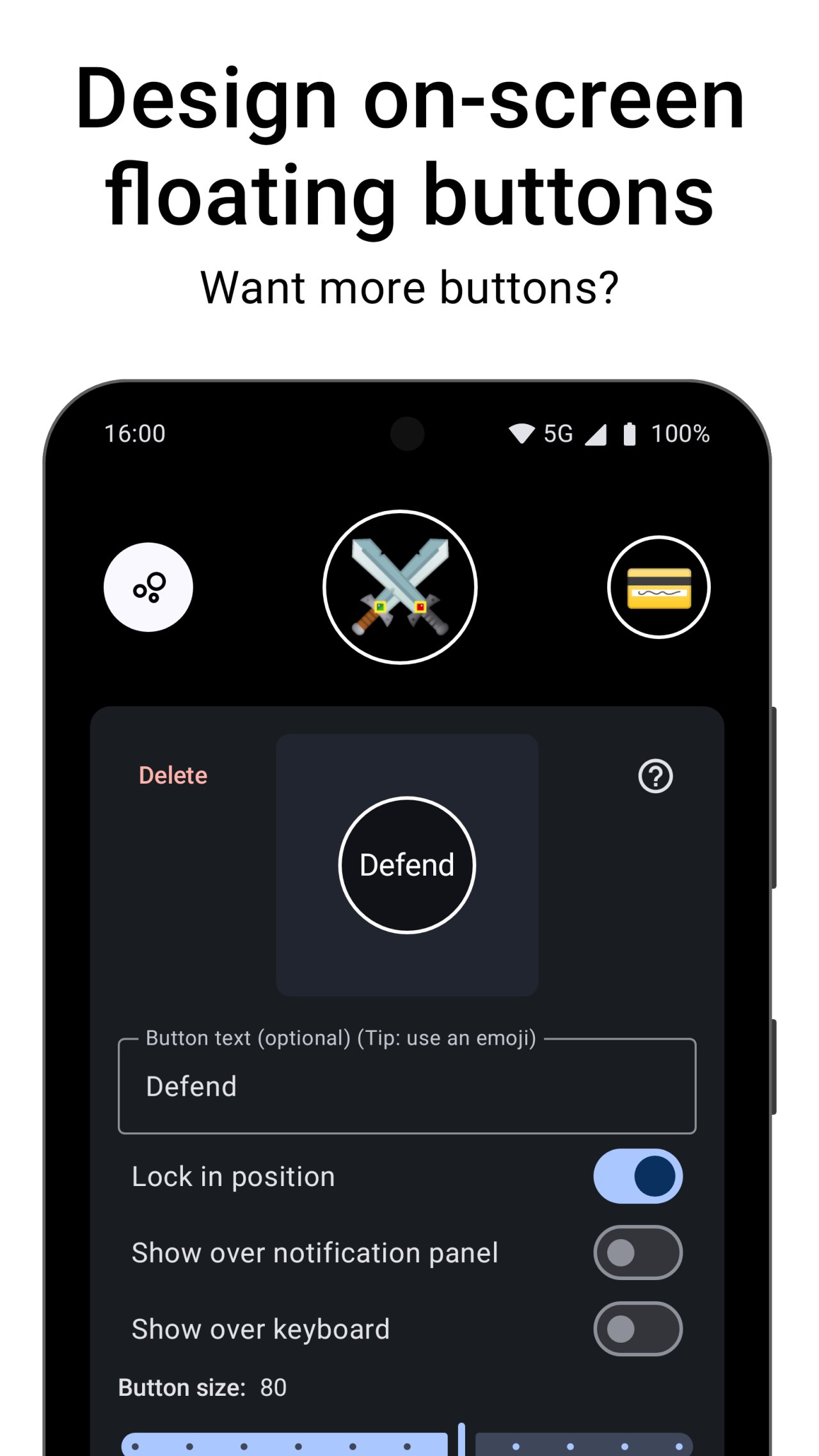
Not enough keys? Design your own on-screen button layouts and remap those just like real keys!
What shortcuts can I make?
--------------------------
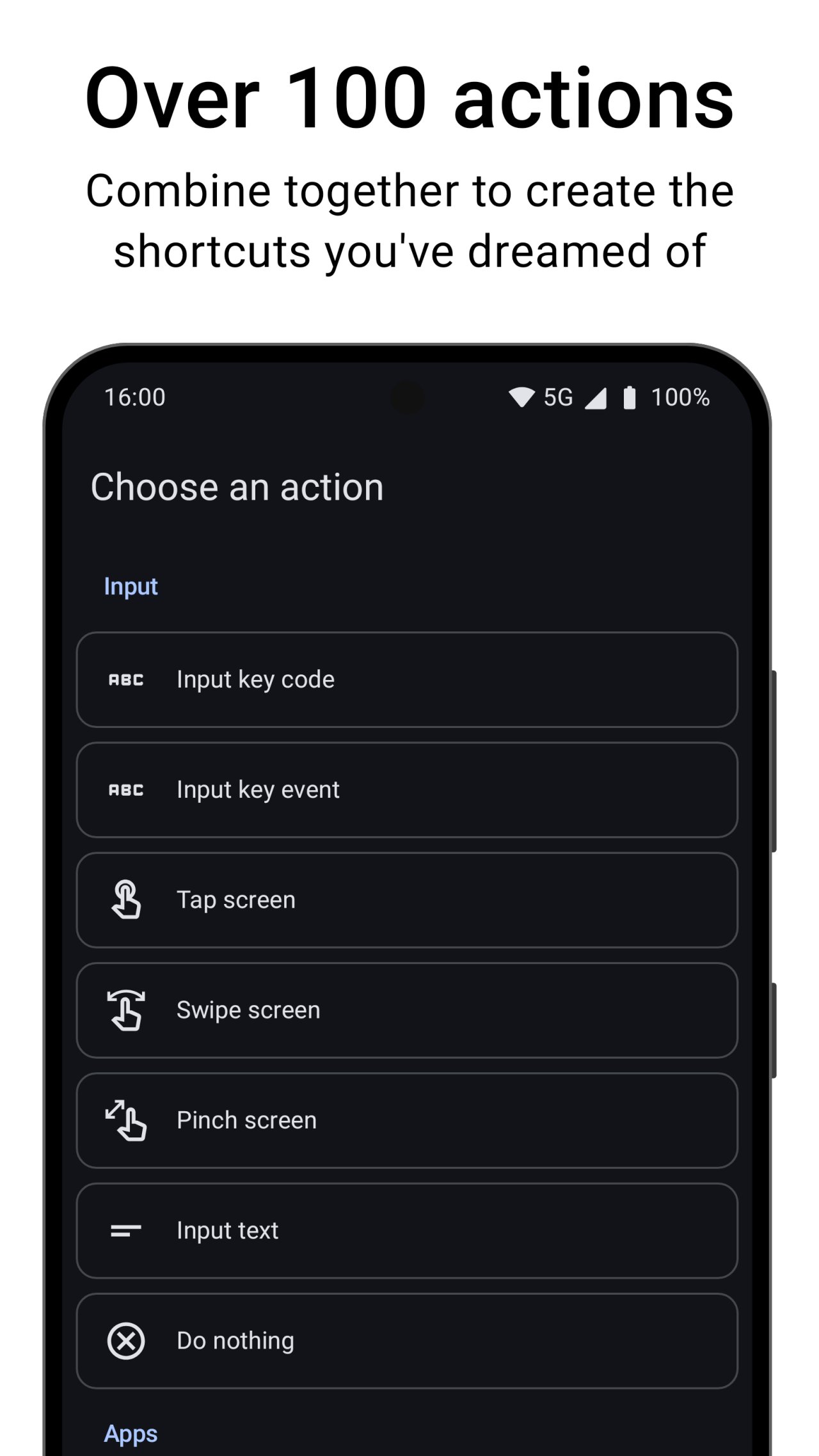
With over 100 individual actions, the sky is the limit.
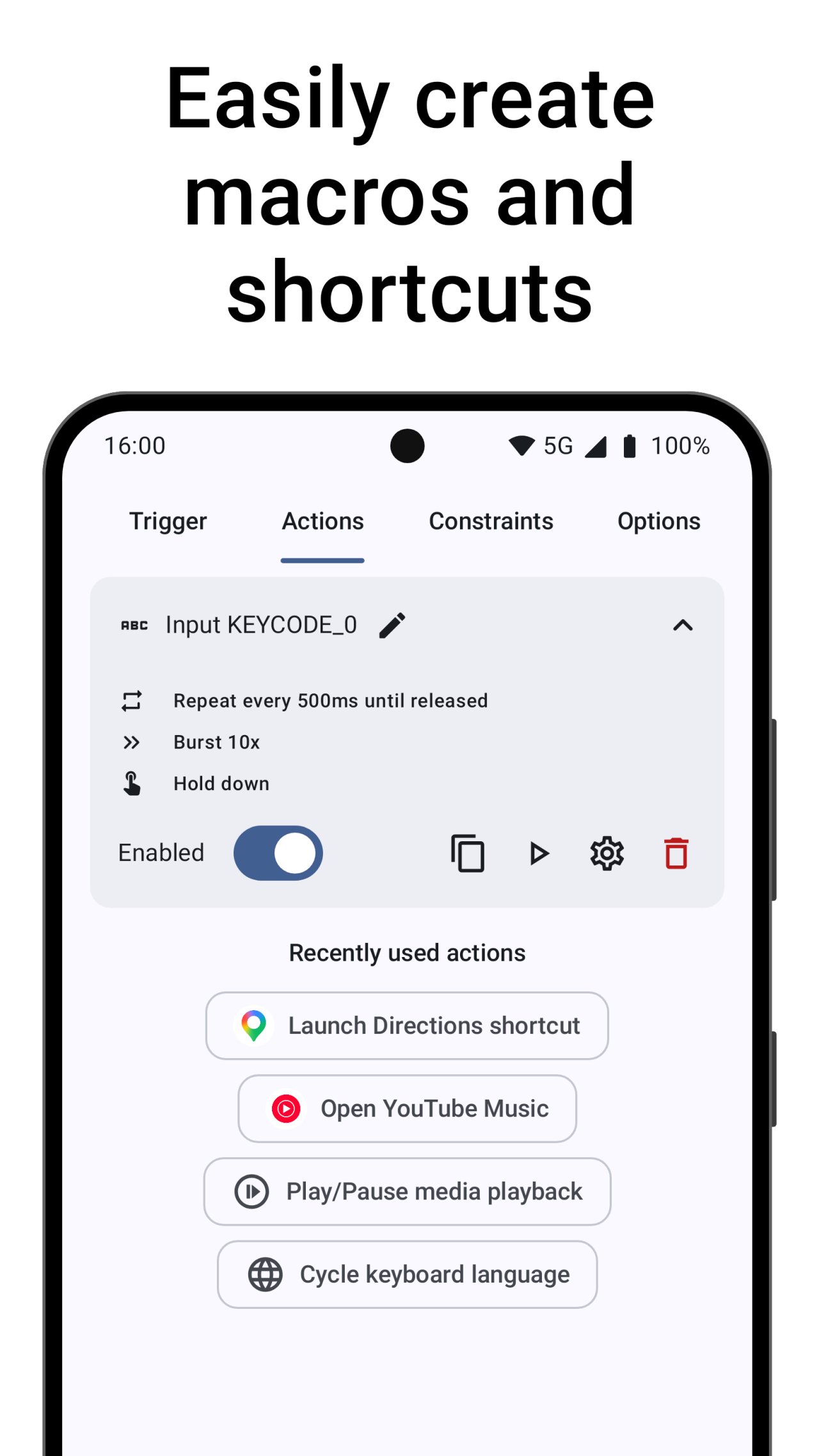
Build complex macros with screen taps and gestures, keyboard inputs, open apps, control media, and even send intents directly to other apps.
How much control do I have?
---------------------------
TRIGGERS: You decide how to trigger a key map. Long press, double press, press as many times as you like! Combine keys on different devices, and even include your on-screen buttons.
ACTIONS: Design specific macros for what you want to do. Combine over 100 actions, and choose the delay between each one. Set repeating actions to automate and speed up slow tasks.
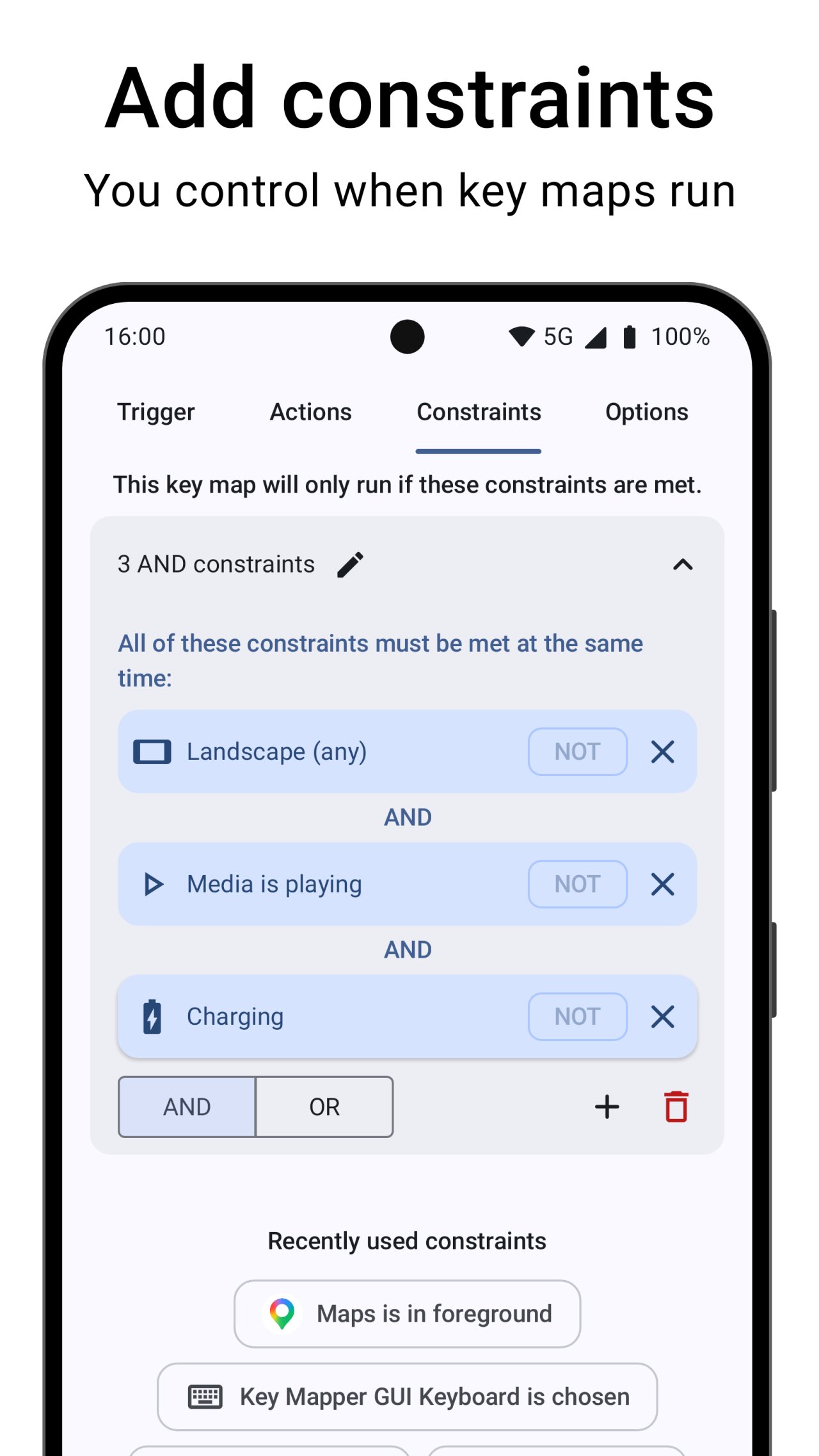
CONSTRAINTS: You choose when key maps should run and when they shouldn't. Only need it in one specific app? Or when media is playing? On your lockscreen? Constrain your key maps for maximum control.
* Most devices are already supported, with new devices being added over time. Let us know if it's not working for you and we can prioritize your device.
Not currently supported:
- Mouse buttons
- Joysticks and triggers (LT,RT) on gamepads
Security and accessibility services
---------------------------
This app includes our Key Mapper Accessibility service that uses the Android Accessibility API to detect the app in focus and adapt key presses to user-defined key maps. It is also used to draw assistive Floating Button overlays on top of other apps.
By accepting to run the accessibility service, the app will monitor key strokes while you're using your device. It will also emulate swipes and pinches if you are using those actions in the app.
It will NOT collect any user data or connect to the internet to send any data anywhere.
Our accessibility service is only triggered by the user when pressing a physical key on their device. It can be turned off any time by the user in the system accessibility settings.
Come say hi in our Discord community!
keymapper.app/discord
See the code for yourself! (Open source)
github.com/keymapperorg/KeyMapper
Read the documentation:
keymapper.app
License: GPL-3.0-only
Key Mapper supports a huge variety of buttons and keys*:
- ALL your phone buttons (volume AND side key)
- Game controllers (D-pad, ABXY, and most others)
- Keyboards
- Headsets and headphones
- Fingerprint sensor
Not enough keys? Design your own on-screen button layouts and remap those just like real keys!
What shortcuts can I make?
--------------------------
With over 100 individual actions, the sky is the limit.
Build complex macros with screen taps and gestures, keyboard inputs, open apps, control media, and even send intents directly to other apps.
How much control do I have?
---------------------------
TRIGGERS: You decide how to trigger a key map. Long press, double press, press as many times as you like! Combine keys on different devices, and even include your on-screen buttons.
ACTIONS: Design specific macros for what you want to do. Combine over 100 actions, and choose the delay between each one. Set repeating actions to automate and speed up slow tasks.
CONSTRAINTS: You choose when key maps should run and when they shouldn't. Only need it in one specific app? Or when media is playing? On your lockscreen? Constrain your key maps for maximum control.
* Most devices are already supported, with new devices being added over time. Let us know if it's not working for you and we can prioritize your device.
Not currently supported:
- Mouse buttons
- Joysticks and triggers (LT,RT) on gamepads
Security and accessibility services
---------------------------
This app includes our Key Mapper Accessibility service that uses the Android Accessibility API to detect the app in focus and adapt key presses to user-defined key maps. It is also used to draw assistive Floating Button overlays on top of other apps.
By accepting to run the accessibility service, the app will monitor key strokes while you're using your device. It will also emulate swipes and pinches if you are using those actions in the app.
It will NOT collect any user data or connect to the internet to send any data anywhere.
Our accessibility service is only triggered by the user when pressing a physical key on their device. It can be turned off any time by the user in the system accessibility settings.
Come say hi in our Discord community!
keymapper.app/discord
See the code for yourself! (Open source)
github.com/keymapperorg/KeyMapper
Read the documentation:
keymapper.app
License: GPL-3.0-only
| Release info | Update on Nov 09, 2026 |
|---|---|
| Release notes | • Variables: add to, subtract from or set variables • Custom key map names and sort key maps by name • Do Not Disturb constraint • Broadcast whether mappings are paused so other apps can respond • Undo and redo changes when configuring a key map • Expert Mode and floating button fixes • Many other bug fixes and improvements View the complete changelog at: http://keymapper.app/changelog |
| Listing data | F-Droid |
Reviews
No reviews yet. Be the first to review Key Mapper.
Used Key Mapper? Tell other visitors what you thought.
Log in to write a reviewOther products by this publisher
- "No Distractions" for YouTube 4.10 ----
- #Bible 11.6.1 "Incredible App - My sister shared this app with me a few weeks ago and it is truly incredible.
- #filmphotography 1.4.2 So, you decided to shoot on film?
- #LookBusy Fake Calendar Events 1.0.6 Look Busy scans your work calendar for open time slots and fills them with realistic-looking (but secretly fake) work events.
- #Small Talk Is Canceled 1.0.2 #Small Talk Is Canceled — Conversations That Matter
Most viewed Android Keyboard & Ime
-
1
 VocaPhone 0.2.7
Voice dictation keyboard that transcribes on hardware you control
- 2 FlorisBoard 0.5.2 An open-source keyboard which respects your privacy. Currently in beta.
- 3 Kinetica 3.0.1 Two-thumb keyboard: both thumbs swipe and tap at once. No network access.
- 4 KeliBoard 4.0.1 Customizable open-source keyboard
-
5
 Parakeetype 0.6.0
Fast on-device speech-to-text keyboard and voice input - no cloud, no tracking.
- 6 AdaptKey 1.3.18 Privacy-first Android keyboard that learns your typing style. Fully offline.
-
7
 Xime IME 3.5.0-alpha.3
A Rime-based Chinese IME for Wubi and Pinyin input
- 8 CleverKeys 1.5.0 Open-source gesture keyboard with Termux support
- 9 ICS Theme for AnySoftKeyboard 5.1.6158 Ice Cream Sandwich Theme for AnySoftKeyboard
- 10 Afrikaans for AnySoftKeyboard 5.1.6158 Afrikaans Language Pack for AnySoftKeyboard
Most downloaded Android Keyboard & Ime
- 1 Kinetica 3.0.1 Two-thumb keyboard: both thumbs swipe and tap at once. No network access.
-
2
 Ezhuthola: Malayalam Keyboard 0.6.0
Type Malayalam in Manglish. No ads, no tracking, no internet.
-
3
 Traditional T9 64.0
A T9 keyboard inspired by the classic Nokia phones of the 2000s.
- 4 Guileless Bopomofo Keyboard 5.2.1 A simple Bopomofo software keyboard (input method editor) for typing Hanyu
-
5
Xime IME 3.5.0-alpha.3
A Rime-based Chinese IME for Wubi and Pinyin input
-
6
 ReteKey 0.2.3
Hangul keyboard with Esc, Tab, Ctrl and F-keys. 470 KB, one permission.
-
7
 Voice Keyboard 1.15.2
Speech-to-text keyboard that uses your own Whisper API key
-
8
 zinna-IME 0.1.2
Offline Japanese keyboard with mozc conversion, flick and qwerty
-
9
 KeyTab 0.23
Keyboard (IME) with tabbed file manager, offline word prediction and TAB key.
-
10
Parakeetype 0.6.0
Fast on-device speech-to-text keyboard and voice input - no cloud, no tracking.