
JRemote 3.46
JRemote is a full featured native iOS remote for JRiver Media Center.
Download
52.82 MB
15downloads
6this week
FreeCommercial
0reviews
Screenshots
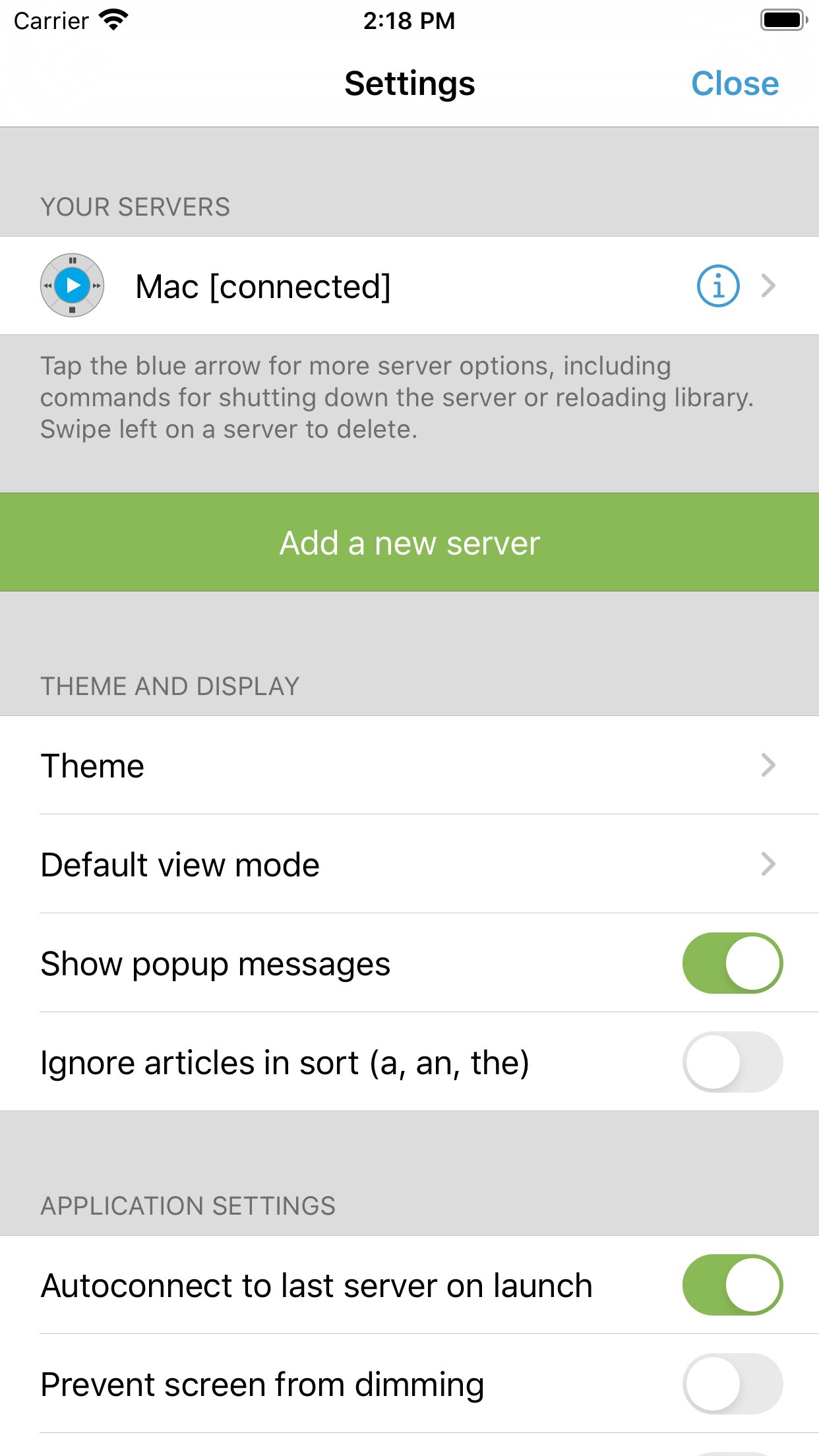
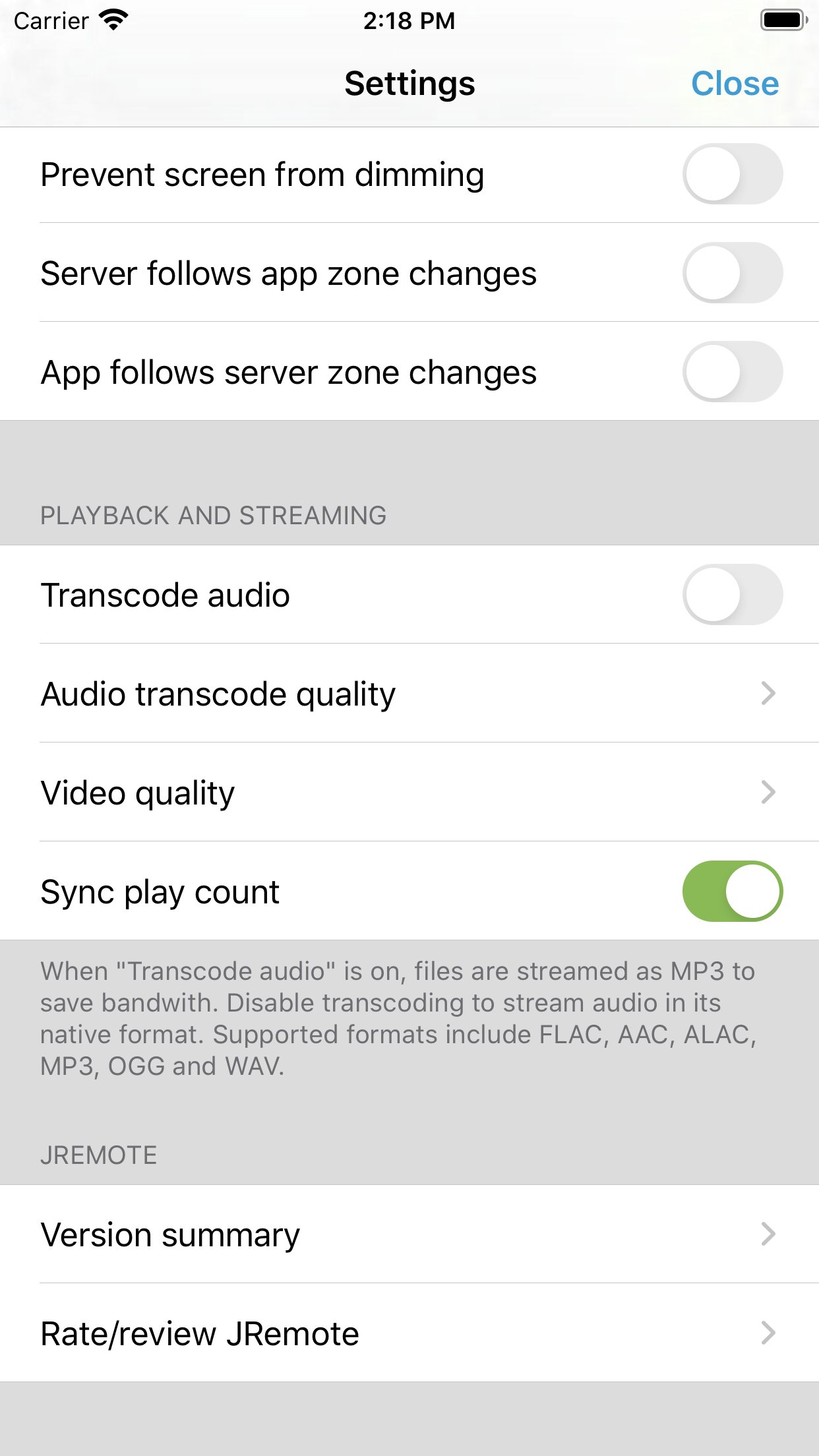
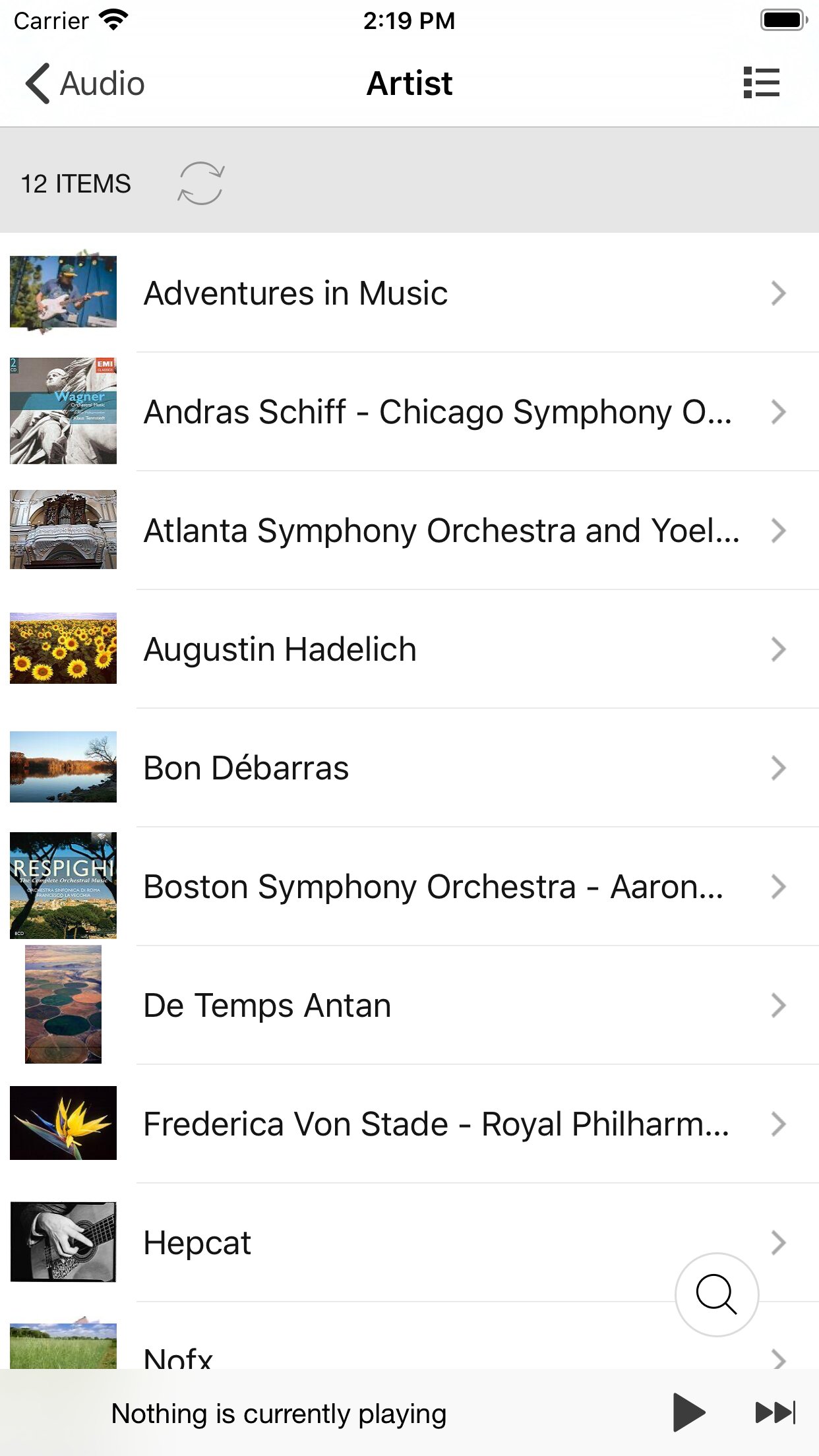
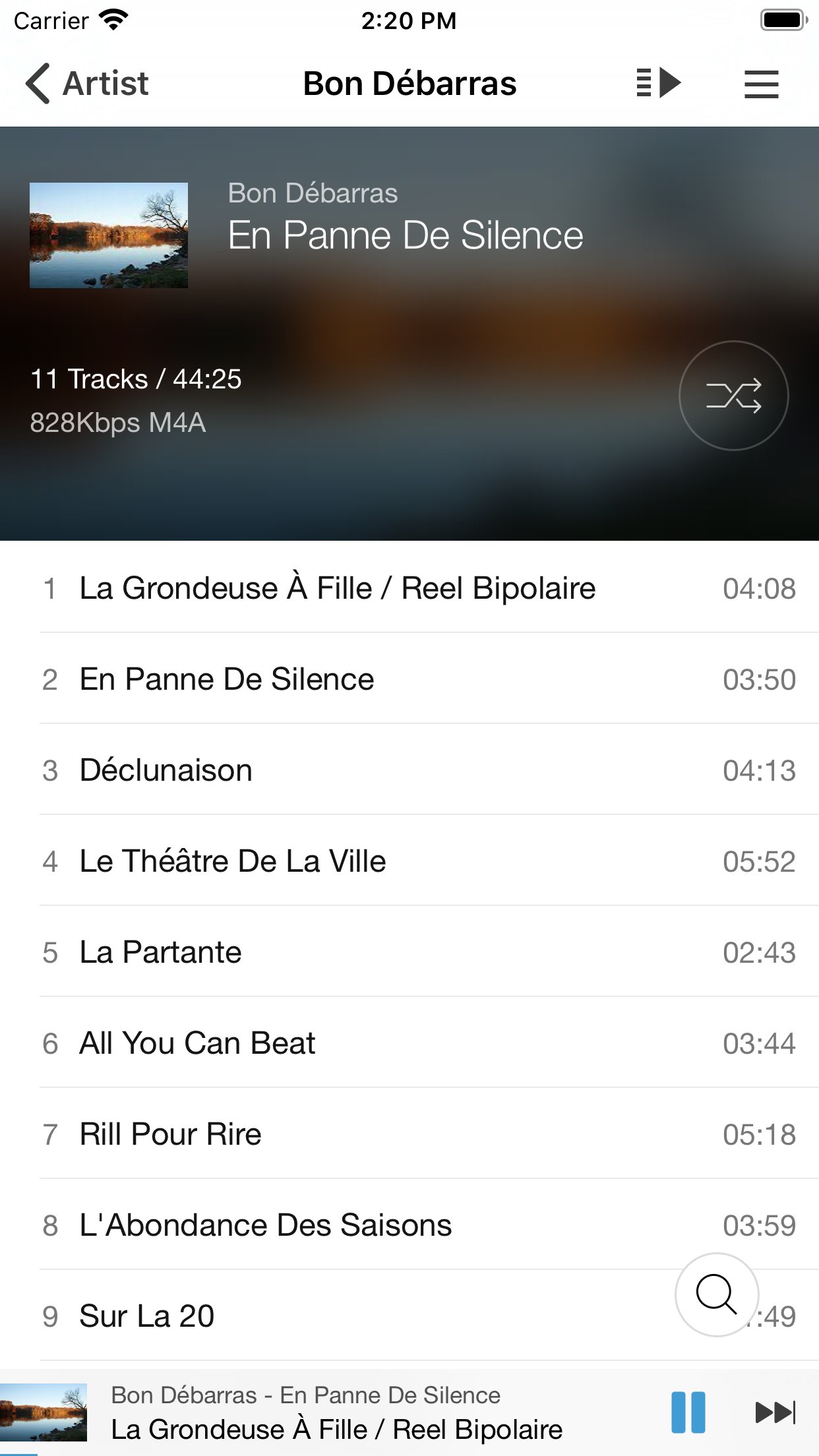
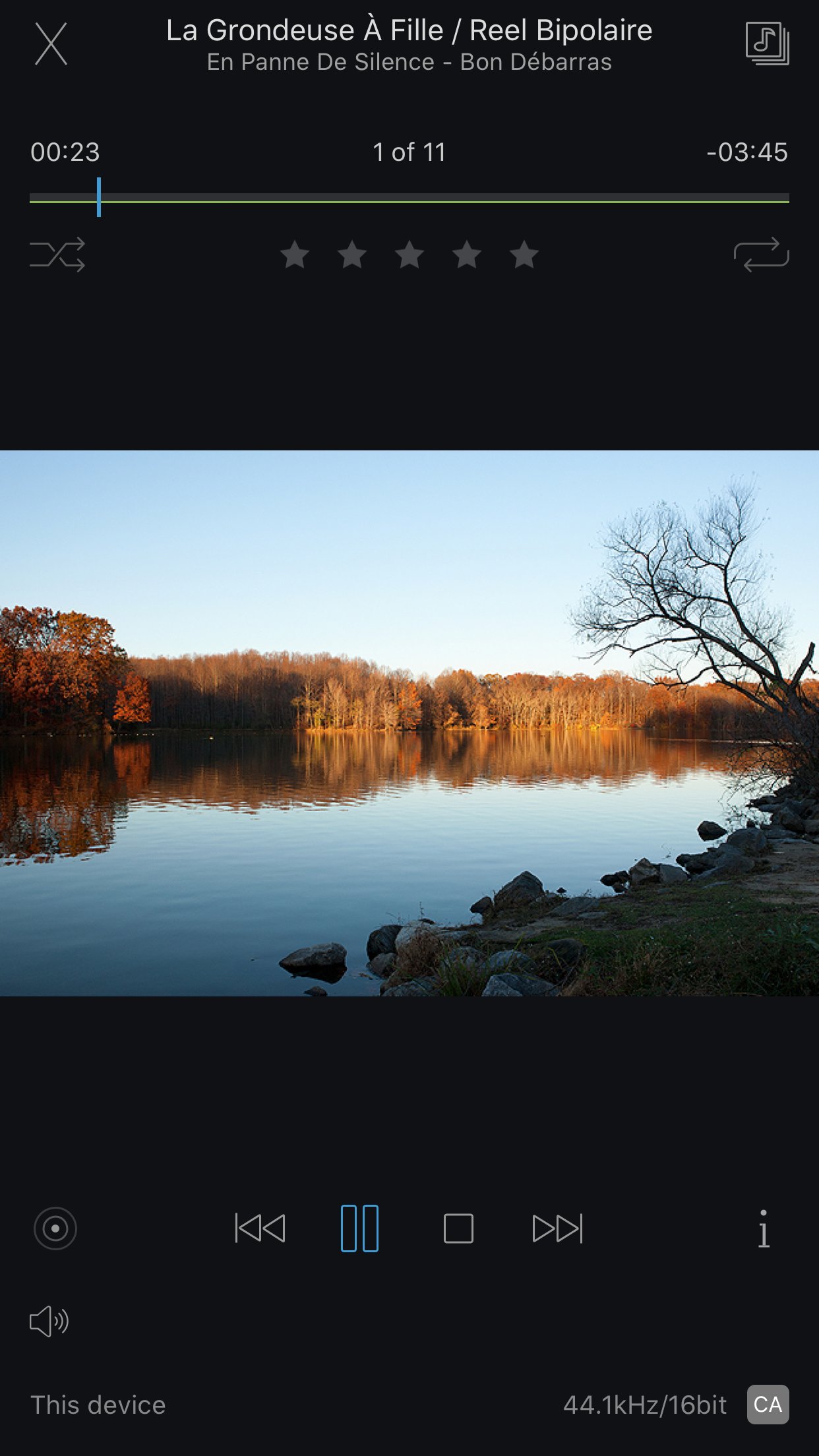
About JRemote
JRemote is a full featured native iOS remote for JRiver Media Center. JRemote was developed to offer you full remote control of your JRiver Media Center from any of your iDevices.
Please note that you need JRiver Media Center version 15 or later. We recommend you always run the latest version.
Features and specs:
Universal app
JRemote is a universal iOS application. The application will run on both iPhone/iPod touch as well as iPad’s. Each version is optimized for it`s screen size.
Navigation
JRemote uses the navigation setup from JRMC itself. This allows you to customize the navigation menu and sub-menus from within the JRiver application.
- Multiple view modes (list, imagelist, thumbnails)
- Search using JRMC`s fuzzy search engine
- Virtual remote for controlling theater view
DLNA and zones
Use JRemote to control all your DLNA supported devices. Any device supported in JRMC can be controlled from JRemote by switching to that specific zone.
You can link and unlink zone for multi-room playback.
Easy setup
Connecting to your computer is fully automatic, no need to enter your IP-address and Port number.
You only need to enter the access key found in JRMC`s option panel (We do provide an option for you to add IP-address and Port manually if needed).
- JRemote will let you connect to your server from outside your wifi, using standard mobile networks. For this to work you need to configure port forwarding on your internet router.
- Wake-On-LAN is supported if you provide your machines MAC address. (Automatic when adding a server by access key)
- JRemote is CarPlay enabled.
Edit and view metadata
Any metadata attached to a specific file can be viewed and edited. You can update multiple files in one operation.
Rating may be set from multiple locations depending on iPhone/iPad version.
Player controls
JRemote includes all common playback controls including repeat mode, and shuffle mode.
Control volume and progress from sliders while getting feedback from the HUD display
Audio streaming
JRemote lets you stream all your audio files to the device itself. Just select “This device” as the current zone.
- Gapless playback
- Stream any file up to 96kHz, 24 bit
- Downloaded progress indicator
- Supported audio formats include AAC, AIFF, ALAC, APE, DSF/DFF, FLAC, M4A, MP3, OGG, and WAV.
- All files may be transcoded to MP3 from 128Kbs up to 320Kbs
License: Commercial
Please note that you need JRiver Media Center version 15 or later. We recommend you always run the latest version.
Features and specs:
Universal app
JRemote is a universal iOS application. The application will run on both iPhone/iPod touch as well as iPad’s. Each version is optimized for it`s screen size.
Navigation
JRemote uses the navigation setup from JRMC itself. This allows you to customize the navigation menu and sub-menus from within the JRiver application.
- Multiple view modes (list, imagelist, thumbnails)
- Search using JRMC`s fuzzy search engine
- Virtual remote for controlling theater view
DLNA and zones
Use JRemote to control all your DLNA supported devices. Any device supported in JRMC can be controlled from JRemote by switching to that specific zone.
You can link and unlink zone for multi-room playback.
Easy setup
Connecting to your computer is fully automatic, no need to enter your IP-address and Port number.
You only need to enter the access key found in JRMC`s option panel (We do provide an option for you to add IP-address and Port manually if needed).
- JRemote will let you connect to your server from outside your wifi, using standard mobile networks. For this to work you need to configure port forwarding on your internet router.
- Wake-On-LAN is supported if you provide your machines MAC address. (Automatic when adding a server by access key)
- JRemote is CarPlay enabled.
Edit and view metadata
Any metadata attached to a specific file can be viewed and edited. You can update multiple files in one operation.
Rating may be set from multiple locations depending on iPhone/iPad version.
Player controls
JRemote includes all common playback controls including repeat mode, and shuffle mode.
Control volume and progress from sliders while getting feedback from the HUD display
Audio streaming
JRemote lets you stream all your audio files to the device itself. Just select “This device” as the current zone.
- Gapless playback
- Stream any file up to 96kHz, 24 bit
- Downloaded progress indicator
- Supported audio formats include AAC, AIFF, ALAC, APE, DSF/DFF, FLAC, M4A, MP3, OGG, and WAV.
- All files may be transcoded to MP3 from 128Kbs up to 320Kbs
License: Commercial
| Release info | New Release on Sep 18, 2026 |
|---|---|
| Release notes | Supports Radio JRiver and Cloudplay streaming to the local device. Requires MC 35.0.43 and above (35.0.44 for linux and Mac) Native DSF/DFF playback to the device zone Native APE playback to the device zone Radio Paradise playback to the device zone Fix to Radio Paradise channel numbers Playback of SACD tracks to the device zone without transcoding (extracts DSF). Requires MC 35.0.55 and above Built with VS2026 and Xcode 26. Requires iOS >= 13.0 Fixed metadata formatting of the date for videos. |
| Listing data | App Store |
Reviews
No reviews yet. Be the first to review JRemote.
Used JRemote? Tell other visitors what you thought.
Log in to write a reviewOther products by this publisher
- "No Distractions" for YouTube 4.10 ----
- #Bible 11.6 "Incredible App - My sister shared this app with me a few weeks ago and it is truly incredible.
- #filmphotography 1.4.2 So, you decided to shoot on film?
- $quirrel 1.5.1 $quirrel Budget & Finance helps you plan each paycheck, track spending, manage debt, and see what is safe to spend before the next payday.
- % Percentage Calculator Pro 1.41 This is the Pro version of % Percentage Calculator.
Most viewed iOS Photo & Video
-
1
 ShortDiShow 2.0
Drama Quest Island — An offline interactive short-drama adventure.
-
2
 Infuse 8.5.10
Infuse: Enterprise provides the same great features as the standard version of Infuse and includes permanent access to all Pro features via a traditional paid app.
-
3
 AI Video Generator 2.0.2
Vixel – AI Video Generator
-
4
 OPlayer 4.8
Play all your videos directly without having to convert them!
-
5
 Necrometer II 1.2
Necrometer II is a paranormal investigation companion designed for ghost hunters and researchers.
-
6
 CapCut 20.1.0
CapCut offers easy-to-use video editing functions, in-APP fonts and effects, advanced features such as keyframe animation, smooth slow-motion, chroma key, and stabilization, to help you capture and snip moments.
-
7
 Ai Photo 1.1.2
AI Photo Retouch – BG Eraser
- 8 #filmphotography 1.4.2 So, you decided to shoot on film?
-
9
 Treblo 1.6.5
Make songs with the world's best AI music model.
-
10
 Pop Dot Comics 1.48
Create a comic worthy of the Sunday newspaper or your favorite pulp-fiction cover.
Most downloaded iOS Photo & Video
-
1
Infuse 8.5.10
Infuse: Enterprise provides the same great features as the standard version of Infuse and includes permanent access to all Pro features via a traditional paid app.
-
2
 DJI Fly 1.21.18
DJI Fly is designed to help pilots fly drones with ease.
-
3
 Analog Radio 3.0
The iPhone and iPad devices don't have the FM/AM radio antenna installed.
-
4
 TurboCollage Automatic 1.2.4
#1 Easy automatic photo collage maker for iPhone & iPad.
-
5
Treblo 1.6.5
Make songs with the world's best AI music model.
-
6
 ReelyGo 1.1.42
ReelyGo: Your Daily Drama Escape
-
7
 Rozeta Sequencer Suite 1.3.16
Rozeta is a suite of MIDI sequencers and controllers that lets you explore a new, freeform approach to sequencing and controlling mobile music apps.
-
8
 AGAIN. Rehearsal Notes 2.0.1
AGAIN. is the rehearsal app that remembers why the band stopped — and, new in Version 2, who said what in a writing session or a table read.
-
9
Pop Dot Comics 1.48
Create a comic worthy of the Sunday newspaper or your favorite pulp-fiction cover.
-
10
 Sun Scout 1.5.0
If your work or play requires sunlight, Sun Scout is built for you.