
JabraLibre 0.3.7
Offline ANC / HearThrough switcher and battery monitor for Jabra Elite 10
Download
2.47 MB
9downloads
1this week
FreeFreeware
0reviews
Screenshots
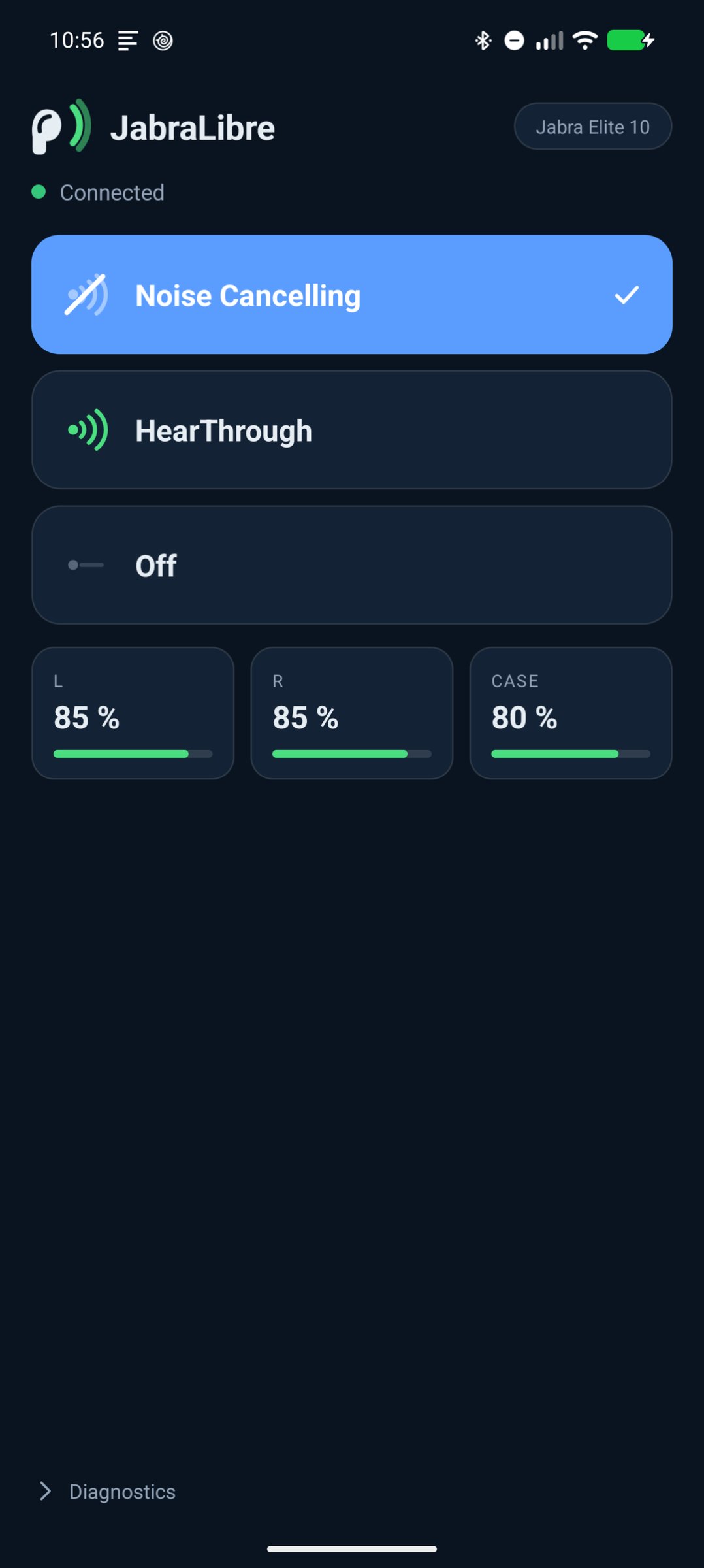
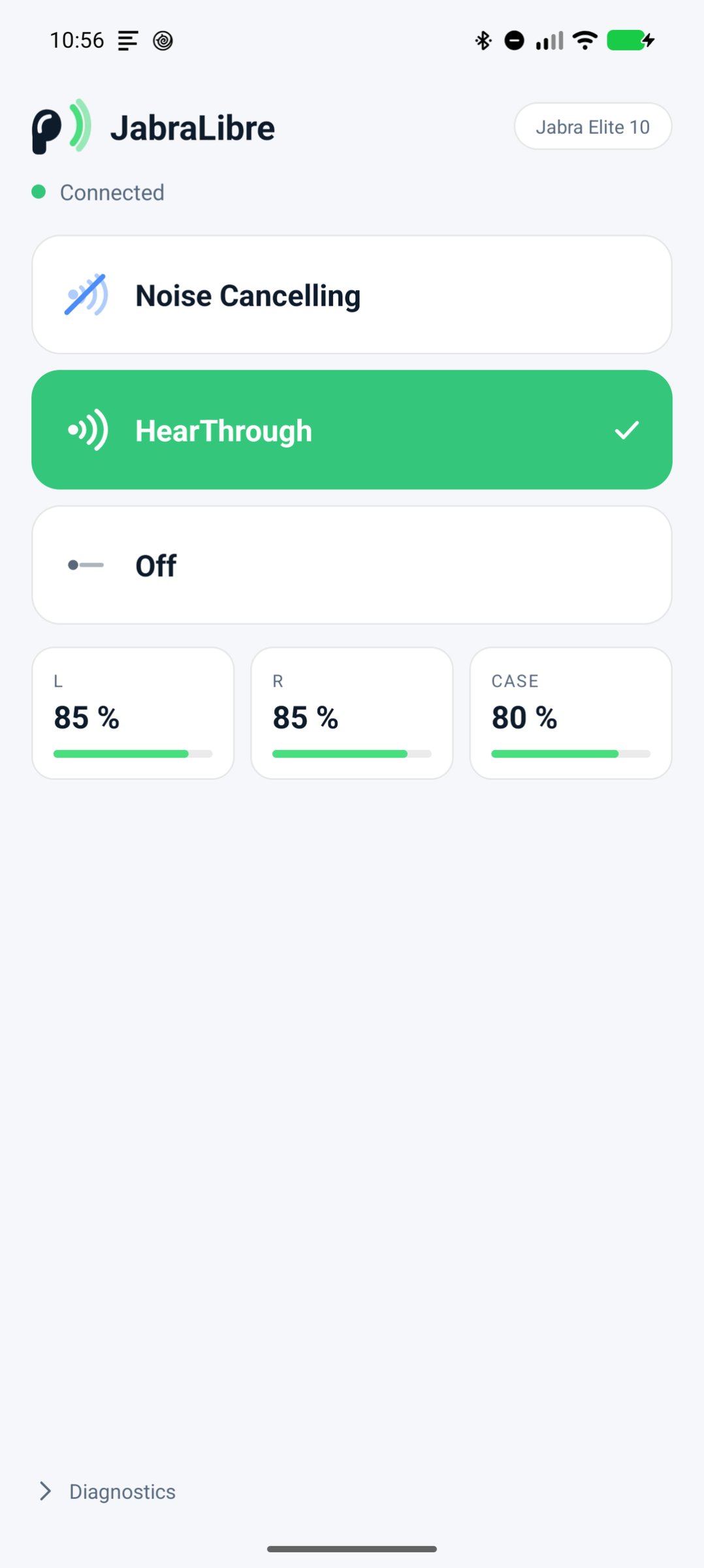
About JabraLibre
A minimal, fully offline replacement for the Jabra Sound+ app, built around the
one feature that matters most: switching between Noise Cancelling, HearThrough
and Off.
The earbud button already cycles those modes — as long as you are wearing the
left bud. Listening with only the right one, in bed for instance, leaves no way
to switch. That is what this app is for, and why it ships a Quick Settings tile:
pull down the shade, one tap cycles the modes. It works on the lock screen, so
you never have to open the app at all.
Features
• Switch Noise Cancelling / HearThrough / Off, from the app or a Quick Settings tile
• Shows all three battery levels separately: left bud, right bud and charging case
• Picks up mode changes you make with the earbud button
• Reconnects on its own when you take the buds out of the case
• Says plainly when the buds are not reachable instead of pretending
• English and German
Offline by design
The app has no INTERNET permission at all — not an unused one, none. It cannot
phone home, there is no account, no tracking, no Google Play Services, and no
analytics. It talks to the earbuds over Bluetooth and to nothing else. That is
also why there is no firmware updater: even a passive update check would need
network access, and that would defeat the point.
How it works
The Elite 10 talks to Sound+ over Bluetooth Classic RFCOMM, using a protocol
that was reverse-engineered from a capture of the phone's own Bluetooth traffic.
The findings are documented in the project's README so anyone can check what the
app does, or build on it.
Device support
Everything here was developed and tested against one single pair of Jabra
Elite 10. It may work on other Jabra earbuds that speak the same protocol, and
it may equally well not: other generations use different transports and
different identifiers. If it does not work with yours, the app has a Diagnostics
section that exports a protocol log — open an issue with that log and the exact
model, and support can be added.
Not affiliated with Jabra or GN Audio.
License: GPL-3.0-or-later
one feature that matters most: switching between Noise Cancelling, HearThrough
and Off.
The earbud button already cycles those modes — as long as you are wearing the
left bud. Listening with only the right one, in bed for instance, leaves no way
to switch. That is what this app is for, and why it ships a Quick Settings tile:
pull down the shade, one tap cycles the modes. It works on the lock screen, so
you never have to open the app at all.
Features
• Switch Noise Cancelling / HearThrough / Off, from the app or a Quick Settings tile
• Shows all three battery levels separately: left bud, right bud and charging case
• Picks up mode changes you make with the earbud button
• Reconnects on its own when you take the buds out of the case
• Says plainly when the buds are not reachable instead of pretending
• English and German
Offline by design
The app has no INTERNET permission at all — not an unused one, none. It cannot
phone home, there is no account, no tracking, no Google Play Services, and no
analytics. It talks to the earbuds over Bluetooth and to nothing else. That is
also why there is no firmware updater: even a passive update check would need
network access, and that would defeat the point.
How it works
The Elite 10 talks to Sound+ over Bluetooth Classic RFCOMM, using a protocol
that was reverse-engineered from a capture of the phone's own Bluetooth traffic.
The findings are documented in the project's README so anyone can check what the
app does, or build on it.
Device support
Everything here was developed and tested against one single pair of Jabra
Elite 10. It may work on other Jabra earbuds that speak the same protocol, and
it may equally well not: other generations use different transports and
different identifiers. If it does not work with yours, the app has a Diagnostics
section that exports a protocol log — open an issue with that log and the exact
model, and support can be added.
Not affiliated with Jabra or GN Audio.
License: GPL-3.0-or-later
| Release info | New Release on Oct 22, 2026 |
|---|---|
| Release notes | The device chip in the header is easier to hit and now carries a real chevron instead of a small arrow character, so it is recognisable as something you can tap to switch earbuds. |
| Listing data | F-Droid |
Reviews
No reviews yet. Be the first to review JabraLibre.
Used JabraLibre? Tell other visitors what you thought.
Log in to write a reviewOther products by this publisher
- "No Distractions" for YouTube 4.10 ----
- #Bible 11.6 "Incredible App - My sister shared this app with me a few weeks ago and it is truly incredible.
- #filmphotography 1.4.2 So, you decided to shoot on film?
- $quirrel 1.5.1 $quirrel Budget & Finance helps you plan each paycheck, track spending, manage debt, and see what is safe to spend before the next payday.
- % Percentage Calculator Pro 1.41 This is the Pro version of % Percentage Calculator.
Most viewed Android Connectivity
- 1 XrayFA 1.7.4 XrayFA is a fast, secure, and user-friendly Android client for Xray-core.
-
2
 Pulse 0.99.0-pulse
Garmin watch companion — your data stays on your phone
- 3 Device Connect 0.12.1 Yet another tool to connect Android phone with desktop
-
4
 Airplane Scheduler 3.0
Automatically switch airplane mode on a schedule
- 5 JMP SIM Manager jmp-v1.7.2 Companion app for the JMP eSIM Adapter
-
6
 FocusMastodon 2.12.0.20240624
FocusMastodon is a bright and colourful Mastodon client
- 7 getgovroam 2.3.1(2693) Configure the govroam Wi-Fi network securely and correctly
-
8
 SimpleX Chat 7.1.2
SimpleX Chat - e2e encrypted messenger without any user IDs - private by design!
-
9
 AwakeOnLANMobile 1.0.2
Send WakeOnLAN packets (IPv4/IPv6) over the internet, includes a CIDR scanner
- 10 DumDum 1.1.6 Simple VPN over SOCKS/HTTP/HTTPS proxy
Most downloaded Android Connectivity
- 1 Vento RustDesk backend 8 RustDesk plugin for the Vento remote desktop client
- 2 DCC++Throttle 1.5.2065 Application to drive DCC-EX command station via Bluetooth
- 3 Vento RealVNC backend 8 RealVNC plugin for the Vento remote desktop client
-
4
 xlog2 0.6.10
Peer-to-peer amateur-radio field logbook that syncs with the xlog2 desktop
- 5 Pixel 5G 3.1.1 Config pixel modem NR mode
-
6
 Qetara 1.4.5
Share files and messages between nearby devices on your local network
-
7
 Mages 5.3.7
Experimental Matrix client made using Compose Multiplatform (and Rust).
-
8
 Network Survey 2.0
Survey cellular, Wi-Fi, Bluetooth and GNSS, then log, stream or upload the data
-
9
 RemotePhone 2.2.0
Mirror and control your Android phone from Linux over WiFi
-
10
 MateDroid 1.12.0
View Tesla vehicle data from your self-hosted Teslamate instance