
iWriter 2 19
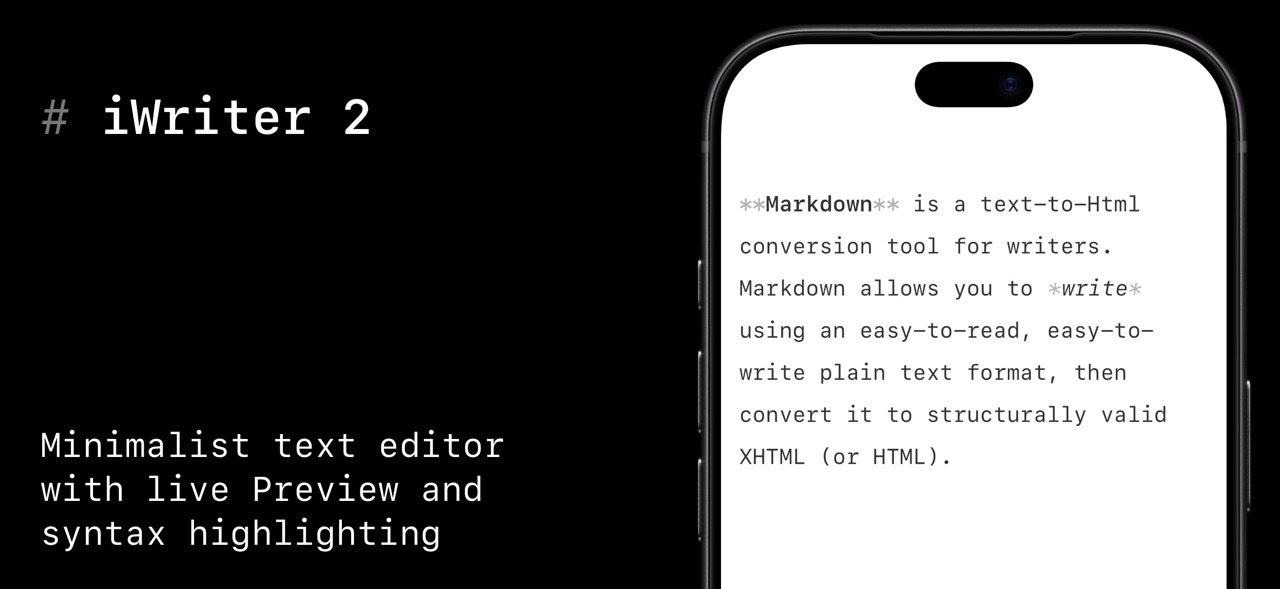
iWriter 2 is an elegant and minimalist Markdown text editor designed for distraction-free writing.
Download
19.58 MB
14downloads
9this week
FreeCommercial
0reviews
Screenshots
About iWriter 2
iWriter 2 is an elegant and minimalist Markdown text editor designed for distraction-free writing.
# iWriter 2 is the next generation of the beloved iWriter text editor.
"Simple & beautiful"
App Store Review, 2019
"Terrific Writing and Notes App"
App Store Review, 2015
"Great simple text editor"
App Store Review, 2014
Immerse yourself in a minimalist writing environment designed to enhance focus and productivity. Say hello to structured, professional documents that effortlessly transform your ideas.
## MultiMarkdown Support
iWriter 2 is a full-featured Markdown editor built for precision and flexibility.
- MultiMarkdown support with live preview and syntax highlighting.
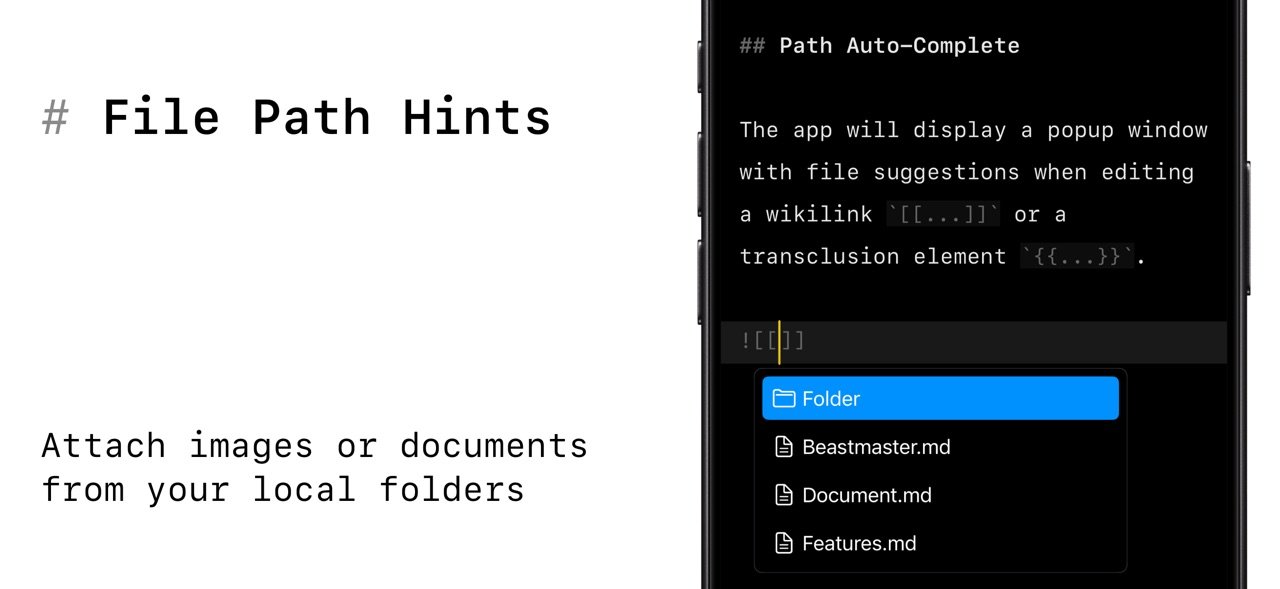
- Wikilinks and Wiki-Embeds for connected notes.
- Task lists and code blocks made simple.
- Keyboard shortcuts for fast inline formatting.
## Built-in Document Manager
A built-in document manager that lets you easily organize, browse, and manage all your files in one place — complete with powerful document search to quickly find exactly what you need.
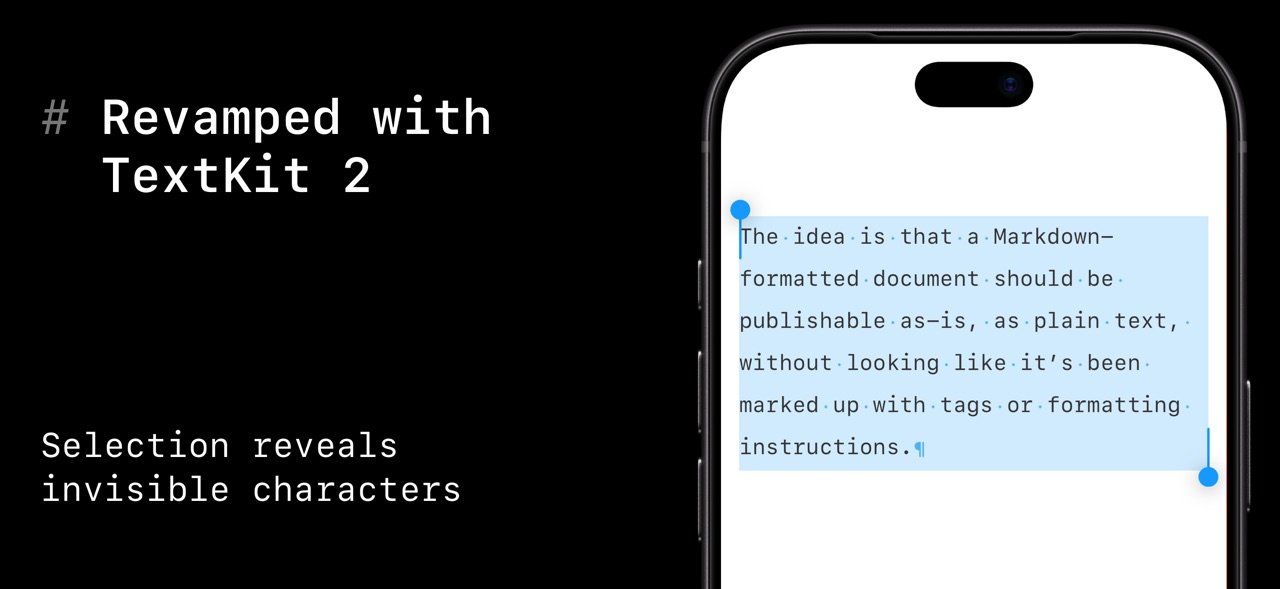
## Rebuilt with TextKit 2
iWriter 2 has been completely rebuilt from the ground up using Apple’s modern TextKit 2 framework, delivering faster performance, smoother scrolling, and a more responsive writing experience.
## Multiple Export Options
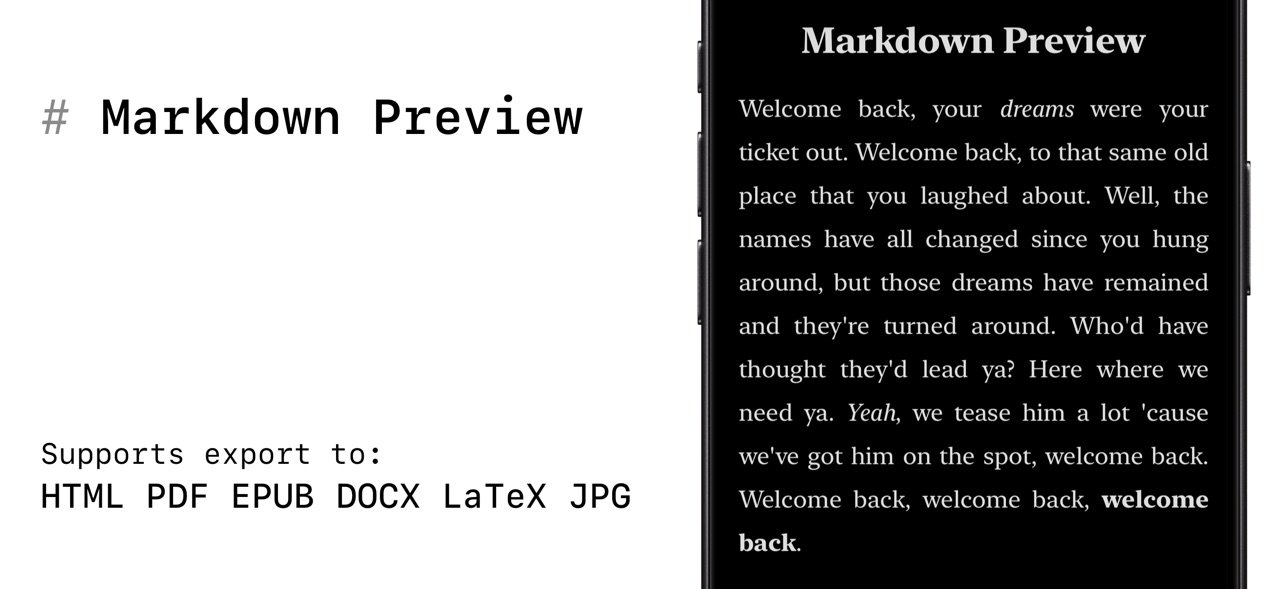
A refined, user-friendly interface designed for focus and productivity, offering intuitive formatting options and seamless export to multiple formats including HTML, PDF, EPUB, DOCX (Microsoft Word), and LaTeX.
## LaTeX and Mermaid Diagrams
iWriter 2 offers LaTeX syntax highlighting, making complex math expressions easy to read and edit as you write. It also supports Mermaid diagrams, letting you create flowcharts, sequence diagrams, and more using simple text-based syntax. Both integrate seamlessly into your Markdown workflow, keeping technical writing and visual documentation in one place.
---
Terms of Use: [link removed]
Privacy Policy: [link removed]
License: Commercial
# iWriter 2 is the next generation of the beloved iWriter text editor.
"Simple & beautiful"
App Store Review, 2019
"Terrific Writing and Notes App"
App Store Review, 2015
"Great simple text editor"
App Store Review, 2014
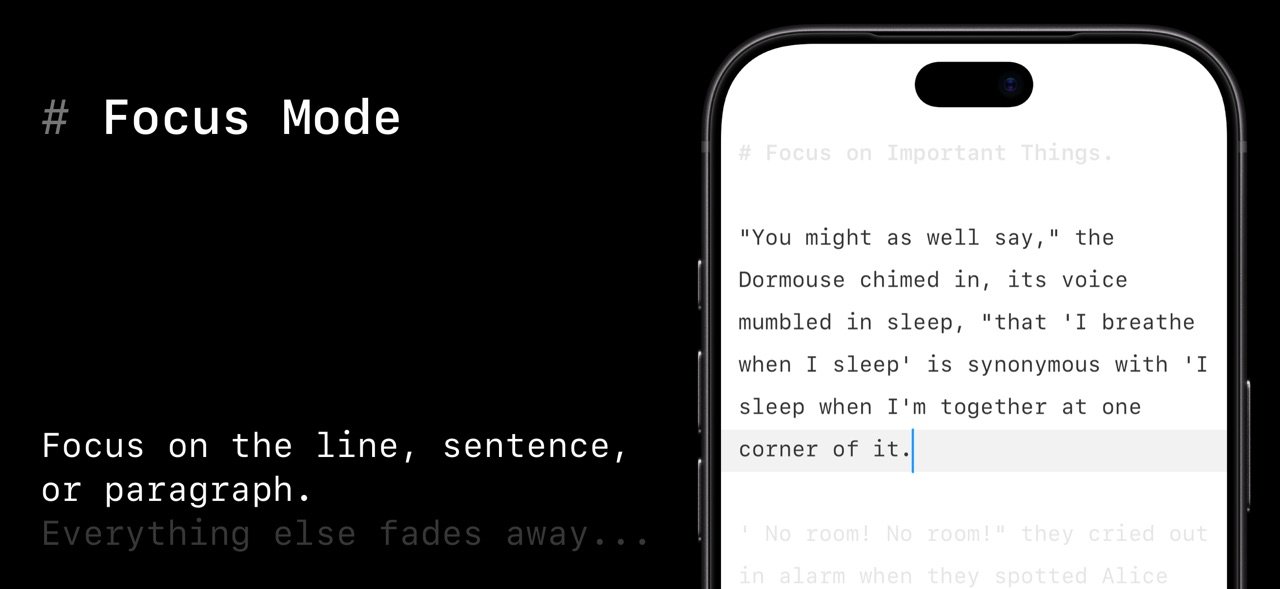
Immerse yourself in a minimalist writing environment designed to enhance focus and productivity. Say hello to structured, professional documents that effortlessly transform your ideas.
## MultiMarkdown Support
iWriter 2 is a full-featured Markdown editor built for precision and flexibility.
- MultiMarkdown support with live preview and syntax highlighting.
- Wikilinks and Wiki-Embeds for connected notes.
- Task lists and code blocks made simple.
- Keyboard shortcuts for fast inline formatting.
## Built-in Document Manager
A built-in document manager that lets you easily organize, browse, and manage all your files in one place — complete with powerful document search to quickly find exactly what you need.
## Rebuilt with TextKit 2
iWriter 2 has been completely rebuilt from the ground up using Apple’s modern TextKit 2 framework, delivering faster performance, smoother scrolling, and a more responsive writing experience.
## Multiple Export Options
A refined, user-friendly interface designed for focus and productivity, offering intuitive formatting options and seamless export to multiple formats including HTML, PDF, EPUB, DOCX (Microsoft Word), and LaTeX.
## LaTeX and Mermaid Diagrams
iWriter 2 offers LaTeX syntax highlighting, making complex math expressions easy to read and edit as you write. It also supports Mermaid diagrams, letting you create flowcharts, sequence diagrams, and more using simple text-based syntax. Both integrate seamlessly into your Markdown workflow, keeping technical writing and visual documentation in one place.
---
Terms of Use: [link removed]
Privacy Policy: [link removed]
License: Commercial
| Release info | Update on Nov 02, 2026 |
|---|---|
| Release notes | - Text Navigation now follows your cursor. The navigation panel highlights the heading of the section you’re writing in. - Focus Mode now uses a new approach that’s much easier on performance. - Improvements to invisible characters rendering. - Improvements to navigation in the Documents Manager. New "Go" menu is availabe on iPad. - Smoother scrolling in long documents. - Better handling of files in the Document Manager. - Fixed scrolling problems in long documents. - Fixed incorrect background drawing in code blocks. - Fixed Typewriter Mode bugs, including wrong spacing at the top and bottom of the text. - Fixed problems restoring documents and windows at launch. - Fixed several Document Manager bugs. If you like iWriter, please rate it in the App Store every time the update goes live. Your ratings and great reviews help us a lot! |
| Listing data | App Store |
Reviews
No reviews yet. Be the first to review iWriter 2.
Used iWriter 2? Tell other visitors what you thought.
Log in to write a reviewOther products by this publisher
- "No Distractions" for YouTube 4.10 ----
- #Bible 11.5 "Incredible App - My sister shared this app with me a few weeks ago and it is truly incredible.
- #filmphotography 1.4.2 So, you decided to shoot on film?
- $quirrel 1.5.1 $quirrel Budget & Finance helps you plan each paycheck, track spending, manage debt, and see what is safe to spend before the next payday.
- % Percentage Calculator Pro 1.41 This is the Pro version of % Percentage Calculator.
Most viewed iOS Productivity
- 1 Voice Translator - Alive 1.6 Translation app that turns your iPhone into an interpreter instantly.
-
2
 WordPress 27.4
Manage or create your WordPress blog or website right from your iOS device: create and edit posts and pages, upload your favorite photos and videos, view stats and reply to comments.
-
3
 Claude by Anthropic 1.261104.19
Meet Claude, your AI problem solver and thinking partner.
- 4 "No Distractions" for YouTube 4.10 ----
- 5 (beat) for iOS 0.5.10 An elegant Fountain screenwriting app, created by a screenwriter for screenwriters.
-
6
 DeepSeek 2.7.2
Experience seamless interaction with DeepSeek's official AI assistant for free!
-
7
 Life360 26.42.0
Whether at home, online, or on the move, our comprehensive family safety features bring peace of mind to your loved ones AND help safeguard your personal belongings.
-
8
 Howbout 16.6.0
The shared calendar for friends, couples, and family
-
9
 Plot Digitizer 1.4.1
Plot Digitizer is an app to extract numerical data from plot images.
-
10
 Voices AI 1.16.11
Discover Voices, the premier voice transformation app designed exclusively for iOS.
Most downloaded iOS Productivity
- 1 Voice Translator - Alive 1.6 Translation app that turns your iPhone into an interpreter instantly.
-
2
DeepSeek 2.7.2
Experience seamless interaction with DeepSeek's official AI assistant for free!
-
3
 SessionsAI 1.2.1
Sessions AI is a private AI workspace that runs entirely on your iPhone, iPad, or Mac.
-
4
Voices AI 1.16.11
Discover Voices, the premier voice transformation app designed exclusively for iOS.
-
5
 Block Distracting Websites 1.11
"It's a great way to save time, and stop browsing Reddit when you should be doing coursework."
-
6
Plot Digitizer 1.4.1
Plot Digitizer is an app to extract numerical data from plot images.
-
7
 Google Docs 1.2026.43105
Create, edit, and collaborate on online documents with the Google Docs app.
-
8
 VPN 2.60.0
VPN - Super Unlimited Proxy is a free VPN and proxy app for iPhone, iPad, Mac and Apple Vision Pro.
- 9 (beat) for iOS 0.5.10 An elegant Fountain screenwriting app, created by a screenwriter for screenwriters.
-
10
Life360 26.42.0
Whether at home, online, or on the move, our comprehensive family safety features bring peace of mind to your loved ones AND help safeguard your personal belongings.