16downloads
2this week
FreeCommercial
0reviews
Screenshots

About iRetroPhone
Take your iPhone back to the 20th Century.
"And iRetroPhone, the goofiest $2.99 I've spent so far, draws an old-fashioned rotary dial on the screen."
- Saul Hansell (New York Times - Bits Blog)
A real rotary dial for your iPhone. And it really calls.
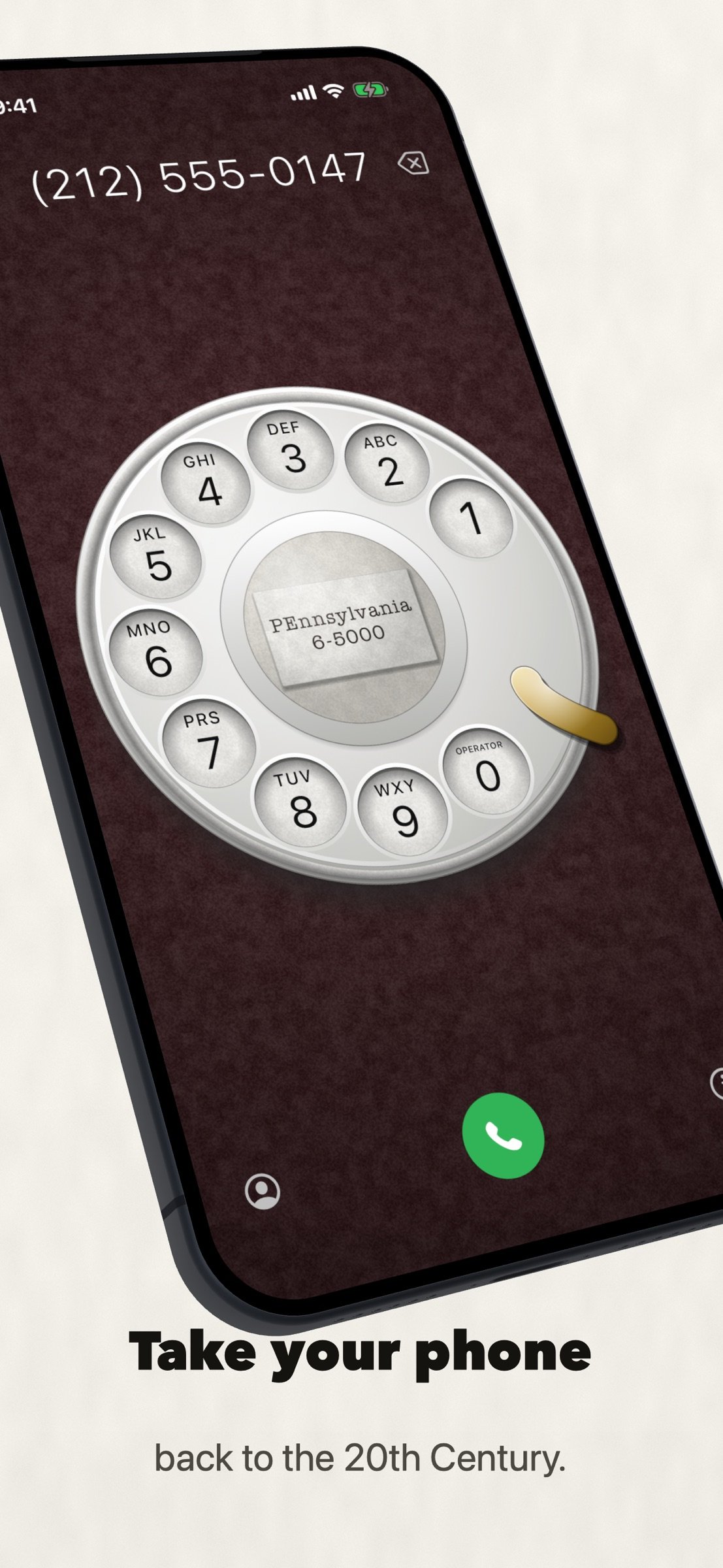
Put your finger in a hole, turn the dial to the metal stop and let go. It spins back on its governor, clicking ten times a second, and lands with a clack. Dial the number, tap the green button, and your iPhone places the call. Or pick someone from Contacts and watch the dial do it for you, digit by digit.
Never used a rotary phone? Tap the question mark and a ghost finger shows you how: into the hole, round to the stop, let go.
Made for iPhone Duo: open it and the dial stays where it was, with a paper card beside it for Speed Calling, eight numbers under the digits 2 to 9 as on the phone company's old service, and How to dial.
iRetroPhone went on sale on July 10, 2008, the day the App Store opened. Version 3 rebuilds it from the dial up.
THE DIAL
- Drawn, not photographed, so it is sharp on every iPhone
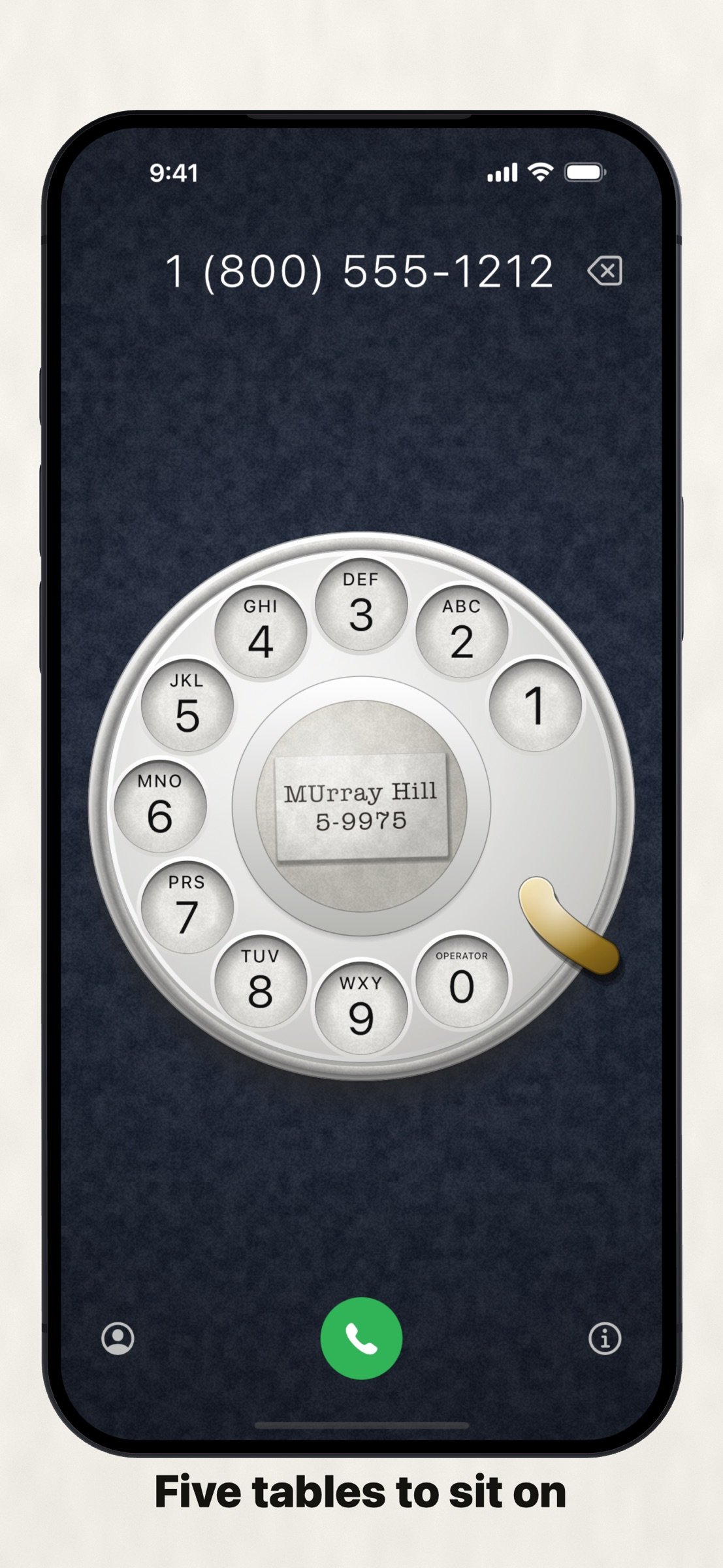
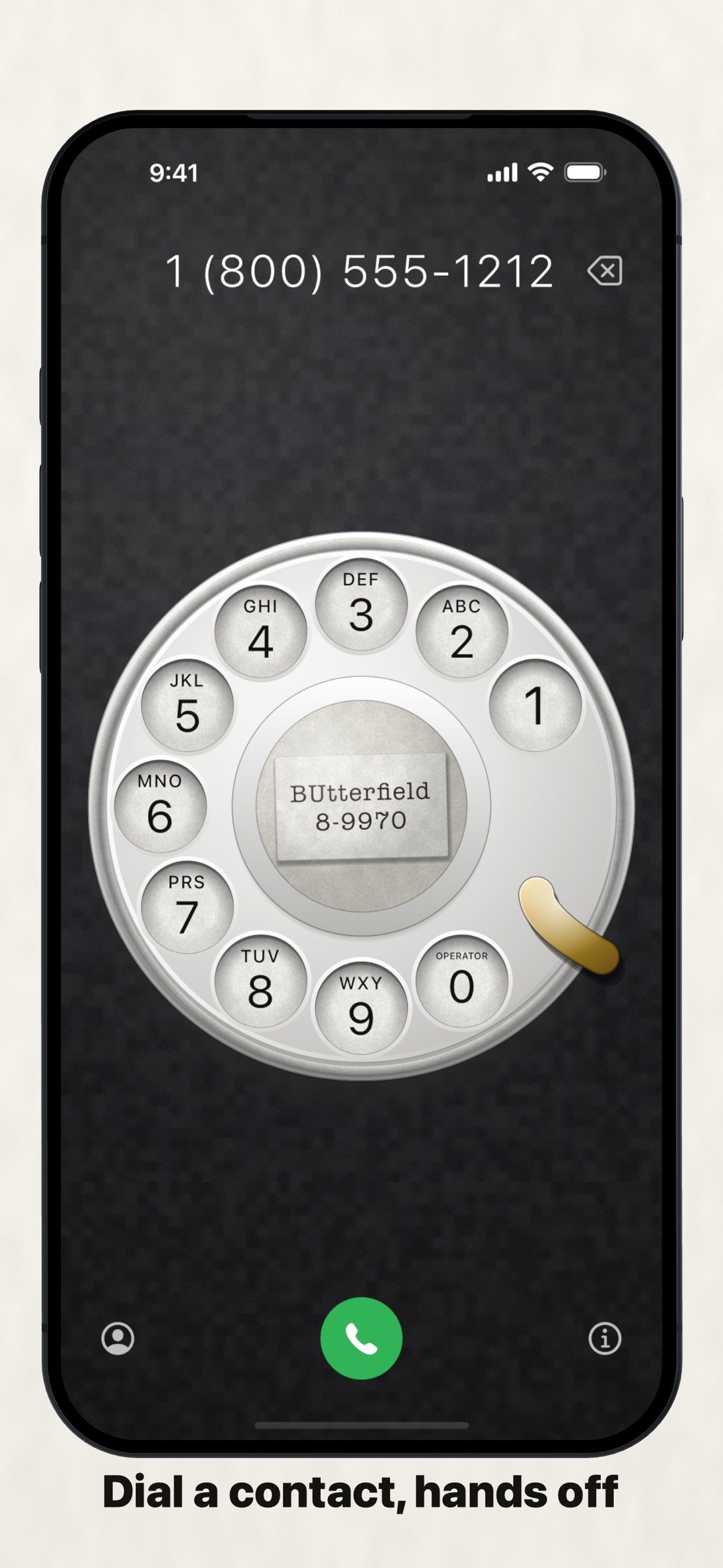
- The letters above the numbers, as on the classic dial: ABC, DEF, GHI, JKL, MNO, PRS, TUV, WXY, and OPERATOR over 0
- A brass finger stop and a paper slip under the center cap
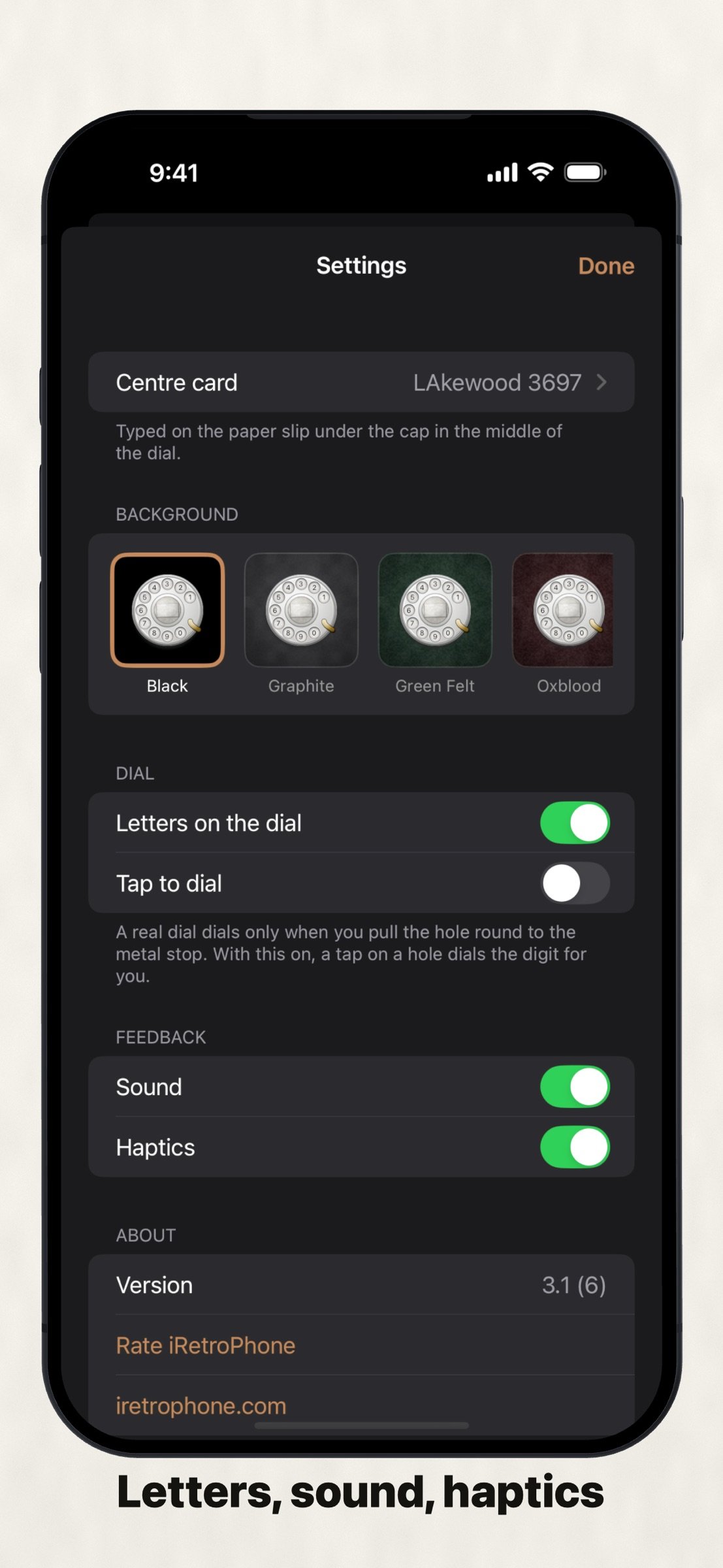
- You pull every digit yourself, as on a real phone. Prefer to tap a hole and let it dial? Turn on Tap to Dial in Settings.
THE SOUND
- Every tooth of the ratchet clicks as you turn, so a quick turn zips and a slow one ticks
- A pulse every 30 degrees on the way back, then the clack of the dial landing
- The landing clack and the hang-up are the original 2008 recordings
- Haptics follow every click, the stop and the landing
- Plays with the ring switch off, like a music app. Sound and haptics can each be switched off in Settings.
MAKE IT YOURS
- Type your own exchange and number on the slip in the middle, the way real dials carried them, like LAkewood 3697
- Set the dial on black, graphite, green felt, oxblood or navy
- Letters on the dial, or digits only
ON IPHONE DUO
- Closed, Delete, Contacts, Call and Settings stand down the side, Call level with the middle of the dial
- Open it and the dial stays right where it was, the way the Home Screen keeps its icons in place. A paper card opens beside it.
- Speed Calling, on the card: eight numbers under the digits 2 to 9, the digits the phone company's own Speed Calling service used. Tap a name and the dial turns by itself and calls.
- How to dial, on the card: four steps, and a tap shows you on the dial
- Stand it upright and the card moves to the top, the dial at the same size
IN YOUR LANGUAGE
English, German, French, Spanish, Italian and Japanese.
NOTHING COLLECTED
No account, no ads, no analytics, no network requests. The system contact picker shares the name and number you choose. Speed Calling saves those entries on your device. Calls go through the Phone app.
License: Commercial
| Release info | Update on Nov 02, 2026 |
|---|---|
| Release notes | - Made for iPhone Duo. Closed, the keys stand down the side of the dial. Open it and the dial stays where it was, with a paper card beside it. - Speed Calling, on the card: eight numbers under the digits 2 to 9, as on the phone company's Speed Calling service. Tap one and the dial calls it for you. - How to dial, on paper: tap the card and the dial shows you. - The dial now starts on the oxblood table; black and the other tables are in Settings. |
| Listing data | App Store |
Reviews
No reviews yet. Be the first to review iRetroPhone.
Used iRetroPhone? Tell other visitors what you thought.
Log in to write a reviewOther products by this publisher
- "No Distractions" for YouTube 4.10 ----
- #Bible 11.6.1 "Incredible App - My sister shared this app with me a few weeks ago and it is truly incredible.
- #filmphotography 1.4.2 So, you decided to shoot on film?
- #LookBusy Fake Calendar Events 1.0.6 Look Busy scans your work calendar for open time slots and fills them with realistic-looking (but secretly fake) work events.
- #Small Talk Is Canceled 1.0.2 #Small Talk Is Canceled — Conversations That Matter
Most viewed iOS Photo & Video
-
1
 Restore Old Photos 1.1.0
Bring old family photos back to life, privately on your iPhone or iPad.
-
2
 Infrared Developer 1.2
Infrared Developer is a photo editor built for infrared photography.
-
3
 ShortDiShow 2.0
Drama Quest Island — An offline interactive short-drama adventure.
-
4
 Face Witness 1.0.4
FaceWitness lets you create a face by putting together individual features.
-
5
 Infuse 8.5.11
Infuse: Enterprise provides the same great features as the standard version of Infuse and includes permanent access to all Pro features via a traditional paid app.
-
6
 makeART Coloring Book 1.0
Color something beautiful.
-
7
 AI Video Generator 2.0.3
Vixel – AI Video Generator
- 8 #filmphotography 1.4.2 So, you decided to shoot on film?
-
9
 OPlayer 4.8
Play all your videos directly without having to convert them!
-
10
 CapCut 20.3.0
CapCut is an all-in-one video editing solution that offers essential editing features, creative effects, AI tools, filters, stickers, and fonts, and a wide range of video templates to empower users to easily create incredible videos regardless of th…
Most downloaded iOS Photo & Video
-
1
 DJI Fly 1.21.18
DJI Fly is designed to help pilots fly drones with ease.
-
2
Infuse 8.5.11
Infuse: Enterprise provides the same great features as the standard version of Infuse and includes permanent access to all Pro features via a traditional paid app.
-
3
 ReelyGo 1.1.60
ReelyGo: Your Daily Drama Escape
-
4
 Analog Radio 3.0
The iPhone and iPad devices don't have the FM/AM radio antenna installed.
-
5
 TurboCollage Automatic 1.2.4
#1 Easy automatic photo collage maker for iPhone & iPad.
-
6
 Rozeta Sequencer Suite 1.3.16
Rozeta is a suite of MIDI sequencers and controllers that lets you explore a new, freeform approach to sequencing and controlling mobile music apps.
-
7
 Treblo 1.6.7
Make songs with the world's best AI music model.
-
8
 Pop Dot Comics 1.48
Create a comic worthy of the Sunday newspaper or your favorite pulp-fiction cover.
-
9
 AGAIN. Rehearsal Notes 2.0.1
AGAIN. is the rehearsal app that remembers why the band stopped — and, new in Version 2, who said what in a writing session or a table read.
-
10
 Sun Scout 1.5.0
If your work or play requires sunlight, Sun Scout is built for you.