
iFiles 1.18.0
iFiles 2 is now available, this application is here to support legacy users.
Download
37.59 MB
9downloads
9this week
FreeCommercial
0reviews
Screenshots
About iFiles
iFiles 2 is now available, this application is here to support legacy users.
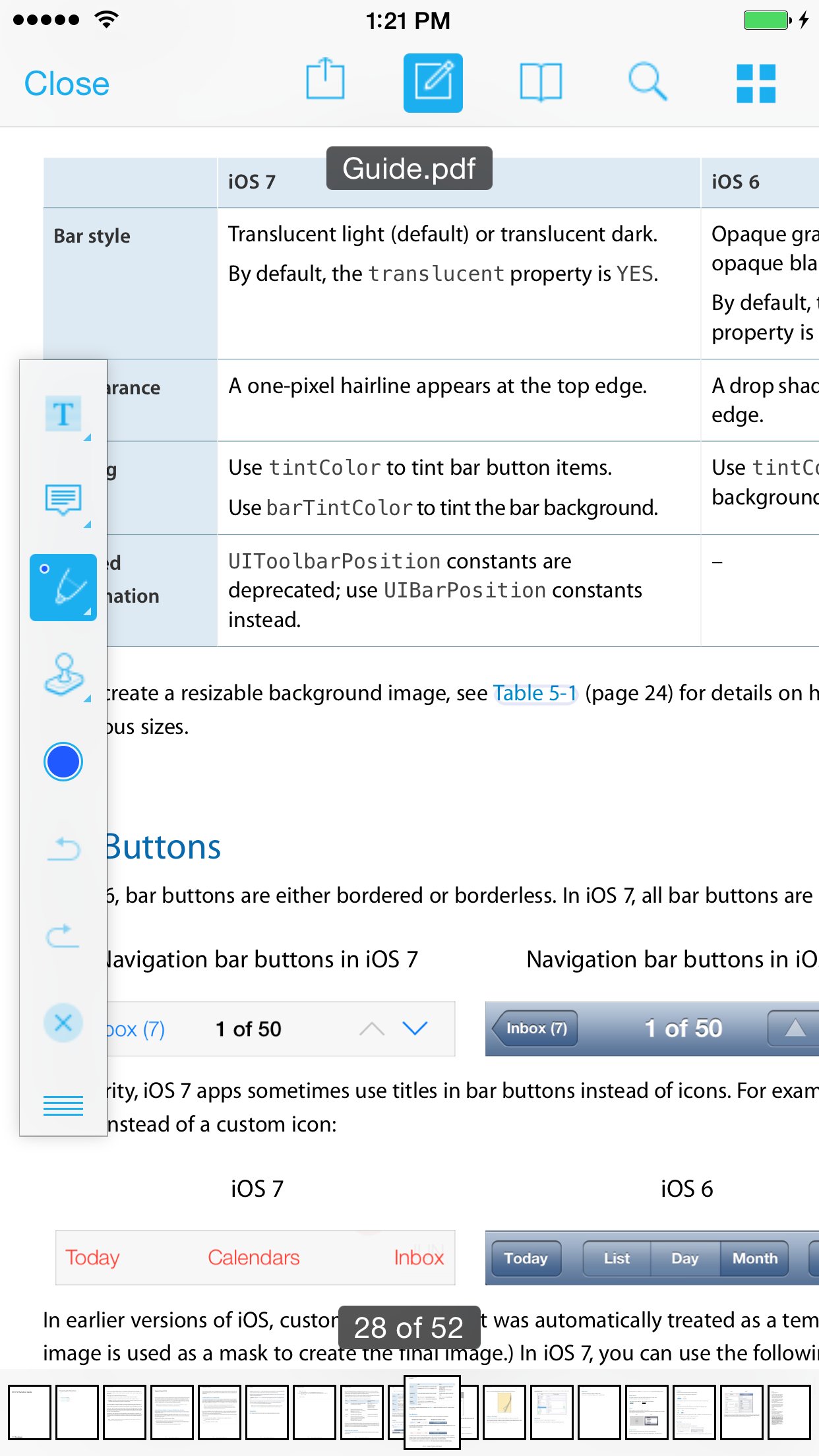
iFiles is the most intuitive file manager for iOS with features like connectivity to many file cloud services, transferring files between computer or cloud services, ability to view many file formats (PDF viewer now supports annotations, search and more), voice recorder, web downloader, text file editor and more.
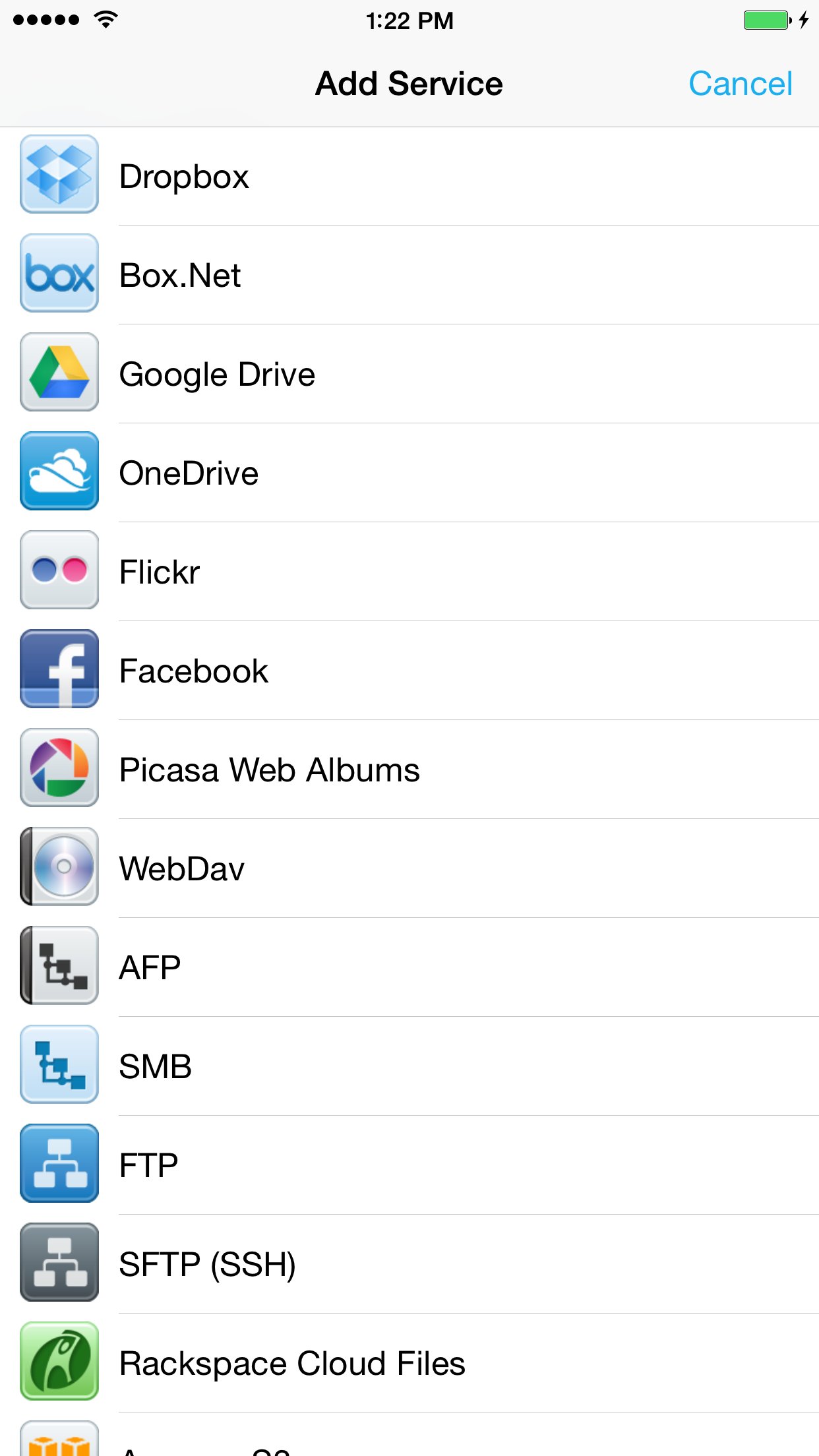
Supported Online Cloud Services and Protocols:
Dropbox, Google Drive, iCloud, Box.net, SkyDrive, SugarSync, AFP (Mac Shares), FTP/FTPS, SFTP, Flickr, Picasa, Facebook, Rackspace CloudFiles, CloudApp, PogoPlug, WebDav, Amazon S3, Ubuntu One Files, ownCloud, 4Shared, also using Amazon S3: DreamObjects and UltiCloud.
Key Features:
• WEB DOWNLOADER - Download files from the web using the build in Web Browser or Safari using iFiles Bookmarks. (HTML5 Videos are now supported)
• EMAIL - Send documents as email attachments directly from iFiles using iPhones email accounts or links to files stored in the cloud. (given service supports this feature)
• VOICE RECORDER - Use iFiles build-in voice recorder to create voice notes.
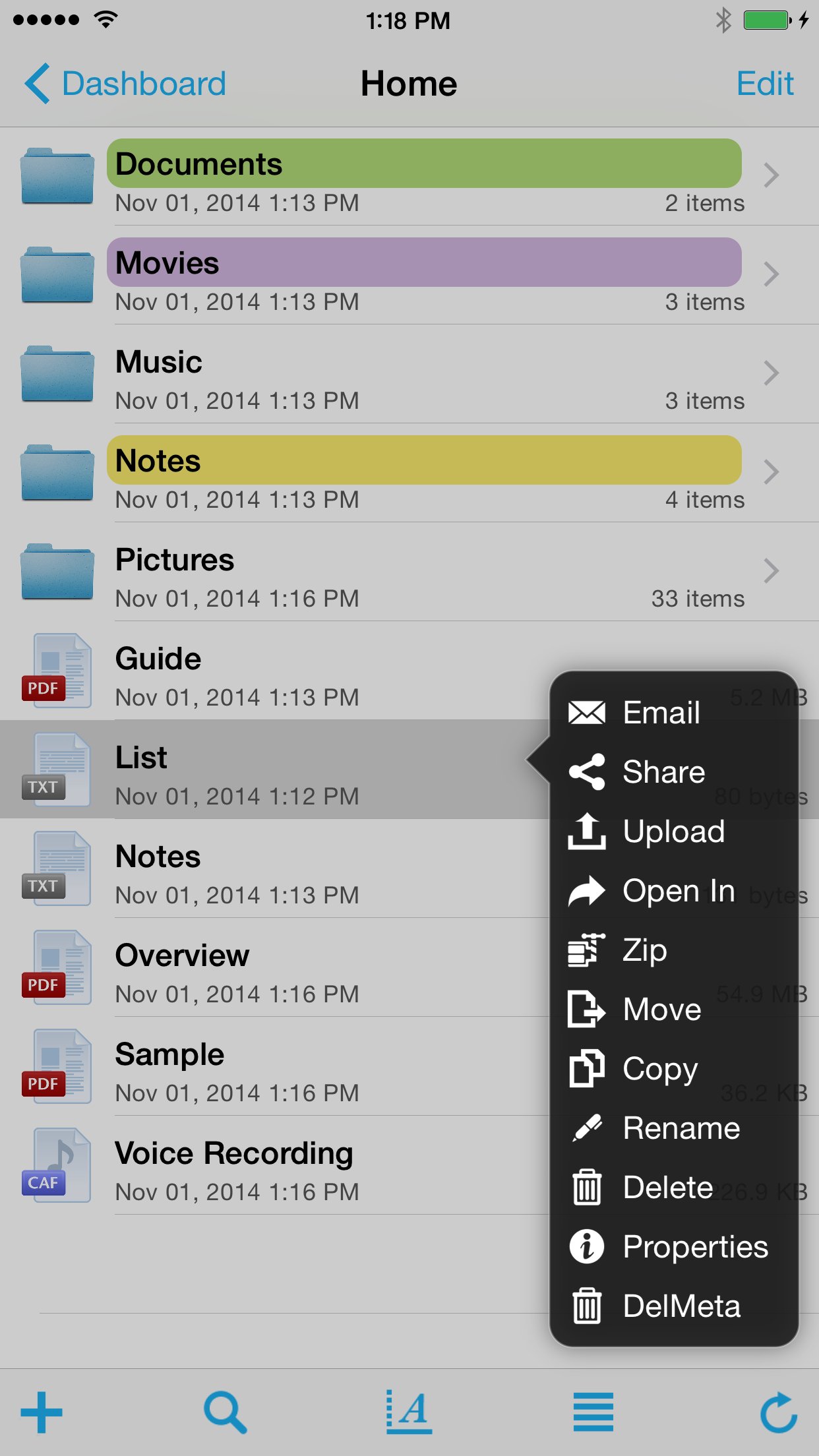
• POPUP MENU - Tap and hold on file to display context popup menu with file operations.
• PROPERTIES -View and change folder and files properties: color label, icon, and rename. For services with supported API you can edit: comments, description, tags/keywords, privacy, copy/generate links.
• SHARE FILES - Share files with other iOS users of iFiles over Wi-Fi or Bluetooth.
• PDF VIEWER - Viewer now supports annotations, full-text search, bookmarks, highlighting, saving directly to a cloud service and more.
• SECURE - If cloud services uses username and password they are stored using iOS Keychain, Remote access to your device can be secured with password, and device can be locked using passcode. (Your information is never send to any outside service)
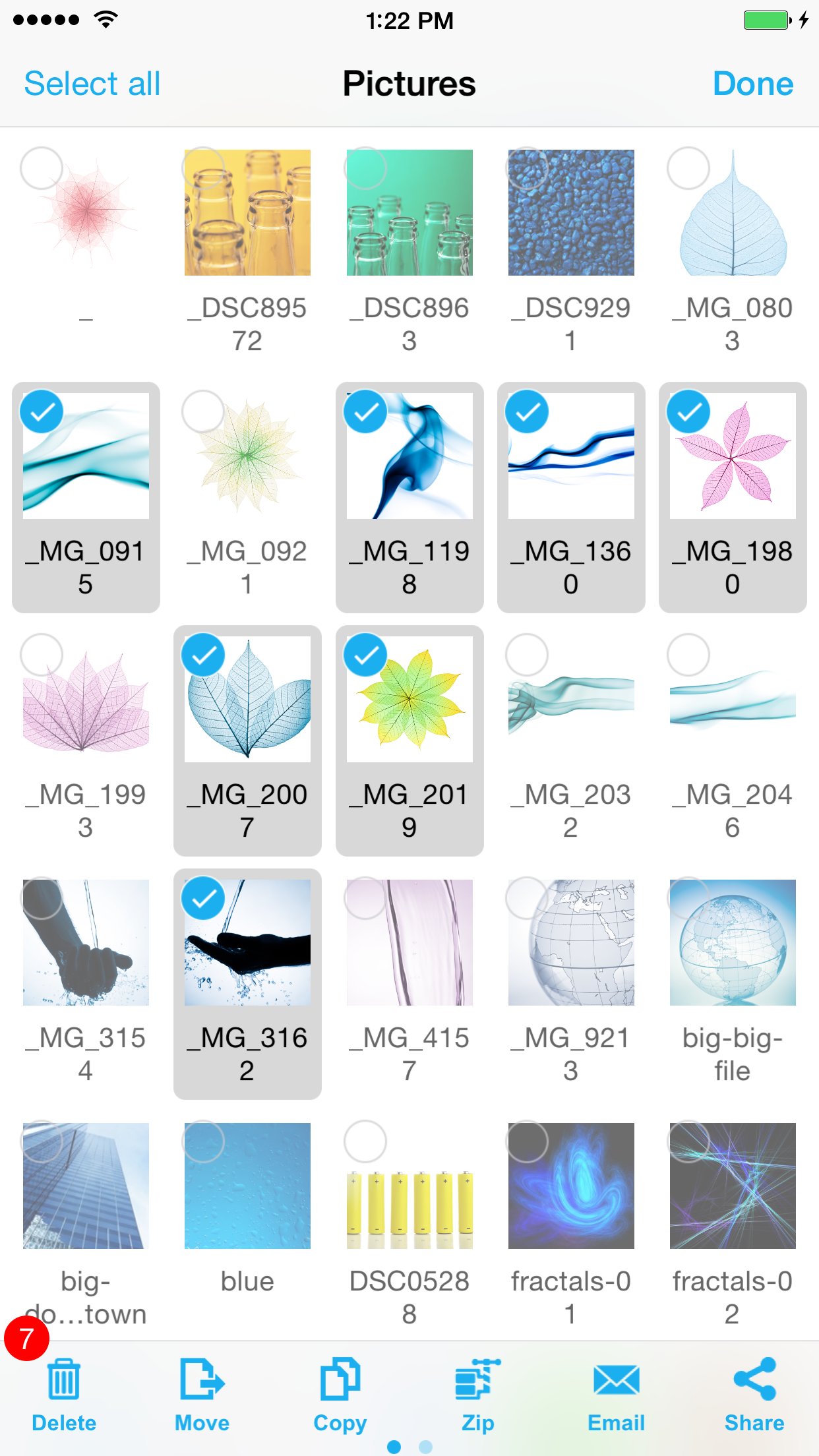
• FILE OPERATIONS - Move, Copy, Rename, Delete, and create New Folders (Operations are supported for all cloud services given that service API supports it)
• ZIP/EXTRACT - Create archive files and unarchive many common archive formats: Zip, RAR, 7-zip, Tar, Gzip, and Bzip2.
• TRANSFER MANAGER - Download, upload and transfer files directly between services without required to first download then upload files. Transfers support background mode and will resume if application is closed.
• EASY UPLOAD - If your creating voice recording, importing photos or creating a text file, iFiles will automatically upload to the current location no matter if its local or remote.
• CLIPBOARD PASTE - Paste text and photos/images directly to current folder.
• OPEN IN - Open files in apps that support those file types.
• PRINT - Print files using AirPrint.
• TEXT FILES - Create and edit plain text files. (Locally or directly in the cloud)
• PHOTO IMPORT - Take Photos, record movies or import from your Photo Library. (Multiple selection support is coming in next update)
• MEDIA PLAYER - Playback audio and video files.
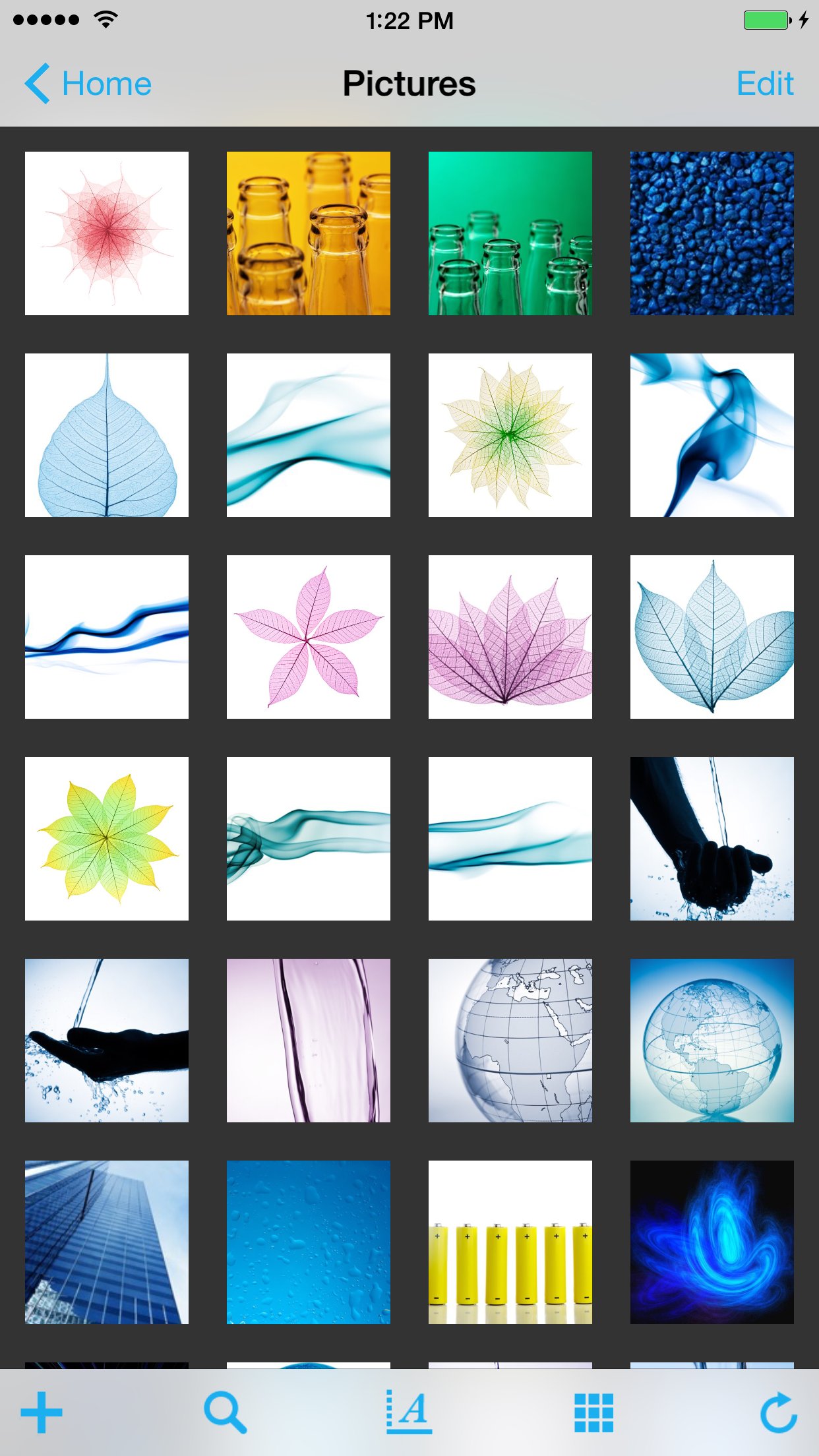
• THUMBNAILS - Thumbnails are generated for local files: photos, videos and pdf files, thumbnails are displayed for cloud service if its supported.
File Formats
• iWorks (Pages, numbers, Keynote) ’08 and ’09 (with or without Preview)
• Microsoft Office (Word, Excel, PowerPoint).
• HTML web pages and Web archives (web pages downloaded by Safari)
• PDF Documents.
• RTF (Rich Text Format) and RTFD.
• Plain text with auto-detection of character encoding. Text files can also be edited.
• Movies (supported file formats by iPhone: MP4, MOV, MPV, 3GP, M4V)
• Audio (WAV, MP3, M4A, CAF, AIF, AIFF, ACC)
• Images (JPG, PNG, GIF, BMP, TIF, TIFF, ICO, CUR, XBM)
Requirements
A Wi-Fi connection is required to transfer files between home computer.
------------------
We're always excited to hear form you! If you have any feedback. questions, or concerns, please emails us at:
support@imagam.com
or visit [link removed]
or follow us on twitter:
@ifilesapp
License: Commercial
iFiles is the most intuitive file manager for iOS with features like connectivity to many file cloud services, transferring files between computer or cloud services, ability to view many file formats (PDF viewer now supports annotations, search and more), voice recorder, web downloader, text file editor and more.
Supported Online Cloud Services and Protocols:
Dropbox, Google Drive, iCloud, Box.net, SkyDrive, SugarSync, AFP (Mac Shares), FTP/FTPS, SFTP, Flickr, Picasa, Facebook, Rackspace CloudFiles, CloudApp, PogoPlug, WebDav, Amazon S3, Ubuntu One Files, ownCloud, 4Shared, also using Amazon S3: DreamObjects and UltiCloud.
Key Features:
• WEB DOWNLOADER - Download files from the web using the build in Web Browser or Safari using iFiles Bookmarks. (HTML5 Videos are now supported)
• EMAIL - Send documents as email attachments directly from iFiles using iPhones email accounts or links to files stored in the cloud. (given service supports this feature)
• VOICE RECORDER - Use iFiles build-in voice recorder to create voice notes.
• POPUP MENU - Tap and hold on file to display context popup menu with file operations.
• PROPERTIES -View and change folder and files properties: color label, icon, and rename. For services with supported API you can edit: comments, description, tags/keywords, privacy, copy/generate links.
• SHARE FILES - Share files with other iOS users of iFiles over Wi-Fi or Bluetooth.
• PDF VIEWER - Viewer now supports annotations, full-text search, bookmarks, highlighting, saving directly to a cloud service and more.
• SECURE - If cloud services uses username and password they are stored using iOS Keychain, Remote access to your device can be secured with password, and device can be locked using passcode. (Your information is never send to any outside service)
• FILE OPERATIONS - Move, Copy, Rename, Delete, and create New Folders (Operations are supported for all cloud services given that service API supports it)
• ZIP/EXTRACT - Create archive files and unarchive many common archive formats: Zip, RAR, 7-zip, Tar, Gzip, and Bzip2.
• TRANSFER MANAGER - Download, upload and transfer files directly between services without required to first download then upload files. Transfers support background mode and will resume if application is closed.
• EASY UPLOAD - If your creating voice recording, importing photos or creating a text file, iFiles will automatically upload to the current location no matter if its local or remote.
• CLIPBOARD PASTE - Paste text and photos/images directly to current folder.
• OPEN IN - Open files in apps that support those file types.
• PRINT - Print files using AirPrint.
• TEXT FILES - Create and edit plain text files. (Locally or directly in the cloud)
• PHOTO IMPORT - Take Photos, record movies or import from your Photo Library. (Multiple selection support is coming in next update)
• MEDIA PLAYER - Playback audio and video files.
• THUMBNAILS - Thumbnails are generated for local files: photos, videos and pdf files, thumbnails are displayed for cloud service if its supported.
File Formats
• iWorks (Pages, numbers, Keynote) ’08 and ’09 (with or without Preview)
• Microsoft Office (Word, Excel, PowerPoint).
• HTML web pages and Web archives (web pages downloaded by Safari)
• PDF Documents.
• RTF (Rich Text Format) and RTFD.
• Plain text with auto-detection of character encoding. Text files can also be edited.
• Movies (supported file formats by iPhone: MP4, MOV, MPV, 3GP, M4V)
• Audio (WAV, MP3, M4A, CAF, AIF, AIFF, ACC)
• Images (JPG, PNG, GIF, BMP, TIF, TIFF, ICO, CUR, XBM)
Requirements
A Wi-Fi connection is required to transfer files between home computer.
------------------
We're always excited to hear form you! If you have any feedback. questions, or concerns, please emails us at:
support@imagam.com
or visit [link removed]
or follow us on twitter:
@ifilesapp
License: Commercial
| Release info | New Release on Nov 24, 2020 |
|---|---|
| Release notes | - UI updates for all new versions for iOS - Bug Fixes |
| Listing data | App Store |
Reviews
No reviews yet. Be the first to review iFiles.
Used iFiles? Tell other visitors what you thought.
Log in to write a reviewOther products by this publisher
- "No Distractions" for YouTube 4.10 ----
- #Bible 11.5 "Incredible App - My sister shared this app with me a few weeks ago and it is truly incredible.
- #filmphotography 1.4.2 So, you decided to shoot on film?
- $quirrel 1.5.1 $quirrel Budget & Finance helps you plan each paycheck, track spending, manage debt, and see what is safe to spend before the next payday.
- % Percentage Calculator Pro 1.41 This is the Pro version of % Percentage Calculator.
Most viewed iOS Productivity
- 1 Voice Translator - Alive 1.6 Translation app that turns your iPhone into an interpreter instantly.
-
2
 WordPress 27.4
Manage or create your WordPress blog or website right from your iOS device: create and edit posts and pages, upload your favorite photos and videos, view stats and reply to comments.
-
3
 Claude by Anthropic 1.261104.19
Meet Claude, your AI problem solver and thinking partner.
- 4 "No Distractions" for YouTube 4.10 ----
- 5 (beat) for iOS 0.5.10 An elegant Fountain screenwriting app, created by a screenwriter for screenwriters.
-
6
 DeepSeek 2.7.2
Experience seamless interaction with DeepSeek's official AI assistant for free!
-
7
 Life360 26.42.0
Whether at home, online, or on the move, our comprehensive family safety features bring peace of mind to your loved ones AND help safeguard your personal belongings.
-
8
 Howbout 16.6.0
The shared calendar for friends, couples, and family
-
9
 Plot Digitizer 1.4.1
Plot Digitizer is an app to extract numerical data from plot images.
-
10
 Voices AI 1.16.11
Discover Voices, the premier voice transformation app designed exclusively for iOS.
Most downloaded iOS Productivity
- 1 Voice Translator - Alive 1.6 Translation app that turns your iPhone into an interpreter instantly.
-
2
DeepSeek 2.7.2
Experience seamless interaction with DeepSeek's official AI assistant for free!
-
3
 SessionsAI 1.2.1
Sessions AI is a private AI workspace that runs entirely on your iPhone, iPad, or Mac.
-
4
Voices AI 1.16.11
Discover Voices, the premier voice transformation app designed exclusively for iOS.
-
5
 Block Distracting Websites 1.11
"It's a great way to save time, and stop browsing Reddit when you should be doing coursework."
-
6
Plot Digitizer 1.4.1
Plot Digitizer is an app to extract numerical data from plot images.
-
7
 Google Docs 1.2026.43105
Create, edit, and collaborate on online documents with the Google Docs app.
-
8
 VPN 2.60.0
VPN - Super Unlimited Proxy is a free VPN and proxy app for iPhone, iPad, Mac and Apple Vision Pro.
- 9 (beat) for iOS 0.5.10 An elegant Fountain screenwriting app, created by a screenwriter for screenwriters.
-
10
Life360 26.42.0
Whether at home, online, or on the move, our comprehensive family safety features bring peace of mind to your loved ones AND help safeguard your personal belongings.