0downloads
0this week
FreeFreeware
0reviews
Screenshots
About Hex
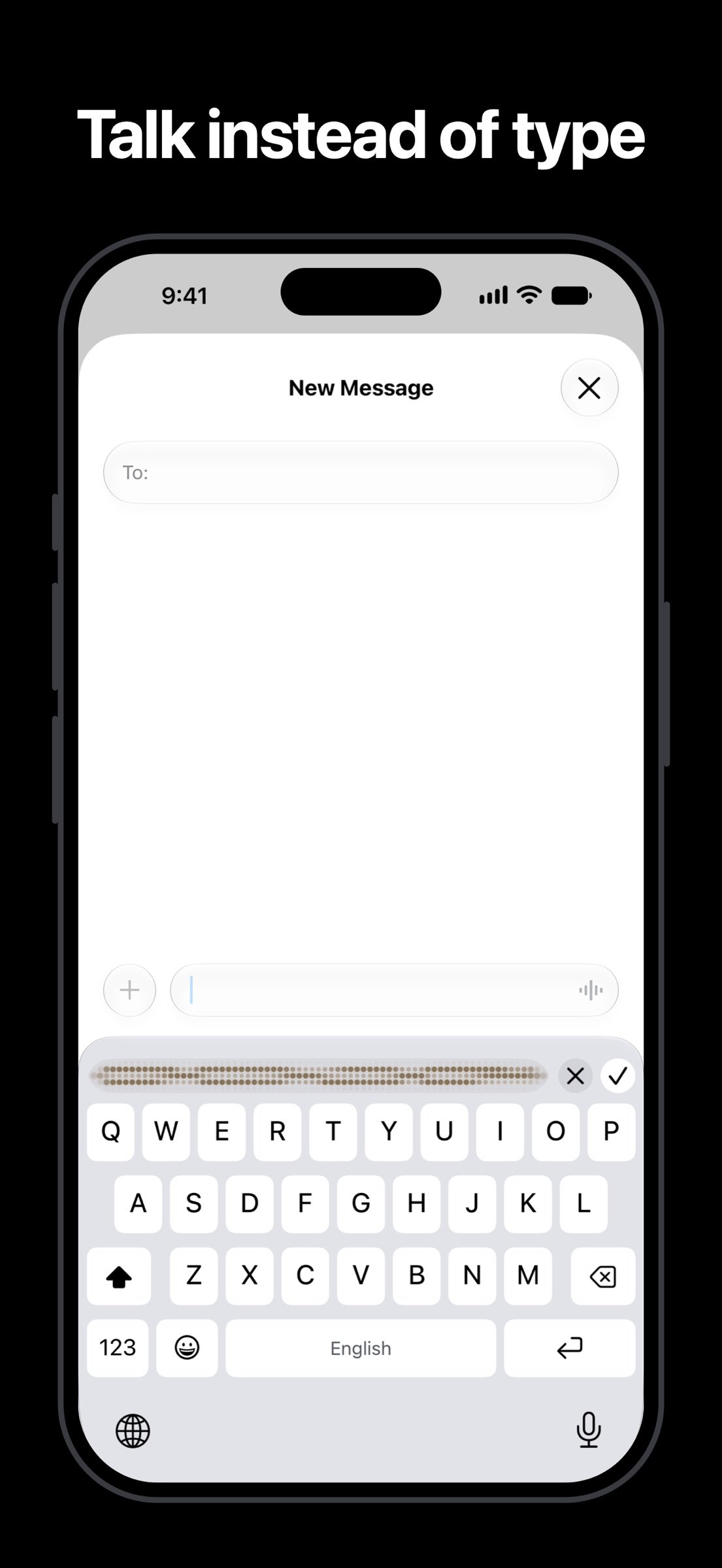
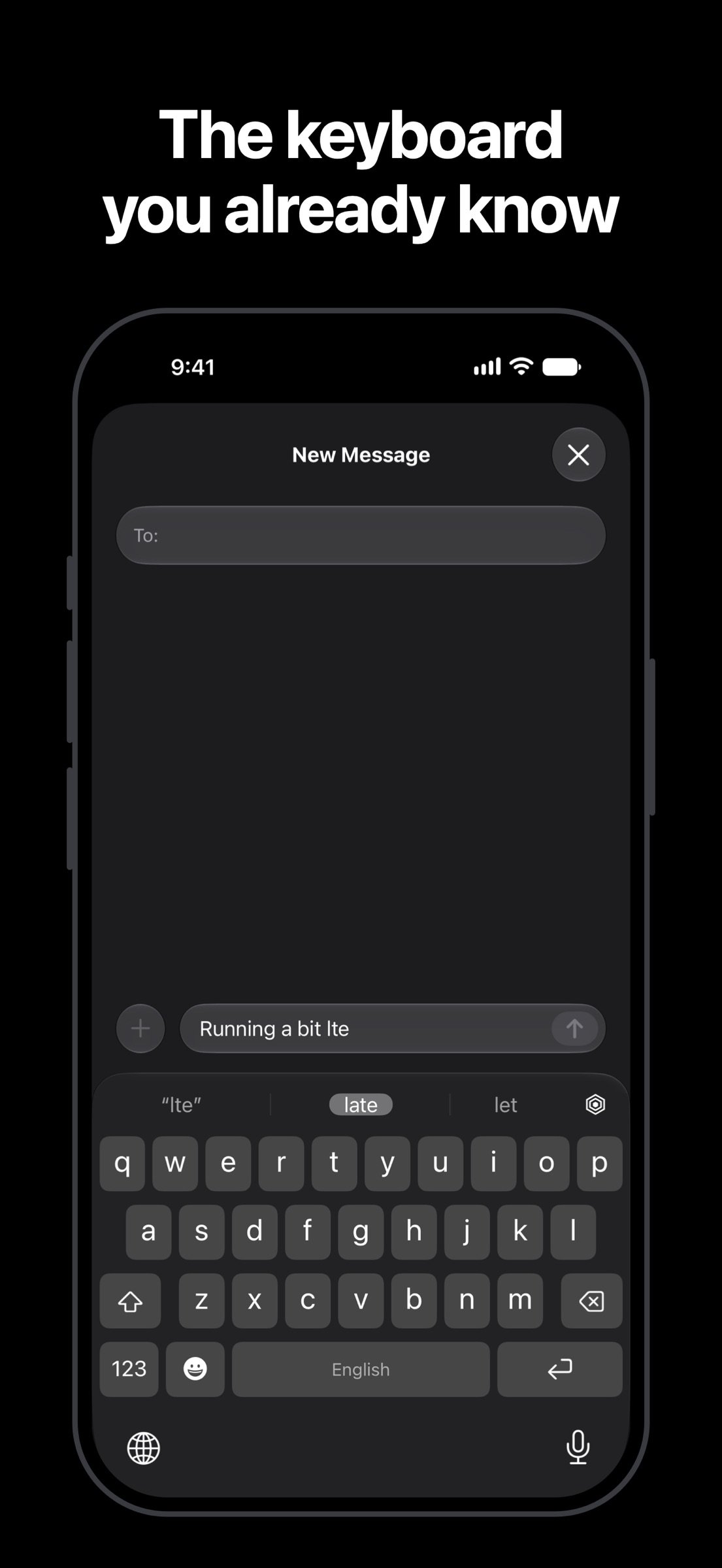
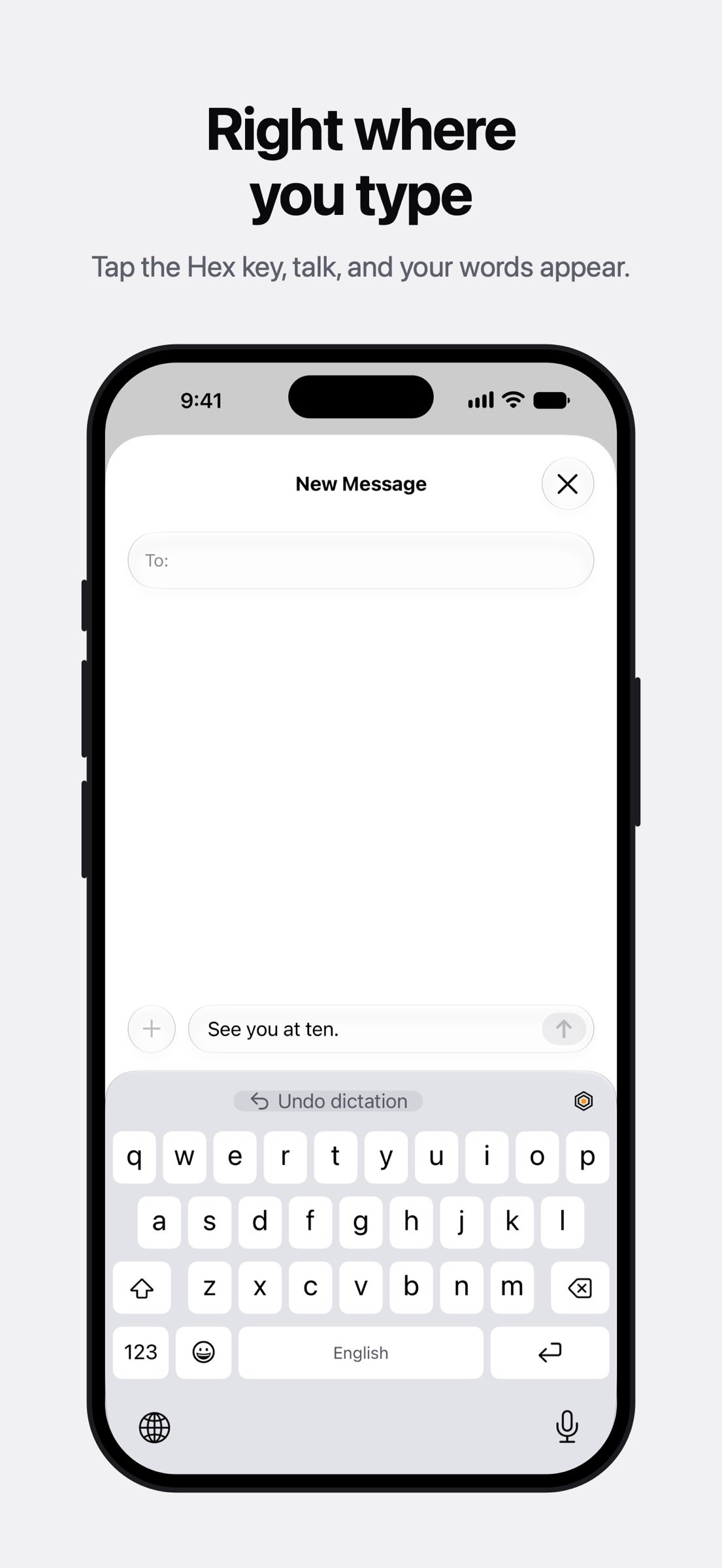
Hex is a keyboard you can talk to. Type as usual, or tap the Hex key in any app, say what you mean, and your words land right where you're typing. No switching apps, no copy and paste.
Hex comes with Hex Keyboard, a custom keyboard you add in Settings, plus a Control Center control and an Action Button shortcut.
Free and on your iPhone
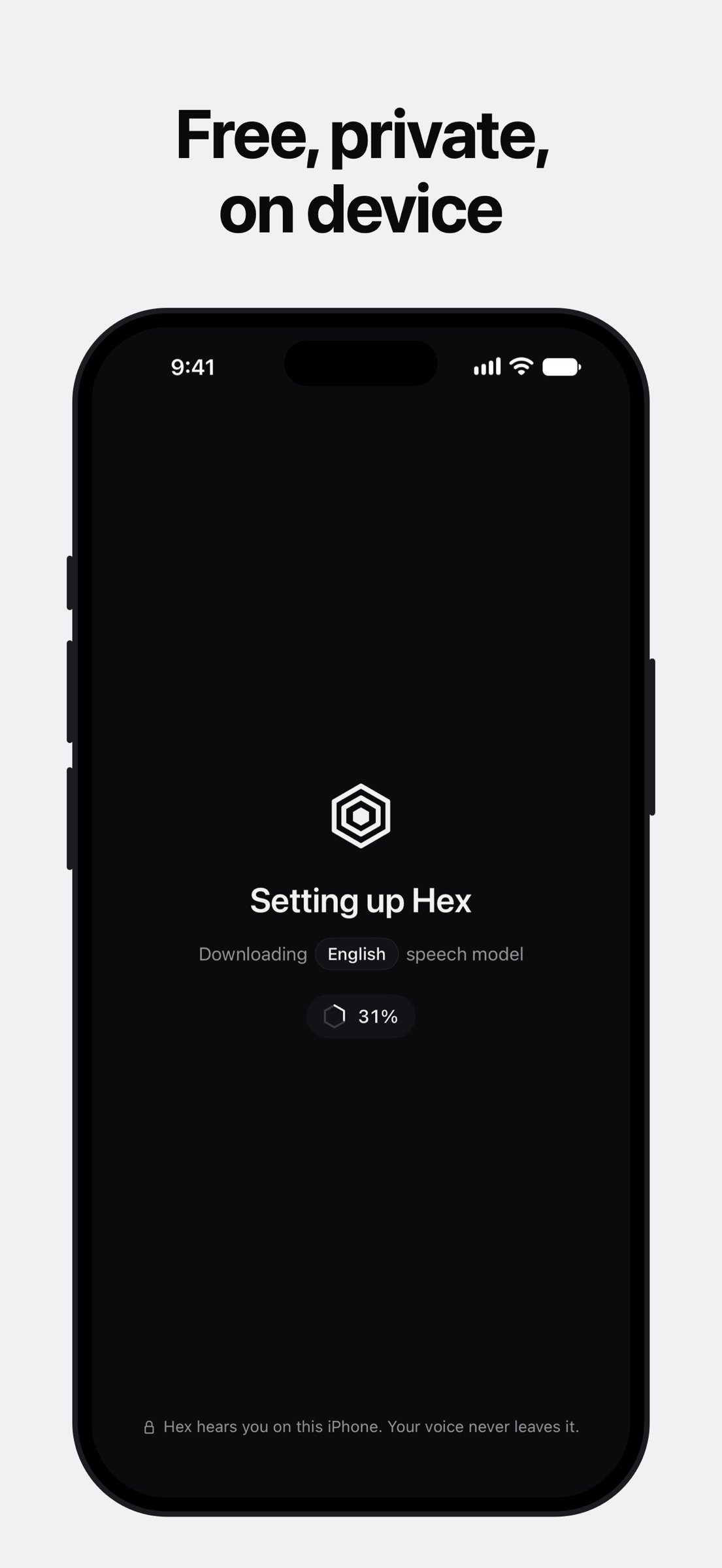
What you say is turned into text on your iPhone and never sent anywhere. There's no account, no subscription and no cloud. Once a language's speech model is downloaded, dictation works offline.
A keyboard first
• Keys laid out like Apple's keyboard, with the same long-press accents
• Autocorrect and suggestions in your language
• Swipe typing in English and Spanish
• Emoji with search, skin tones and suggestions from what you type
• A Return key that matches each app: send, go, search or done
• Your text replacements, a space-bar cursor, and a slim dictation bar if you'd rather
• Keyboards for English, Spanish, German, French, Italian, Portuguese, Norwegian, Polish, Czech, Ukrainian, Greek and more
Dictation that writes it right
• Dictate right inside the keyboard, in every app: tap the Hex key, or hold it, talk and let go
• Spoken punctuation: say "comma", "period" or "question mark" in English, Spanish, French, German, Italian and Portuguese
• Clean up what I say drops ums, repeats and the words you corrected, so "Friday at 3pm, actually 4pm" becomes "Friday at 4pm"
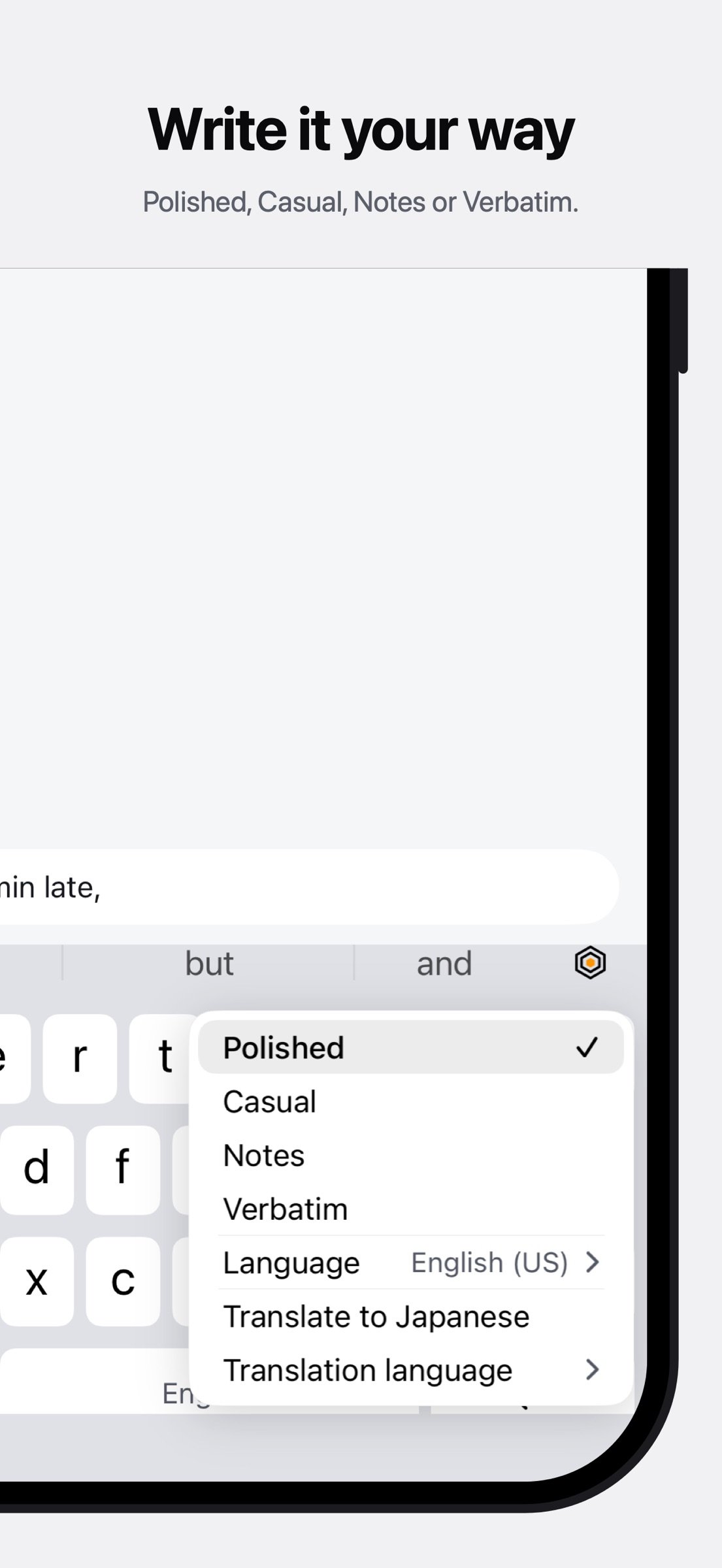
• Styles for how it's written: Polished, Casual, Notes and Verbatim
• Say "first … second …" and get a numbered list, in English and Spanish
• Every language Apple can transcribe on device, picked from your iPhone's languages or switched from the keyboard
• Dictate from the Action Button or Control Center, with a Live Activity while it records
Optional features
They stay off until you turn them on, and all of them run on your iPhone:
• Translate what I say: speak one language, insert another
• Custom vocabulary: names and terms spelled your way
• Learn how I type: learns from where you tap and the words you fix
• Clean up with Apple Intelligence: fixes misheard words on iPhones that support it
About Full Access
Hex Keyboard types without Full Access. To dictate, it asks for Full Access so it can record with the microphone you allowed for Hex and share your settings with the Hex app. Hex has no servers and no analytics. Nothing you type or say leaves your iPhone.
Requirements
iOS 18 or later. Dictating inside the keyboard needs iOS 26 or later. On iOS 18 to 25, the keyboard opens Hex to record, Hex transcribes with Apple's on-device speech recognition (or, for English, an on-device model it downloads once), and you swipe back to your app. On iOS 18, a dictation translates only if you finish it in Hex. Speech models download once, the first time you use a language.
Hex comes with Hex Keyboard, a custom keyboard you add in Settings, plus a Control Center control and an Action Button shortcut.
Free and on your iPhone
What you say is turned into text on your iPhone and never sent anywhere. There's no account, no subscription and no cloud. Once a language's speech model is downloaded, dictation works offline.
A keyboard first
• Keys laid out like Apple's keyboard, with the same long-press accents
• Autocorrect and suggestions in your language
• Swipe typing in English and Spanish
• Emoji with search, skin tones and suggestions from what you type
• A Return key that matches each app: send, go, search or done
• Your text replacements, a space-bar cursor, and a slim dictation bar if you'd rather
• Keyboards for English, Spanish, German, French, Italian, Portuguese, Norwegian, Polish, Czech, Ukrainian, Greek and more
Dictation that writes it right
• Dictate right inside the keyboard, in every app: tap the Hex key, or hold it, talk and let go
• Spoken punctuation: say "comma", "period" or "question mark" in English, Spanish, French, German, Italian and Portuguese
• Clean up what I say drops ums, repeats and the words you corrected, so "Friday at 3pm, actually 4pm" becomes "Friday at 4pm"
• Styles for how it's written: Polished, Casual, Notes and Verbatim
• Say "first … second …" and get a numbered list, in English and Spanish
• Every language Apple can transcribe on device, picked from your iPhone's languages or switched from the keyboard
• Dictate from the Action Button or Control Center, with a Live Activity while it records
Optional features
They stay off until you turn them on, and all of them run on your iPhone:
• Translate what I say: speak one language, insert another
• Custom vocabulary: names and terms spelled your way
• Learn how I type: learns from where you tap and the words you fix
• Clean up with Apple Intelligence: fixes misheard words on iPhones that support it
About Full Access
Hex Keyboard types without Full Access. To dictate, it asks for Full Access so it can record with the microphone you allowed for Hex and share your settings with the Hex app. Hex has no servers and no analytics. Nothing you type or say leaves your iPhone.
Requirements
iOS 18 or later. Dictating inside the keyboard needs iOS 26 or later. On iOS 18 to 25, the keyboard opens Hex to record, Hex transcribes with Apple's on-device speech recognition (or, for English, an on-device model it downloads once), and you swipe back to your app. On iOS 18, a dictation translates only if you finish it in Hex. Speech models download once, the first time you use a language.
| Release info | Update on Nov 22, 2026 |
|---|---|
| Release notes | • The top bar is taller and no longer looks cut off at the top of the keyboard • Dictation that opens Hex now puts your words in when you come back, and offers Paste dictation when it can't • Paste and Code from Messages no longer cover your suggestions in chat apps • A quick tap on the space bar that drifts still types a space • Undo dictation works after you move the cursor • The space bar's cursor moves like Apple's, and words mid-sentence stay lowercase unless you capitalize them • The keys fit when iOS gives the keyboard less room, as in Spotlight |
| Listing data | App Store |
Reviews
No reviews yet. Be the first to review Hex.
Used Hex? Tell other visitors what you thought.
Log in to write a reviewOther products by this publisher
- "No Distractions" for YouTube 4.10 ----
- #Bible 11.6.1 "Incredible App - My sister shared this app with me a few weeks ago and it is truly incredible.
- #filmphotography 1.4.2 So, you decided to shoot on film?
- #LookBusy Fake Calendar Events 1.0.6 Look Busy scans your work calendar for open time slots and fills them with realistic-looking (but secretly fake) work events.
- #Small Talk Is Canceled 1.0.2 #Small Talk Is Canceled — Conversations That Matter
Most viewed iOS Productivity
-
1
 WordPress 27.4
Manage or create your WordPress blog or website right from your iOS device: create and edit posts and pages, upload your favorite photos and videos, view stats and reply to comments.
- 2 Voice Translator - Alive 1.6 Translation app that turns your iPhone into an interpreter instantly.
-
3
 Life360 26.44.0
Whether at home, online, or on the move, our comprehensive family safety features bring peace of mind to your loved ones AND help safeguard your personal belongings.
-
4
 Claude by Anthropic 1.261119.19
Meet Claude, your AI problem solver and thinking partner.
-
5
 WristMemo 2.0
WristMemo turns your Apple Watch into an all-day voice recorder.
- 6 "No Distractions" for YouTube 4.10 ----
-
7
 Colicine 1.3.0
Have you ever been there—
- 8 (beat) for iOS 0.5.10 An elegant Fountain screenwriting app, created by a screenwriter for screenwriters.
-
9
 DeepSeek 2.9.0
Experience seamless interaction with DeepSeek's official AI assistant for free!
-
10
 Howbout 16.8.0
The shared calendar for friends, couples, and family
Most downloaded iOS Productivity
- 1 Voice Translator - Alive 1.6 Translation app that turns your iPhone into an interpreter instantly.
-
2
 SessionsAI 1.2.1
Sessions AI is a private AI workspace that runs entirely on your iPhone, iPad, or Mac.
-
3
DeepSeek 2.9.0
Experience seamless interaction with DeepSeek's official AI assistant for free!
-
4
 Voices AI 1.16.15
Discover Voices, the premier voice transformation app designed exclusively for iOS.
-
5
 Block Distracting Websites 1.11
"It's a great way to save time, and stop browsing Reddit when you should be doing coursework."
-
6
 Plot Digitizer 1.4.1
Plot Digitizer is an app to extract numerical data from plot images.
-
7
 Google Docs 1.2026.47103
Create, edit, and collaborate on online documents with the Google Docs app.
-
8
 MyHyundai with Bluelink 5.4.6
The MyHyundai app makes getting information about your Hyundai vehicle easier than ever.
-
9
 Pixy Mood Tracker 1.110.0
Track your mood, one pixel at a time.
-
10
 Minder 1.4
Minder turns your phone into a pair of eyes that watch you work.