8downloads
3this week
FreeCommercial
0reviews
Screenshots
About Harmony Pocket
Keep harmonies in your pocket.
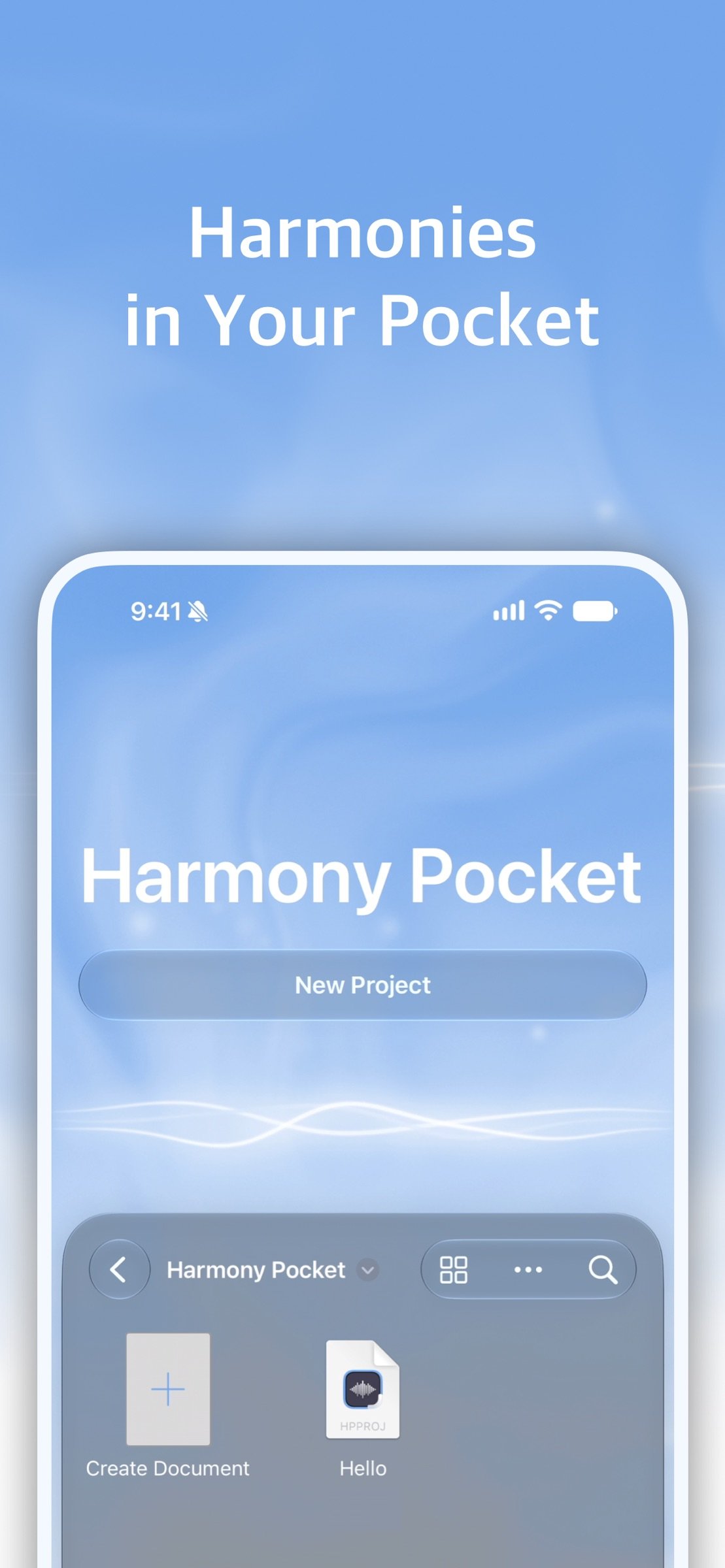
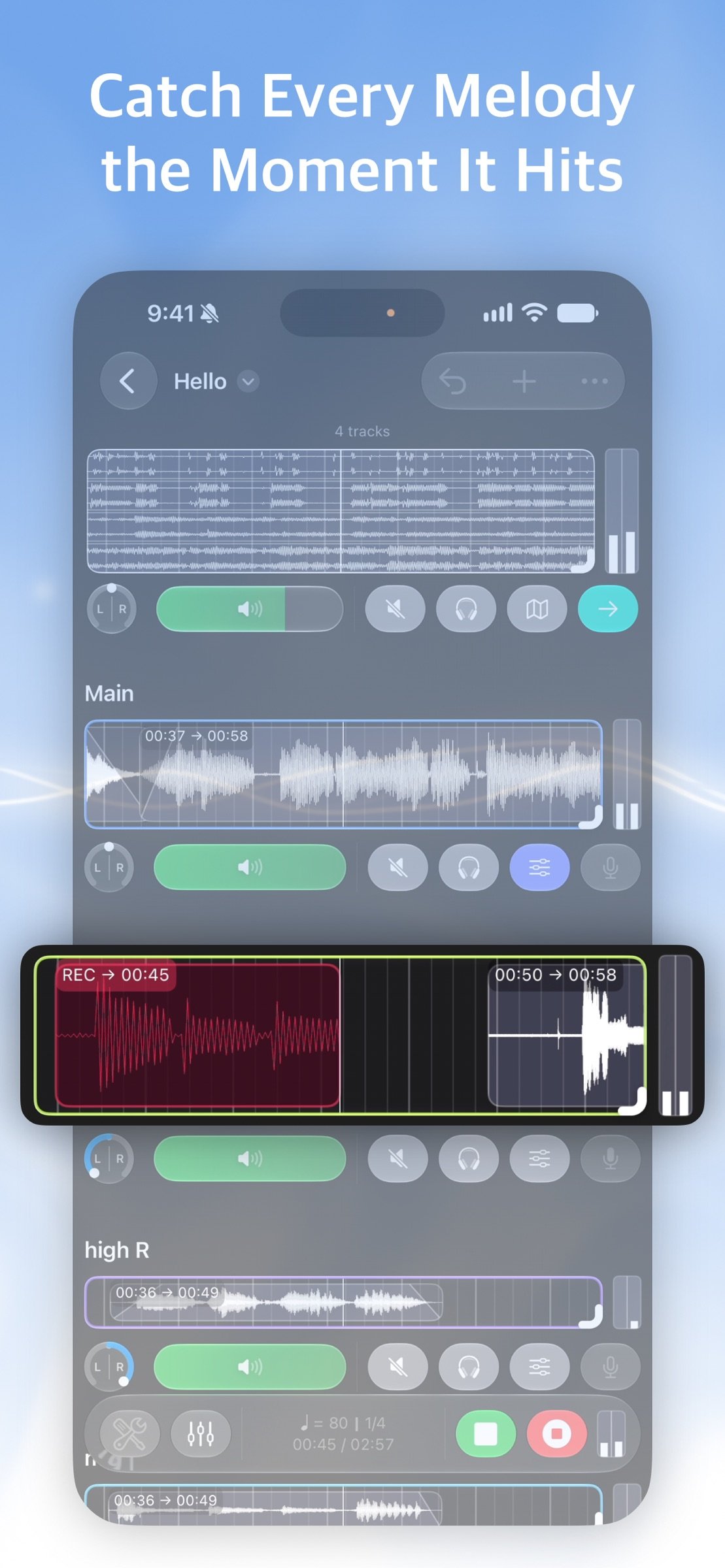
Before that melody, voice, or moment of playing fades away, you can record in just a few taps and neatly stack tracks. Harmony Pocket is an audio multitrack recorder built for fast idea capture.
Harmony Pocket was never built to be a “pro DAW.”
I kept hearing people say, “Recording on a computer feels too hard.”
So instead of piling on complex features, Harmony Pocket focuses on what matters most: recording audio quickly and organizing it cleanly, so you can save today’s ideas as they are, today.
That’s why this app is less about big production and more about catching a sound the moment it appears.
Everyone has moments they don’t want to lose.
And it’s nice when Harmony Pocket is right there with you.
- When you want to quickly capture a melody before you forget it
- When you want to practice by layering your voice and instruments over a backing track
- When you want to sketch chorus ideas before rehearsal and share them right away
- When you want to finish a clean demo using only audio tracks, with no complicated setup, and share it instantly
Audio-focused multitrack recording
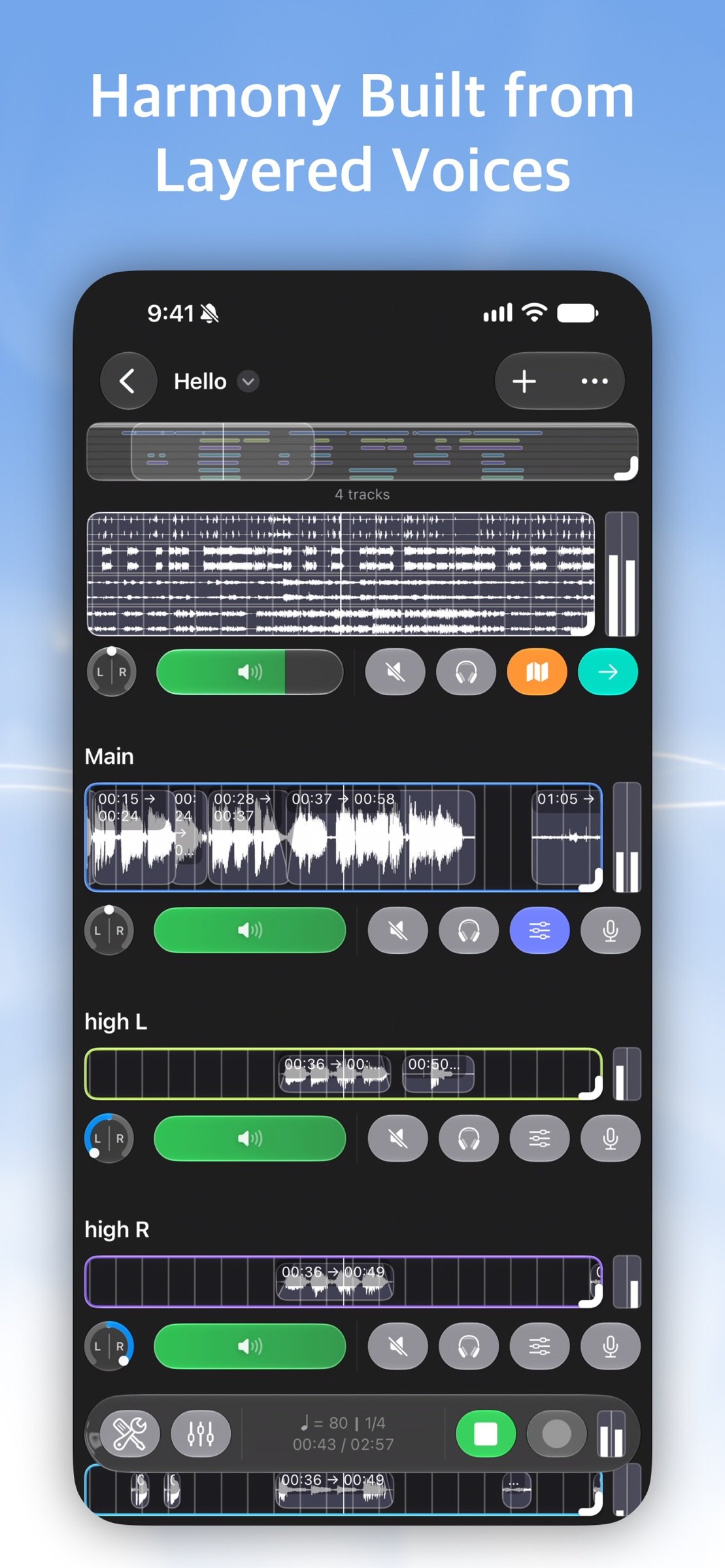
- Create as many tracks as you need and build your song by layering sounds.
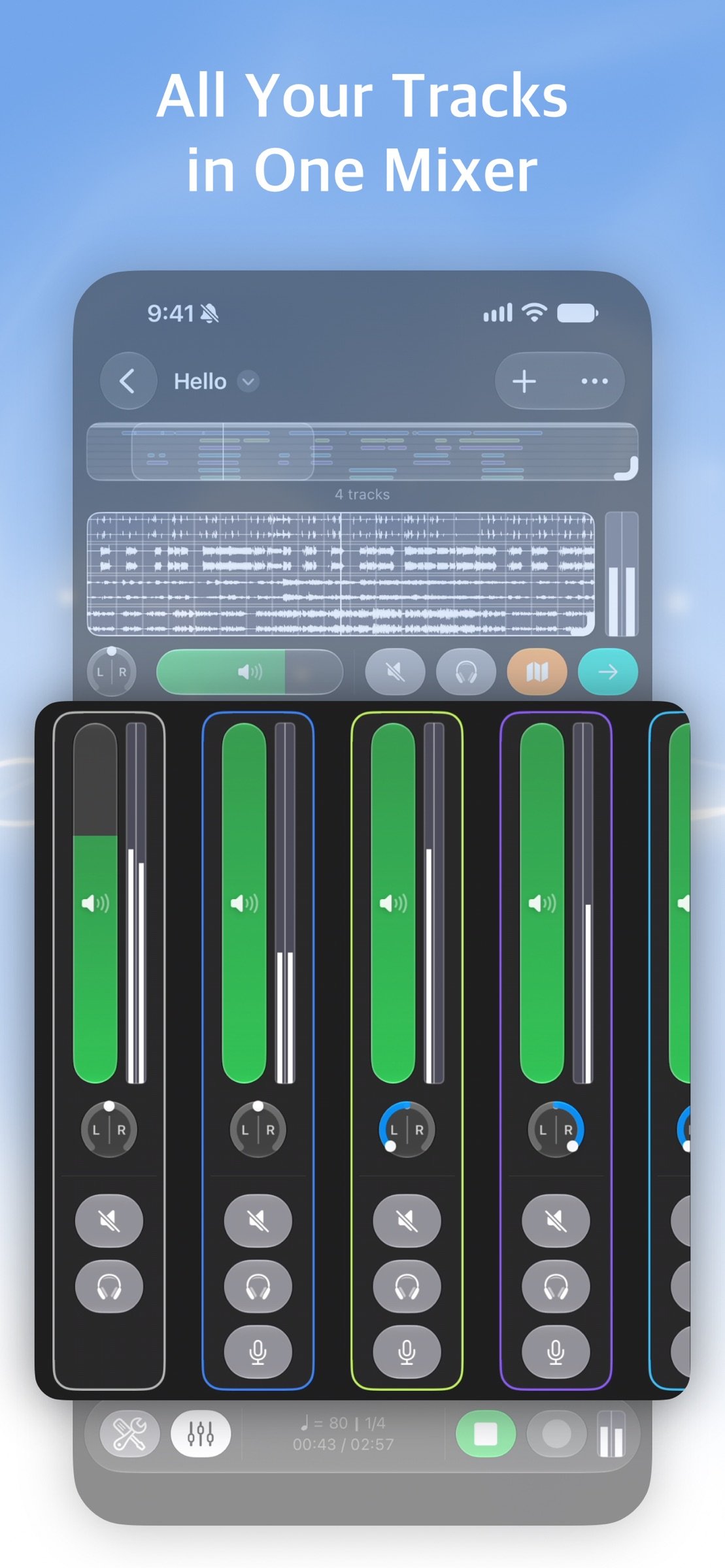
- Organize tracks with names and colors, and control volume/pan (L/R)/mute/solo to listen to exactly what you need.
Clean organization by regions (recorded sections)
- Recorded parts stack on the timeline as regions.
- Trim the front and back to keep only what you need, and fine-tune with region gain when you want more clarity.
- Zoom in/out on waveforms, drag to navigate quickly, and use auto-follow to handle long recordings comfortably.
Record directly over a backing track
- Import an audio file, play it as a backing track, and record right on top of it.
- View the whole song at a glance with waveform + minimap, and jump to any spot instantly.
- Backing tracks also support volume/pan/mute/solo, and you can adjust pitch to match the key for practice.
(Depending on your device and audio environment, you may notice slight recording latency)
On-Device AI Stem Separation
- Split any imported track using on-device AI — separate it into Inst (instrumental) and Vocals, or go further with Drums, Bass, Other, and Vocals.
- Pick just the stems you need, whether it's a backing track to record over or a reference track for practice.
- Everything happens right on your device, so your audio never leaves your phone — safe and private.
Lightweight prep before recording
- Metronome: tempo/time signature/volume control, plus tap tempo
- Tuner: microphone input with adjustable reference pitch
Finish with export
- Export your result as a full mix or as stems (separate track files).
- Save as WAV or M4A and share right away.
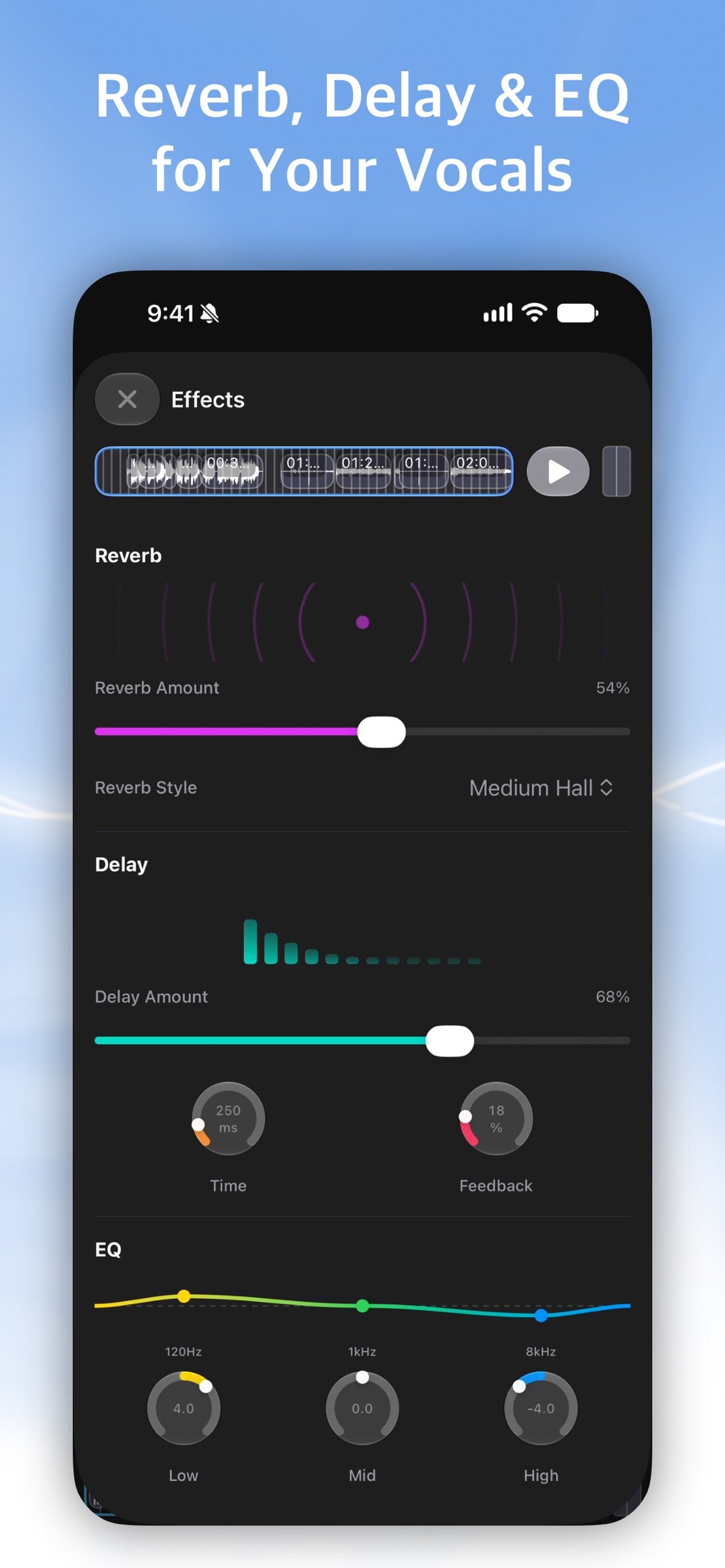
- Choose Wet (with effects) or Dry (without effects).
- After exporting stems, you can move them to your usual DAW for deeper editing and mixing.
Harmony Pocket isn’t trying to be “the app that makes you better.”
It wants to be the app that makes it easier to save what you have.
Keep a small harmony in your pocket.
When you need it, take it out and connect the pieces.
License: Commercial
Before that melody, voice, or moment of playing fades away, you can record in just a few taps and neatly stack tracks. Harmony Pocket is an audio multitrack recorder built for fast idea capture.
Harmony Pocket was never built to be a “pro DAW.”
I kept hearing people say, “Recording on a computer feels too hard.”
So instead of piling on complex features, Harmony Pocket focuses on what matters most: recording audio quickly and organizing it cleanly, so you can save today’s ideas as they are, today.
That’s why this app is less about big production and more about catching a sound the moment it appears.
Everyone has moments they don’t want to lose.
And it’s nice when Harmony Pocket is right there with you.
- When you want to quickly capture a melody before you forget it
- When you want to practice by layering your voice and instruments over a backing track
- When you want to sketch chorus ideas before rehearsal and share them right away
- When you want to finish a clean demo using only audio tracks, with no complicated setup, and share it instantly
Audio-focused multitrack recording
- Create as many tracks as you need and build your song by layering sounds.
- Organize tracks with names and colors, and control volume/pan (L/R)/mute/solo to listen to exactly what you need.
Clean organization by regions (recorded sections)
- Recorded parts stack on the timeline as regions.
- Trim the front and back to keep only what you need, and fine-tune with region gain when you want more clarity.
- Zoom in/out on waveforms, drag to navigate quickly, and use auto-follow to handle long recordings comfortably.
Record directly over a backing track
- Import an audio file, play it as a backing track, and record right on top of it.
- View the whole song at a glance with waveform + minimap, and jump to any spot instantly.
- Backing tracks also support volume/pan/mute/solo, and you can adjust pitch to match the key for practice.
(Depending on your device and audio environment, you may notice slight recording latency)
On-Device AI Stem Separation
- Split any imported track using on-device AI — separate it into Inst (instrumental) and Vocals, or go further with Drums, Bass, Other, and Vocals.
- Pick just the stems you need, whether it's a backing track to record over or a reference track for practice.
- Everything happens right on your device, so your audio never leaves your phone — safe and private.
Lightweight prep before recording
- Metronome: tempo/time signature/volume control, plus tap tempo
- Tuner: microphone input with adjustable reference pitch
Finish with export
- Export your result as a full mix or as stems (separate track files).
- Save as WAV or M4A and share right away.
- Choose Wet (with effects) or Dry (without effects).
- After exporting stems, you can move them to your usual DAW for deeper editing and mixing.
Harmony Pocket isn’t trying to be “the app that makes you better.”
It wants to be the app that makes it easier to save what you have.
Keep a small harmony in your pocket.
When you need it, take it out and connect the pieces.
License: Commercial
| Release info | New Release on Oct 30, 2026 |
|---|---|
| Release notes | Now supports iPhone Duo. Now supports iPad. iPhone, iPhone Duo, and iPad now have layouts tailored to both landscape and portrait, so you can work with your tracks comfortably. New Mixer view: adjust volume, pan, mute, and solo for all tracks on a single screen. Tap an empty recording track to import an audio file right away. The main track bar at the bottom has a new Liquid Glass design, and the launch screen has been refreshed. Various bug fixes and stability improvements. |
| Listing data | App Store |
Reviews
No reviews yet. Be the first to review Harmony Pocket.
Used Harmony Pocket? Tell other visitors what you thought.
Log in to write a reviewOther products by this publisher
- "No Distractions" for YouTube 4.10 ----
- #Bible 11.6 "Incredible App - My sister shared this app with me a few weeks ago and it is truly incredible.
- #filmphotography 1.4.2 So, you decided to shoot on film?
- $quirrel 1.5.1 $quirrel Budget & Finance helps you plan each paycheck, track spending, manage debt, and see what is safe to spend before the next payday.
- % Percentage Calculator Pro 1.41 This is the Pro version of % Percentage Calculator.
Most viewed iOS Photo & Video
-
1
 ShortDiShow 2.0
Drama Quest Island — An offline interactive short-drama adventure.
-
2
 Infuse 8.5.10
Infuse: Enterprise provides the same great features as the standard version of Infuse and includes permanent access to all Pro features via a traditional paid app.
-
3
 AI Video Generator 2.0.2
Vixel – AI Video Generator
-
4
 OPlayer 4.8
Play all your videos directly without having to convert them!
-
5
 Necrometer II 1.2
Necrometer II is a paranormal investigation companion designed for ghost hunters and researchers.
-
6
 CapCut 20.1.0
CapCut offers easy-to-use video editing functions, in-APP fonts and effects, advanced features such as keyframe animation, smooth slow-motion, chroma key, and stabilization, to help you capture and snip moments.
-
7
 Ai Photo 1.1.2
AI Photo Retouch – BG Eraser
-
8
 Treblo 1.6.0
Make songs with the world's best AI music model.
-
9
 TouchSiren Delta 3.1
--------------------------------------------------------------
-
10
 CNU 3.0.12
CNU?????????????????????,???????????????
Most downloaded iOS Photo & Video
-
1
Infuse 8.5.10
Infuse: Enterprise provides the same great features as the standard version of Infuse and includes permanent access to all Pro features via a traditional paid app.
-
2
 DJI Fly 1.21.18
DJI Fly is designed to help pilots fly drones with ease.
-
3
 Analog Radio 3.0
The iPhone and iPad devices don't have the FM/AM radio antenna installed.
-
4
 TurboCollage Automatic 1.2.4
#1 Easy automatic photo collage maker for iPhone & iPad.
-
5
 ReelyGo 1.1.42
ReelyGo: Your Daily Drama Escape
-
6
 AGAIN. Rehearsal Notes 2.0.1
AGAIN. is the rehearsal app that remembers why the band stopped — and, new in Version 2, who said what in a writing session or a table read.
-
7
 Rozeta Sequencer Suite 1.3.16
Rozeta is a suite of MIDI sequencers and controllers that lets you explore a new, freeform approach to sequencing and controlling mobile music apps.
-
8
Treblo 1.6.0
Make songs with the world's best AI music model.
-
9
 Pop Dot Comics 1.48
Create a comic worthy of the Sunday newspaper or your favorite pulp-fiction cover.
-
10
 SSS IPTV, Simple, Smart Super 1.0.2
An Easiest way to watch TV Online or Movies or Series, Bring your Own list M3u,