
HALOVIA 1.2.1
HALOVIA brings the ritual of a disposable film camera to your iPhone.
Download
63.30 MB
13downloads
2this week
FreeFreeware
0reviews
Screenshots
About HALOVIA
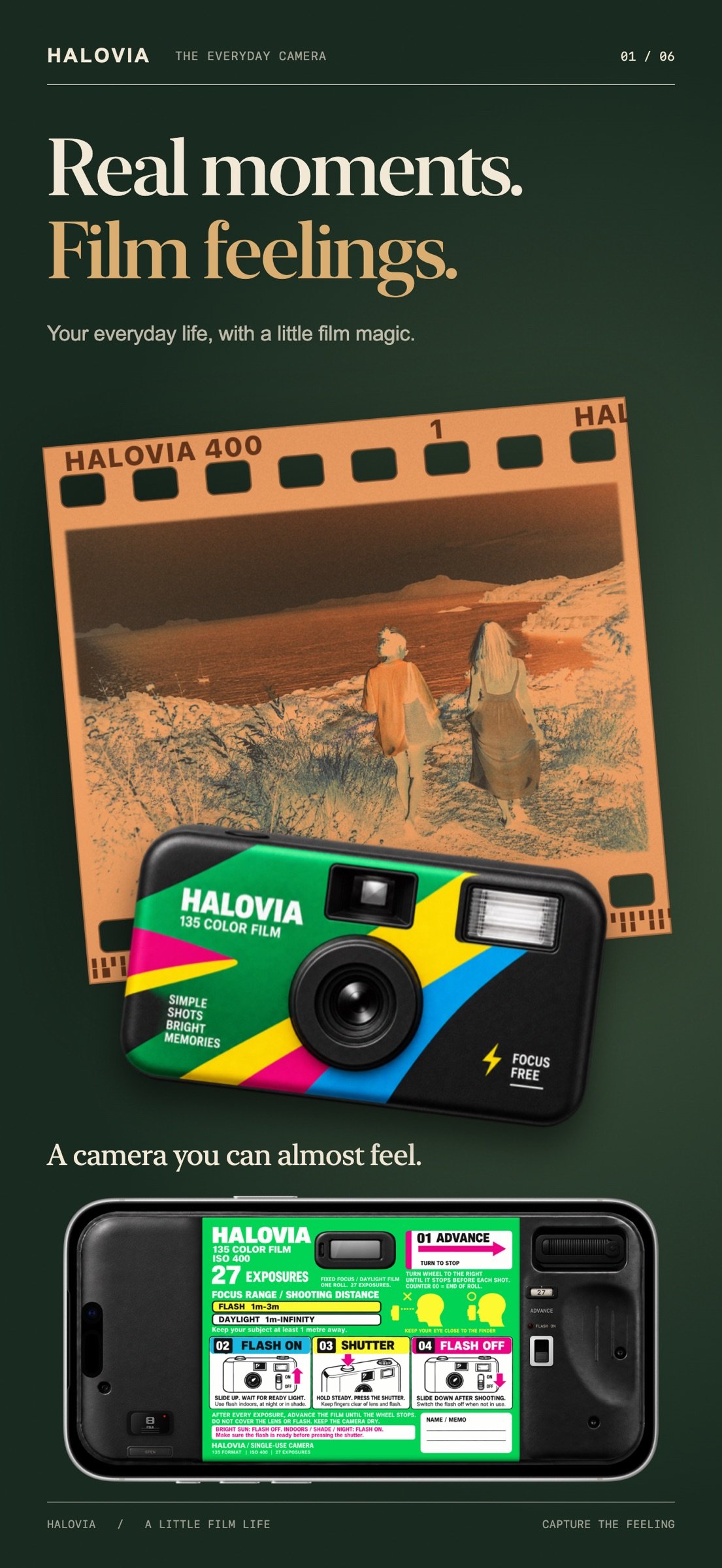
HALOVIA brings the ritual of a disposable film camera to your iPhone. Unwrap a camera, advance the film, and capture everyday moments one frame at a time. Finish the roll to discover your photos.
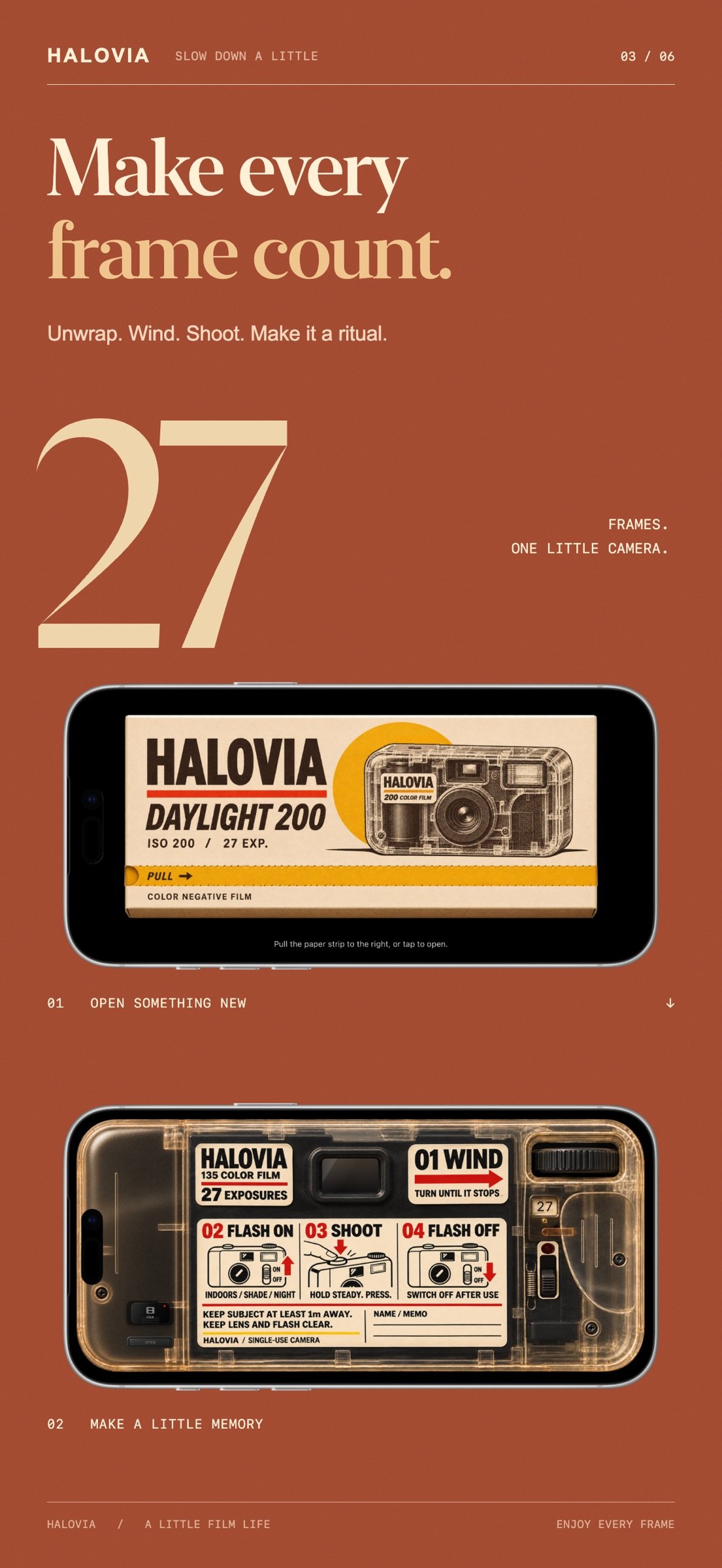
ONE ROLL, 27 FRAMES
Each camera holds up to 27 photos. Advance before each shot, watch the counter, and use the flash when the moment calls for it. You can finish a roll early whenever you are ready to see your photos.
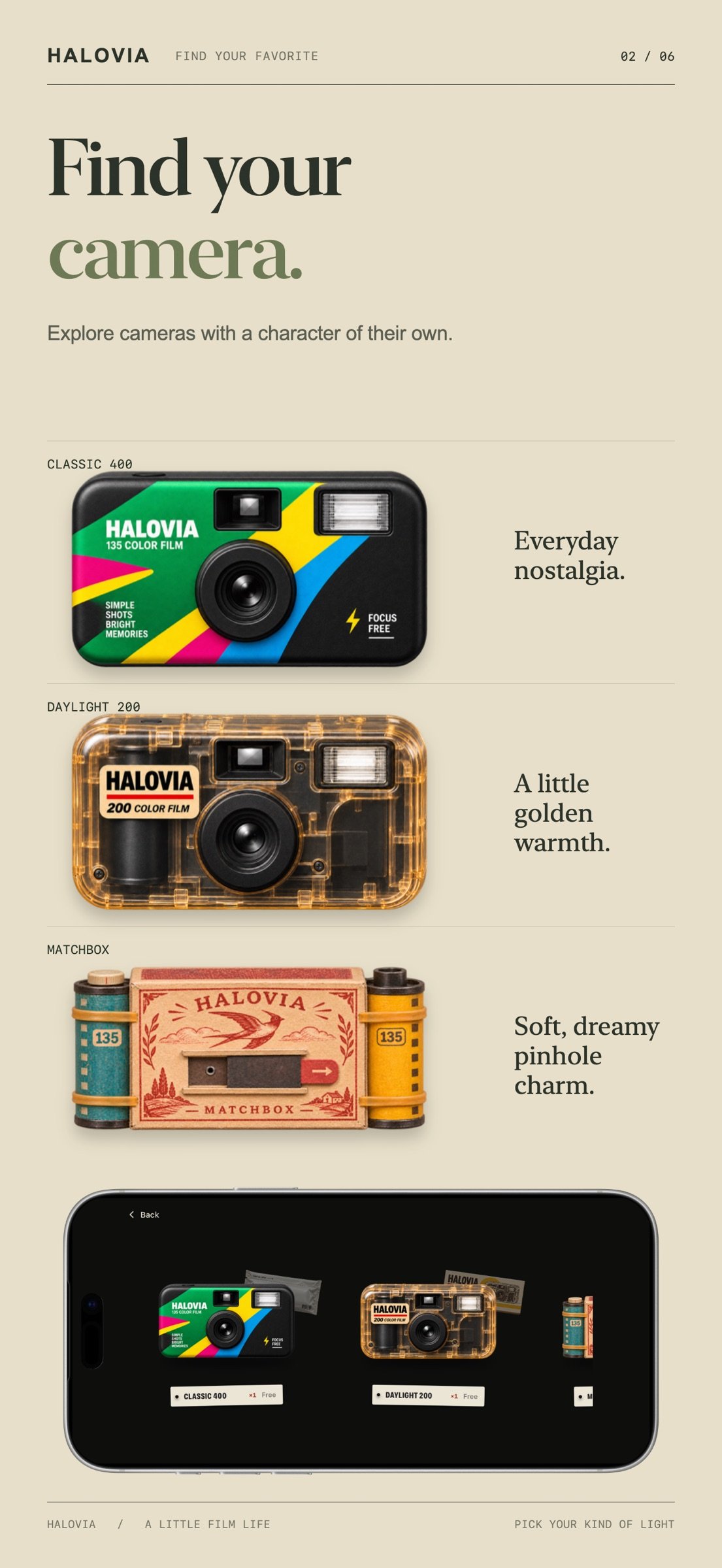
A CAMERA FOR EVERY MOOD
Every camera has its own film, lens, and shutter sound. Some are free; others are bought once and yours to keep, with a fresh camera after every roll. Try one roll before you buy.
FILM-INSPIRED COLOR AND GRAIN
Give everyday scenes a film-inspired look with textured grain, distinctive color, and lens character. From a sunny walk to an evening with friends, keep a roll of moments in your own way.
FROM CAMERA TO FILM CASE
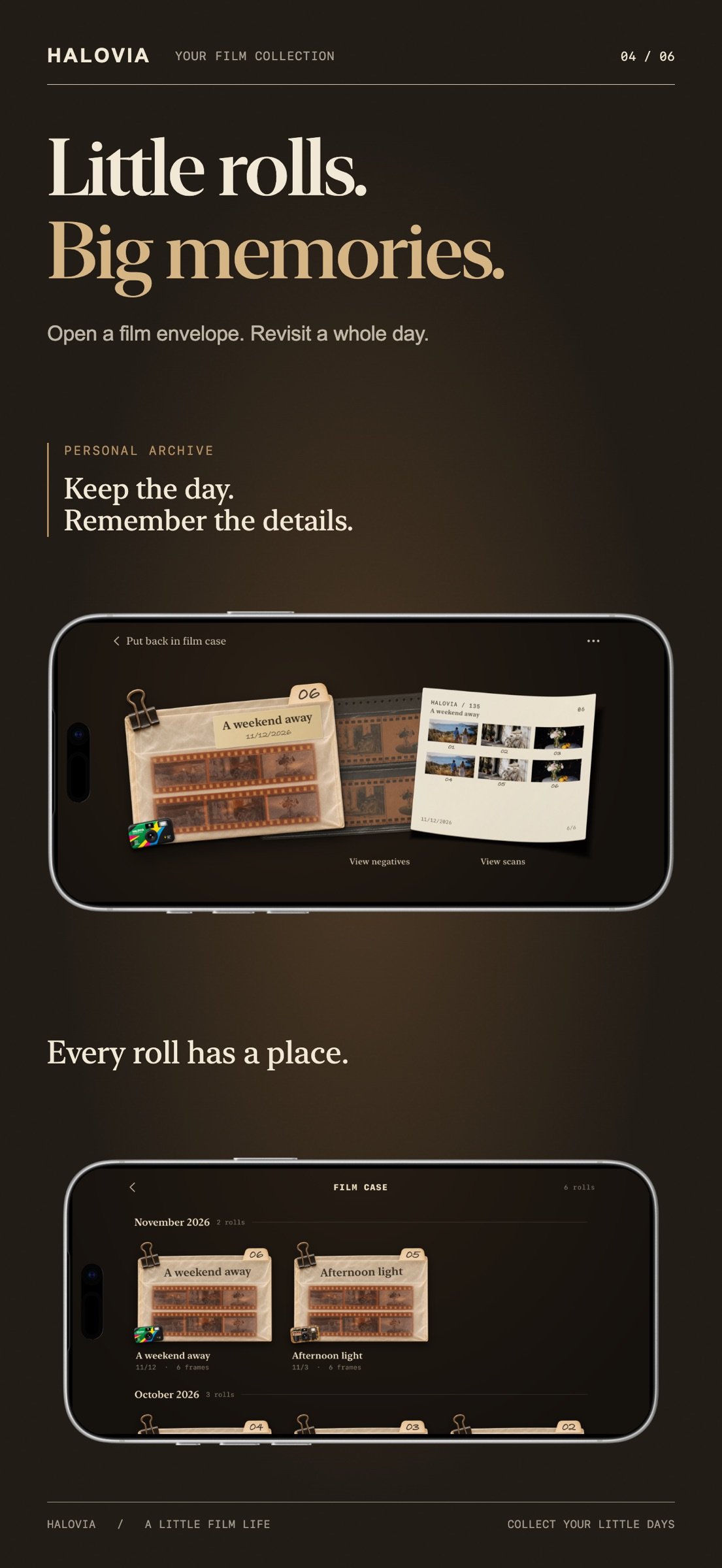
Wind the film, open the camera, and take out the roll. Your finished rolls wait on a shelf in Film Case. Tap a canister, pull out the film leader, and lay the whole roll on a darkroom light table. Name each roll on its tape label, and unwrap a new camera when you are ready to shoot again.
ON THE LIGHT TABLE
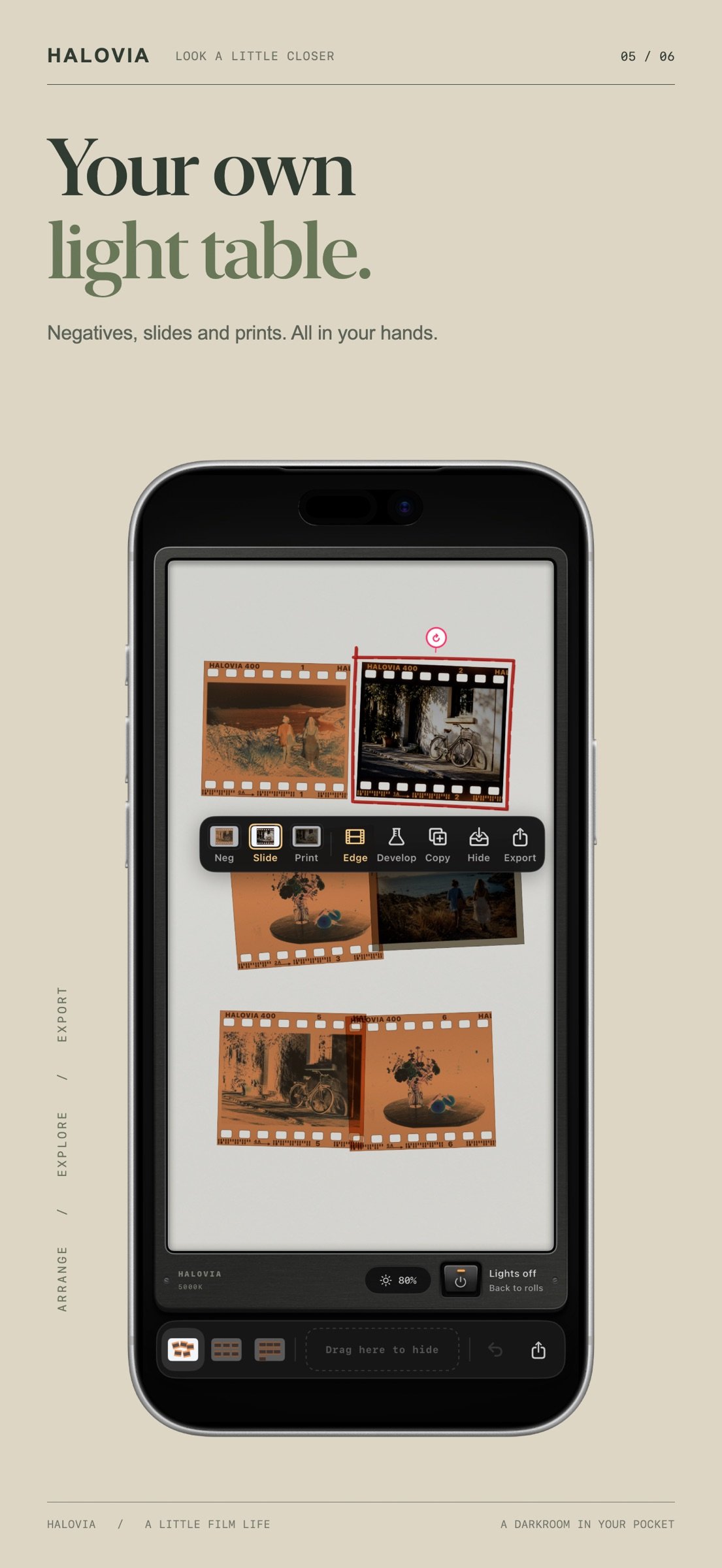
Move, rotate, and stack your frames, or arrange them in a grid or contact sheet. View any frame as a negative, a slide, or a print, keep the perforated film edge or a thin rebate, and try push or pull development. Adjust the lamp, then export the whole table, a contact sheet, or a single frame. Light table looks are created as separate copies, leaving your original photos unchanged.
YOUR ORIGINALS, ALWAYS
Double-tap a frame to see the original photo, or browse a whole roll and save one photo or all of them to Photos.
YOUR PHOTOS STAY WITH YOU
No account is required. Shooting and film development work offline, and your rolls and photos are stored on your device.
| Release info | Update on Nov 21, 2026 |
|---|---|
| Release notes | This update adds a black-and-white camera, and paid cameras are now yours to keep: - New SILVER 400 black-and-white camera, with the grain and tones of classic black-and-white film. - Buy a paid camera once and keep it. After every roll, a fresh one is waiting on the workbench. - Try one roll before you buy. Unlock the camera to take the roll out and develop it. - If you bought MATCHBOX before, it is now yours to keep. - Now available in Japanese and Korean. - New Screen shutter option in Settings: take a photo by tapping the screen. - Restore purchases in Settings to get your cameras back on a new device or after reinstalling. - While shooting, the current roll shows scanned photos instead of negatives. - Switching cameras on the workbench no longer flickers. |
| Listing data | App Store |
Reviews
No reviews yet. Be the first to review HALOVIA.
Used HALOVIA? Tell other visitors what you thought.
Log in to write a reviewOther products by this publisher
- "No Distractions" for YouTube 4.10 ----
- #Bible 11.6.1 "Incredible App - My sister shared this app with me a few weeks ago and it is truly incredible.
- #filmphotography 1.4.2 So, you decided to shoot on film?
- #LookBusy Fake Calendar Events 1.0.6 Look Busy scans your work calendar for open time slots and fills them with realistic-looking (but secretly fake) work events.
- #Small Talk Is Canceled 1.0.2 #Small Talk Is Canceled — Conversations That Matter
Most viewed iOS Photo & Video
-
1
 ShortDiShow 2.0
Drama Quest Island — An offline interactive short-drama adventure.
-
2
 Face Witness 1.0.3
FaceWitness lets you create a face by putting together individual features.
-
3
 Infuse 8.5.10
Infuse: Enterprise provides the same great features as the standard version of Infuse and includes permanent access to all Pro features via a traditional paid app.
-
4
 AI Video Generator 2.0.3
Vixel – AI Video Generator
-
5
 OPlayer 4.8
Play all your videos directly without having to convert them!
- 6 #filmphotography 1.4.2 So, you decided to shoot on film?
-
7
 CapCut 20.2.0
CapCut offers easy-to-use video editing functions, in-APP fonts and effects, advanced features such as keyframe animation, smooth slow-motion, chroma key, and stabilization, to help you capture and snip moments.
-
8
 Ai Photo 1.1.2
AI Photo Retouch – BG Eraser
-
9
 Necrometer II 1.3
Necrometer II is a paranormal investigation companion designed for ghost hunters and researchers.
-
10
 Analog Radio 3.0
The iPhone and iPad devices don't have the FM/AM radio antenna installed.
Most downloaded iOS Photo & Video
-
1
 DJI Fly 1.21.18
DJI Fly is designed to help pilots fly drones with ease.
-
2
Infuse 8.5.10
Infuse: Enterprise provides the same great features as the standard version of Infuse and includes permanent access to all Pro features via a traditional paid app.
-
3
 TurboCollage Automatic 1.2.4
#1 Easy automatic photo collage maker for iPhone & iPad.
-
4
 ReelyGo 1.1.42
ReelyGo: Your Daily Drama Escape
-
5
Analog Radio 3.0
The iPhone and iPad devices don't have the FM/AM radio antenna installed.
-
6
 Rozeta Sequencer Suite 1.3.16
Rozeta is a suite of MIDI sequencers and controllers that lets you explore a new, freeform approach to sequencing and controlling mobile music apps.
-
7
 Pop Dot Comics 1.48
Create a comic worthy of the Sunday newspaper or your favorite pulp-fiction cover.
-
8
 AGAIN. Rehearsal Notes 2.0.1
AGAIN. is the rehearsal app that remembers why the band stopped — and, new in Version 2, who said what in a writing session or a table read.
-
9
 Sun Scout 1.5.0
If your work or play requires sunlight, Sun Scout is built for you.
-
10
 Treblo 1.6.6
Make songs with the world's best AI music model.