3downloads
0this week
FreeCommercial
0reviews
Screenshots
About GTA CUE
A quick listen into your audio network.
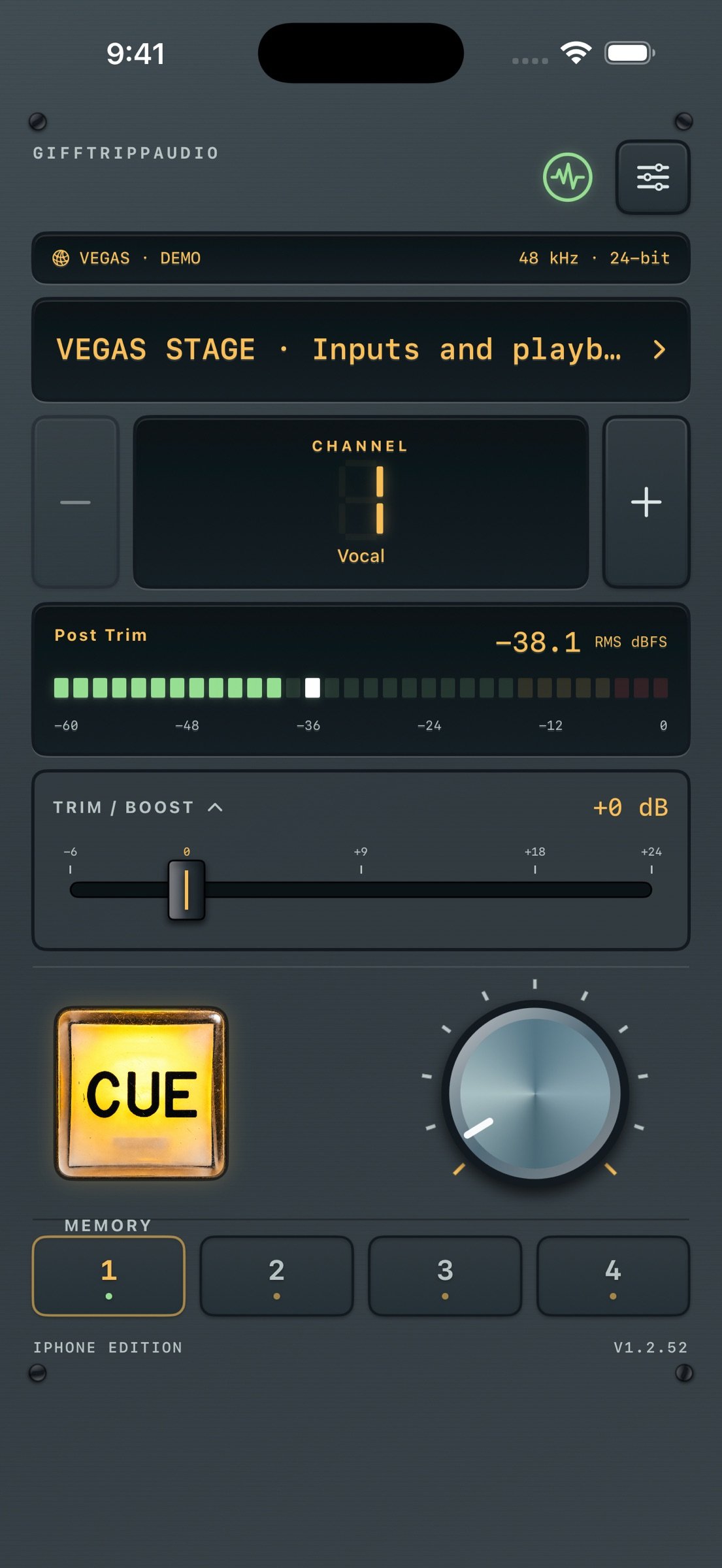
GTA CUE brings local network audio metering and listening to your iPhone and iPad. Select a compatible Dante-network source, choose a channel, check its level and tap CUE to listen.
SINGLE CUE OR AN EIGHT-INPUT MIX
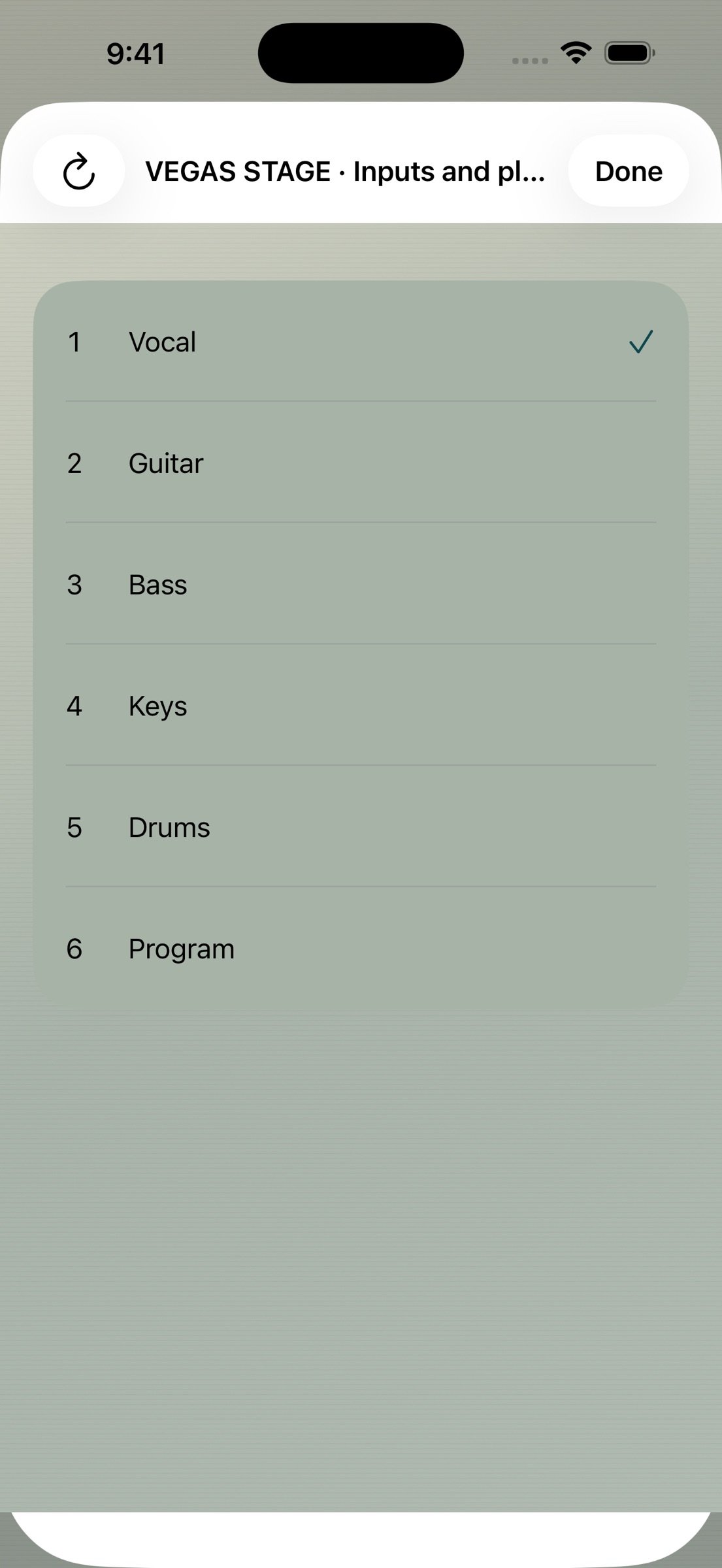
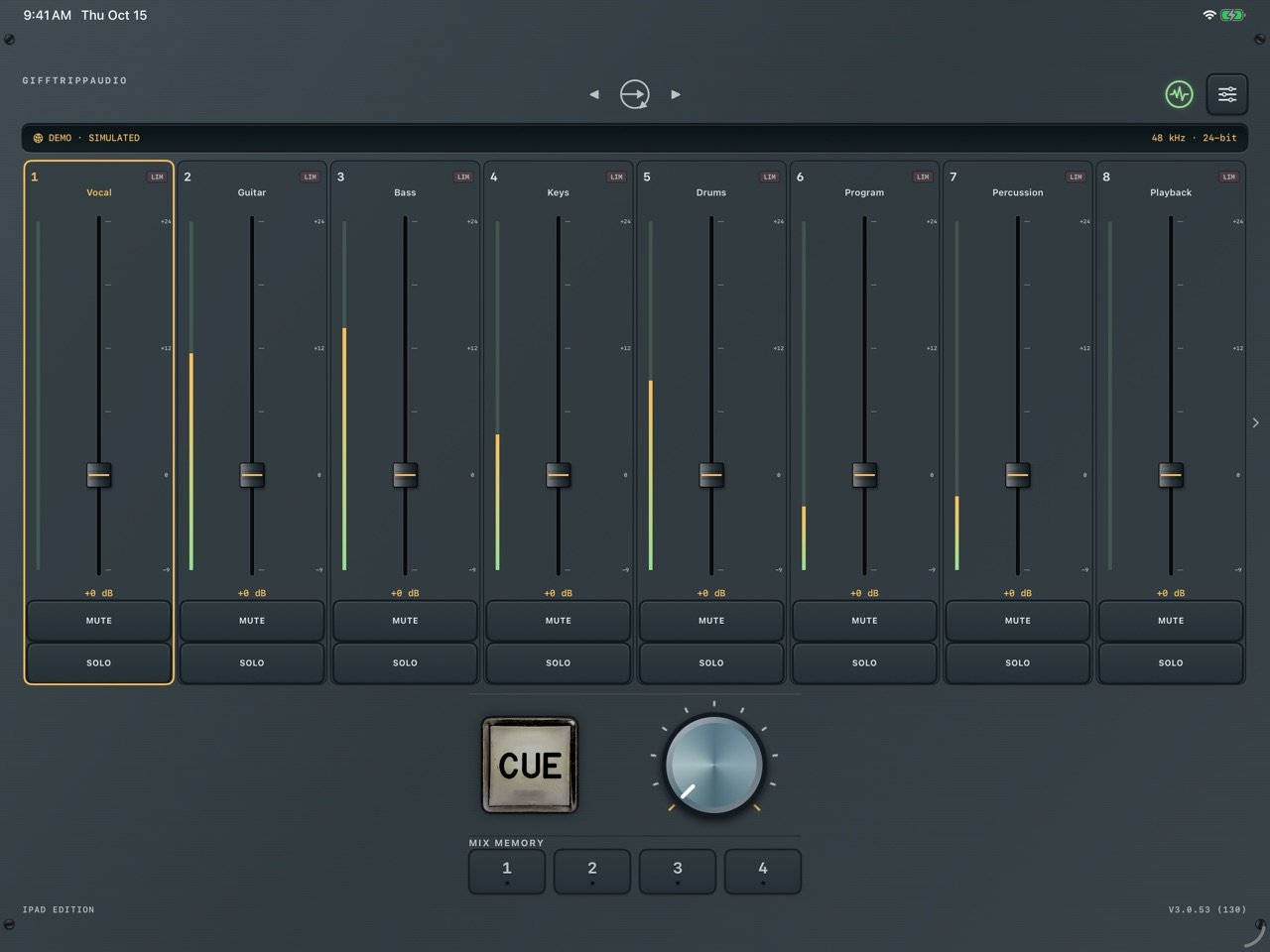
Use Single CUE for a quick channel check, or enable Cue Mix in Options to combine up to eight inputs into a local stereo monitor mix. Choose sources and channels on the detail pages, adjust each input's trim and pan, and use Mute, Solo and channel-pair links. Four memories store assignments and controls for quick recall. Your monitor controls do not change the transmitter's audio.
CUE MIX REQUIRES ETHERNET
Connect a compatible iPhone or iPad Ethernet adapter to the audio network. Cue Mix offers wired Ethernet interfaces only and does not switch to Wi-Fi if the cable is disconnected. Single CUE also supports Wi-Fi through an access point connected to the audio network; congestion and packet loss can interrupt wireless audio. Bluetooth listening adds a separate output delay.
LOCAL CUE SHARING
Compatible GTA CUE devices on the same local network can share an available audio feed. Settings > Network > CUE Sharing shows the audio path and connected peers. Transmitter capacity and available feeds still apply. Keep a supplying device connected. Active CUE listening on iPhone and iPad can continue in the background or while locked; a silent standby does not remain available in the background. Quitting the supplying app or disconnecting its network can interrupt listeners. Restore the supplying device and reconnect when needed.
YOUR LOOK, YOUR METERS
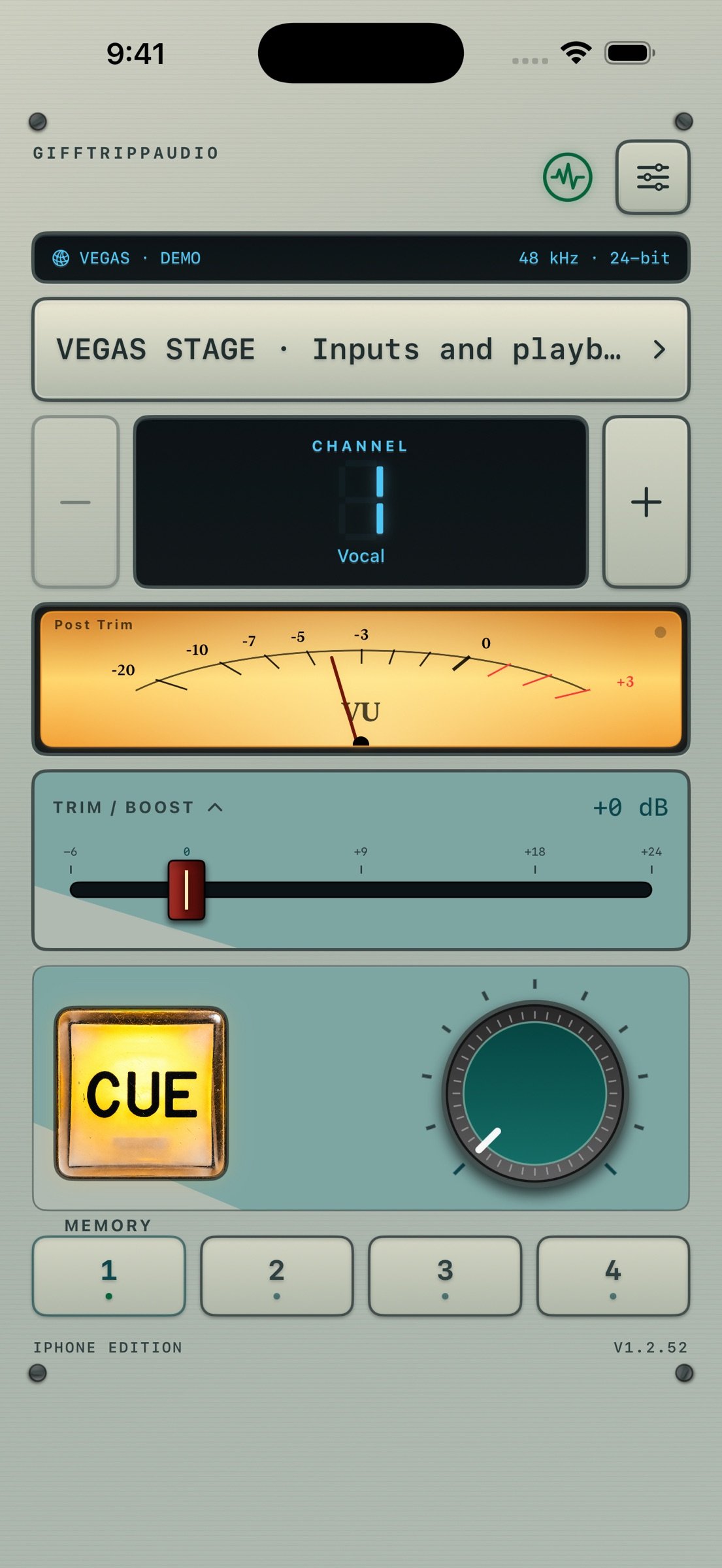
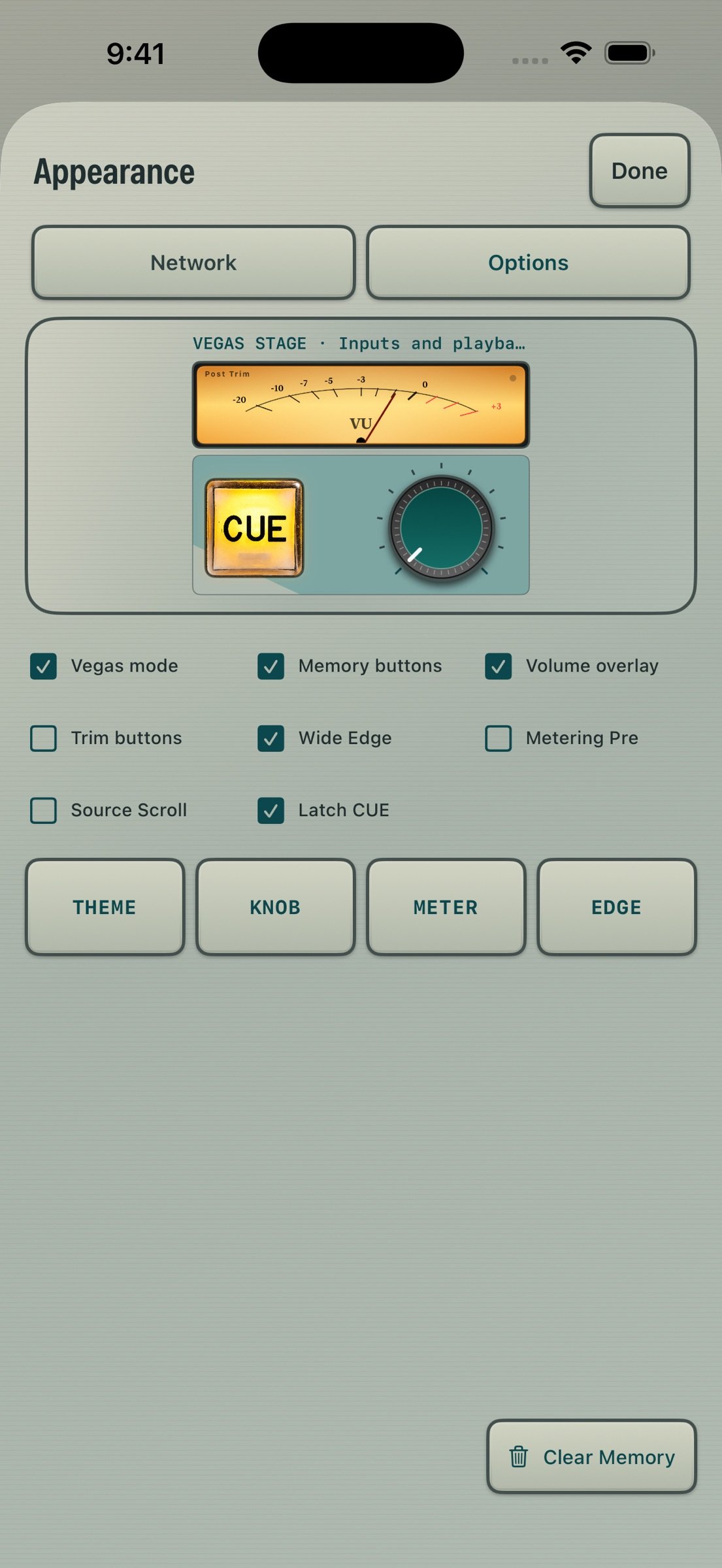
Choose the dark Slate theme or the light console-inspired The Hive, with customizable knobs and meters. Use segmented RMS or analog-style metering, optional outside meters and Pre Trim/Post Trim measurement. Printed analog-face numbers are decorative. The iPad shows network, sample-rate and bit-depth information in landscape as well as portrait.
YOUR CONNECTION
Choose your network adapter and match the source with manual 44.1, 48, 96 or 192 kHz selection. Receive supported 24-bit or 32-bit signed-integer PCM streams. Inspect packet and playback diagnostics, and optionally scan a reachable IPv4 range for compatible sources.
LOCAL BY DESIGN
Audio decoding, metering and playback run locally. No account, ads, analytics SDK or developer-operated cloud audio service is required. A clearly labeled, silent Demo Mode lets you explore the controls without a transmitter.
BEFORE YOU BUY
Real metering and listening require a compatible transmitter and access to its local network. Supported formats and capacity depend on the transmitter and configuration; selectable sample rates do not guarantee support from every source.
Start CUE playback from a compatible external source. Active listening can continue while the app is in the background or the device is locked. A silent standby does not stay available in the background. Output-route changes mute listening. There is no AVB or PTP-locked output. Monitor protection is not calibrated hearing protection; set output volume appropriately.
By GIFFTRIPPAUDIO.
License: Commercial
GTA CUE brings local network audio metering and listening to your iPhone and iPad. Select a compatible Dante-network source, choose a channel, check its level and tap CUE to listen.
SINGLE CUE OR AN EIGHT-INPUT MIX
Use Single CUE for a quick channel check, or enable Cue Mix in Options to combine up to eight inputs into a local stereo monitor mix. Choose sources and channels on the detail pages, adjust each input's trim and pan, and use Mute, Solo and channel-pair links. Four memories store assignments and controls for quick recall. Your monitor controls do not change the transmitter's audio.
CUE MIX REQUIRES ETHERNET
Connect a compatible iPhone or iPad Ethernet adapter to the audio network. Cue Mix offers wired Ethernet interfaces only and does not switch to Wi-Fi if the cable is disconnected. Single CUE also supports Wi-Fi through an access point connected to the audio network; congestion and packet loss can interrupt wireless audio. Bluetooth listening adds a separate output delay.
LOCAL CUE SHARING
Compatible GTA CUE devices on the same local network can share an available audio feed. Settings > Network > CUE Sharing shows the audio path and connected peers. Transmitter capacity and available feeds still apply. Keep a supplying device connected. Active CUE listening on iPhone and iPad can continue in the background or while locked; a silent standby does not remain available in the background. Quitting the supplying app or disconnecting its network can interrupt listeners. Restore the supplying device and reconnect when needed.
YOUR LOOK, YOUR METERS
Choose the dark Slate theme or the light console-inspired The Hive, with customizable knobs and meters. Use segmented RMS or analog-style metering, optional outside meters and Pre Trim/Post Trim measurement. Printed analog-face numbers are decorative. The iPad shows network, sample-rate and bit-depth information in landscape as well as portrait.
YOUR CONNECTION
Choose your network adapter and match the source with manual 44.1, 48, 96 or 192 kHz selection. Receive supported 24-bit or 32-bit signed-integer PCM streams. Inspect packet and playback diagnostics, and optionally scan a reachable IPv4 range for compatible sources.
LOCAL BY DESIGN
Audio decoding, metering and playback run locally. No account, ads, analytics SDK or developer-operated cloud audio service is required. A clearly labeled, silent Demo Mode lets you explore the controls without a transmitter.
BEFORE YOU BUY
Real metering and listening require a compatible transmitter and access to its local network. Supported formats and capacity depend on the transmitter and configuration; selectable sample rates do not guarantee support from every source.
Start CUE playback from a compatible external source. Active listening can continue while the app is in the background or the device is locked. A silent standby does not stay available in the background. Output-route changes mute listening. There is no AVB or PTP-locked output. Monitor protection is not calibrated hearing protection; set output volume appropriately.
By GIFFTRIPPAUDIO.
License: Commercial
| Release info | New Release on Oct 16, 2026 |
|---|---|
| Release notes | Cue Mix brings eight inputs to your local monitor, with per-input trim, pan, Mute and Solo, channel-pair links and four mix memories. Compatible GTA CUE devices can share available audio feeds on the local network. A new Sharing Guide explains the audio path and source-device requirements. Cue Mix now requires Ethernet on iPhone and iPad. Wi-Fi remains available in Single CUE. The iPad's network, sample-rate and bit-depth bar is visible in landscape. Includes interface selection and reconnect improvements. Fixes selection of local-only Ethernet adapters in Cue Mix, including adapters without an internet route. Moves the Ethernet requirement explanation into the Operation Guide. |
| Listing data | App Store |
Reviews
No reviews yet. Be the first to review GTA CUE.
Used GTA CUE? Tell other visitors what you thought.
Log in to write a reviewOther products by this publisher
- "No Distractions" for YouTube 4.10 ----
- #Bible 11.6 "Incredible App - My sister shared this app with me a few weeks ago and it is truly incredible.
- #filmphotography 1.4.2 So, you decided to shoot on film?
- $quirrel 1.5.1 $quirrel Budget & Finance helps you plan each paycheck, track spending, manage debt, and see what is safe to spend before the next payday.
- % Percentage Calculator Pro 1.41 This is the Pro version of % Percentage Calculator.
Most viewed iOS Photo & Video
-
1
 ShortDiShow 2.0
Drama Quest Island — An offline interactive short-drama adventure.
-
2
 Infuse 8.5.10
Infuse: Enterprise provides the same great features as the standard version of Infuse and includes permanent access to all Pro features via a traditional paid app.
-
3
 AI Video Generator 2.0.3
Vixel – AI Video Generator
-
4
 OPlayer 4.8
Play all your videos directly without having to convert them!
-
5
 Necrometer II 1.2
Necrometer II is a paranormal investigation companion designed for ghost hunters and researchers.
-
6
 CapCut 20.1.0
CapCut offers easy-to-use video editing functions, in-APP fonts and effects, advanced features such as keyframe animation, smooth slow-motion, chroma key, and stabilization, to help you capture and snip moments.
-
7
 Ai Photo 1.1.2
AI Photo Retouch – BG Eraser
- 8 #filmphotography 1.4.2 So, you decided to shoot on film?
-
9
 Treblo 1.6.5
Make songs with the world's best AI music model.
-
10
 Pop Dot Comics 1.48
Create a comic worthy of the Sunday newspaper or your favorite pulp-fiction cover.
Most downloaded iOS Photo & Video
-
1
Infuse 8.5.10
Infuse: Enterprise provides the same great features as the standard version of Infuse and includes permanent access to all Pro features via a traditional paid app.
-
2
 DJI Fly 1.21.18
DJI Fly is designed to help pilots fly drones with ease.
-
3
 Analog Radio 3.0
The iPhone and iPad devices don't have the FM/AM radio antenna installed.
-
4
 TurboCollage Automatic 1.2.4
#1 Easy automatic photo collage maker for iPhone & iPad.
-
5
 ReelyGo 1.1.42
ReelyGo: Your Daily Drama Escape
-
6
 Rozeta Sequencer Suite 1.3.16
Rozeta is a suite of MIDI sequencers and controllers that lets you explore a new, freeform approach to sequencing and controlling mobile music apps.
-
7
Treblo 1.6.5
Make songs with the world's best AI music model.
-
8
Pop Dot Comics 1.48
Create a comic worthy of the Sunday newspaper or your favorite pulp-fiction cover.
-
9
 AGAIN. Rehearsal Notes 2.0.1
AGAIN. is the rehearsal app that remembers why the band stopped — and, new in Version 2, who said what in a writing session or a table read.
-
10
 SSS IPTV, Simple, Smart Super 1.0.2
An Easiest way to watch TV Online or Movies or Series, Bring your Own list M3u,