Grid Painter 2.79
GridPainter is the premium application to use compose your next masterpiece.
Download
5.38 MB
11downloads
1this week
FreeCommercial
0reviews
Screenshots
About Grid Painter
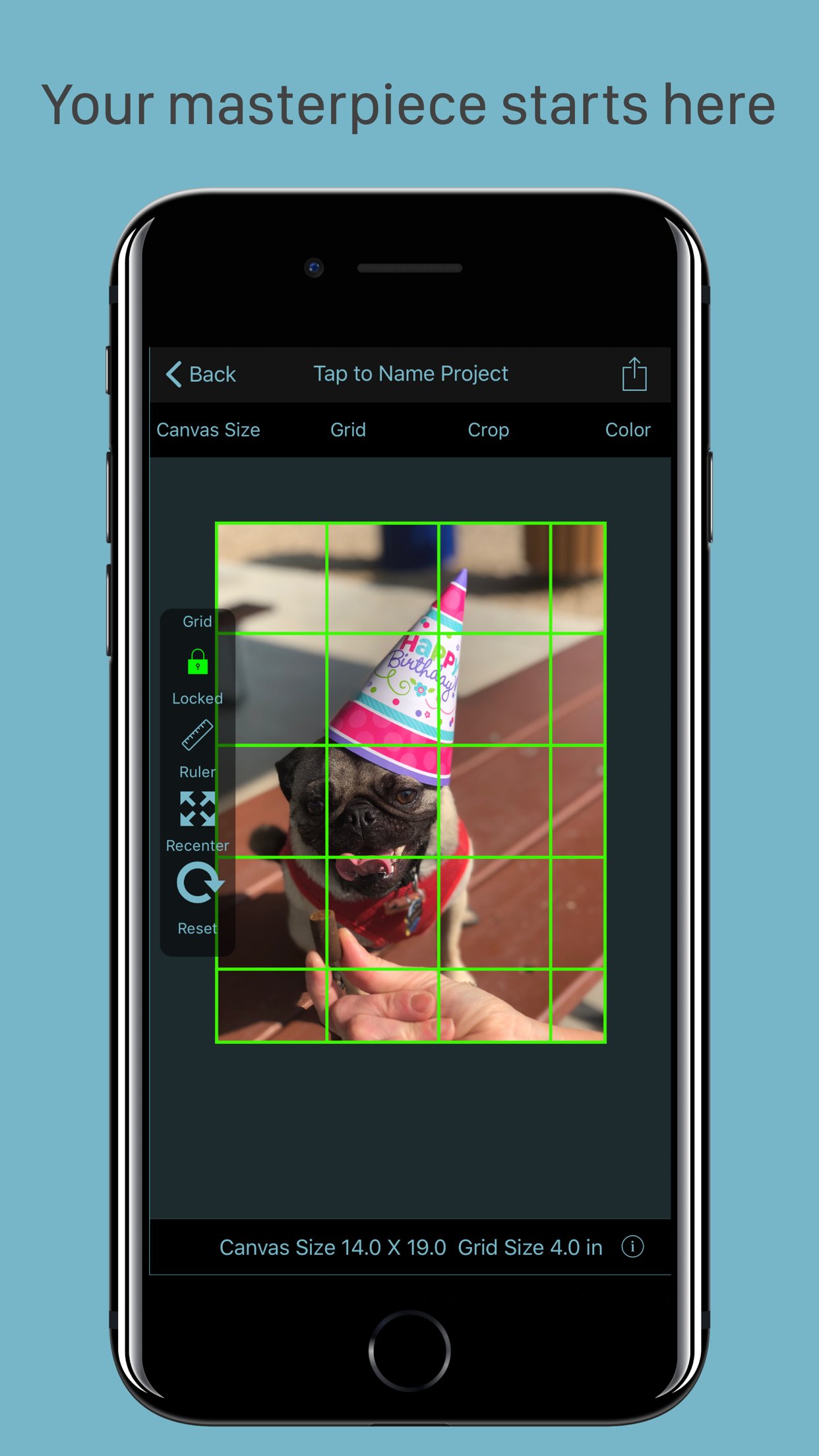
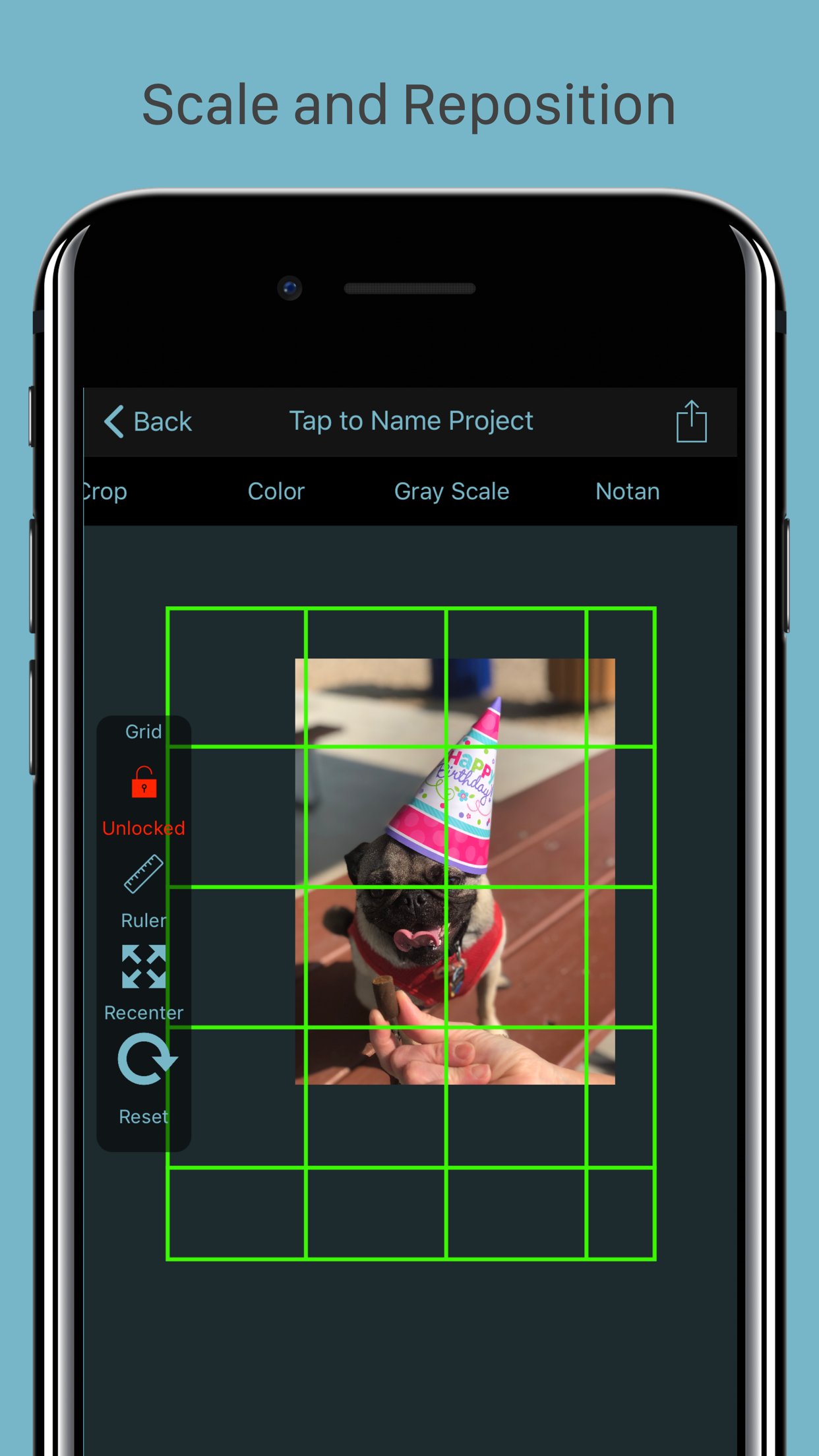
GridPainter is the premium application to use compose your next masterpiece. It lets you quickly and easily place a grid onto an image for the purpose of using the grid technique of drawing and painting, the same method even Leonardo da Vinci used in his work.
With the portability of our devices and access to thousands of images at our fingertips, more artists than ever are using them as a reference for drawings.
With GridPainter, the process of drawing accurately from your device is easier than ever. Simply select the photo you wish from your photo library or using the "Open In" functionality in Messages or email, and the app will scale your image and place the "fourths" style grid over the top.
From the toolbar on top you will find easy to use controls.
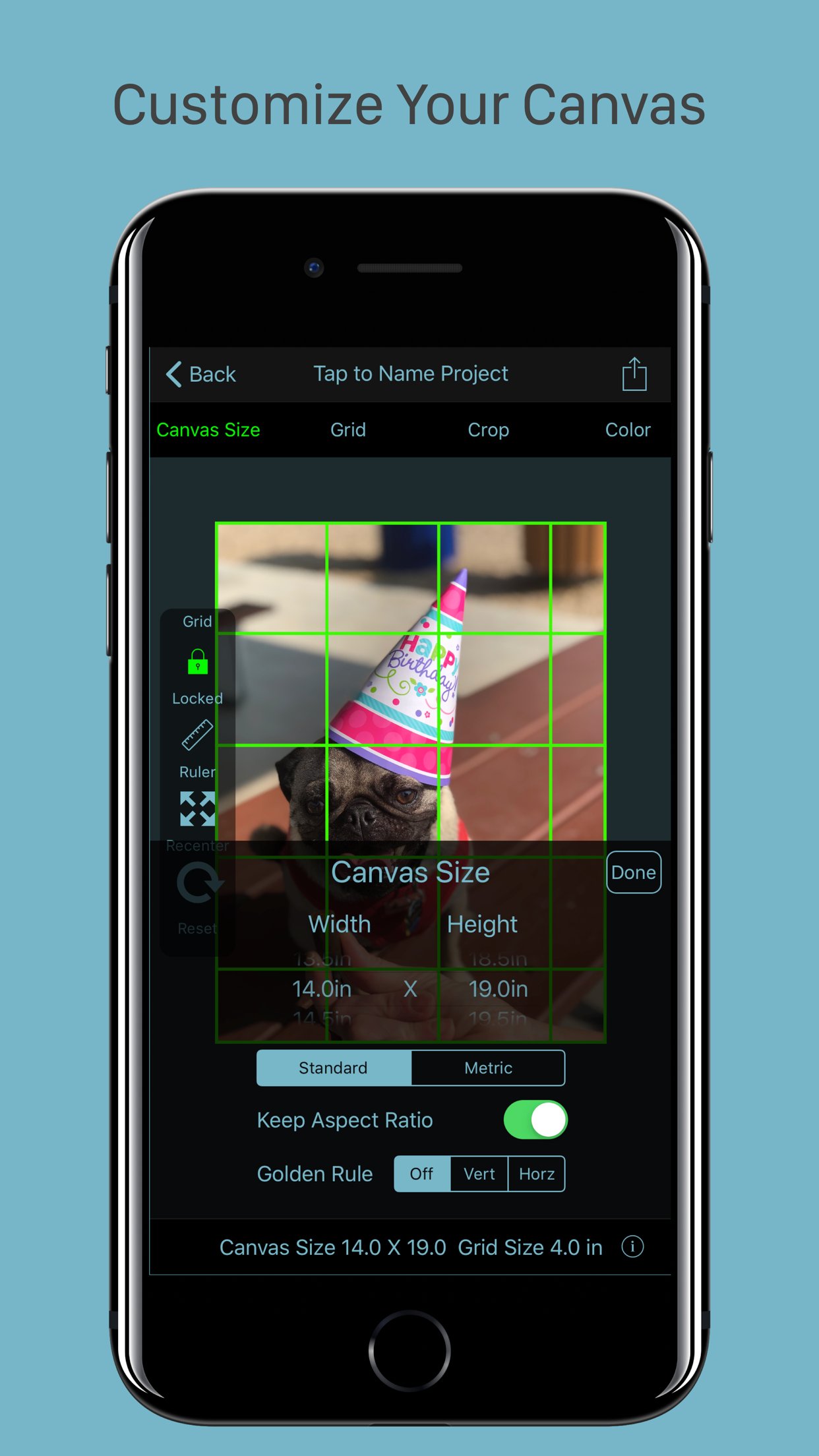
-Select a standard canvas or customize your canvas size.
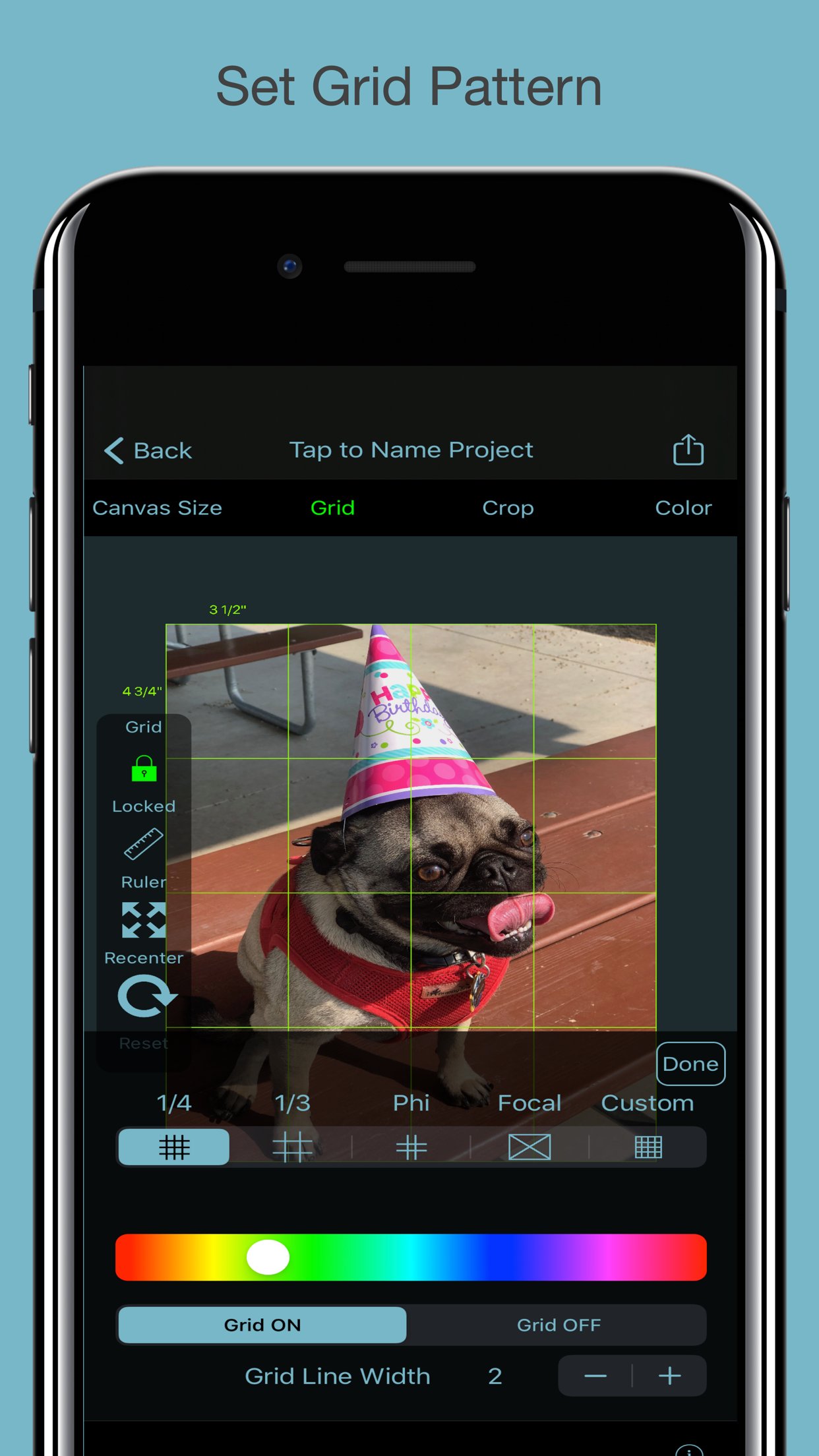
-Customize your grid pattern from several different styles.
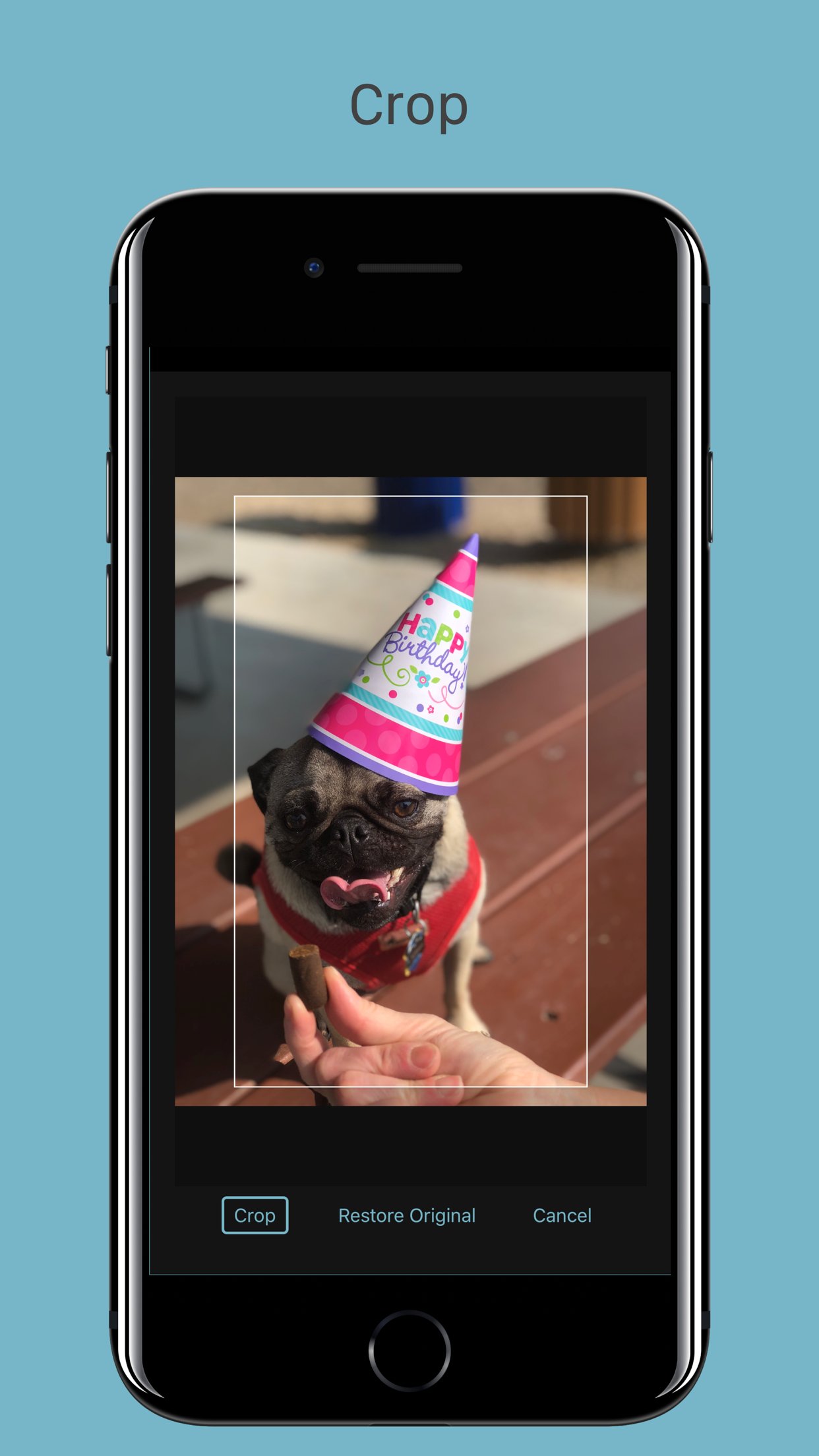
-Crop
We have also integrated some basic functions from our sister application NotanIzer so now you can
-Look at you image in color, gray scale, Notan, 3 Level, 4 level, or Levels
Everything is saved and you can work with your image in the app, or using the share menu, print, email, or export it to your photo library.
To create a drawing from the photo, simply draw a grid of the same proportions on your drawing material as your selected final project size and grid size.
From there you can easily transfer the image by drawing whats in each square, letting the grid take care of the proper scaling and framing within your picture.
Great for when you need to draw a large drawing from a small reference photo, or for drawing complicated imagery.
Features:
-Select an image from your camera roll , import, or take a photo directly from the app
-Choose final image size
-Place a grid over the image using different grid types
-Change the grid size
-Change the grid color for best visibility over the image
-Select any canvas size or automatically choose the aspect ratio or use the Golden Ratio
-Scale and move your image to fit exactly where you want
-Save the project for later revisions
-Print or share your project with others
License: Commercial
With the portability of our devices and access to thousands of images at our fingertips, more artists than ever are using them as a reference for drawings.
With GridPainter, the process of drawing accurately from your device is easier than ever. Simply select the photo you wish from your photo library or using the "Open In" functionality in Messages or email, and the app will scale your image and place the "fourths" style grid over the top.
From the toolbar on top you will find easy to use controls.
-Select a standard canvas or customize your canvas size.
-Customize your grid pattern from several different styles.
-Crop
We have also integrated some basic functions from our sister application NotanIzer so now you can
-Look at you image in color, gray scale, Notan, 3 Level, 4 level, or Levels
Everything is saved and you can work with your image in the app, or using the share menu, print, email, or export it to your photo library.
To create a drawing from the photo, simply draw a grid of the same proportions on your drawing material as your selected final project size and grid size.
From there you can easily transfer the image by drawing whats in each square, letting the grid take care of the proper scaling and framing within your picture.
Great for when you need to draw a large drawing from a small reference photo, or for drawing complicated imagery.
Features:
-Select an image from your camera roll , import, or take a photo directly from the app
-Choose final image size
-Place a grid over the image using different grid types
-Change the grid size
-Change the grid color for best visibility over the image
-Select any canvas size or automatically choose the aspect ratio or use the Golden Ratio
-Scale and move your image to fit exactly where you want
-Save the project for later revisions
-Print or share your project with others
License: Commercial
| Release info | New Release on Nov 15, 2021 |
|---|---|
| Release notes | Picture no longer resets when changing between color, gray scale, or the Not an functions. Some UI enhancements |
| Listing data | App Store |
Reviews
No reviews yet. Be the first to review Grid Painter.
Used Grid Painter? Tell other visitors what you thought.
Log in to write a reviewOther products by this publisher
- "No Distractions" for YouTube 4.10 ----
- #Bible 11.6.1 "Incredible App - My sister shared this app with me a few weeks ago and it is truly incredible.
- #filmphotography 1.4.2 So, you decided to shoot on film?
- $quirrel 1.5.1 $quirrel Budget & Finance helps you plan each paycheck, track spending, manage debt, and see what is safe to spend before the next payday.
- % Percentage Calculator Pro 1.41 This is the Pro version of % Percentage Calculator.
Most viewed iOS Photo & Video
-
1
 ShortDiShow 2.0
Drama Quest Island — An offline interactive short-drama adventure.
-
2
 Infuse 8.5.10
Infuse: Enterprise provides the same great features as the standard version of Infuse and includes permanent access to all Pro features via a traditional paid app.
-
3
 AI Video Generator 2.0.3
Vixel – AI Video Generator
-
4
 OPlayer 4.8
Play all your videos directly without having to convert them!
-
5
 CapCut 20.2.0
CapCut offers easy-to-use video editing functions, in-APP fonts and effects, advanced features such as keyframe animation, smooth slow-motion, chroma key, and stabilization, to help you capture and snip moments.
-
6
 Necrometer II 1.2
Necrometer II is a paranormal investigation companion designed for ghost hunters and researchers.
-
7
 Ai Photo 1.1.2
AI Photo Retouch – BG Eraser
- 8 #filmphotography 1.4.2 So, you decided to shoot on film?
-
9
 Analog Radio 3.0
The iPhone and iPad devices don't have the FM/AM radio antenna installed.
-
10
 Pop Dot Comics 1.48
Create a comic worthy of the Sunday newspaper or your favorite pulp-fiction cover.
Most downloaded iOS Photo & Video
-
1
 DJI Fly 1.21.18
DJI Fly is designed to help pilots fly drones with ease.
-
2
Infuse 8.5.10
Infuse: Enterprise provides the same great features as the standard version of Infuse and includes permanent access to all Pro features via a traditional paid app.
-
3
Analog Radio 3.0
The iPhone and iPad devices don't have the FM/AM radio antenna installed.
-
4
 TurboCollage Automatic 1.2.4
#1 Easy automatic photo collage maker for iPhone & iPad.
-
5
 ReelyGo 1.1.42
ReelyGo: Your Daily Drama Escape
-
6
 Rozeta Sequencer Suite 1.3.16
Rozeta is a suite of MIDI sequencers and controllers that lets you explore a new, freeform approach to sequencing and controlling mobile music apps.
-
7
 Treblo 1.6.6
Make songs with the world's best AI music model.
-
8
Pop Dot Comics 1.48
Create a comic worthy of the Sunday newspaper or your favorite pulp-fiction cover.
-
9
 AGAIN. Rehearsal Notes 2.0.1
AGAIN. is the rehearsal app that remembers why the band stopped — and, new in Version 2, who said what in a writing session or a table read.
-
10
 Sun Scout 1.5.0
If your work or play requires sunlight, Sun Scout is built for you.