Gravel 0.4.2
A de-googled, hardened fork of the Pebble companion app for de-googled phones
Download
15.31 MB
22downloads
0this week
FreeFreeware
0reviews
Screenshots
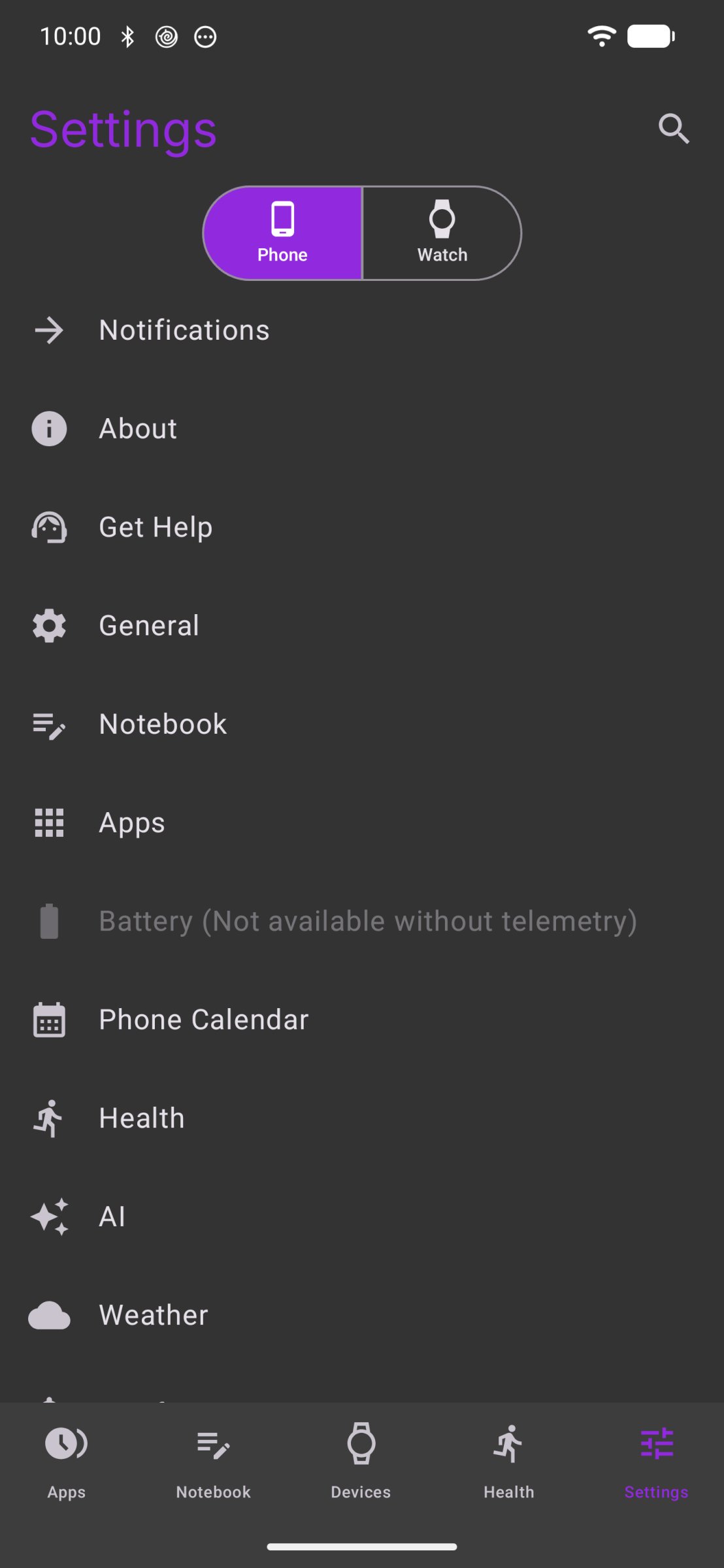
About Gravel
Gravel is a de-Googled, hardened fork of the Pebble mobile app by Core Devices, for Pebble and Core Devices watches on GrapheneOS, LineageOS and other phones without Google Play services or Firebase.
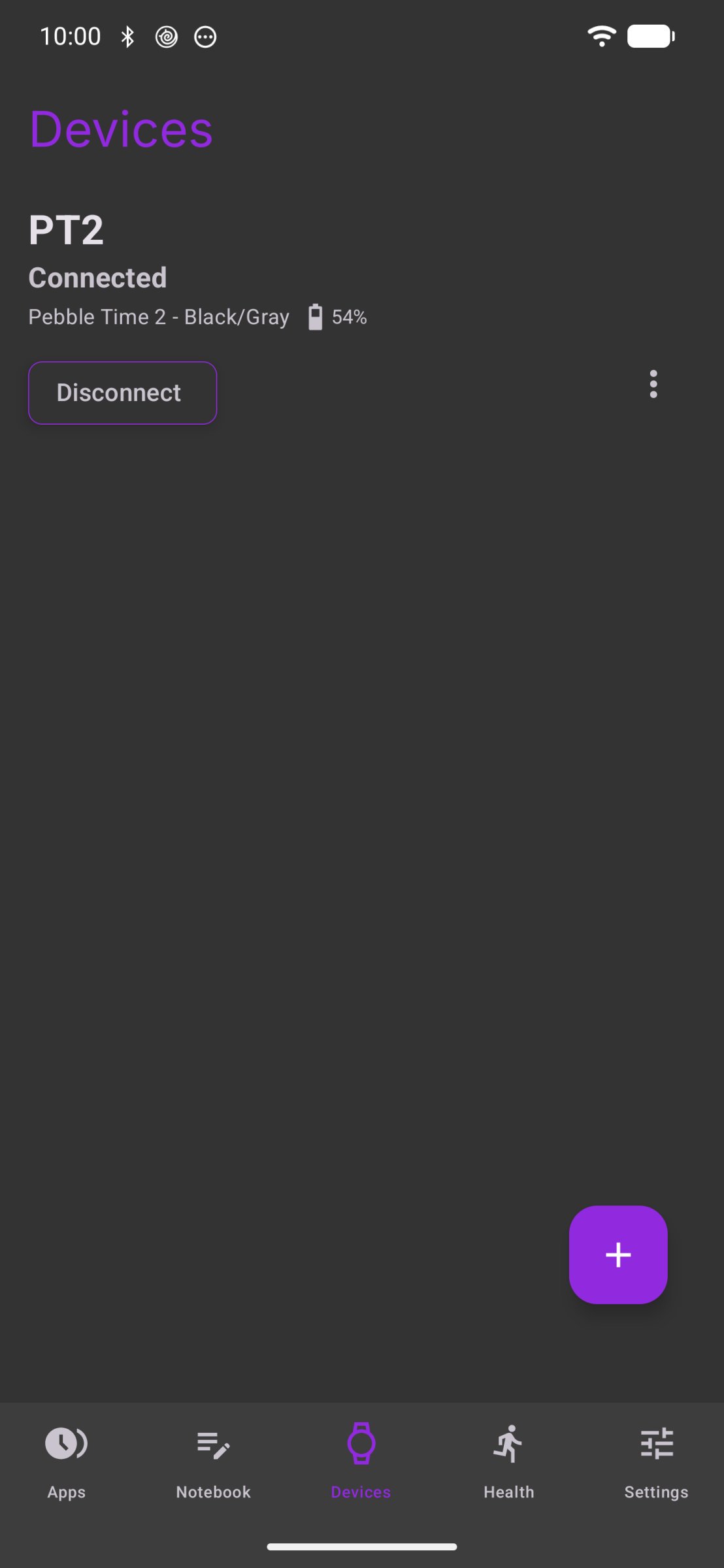
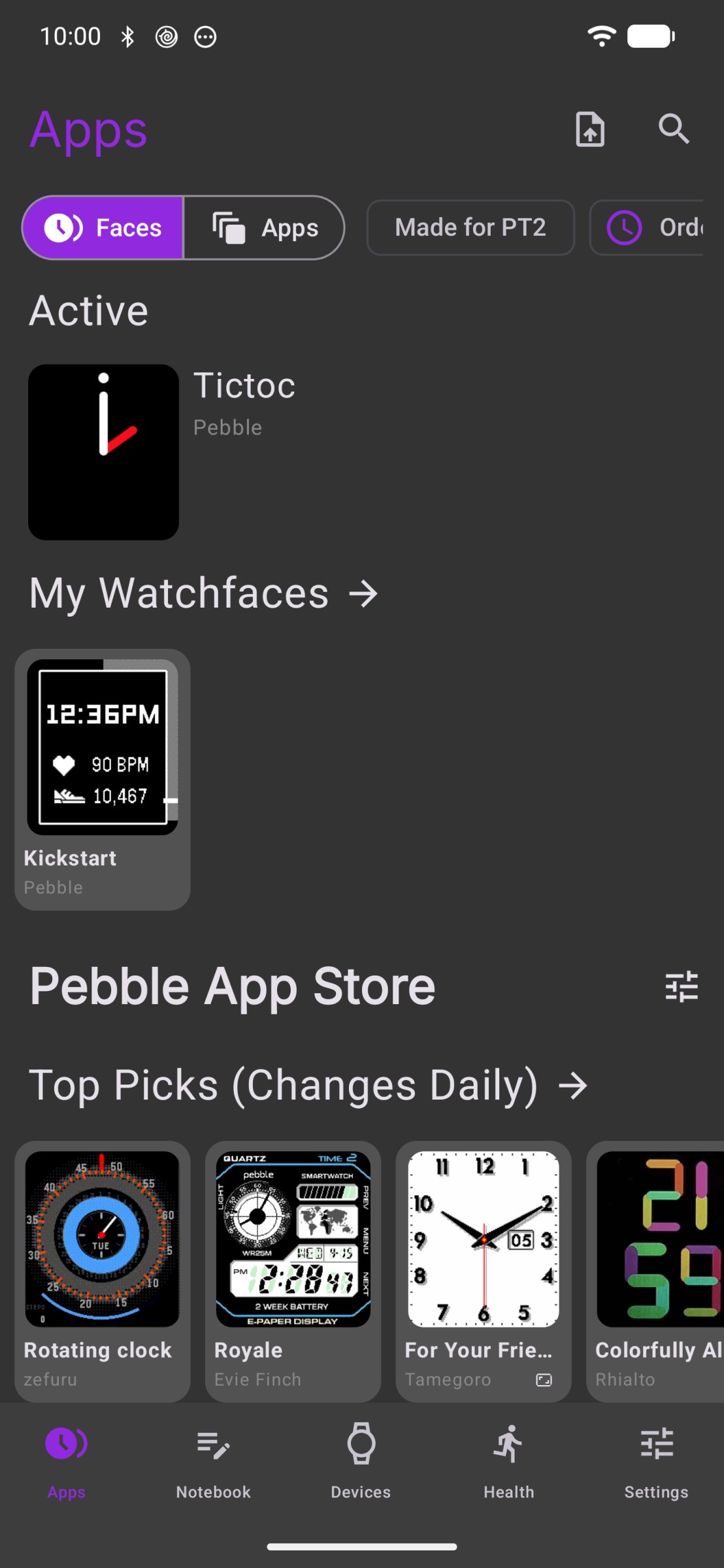
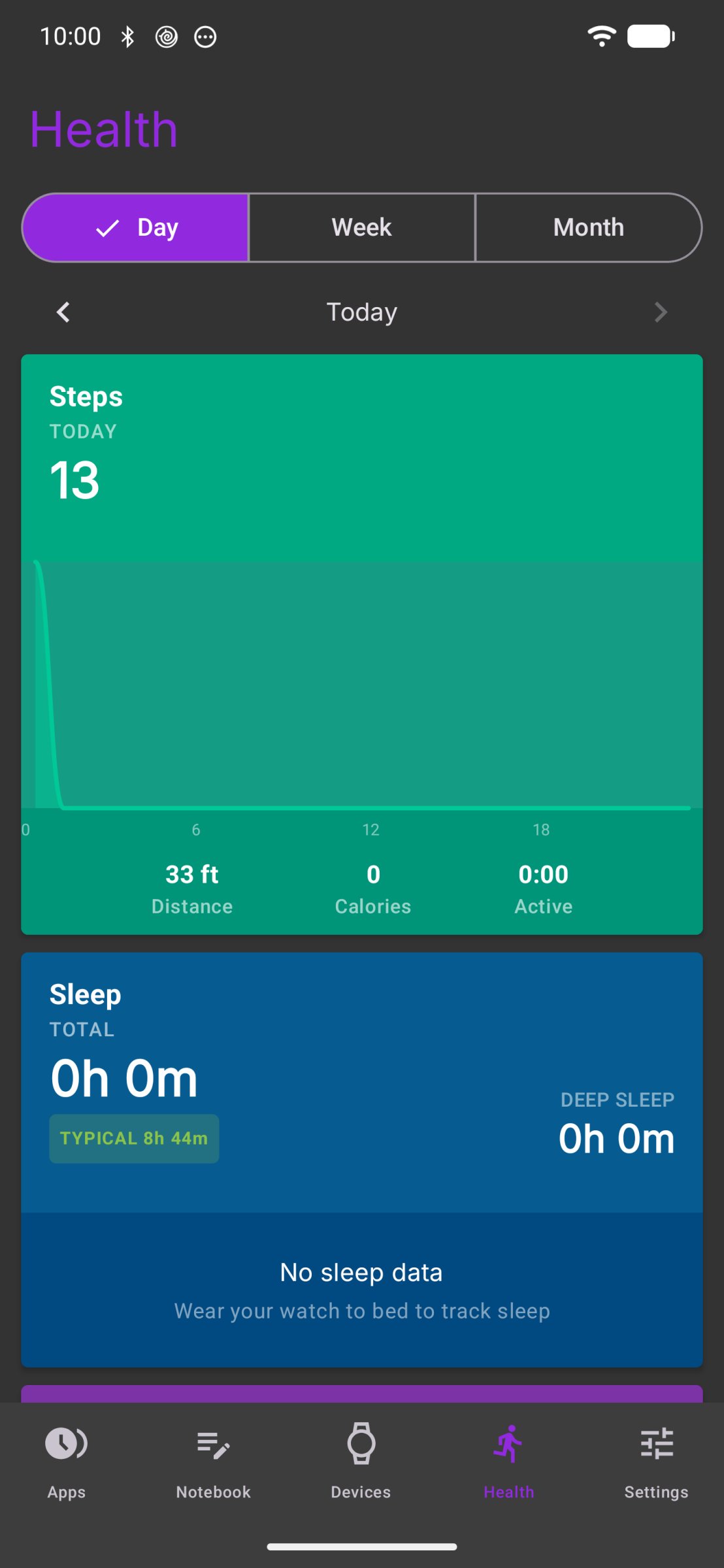
The watch features are here: pairing, notifications and replies, calendar, music, health, weather, watchfaces and apps, firmware updates, and voice dictation. What is gone: Play services, Firebase, telemetry, analytics and crash reporting. The battery analytics page depended on that telemetry and has no data here, and upstream's Pebble Index 01 ring and Index AI features do not work.
Hardening:
- Code that watchapps run inside Gravel gets no internet or location access until you grant it, per app, so some watchfaces and apps need a grant before they work fully. On phones where Gravel's UDP filter can't be turned on, such as LineageOS and CalyxOS, watchapps without internet access still run their code by default if Android System WebView is up to date. Their real-time connections (the kind video calls use) then depend on a single layer instead of two. You can turn that code off under Watch App Permissions. With an older WebView, that code does not run
- Classic PebbleKit, which broadcasts watch data to apps on your phone, is off by default; turn it on under Watch App Permissions if a companion app stops receiving watch data
- The speech and text engines each run in an isolated Android process
- Other exported Android interfaces are authorization-gated or removed, and plain-HTTP traffic is blocked
- Core watch firmware comes from the public PebbleOS releases and is verified before install
- App store searches are sent when you tap search, not while you type, with the search provider's analytics switched off
Dictation runs on the phone with whisper.cpp, built from source; the speech model is an optional, integrity-pinned download. You can also send dictation and Notebook recordings to your own transcription server over https. Weather locations can also be entered by latitude and longitude.
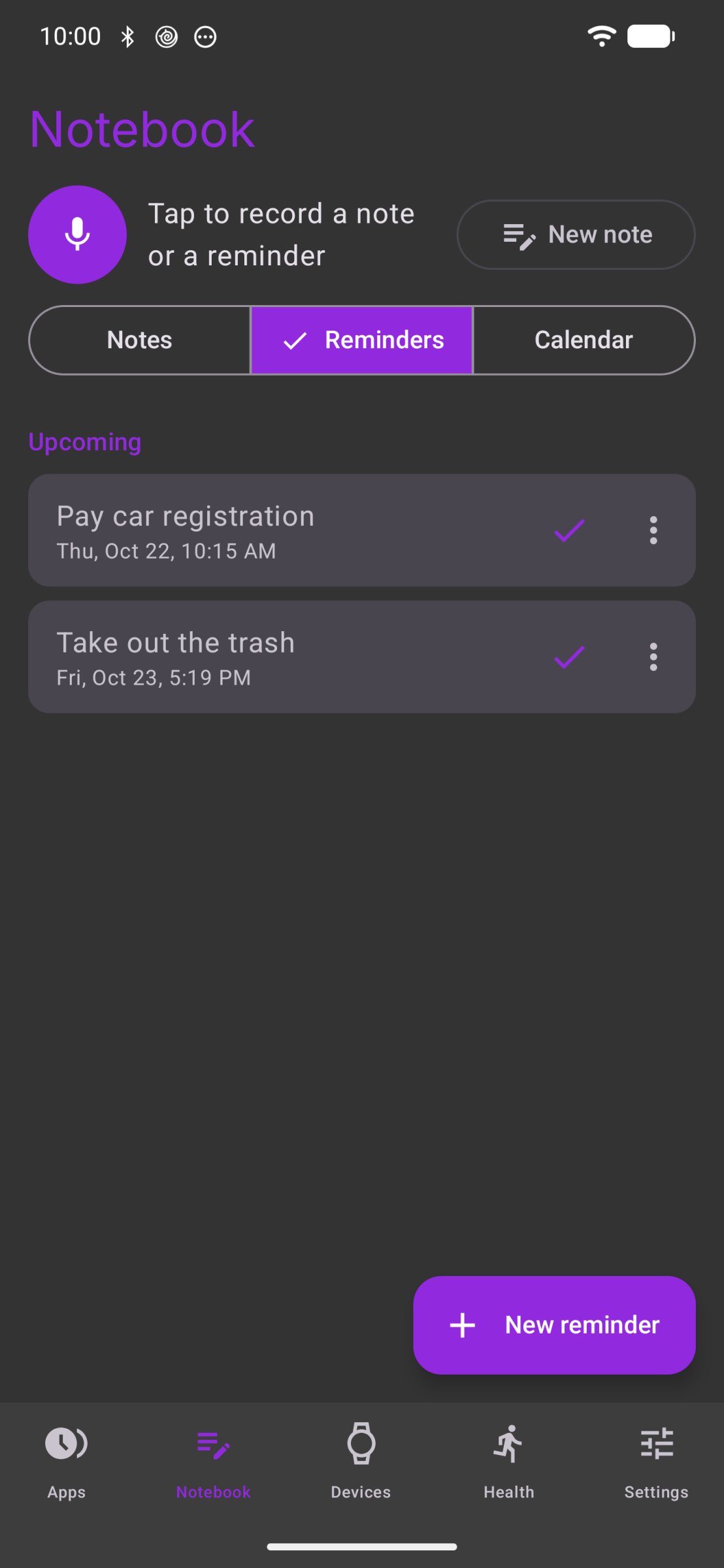
The Notebook stores voice and typed notes and reminders on the phone (Android 9 and newer; voice notes also need a processor that can run both engines). The text model that writes titles, tags, and a reminder's wording runs on the phone, and so does speech recognition unless you set up a transcription server; the text model is an integrity-pinned download you start yourself. Notes are stored encrypted, and backups are encrypted files written where you choose. A reminder that goes off is shown as a notification and sent to the watch like any other.
Gravel contacts the Core Devices and Rebble web services, Algolia when you search the app store, GitHub for firmware and the Notebook watch app, and Hugging Face when you download a speech or text model, as well as an app store source or transcription server you add yourself and any host a watchapp you grant internet access connects to. Where Gravel's UDP filter can't be turned on and a watchapp without that grant still runs its code (see Hardening above), that code's real-time connections depend on one layer instead of two.
Background location is used so location-based watchapps and weather work while the app is closed.
Gravel is not affiliated with or endorsed by Core Devices. "Pebble" and "Core Devices" are trademarks of their respective owners; Gravel is an independent fork of their GPLv3 source code.
License: GPL-3.0-only
The watch features are here: pairing, notifications and replies, calendar, music, health, weather, watchfaces and apps, firmware updates, and voice dictation. What is gone: Play services, Firebase, telemetry, analytics and crash reporting. The battery analytics page depended on that telemetry and has no data here, and upstream's Pebble Index 01 ring and Index AI features do not work.
Hardening:
- Code that watchapps run inside Gravel gets no internet or location access until you grant it, per app, so some watchfaces and apps need a grant before they work fully. On phones where Gravel's UDP filter can't be turned on, such as LineageOS and CalyxOS, watchapps without internet access still run their code by default if Android System WebView is up to date. Their real-time connections (the kind video calls use) then depend on a single layer instead of two. You can turn that code off under Watch App Permissions. With an older WebView, that code does not run
- Classic PebbleKit, which broadcasts watch data to apps on your phone, is off by default; turn it on under Watch App Permissions if a companion app stops receiving watch data
- The speech and text engines each run in an isolated Android process
- Other exported Android interfaces are authorization-gated or removed, and plain-HTTP traffic is blocked
- Core watch firmware comes from the public PebbleOS releases and is verified before install
- App store searches are sent when you tap search, not while you type, with the search provider's analytics switched off
Dictation runs on the phone with whisper.cpp, built from source; the speech model is an optional, integrity-pinned download. You can also send dictation and Notebook recordings to your own transcription server over https. Weather locations can also be entered by latitude and longitude.
The Notebook stores voice and typed notes and reminders on the phone (Android 9 and newer; voice notes also need a processor that can run both engines). The text model that writes titles, tags, and a reminder's wording runs on the phone, and so does speech recognition unless you set up a transcription server; the text model is an integrity-pinned download you start yourself. Notes are stored encrypted, and backups are encrypted files written where you choose. A reminder that goes off is shown as a notification and sent to the watch like any other.
Gravel contacts the Core Devices and Rebble web services, Algolia when you search the app store, GitHub for firmware and the Notebook watch app, and Hugging Face when you download a speech or text model, as well as an app store source or transcription server you add yourself and any host a watchapp you grant internet access connects to. Where Gravel's UDP filter can't be turned on and a watchapp without that grant still runs its code (see Hardening above), that code's real-time connections depend on one layer instead of two.
Background location is used so location-based watchapps and weather work while the app is closed.
Gravel is not affiliated with or endorsed by Core Devices. "Pebble" and "Core Devices" are trademarks of their respective owners; Gravel is an independent fork of their GPLv3 source code.
License: GPL-3.0-only
| Release info | Update on Oct 30, 2026 |
|---|---|
| Release notes | Adds watch settings from Core's app: Quiet Time schedules, Notification Text Size, 5-minute heart-rate sampling, and Wind Speed in m/s or knots and a Night Backlight Color on PebbleOS builds that have them. Album art reaches the watch from players that share it only as an Android content link, and rotated notification photos show upright. The Memfault update check and diagnostics upload are removed. Also fixes dictations that could fail right after the speech engine lost its model. |
| Listing data | F-Droid |
Reviews
No reviews yet. Be the first to review Gravel.
Used Gravel? Tell other visitors what you thought.
Log in to write a reviewOther products by this publisher
- "No Distractions" for YouTube 4.10 ----
- #Bible 11.6 "Incredible App - My sister shared this app with me a few weeks ago and it is truly incredible.
- #filmphotography 1.4.2 So, you decided to shoot on film?
- $quirrel 1.5.1 $quirrel Budget & Finance helps you plan each paycheck, track spending, manage debt, and see what is safe to spend before the next payday.
- % Percentage Calculator Pro 1.41 This is the Pro version of % Percentage Calculator.
Most viewed Android Connectivity
- 1 XrayFA 1.7.4 XrayFA is a fast, secure, and user-friendly Android client for Xray-core.
-
2
 Pulse 0.99.0-pulse
Garmin watch companion — your data stays on your phone
- 3 Device Connect 0.12.1 Yet another tool to connect Android phone with desktop
-
4
 Airplane Scheduler 3.0
Automatically switch airplane mode on a schedule
- 5 JMP SIM Manager jmp-v1.7.2 Companion app for the JMP eSIM Adapter
-
6
 FocusMastodon 2.12.0.20240624
FocusMastodon is a bright and colourful Mastodon client
- 7 getgovroam 2.3.1(2693) Configure the govroam Wi-Fi network securely and correctly
- 8 Inkcast 0.0.1 The companion app for Xteink X4 CrossPoint Reader
-
9
 SimpleX Chat 7.1.2
SimpleX Chat - e2e encrypted messenger without any user IDs - private by design!
-
10
 AwakeOnLANMobile 1.0.2
Send WakeOnLAN packets (IPv4/IPv6) over the internet, includes a CIDR scanner
Most downloaded Android Connectivity
- 1 Vento RustDesk backend 8 RustDesk plugin for the Vento remote desktop client
- 2 DCC++Throttle 1.5.2065 Application to drive DCC-EX command station via Bluetooth
- 3 Vento RealVNC backend 8 RealVNC plugin for the Vento remote desktop client
-
4
 xlog2 0.6.10
Peer-to-peer amateur-radio field logbook that syncs with the xlog2 desktop
- 5 Pixel 5G 3.1.1 Config pixel modem NR mode
-
6
 Qetara 1.4.5
Share files and messages between nearby devices on your local network
-
7
 Mages 5.3.7
Experimental Matrix client made using Compose Multiplatform (and Rust).
-
8
 Network Survey 2.0
Survey cellular, Wi-Fi, Bluetooth and GNSS, then log, stream or upload the data
-
9
 RemotePhone 2.2.0
Mirror and control your Android phone from Linux over WiFi
-
10
 MateDroid 1.12.0
View Tesla vehicle data from your self-hosted Teslamate instance