GR Recipe Studio 1.0.6
GR Recipe Studio is a companion app for Ricoh GR photographers who want more control over their image recipes.
Download
19.40 MB
26downloads
2this week
FreeCommercial
0reviews
Screenshots
About GR Recipe Studio
GR Recipe Studio is a companion app for Ricoh GR photographers who want more control over their image recipes.
Build, organise, import, save and write custom camera recipes from one clean, focused workspace. Whether you are creating your own GR look, saving settings from a photo, or discovering recipes shared by other photographers, GR Recipe Studio keeps your creative workflow simple and consistent.
CREATE AND MANAGE RECIPES
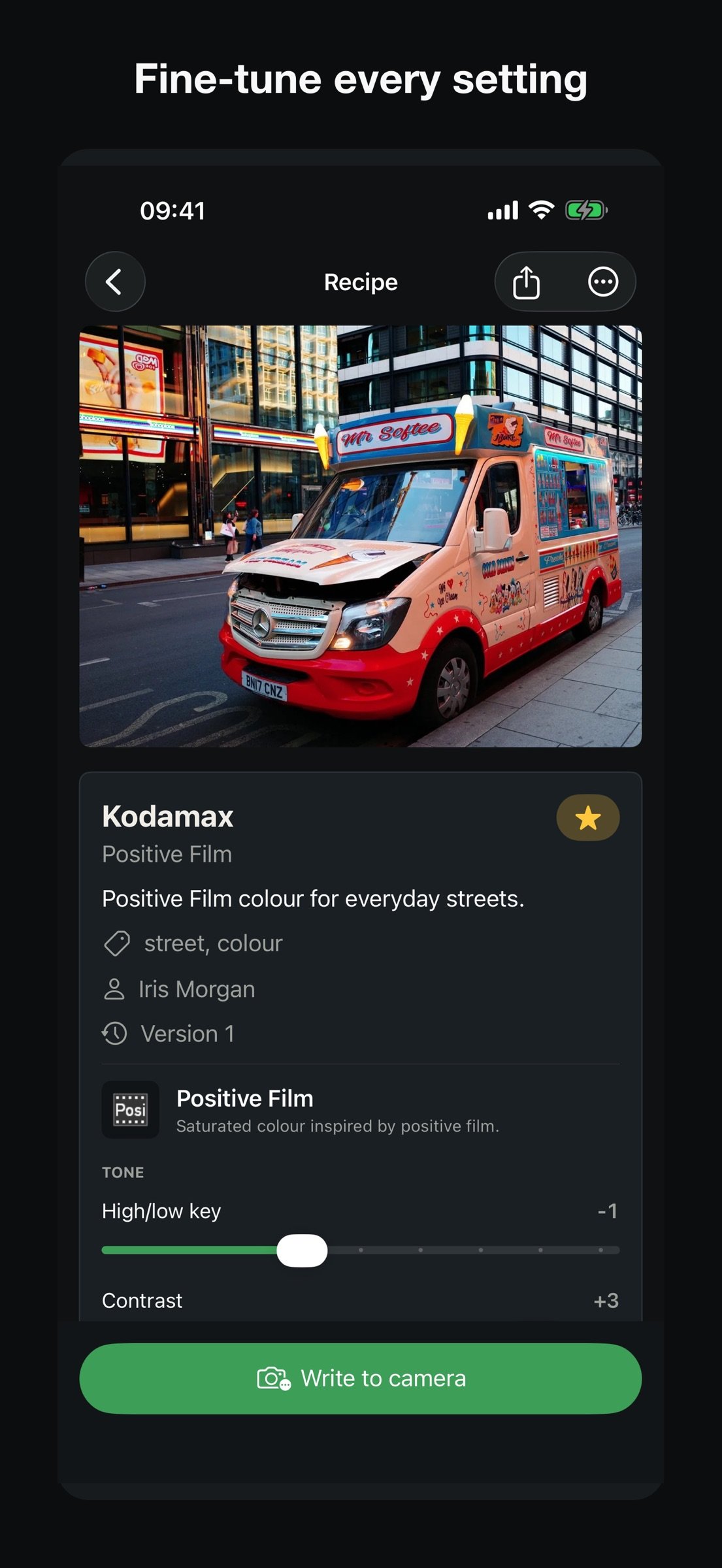
• Build and fine-tune recipes with familiar Ricoh Image Control settings.
• Add descriptions, tags and reference photos.
• Keep private recipes on your iPhone and track changes with version history.
• Export and restore recipe-library backups.
DISCOVER AND SHARE
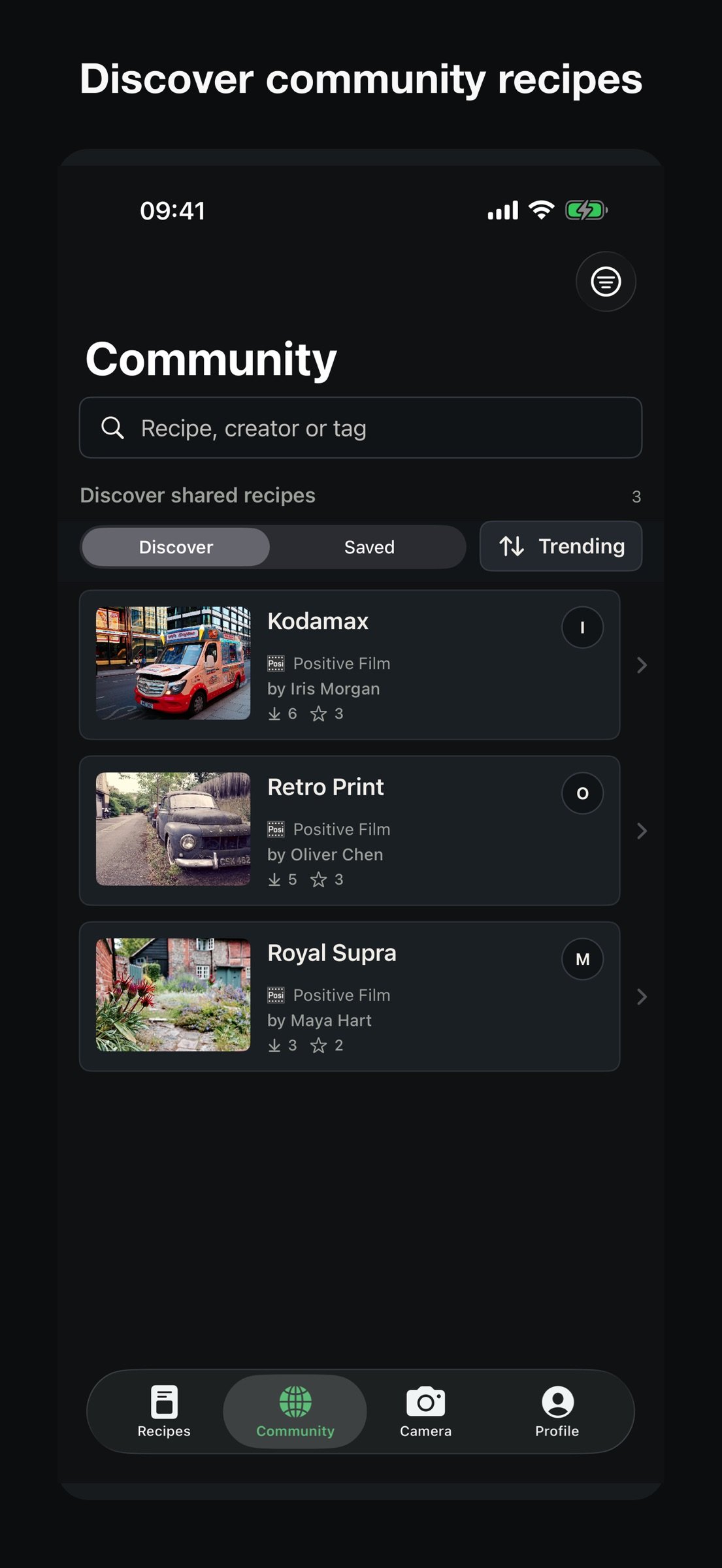
• Browse recipes and creator profiles in Community without pairing a camera.
• Save recipes to your own library and adapt them to your style.
• Publish selected recipes, follow creators, and manage your own shared work.
CONNECT A SUPPORTED GR IV-FAMILY CAMERA
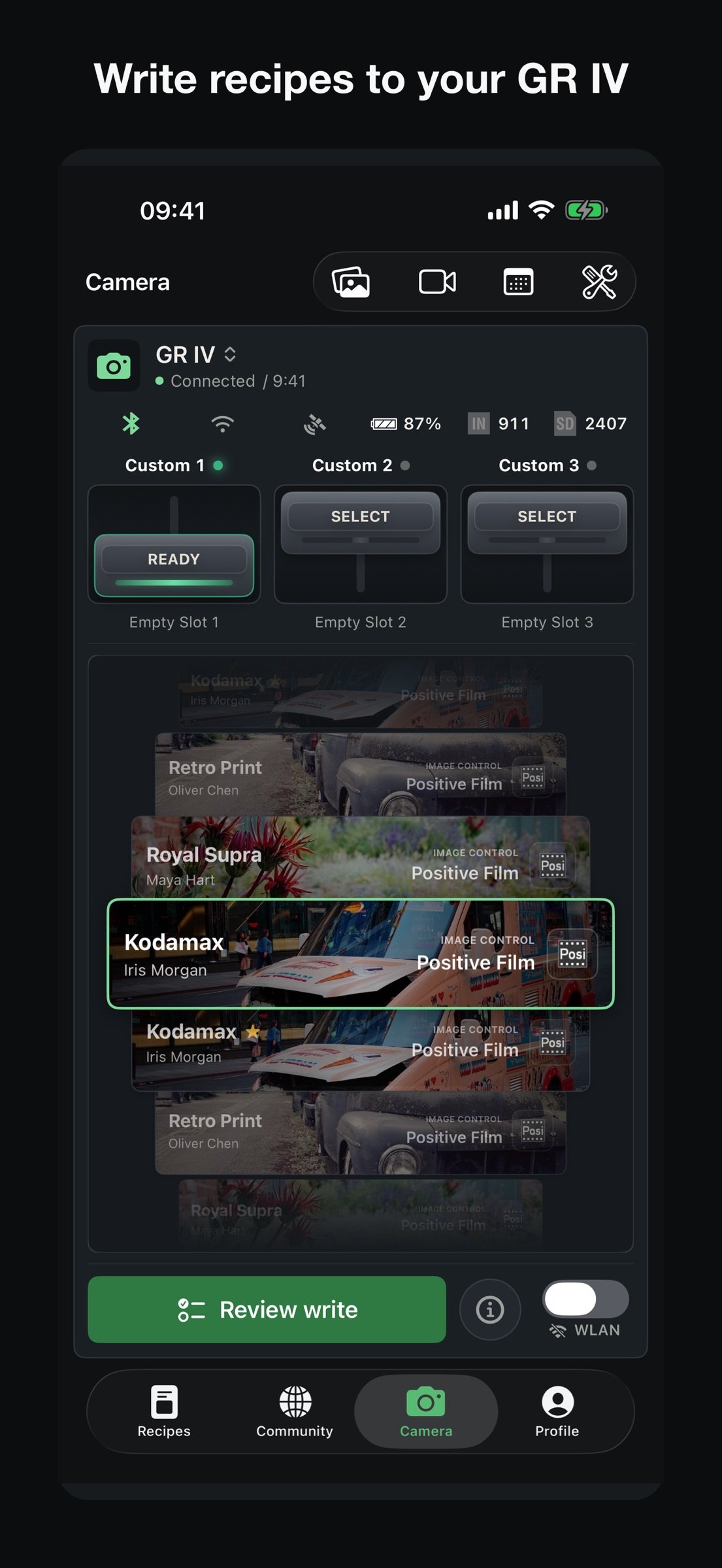
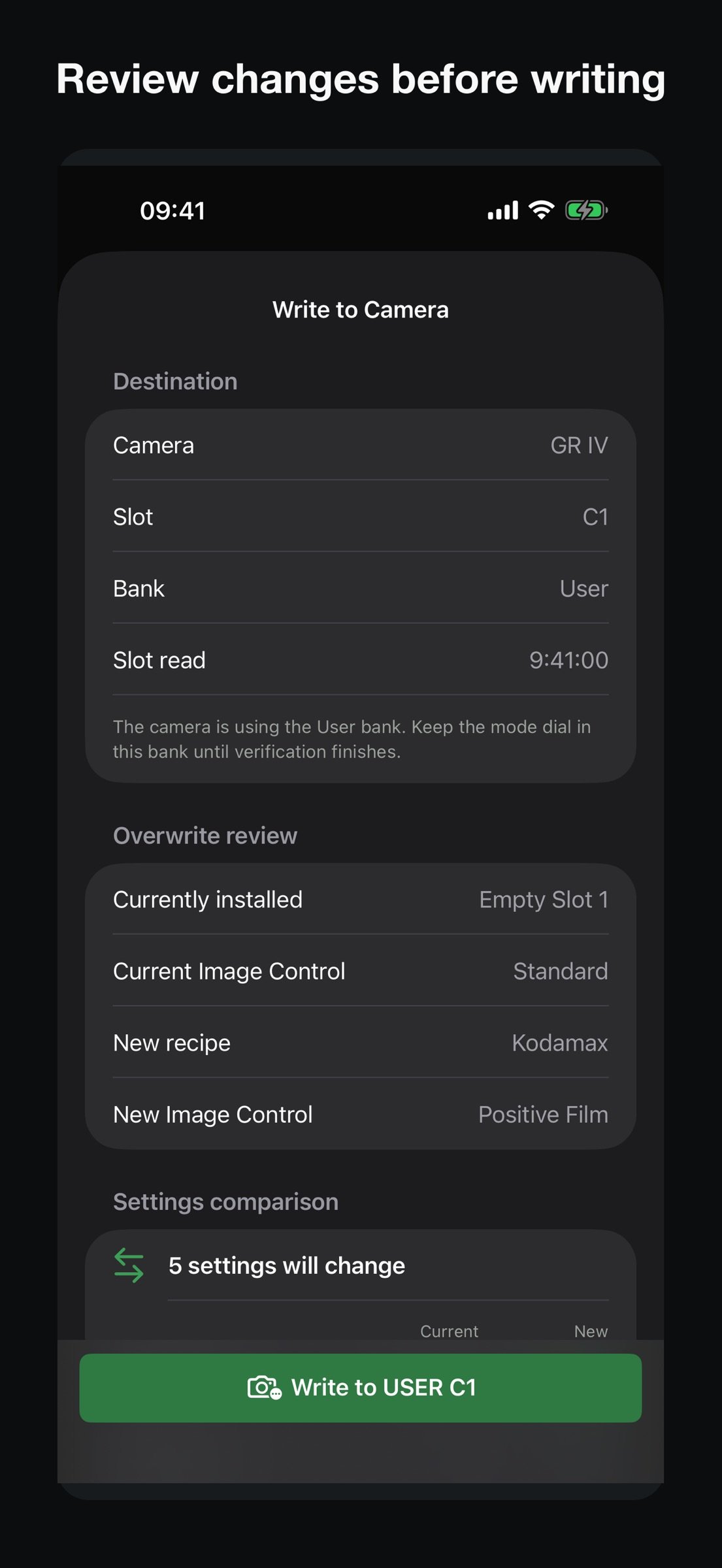
• Review and write compatible recipes to camera custom slots.
• Put your own photo on the camera's power-off screen, and restore the Ricoh default at any time.
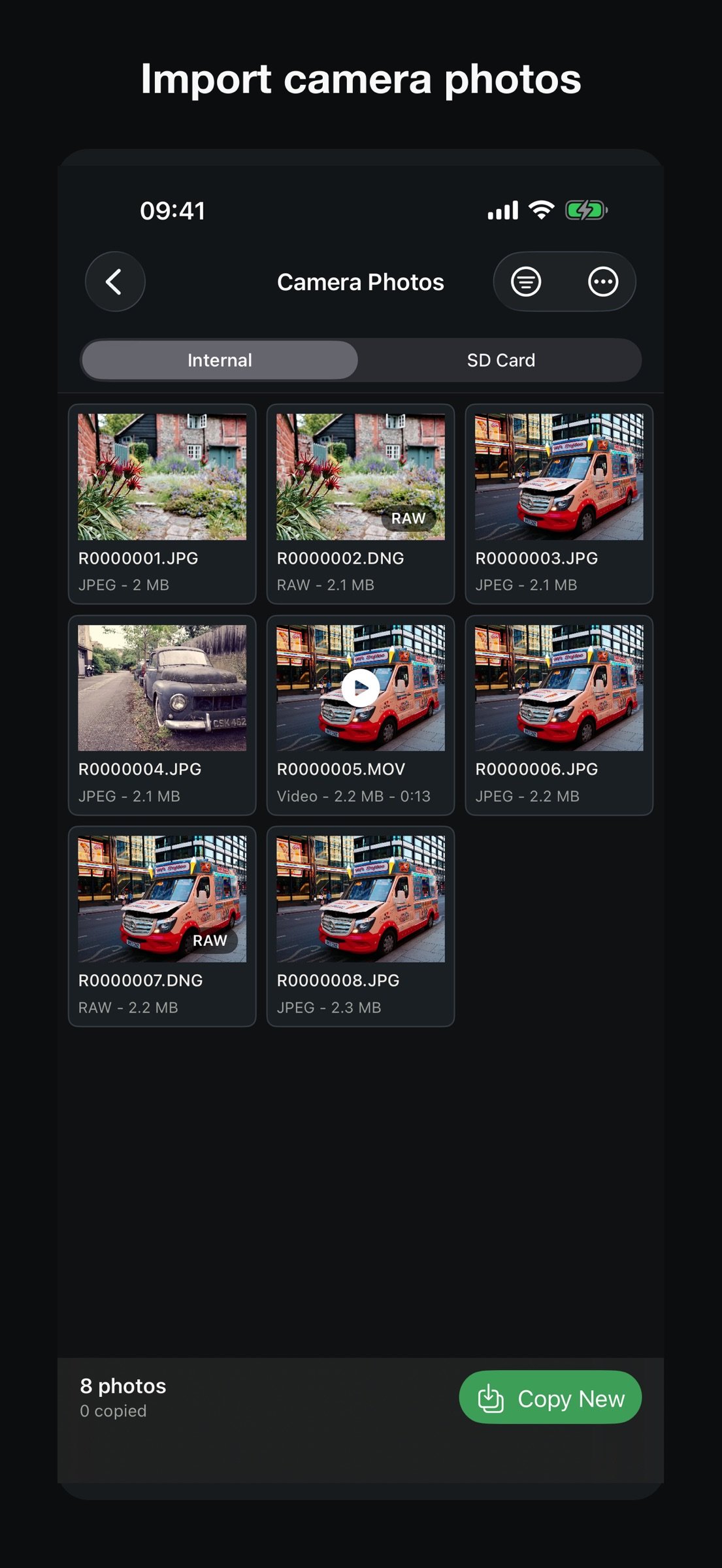
• Import JPEG and DNG photos over the camera's temporary Wi-Fi network.
• Use Live View as a remote viewfinder and trigger.
• Explore GR Log activity and camera-photo metadata.
• Optionally send location and time information directly to the paired camera.
A camera is not required for the recipe library or Community. Connected features require a supported Ricoh GR IV-family camera and can vary by model and firmware. Check the compatibility page before purchase if camera connection is your primary use.
GR Recipe Studio is an independent app for Ricoh GR camera users. It is not affiliated with, endorsed by, or sponsored by Ricoh Imaging Company, Ltd.
License: Commercial
Build, organise, import, save and write custom camera recipes from one clean, focused workspace. Whether you are creating your own GR look, saving settings from a photo, or discovering recipes shared by other photographers, GR Recipe Studio keeps your creative workflow simple and consistent.
CREATE AND MANAGE RECIPES
• Build and fine-tune recipes with familiar Ricoh Image Control settings.
• Add descriptions, tags and reference photos.
• Keep private recipes on your iPhone and track changes with version history.
• Export and restore recipe-library backups.
DISCOVER AND SHARE
• Browse recipes and creator profiles in Community without pairing a camera.
• Save recipes to your own library and adapt them to your style.
• Publish selected recipes, follow creators, and manage your own shared work.
CONNECT A SUPPORTED GR IV-FAMILY CAMERA
• Review and write compatible recipes to camera custom slots.
• Put your own photo on the camera's power-off screen, and restore the Ricoh default at any time.
• Import JPEG and DNG photos over the camera's temporary Wi-Fi network.
• Use Live View as a remote viewfinder and trigger.
• Explore GR Log activity and camera-photo metadata.
• Optionally send location and time information directly to the paired camera.
A camera is not required for the recipe library or Community. Connected features require a supported Ricoh GR IV-family camera and can vary by model and firmware. Check the compatibility page before purchase if camera connection is your primary use.
GR Recipe Studio is an independent app for Ricoh GR camera users. It is not affiliated with, endorsed by, or sponsored by Ricoh Imaging Company, Ltd.
License: Commercial
| Release info | Update on Nov 05, 2026 |
|---|---|
| Release notes | New: put your own photo on your Ricoh GR IV's power-off screen, the picture it shows as it switches off. Choose a photo, rotate, zoom and position it, then send it straight to the camera. You can restore the Ricoh default at any time. Find it under Camera -> Camera Settings -> Power-off image (needs GR IV firmware 1.20 or later). Pairing, Camera WLAN, photo import, GR Log and Live View now show their progress in a pop-up that ticks off each step and marks exactly where anything went wrong. Recipe writes also now point to the step that failed. |
| Listing data | App Store |
Reviews
No reviews yet. Be the first to review GR Recipe Studio.
Used GR Recipe Studio? Tell other visitors what you thought.
Log in to write a reviewOther products by this publisher
- "No Distractions" for YouTube 4.10 ----
- #Bible 11.6.1 "Incredible App - My sister shared this app with me a few weeks ago and it is truly incredible.
- #filmphotography 1.4.2 So, you decided to shoot on film?
- #LookBusy Fake Calendar Events 1.0.6 Look Busy scans your work calendar for open time slots and fills them with realistic-looking (but secretly fake) work events.
- #Small Talk Is Canceled 1.0.2 #Small Talk Is Canceled — Conversations That Matter
Most viewed iOS Photo & Video
-
1
 ShortDiShow 2.0
Drama Quest Island — An offline interactive short-drama adventure.
-
2
 Face Witness 1.0.3
FaceWitness lets you create a face by putting together individual features.
-
3
 Infuse 8.5.10
Infuse: Enterprise provides the same great features as the standard version of Infuse and includes permanent access to all Pro features via a traditional paid app.
-
4
 AI Video Generator 2.0.3
Vixel – AI Video Generator
-
5
 OPlayer 4.8
Play all your videos directly without having to convert them!
- 6 #filmphotography 1.4.2 So, you decided to shoot on film?
-
7
 CapCut 20.2.0
CapCut offers easy-to-use video editing functions, in-APP fonts and effects, advanced features such as keyframe animation, smooth slow-motion, chroma key, and stabilization, to help you capture and snip moments.
-
8
 Necrometer II 1.3
Necrometer II is a paranormal investigation companion designed for ghost hunters and researchers.
-
9
 Ai Photo 1.1.2
AI Photo Retouch – BG Eraser
-
10
 Analog Radio 3.0
The iPhone and iPad devices don't have the FM/AM radio antenna installed.
Most downloaded iOS Photo & Video
-
1
 DJI Fly 1.21.18
DJI Fly is designed to help pilots fly drones with ease.
-
2
Infuse 8.5.10
Infuse: Enterprise provides the same great features as the standard version of Infuse and includes permanent access to all Pro features via a traditional paid app.
-
3
 TurboCollage Automatic 1.2.4
#1 Easy automatic photo collage maker for iPhone & iPad.
-
4
 ReelyGo 1.1.42
ReelyGo: Your Daily Drama Escape
-
5
Analog Radio 3.0
The iPhone and iPad devices don't have the FM/AM radio antenna installed.
-
6
 Rozeta Sequencer Suite 1.3.16
Rozeta is a suite of MIDI sequencers and controllers that lets you explore a new, freeform approach to sequencing and controlling mobile music apps.
-
7
 AGAIN. Rehearsal Notes 2.0.1
AGAIN. is the rehearsal app that remembers why the band stopped — and, new in Version 2, who said what in a writing session or a table read.
-
8
 Pop Dot Comics 1.48
Create a comic worthy of the Sunday newspaper or your favorite pulp-fiction cover.
-
9
 Sun Scout 1.5.0
If your work or play requires sunlight, Sun Scout is built for you.
-
10
 Local AI Art Private Diffusion 1.6
If you are the kind of person who values privacy and wants to keep your generated images private, our software is the perfect solution for you.