
6downloads
2this week
FreeCommercial
0reviews
Screenshots
About GLIMR
Make any sound strummable.
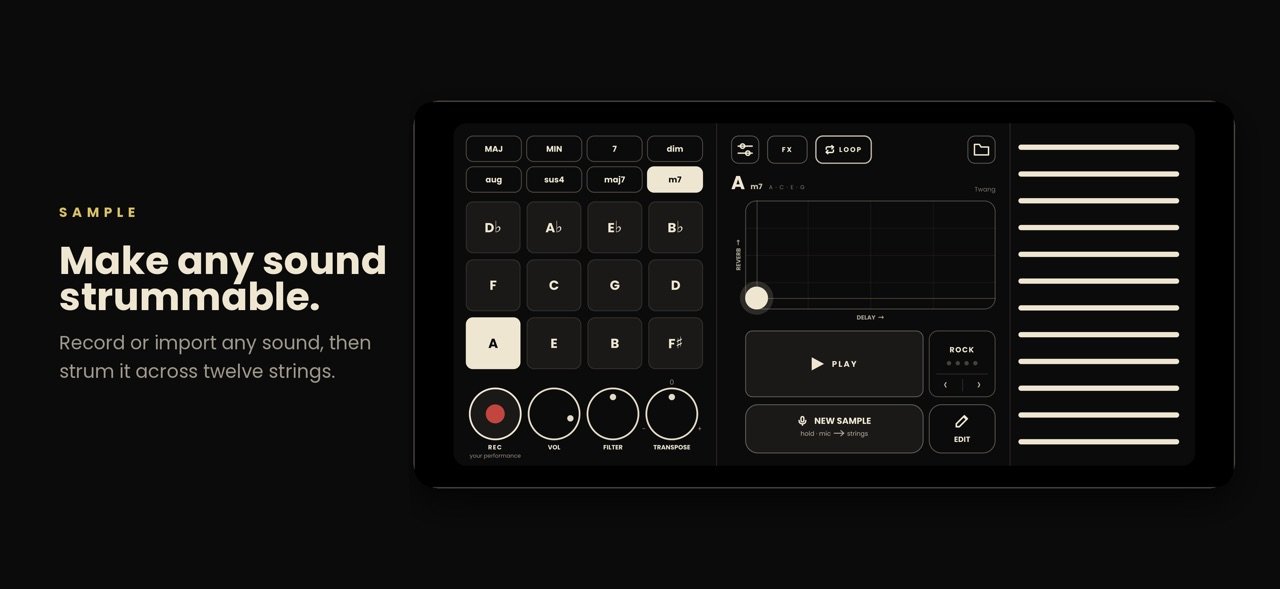
Hold SAMPLE and make a sound: your voice, a wine glass, a car horn, your cat. GLIMR turns it into an instrument you play like a harp. Pick a chord, sweep your finger across the strings, and your sound rings out in tune and in harmony.
SAMPLE ANYTHING
- Hold to sample from the mic. GLIMR waits for your sound, so there's no dead air at the start.
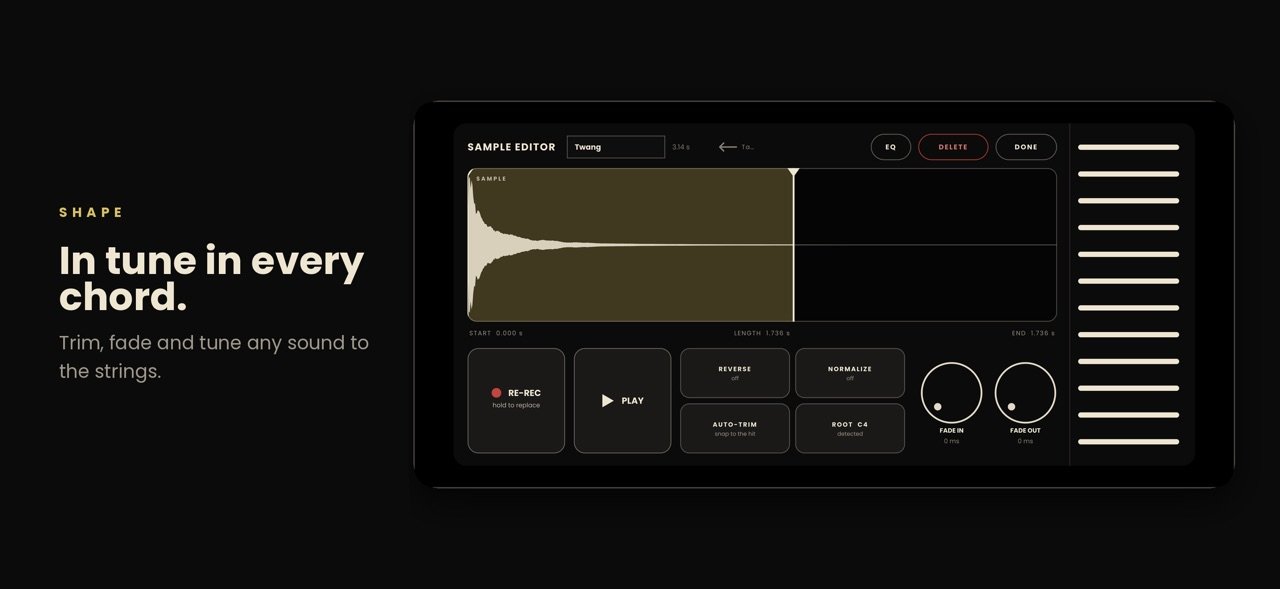
- GLIMR finds the pitch for you, or you can set the root yourself.
- Trim, fade, reverse and normalize your samples, or import your own audio files.
PLAY CHORDS WITH ONE FINGER
- Eight chord types in every key: major, minor, 7th, major 7th, minor 7th, diminished, augmented and sus4.
- Strum the strings, or tap them one at a time. Strum faster to play louder.
- Shape the sound with LOFI, DRIVE and CHORUS, plus delay and reverb. The delay locks to your tempo.
BUILT-IN RHYTHM BOX
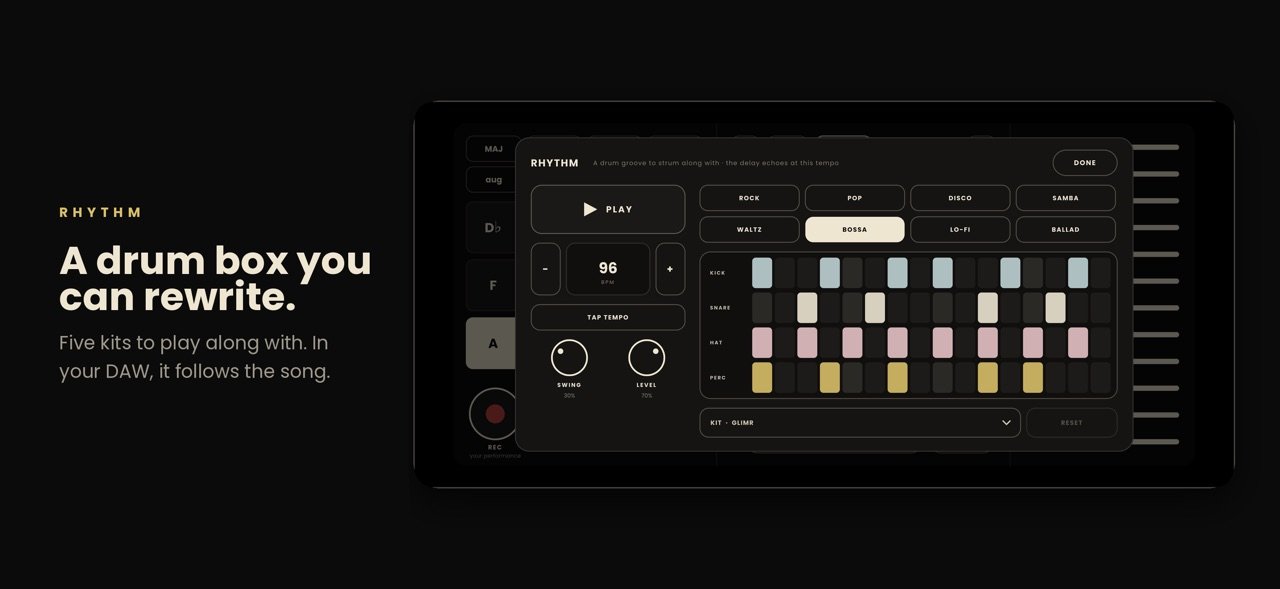
- Eight grooves: rock, pop, disco, samba, waltz, bossa, lo-fi and ballad.
- Edit any pattern: tap to add a hit, drag up or down to set how hard it hits.
- Set the tempo with tap tempo, or type it in.
RECORD AND TAKE IT ANYWHERE
- Tap REC to capture what you play.
- Share the strings and drums as separate 24-bit WAV files, ready to mix.
- Export your strings as MIDI and rebuild the part in your DAW.
- Send takes to Files, AirDrop or any app.
PLAY YOUR DAW FROM THE STRINGS
- Turn on MIDI out in Settings and GLIMR becomes a MIDI controller.
- Strums, chords and drums play any synth or DAW over USB or Wi-Fi.
Works on iPhone and iPad. No account, no subscription, no ads. Your sounds stay on your device.
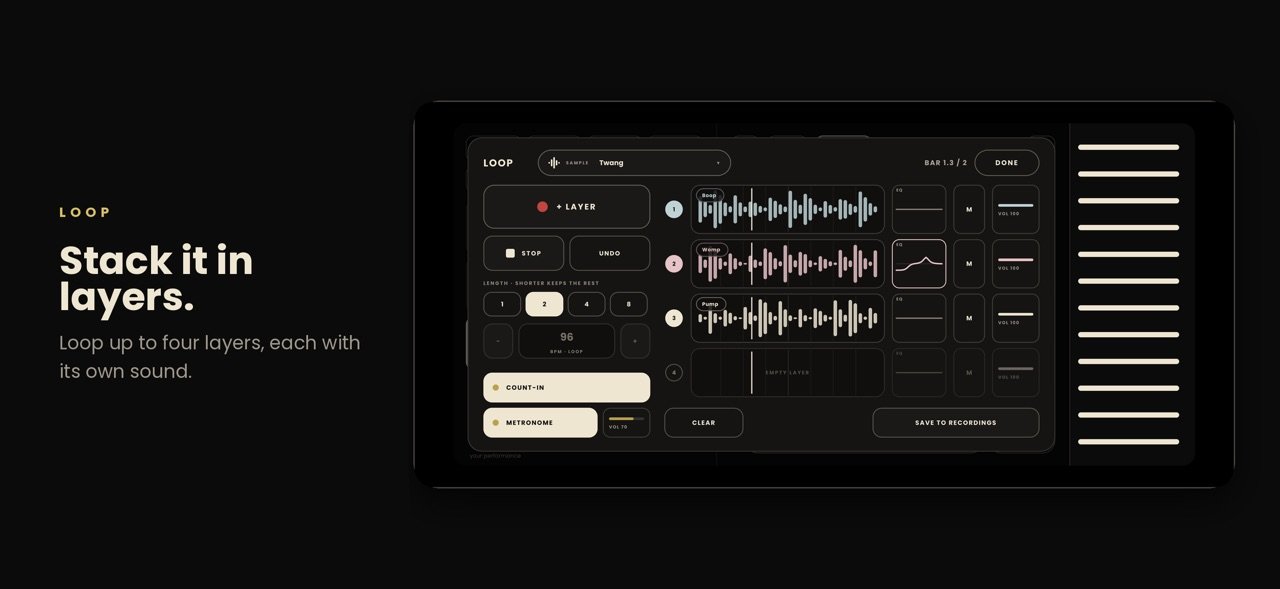
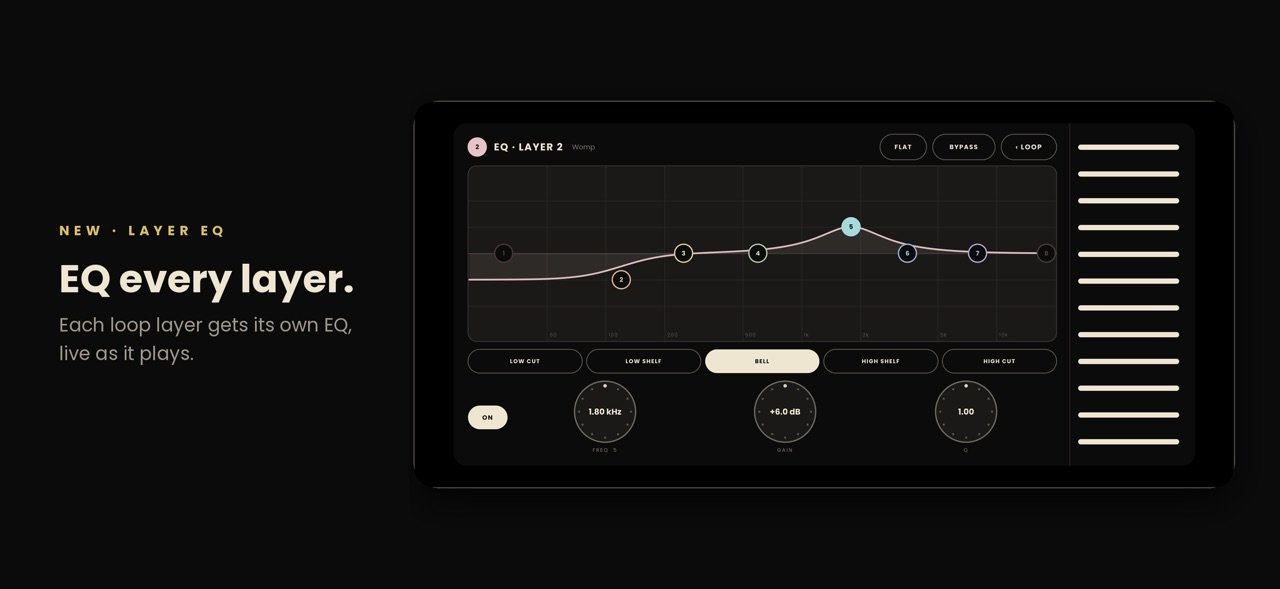
Now a plugin too. GLIMR is an Audio Unit (AUv3) instrument for GarageBand and other iOS DAWs, with your whole sound library inside. Play it from your DAW's keyboard or a MIDI controller, let its drums follow your song, and shape every sound and loop layer with an 8-band parametric EQ.
License: Commercial
Hold SAMPLE and make a sound: your voice, a wine glass, a car horn, your cat. GLIMR turns it into an instrument you play like a harp. Pick a chord, sweep your finger across the strings, and your sound rings out in tune and in harmony.
SAMPLE ANYTHING
- Hold to sample from the mic. GLIMR waits for your sound, so there's no dead air at the start.
- GLIMR finds the pitch for you, or you can set the root yourself.
- Trim, fade, reverse and normalize your samples, or import your own audio files.
PLAY CHORDS WITH ONE FINGER
- Eight chord types in every key: major, minor, 7th, major 7th, minor 7th, diminished, augmented and sus4.
- Strum the strings, or tap them one at a time. Strum faster to play louder.
- Shape the sound with LOFI, DRIVE and CHORUS, plus delay and reverb. The delay locks to your tempo.
BUILT-IN RHYTHM BOX
- Eight grooves: rock, pop, disco, samba, waltz, bossa, lo-fi and ballad.
- Edit any pattern: tap to add a hit, drag up or down to set how hard it hits.
- Set the tempo with tap tempo, or type it in.
RECORD AND TAKE IT ANYWHERE
- Tap REC to capture what you play.
- Share the strings and drums as separate 24-bit WAV files, ready to mix.
- Export your strings as MIDI and rebuild the part in your DAW.
- Send takes to Files, AirDrop or any app.
PLAY YOUR DAW FROM THE STRINGS
- Turn on MIDI out in Settings and GLIMR becomes a MIDI controller.
- Strums, chords and drums play any synth or DAW over USB or Wi-Fi.
Works on iPhone and iPad. No account, no subscription, no ads. Your sounds stay on your device.
Now a plugin too. GLIMR is an Audio Unit (AUv3) instrument for GarageBand and other iOS DAWs, with your whole sound library inside. Play it from your DAW's keyboard or a MIDI controller, let its drums follow your song, and shape every sound and loop layer with an 8-band parametric EQ.
License: Commercial
| Release info | Update on Nov 06, 2026 |
|---|---|
| Release notes | GLIMR comes to your DAW. • GLIMR is now an Audio Unit (AUv3) instrument. Load it in GarageBand or any AUv3 host and play the whole GLIMR screen right inside your song. • All your sounds come with it. Record or edit a sample in the app and it's in the plugin too. • Play GLIMR from your DAW's keyboard or a MIDI controller, and record the notes. • The rhythm box locks to your song's tempo and bars, and starts and stops with it. • Every GLIMR track remembers its own sound and settings in your song. • New 8-band parametric EQ in the sample editor: drag the dots, spin the knobs, and hear it as you strum. • The same EQ on every LOOP layer: tap a layer's little curve to shape it while the loop plays. • New PHASER effect in the FX window. • Move a trimmed selection: press and hold it, then slide it anywhere along the waveform. • The strings now bend and ripple right where you pluck them, with haptic feedback as you strum. |
| Listing data | App Store |
Reviews
No reviews yet. Be the first to review GLIMR.
Used GLIMR? Tell other visitors what you thought.
Log in to write a reviewOther products by this publisher
- "No Distractions" for YouTube 4.10 ----
- #Bible 11.5 "Incredible App - My sister shared this app with me a few weeks ago and it is truly incredible.
- #filmphotography 1.4.2 So, you decided to shoot on film?
- $quirrel 1.5.1 $quirrel Budget & Finance helps you plan each paycheck, track spending, manage debt, and see what is safe to spend before the next payday.
- % Percentage Calculator Pro 1.41 This is the Pro version of % Percentage Calculator.
Most viewed iOS Photo & Video
-
1
 Infuse 8.5.9
Infuse: Enterprise provides the same great features as the standard version of Infuse and includes permanent access to all Pro features via a traditional paid app.
-
2
 ShortDiShow 2.0
Drama Quest Island — An offline interactive short-drama adventure.
-
3
 AI Video Generator 2.0.2
Vixel – AI Video Generator
-
4
 OPlayer 4.8
Play all your videos directly without having to convert them!
-
5
 Necrometer II 1.2
Necrometer II is a paranormal investigation companion designed for ghost hunters and researchers.
-
6
 CapCut 20.0.0
CapCut offers easy-to-use video editing functions, in-APP fonts and effects, advanced features such as keyframe animation, smooth slow-motion, chroma key, and stabilization, to help you capture and snip moments.
-
7
 TouchSiren Delta 3.1
--------------------------------------------------------------
-
8
 Ai Photo 1.1.2
AI Photo Retouch – BG Eraser
-
9
 CNU 3.0.12
CNU?????????????????????,???????????????
-
10
 Treblo 1.6.0
Make songs with the world's best AI music model.
Most downloaded iOS Photo & Video
-
1
Infuse 8.5.9
Infuse: Enterprise provides the same great features as the standard version of Infuse and includes permanent access to all Pro features via a traditional paid app.
-
2
 DJI Fly 1.21.18
DJI Fly is designed to help pilots fly drones with ease.
-
3
 ReelyGo 1.1.42
ReelyGo: Your Daily Drama Escape
-
4
 TurboCollage Automatic 1.2.4
#1 Easy automatic photo collage maker for iPhone & iPad.
-
5
 Analog Radio 3.0
The iPhone and iPad devices don't have the FM/AM radio antenna installed.
-
6
 AGAIN. Rehearsal Notes 2.0.1
AGAIN. is the rehearsal app that remembers why the band stopped — and, new in Version 2, who said what in a writing session or a table read.
-
7
Treblo 1.6.0
Make songs with the world's best AI music model.
-
8
 Pop Dot Comics 1.48
Create a comic worthy of the Sunday newspaper or your favorite pulp-fiction cover.
-
9
 Rozeta Sequencer Suite 1.3.16
Rozeta is a suite of MIDI sequencers and controllers that lets you explore a new, freeform approach to sequencing and controlling mobile music apps.
-
10
 SSS IPTV, Simple, Smart Super 1.0.2
An Easiest way to watch TV Online or Movies or Series, Bring your Own list M3u,