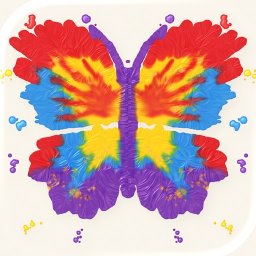
Fold & Squish 1.1
Paint on one half of the page, fold it shut, rub it, then peel it open.
Download
19.88 MB
5downloads
5this week
FreeCommercial
0reviews
Screenshots
About Fold & Squish
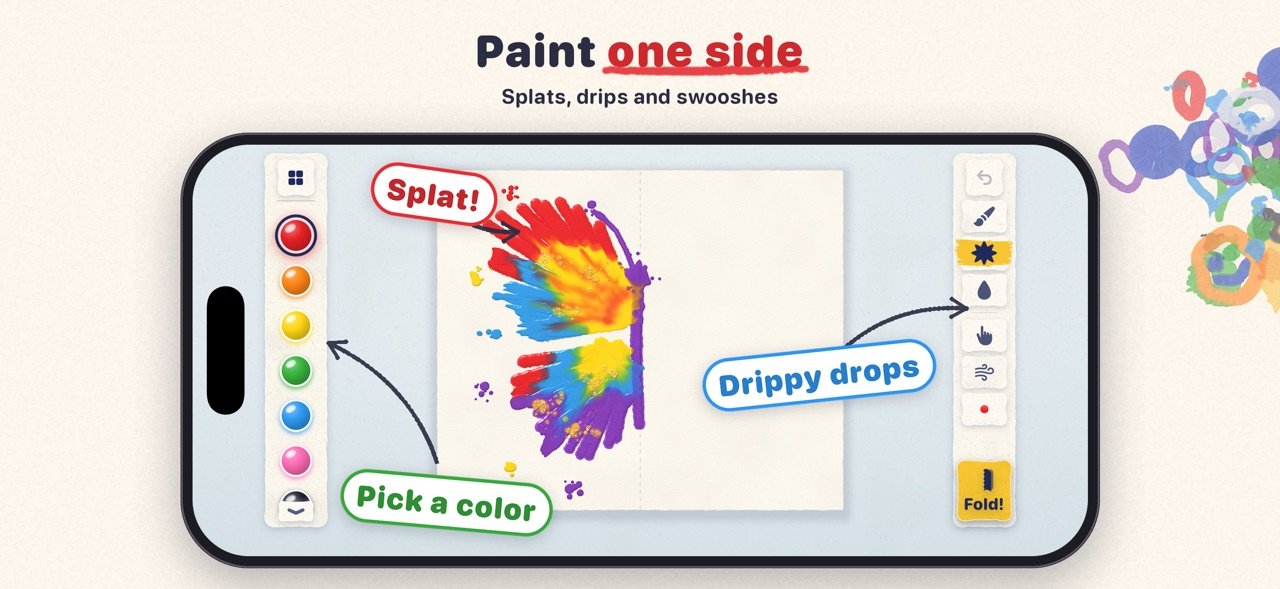
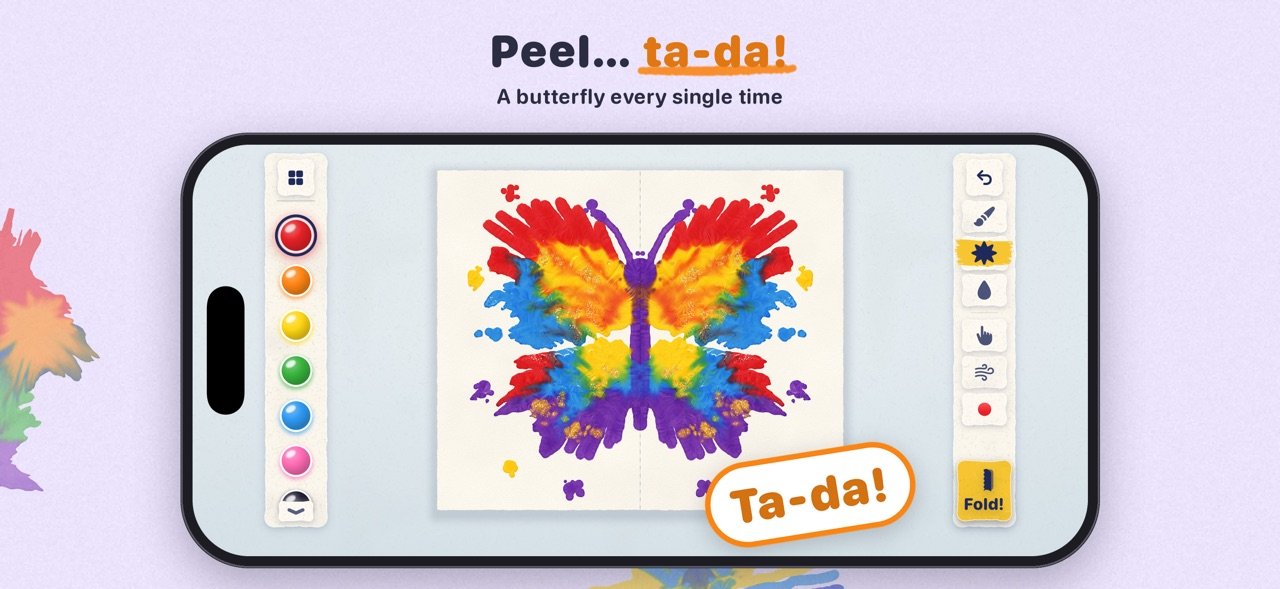
Paint on one half of the page, fold it shut, rub it, then peel it open. The paint has squished into a mirror image, and no two prints come out the same.
Fold & Squish is the folded paper painting you probably did at school, rebuilt so the paint feels real. It's thick and wet. It spreads when you press on it, colors mix where they touch, and the paper leaves fine veins in it as it peels apart. It's fun for all ages, and oddly calming too.
ON iPHONE DUO, YOUR PHONE IS THE PAPER
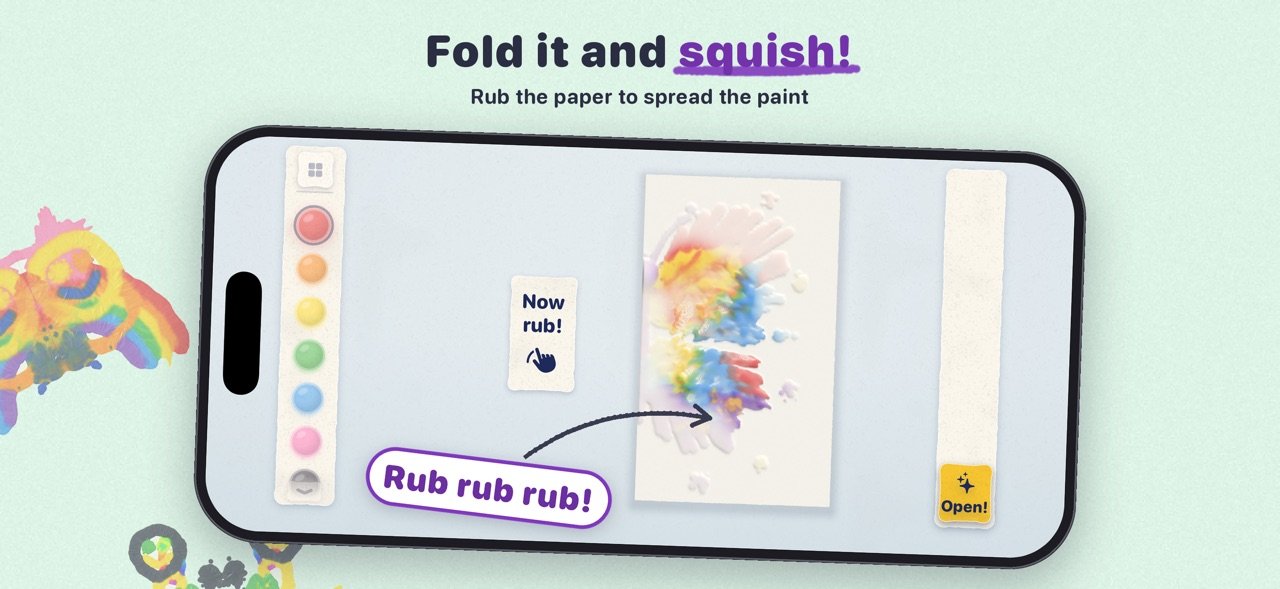
Paint on the open screen, then close your iPhone Duo for real and the painting folds shut with it. Rub the outside screen to squish the paint, open the phone again, and there's your print. On any other iPhone or iPad you fold the page with the Fold button, and it works just as well.
WHAT YOU CAN DO
• Paint with a brush, big splats or drippy drops
• Push wet paint around with a finger to mix it
• Blow paint into wiggly shapes with the magic straw
• Fold the page and rub it to squash the paint flat
• Peel it open slowly to see what you made
• Fold again over the top to add another layer
PENCIL GUIDES
Start from faint pencil outlines, like a butterfly, an owl, a flower or a ladybug, or from a blank page. The lines are there to help, but you can paint wherever you like.
YOUR GALLERY
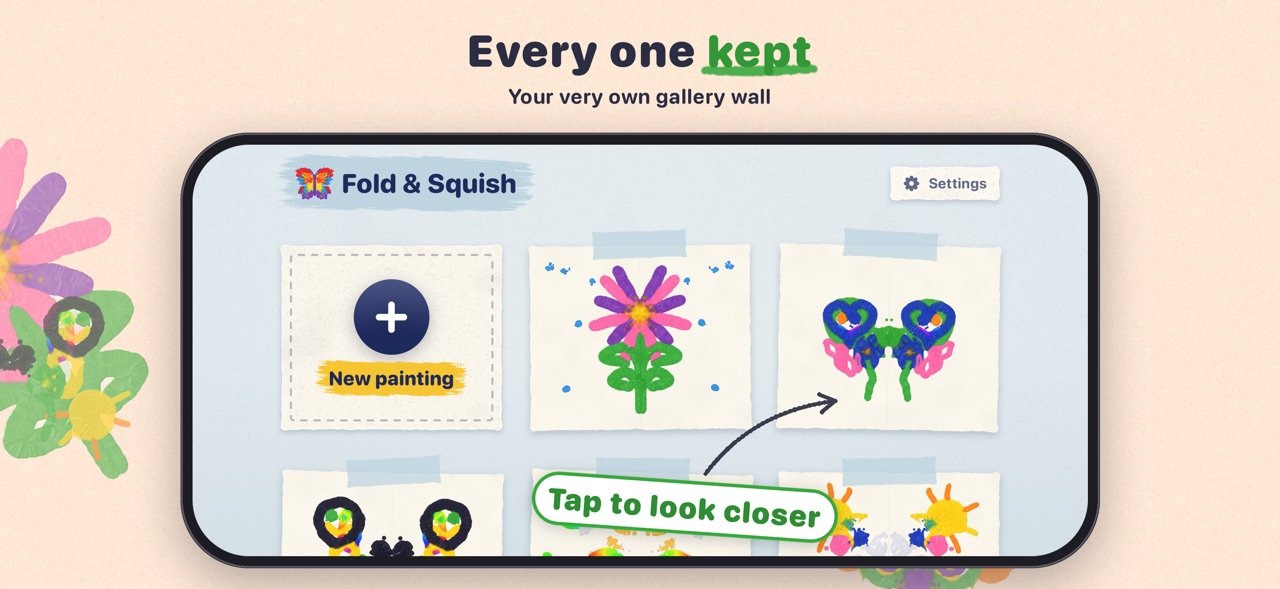
Paintings save as you go and get taped up on a gallery wall. Tap one to look at it up close, keep painting on it, or share it with a small "Made with Fold & Squish" label in the corner.
APPLE PENCIL
The pencil paints and your fingers smudge. Pressing harder or tilting the pencil changes the brush, and on iPads with Pencil hover you can see where the paint will land before you touch the screen.
EVERYTHING INCLUDED
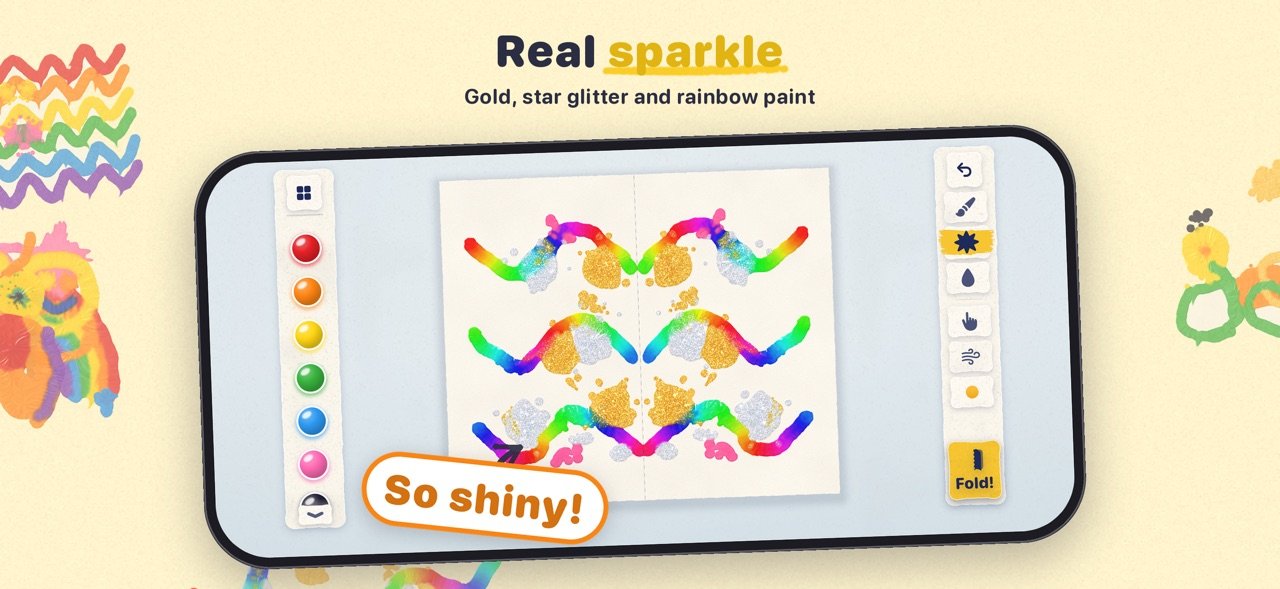
One price gets you the whole app: every tool, every paint color including gold glitter, star glitter and rainbow paint, every pencil guide, and room for as many paintings as you like. There are no in-app purchases and no subscriptions. Family Sharing is supported.
SAFE FOR ALL AGES
There are no ads, no in-app purchases, no accounts and no tracking, and nothing about you or your family is collected. Paintings stay on your device. Sharing sits behind a grown-ups check, and the grown-ups corner has a privacy summary and a sound switch.
License: Commercial
Fold & Squish is the folded paper painting you probably did at school, rebuilt so the paint feels real. It's thick and wet. It spreads when you press on it, colors mix where they touch, and the paper leaves fine veins in it as it peels apart. It's fun for all ages, and oddly calming too.
ON iPHONE DUO, YOUR PHONE IS THE PAPER
Paint on the open screen, then close your iPhone Duo for real and the painting folds shut with it. Rub the outside screen to squish the paint, open the phone again, and there's your print. On any other iPhone or iPad you fold the page with the Fold button, and it works just as well.
WHAT YOU CAN DO
• Paint with a brush, big splats or drippy drops
• Push wet paint around with a finger to mix it
• Blow paint into wiggly shapes with the magic straw
• Fold the page and rub it to squash the paint flat
• Peel it open slowly to see what you made
• Fold again over the top to add another layer
PENCIL GUIDES
Start from faint pencil outlines, like a butterfly, an owl, a flower or a ladybug, or from a blank page. The lines are there to help, but you can paint wherever you like.
YOUR GALLERY
Paintings save as you go and get taped up on a gallery wall. Tap one to look at it up close, keep painting on it, or share it with a small "Made with Fold & Squish" label in the corner.
APPLE PENCIL
The pencil paints and your fingers smudge. Pressing harder or tilting the pencil changes the brush, and on iPads with Pencil hover you can see where the paint will land before you touch the screen.
EVERYTHING INCLUDED
One price gets you the whole app: every tool, every paint color including gold glitter, star glitter and rainbow paint, every pencil guide, and room for as many paintings as you like. There are no in-app purchases and no subscriptions. Family Sharing is supported.
SAFE FOR ALL AGES
There are no ads, no in-app purchases, no accounts and no tracking, and nothing about you or your family is collected. Paintings stay on your device. Sharing sits behind a grown-ups check, and the grown-ups corner has a privacy summary and a sound switch.
License: Commercial
| Release info | New Release on Oct 31, 2026 |
|---|---|
| Release notes | Your gallery now sparkles! Paintings made with glitter twinkle on the wall, just like they do while you paint. |
| Listing data | App Store |
Reviews
No reviews yet. Be the first to review Fold & Squish.
Used Fold & Squish? Tell other visitors what you thought.
Log in to write a reviewOther products by this publisher
- "No Distractions" for YouTube 4.10 ----
- #Bible 11.6 "Incredible App - My sister shared this app with me a few weeks ago and it is truly incredible.
- #filmphotography 1.4.2 So, you decided to shoot on film?
- $quirrel 1.5.1 $quirrel Budget & Finance helps you plan each paycheck, track spending, manage debt, and see what is safe to spend before the next payday.
- % Percentage Calculator Pro 1.41 This is the Pro version of % Percentage Calculator.
Most viewed iOS Photo & Video
-
1
 ShortDiShow 2.0
Drama Quest Island — An offline interactive short-drama adventure.
-
2
 Infuse 8.5.9
Infuse: Enterprise provides the same great features as the standard version of Infuse and includes permanent access to all Pro features via a traditional paid app.
-
3
 AI Video Generator 2.0.2
Vixel – AI Video Generator
-
4
 OPlayer 4.8
Play all your videos directly without having to convert them!
-
5
 Necrometer II 1.2
Necrometer II is a paranormal investigation companion designed for ghost hunters and researchers.
-
6
 CapCut 20.1.0
CapCut offers easy-to-use video editing functions, in-APP fonts and effects, advanced features such as keyframe animation, smooth slow-motion, chroma key, and stabilization, to help you capture and snip moments.
-
7
 Ai Photo 1.1.2
AI Photo Retouch – BG Eraser
-
8
 Treblo 1.6.0
Make songs with the world's best AI music model.
-
9
 CNU 3.0.12
CNU?????????????????????,???????????????
-
10
 TouchSiren Delta 3.1
--------------------------------------------------------------
Most downloaded iOS Photo & Video
-
1
Infuse 8.5.9
Infuse: Enterprise provides the same great features as the standard version of Infuse and includes permanent access to all Pro features via a traditional paid app.
-
2
 DJI Fly 1.21.18
DJI Fly is designed to help pilots fly drones with ease.
-
3
 Analog Radio 3.0
The iPhone and iPad devices don't have the FM/AM radio antenna installed.
-
4
 TurboCollage Automatic 1.2.4
#1 Easy automatic photo collage maker for iPhone & iPad.
-
5
 ReelyGo 1.1.42
ReelyGo: Your Daily Drama Escape
-
6
 AGAIN. Rehearsal Notes 2.0.1
AGAIN. is the rehearsal app that remembers why the band stopped — and, new in Version 2, who said what in a writing session or a table read.
-
7
Treblo 1.6.0
Make songs with the world's best AI music model.
-
8
 Rozeta Sequencer Suite 1.3.16
Rozeta is a suite of MIDI sequencers and controllers that lets you explore a new, freeform approach to sequencing and controlling mobile music apps.
-
9
 SSS IPTV, Simple, Smart Super 1.0.2
An Easiest way to watch TV Online or Movies or Series, Bring your Own list M3u,
-
10
 Pop Dot Comics 1.48
Create a comic worthy of the Sunday newspaper or your favorite pulp-fiction cover.