1downloads
1this week
FreeCommercial
0reviews
Screenshots


About Flow Speed Control Pro
Take control of the speed of your videos. Flow let you manipulate time and give you new perspectives on your recorded moments. You can gradually speed up or slow down segments of your videos creating impressive effects.
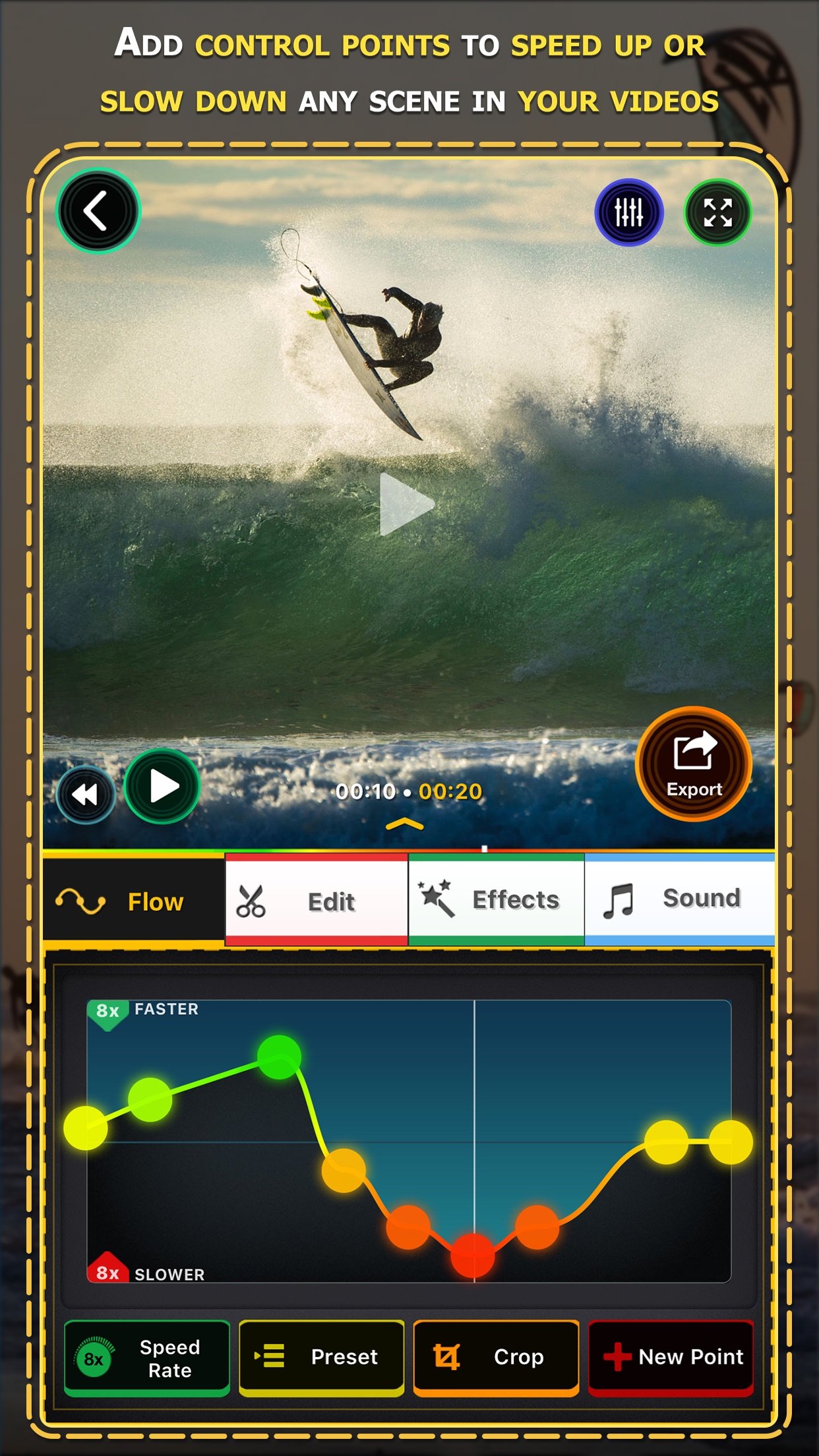
Flow is intuitive and super easy to use, just add and move the control points up and down so that the video can go gradually faster or slower than its natural speed.
FEATURES
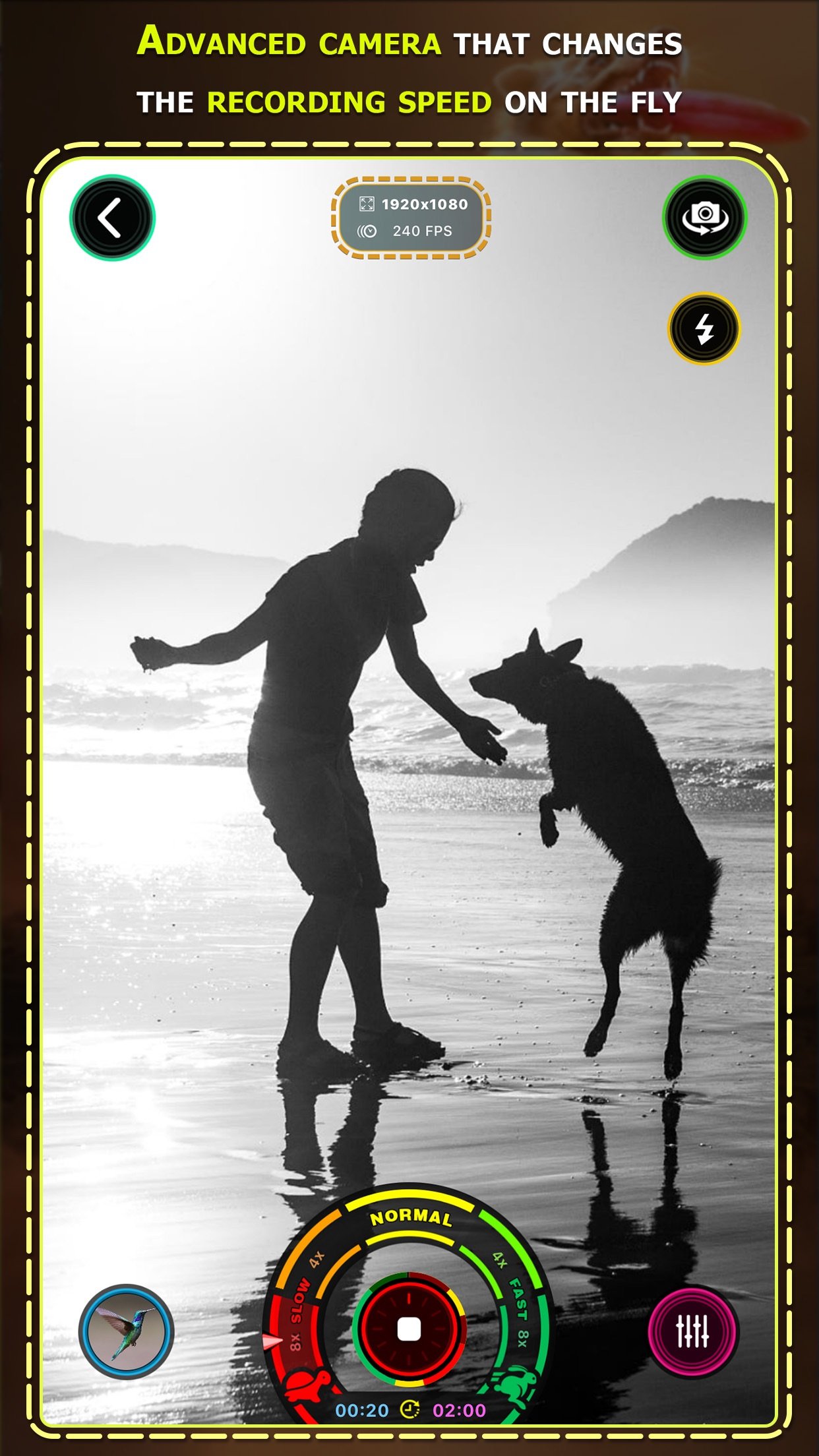
• Capture amazing moments combining different speeds on-the-fly and perfect it later with innovative time remapping options.
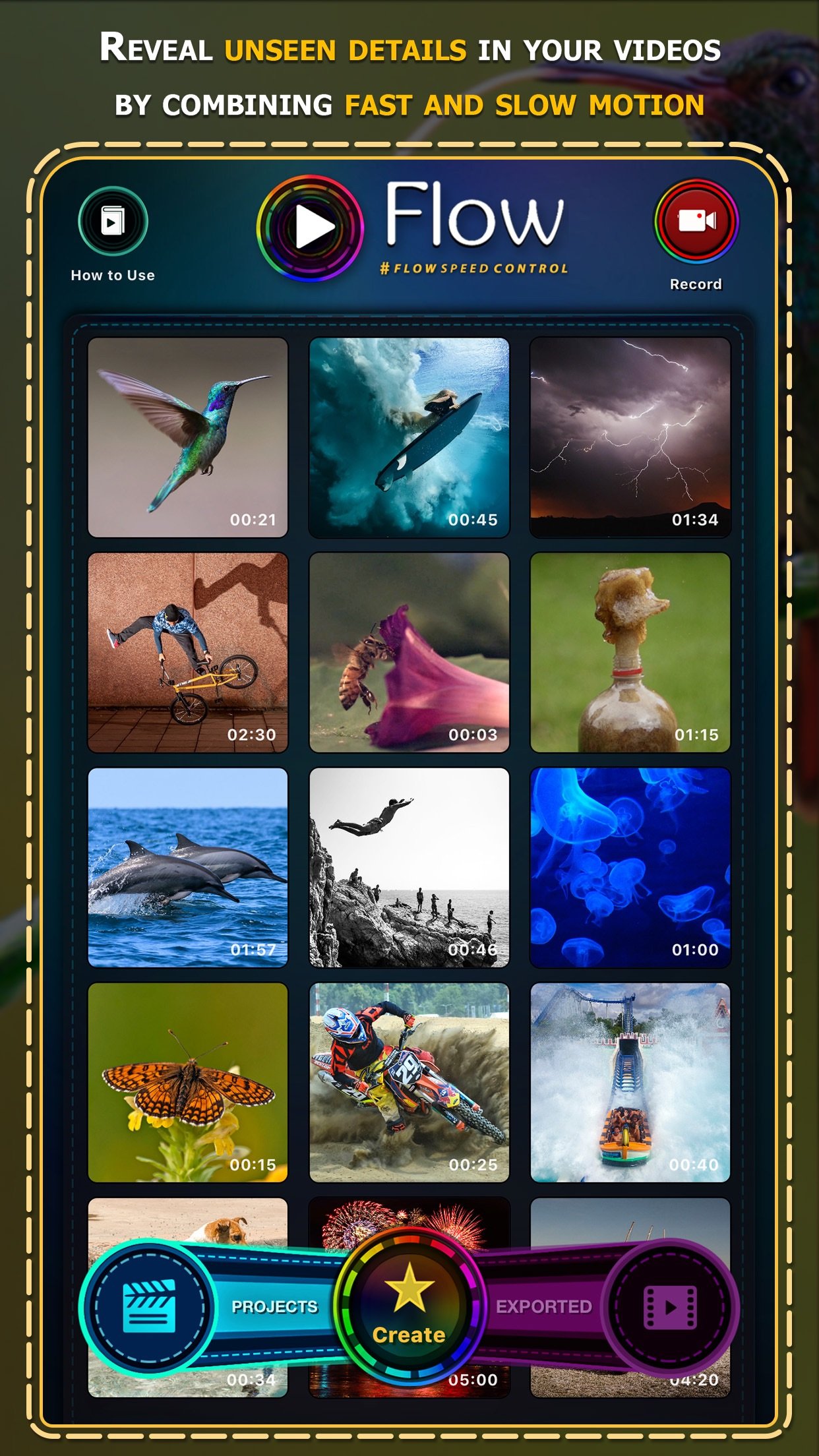
• Edit the speed of videos recorded with any type of camera, there are many ways to import your videos, including directly from your GoPro or using iTunes, iCloud Drive and many others.
• Flow can gradually slow down or speed up any videos up to 24x, combine different speeds adding as many speed control points as you need.
• Create elaborated projects with one or multiple videos and customize each element with a different settings.
• There are many tools available for editing such as trimming, cropping, rotating and others.
• Flow supports recording, importing and exporting videos in ultra-high definition "4K".
• You can even edit professional slow motion videos recorded up to 1000fps.
• Instant project preview, watch your production without any waiting time.
• Videos created with Flow will play exact same way on every device, perfect for sharing.
• Stylize your videos with professional color controls and more than 40 unique filter effects.
• The audio of the video will match the video speed, creating a cool effect on voices and other sounds.
• Publish directly to social media such as Facebook, Instagram, YouTube and others.
• Have fun playing in videos in reverse and sharing with your friends.
• Rotate videos you recorded in the wrong orientation.
• Save the best scenes of your videos as images.
• Crop videos to square format.
• Flow includes a handy extension to edit videos directly from Photos app.
• Use your Apple Watch as a remote control when recording with Flow.
Have any questions? Contact us at contact@flowspeedcontrol.com
For more information, visit [link removed]
Follow us on social media @flowspeedcontrol
License: Commercial
Flow is intuitive and super easy to use, just add and move the control points up and down so that the video can go gradually faster or slower than its natural speed.
FEATURES
• Capture amazing moments combining different speeds on-the-fly and perfect it later with innovative time remapping options.
• Edit the speed of videos recorded with any type of camera, there are many ways to import your videos, including directly from your GoPro or using iTunes, iCloud Drive and many others.
• Flow can gradually slow down or speed up any videos up to 24x, combine different speeds adding as many speed control points as you need.
• Create elaborated projects with one or multiple videos and customize each element with a different settings.
• There are many tools available for editing such as trimming, cropping, rotating and others.
• Flow supports recording, importing and exporting videos in ultra-high definition "4K".
• You can even edit professional slow motion videos recorded up to 1000fps.
• Instant project preview, watch your production without any waiting time.
• Videos created with Flow will play exact same way on every device, perfect for sharing.
• Stylize your videos with professional color controls and more than 40 unique filter effects.
• The audio of the video will match the video speed, creating a cool effect on voices and other sounds.
• Publish directly to social media such as Facebook, Instagram, YouTube and others.
• Have fun playing in videos in reverse and sharing with your friends.
• Rotate videos you recorded in the wrong orientation.
• Save the best scenes of your videos as images.
• Crop videos to square format.
• Flow includes a handy extension to edit videos directly from Photos app.
• Use your Apple Watch as a remote control when recording with Flow.
Have any questions? Contact us at contact@flowspeedcontrol.com
For more information, visit [link removed]
Follow us on social media @flowspeedcontrol
License: Commercial
| Release info | New Release on Oct 20, 2018 |
|---|---|
| Release notes | This is a major update for Flow Speed Control! Check out these new amazing features: • #flowspeedcontrol now uses Metal, the newest Apple rendering engine, to playback and export your videos, that means Flow is much faster and more stable than ever. If you have a older iOS device you will be able to export high definition videos without issues now. • Create slo-mo and fast-speed "Live Photos" using few seconds from any video you have recorded. • Major visual redesign using beautiful colors and many new controls. Flow now works in landscape mode and fully supports iPhone X and iPad Pro in all orientations. • Import is improved with support for Live Photos, iCloud Drive, iTunes, Web and much more. Including connecting to your GoPro and editing directly with Flow. • Create elaborated projects with multiple videos, each with their individual speed controls, color effects and other adjustments. • Perfect video colors with the new contrast, brightness and saturation controls. We also included more video effects to stylize your videos. • Duplicate and split video parts to create complex scenes with precise control. • Increase your skills using the new Flow tutorial lessons we designed for you. • Advanced export format settings, control for the resolution, frame rate, quality and much more. • Audio and video content can be added from other apps via Drag and Drop. Our team has spent a lot of time working on this, to bring these great features for you. Support Flow to become even better, by spreading the word and writing a nice review for us at the App Store. Find us at www.flowspeedcontrol.com or on social medias @flowspeedcontrol Thank you and ENJOY! |
| Listing data | App Store |
Reviews
No reviews yet. Be the first to review Flow Speed Control Pro.
Used Flow Speed Control Pro? Tell other visitors what you thought.
Log in to write a reviewOther products by this publisher
- "No Distractions" for YouTube 4.10 ----
- #Bible 11.5 "Incredible App - My sister shared this app with me a few weeks ago and it is truly incredible.
- % Percentage Calculator Pro 1.41 This is the Pro version of % Percentage Calculator.
- (beat) for iOS 0.5.8 An elegant Fountain screenwriting app, created by a screenwriter for screenwriters.
- (Deep) HIARCS Chess Explorer 1.14 Chess database, analysis and game playing program
Most viewed iOS Photo & Video
-
1
 Infuse 8.5.8
Infuse: Enterprise provides the same great features as the standard version of Infuse and includes permanent access to all Pro features via a traditional paid app.
Infuse 8.5.8
Infuse: Enterprise provides the same great features as the standard version of Infuse and includes permanent access to all Pro features via a traditional paid app.
-
2
 AI Video Generator 2.0
Vixel – AI Video Generator
AI Video Generator 2.0
Vixel – AI Video Generator
-
3
 Ai Photo 1.1.0
AI Photo Retouch – BG Eraser
Ai Photo 1.1.0
AI Photo Retouch – BG Eraser
-
4
 Sci-Fi Keyboard 3.0
Make your keyboard a Sci-Fi input panel.
Sci-Fi Keyboard 3.0
Make your keyboard a Sci-Fi input panel.
-
5
 TouchSiren Delta 3.1
--------------------------------------------------------------
TouchSiren Delta 3.1
--------------------------------------------------------------
-
6
 Locket Widget 2.69.0
Locket is a widget that shows live photos from your best friends, right to your Home Screen.
Locket Widget 2.69.0
Locket is a widget that shows live photos from your best friends, right to your Home Screen.
-
7
 CapCut 19.8.0
CapCut offers easy-to-use video editing functions, in-APP fonts and effects, advanced features such as keyframe animation, smooth slow-motion, chroma key, and stabilization, to help you capture and snip moments.
CapCut 19.8.0
CapCut offers easy-to-use video editing functions, in-APP fonts and effects, advanced features such as keyframe animation, smooth slow-motion, chroma key, and stabilization, to help you capture and snip moments.
-
8
 CNU 3.0.12
CNU?????????????????????,???????????????
CNU 3.0.12
CNU?????????????????????,???????????????
-
9
 Dance AI 1.1.1
CREATE YOUR AI DANCE VIDEOS
Dance AI 1.1.1
CREATE YOUR AI DANCE VIDEOS
-
10
 JLab 1.4.2
Compatible Models:
JLab 1.4.2
Compatible Models:
Most downloaded iOS Photo & Video
-
1
Infuse 8.5.8
Infuse: Enterprise provides the same great features as the standard version of Infuse and includes permanent access to all Pro features via a traditional paid app.
-
2
 ReelyGo 1.1.41
ReelyGo: Your Daily Drama Escape
ReelyGo 1.1.41
ReelyGo: Your Daily Drama Escape
-
3
 Instagram 452.0.0
Little moments lead to big friendships.
Instagram 452.0.0
Little moments lead to big friendships.
-
4
JLab 1.4.2
Compatible Models:
-
5
 Emoji Maker 3.11.2
Emoji Up is an emoji maker that lets you create your own custom emojis.
Emoji Maker 3.11.2
Emoji Up is an emoji maker that lets you create your own custom emojis.
-
6
 Open Source Selfie Stick 2.0
Shot Caller turns one iPhone or iPad into a camera and another into its remote control.
Open Source Selfie Stick 2.0
Shot Caller turns one iPhone or iPad into a camera and another into its remote control.
-
7
 Mega Photo Pro 3.2.10
The most fun you can have with your photos -- Mega Photo Pro is the hilarious app that brings your photos and videos to life.
Mega Photo Pro 3.2.10
The most fun you can have with your photos -- Mega Photo Pro is the hilarious app that brings your photos and videos to life.
-
8
 BeReal 4.97.2
BeReal is the simplest photo-sharing app where you and your friends post once a day to show what you’re really up to.
BeReal 4.97.2
BeReal is the simplest photo-sharing app where you and your friends post once a day to show what you’re really up to.
-
9
 Explorer for Sketchfab 1.2
Discover the world of 3D models with Explorer for Sketchfab, an unofficial Sketchfab app from Sozzled.
Explorer for Sketchfab 1.2
Discover the world of 3D models with Explorer for Sketchfab, an unofficial Sketchfab app from Sozzled.
-
10
 XBOX 2610.1.1
XBOX keeps you connected to the fun with your friends, games, and supported gaming devices from your phone or tablet while on the go.
XBOX 2610.1.1
XBOX keeps you connected to the fun with your friends, games, and supported gaming devices from your phone or tablet while on the go.