9downloads
1this week
FreeCommercial
0reviews
Screenshots
About Flipside
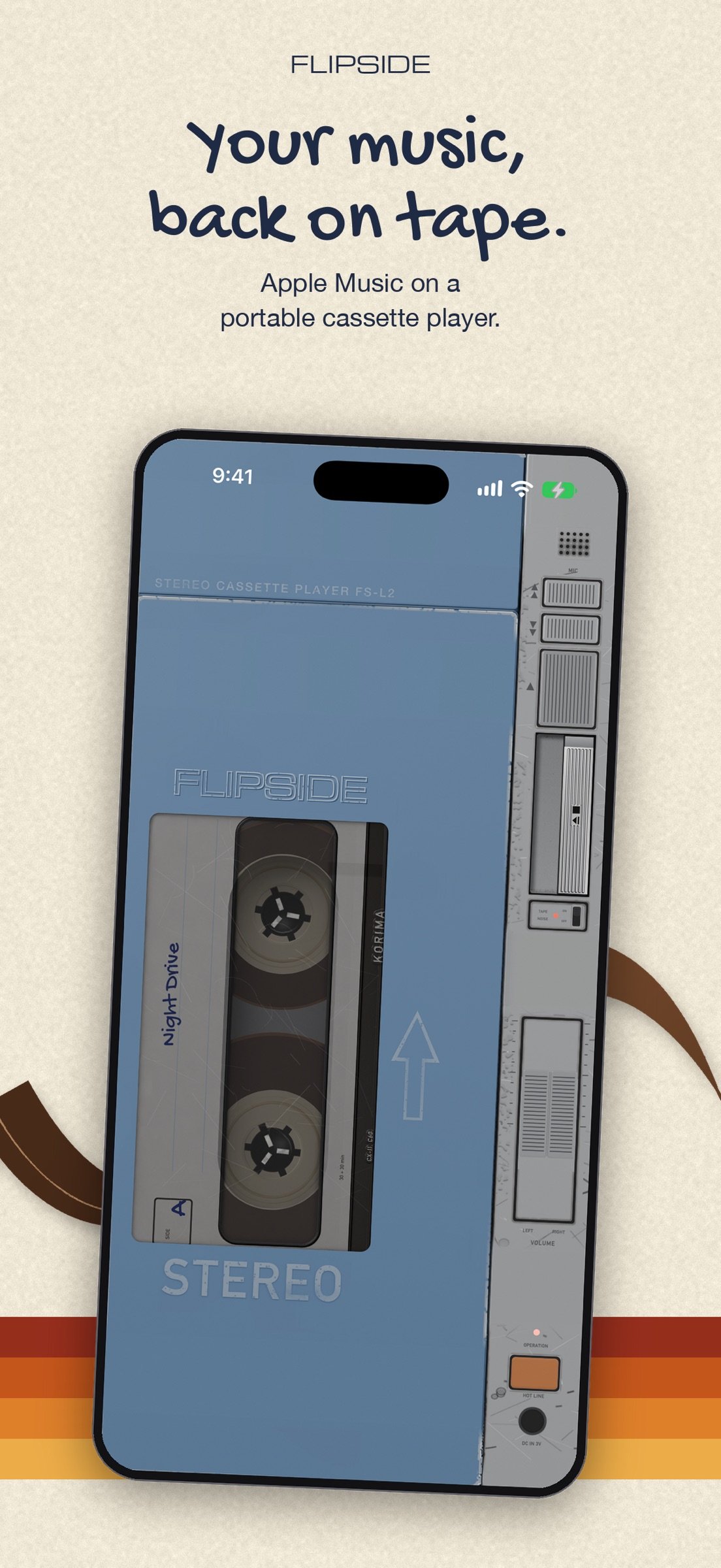
Before skip and shuffle, there was a tape. You picked one, pressed PLAY and let a side run. You wound it back for your favourite song and turned it over for the rest. Flipside brings that back to your Apple Music, on a portable cassette player for any iPhone.
You knew the order of every song. You knew where your favourite one sat on the tape. You listened to a side from start to finish, because that was how music played. Flipside gives your own music that feeling again.
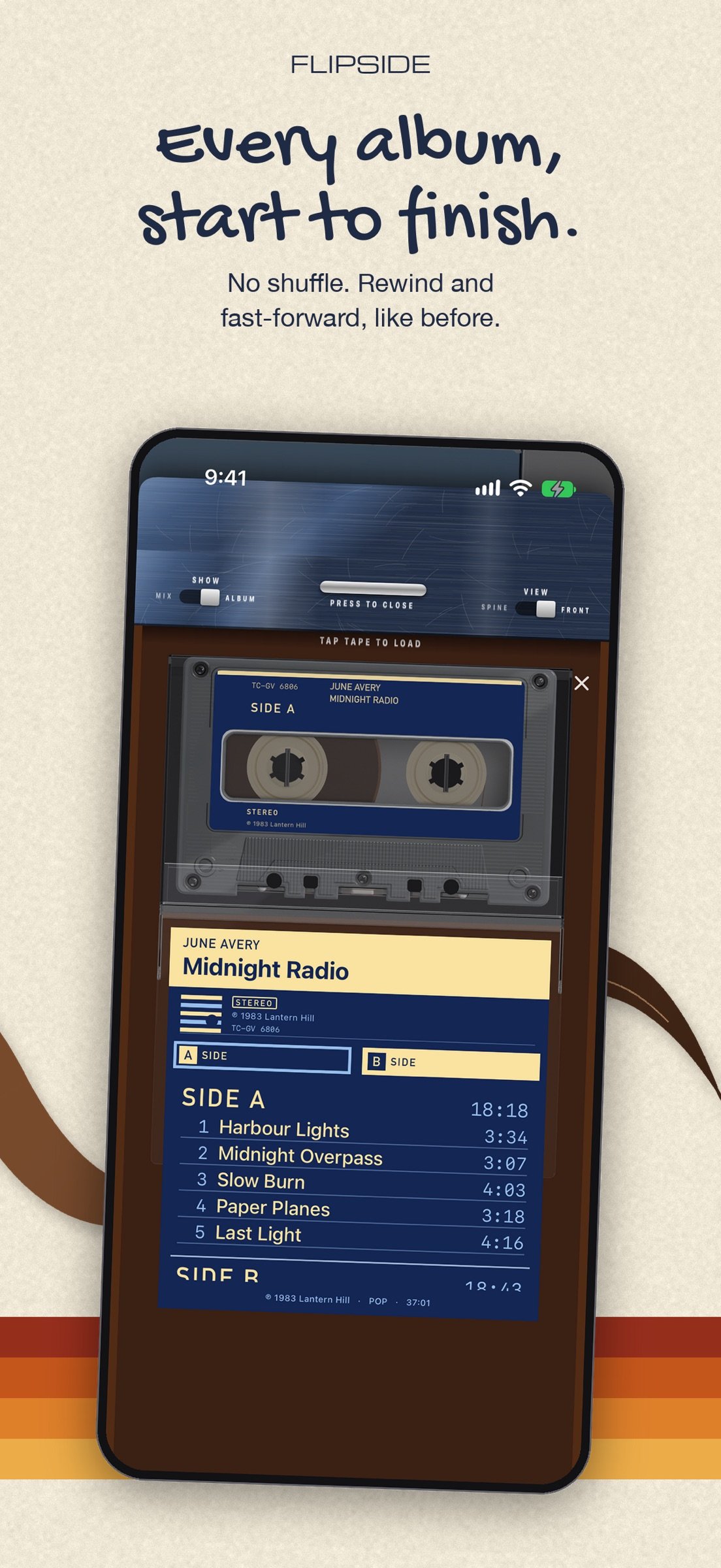
An album played in the order the artist chose. The quiet song before the big one sat there for a reason. The last track on side A left you waiting for side B. If you wanted the next song, you held fast forward and listened for the gap. If you wanted one again, you wound the tape back and waited. That small wait made every song matter more.
Flipside keeps that. Your albums play in the order the artist made them. Every skip is a wind of the reels, and every return is a rewind. You stay with the music, the way you used to.
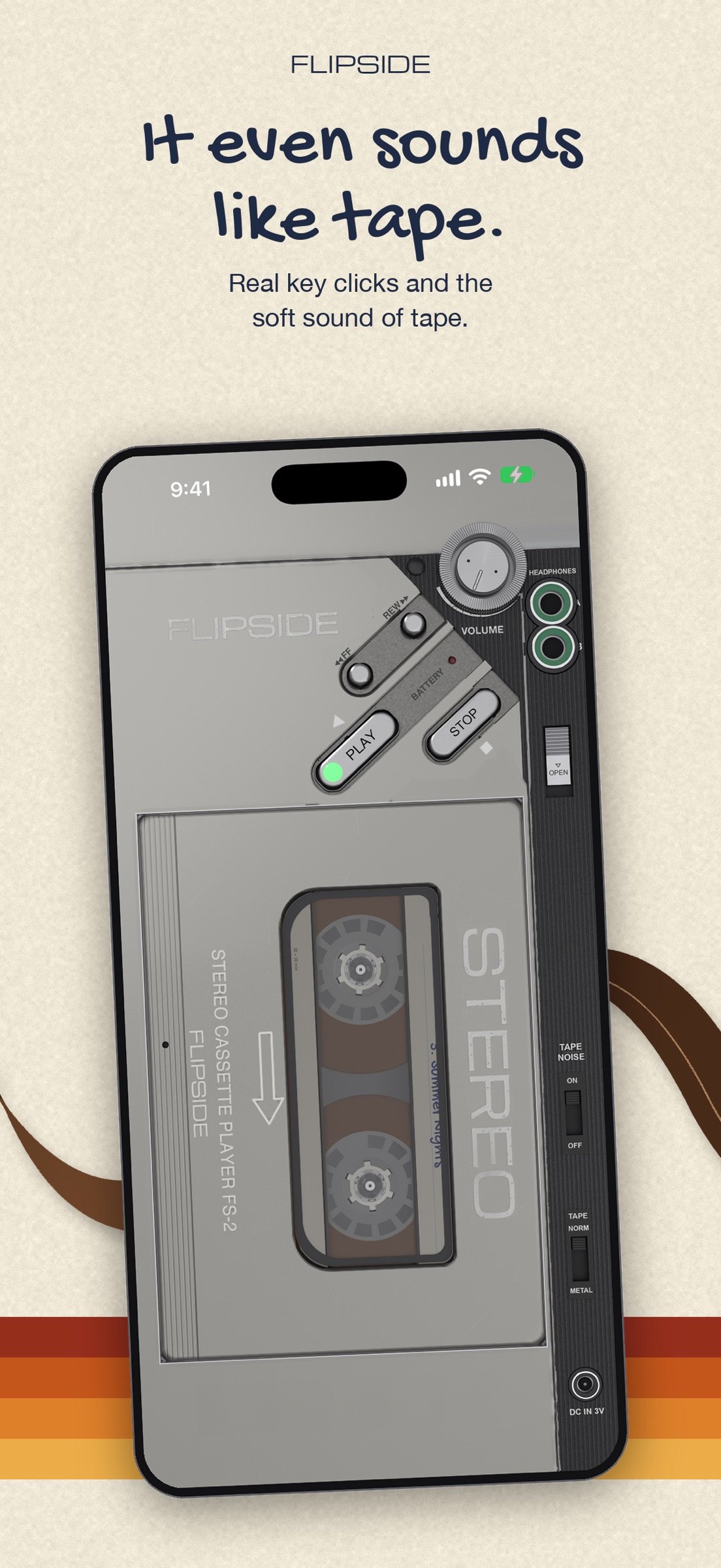
Press PLAY and you hear it: the click of the key, the soft tape noise, then your song. The reels turn. The tape winds from one spool to the other as the side plays.
YOUR MUSIC, ON TAPE
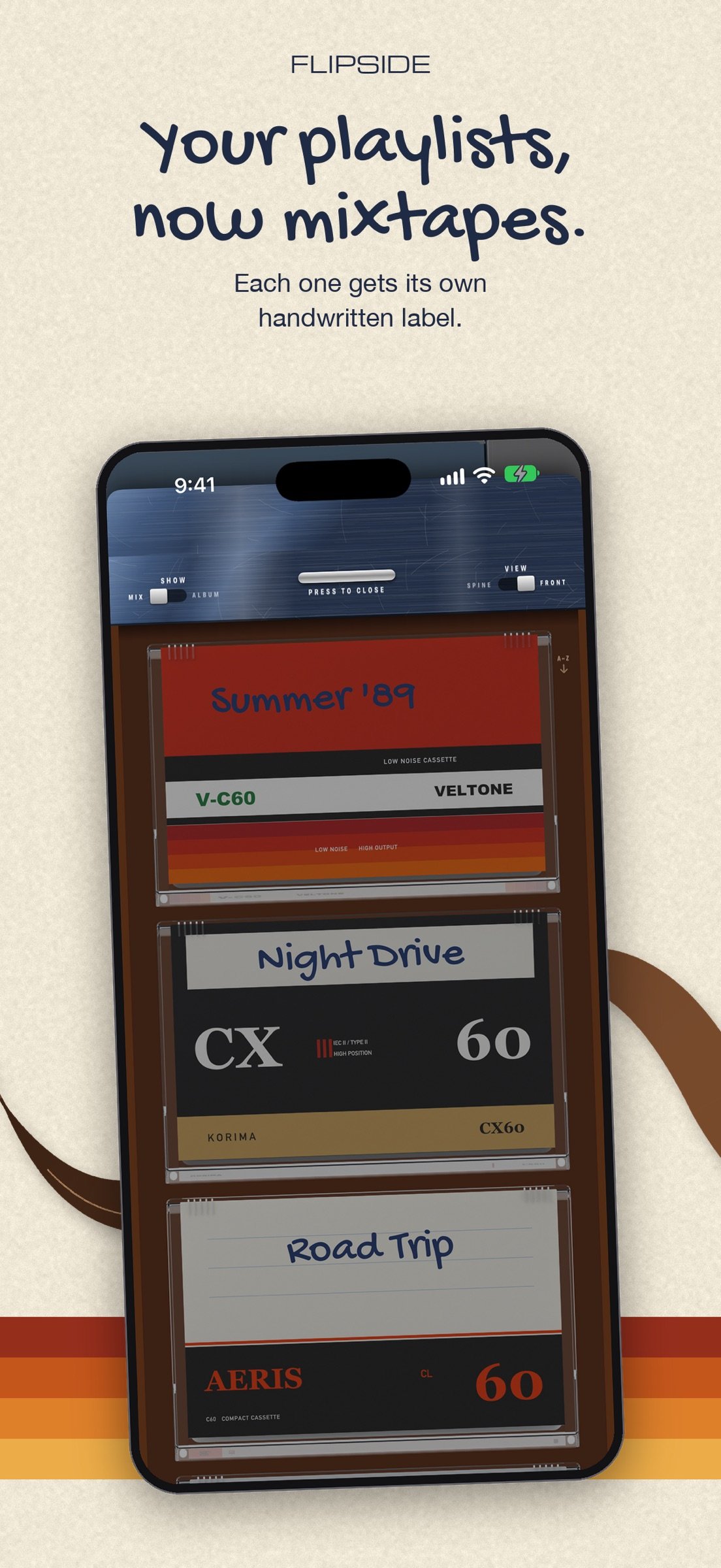
• Every playlist becomes a tape with a handwritten label, on one of five period tape stocks.
• Every saved album becomes a printed album tape, with its cover art and its songs in order.
• Browse your shelf by the front of each case or by its spine.
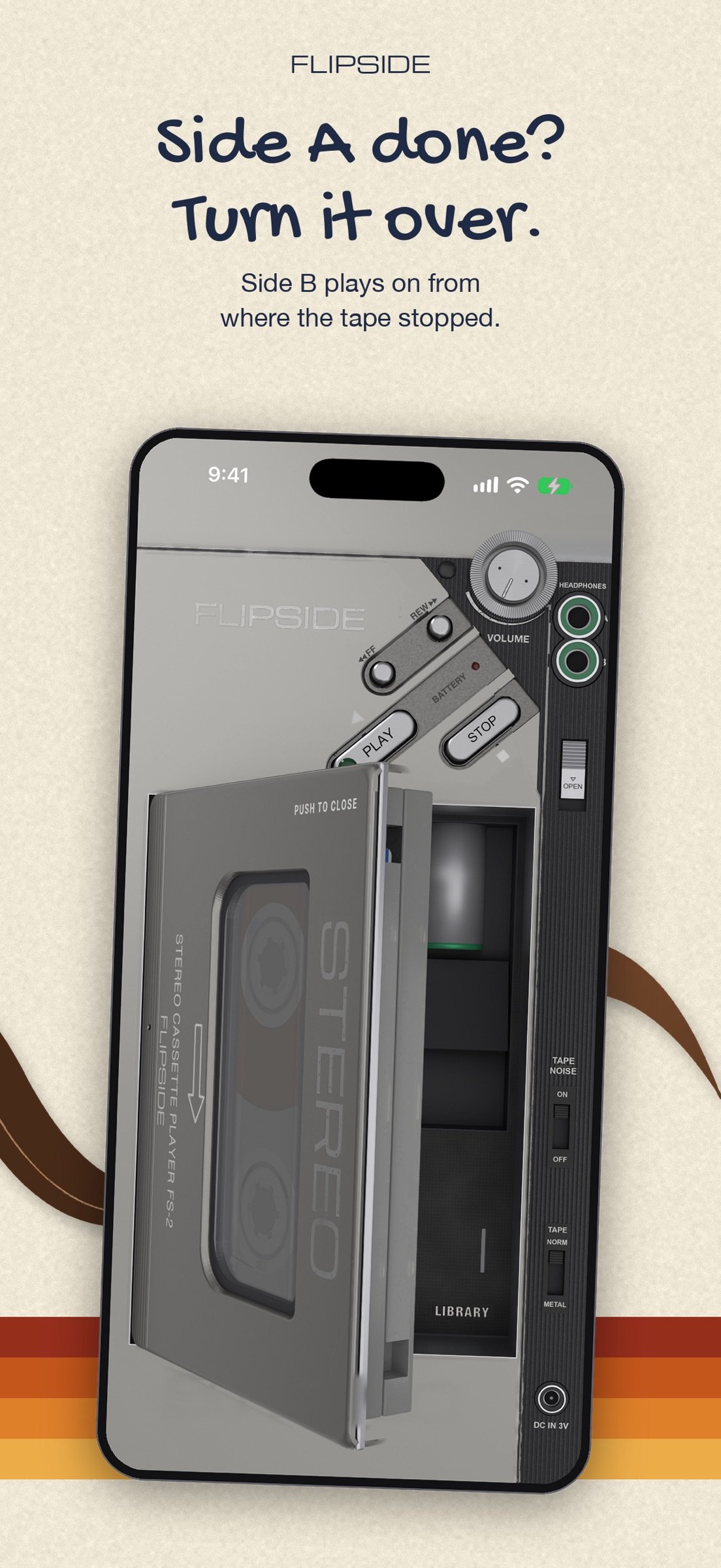
• Turn the tape over and side B plays from wherever the tape sits, as a real tape does.
TWO PLAYERS, MADE TO BE HELD
• FS-L2: a solid metal deck with heavy piano keys that press down with a clunk.
• FS-2: a slim brushed-metal portable with a door that swings open.
Every player is our own drawing, down to the screws and the worn print. Swipe the face to change player when the tape is stopped.
SOUNDS THAT FEEL REAL
• Tape noise, which you can turn on or off.
• Key clicks, and the whirr of fast forward and rewind.
• HOTLINE: hold it and the music dips.
MADE FOR iPHONE DUO
On iPhone Duo, the phone becomes the player. Open it like a cassette door and the deck opens across both screens, ready for a new tape. PUSH TO CLOSE keeps the player to one half if you prefer. On every other iPhone, Flipside fills the screen.
SHARE WHAT YOU ARE PLAYING
Hold the big arrow while a tape plays to record a 15 or 30 second clip of your deck, with a message and the song written on the card. The clip saves to Photos and the share sheet opens, ready to post. Clips are silent, so add your song in the app you post to.
ON YOUR HOME SCREEN
A medium or large widget shows the tape in your deck, with keys that work.
THE LITTLE THINGS
• A printed manual and a book of tips and secrets for each player.
• A short tour the first time you open the app.
• Four app icons to choose from.
Flipside plays your own Apple Music library and needs an Apple Music subscription.
Pick a tape. Press PLAY. Let the side run.
License: Commercial
| Release info | New Release on Nov 01, 2026 |
|---|---|
| Listing data | App Store |
Reviews
No reviews yet. Be the first to review Flipside.
Used Flipside? Tell other visitors what you thought.
Log in to write a reviewOther products by this publisher
- "No Distractions" for YouTube 4.10 ----
- #Bible 11.6.1 "Incredible App - My sister shared this app with me a few weeks ago and it is truly incredible.
- #filmphotography 1.4.2 So, you decided to shoot on film?
- #LookBusy Fake Calendar Events 1.0.6 Look Busy scans your work calendar for open time slots and fills them with realistic-looking (but secretly fake) work events.
- #Small Talk Is Canceled 1.0.2 #Small Talk Is Canceled — Conversations That Matter
Most viewed iOS Photo & Video
-
1
 Restore Old Photos 1.1.0
Bring old family photos back to life, privately on your iPhone or iPad.
-
2
 Infrared Developer 1.2
Infrared Developer is a photo editor built for infrared photography.
-
3
 ShortDiShow 2.0
Drama Quest Island — An offline interactive short-drama adventure.
-
4
 Face Witness 1.0.4
FaceWitness lets you create a face by putting together individual features.
-
5
 Infuse 8.5.11
Infuse: Enterprise provides the same great features as the standard version of Infuse and includes permanent access to all Pro features via a traditional paid app.
-
6
 AI Video Generator 2.0.3
Vixel – AI Video Generator
- 7 #filmphotography 1.4.2 So, you decided to shoot on film?
-
8
 makeART Coloring Book 1.0
Color something beautiful.
-
9
 CapCut 20.3.0
CapCut is an all-in-one video editing solution that offers essential editing features, creative effects, AI tools, filters, stickers, and fonts, and a wide range of video templates to empower users to easily create incredible videos regardless of th…
-
10
 OPlayer 4.8
Play all your videos directly without having to convert them!
Most downloaded iOS Photo & Video
-
1
 DJI Fly 1.21.18
DJI Fly is designed to help pilots fly drones with ease.
-
2
Infuse 8.5.11
Infuse: Enterprise provides the same great features as the standard version of Infuse and includes permanent access to all Pro features via a traditional paid app.
-
3
 ReelyGo 1.1.60
ReelyGo: Your Daily Drama Escape
-
4
 Analog Radio 3.0
The iPhone and iPad devices don't have the FM/AM radio antenna installed.
-
5
 TurboCollage Automatic 1.2.4
#1 Easy automatic photo collage maker for iPhone & iPad.
-
6
 Rozeta Sequencer Suite 1.3.16
Rozeta is a suite of MIDI sequencers and controllers that lets you explore a new, freeform approach to sequencing and controlling mobile music apps.
-
7
 AGAIN. Rehearsal Notes 2.0.1
AGAIN. is the rehearsal app that remembers why the band stopped — and, new in Version 2, who said what in a writing session or a table read.
-
8
 Treblo 1.6.6
Make songs with the world's best AI music model.
-
9
 Pop Dot Comics 1.48
Create a comic worthy of the Sunday newspaper or your favorite pulp-fiction cover.
-
10
 Sun Scout 1.5.0
If your work or play requires sunlight, Sun Scout is built for you.