
FingerBricker 1.4
FingerBricker is the app for building brick models by touching the screen of your iPhone or iPad.
Download
67.82 MB
10downloads
2this week
FreeCommercial
0reviews
Screenshots
About FingerBricker
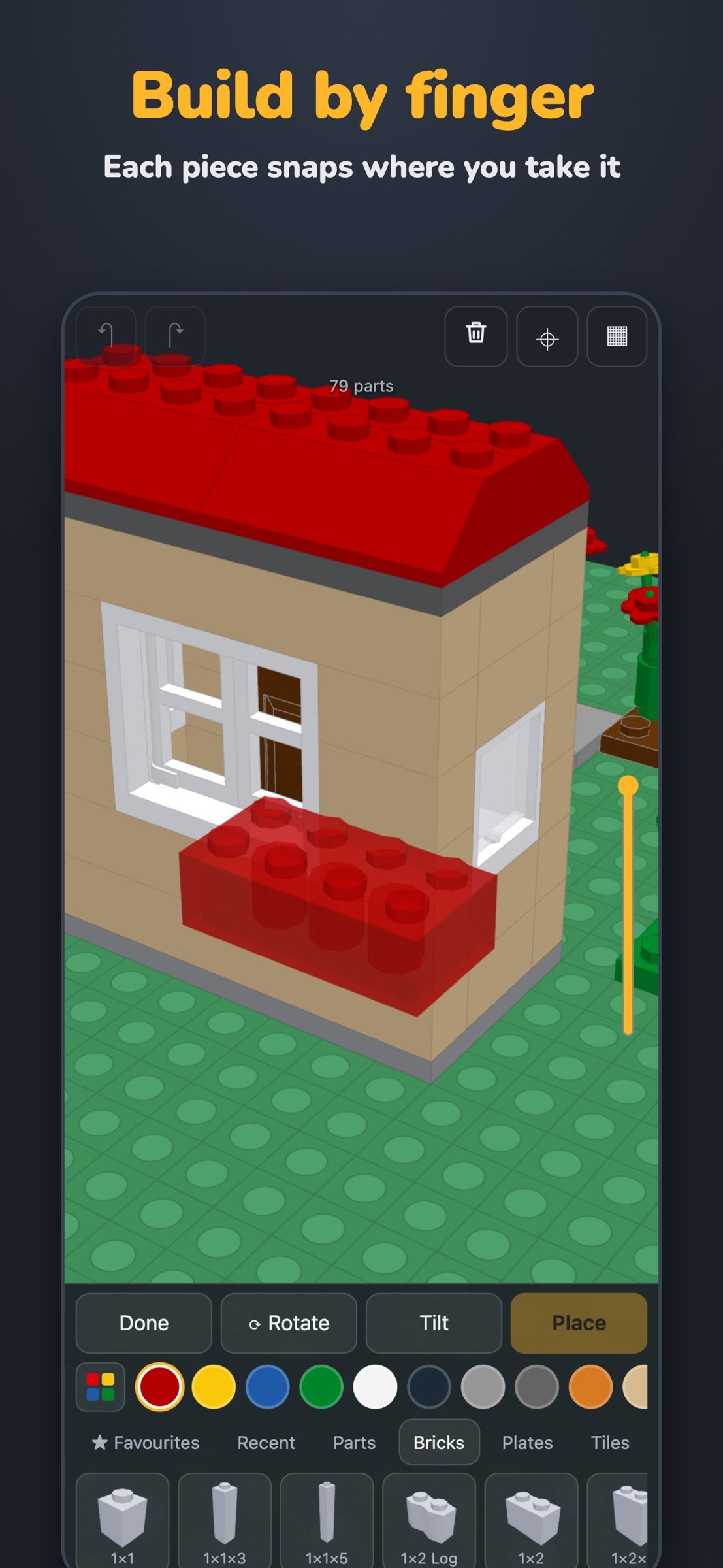
FingerBricker is the app for building brick models by touching the screen of your iPhone or iPad. Pick up a piece, take it where you want and let go: it snaps into place, just like the real thing.
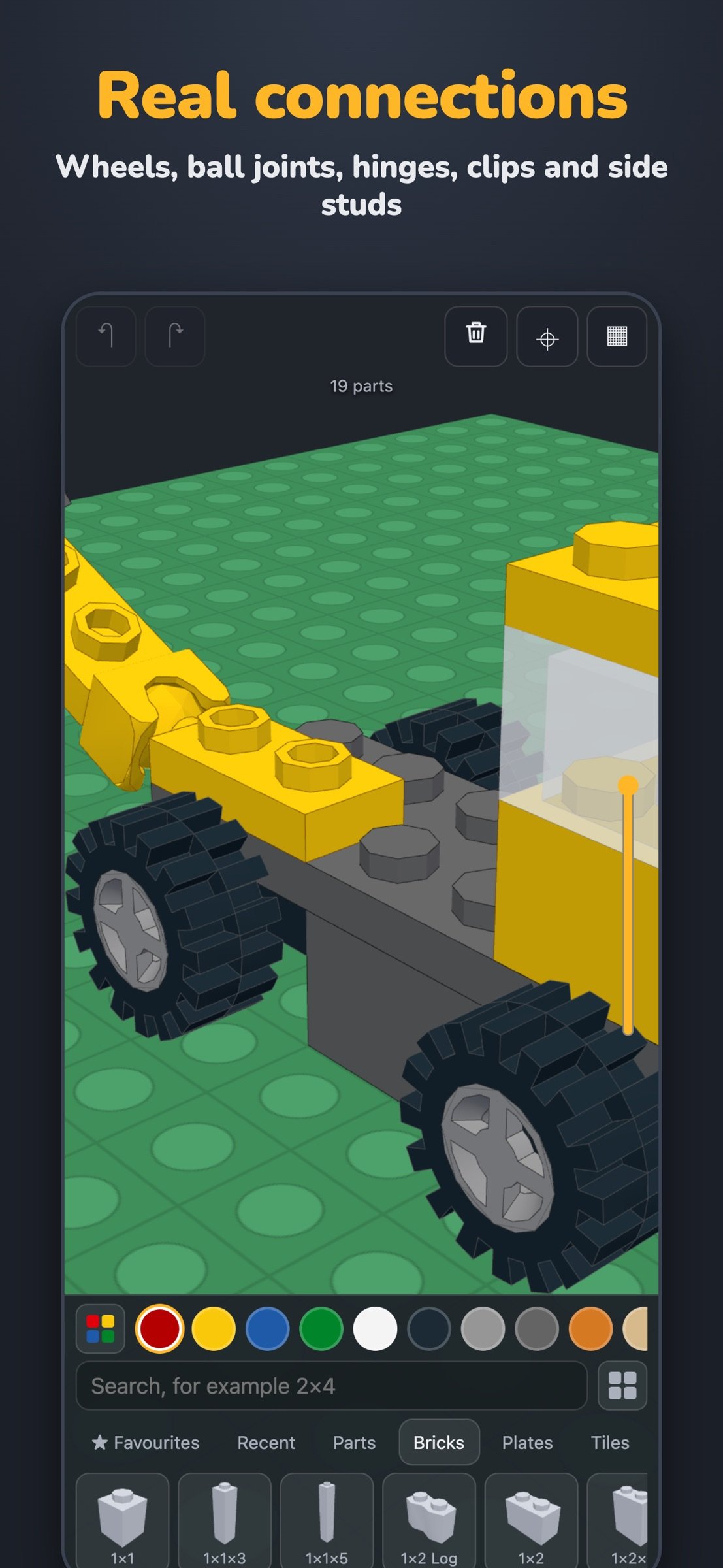
REAL CONNECTIONS
• On top and underneath, on side studs, in clips and on bars, on hinges and ball joints
• Wheels on wheel holders, doors and casements that open, glass that fits into its frame
• Pins and axles in holes, beams slid onto pins
• If a piece blinks, it can't go there
OVER 1,100 PIECES, ALL INCLUDED
• Bricks, plates, tiles, slopes, wedges, rounds, windows, doors, hinges, wheels, plants
• Pins, axles, beams, connectors, gears and motors
• Search by name or size, every colour
• See each piece up close and turn it with your finger
READY-MADE BUILDS AND PARTS
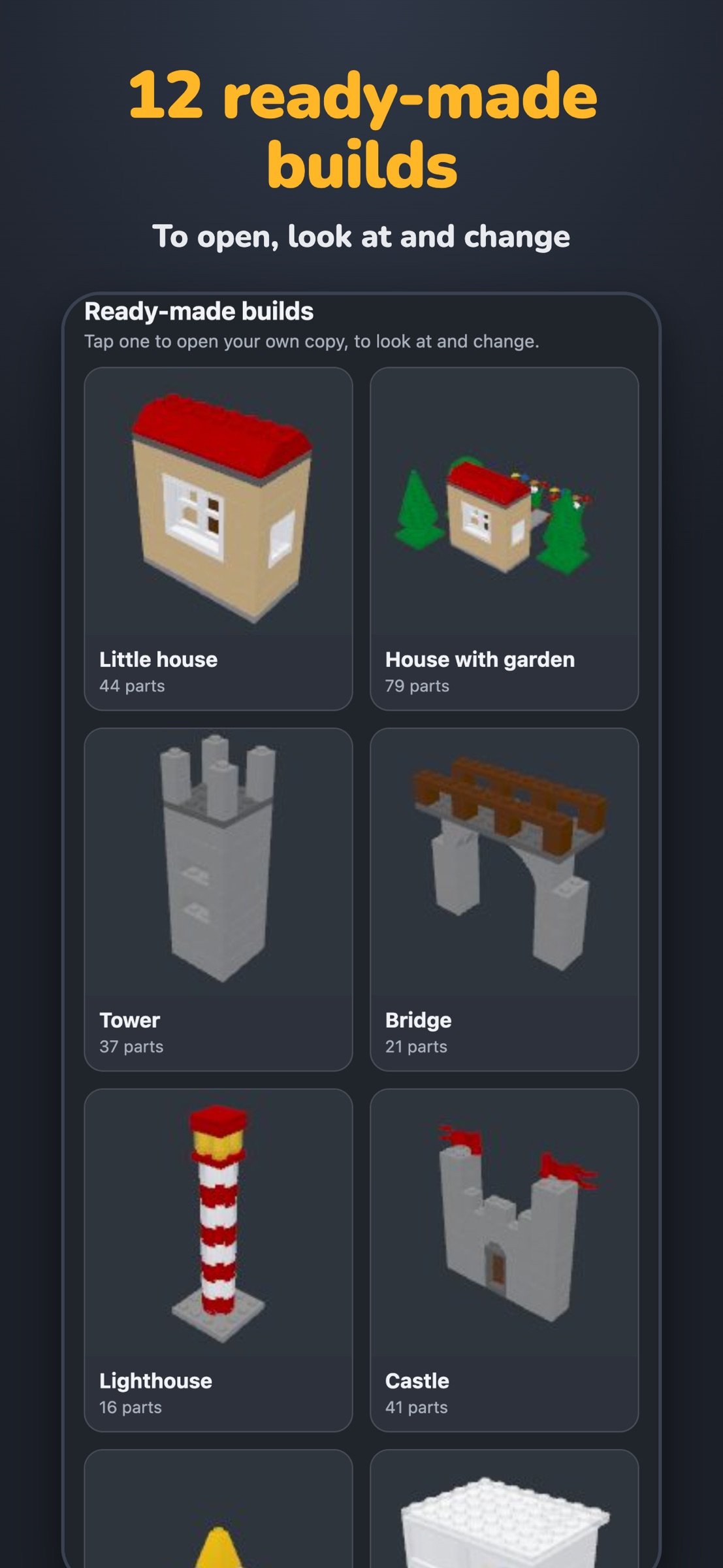
• 12 builds to open, look at and change: houses, a castle, a lighthouse, a digger, a windmill…
• 20 parts to place in one go: windows, doors, roofs, stairs, trees, a car
• Save your own parts from a selection
INSTRUCTIONS AND BUYING THE PIECES
• PDF building instructions, section by section: the pieces to use, the picture to reach, the steps explained
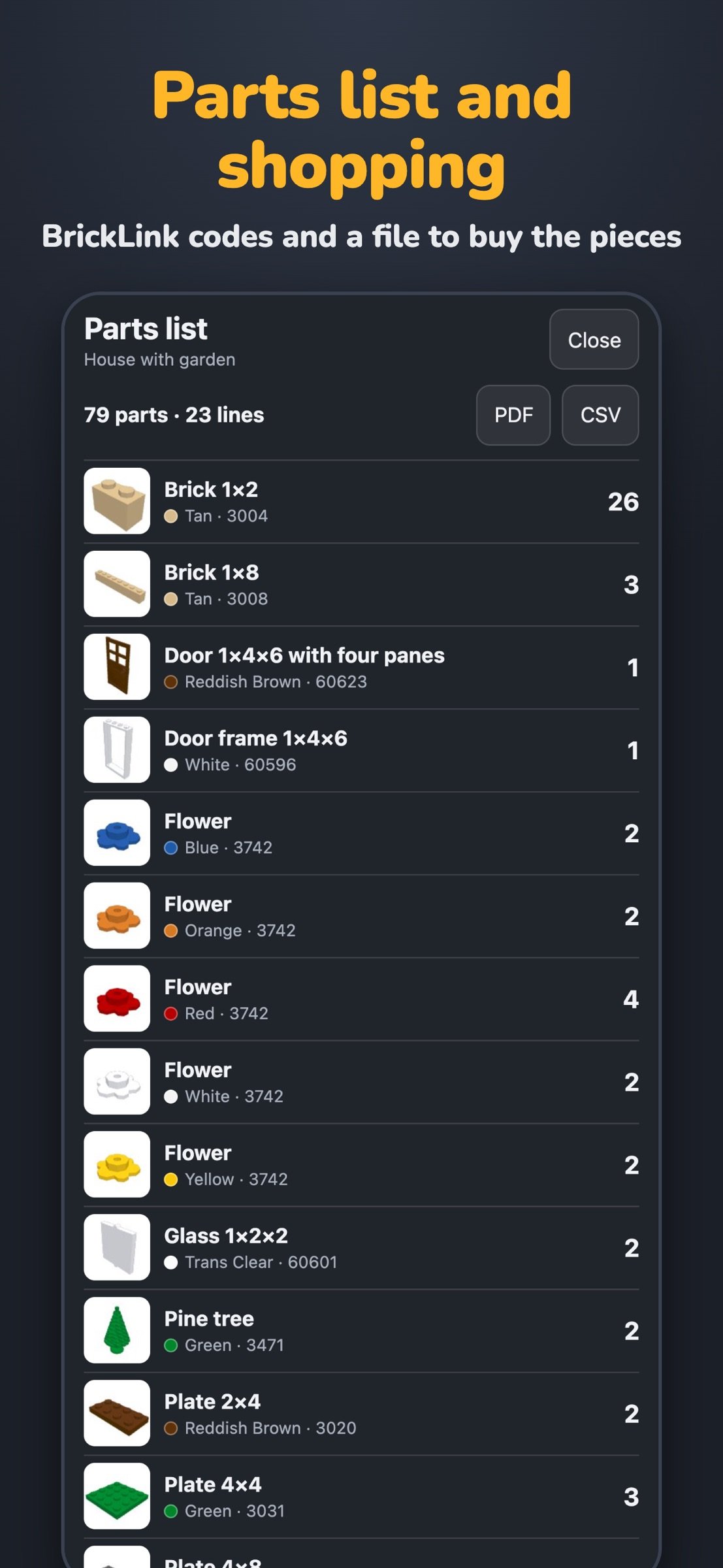
• Parts list with BrickLink codes, as PDF or CSV
• The file to upload to BrickLink to buy the pieces you need
YOUR DESKTOP WORK, IN YOUR POCKET
• Opens and saves LDraw files (.ldr, .mpd), the format of LeoCAD, LDCad and other desktop editors
• Also opens BrickLink Studio .io files, which can then be exported as LDraw
• An imported file goes back out as it was: submodels, steps and coordinates stay, only the pieces you touched change
SIMPLE, NO SURPRISES
• Works offline; your builds stay on your device
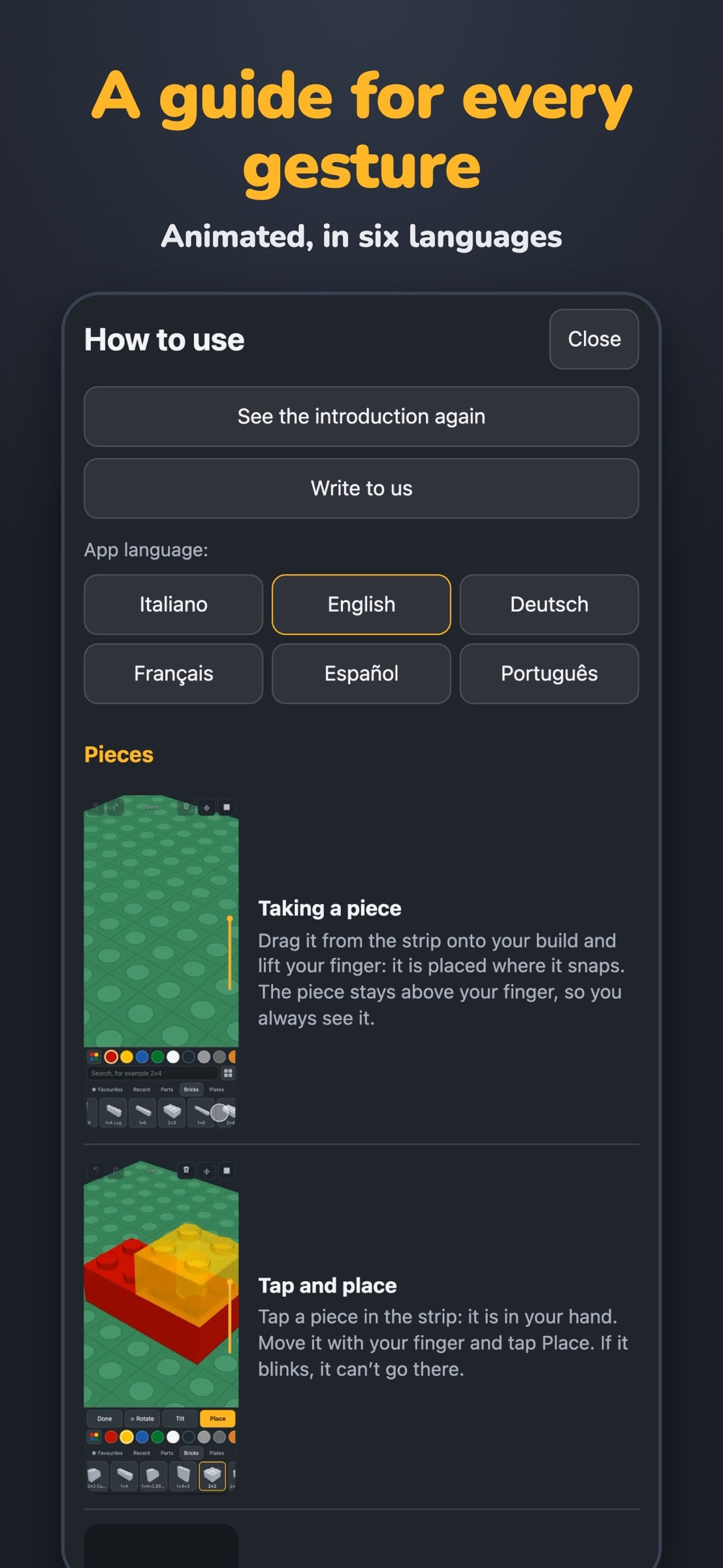
• A guide with an animation for every gesture
• One purchase: no subscriptions, in-app purchases or ads
• No personal data collected
• In English, Italian, German, French, Spanish and Portuguese
Piece models come from the LDraw Parts Library (CC BY 4.0).
License: Commercial
| Release info | Update on Nov 20, 2026 |
|---|---|
| Release notes | New in 1.4: real colours only. The palette now shows only the colours each part was actually made in, so what you design can also be bought. If you pick a part that doesn't exist in the current colour, the app switches to the closest real one; the ready-made models use real colours only. |
| Listing data | App Store |
Reviews
No reviews yet. Be the first to review FingerBricker.
Used FingerBricker? Tell other visitors what you thought.
Log in to write a reviewOther products by this publisher
- "No Distractions" for YouTube 4.10 ----
- #Bible 11.6.1 "Incredible App - My sister shared this app with me a few weeks ago and it is truly incredible.
- #filmphotography 1.4.2 So, you decided to shoot on film?
- #LookBusy Fake Calendar Events 1.0.6 Look Busy scans your work calendar for open time slots and fills them with realistic-looking (but secretly fake) work events.
- #Small Talk Is Canceled 1.0.2 #Small Talk Is Canceled — Conversations That Matter
Most viewed iOS Photo & Video
-
1
 Restore Old Photos 1.1.0
Bring old family photos back to life, privately on your iPhone or iPad.
-
2
 ShortDiShow 2.0
Drama Quest Island — An offline interactive short-drama adventure.
-
3
 Face Witness 1.0.4
FaceWitness lets you create a face by putting together individual features.
-
4
 Infuse 8.5.11
Infuse: Enterprise provides the same great features as the standard version of Infuse and includes permanent access to all Pro features via a traditional paid app.
-
5
 Infrared Developer 1.2
Infrared Developer is a photo editor built for infrared photography.
-
6
 AI Video Generator 2.0.3
Vixel – AI Video Generator
- 7 #filmphotography 1.4.2 So, you decided to shoot on film?
-
8
 CapCut 20.3.0
CapCut is an all-in-one video editing solution that offers essential editing features, creative effects, AI tools, filters, stickers, and fonts, and a wide range of video templates to empower users to easily create incredible videos regardless of th…
-
9
 OPlayer 4.8
Play all your videos directly without having to convert them!
-
10
 Ai Photo 1.2.0
AI Photo Retouch – BG Eraser
Most downloaded iOS Photo & Video
-
1
 DJI Fly 1.21.18
DJI Fly is designed to help pilots fly drones with ease.
-
2
Infuse 8.5.11
Infuse: Enterprise provides the same great features as the standard version of Infuse and includes permanent access to all Pro features via a traditional paid app.
-
3
 ReelyGo 1.1.60
ReelyGo: Your Daily Drama Escape
-
4
 Analog Radio 3.0
The iPhone and iPad devices don't have the FM/AM radio antenna installed.
-
5
 TurboCollage Automatic 1.2.4
#1 Easy automatic photo collage maker for iPhone & iPad.
-
6
 Rozeta Sequencer Suite 1.3.16
Rozeta is a suite of MIDI sequencers and controllers that lets you explore a new, freeform approach to sequencing and controlling mobile music apps.
-
7
 AGAIN. Rehearsal Notes 2.0.1
AGAIN. is the rehearsal app that remembers why the band stopped — and, new in Version 2, who said what in a writing session or a table read.
-
8
 Pop Dot Comics 1.48
Create a comic worthy of the Sunday newspaper or your favorite pulp-fiction cover.
-
9
 Local AI Art Private Diffusion 1.6
If you are the kind of person who values privacy and wants to keep your generated images private, our software is the perfect solution for you.
-
10
 Treblo 1.6.6
Make songs with the world's best AI music model.