
14downloads
1this week
FreeFreeware
0reviews
Screenshots
About Fast Reader
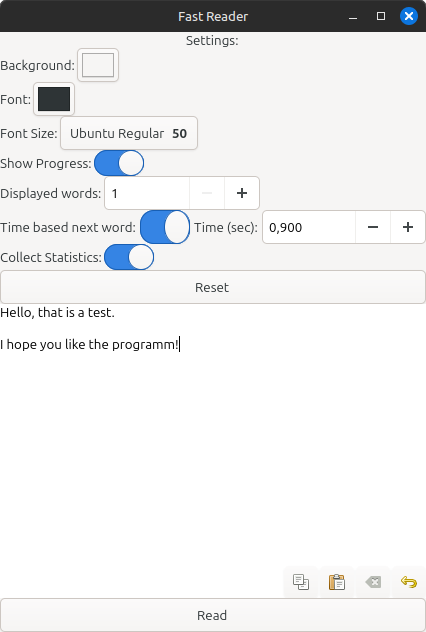
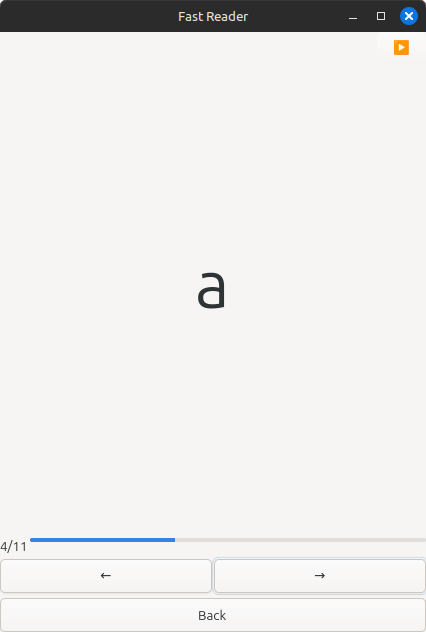
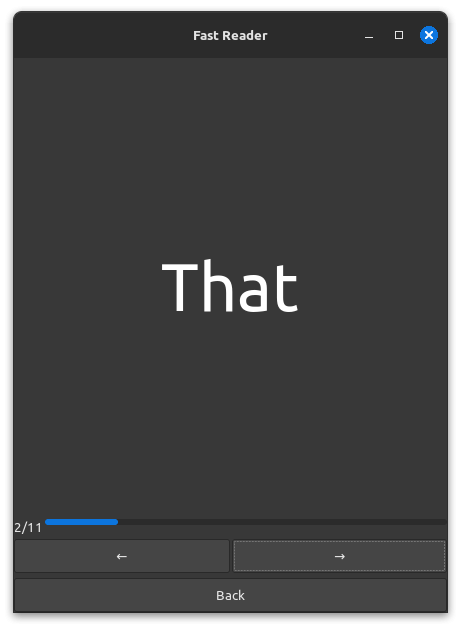
Fast Reader helps you to read more quickly, by showing only one word after the other. Therefor
the eyes don't have to move from word to word, that reduce the speed of reading. To read the text
you only have to copy the text into the big field in the middle and to start it. You can choose
two different basic settings. Either you can choose the next word bei using the button ,,->" or you
can use the ,,Time based next word". By this setting can be the duration of the word chosen. The
selection is processed with a factor so that longer words are not displayed too short. This dynamic
setting ensures that longer and more complex words are given more time to provide a natural and
fluid reading experience. Reading can be started via the "Read" button. Experienced readers can
even have more than one word displayed at once. This increases the reading speed even further.
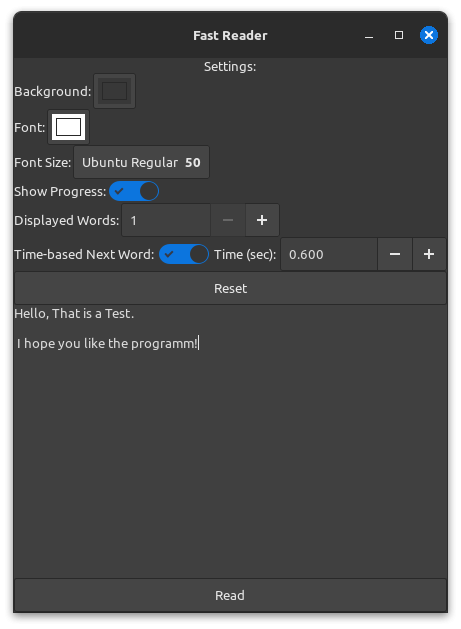
This program offers individual settings to improve reading:
o Background colour
o Font colour
o Font and size
o Reading progress in the text
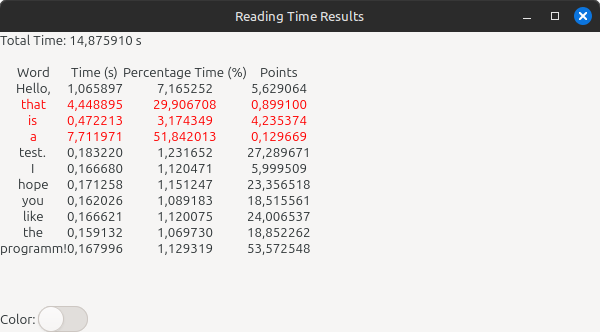
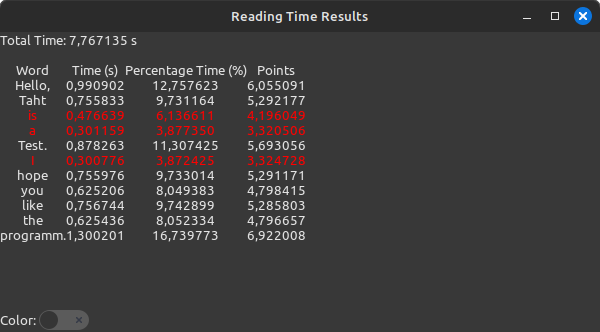
used to highlight which words took a particularly long time and which were read quickly.
In the "Advanced settings for time-based next word", you can extend the display time for longer
words. Here, you can set the duration of the time and from how many characters this time should
be used. Additionally, you can also specify a delay at the start, so that the first word remains
on the screen for a longer period.
o Customizable Settings: Tailor your reading experience by adjusting settings like background
color, text color, font size, and display of progress indicators.
o Text Input: Easily input text into the application through a dedicated text entry field.
o Word-by-Word Display: The text is broken down into individual words, presented one at a time,
facilitating focused reading.
o Navigation Options: Seamlessly navigate through the text using intuitive navigation buttons
or convenient keyboard shortcuts.
o Progress Indicators: Keep track of your reading progress with helpful indicators displaying
your current position in the text and overall progress.
o Time-Based Word predictions: You can set a variable time calculate by a formal for the display
of each word. The formula for calculating the word display time is: "Time-Per-Word x (Cube Root
of Word-Length)". This dynamic adjustment ensures that longer, more complex words are allotted
more time, providing a natural and responsive reading experience.
o Statistic Collection: Generates statistics for you, showing how long you took to read each
word.
o Colorize Statistics: Makes the statistics colorful (optional), allowing you to quickly see
how long you took per word and identify which words were very slow or fast.
License: GPL-2.0-only
| Release info | New Release on Sep 14, 2026 |
|---|---|
| Release notes | Version 8.2 Feature added: • Added LTR navigation • Fixed memory leaks |
| Related tags | reading |
| Listing data | Flathub |
Reviews
No reviews yet. Be the first to review Fast Reader.
Used Fast Reader? Tell other visitors what you thought.
Log in to write a reviewOther products by this publisher
- "No Distractions" for YouTube 4.10 ----
- #Bible 11.6.1 "Incredible App - My sister shared this app with me a few weeks ago and it is truly incredible.
- #filmphotography 1.4.2 So, you decided to shoot on film?
- #LookBusy Fake Calendar Events 1.0.6 Look Busy scans your work calendar for open time slots and fills them with realistic-looking (but secretly fake) work events.
- #Small Talk Is Canceled 1.0.2 #Small Talk Is Canceled — Conversations That Matter
Most viewed Linux Education
-
1
 Jan 0.8.8
Private offline AI assistant
-
2
 eduK 0.0.1
eduK is an educational web platform focused on assisting users in income generation
-
3
 Webots R2025a
Webots Robot Simulator
-
4
 Feeel 2.4.1
A simple home workout/exercise app that respects your privacy
- 5 Fablemaker 1.2.1 Hack Aesop’s fables
-
6
 CoMaps 2026.11.07
Free offline maps for everyone
-
7
 Scribble 1.14.0
Take handwritten notes and homework
- 8 White House 1.175 Hack your world with CSS
-
9
 Saber 1.38.0
The notes app built for handwriting
-
10
 TigerJython 2.40
Python IDE for schools
Most downloaded Linux Education
- 1 Al-Quran - Simple 1.1.1 A simple open-source Quran reader
- 2 Altaqwaa 4.0.1 Quran, adhkar, and prayer times
-
3
 FingerGo 1.6.1
Visual touch-typing trainer
-
4
 Quran Companion 1.6.0
Read and listen to the Quran
-
5
 Praat 7.0.03
Analyze, synthesize, and manipulate speech
-
6
Jan 0.8.8
Private offline AI assistant
-
7
Saber 1.38.0
The notes app built for handwriting
- 8 Water Hammer Simulation 4.8.1 This application uses different numerical methods to simulate the Water Hammer phenomenon.
-
9
 AstroGods 5.0.1
In-depth Astrology readings
-
10
 ClassIn 6.0.10.2078
One-stop interactive online classroom platform