5downloads
0this week
FreeCommercial
0reviews
Screenshots
About Equalizer
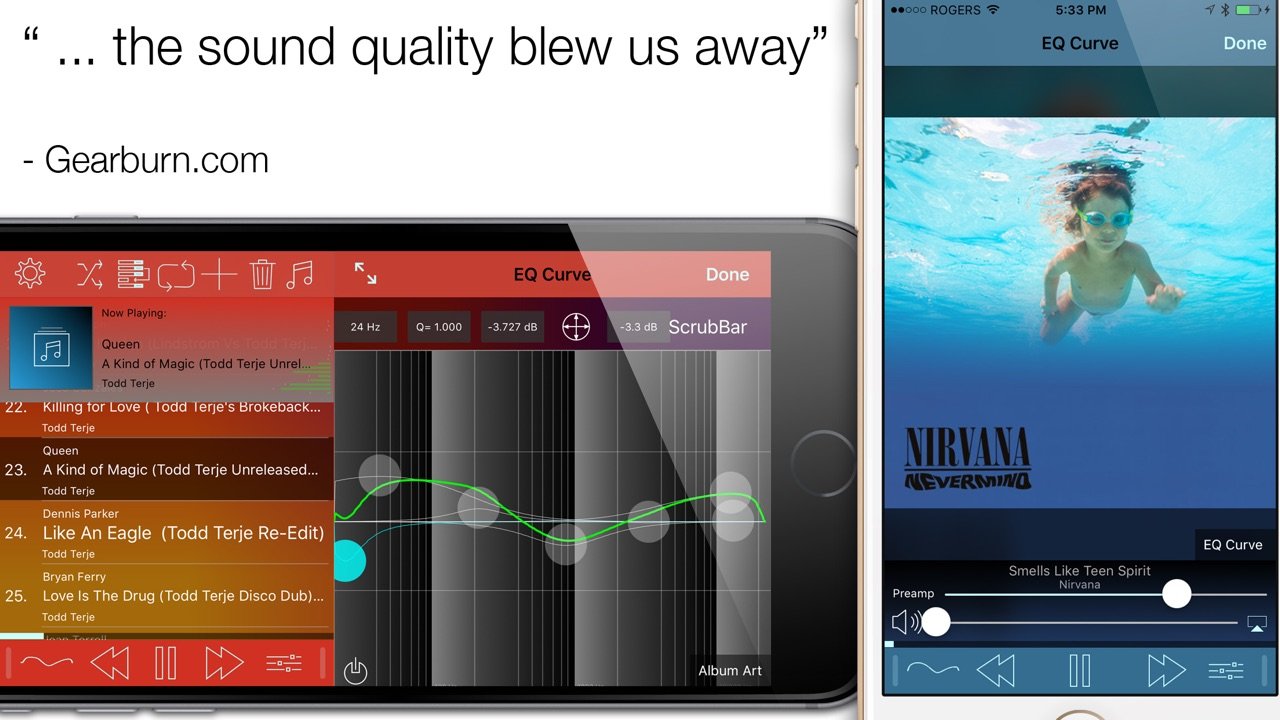
"... the sound quality blew us away."- Gearburn.com
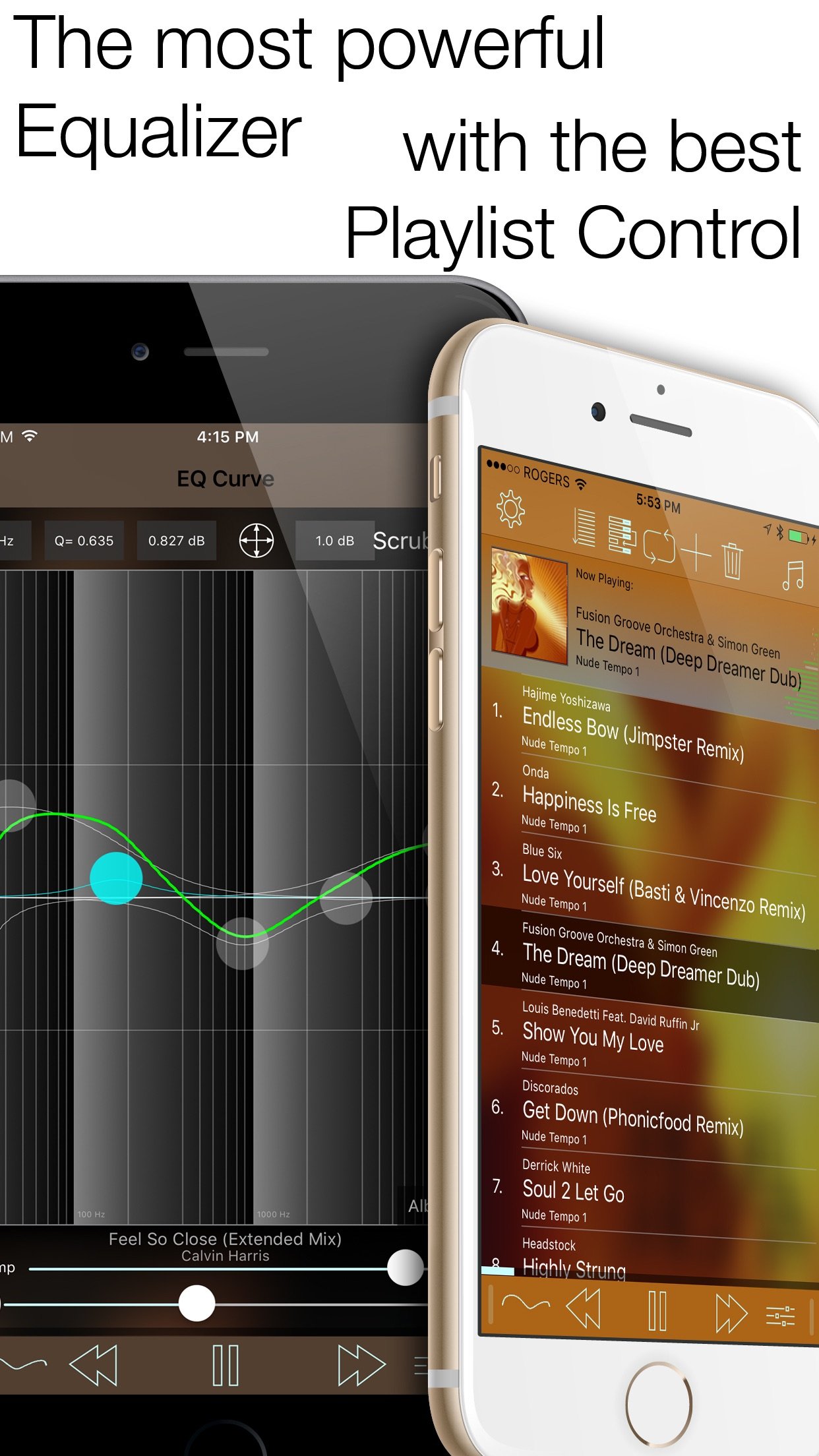
Music player with the most powerful and acurate equalizer in the app store as well as the most advanced playlist controls.
+ Play music directly from your Music Library including podcasts and music video (audio only)
+ Adjust the powerful parametric equalizer by moving the seven control points or type in the values directly.
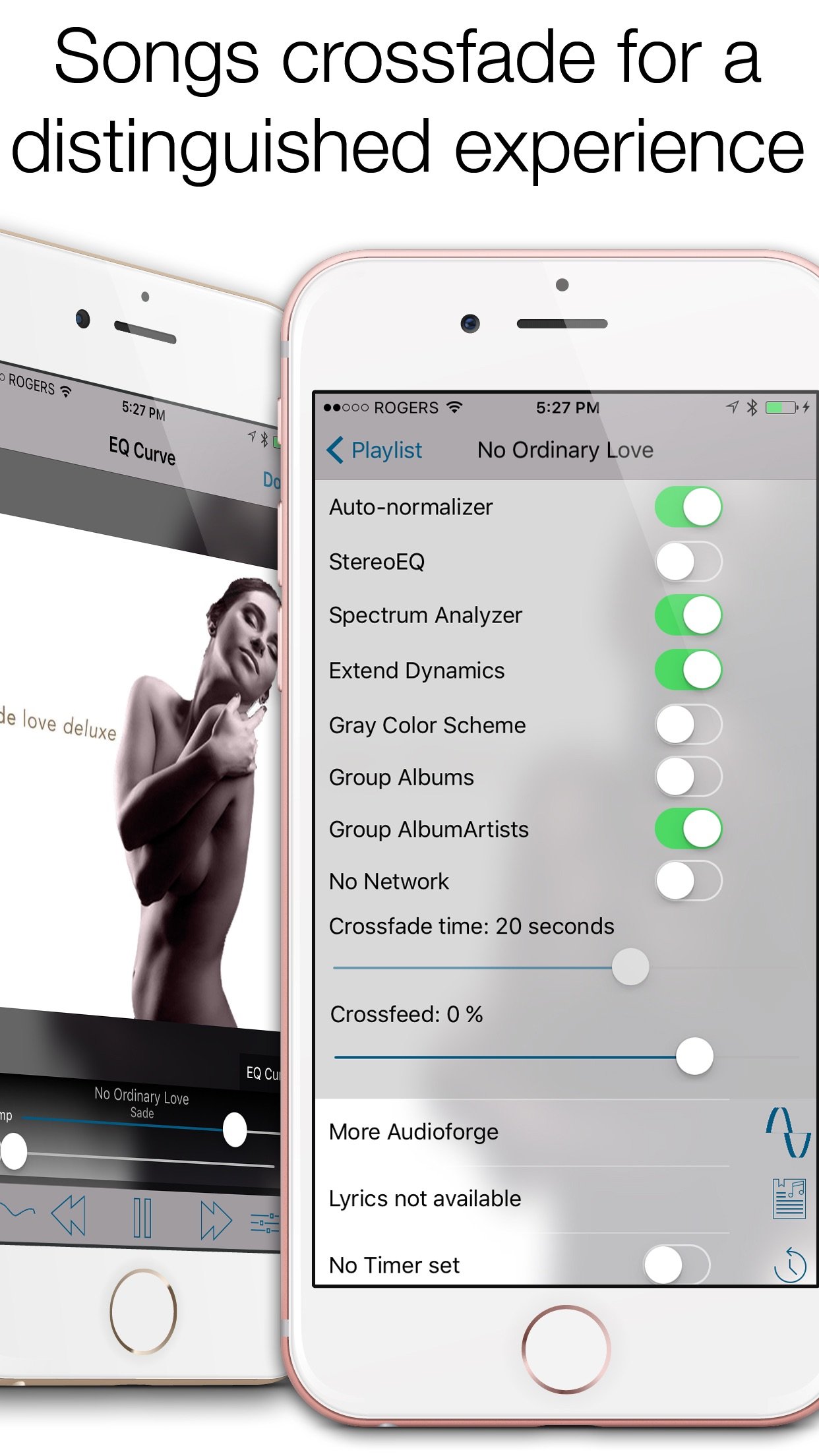
+ Adjust the EQ curve for your left and right ear separately (now extends from -30 to + 30 dB. Use the StereoEQ setting for that)
+ Select from over 10 presets or save your own. You can even share them via email and import presets from other people via email.
+ Full background support including remote control (from docks, headsets, car stereos)
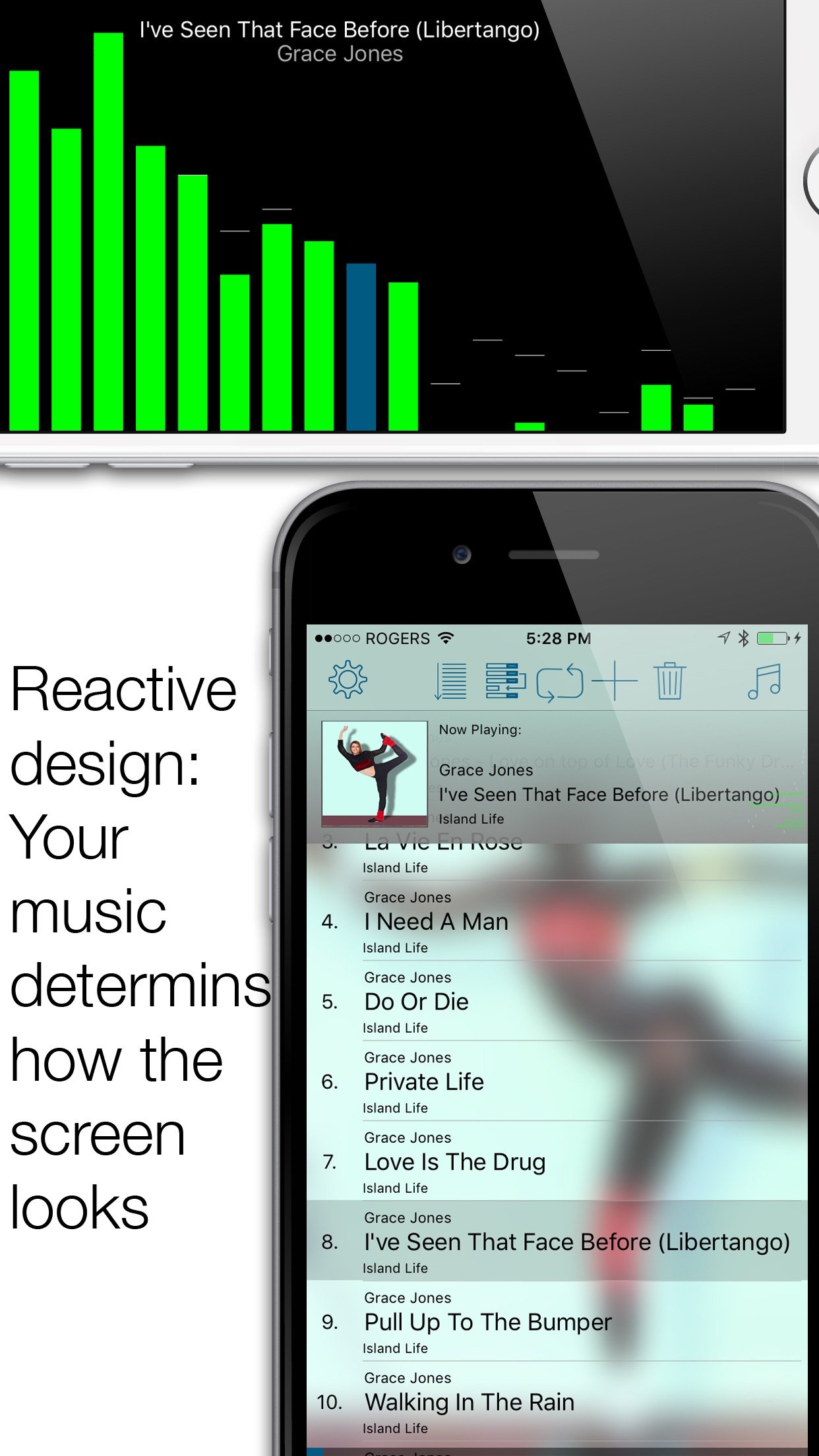
+ Visualize the music with the spectrum analyzer.
+ Use AirPlay to listen on your AppleTV, or your Bluetooth headsets and even a dock.
+ Use the pre-amp slider to adjust the overall boost or cut. Make sure to turn the slider down if you experience distortion. Use the auto-normalizer function to prevent clipping automatically and have the best dynamic range possible with your eq curve. (on/off in settings)
+ Curve screen: curve redraws as controllers are dragged. Pinch to modify Q. Three stage clipping signal on preamp slider. Keyboard entry for pre-amp. Twitter/Facebook/Weibo integration to share your current EQ curve. Bypass.
+ Crossfade between songs. Make sure to stop the music before changing the crossfade time slider.
+ Now playing screen includes repeat (all, single no repeat) button and shuffles like the music app. Improved stability of on the fly modifications of the playlist. Add more songs to the playlist at any time. Sort playlist alphabetically.
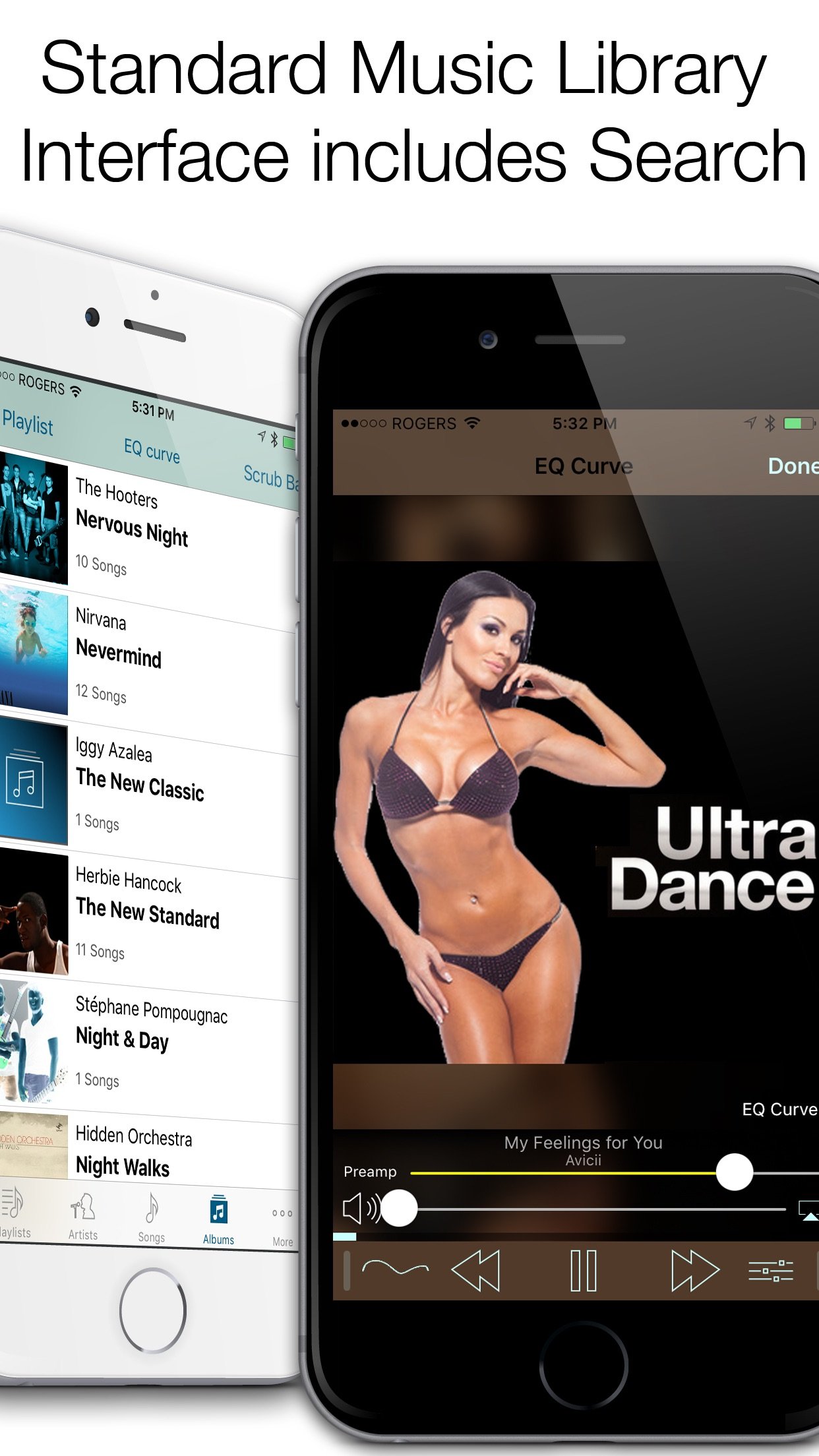
+ Music selection is very similar to default music app.
+ Turn landscape to display the frequency analyzer.
+ Built in sleep timer to stop Equalizer after a certain period if time.
+ Crossfeed option to blend audio between channels
+ Apple Watch support for eq curve selection incl. complications
KNOWN ISSUES:
No known issues. please contact support if you have any problems.
COPY-PROTECTED MUSIC:
Equalizer will not play copy-protected (DRM). You need to convert DRM songs. Apple Music Streaming uses copy-protected songs.
iCLOUD:
Only the Apple Music app can manage songs in iCloud (iTunes Match). You will need to make sure the songs are downloaded to your device to listen and enhance them via Equalizer. If you want to stream and eq your music, you can try our other app: CloudEQ. It allows you to stream and eq music from SoundCloud and your Dropbox account without the need for storage on your device.
From the reviews:
EXCELLENT PROGRAM
I connect my iphone 4 to a car audio system, with the application the music began to sound incomparably better ....
A little clear interface, but to understand it and understand need no more than 5-10 minutes. -- P_S_B_
***
LOVE IT
This is the EQ I have been looking for, and because of bad ratings I almost passed on it! I consider myself an aspiring audiophile and have the equipment -- Klipsch, Sunfire, Nottingham, Denon, Paradigim, etc. -- (and debt) to back it up. This EQ performs flawlessly and is very easy to use. It enhanced my music dramatically. Yes, dramatically! Just make sure you are running the recommended IOS, as the developer suggests. -- J. Paul DiMaggio
***
PLEASE if you have concerns or encounter problems with the app: post on [link removed] and we will explain how things work, until you can use all the features of the app to the fullest. Thank you
License: Commercial
| Release info | New Release on Oct 30, 2025 |
|---|---|
| Release notes | Bug fixes for new iOS versions |
| Listing data | App Store |
Reviews
No reviews yet. Be the first to review Equalizer.
Used Equalizer? Tell other visitors what you thought.
Log in to write a reviewOther products by this publisher
- "No Distractions" for YouTube 4.10 ----
- #Bible 11.6.1 "Incredible App - My sister shared this app with me a few weeks ago and it is truly incredible.
- #filmphotography 1.4.2 So, you decided to shoot on film?
- #LookBusy Fake Calendar Events 1.0.6 Look Busy scans your work calendar for open time slots and fills them with realistic-looking (but secretly fake) work events.
- #Small Talk Is Canceled 1.0.2 #Small Talk Is Canceled — Conversations That Matter
Most viewed iOS Photo & Video
-
1
 ShortDiShow 2.0
Drama Quest Island — An offline interactive short-drama adventure.
-
2
 Face Witness 1.0.4
FaceWitness lets you create a face by putting together individual features.
-
3
 Infuse 8.5.10
Infuse: Enterprise provides the same great features as the standard version of Infuse and includes permanent access to all Pro features via a traditional paid app.
-
4
 AI Video Generator 2.0.3
Vixel – AI Video Generator
- 5 #filmphotography 1.4.2 So, you decided to shoot on film?
-
6
 OPlayer 4.8
Play all your videos directly without having to convert them!
-
7
 CapCut 20.3.0
CapCut is an all-in-one video editing solution that offers essential editing features, creative effects, AI tools, filters, stickers, and fonts, and a wide range of video templates to empower users to easily create incredible videos regardless of th…
-
8
 Ai Photo 1.1.2
AI Photo Retouch – BG Eraser
-
9
 Necrometer II 1.3
Necrometer II is a paranormal investigation companion designed for ghost hunters and researchers.
-
10
 Analog Radio 3.0
The iPhone and iPad devices don't have the FM/AM radio antenna installed.
Most downloaded iOS Photo & Video
-
1
 DJI Fly 1.21.18
DJI Fly is designed to help pilots fly drones with ease.
-
2
Infuse 8.5.10
Infuse: Enterprise provides the same great features as the standard version of Infuse and includes permanent access to all Pro features via a traditional paid app.
-
3
 TurboCollage Automatic 1.2.4
#1 Easy automatic photo collage maker for iPhone & iPad.
-
4
 ReelyGo 1.1.60
ReelyGo: Your Daily Drama Escape
-
5
Analog Radio 3.0
The iPhone and iPad devices don't have the FM/AM radio antenna installed.
-
6
 Rozeta Sequencer Suite 1.3.16
Rozeta is a suite of MIDI sequencers and controllers that lets you explore a new, freeform approach to sequencing and controlling mobile music apps.
-
7
 AGAIN. Rehearsal Notes 2.0.1
AGAIN. is the rehearsal app that remembers why the band stopped — and, new in Version 2, who said what in a writing session or a table read.
-
8
 Pop Dot Comics 1.48
Create a comic worthy of the Sunday newspaper or your favorite pulp-fiction cover.
-
9
 Treblo 1.6.6
Make songs with the world's best AI music model.
-
10
 Sun Scout 1.5.0
If your work or play requires sunlight, Sun Scout is built for you.