
eDrawings Pro 34.2.0057
eDrawings® Pro is the professional 2D and 3D CAD collaboration app for the iPad, iPhone and iPod Touch that can view native SolidWorks® files (part, assembly, drawings), eDrawings files and DraftSight® (DWG™, DXF™) files.
Download
192.86 MB
7downloads
3this week
FreeCommercial
0reviews
Screenshots
About eDrawings Pro
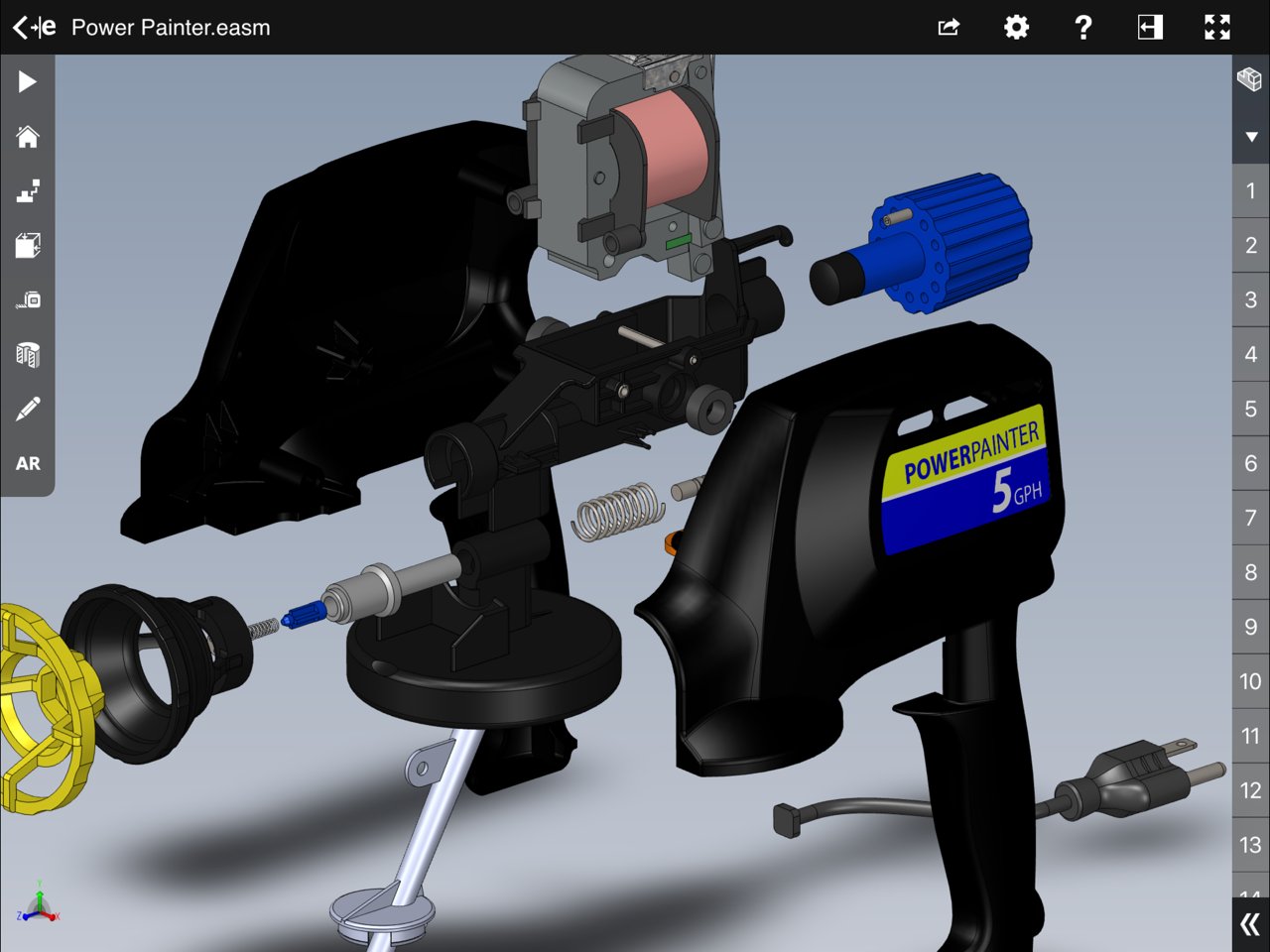
eDrawings® Pro is the professional 2D and 3D CAD collaboration app for the iPad, iPhone and iPod Touch that can view native SolidWorks® files (part, assembly, drawings), eDrawings files and DraftSight® (DWG™, DXF™) files. You can easily view models and access configurations, drawing sheets, and exploded views for eDrawings files published from SolidWorks and all other supported CAD software.
Markup! Measure! Section! eDrawings® Pro takes you to the next level of 2D and 3D collaboration with more functionality, including dynamic cross section views, measurements, markups & annotations and the unique ability to share it all by email!
eDrawings includes Augmented Reality (AR). This allows you to view your 3D models in 1:1 scale into the real world. By simply activating the device’s camera, you can bring your virtual 3D designs in a real context and see them in situ, sitting on your desk or on your conference room table or even in the palm of your hand, through your iPad, Pad mini, iPhone or iPod Touch’s screen. Move around the room and see your design from any perspective.
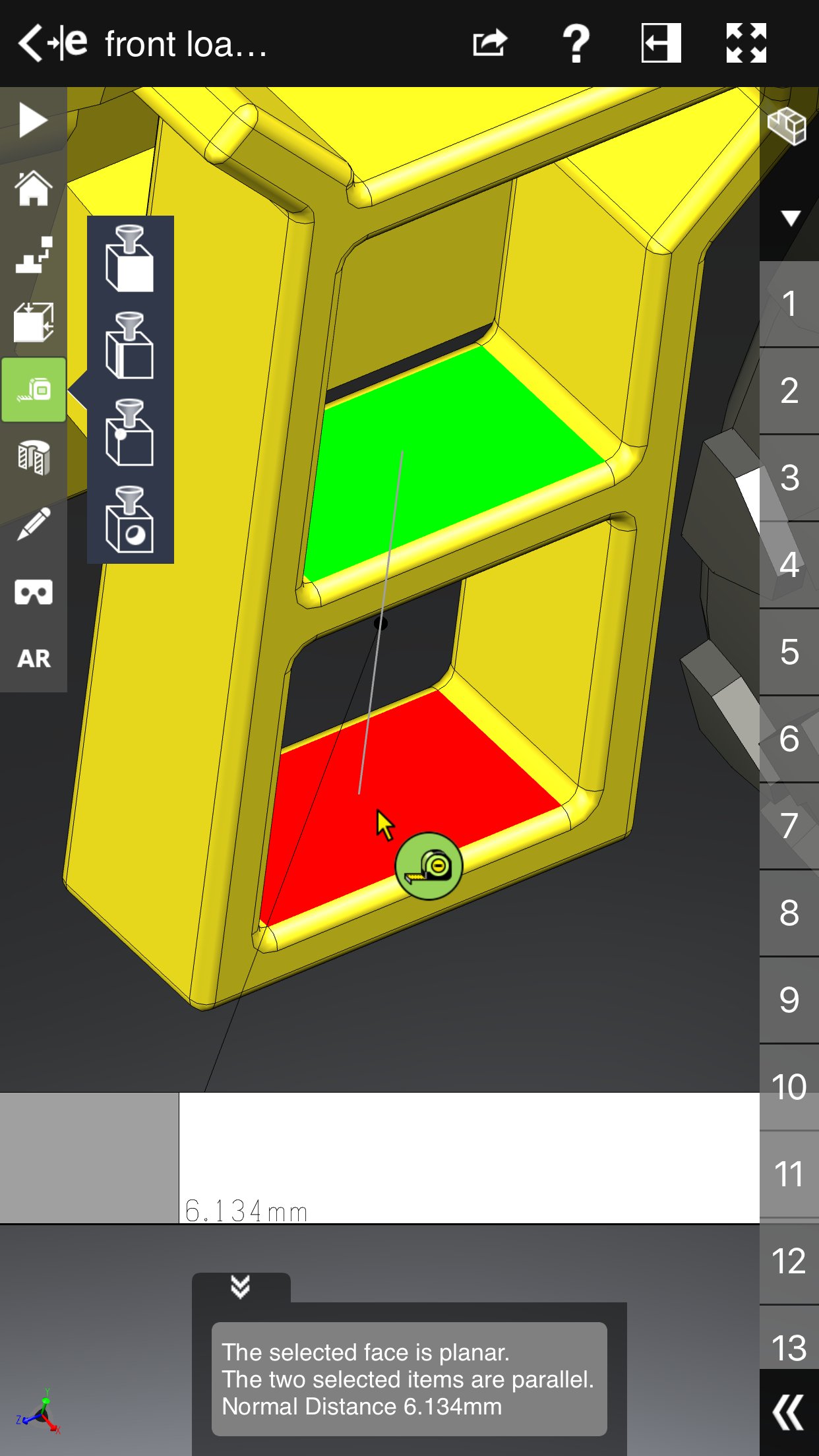
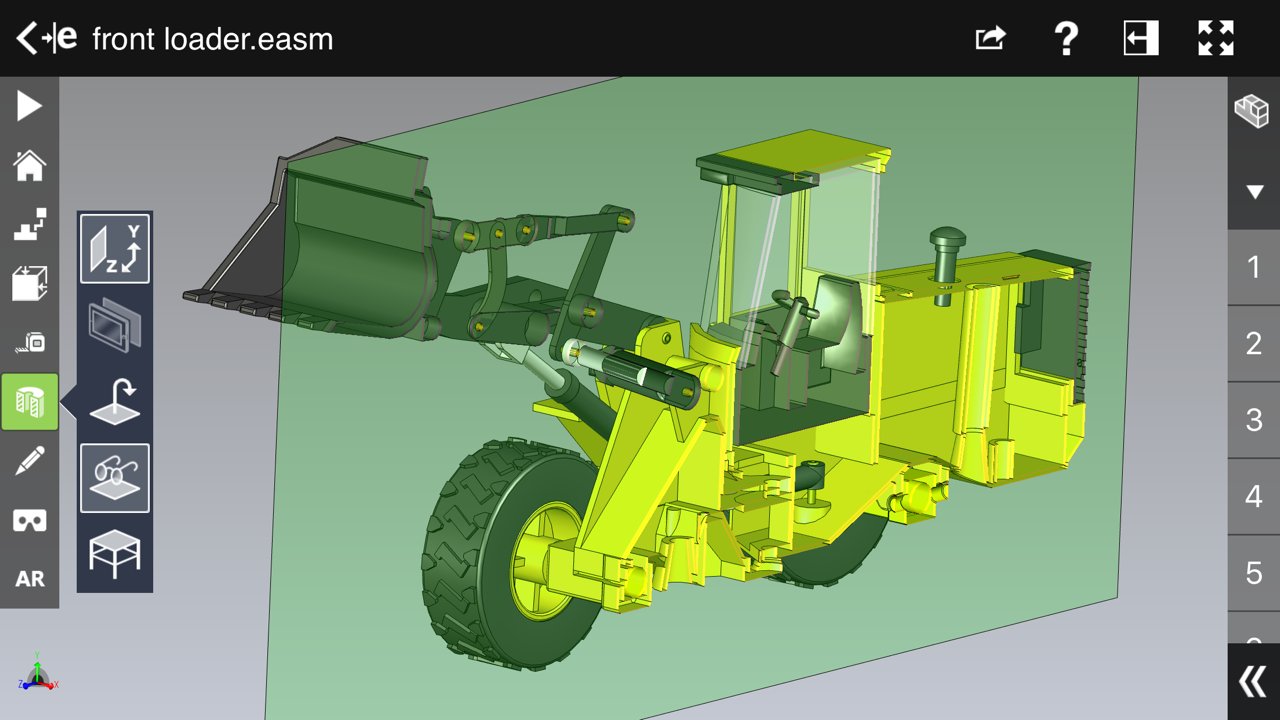
With an intuitive user interface, eDrawings® Pro enables you to dynamically view cross sections of your models in XY, YZ, or ZX directions from both sides and easily drag the cross section plane on screen or with a convenient slider. You can also measure distances in your designs, with easy-to-use selection filters for faces, edges, vertices and holes.
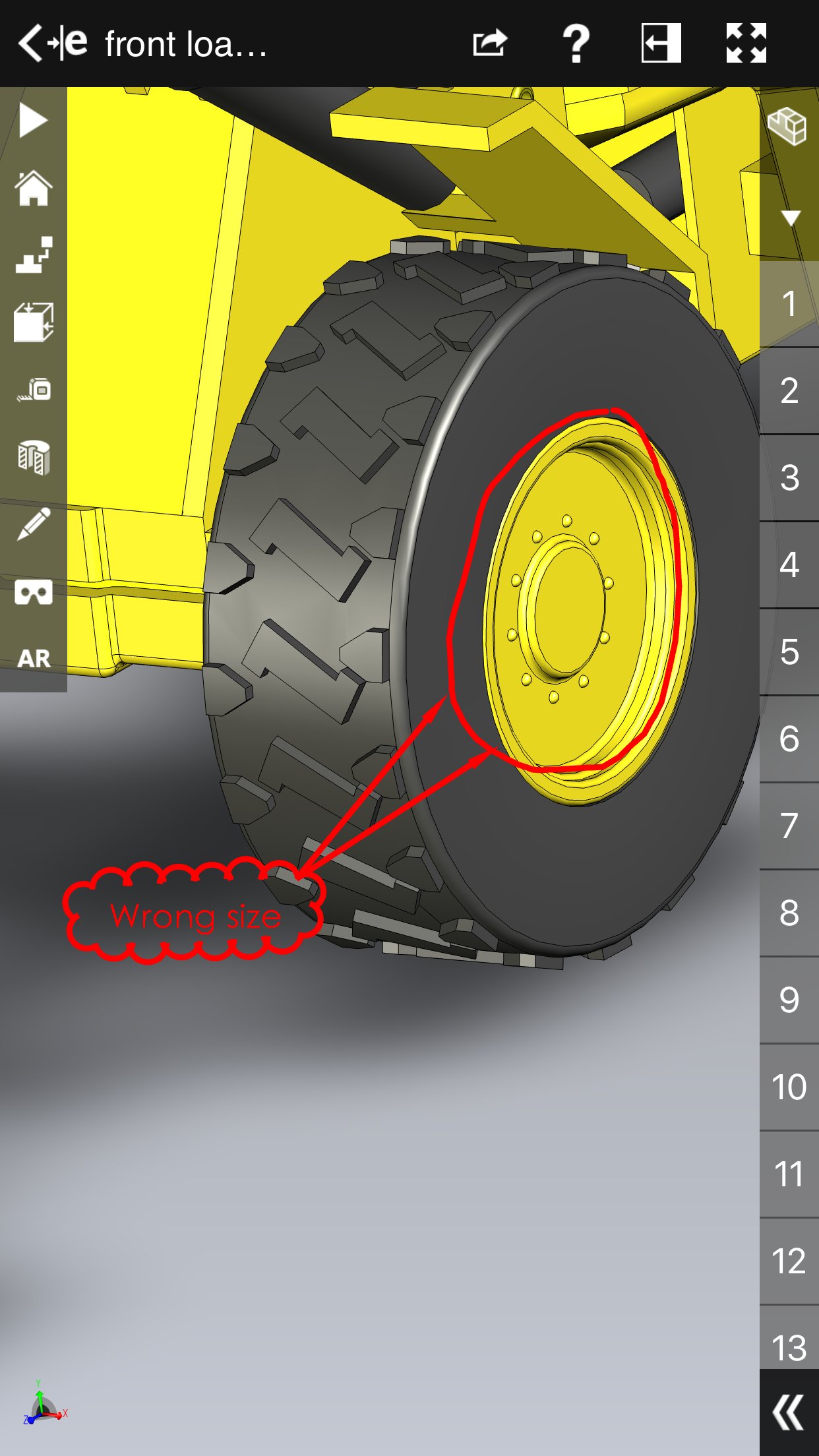
With eDrawings® Pro you can create markups on your drawings, including text notes, freehand notations, dimensions, cross-section views, photos and camera snapshots.
You can share your marked up eDrawings files with others for review and further comments. All markups with history are saved within the eDrawings file.
Features:
* Intuitive and easy-to-use user interface
* Visualize your 3D models in real context with Augmented Reality (AR)
* Open 3D (EASM, EPRT, SLDASM, SLDPRT, IGES, IGS, JT, STEP, STP, IFC), 2D (EDRW, SLDDRW, DWG, DXF) and associated files from any source: email attachments, cloud storage services (Dropbox™, SkyDrive®, Google Drive, YouSendIt®, and others), web and FTP sites, networks, and iTunes® File Sharing.
* Zoom, pan, and rotate your 3D and 2D CAD data using multi-touch
* Browse your assembly components tree, model configurations and drawing sheets
* Hide, show, or make components transparent
* Select View mode: standard orthogonal views, shaded with edges, perspective view
* Play animated 3D standard views as well as 2D drawing views
* View your designs in full screen and double tap to fit it on screen
* Double tap zooms to drawing views
* Markup your designs and send to others and read others’ markups
* Measure your design data
* View cross sections of your 3D designs, even in AR mode
* Adapt the scale of your 3D model in AR mode
* Freeze the background in AR mode with viewpoint lock to prolong AR experience without holding up your device.
* Sample files included
For more information, visit:
[link removed]
License: Commercial
Markup! Measure! Section! eDrawings® Pro takes you to the next level of 2D and 3D collaboration with more functionality, including dynamic cross section views, measurements, markups & annotations and the unique ability to share it all by email!
eDrawings includes Augmented Reality (AR). This allows you to view your 3D models in 1:1 scale into the real world. By simply activating the device’s camera, you can bring your virtual 3D designs in a real context and see them in situ, sitting on your desk or on your conference room table or even in the palm of your hand, through your iPad, Pad mini, iPhone or iPod Touch’s screen. Move around the room and see your design from any perspective.
With an intuitive user interface, eDrawings® Pro enables you to dynamically view cross sections of your models in XY, YZ, or ZX directions from both sides and easily drag the cross section plane on screen or with a convenient slider. You can also measure distances in your designs, with easy-to-use selection filters for faces, edges, vertices and holes.
With eDrawings® Pro you can create markups on your drawings, including text notes, freehand notations, dimensions, cross-section views, photos and camera snapshots.
You can share your marked up eDrawings files with others for review and further comments. All markups with history are saved within the eDrawings file.
Features:
* Intuitive and easy-to-use user interface
* Visualize your 3D models in real context with Augmented Reality (AR)
* Open 3D (EASM, EPRT, SLDASM, SLDPRT, IGES, IGS, JT, STEP, STP, IFC), 2D (EDRW, SLDDRW, DWG, DXF) and associated files from any source: email attachments, cloud storage services (Dropbox™, SkyDrive®, Google Drive, YouSendIt®, and others), web and FTP sites, networks, and iTunes® File Sharing.
* Zoom, pan, and rotate your 3D and 2D CAD data using multi-touch
* Browse your assembly components tree, model configurations and drawing sheets
* Hide, show, or make components transparent
* Select View mode: standard orthogonal views, shaded with edges, perspective view
* Play animated 3D standard views as well as 2D drawing views
* View your designs in full screen and double tap to fit it on screen
* Double tap zooms to drawing views
* Markup your designs and send to others and read others’ markups
* Measure your design data
* View cross sections of your 3D designs, even in AR mode
* Adapt the scale of your 3D model in AR mode
* Freeze the background in AR mode with viewpoint lock to prolong AR experience without holding up your device.
* Sample files included
For more information, visit:
[link removed]
License: Commercial
| Release info | New Release on Apr 16, 2026 |
|---|---|
| Release notes | Bug Fixes |
| Listing data | App Store |
Reviews
No reviews yet. Be the first to review eDrawings Pro.
Used eDrawings Pro? Tell other visitors what you thought.
Log in to write a reviewOther products by this publisher
- "No Distractions" for YouTube 4.10 ----
- #Bible 11.6 "Incredible App - My sister shared this app with me a few weeks ago and it is truly incredible.
- #filmphotography 1.4.2 So, you decided to shoot on film?
- $quirrel 1.5.1 $quirrel Budget & Finance helps you plan each paycheck, track spending, manage debt, and see what is safe to spend before the next payday.
- % Percentage Calculator Pro 1.41 This is the Pro version of % Percentage Calculator.
Most viewed iOS Productivity
-
1
 WordPress 27.4
Manage or create your WordPress blog or website right from your iOS device: create and edit posts and pages, upload your favorite photos and videos, view stats and reply to comments.
- 2 Voice Translator - Alive 1.6 Translation app that turns your iPhone into an interpreter instantly.
-
3
 Claude by Anthropic 1.261109.19
Meet Claude, your AI problem solver and thinking partner.
- 4 "No Distractions" for YouTube 4.10 ----
- 5 (beat) for iOS 0.5.10 An elegant Fountain screenwriting app, created by a screenwriter for screenwriters.
-
6
 DeepSeek 2.7.5
Experience seamless interaction with DeepSeek's official AI assistant for free!
-
7
 Life360 26.42.0
Whether at home, online, or on the move, our comprehensive family safety features bring peace of mind to your loved ones AND help safeguard your personal belongings.
-
8
 Howbout 16.7.0
The shared calendar for friends, couples, and family
-
9
 WristMemo 2.0
WristMemo turns your Apple Watch into an all-day voice recorder.
-
10
 Plot Digitizer 1.4.1
Plot Digitizer is an app to extract numerical data from plot images.
Most downloaded iOS Productivity
- 1 Voice Translator - Alive 1.6 Translation app that turns your iPhone into an interpreter instantly.
-
2
DeepSeek 2.7.5
Experience seamless interaction with DeepSeek's official AI assistant for free!
-
3
 SessionsAI 1.2.1
Sessions AI is a private AI workspace that runs entirely on your iPhone, iPad, or Mac.
-
4
 Voices AI 1.16.15
Discover Voices, the premier voice transformation app designed exclusively for iOS.
-
5
 Block Distracting Websites 1.11
"It's a great way to save time, and stop browsing Reddit when you should be doing coursework."
-
6
Plot Digitizer 1.4.1
Plot Digitizer is an app to extract numerical data from plot images.
-
7
 Google Docs 1.2026.45104
Create, edit, and collaborate on online documents with the Google Docs app.
-
8
 Pixy Mood Tracker 1.110.0
Track your mood, one pixel at a time.
-
9
 VPN 2.61.0
VPN - Super Unlimited Proxy is a free VPN and proxy app for iPhone, iPad, Mac and Apple Vision Pro.
-
10
Life360 26.42.0
Whether at home, online, or on the move, our comprehensive family safety features bring peace of mind to your loved ones AND help safeguard your personal belongings.