
0downloads
0this week
FreeFreeware
0reviews
Screenshots
About Dunovi
Keep the lines, questions, and decisions behind an interface.
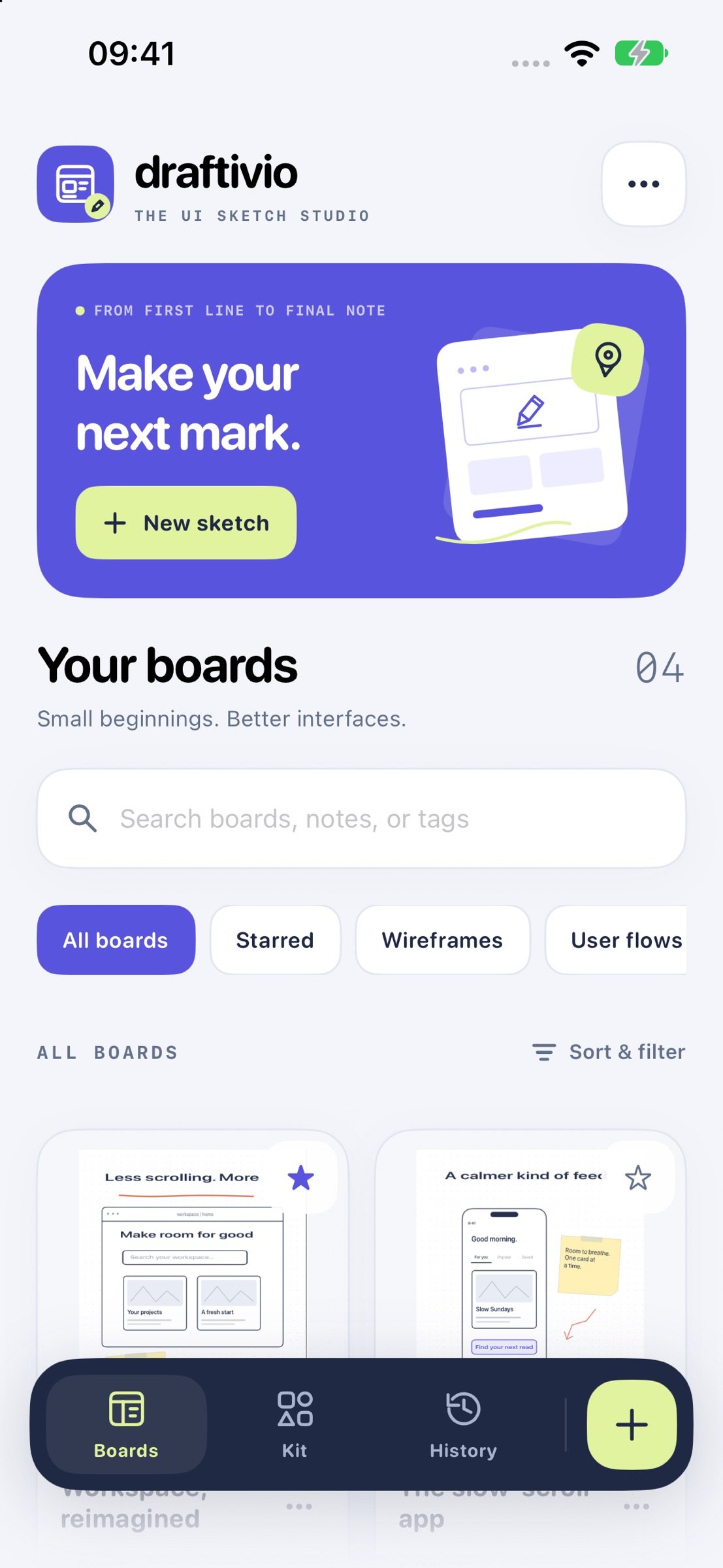
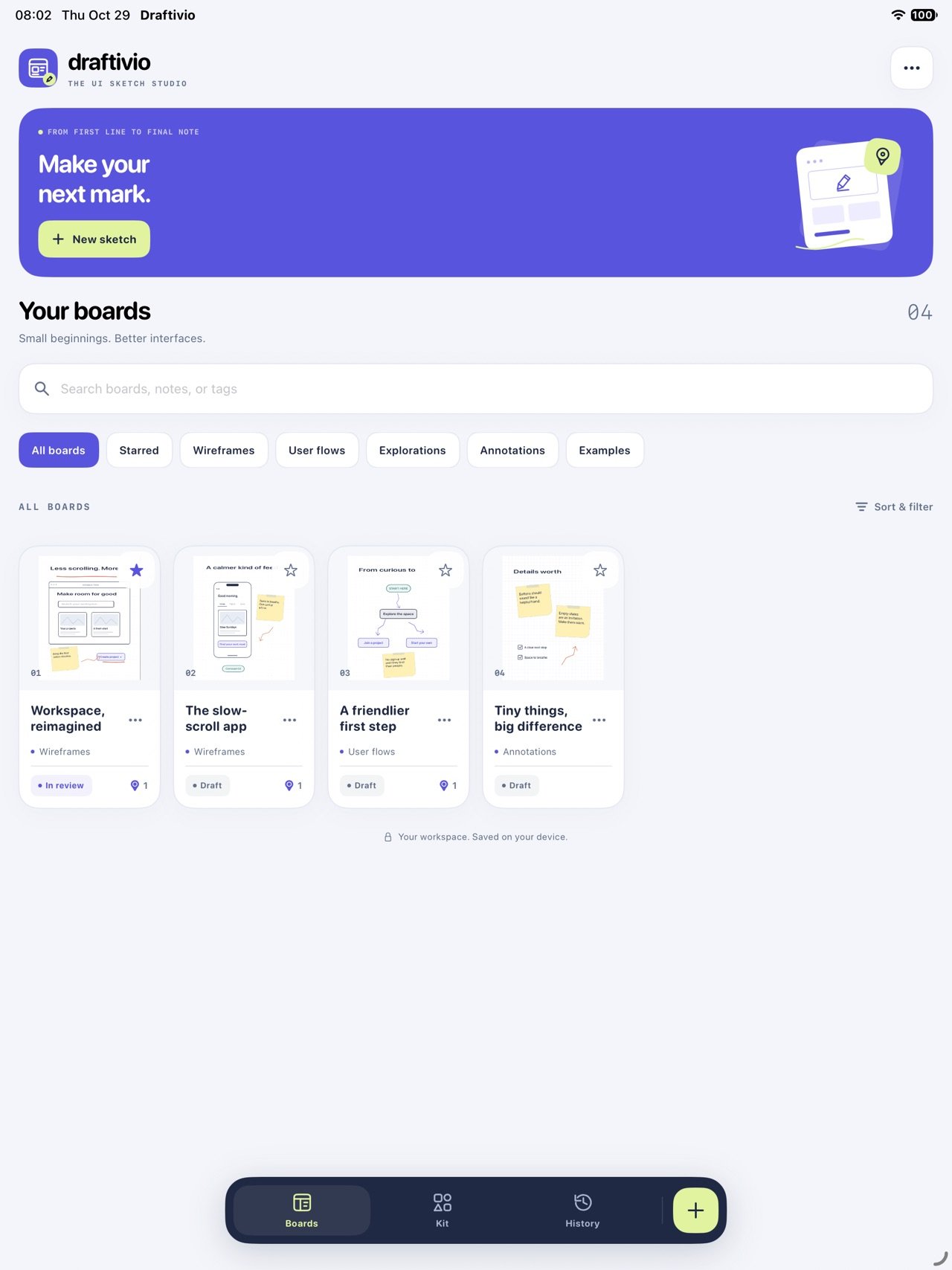
Draftivio is a focused workspace for UI sketches and design annotations on iPhone and iPad. Draw an early idea, build with reusable components, pin the details that need attention, and carry the context into your next revision.
SKETCH THE FIRST VERSION
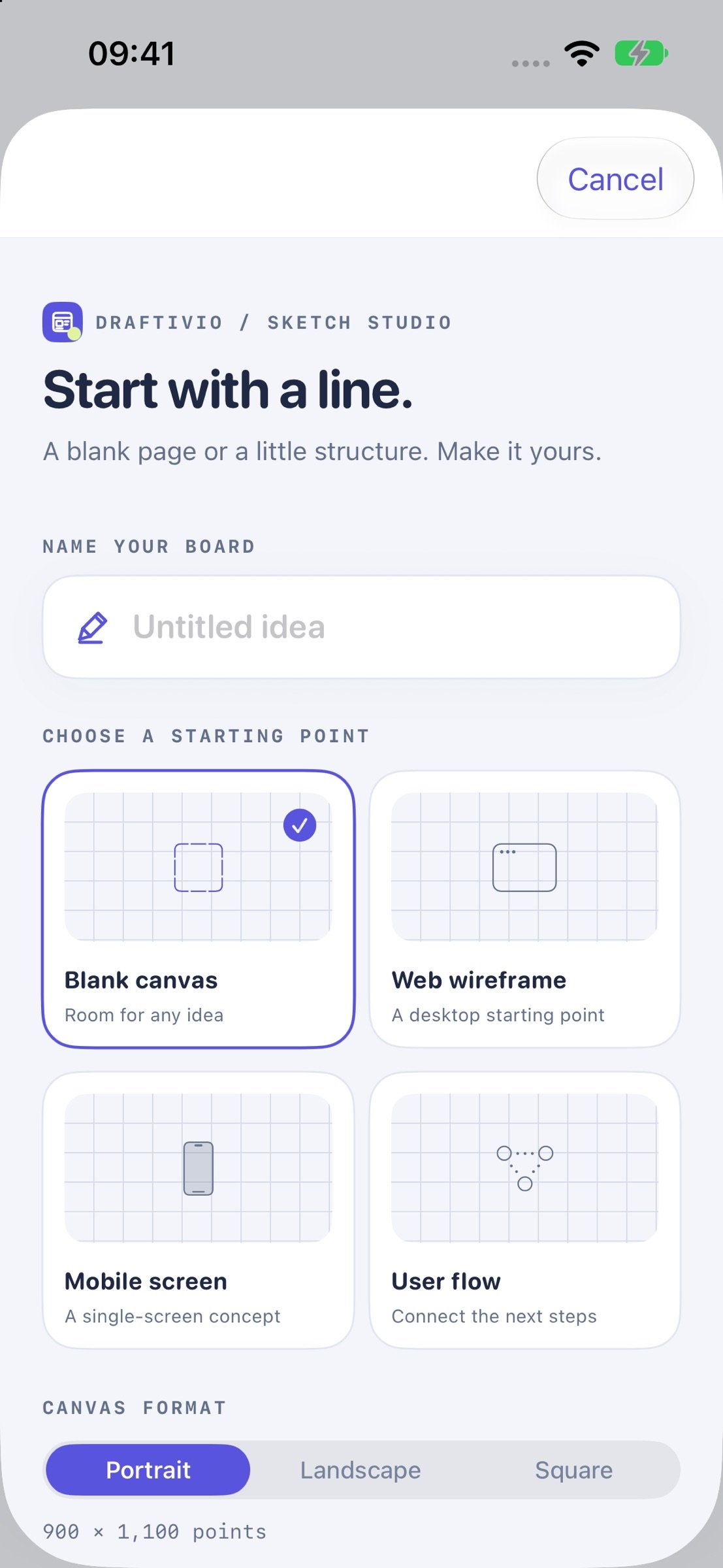
Draw with your finger or use Apple Pencil on a compatible iPad. Work with pen, pencil, marker, eraser, and lasso tools, adjustable stroke widths, and ink colors. Start with a blank canvas or an editable Web, Mobile, or User Flow starting point.
GIVE IDEAS THEIR OWN LAYERS
Separate interface elements, handwriting, and annotations. Add, rename, duplicate, reorder, hide, or lock layers and adjust their opacity. Import a reference screenshot and draw on independent layers above it.
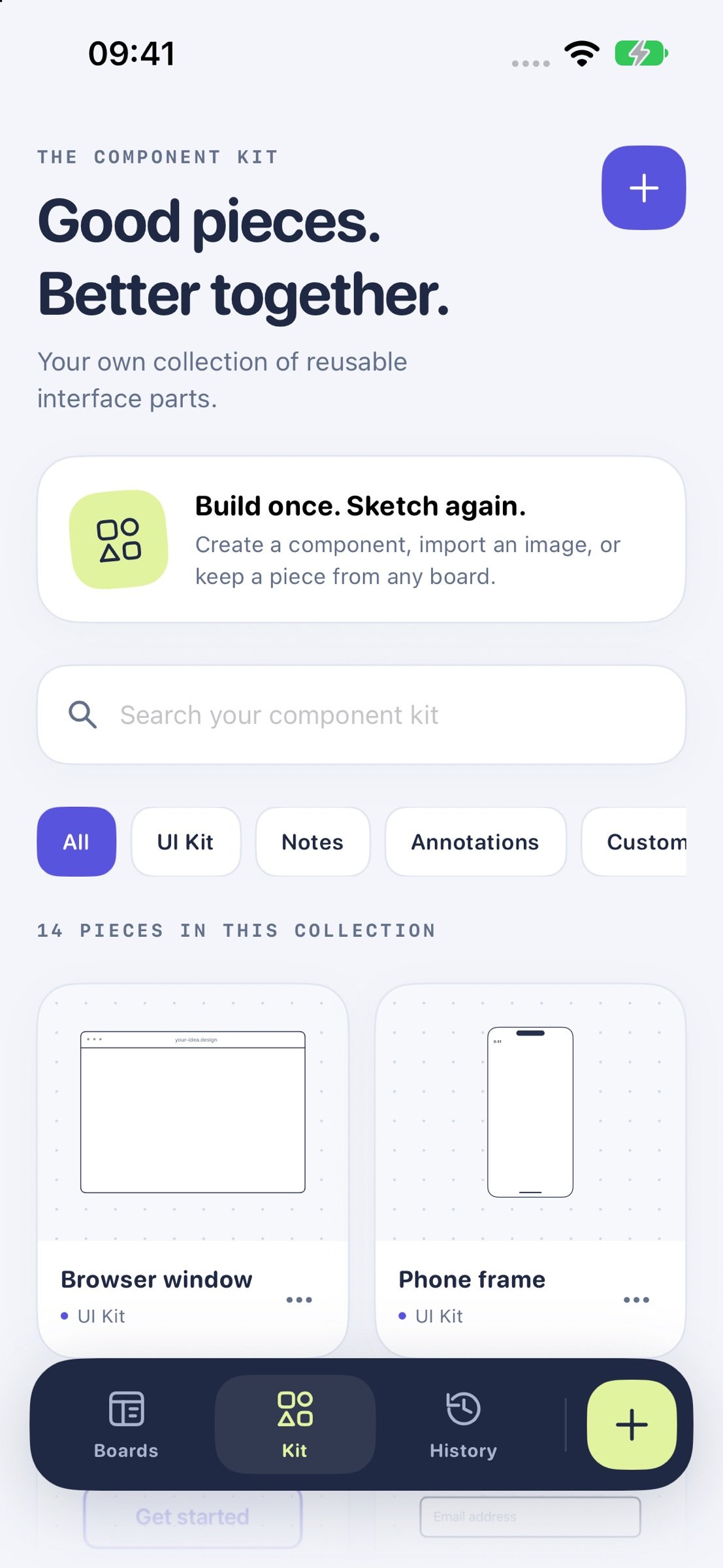
BUILD A PERSONAL COMPONENT KIT
Place browser and phone frames, buttons, inputs, cards, notes, arrows, and more. Edit supported labels, set exact dimensions and positions, rotate, align, and snap components to a grid. Create your own pieces, import images, or save a component or a whole layer for reuse on another board.
TURN ANNOTATIONS INTO ACTION
Place numbered review issues at specific points on a sketch. Record a category, priority, expected behavior, and resolution. Attach an issue to a component so the pin follows it as it moves. Use the Review desk to locate open issues, record outcomes, and keep the design goal, constraints, and decisions together.
KEEP THE HISTORY BEHIND THE DESIGN
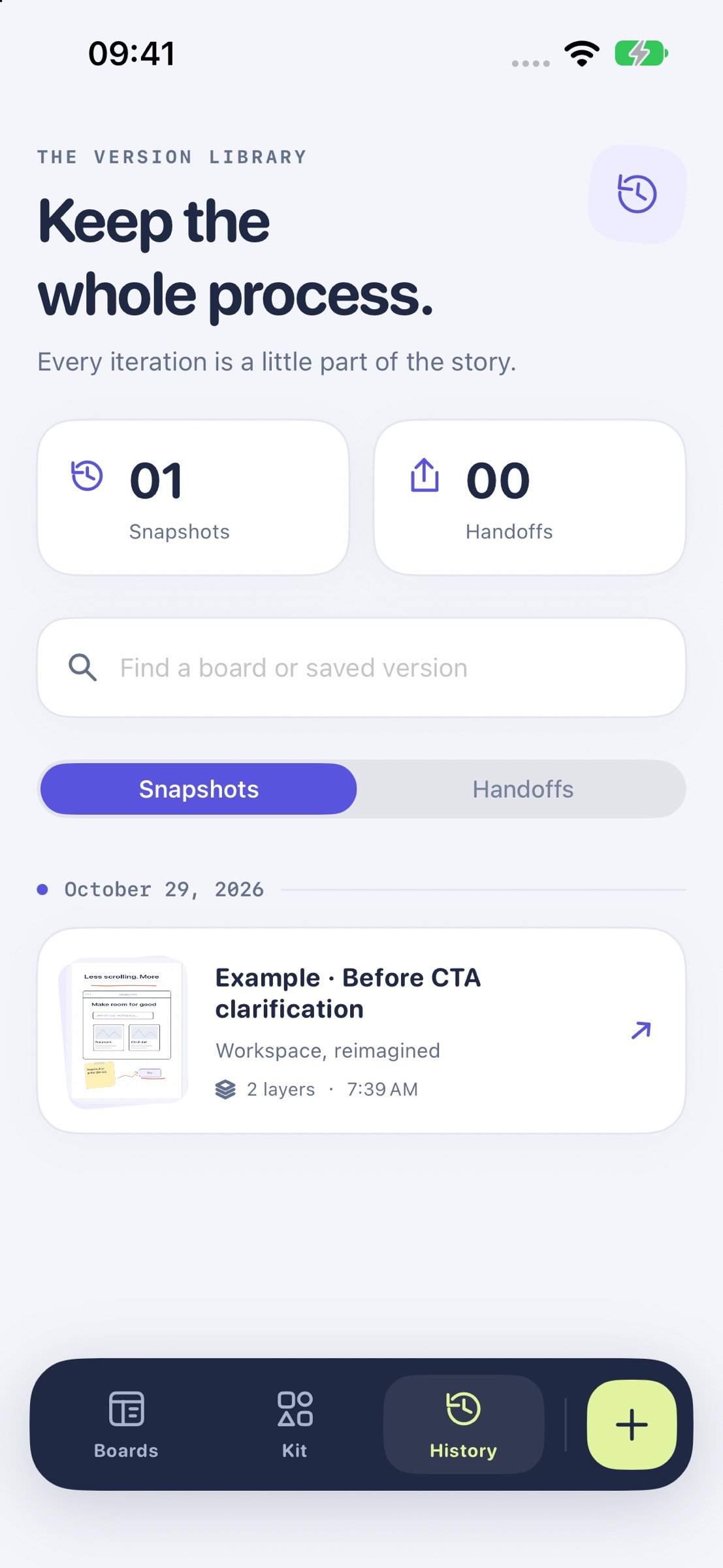
Save named snapshots and compare them with your current work using a wipe preview and change summaries. Inspect changes to layers, components, ink, and review records. Restore a version with a safety snapshot first, or bring it back as a separate board. Add evidence to manual review checks before marking work ready for handoff.
When the design or brief changes, previously completed checks are marked for another review while their earlier evidence is preserved.
SHARE MORE THAN A PICTURE
Export transparent PNGs at 1x, 2x, or 3x, with optional paper and open review pins. Share an editable .draftivio file, or send three separate handoff files: an annotated image, Markdown review notes, and the editable board. Import a shared file to continue working on an independent copy.
After the system reports sharing completed, revisit the saved board state in History > Handoffs. Compare that version with current work or restore it as a new board.
MAKE YOUR LIBRARY USEFUL AGAIN
Organize boards with tags, stars, and design stages. Search titles, goals, and issue text to find the idea you want to revisit.
BACK UP AND RECOVER YOUR WORKSPACE
Restore deleted boards from Trash. Export a complete workspace backup with boards, components, tags, snapshots, Trash, and handoff records. Preview a backup before importing it as independent copies alongside your existing work.
Work offline without an account. Sketches are stored locally, and files are shared through the system share sheet to a destination you choose.
License: Free
Draftivio is a focused workspace for UI sketches and design annotations on iPhone and iPad. Draw an early idea, build with reusable components, pin the details that need attention, and carry the context into your next revision.
SKETCH THE FIRST VERSION
Draw with your finger or use Apple Pencil on a compatible iPad. Work with pen, pencil, marker, eraser, and lasso tools, adjustable stroke widths, and ink colors. Start with a blank canvas or an editable Web, Mobile, or User Flow starting point.
GIVE IDEAS THEIR OWN LAYERS
Separate interface elements, handwriting, and annotations. Add, rename, duplicate, reorder, hide, or lock layers and adjust their opacity. Import a reference screenshot and draw on independent layers above it.
BUILD A PERSONAL COMPONENT KIT
Place browser and phone frames, buttons, inputs, cards, notes, arrows, and more. Edit supported labels, set exact dimensions and positions, rotate, align, and snap components to a grid. Create your own pieces, import images, or save a component or a whole layer for reuse on another board.
TURN ANNOTATIONS INTO ACTION
Place numbered review issues at specific points on a sketch. Record a category, priority, expected behavior, and resolution. Attach an issue to a component so the pin follows it as it moves. Use the Review desk to locate open issues, record outcomes, and keep the design goal, constraints, and decisions together.
KEEP THE HISTORY BEHIND THE DESIGN
Save named snapshots and compare them with your current work using a wipe preview and change summaries. Inspect changes to layers, components, ink, and review records. Restore a version with a safety snapshot first, or bring it back as a separate board. Add evidence to manual review checks before marking work ready for handoff.
When the design or brief changes, previously completed checks are marked for another review while their earlier evidence is preserved.
SHARE MORE THAN A PICTURE
Export transparent PNGs at 1x, 2x, or 3x, with optional paper and open review pins. Share an editable .draftivio file, or send three separate handoff files: an annotated image, Markdown review notes, and the editable board. Import a shared file to continue working on an independent copy.
After the system reports sharing completed, revisit the saved board state in History > Handoffs. Compare that version with current work or restore it as a new board.
MAKE YOUR LIBRARY USEFUL AGAIN
Organize boards with tags, stars, and design stages. Search titles, goals, and issue text to find the idea you want to revisit.
BACK UP AND RECOVER YOUR WORKSPACE
Restore deleted boards from Trash. Export a complete workspace backup with boards, components, tags, snapshots, Trash, and handoff records. Preview a backup before importing it as independent copies alongside your existing work.
Work offline without an account. Sketches are stored locally, and files are shared through the system share sheet to a destination you choose.
License: Free
| Release info | New Release on Nov 04, 2026 |
|---|---|
| Release notes | fix some minor bugs |
| Listing data | App Store |
Reviews
No reviews yet. Be the first to review Dunovi.
Used Dunovi? Tell other visitors what you thought.
Log in to write a reviewOther products by this publisher
- "No Distractions" for YouTube 4.10 ----
- #Bible 11.6 "Incredible App - My sister shared this app with me a few weeks ago and it is truly incredible.
- #filmphotography 1.4.2 So, you decided to shoot on film?
- $quirrel 1.5.1 $quirrel Budget & Finance helps you plan each paycheck, track spending, manage debt, and see what is safe to spend before the next payday.
- % Percentage Calculator Pro 1.41 This is the Pro version of % Percentage Calculator.
Most viewed iOS Photo & Video
-
1
 ShortDiShow 2.0
Drama Quest Island — An offline interactive short-drama adventure.
-
2
 Infuse 8.5.10
Infuse: Enterprise provides the same great features as the standard version of Infuse and includes permanent access to all Pro features via a traditional paid app.
-
3
 AI Video Generator 2.0.3
Vixel – AI Video Generator
-
4
 OPlayer 4.8
Play all your videos directly without having to convert them!
-
5
 Necrometer II 1.2
Necrometer II is a paranormal investigation companion designed for ghost hunters and researchers.
-
6
 CapCut 20.1.0
CapCut offers easy-to-use video editing functions, in-APP fonts and effects, advanced features such as keyframe animation, smooth slow-motion, chroma key, and stabilization, to help you capture and snip moments.
-
7
 Ai Photo 1.1.2
AI Photo Retouch – BG Eraser
- 8 #filmphotography 1.4.2 So, you decided to shoot on film?
-
9
 Treblo 1.6.5
Make songs with the world's best AI music model.
-
10
 Pop Dot Comics 1.48
Create a comic worthy of the Sunday newspaper or your favorite pulp-fiction cover.
Most downloaded iOS Photo & Video
-
1
 DJI Fly 1.21.18
DJI Fly is designed to help pilots fly drones with ease.
-
2
Infuse 8.5.10
Infuse: Enterprise provides the same great features as the standard version of Infuse and includes permanent access to all Pro features via a traditional paid app.
-
3
 Analog Radio 3.0
The iPhone and iPad devices don't have the FM/AM radio antenna installed.
-
4
 TurboCollage Automatic 1.2.4
#1 Easy automatic photo collage maker for iPhone & iPad.
-
5
 Rozeta Sequencer Suite 1.3.16
Rozeta is a suite of MIDI sequencers and controllers that lets you explore a new, freeform approach to sequencing and controlling mobile music apps.
-
6
 ReelyGo 1.1.42
ReelyGo: Your Daily Drama Escape
-
7
Treblo 1.6.5
Make songs with the world's best AI music model.
-
8
Pop Dot Comics 1.48
Create a comic worthy of the Sunday newspaper or your favorite pulp-fiction cover.
-
9
 AGAIN. Rehearsal Notes 2.0.1
AGAIN. is the rehearsal app that remembers why the band stopped — and, new in Version 2, who said what in a writing session or a table read.
-
10
 Sun Scout 1.5.0
If your work or play requires sunlight, Sun Scout is built for you.