20downloads
1this week
FreeCommercial
0reviews
Screenshots
About Due
Due remembers all the things that you need so you don't have to.
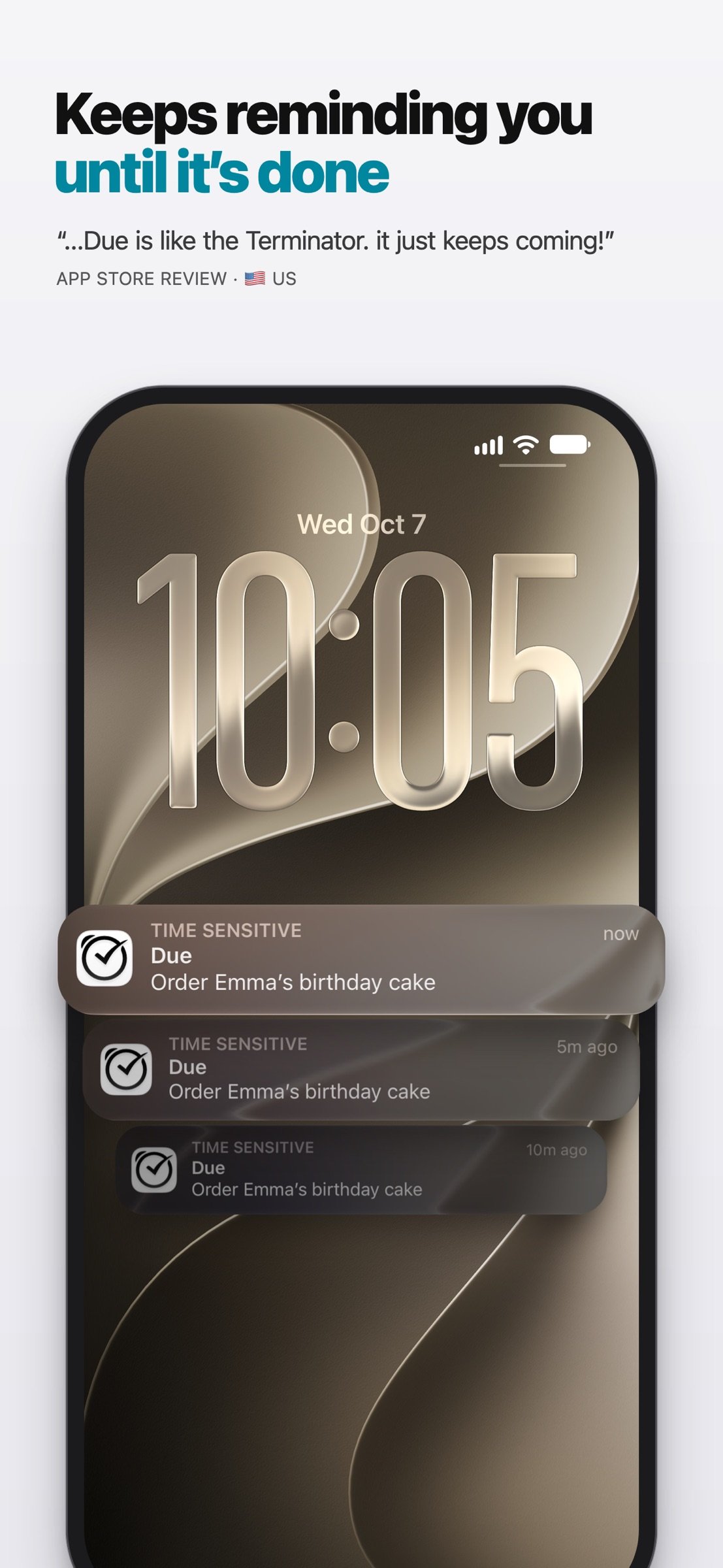
It reminds you again and again until you act, so it’s impossible to forget anything.
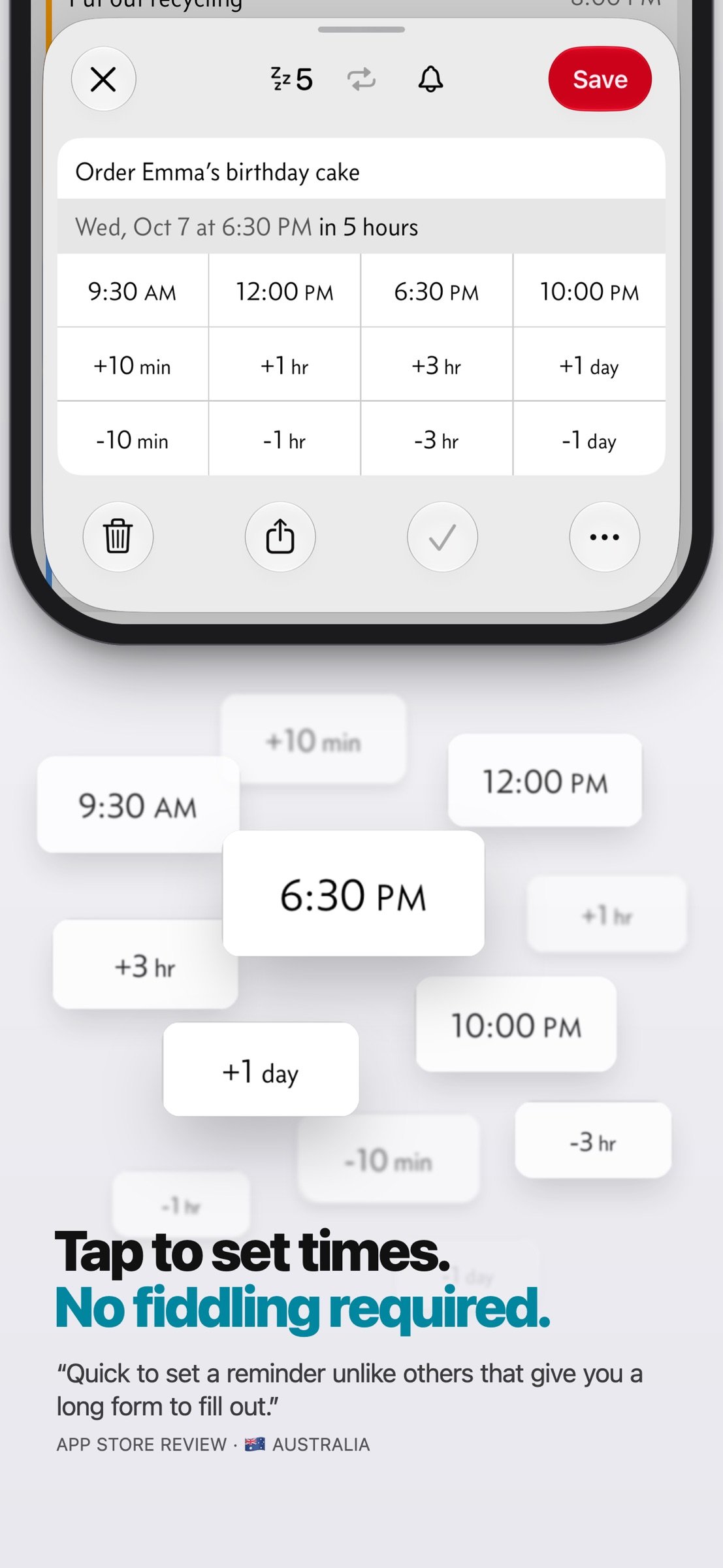
And it's lightning-fast to set and postpone reminders, all thanks to a clever time picker and natural date parsing.
KEY FEATURES
1. Persistent & Effective
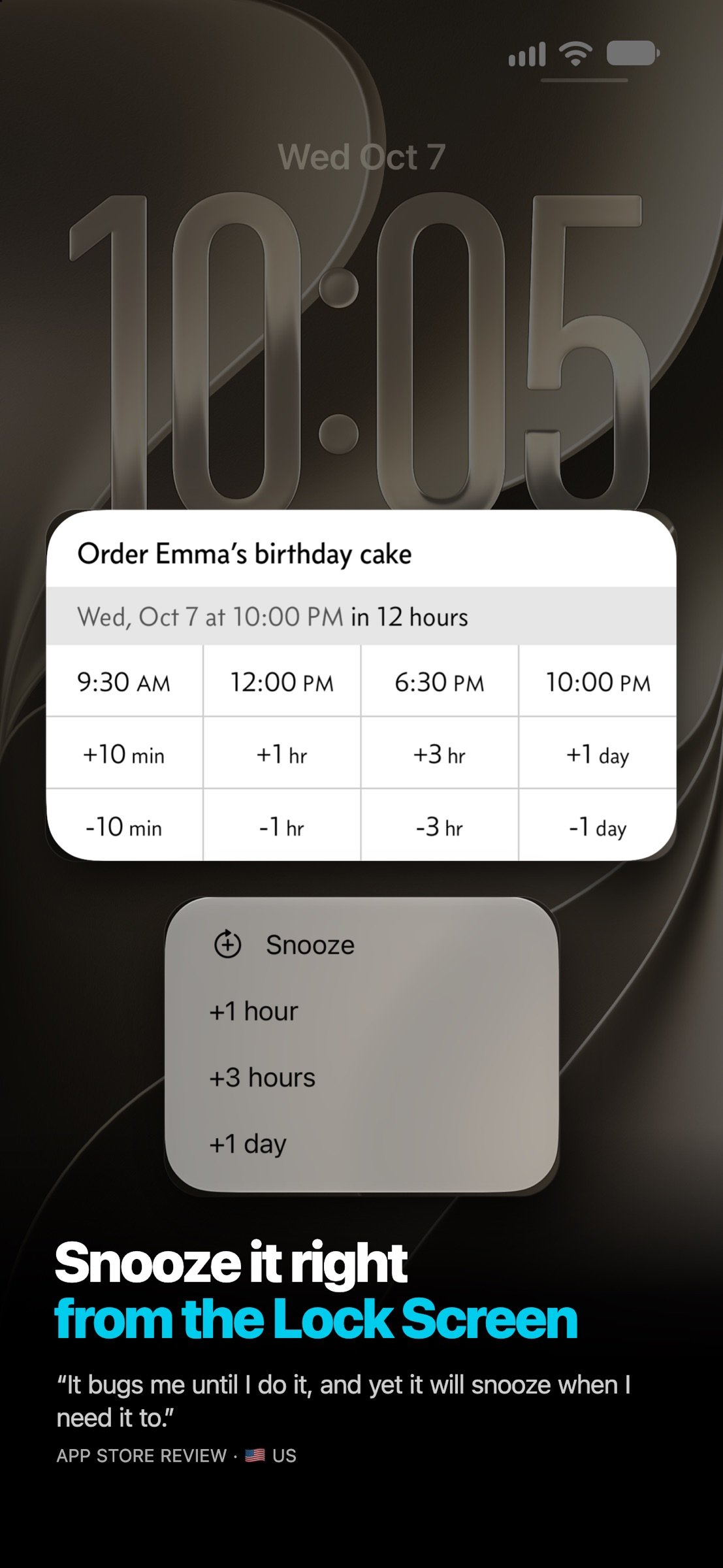
Auto Snooze* keeps nudging you about a missed reminder until you mark it done or reschedule it. Choose between every 1, 5, 10, 15, 30 and 60 minutes.
2. Impossible to Miss
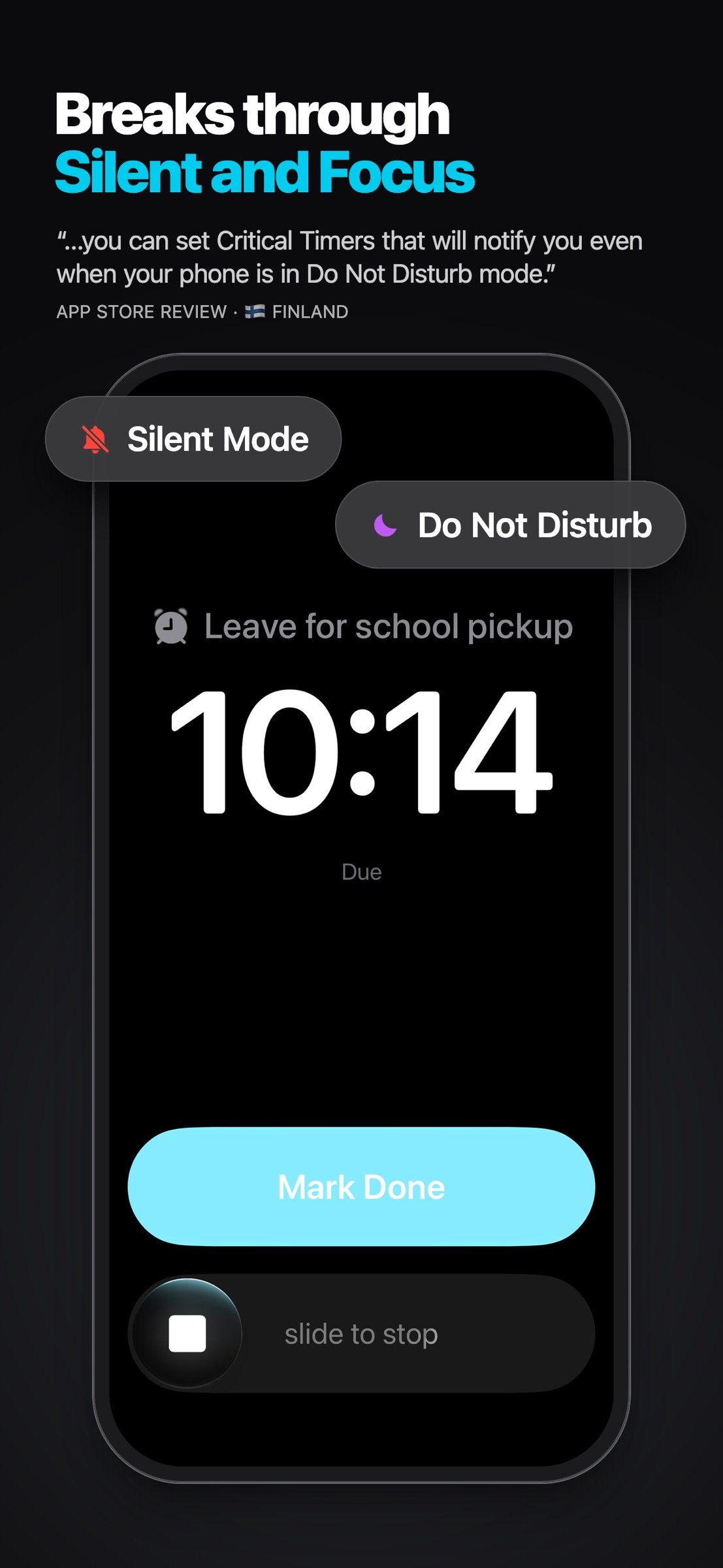
Some reminders can't wait. Use Critical Alerts to get through silent mode and Focus. Or use Prominent Alerts†, which ring like an alarm until you act.
3. Fast to Set, Fast to Postpone
Keep the times you use most a tap away. Twelve Quick Access Times—all fully customizable—make setting or postponing reminders a piece of cake.
4. Just Type or Say It
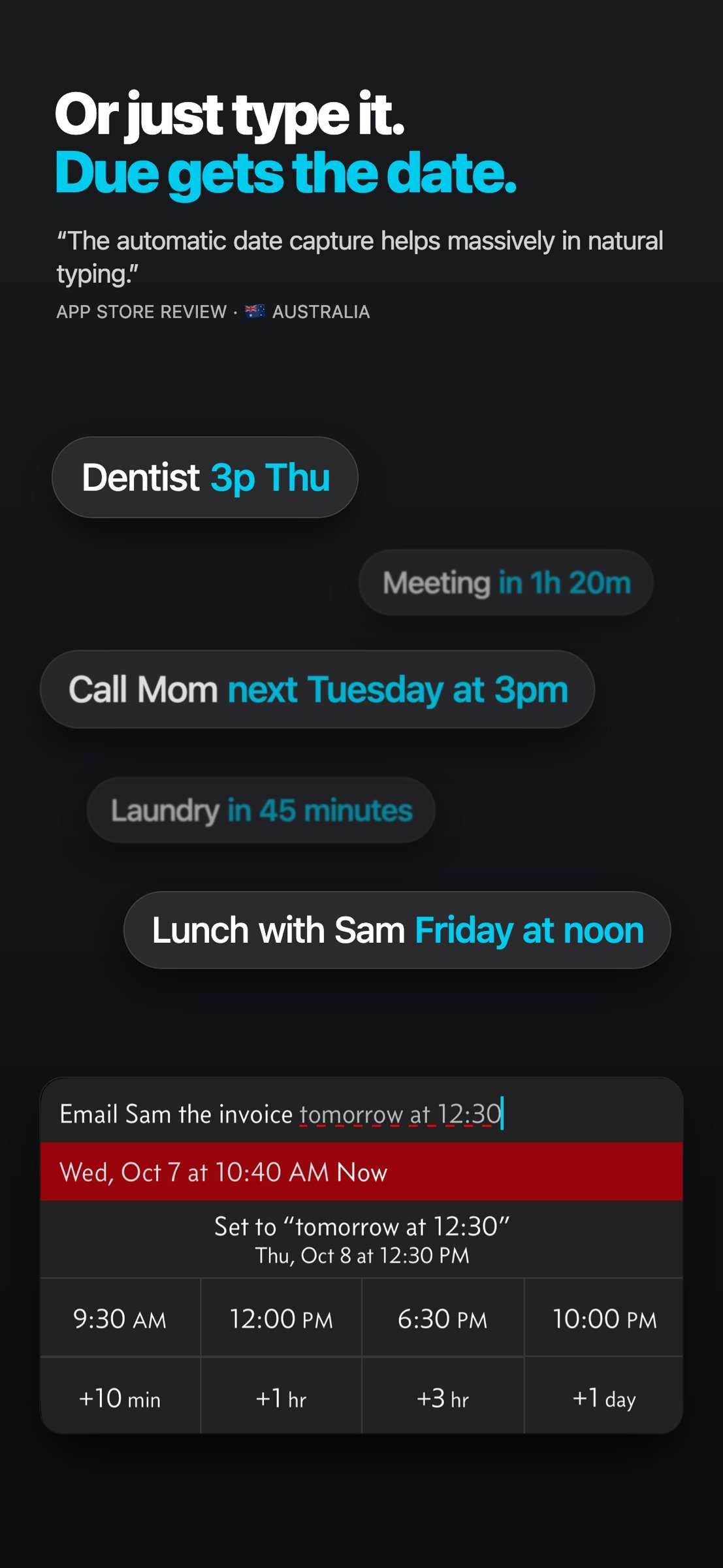
Type or say “Dentist 3p Thu” or “Meeting in 1h 20m”. Due spots the date, and one tap sets it.
5. Powerful Recurring Reminders
From simple daily reminders to the every-3rd-Wednesday-of-the-month kind, Due keeps up with your routine.
6. Countdown Timers
Not every reminder happens at a time of day. Some happen when the laundry cycle is done. That's what timers are for: precise to the second, with Auto Snooze too. Or just say “Hey Siri, start Laundry timer in Due”.
7. On Your Apple Watch
Wear an Apple Watch? Due comes with you. Mark reminders done, snooze them, add new ones, start and stop timers—all from your wrist. It's a companion to Due on iPhone, so keep your iPhone nearby.
8. Widgets, Control Center & Shortcuts
See what's coming up on your Home Screen and Lock Screen. Start timers and add reminders from Control Center, and automate the rest with Shortcuts.
9. Everywhere You Are
Your reminders and timers on your iPhone, iPad, Apple Watch and Mac‡, all kept in sync with iCloud or Dropbox.
10. No Account, Completely Private
There's no account to sign up for. We don't store, and we can't access, your reminders and timers. And you don't need internet to receive reminders.
11. Accessible to Everyone
Due follows the text size you set on your device, on every screen, and offers full VoiceOver support. It's also localized in 17 languages.
* By default, auto snooze repeats 5 times, and can be configured to repeat up to 10 times. Due can auto snooze any overdue items indefinitely when you launch Due or act on any of its notifications.
† Prominent Alerts require iOS 26 or later.
‡ Sync on Mac requires Due for Mac (sold separately).
WHAT'S THAT IN-APP PURCHASE ABOUT?
When you purchase Due today, you will have access to every feature in the app today—no further purchase required.
You will also get every new feature released within a year of your purchase.
The optional Due Upgrade Pass subscription gives you access to new features released after that first year.
And here's the deal: Every feature that you have unlocked will remain available to you, forever—even if you stop subscribing.
Even without a subscription, you'll always receive bug-fix and compatibility updates for free. These updates add support for the latest iPhones, iPads and Apple Watches, and keep Due working well on the latest versions of iOS, iPadOS and watchOS.
Due has a pretty good track record with that.
To illustrate: If you bought Due back in 2010 for your iPhone 3G running iOS 4, that very same app in 2026 is now optimized for iPhone 18 Pro Max running iOS 27. It even works on devices that didn't exist back then, such as the iPhone Duo, the iPad Pro and the Apple Watch.
TERMS & PRIVACY POLICY
Our terms of use and privacy policy are available here: [link removed]
COMPATIBILITY
Due requires an iPhone or iPad running iOS 18 or later. The Apple Watch app requires watchOS 10 or later, and your paired iPhone nearby.
License: Commercial
It reminds you again and again until you act, so it’s impossible to forget anything.
And it's lightning-fast to set and postpone reminders, all thanks to a clever time picker and natural date parsing.
KEY FEATURES
1. Persistent & Effective
Auto Snooze* keeps nudging you about a missed reminder until you mark it done or reschedule it. Choose between every 1, 5, 10, 15, 30 and 60 minutes.
2. Impossible to Miss
Some reminders can't wait. Use Critical Alerts to get through silent mode and Focus. Or use Prominent Alerts†, which ring like an alarm until you act.
3. Fast to Set, Fast to Postpone
Keep the times you use most a tap away. Twelve Quick Access Times—all fully customizable—make setting or postponing reminders a piece of cake.
4. Just Type or Say It
Type or say “Dentist 3p Thu” or “Meeting in 1h 20m”. Due spots the date, and one tap sets it.
5. Powerful Recurring Reminders
From simple daily reminders to the every-3rd-Wednesday-of-the-month kind, Due keeps up with your routine.
6. Countdown Timers
Not every reminder happens at a time of day. Some happen when the laundry cycle is done. That's what timers are for: precise to the second, with Auto Snooze too. Or just say “Hey Siri, start Laundry timer in Due”.
7. On Your Apple Watch
Wear an Apple Watch? Due comes with you. Mark reminders done, snooze them, add new ones, start and stop timers—all from your wrist. It's a companion to Due on iPhone, so keep your iPhone nearby.
8. Widgets, Control Center & Shortcuts
See what's coming up on your Home Screen and Lock Screen. Start timers and add reminders from Control Center, and automate the rest with Shortcuts.
9. Everywhere You Are
Your reminders and timers on your iPhone, iPad, Apple Watch and Mac‡, all kept in sync with iCloud or Dropbox.
10. No Account, Completely Private
There's no account to sign up for. We don't store, and we can't access, your reminders and timers. And you don't need internet to receive reminders.
11. Accessible to Everyone
Due follows the text size you set on your device, on every screen, and offers full VoiceOver support. It's also localized in 17 languages.
* By default, auto snooze repeats 5 times, and can be configured to repeat up to 10 times. Due can auto snooze any overdue items indefinitely when you launch Due or act on any of its notifications.
† Prominent Alerts require iOS 26 or later.
‡ Sync on Mac requires Due for Mac (sold separately).
WHAT'S THAT IN-APP PURCHASE ABOUT?
When you purchase Due today, you will have access to every feature in the app today—no further purchase required.
You will also get every new feature released within a year of your purchase.
The optional Due Upgrade Pass subscription gives you access to new features released after that first year.
And here's the deal: Every feature that you have unlocked will remain available to you, forever—even if you stop subscribing.
Even without a subscription, you'll always receive bug-fix and compatibility updates for free. These updates add support for the latest iPhones, iPads and Apple Watches, and keep Due working well on the latest versions of iOS, iPadOS and watchOS.
Due has a pretty good track record with that.
To illustrate: If you bought Due back in 2010 for your iPhone 3G running iOS 4, that very same app in 2026 is now optimized for iPhone 18 Pro Max running iOS 27. It even works on devices that didn't exist back then, such as the iPhone Duo, the iPad Pro and the Apple Watch.
TERMS & PRIVACY POLICY
Our terms of use and privacy policy are available here: [link removed]
COMPATIBILITY
Due requires an iPhone or iPad running iOS 18 or later. The Apple Watch app requires watchOS 10 or later, and your paired iPhone nearby.
License: Commercial
| Release info | Update on Oct 31, 2026 |
|---|---|
| Release notes | Faster • New reminders and timers open up to 2× faster from the + button (thanks Oren S.). • New reminders open about 2× faster from search (thanks Kenny R. & @apdrc_). Bulk Edit • Drag two fingers down the Reminders list to select several reminders at once. • Undo after a bulk edit is much faster. • Fixed bulk edit selection being accidentally cleared by pull-to-search. Pull-to-Search • Pull-to-search has a new Medium sensitivity, now the default. Change it, or turn pull-to-search off, in Settings › Swipe Options › Swipe to Search › Sensitivity. • You can now pull down to exit search. Support • Sending diagnostic logs to support is now easier. Bug Fixes • Fixed reminder and timer editors bouncing when you touch them (thanks Pierre-Henri G.). • Fixed Home Screen widgets sometimes not updating (thanks Jamie K. & Amber C.). • Fixed Apple Watch complications sometimes showing out-of-date reminders until you opened Due on your Watch. • Fixed Duplicate Reminder changing the original instead of making a copy when the reminder was opened from search (thanks Rob C.). • Fixed Due sometimes reopening on a different tab from the one you were using (thanks Ryan C. and others). • Fixed launching Due through links, notifications, widgets and Home Screen shortcuts doing nothing while search or Settings was open. • Fixed reminders changed by the Edit Reminders action sometimes opening as if they had unsaved changes. |
| Listing data | App Store |
Reviews
No reviews yet. Be the first to review Due.
Used Due? Tell other visitors what you thought.
Log in to write a reviewOther products by this publisher
- "No Distractions" for YouTube 4.10 ----
- #Bible 11.6 "Incredible App - My sister shared this app with me a few weeks ago and it is truly incredible.
- #filmphotography 1.4.2 So, you decided to shoot on film?
- $quirrel 1.5.1 $quirrel Budget & Finance helps you plan each paycheck, track spending, manage debt, and see what is safe to spend before the next payday.
- % Percentage Calculator Pro 1.41 This is the Pro version of % Percentage Calculator.
Most viewed iOS Productivity
-
1
 WordPress 27.4
Manage or create your WordPress blog or website right from your iOS device: create and edit posts and pages, upload your favorite photos and videos, view stats and reply to comments.
- 2 Voice Translator - Alive 1.6 Translation app that turns your iPhone into an interpreter instantly.
-
3
 Claude by Anthropic 1.261113.19
Meet Claude, your AI problem solver and thinking partner.
-
4
 Life360 26.43.5
Whether at home, online, or on the move, our comprehensive family safety features bring peace of mind to your loved ones AND help safeguard your personal belongings.
-
5
 WristMemo 2.0
WristMemo turns your Apple Watch into an all-day voice recorder.
- 6 "No Distractions" for YouTube 4.10 ----
-
7
 Colicine 1.3.0
Have you ever been there—
- 8 (beat) for iOS 0.5.10 An elegant Fountain screenwriting app, created by a screenwriter for screenwriters.
-
9
 DeepSeek 2.8.0
Experience seamless interaction with DeepSeek's official AI assistant for free!
-
10
 Howbout 16.7.2
The shared calendar for friends, couples, and family
Most downloaded iOS Productivity
- 1 Voice Translator - Alive 1.6 Translation app that turns your iPhone into an interpreter instantly.
-
2
DeepSeek 2.8.0
Experience seamless interaction with DeepSeek's official AI assistant for free!
-
3
 SessionsAI 1.2.1
Sessions AI is a private AI workspace that runs entirely on your iPhone, iPad, or Mac.
-
4
 Voices AI 1.16.15
Discover Voices, the premier voice transformation app designed exclusively for iOS.
-
5
 Block Distracting Websites 1.11
"It's a great way to save time, and stop browsing Reddit when you should be doing coursework."
-
6
 Plot Digitizer 1.4.1
Plot Digitizer is an app to extract numerical data from plot images.
-
7
 Google Docs 1.2026.45104
Create, edit, and collaborate on online documents with the Google Docs app.
-
8
 MyHyundai with Bluelink 5.4.5
The MyHyundai app makes getting information about your Hyundai vehicle easier than ever.
-
9
 Pixy Mood Tracker 1.110.0
Track your mood, one pixel at a time.
-
10
 ScreenRecess 1.0.0
A gentle nudge to put your device down when it’s hard to stop.