DSLR Astronomy Plate Solver 1.0
DSLR Plate Solver gets your target into the frame without a GoTo mount.
Download
288.44 MB
1downloads
1this week
FreeCommercial
0reviews
Screenshots
About DSLR Astronomy Plate Solver
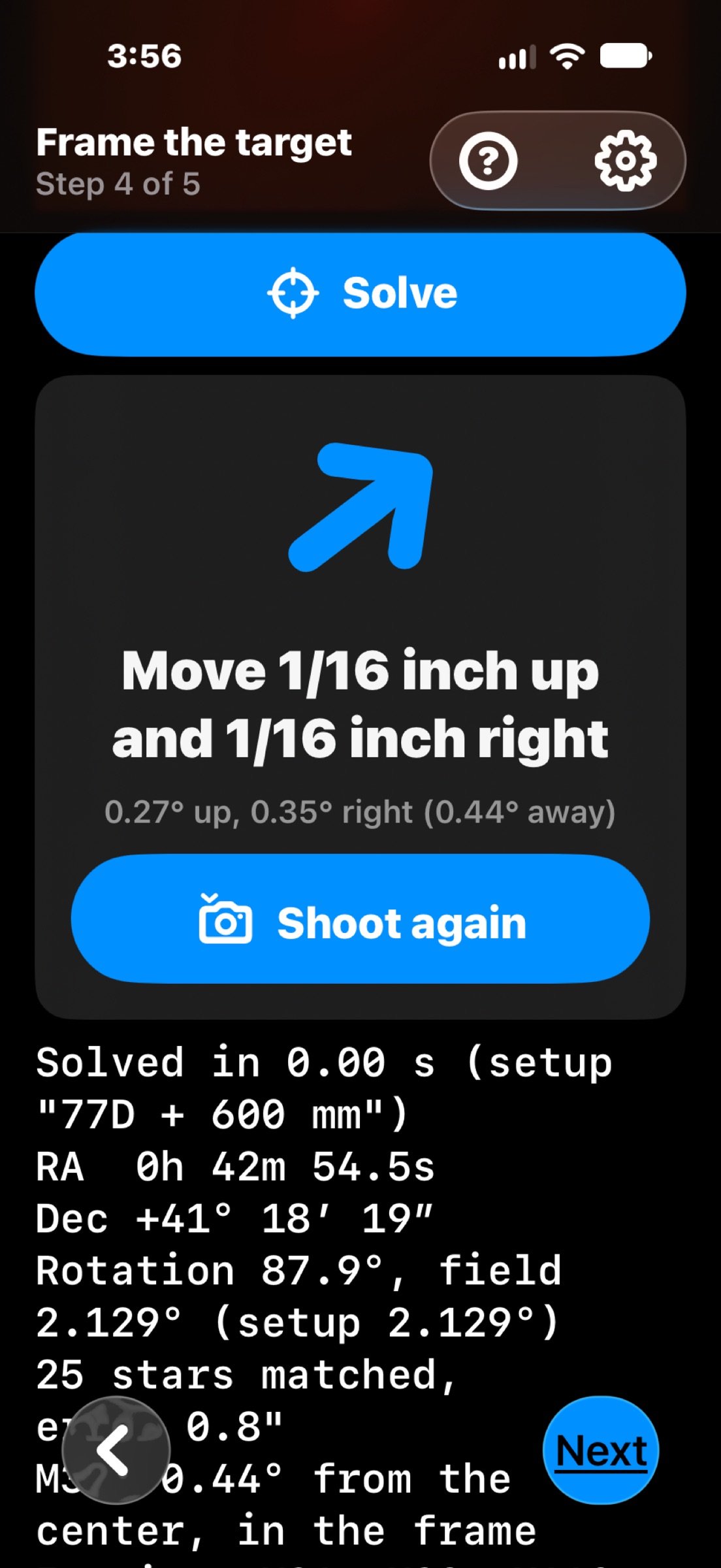
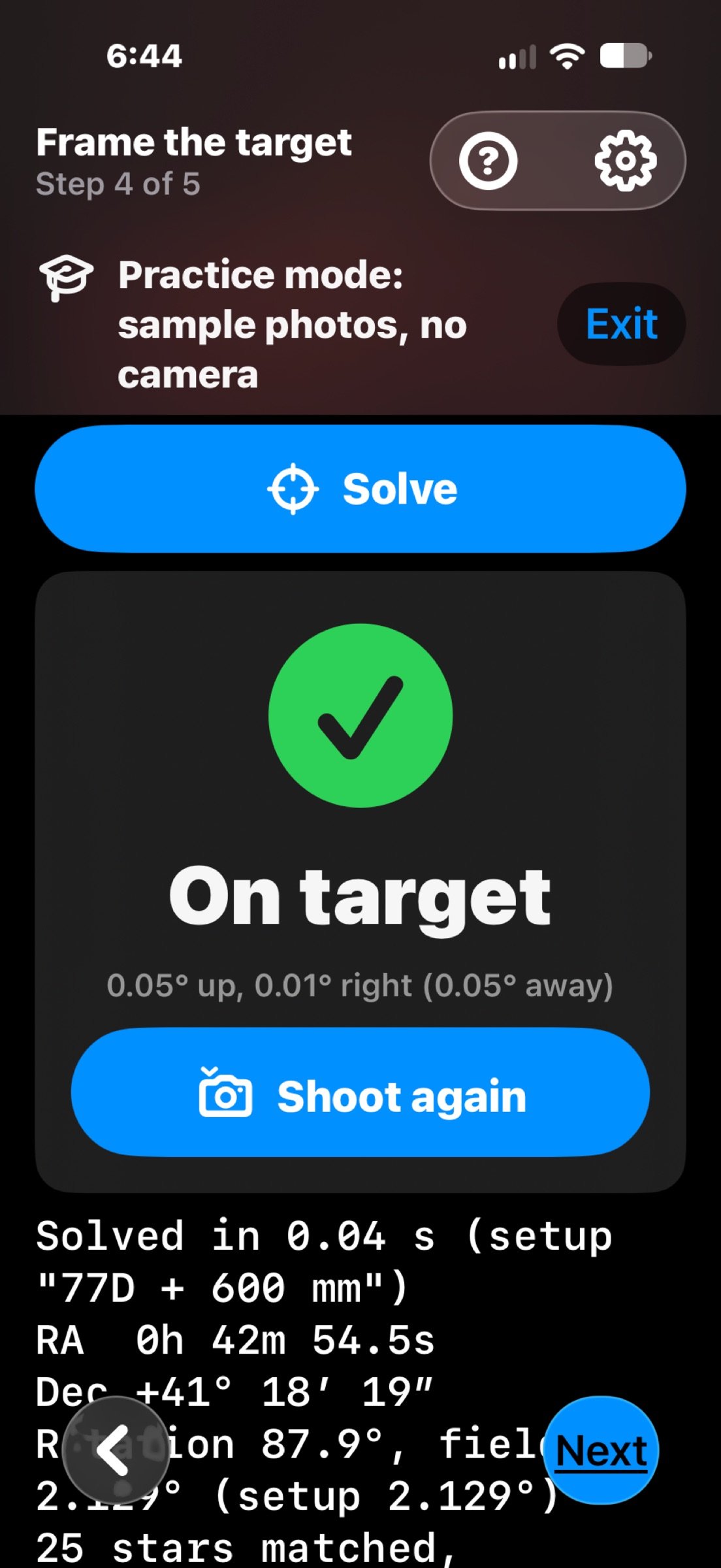
DSLR Plate Solver gets your target into the frame without a GoTo mount. Plug your Canon EOS camera into your iPhone, take a short photo, and the app works out where in the sky you are pointing by matching the stars. Then it tells you, in plain words, which way to move the camera and by how much: "Move 1/8 inch up and 1/16 inch left." Shoot again and repeat until it says On target.
Everything runs on your phone. The star database is built in, and a solve takes under a second, so it works at a dark site with no cell signal or internet. There's nothing to enter about where you're pointing; the app searches the whole sky on its own.
ONE SCREEN PER STEP
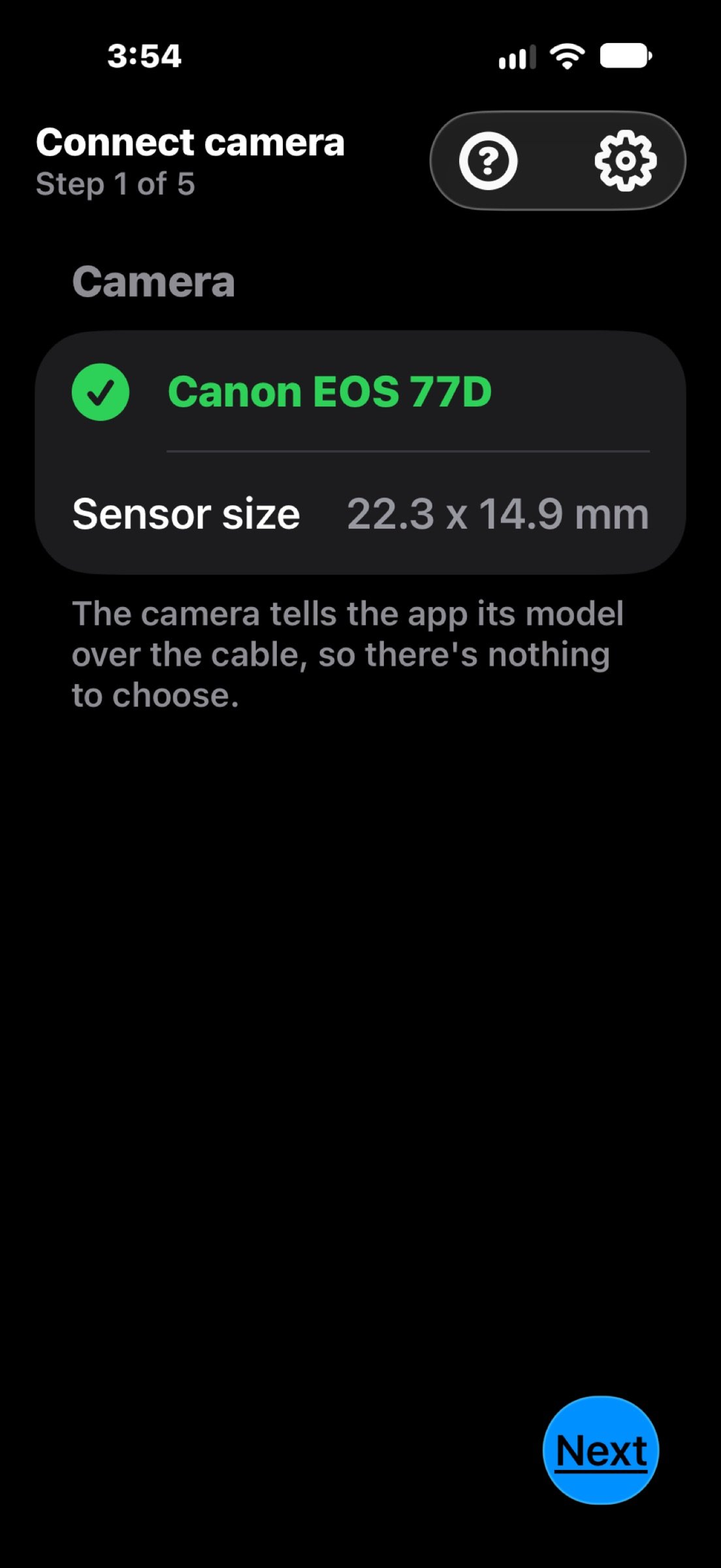
• Connect camera: plug in with a USB cable. The camera tells the app its model, and the app fills in the sensor size.
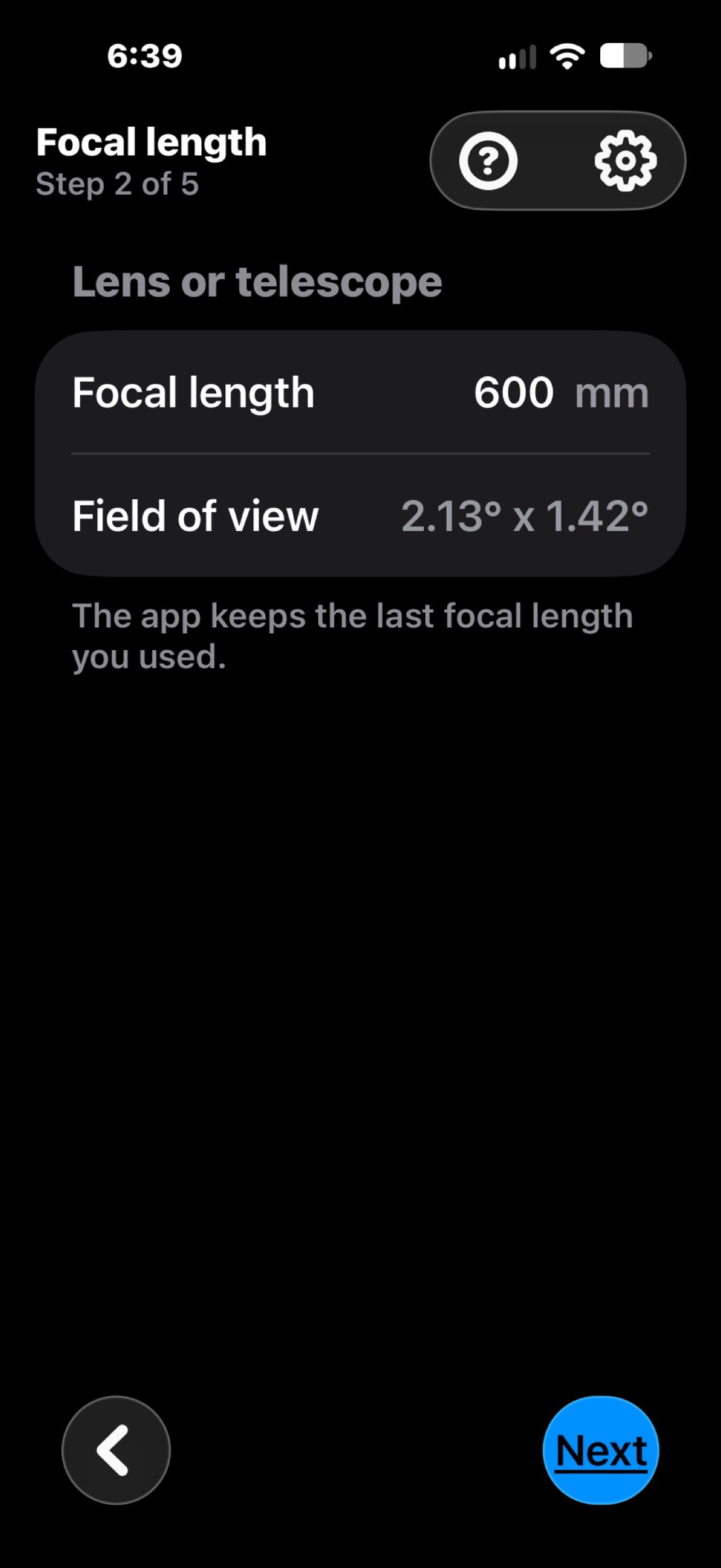
• Focal length: type in your lens or telescope. The app remembers the last one and shows the field of view.
• Target: search for over 160 deep-sky objects, including the full Messier catalog, (plus dozens of the brightest stars) and see which compass direction and how high to aim.
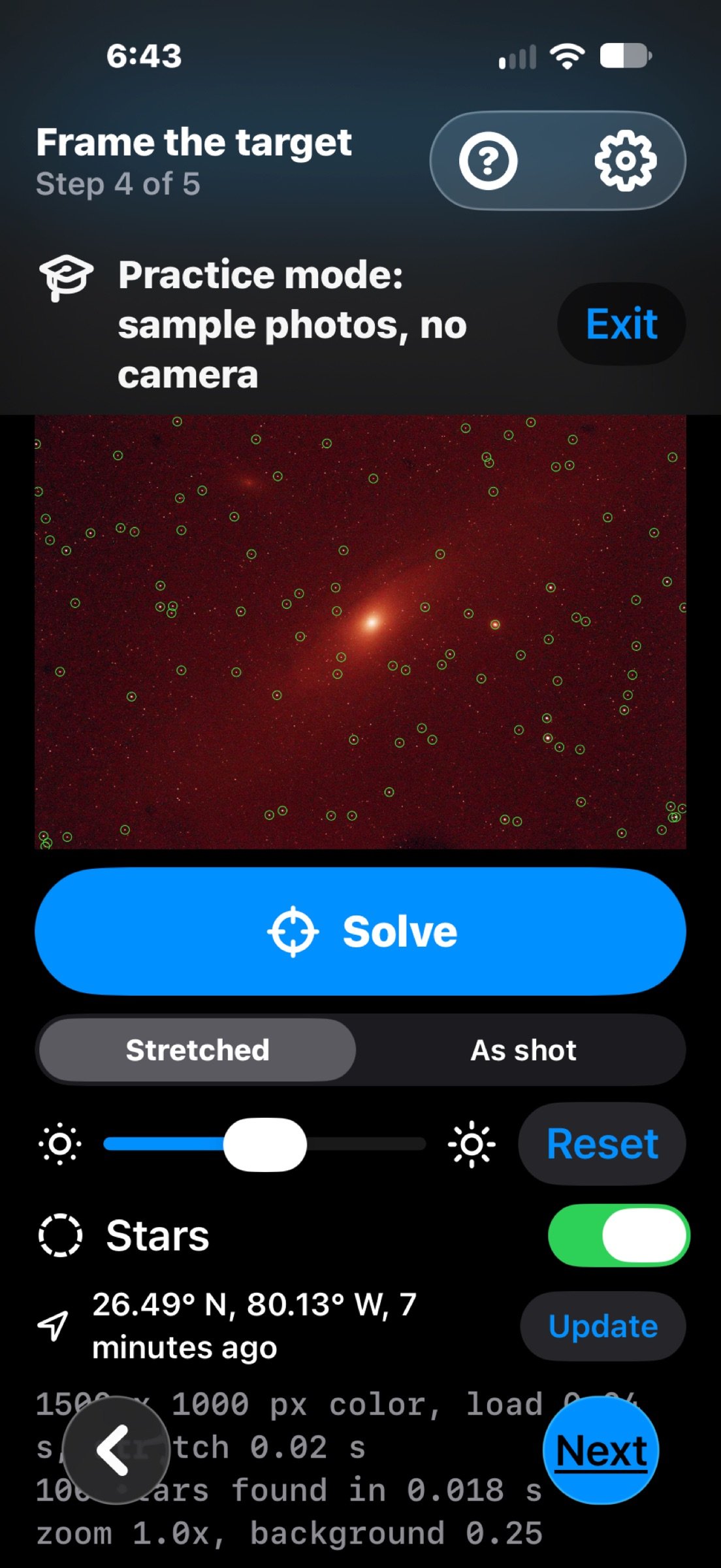
• Frame the target: take a photo, tap Solve and follow the arrow.
• Imaging: a built-in Bulb intervalometer. Set the exposure, number of frames and gap, then tap Start.
MOVES YOU CAN ACT ON
Directions are given as up, down, left and right, as seen from behind the camera: the way you'd move a ball head on a tripod or tracker. Distances are ballpark figures at the front of the lens, in inches or millimeters, with the exact angle shown underneath.
SEE YOUR STARS
Long exposures often look black on a phone screen. The app automatically stretches every photo so you can judge framing, focus and stars at a glance, with a brightness slider and pinch to zoom. Your original photo is never changed.
BUILT FOR THE FIELD
• Red night mode protects your dark adaptation.
• The phone stays awake while the camera is connected.
• Your camera and settings are remembered between sessions.
• Practice mode with sample photos lets you learn the app indoors, no camera needed.
WHAT YOU NEED
• A Canon EOS DSLR or mirrorless camera.
• A USB cable from the camera to your iPhone (USB-C iPhones), or Apple's USB camera adapter for Lightning iPhones.
• A field of view between about 2° and 65°: roughly 18 to 640 mm on APS-C cameras, 28 to 1000 mm on full frame.
Photos are saved on your camera's memory card. No account, no ads, no tracking.
Though the plate solver will work on any image within the field of view range, we have not tested the camera utility features on camera systems other than Canon EOS and therefore have only listed Canon EOS in the description.
License: Commercial
| Release info | New Release on Nov 06, 2026 |
|---|---|
| Listing data | App Store |
Reviews
No reviews yet. Be the first to review DSLR Astronomy Plate Solver.
Used DSLR Astronomy Plate Solver? Tell other visitors what you thought.
Log in to write a reviewOther products by this publisher
- "No Distractions" for YouTube 4.10 ----
- #Bible 11.6.1 "Incredible App - My sister shared this app with me a few weeks ago and it is truly incredible.
- #filmphotography 1.4.2 So, you decided to shoot on film?
- #LookBusy Fake Calendar Events 1.0.6 Look Busy scans your work calendar for open time slots and fills them with realistic-looking (but secretly fake) work events.
- #Small Talk Is Canceled 1.0.2 #Small Talk Is Canceled — Conversations That Matter
Most viewed iOS Photo & Video
-
1
 Restore Old Photos 1.1.0
Bring old family photos back to life, privately on your iPhone or iPad.
-
2
 ShortDiShow 2.0
Drama Quest Island — An offline interactive short-drama adventure.
-
3
 Face Witness 1.0.4
FaceWitness lets you create a face by putting together individual features.
-
4
 Infuse 8.5.11
Infuse: Enterprise provides the same great features as the standard version of Infuse and includes permanent access to all Pro features via a traditional paid app.
-
5
 AI Video Generator 2.0.3
Vixel – AI Video Generator
- 6 #filmphotography 1.4.2 So, you decided to shoot on film?
-
7
 CapCut 20.3.0
CapCut is an all-in-one video editing solution that offers essential editing features, creative effects, AI tools, filters, stickers, and fonts, and a wide range of video templates to empower users to easily create incredible videos regardless of th…
-
8
 OPlayer 4.8
Play all your videos directly without having to convert them!
-
9
 Necrometer II 1.3
Necrometer II is a paranormal investigation companion designed for ghost hunters and researchers.
-
10
 Ai Photo 1.2.0
AI Photo Retouch – BG Eraser
Most downloaded iOS Photo & Video
-
1
 DJI Fly 1.21.18
DJI Fly is designed to help pilots fly drones with ease.
-
2
Infuse 8.5.11
Infuse: Enterprise provides the same great features as the standard version of Infuse and includes permanent access to all Pro features via a traditional paid app.
-
3
 ReelyGo 1.1.60
ReelyGo: Your Daily Drama Escape
-
4
 TurboCollage Automatic 1.2.4
#1 Easy automatic photo collage maker for iPhone & iPad.
-
5
 Analog Radio 3.0
The iPhone and iPad devices don't have the FM/AM radio antenna installed.
-
6
 Rozeta Sequencer Suite 1.3.16
Rozeta is a suite of MIDI sequencers and controllers that lets you explore a new, freeform approach to sequencing and controlling mobile music apps.
-
7
 AGAIN. Rehearsal Notes 2.0.1
AGAIN. is the rehearsal app that remembers why the band stopped — and, new in Version 2, who said what in a writing session or a table read.
-
8
 Pop Dot Comics 1.48
Create a comic worthy of the Sunday newspaper or your favorite pulp-fiction cover.
-
9
 Local AI Art Private Diffusion 1.6
If you are the kind of person who values privacy and wants to keep your generated images private, our software is the perfect solution for you.
-
10
 Treblo 1.6.6
Make songs with the world's best AI music model.