
30downloads
7this week
FreeFreeware
0reviews
Screenshots
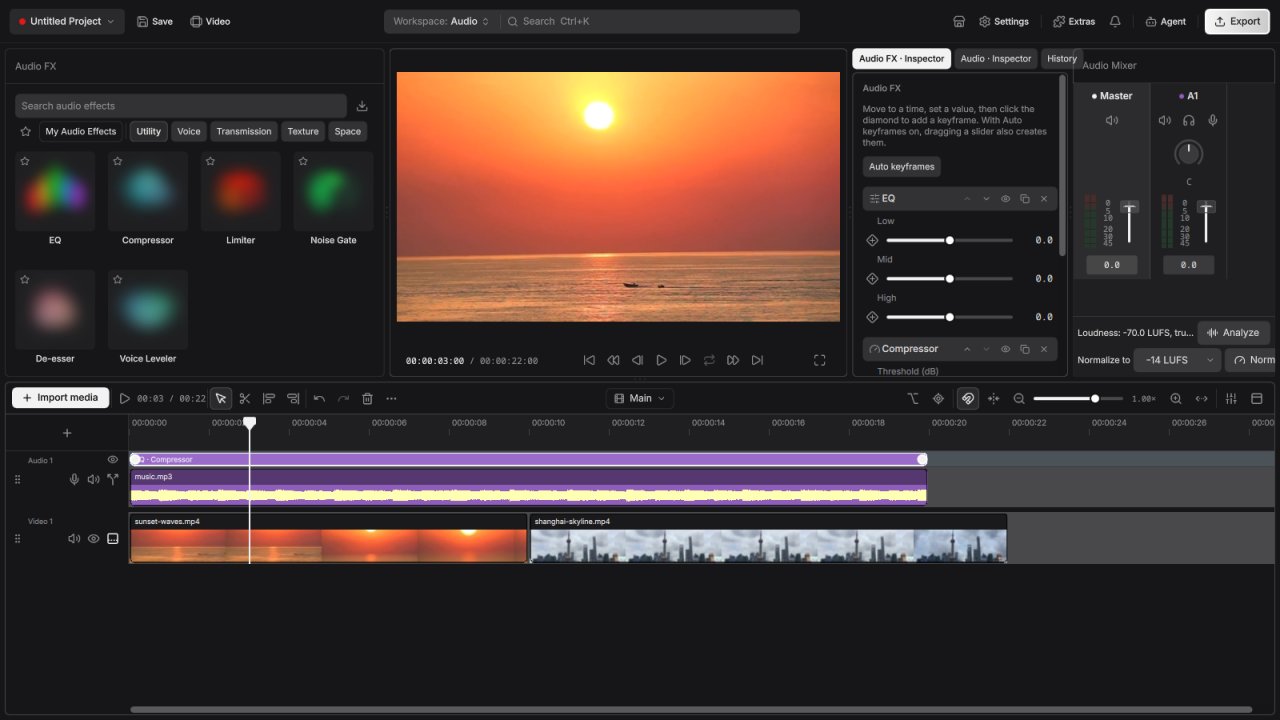
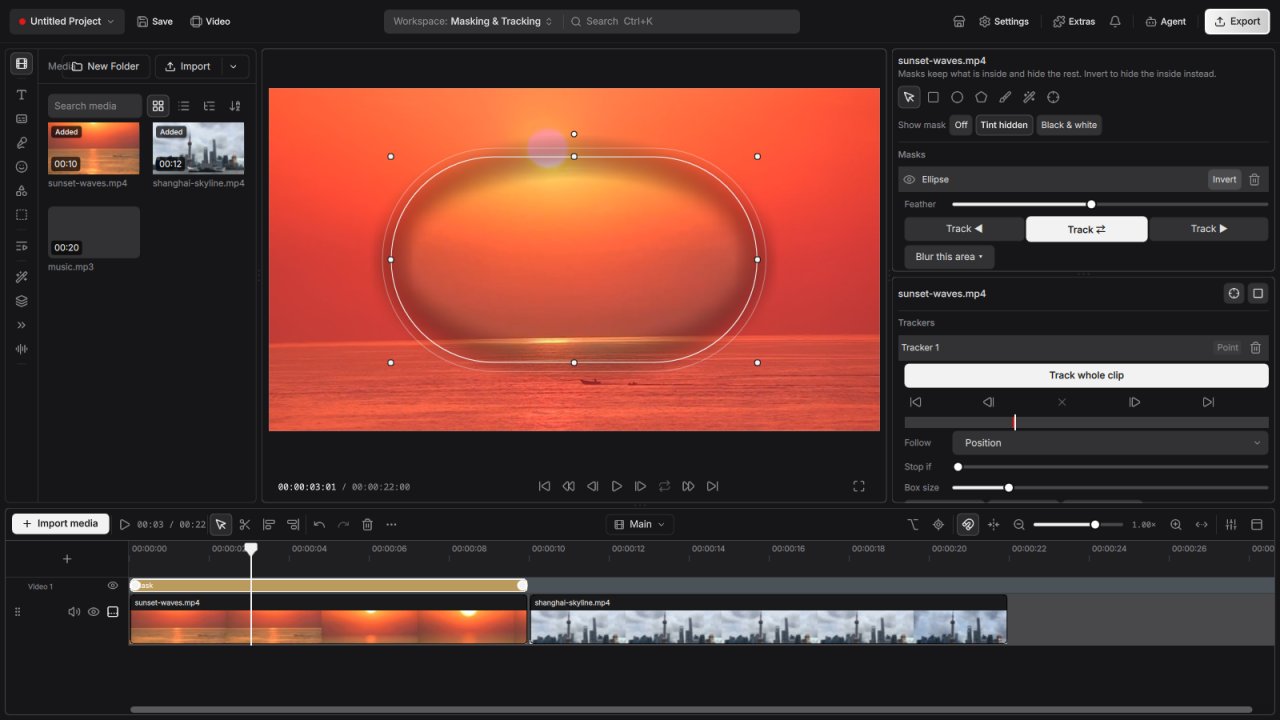
About Drift
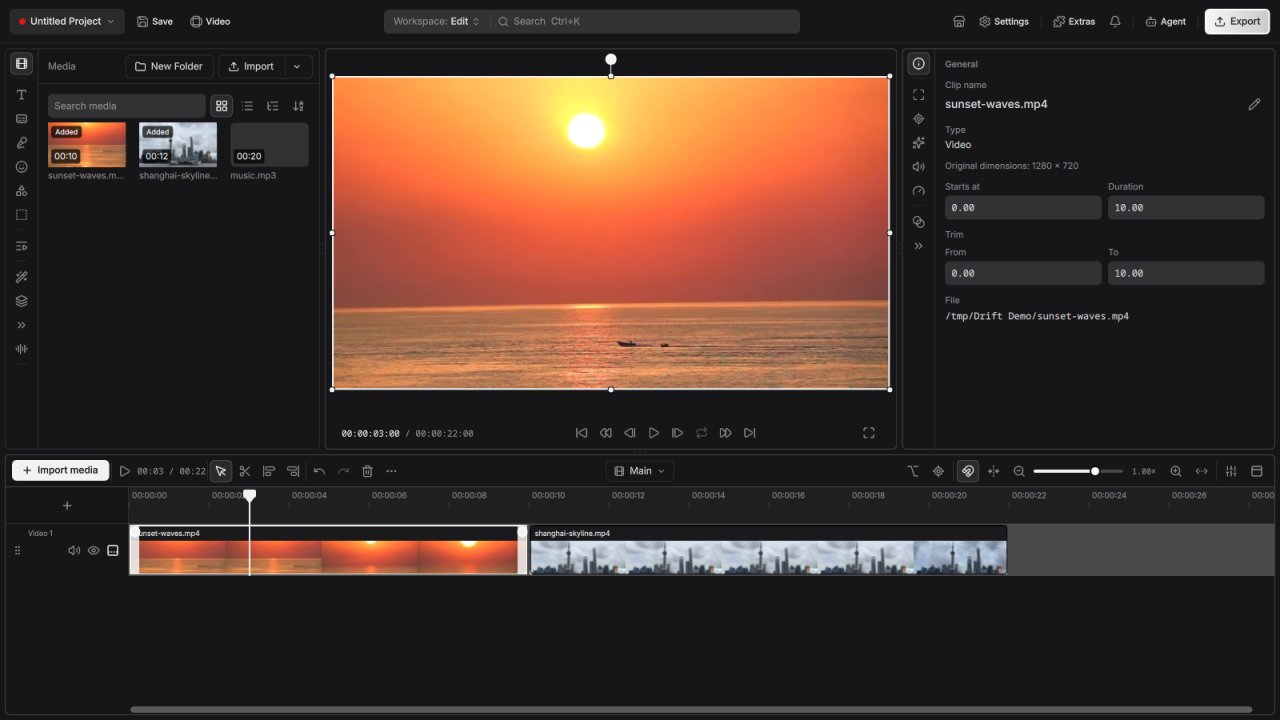
Drift is a free desktop video editor that feels simple from the first cut. Drop in video, photos,
and music, add effects and stickers, generate captions automatically, and export — no subscription,
no watermark, and no account required.
Great for social videos, explainers, and everyday projects. Cut subjects out of a frame, animate
to the beat, style text and shapes, then add fonts and stickers only when you need them.
What you get:
• Multi-track timeline — trim, split, snap, and undo as you go
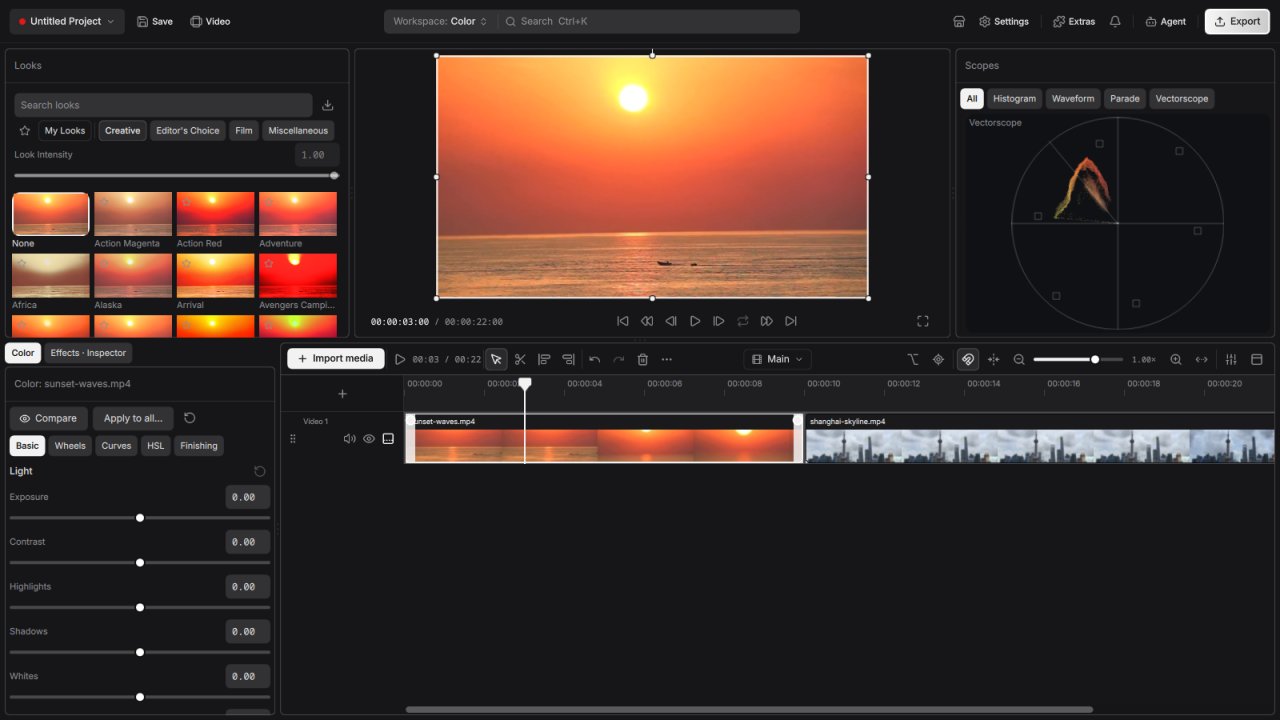
• Effects, transitions, and reusable look templates
• Stickers, emoji, titles, and shapes for a finished look
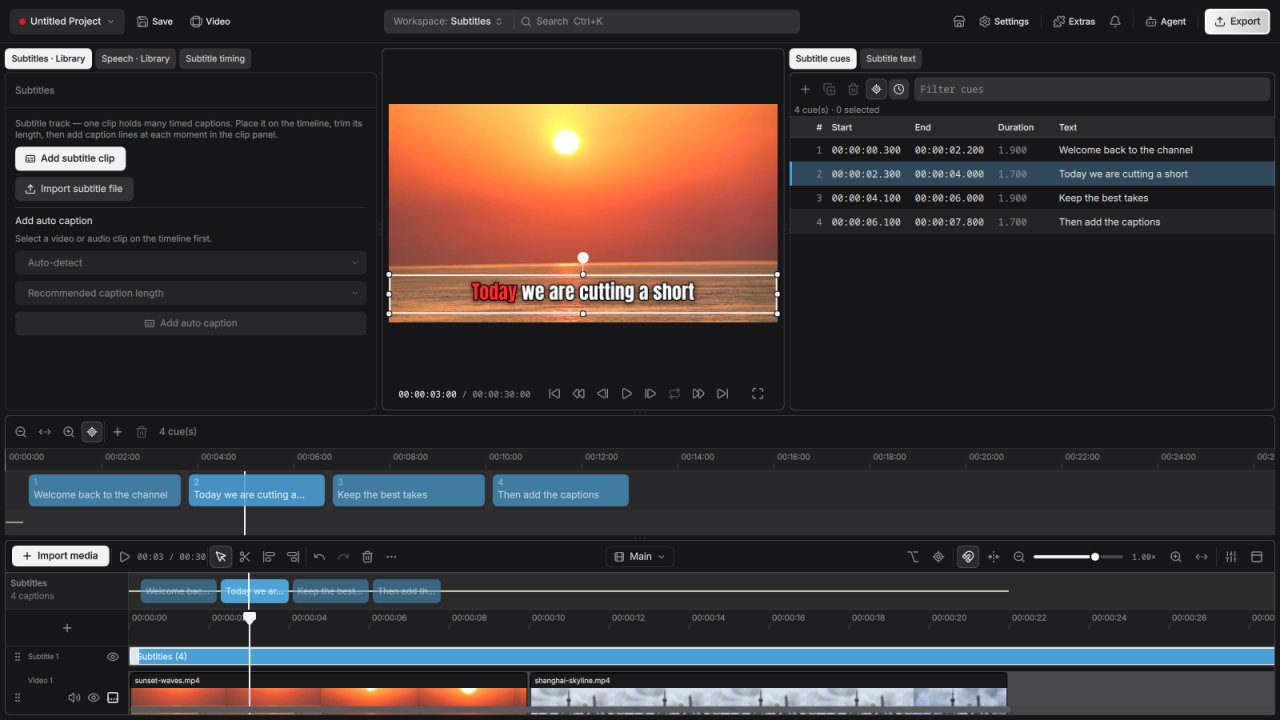
• Auto captions from speech in your video
• Cut out subjects, mask clips, and key out green screens
• Speed changes, reverse playback, and fades
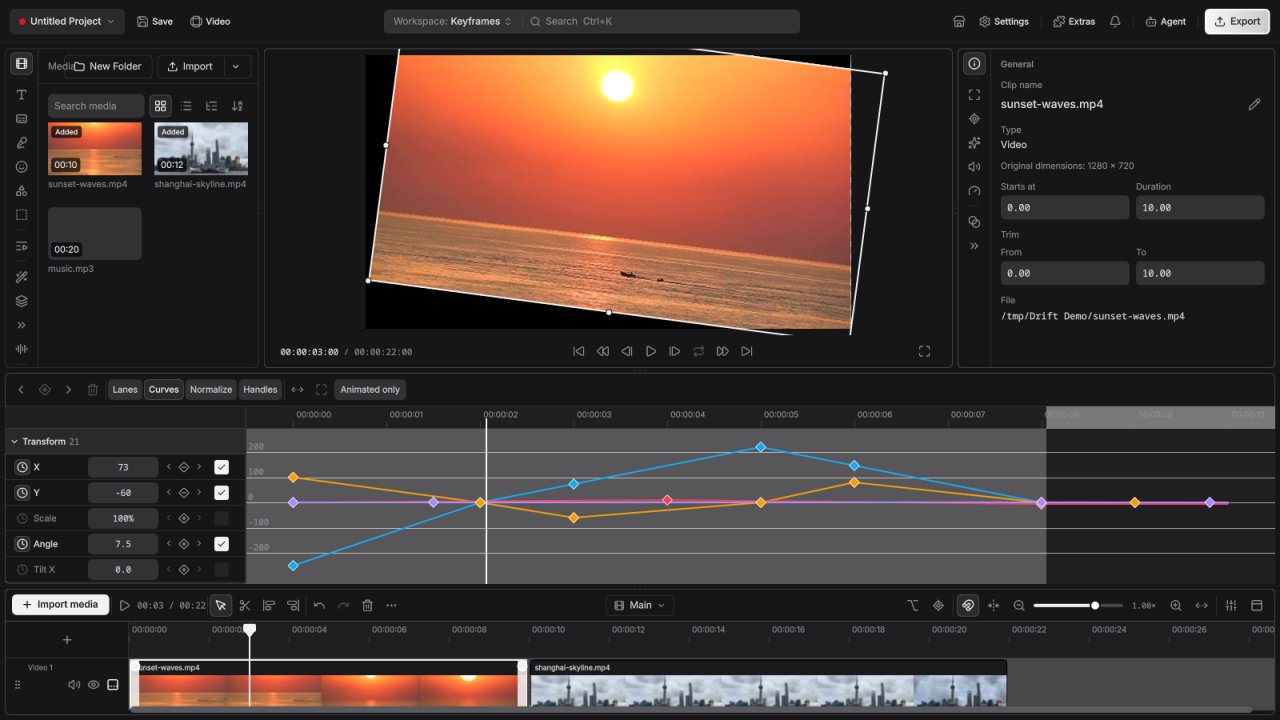
• Animate to the beat of your music
• Mix audio and clean up background noise
• Optional addons for fonts, stickers, and extras
• Project bundles that keep your media together
License: GPL-3.0-or-later
and music, add effects and stickers, generate captions automatically, and export — no subscription,
no watermark, and no account required.
Great for social videos, explainers, and everyday projects. Cut subjects out of a frame, animate
to the beat, style text and shapes, then add fonts and stickers only when you need them.
What you get:
• Multi-track timeline — trim, split, snap, and undo as you go
• Effects, transitions, and reusable look templates
• Stickers, emoji, titles, and shapes for a finished look
• Auto captions from speech in your video
• Cut out subjects, mask clips, and key out green screens
• Speed changes, reverse playback, and fades
• Animate to the beat of your music
• Mix audio and clean up background noise
• Optional addons for fonts, stickers, and extras
• Project bundles that keep your media together
License: GPL-3.0-or-later
| Release info | Update on Nov 13, 2026 |
|---|---|
| Release notes | Drift 0.9.2 brings procedural 3D clips, live masks from any clip, a reworked timeline and many tools for AI agents working through MCP. • Procedural clips: Lua-generated 3D scenes with your own shaders, in a new Procedural workspace • Masking: use any clip as a live mask, split masks with a feathered seam, rounded rectangle corners, a per-mask aspect lock and snapping while resizing • Effects: Motion Blur, Privacy Blur inside the clip's mask, add effects directly to composites, an effects tab on clips and new effect thumbnails • 19 new blend modes for clips and text shading, with live preview cards • Clip edges have separate fade and animation layers, and an animation plays once when you pick it • Clip position and scale are now anchored to the clip's center • Timeline: tool cursors, disable clips, redesigned handles and transitions, add-transition buttons at cuts, track headers with lock and solo, faster selection, touchpad scrolling, looping video and audio clips, several timelines in one project, and range bakes for smooth playback of heavy sections • Teleprompter panel for recording, with an optional preview overlay • Favourites in the easing, animation, text, gradient, mask and layout pickers • Per-group reset in the inspector, live text colour preview, Shift+E to hide a track, and interface sizes below 100% • Settings to limit undo history and the proxy suggestion on import • Windows ML engine for AI features on Windows, and WebGPU is back • Crash reporting: a crash dialog with a diagnostics archive and optional crash reports • MCP: insert, delete, move and replace clips with ripple, atomic and dry-run batches, a change feed, project validation, relinking moved media, proxies, performance settings and waiting for background work • Fixes: audio stays in sync after seeking, microphone recordings no longer drop out, context menus work on Windows, ripple delete moves the playhead, the timeline scrolls while dragging, colour grade controls show in… |
| Related tags | video editor movie |
| Listing data | Flathub |
Reviews
No reviews yet. Be the first to review Drift.
Used Drift? Tell other visitors what you thought.
Log in to write a reviewOther products by this publisher
- "No Distractions" for YouTube 4.10 ----
- #Bible 11.6 "Incredible App - My sister shared this app with me a few weeks ago and it is truly incredible.
- #filmphotography 1.4.2 So, you decided to shoot on film?
- $quirrel 1.5.1 $quirrel Budget & Finance helps you plan each paycheck, track spending, manage debt, and see what is safe to spend before the next payday.
- % Percentage Calculator Pro 1.41 This is the Pro version of % Percentage Calculator.
Most viewed Linux Multimedia
-
1
 Bitwig Studio 6.1.7
Modern music production and performance
-
2
 wiliwili 1.6.0
Watch videos from Bilibili
-
3
 CloudMusicPlayer 1.0.4
Linux music player for NetEase Cloud Music
- 4 Audiveris 5.11.0 Optical Music Recognition (OMR) Application
- 5 Feishin 1.17.0 Jellyfin, Navidrome, and OpenSubsonic Compatible Music Player
-
6
 Rune 2.0.0-alpha.14
The player that blends classic design with modern technology
-
7
 GPU Screen Recorder 6.1.7
A shadowplay-like screen recorder for Linux. The fastest screen recorder for Linux
-
8
 Finamp 1.0.2
Open source Jellyfin music player
- 9 Fladder 0.11.1 A cross-platform Jellyfin client
-
10
 QPrompt 2.0.3
Personal teleprompter software for all video creators
Most downloaded Linux Multimedia
-
1
Finamp 1.0.2
Open source Jellyfin music player
-
2
 JS8Call 2.3.1
Software using the JS8 Digital Mode providing weak signal keyboard to keyboard messaging to Amateur Radio Operators
-
3
CloudMusicPlayer 1.0.4
Linux music player for NetEase Cloud Music
- 4 Musicfox 5.1.0 Terminal music player for Netease Cloud Music
-
5
 SONE 0.23.0
Native TIDAL client for Linux — modern UI, bit-perfect lossless FLAC and Hi-Res audio
- 6 Fladder 0.11.1 A cross-platform Jellyfin client
-
7
 fooyin 0.15.1
Play your music your way
-
8
 LRCGET 2.2.2
Download synced LRC lyrics
-
9
 Open Orpheus 0.20.0
Netease Cloud Music for Linux
-
10
 Smart Video Processor 3.5.3
Organize your movies and shows