Docusign 3.49.0
Docusign eSignature is the world’s #1 way for businesses and individuals to securely send and sign agreements from practically anywhere, at any time, from almost any device.
Download
94.30 MB
7downloads
0this week
FreeFreeware
0reviews
Screenshots


About Docusign
Docusign eSignature is the world’s #1 way for businesses and individuals to securely send and sign agreements from practically anywhere, at any time, from almost any device. The Docusign app is easy to use, includes unlimited free signing for all parties, and is trusted by millions of people worldwide.
HOW DOCUSIGN WORKS | e-Sign PDFs, forms, and contracts on the go.
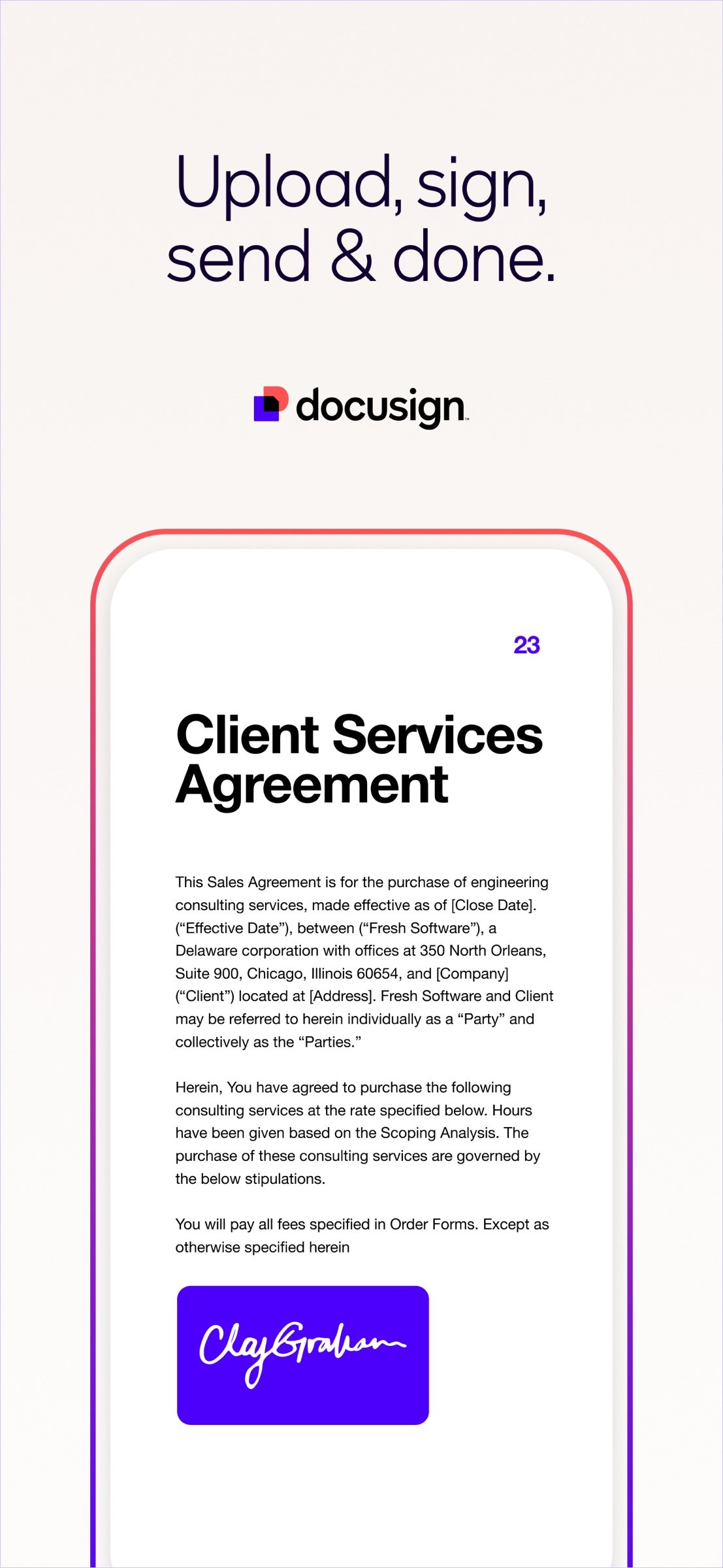
• Step 1: Create your customized digital signature directly on your device.
• Step 2: Upload documents easily via email, Google Drive, DropBox, Box, Evernote, Salesforce, or photo scanning.
• Step 3: E-sign your documents for free with no monthly limit.
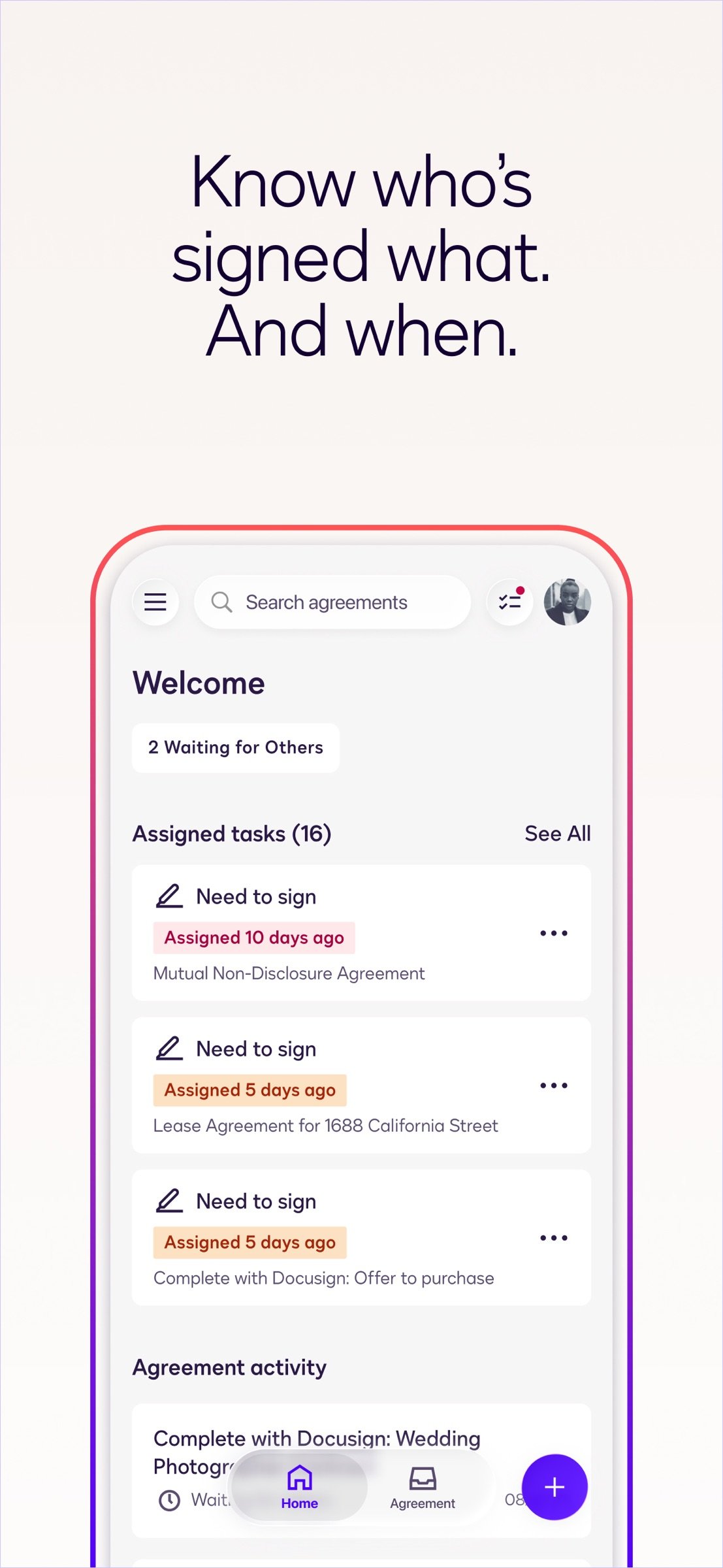
STREAMLINED, SIMPLIFIED MANAGEMENT | Send and monitor agreements straight from your device.
• Step 1: Import files to prepare and send them out for signature.
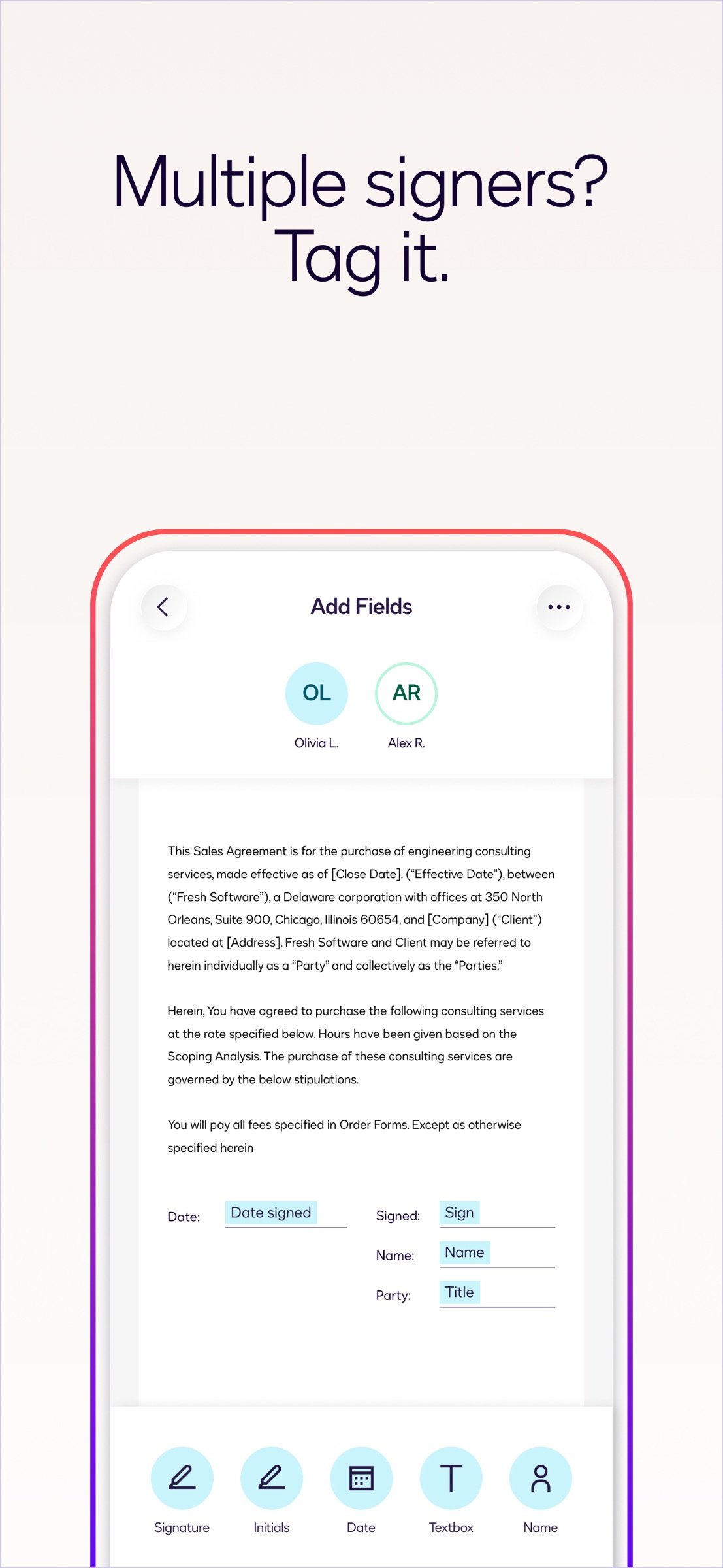
• Step 2: Prepare your document with “Sign Here” tags that show precisely where to sign, initial, or add additional information and invite others to sign.
• You can set the signing order and workflow for multiple signers.
• Docusign supports both in-person and remote signing.
• Responsive signing functionality automatically adapts documents for mobile to the size and orientation of the signer’s device.
• Step 3: Remind signers to sign with a single tap or void a document that has already been sent for signature.
• Step 4: Receive real-time push notifications when a document has been signed.
E-SIGNATURE THROUGH DOCUSIGN IS LEGAL AND SECURE.
Docusign’s complies with the eSign Act, which means:
• Agreements are legally binding.
• There is a complete audit trail to track who signed when and where.
• Documents are encrypted; this is safer and more secure than paper.
• Docusign is ISO 27001 SSAE16 compliant.
Docusign’s free eSignature app supports multiple document types and formats, including:
• PDF
• Word
• Excel
• Images (JPEG, PNG, TIFF)
• Text-Based Files
Common documents to digitally sign with Docusign:
• Non-disclosure agreements (NDAs)
• Sales contracts and proposals
• Health care documents
• Financial agreements
• Waivers
• Permission slips
• Lease agreements
PREMIUM PLANS
In addition to the free signing experience, Docusign offers advanced features through subscription plans:
Business Pro Plan
• Send documents out for signature.
• Add logic and advanced fields to your most critical documents.
• Automate your agreement process with bulk send, powerforms, comments and personalized branding.
Standard Plan
• Send documents out for signature.
• Access to advanced fields including Docusign’s most popular.
• Manage signing on-the-go. Remind, void, in-person signing, and reusable templates.
Real Estate Plan
• Send documents out for signature.
• Powerful real estate features including zipForm Plus integration and web branding.
• Managing signing on-the-go. Remind, void, in-person signing, and reusable templates.
Personal Plan
• Limited document sending. Send up to 5 documents monthly.
• Access to essential fields. Request signature, date, and name.
• Reusable templates so you can standardize your documents.
Email your questions or feedback to: mobilefeedback@docusign.com
Find out more about Docusign and electronic signatures: [link removed]
Subscription Plan Information:
• Payment is charged to iTunes Account at the time a user confirms purchase.
• Subscriptions automatically renew unless auto-renew is turned off at least 24 hours before the end of the current period. Account will be charged for renewal within 24-hours prior to the end of the current period, and identify the cost of the renewal.
• Subscriptions may be managed by the user and auto-renewal may be turned off by going to the user's account settings after purchase.
• Cancellation of the current subscription is not allowed during the active subscription period.
Privacy Policy:
[link removed]
Agreements and Terms:
[link removed]
HOW DOCUSIGN WORKS | e-Sign PDFs, forms, and contracts on the go.
• Step 1: Create your customized digital signature directly on your device.
• Step 2: Upload documents easily via email, Google Drive, DropBox, Box, Evernote, Salesforce, or photo scanning.
• Step 3: E-sign your documents for free with no monthly limit.
STREAMLINED, SIMPLIFIED MANAGEMENT | Send and monitor agreements straight from your device.
• Step 1: Import files to prepare and send them out for signature.
• Step 2: Prepare your document with “Sign Here” tags that show precisely where to sign, initial, or add additional information and invite others to sign.
• You can set the signing order and workflow for multiple signers.
• Docusign supports both in-person and remote signing.
• Responsive signing functionality automatically adapts documents for mobile to the size and orientation of the signer’s device.
• Step 3: Remind signers to sign with a single tap or void a document that has already been sent for signature.
• Step 4: Receive real-time push notifications when a document has been signed.
E-SIGNATURE THROUGH DOCUSIGN IS LEGAL AND SECURE.
Docusign’s complies with the eSign Act, which means:
• Agreements are legally binding.
• There is a complete audit trail to track who signed when and where.
• Documents are encrypted; this is safer and more secure than paper.
• Docusign is ISO 27001 SSAE16 compliant.
Docusign’s free eSignature app supports multiple document types and formats, including:
• Word
• Excel
• Images (JPEG, PNG, TIFF)
• Text-Based Files
Common documents to digitally sign with Docusign:
• Non-disclosure agreements (NDAs)
• Sales contracts and proposals
• Health care documents
• Financial agreements
• Waivers
• Permission slips
• Lease agreements
PREMIUM PLANS
In addition to the free signing experience, Docusign offers advanced features through subscription plans:
Business Pro Plan
• Send documents out for signature.
• Add logic and advanced fields to your most critical documents.
• Automate your agreement process with bulk send, powerforms, comments and personalized branding.
Standard Plan
• Send documents out for signature.
• Access to advanced fields including Docusign’s most popular.
• Manage signing on-the-go. Remind, void, in-person signing, and reusable templates.
Real Estate Plan
• Send documents out for signature.
• Powerful real estate features including zipForm Plus integration and web branding.
• Managing signing on-the-go. Remind, void, in-person signing, and reusable templates.
Personal Plan
• Limited document sending. Send up to 5 documents monthly.
• Access to essential fields. Request signature, date, and name.
• Reusable templates so you can standardize your documents.
Email your questions or feedback to: mobilefeedback@docusign.com
Find out more about Docusign and electronic signatures: [link removed]
Subscription Plan Information:
• Payment is charged to iTunes Account at the time a user confirms purchase.
• Subscriptions automatically renew unless auto-renew is turned off at least 24 hours before the end of the current period. Account will be charged for renewal within 24-hours prior to the end of the current period, and identify the cost of the renewal.
• Subscriptions may be managed by the user and auto-renewal may be turned off by going to the user's account settings after purchase.
• Cancellation of the current subscription is not allowed during the active subscription period.
Privacy Policy:
[link removed]
Agreements and Terms:
[link removed]
| Release info | Update on Oct 20, 2026 |
|---|---|
| Release notes | This release includes regular bug fixes to improve your experience. |
| Listing data | App Store |
Reviews
No reviews yet. Be the first to review Docusign.
Used Docusign? Tell other visitors what you thought.
Log in to write a reviewOther products by this publisher
- "No Distractions" for YouTube 4.10 ----
- #Bible 11.6 "Incredible App - My sister shared this app with me a few weeks ago and it is truly incredible.
- #filmphotography 1.4.2 So, you decided to shoot on film?
- $quirrel 1.5.1 $quirrel Budget & Finance helps you plan each paycheck, track spending, manage debt, and see what is safe to spend before the next payday.
- % Percentage Calculator Pro 1.41 This is the Pro version of % Percentage Calculator.
Most viewed iOS Productivity
-
1
 WordPress 27.4
Manage or create your WordPress blog or website right from your iOS device: create and edit posts and pages, upload your favorite photos and videos, view stats and reply to comments.
- 2 Voice Translator - Alive 1.6 Translation app that turns your iPhone into an interpreter instantly.
-
3
 Claude by Anthropic 1.261113.19
Meet Claude, your AI problem solver and thinking partner.
-
4
 Life360 26.43.5
Whether at home, online, or on the move, our comprehensive family safety features bring peace of mind to your loved ones AND help safeguard your personal belongings.
-
5
 WristMemo 2.0
WristMemo turns your Apple Watch into an all-day voice recorder.
- 6 "No Distractions" for YouTube 4.10 ----
-
7
 Colicine 1.3.0
Have you ever been there—
- 8 (beat) for iOS 0.5.10 An elegant Fountain screenwriting app, created by a screenwriter for screenwriters.
-
9
 DeepSeek 2.8.0
Experience seamless interaction with DeepSeek's official AI assistant for free!
-
10
 Howbout 16.7.2
The shared calendar for friends, couples, and family
Most downloaded iOS Productivity
- 1 Voice Translator - Alive 1.6 Translation app that turns your iPhone into an interpreter instantly.
-
2
DeepSeek 2.8.0
Experience seamless interaction with DeepSeek's official AI assistant for free!
-
3
 SessionsAI 1.2.1
Sessions AI is a private AI workspace that runs entirely on your iPhone, iPad, or Mac.
-
4
 Voices AI 1.16.15
Discover Voices, the premier voice transformation app designed exclusively for iOS.
-
5
 Block Distracting Websites 1.11
"It's a great way to save time, and stop browsing Reddit when you should be doing coursework."
-
6
 Plot Digitizer 1.4.1
Plot Digitizer is an app to extract numerical data from plot images.
-
7
 Google Docs 1.2026.45104
Create, edit, and collaborate on online documents with the Google Docs app.
-
8
 MyHyundai with Bluelink 5.4.5
The MyHyundai app makes getting information about your Hyundai vehicle easier than ever.
-
9
 Pixy Mood Tracker 1.110.0
Track your mood, one pixel at a time.
-
10
 ScreenRecess 1.0.0
A gentle nudge to put your device down when it’s hard to stop.