
Digital Geiger Counter 1.7.5
Digital Geiger Counter is the best "fake geiger counter" prank on the iTunes App Store.
Download
5.66 MB
10downloads
0this week
FreeCommercial
0reviews
Screenshots
About Digital Geiger Counter
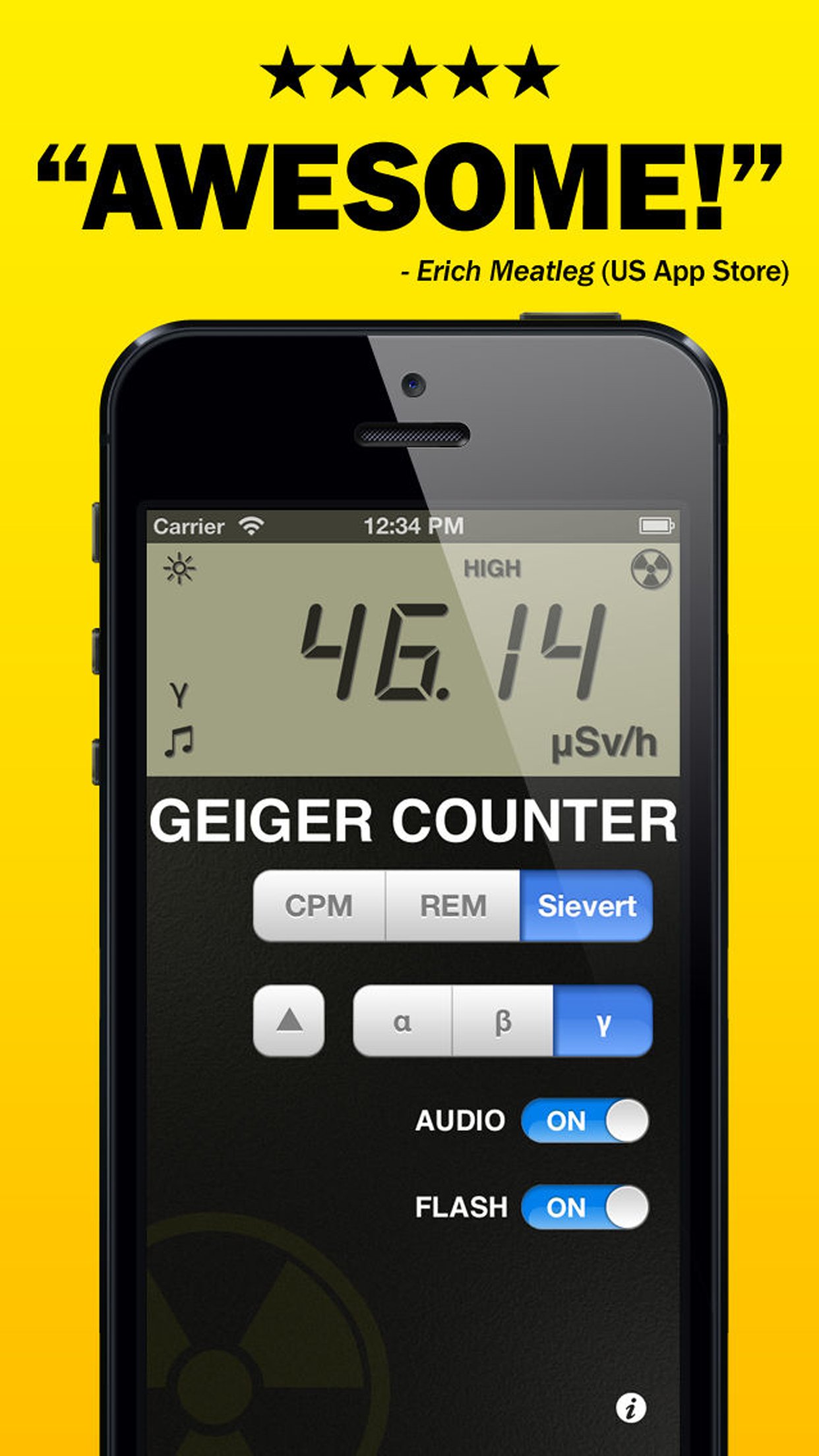
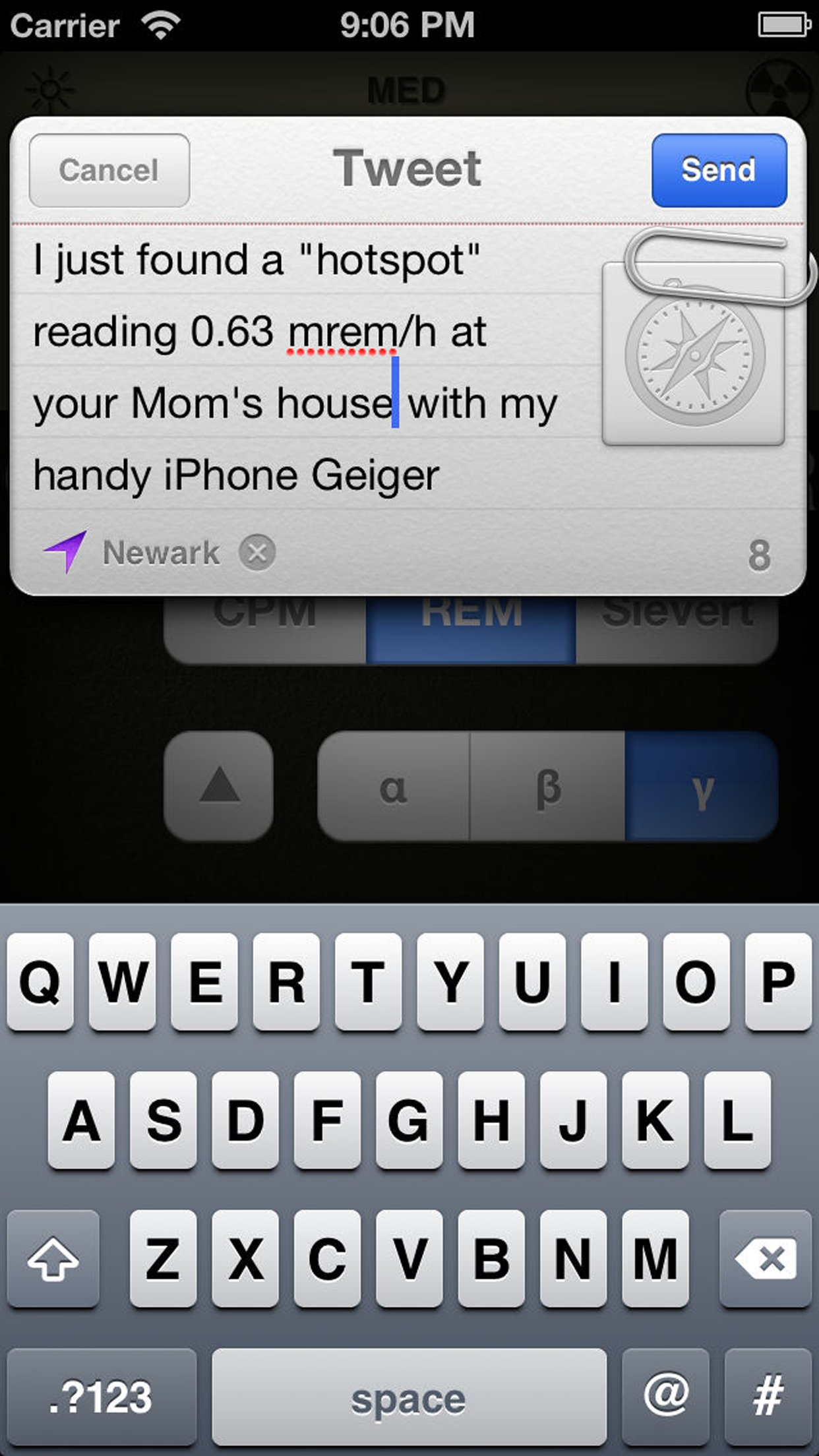
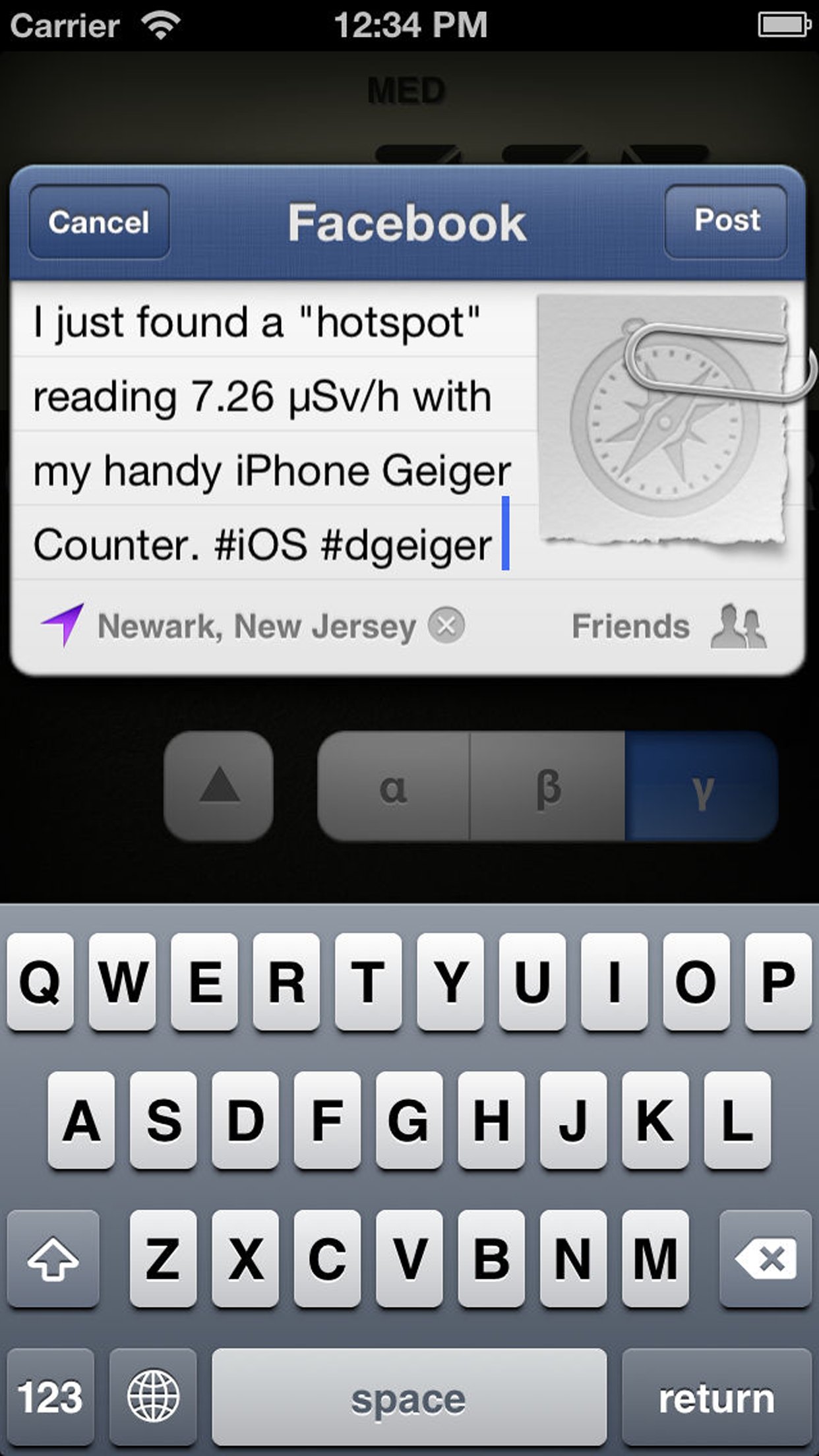
Digital Geiger Counter is the best "fake geiger counter" prank on the iTunes App Store. Tilt and touch to boost the "radiation levels" and fool your friends. Now with integrated Facebook & Twitter sharing!
"Good radiation prank app!! ***** Worth to buy!" - Radin Fikri (Malaysia App Store)
"Awesome! ***** Can't wait to try this in different parts of the world to "prove" that some places have more natural radiation than an exploded power plant!" - Erich Meatleg (US App Store)
"Good App...Nice to fool people with!" - austinmu_ (US App Store)
"It's great! My friend thought it was totally real."
"...had a lot of fun with it...convince your 16-year old son that he must have stood in something radioactive because his sneakers make the count rate zoom up" - EE Times review
"Rad u ***** Now I can prove to everyone that they are indeed radioactive. And i can refuse to give rides to deadbeats at work if the geiger counter detects radiation on their shoes." - Callagene (Canada App Store
"***** Eccellente" - Lucasteno (Italy App Store)
"Valutazione **** Semplice ed ottimo strumento di rilevazione Buono" - Ermanred (Italy App Store)
FEATURES
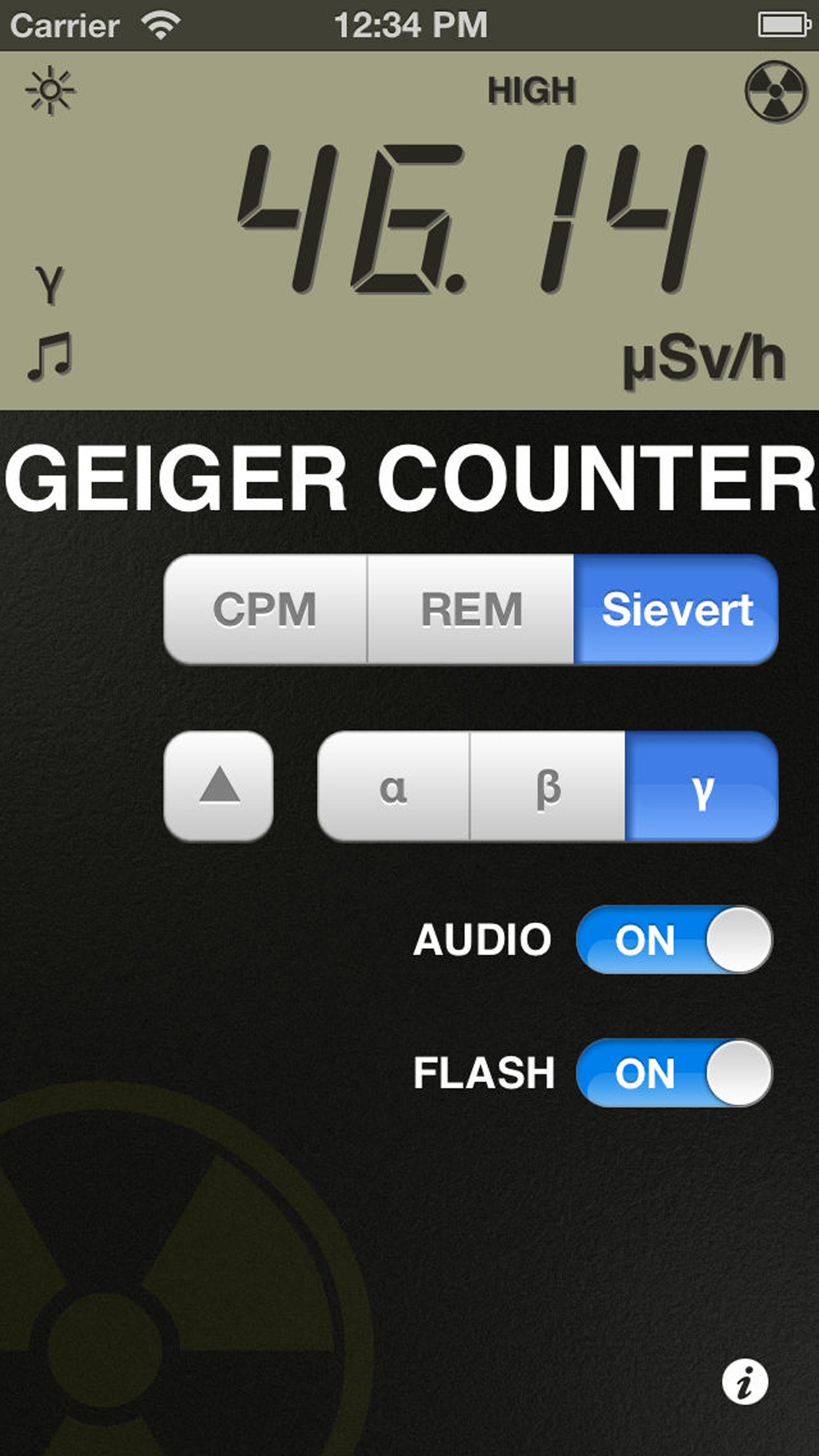
o easy-to-read LCD display measures spurious hazards from background to extreme levels
o oversized numeric meter easily switchable from microsieverts to millirem or count per minute scales
o realistic digital counter from 0.10 uSv/h to 100 uSv/h (0.01 mrem/h to 10 mrem/h)
o authentic audio click rate, easily mutable for library or classroom use
o versatile alpha, beta, and gamma modes
o dual tilt-sensitive and touch-sensitive controls
o audio synchronized iPhone camera flash adds to the tension
INSTRUCTIONS
1. Hold Digital Geiger Counter flat and face up.
2. Smoothly tilt Digital Geiger Counter's face to the left or right on the x-axis to increase levels.
3. Surreptitiously touch and hold the yellowish radiation symbol on the bottom left of the screen with your thumb to boost levels if necessary. The outside circle edge gives minimal boost, slowly increasing to maximum boost in the bottom left hand corner of the screen.
4. For best results with Digital Geiger Counter, practice subtly combining both tilt and touch control methods. Also try twisting Digital Geiger Counter as you move it towards your target. Be slow and smooth.
WARNING
Digital Geiger Counter is meant for entertainment purposes only and is entirely ineffective at detecting actual ionizing radiation. Digital Geiger Counter is factory-calibrated to the x-axis and contains no user-serviceable parts.
License: Commercial
"Good radiation prank app!! ***** Worth to buy!" - Radin Fikri (Malaysia App Store)
"Awesome! ***** Can't wait to try this in different parts of the world to "prove" that some places have more natural radiation than an exploded power plant!" - Erich Meatleg (US App Store)
"Good App...Nice to fool people with!" - austinmu_ (US App Store)
"It's great! My friend thought it was totally real."
"...had a lot of fun with it...convince your 16-year old son that he must have stood in something radioactive because his sneakers make the count rate zoom up" - EE Times review
"Rad u ***** Now I can prove to everyone that they are indeed radioactive. And i can refuse to give rides to deadbeats at work if the geiger counter detects radiation on their shoes." - Callagene (Canada App Store
"***** Eccellente" - Lucasteno (Italy App Store)
"Valutazione **** Semplice ed ottimo strumento di rilevazione Buono" - Ermanred (Italy App Store)
FEATURES
o easy-to-read LCD display measures spurious hazards from background to extreme levels
o oversized numeric meter easily switchable from microsieverts to millirem or count per minute scales
o realistic digital counter from 0.10 uSv/h to 100 uSv/h (0.01 mrem/h to 10 mrem/h)
o authentic audio click rate, easily mutable for library or classroom use
o versatile alpha, beta, and gamma modes
o dual tilt-sensitive and touch-sensitive controls
o audio synchronized iPhone camera flash adds to the tension
INSTRUCTIONS
1. Hold Digital Geiger Counter flat and face up.
2. Smoothly tilt Digital Geiger Counter's face to the left or right on the x-axis to increase levels.
3. Surreptitiously touch and hold the yellowish radiation symbol on the bottom left of the screen with your thumb to boost levels if necessary. The outside circle edge gives minimal boost, slowly increasing to maximum boost in the bottom left hand corner of the screen.
4. For best results with Digital Geiger Counter, practice subtly combining both tilt and touch control methods. Also try twisting Digital Geiger Counter as you move it towards your target. Be slow and smooth.
WARNING
Digital Geiger Counter is meant for entertainment purposes only and is entirely ineffective at detecting actual ionizing radiation. Digital Geiger Counter is factory-calibrated to the x-axis and contains no user-serviceable parts.
License: Commercial
| Release info | New Release on May 22, 2017 |
|---|---|
| Release notes | • additional localizations |
| Listing data | App Store |
Reviews
No reviews yet. Be the first to review Digital Geiger Counter.
Used Digital Geiger Counter? Tell other visitors what you thought.
Log in to write a reviewOther products by this publisher
- "No Distractions" for YouTube 4.10 ----
- #Bible 11.6 "Incredible App - My sister shared this app with me a few weeks ago and it is truly incredible.
- #filmphotography 1.4.2 So, you decided to shoot on film?
- $quirrel 1.5.1 $quirrel Budget & Finance helps you plan each paycheck, track spending, manage debt, and see what is safe to spend before the next payday.
- % Percentage Calculator Pro 1.41 This is the Pro version of % Percentage Calculator.
Most viewed iOS Photo & Video
-
1
 ShortDiShow 2.0
Drama Quest Island — An offline interactive short-drama adventure.
-
2
 Infuse 8.5.10
Infuse: Enterprise provides the same great features as the standard version of Infuse and includes permanent access to all Pro features via a traditional paid app.
-
3
 AI Video Generator 2.0.3
Vixel – AI Video Generator
-
4
 OPlayer 4.8
Play all your videos directly without having to convert them!
-
5
 Necrometer II 1.2
Necrometer II is a paranormal investigation companion designed for ghost hunters and researchers.
-
6
 CapCut 20.1.0
CapCut offers easy-to-use video editing functions, in-APP fonts and effects, advanced features such as keyframe animation, smooth slow-motion, chroma key, and stabilization, to help you capture and snip moments.
-
7
 Ai Photo 1.1.2
AI Photo Retouch – BG Eraser
- 8 #filmphotography 1.4.2 So, you decided to shoot on film?
-
9
 Treblo 1.6.5
Make songs with the world's best AI music model.
-
10
 Pop Dot Comics 1.48
Create a comic worthy of the Sunday newspaper or your favorite pulp-fiction cover.
Most downloaded iOS Photo & Video
-
1
 DJI Fly 1.21.18
DJI Fly is designed to help pilots fly drones with ease.
-
2
Infuse 8.5.10
Infuse: Enterprise provides the same great features as the standard version of Infuse and includes permanent access to all Pro features via a traditional paid app.
-
3
 Analog Radio 3.0
The iPhone and iPad devices don't have the FM/AM radio antenna installed.
-
4
 TurboCollage Automatic 1.2.4
#1 Easy automatic photo collage maker for iPhone & iPad.
-
5
 Rozeta Sequencer Suite 1.3.16
Rozeta is a suite of MIDI sequencers and controllers that lets you explore a new, freeform approach to sequencing and controlling mobile music apps.
-
6
 ReelyGo 1.1.42
ReelyGo: Your Daily Drama Escape
-
7
Treblo 1.6.5
Make songs with the world's best AI music model.
-
8
Pop Dot Comics 1.48
Create a comic worthy of the Sunday newspaper or your favorite pulp-fiction cover.
-
9
 AGAIN. Rehearsal Notes 2.0.1
AGAIN. is the rehearsal app that remembers why the band stopped — and, new in Version 2, who said what in a writing session or a table read.
-
10
 Sun Scout 1.5.0
If your work or play requires sunlight, Sun Scout is built for you.