Desqueeze PRO 4.9.7
Advanced batch resampling and upscaling for professional photos and videos — featuring precision Lanczos/Bicubic math, custom bitrate control, and deep color management.
Download
48.75 MB
9downloads
0this week
FreeCommercial
0reviews
Screenshots
About Desqueeze PRO
Advanced batch resampling and upscaling for professional photos and videos — featuring precision Lanczos/Bicubic math, custom bitrate control, and deep color management. Apply 100+ templates, process high-res formats up to 18,000 × 12,000 px and 8K video, and maintain strict color and HDR fidelity for your creative workflows. Get full, permanent access with a single, standalone purchase—no subscriptions required.
FEATURES:
Resample / Resize
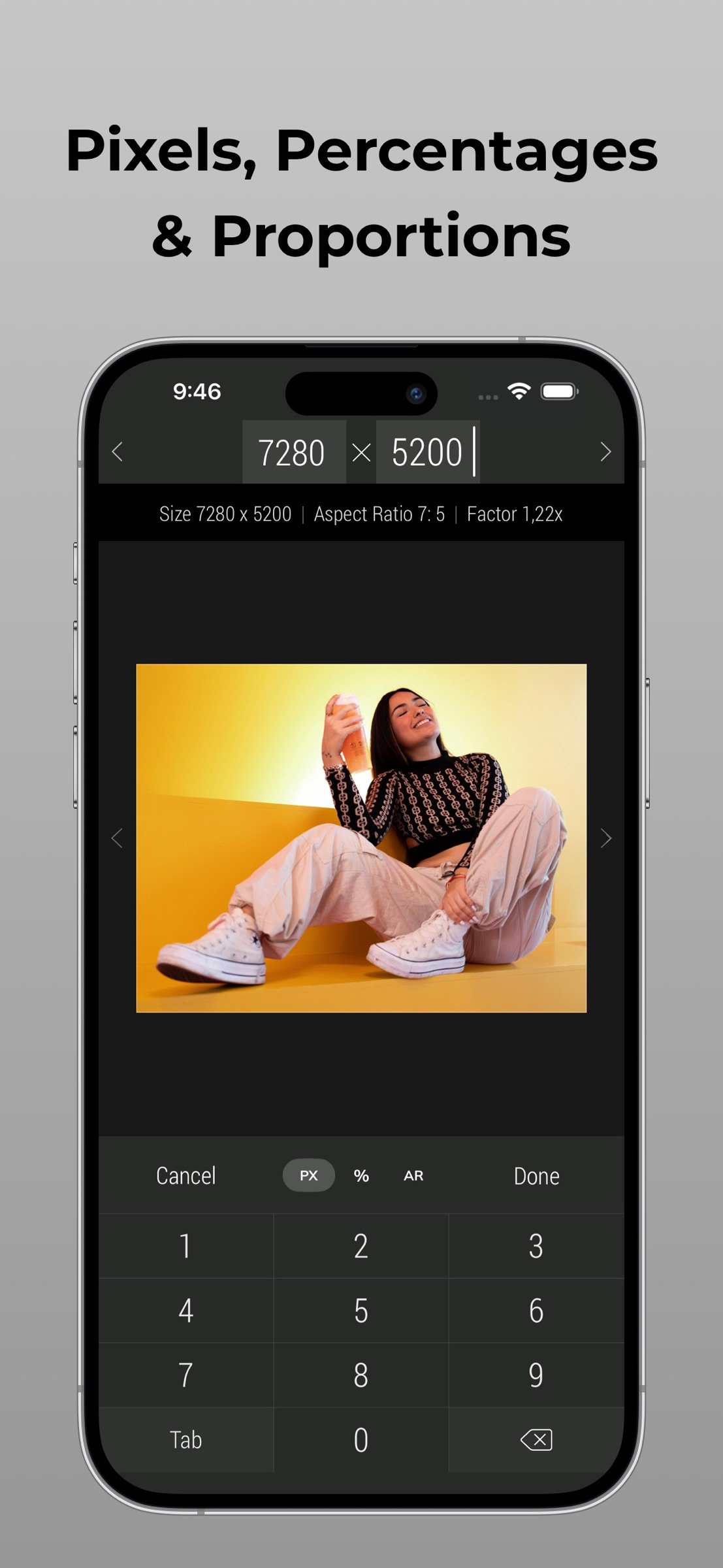
• Enter a new size in pixels, aspect ratios, and percentages
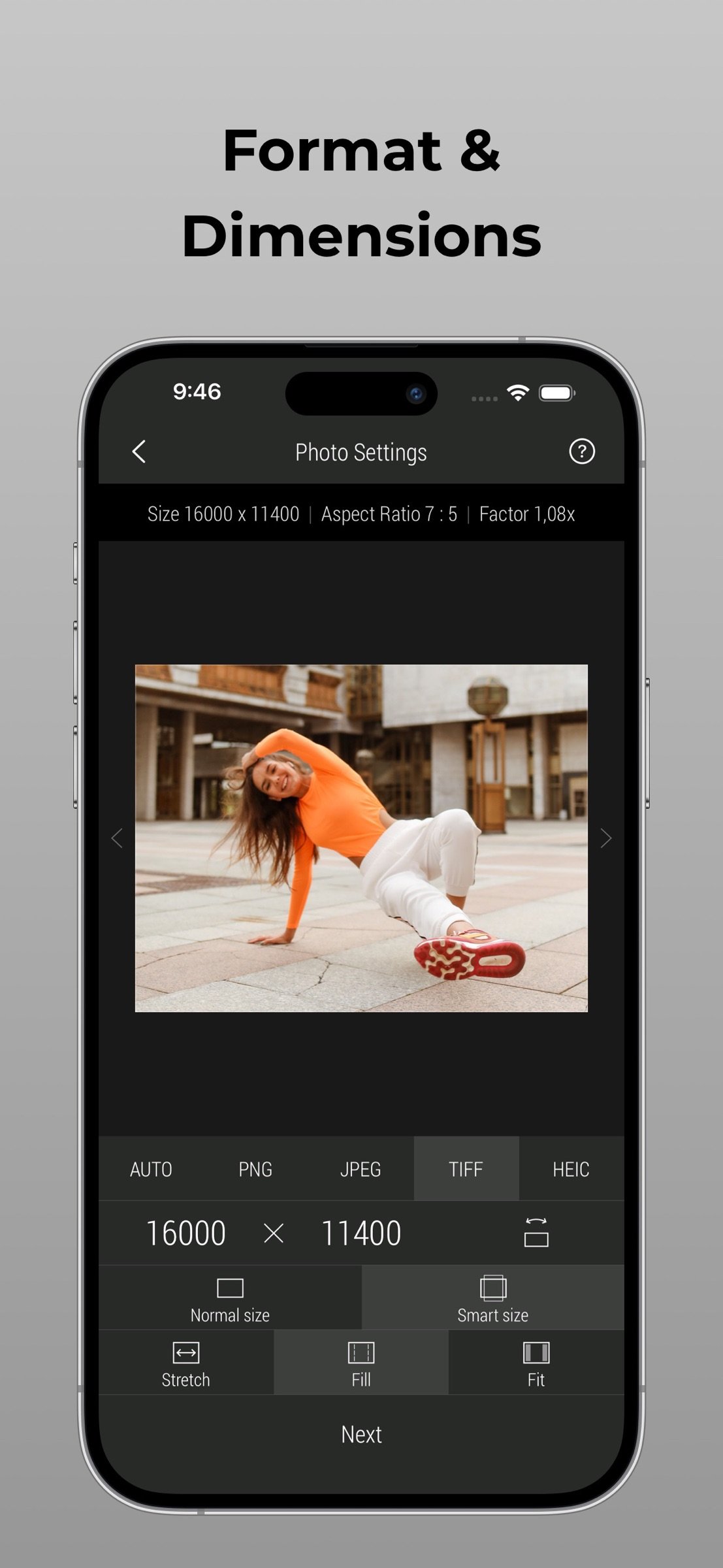
• Resample and resize in three different ways: Stretch, Fill, and Fit
• Choose between Normal and Smart size for more flexible sizing
• Batch resample and resize an unlimited number of photos and videos
• Precision Lanczos and Bicubic interpolation math for crystal-clear upscaling
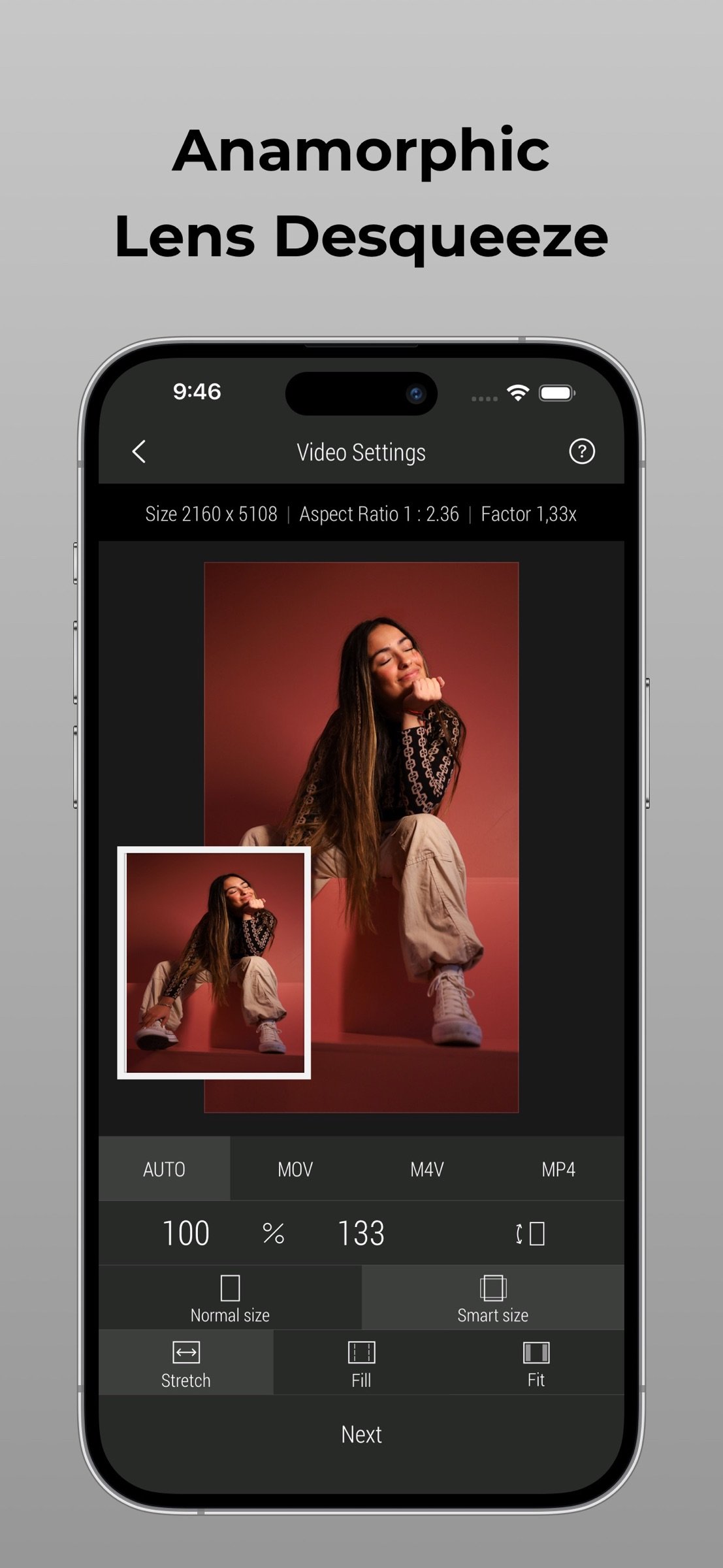
• De-squeeze anamorphic photos and videos
• Preserve Live Photo format or convert it to still image or video
Import Sources
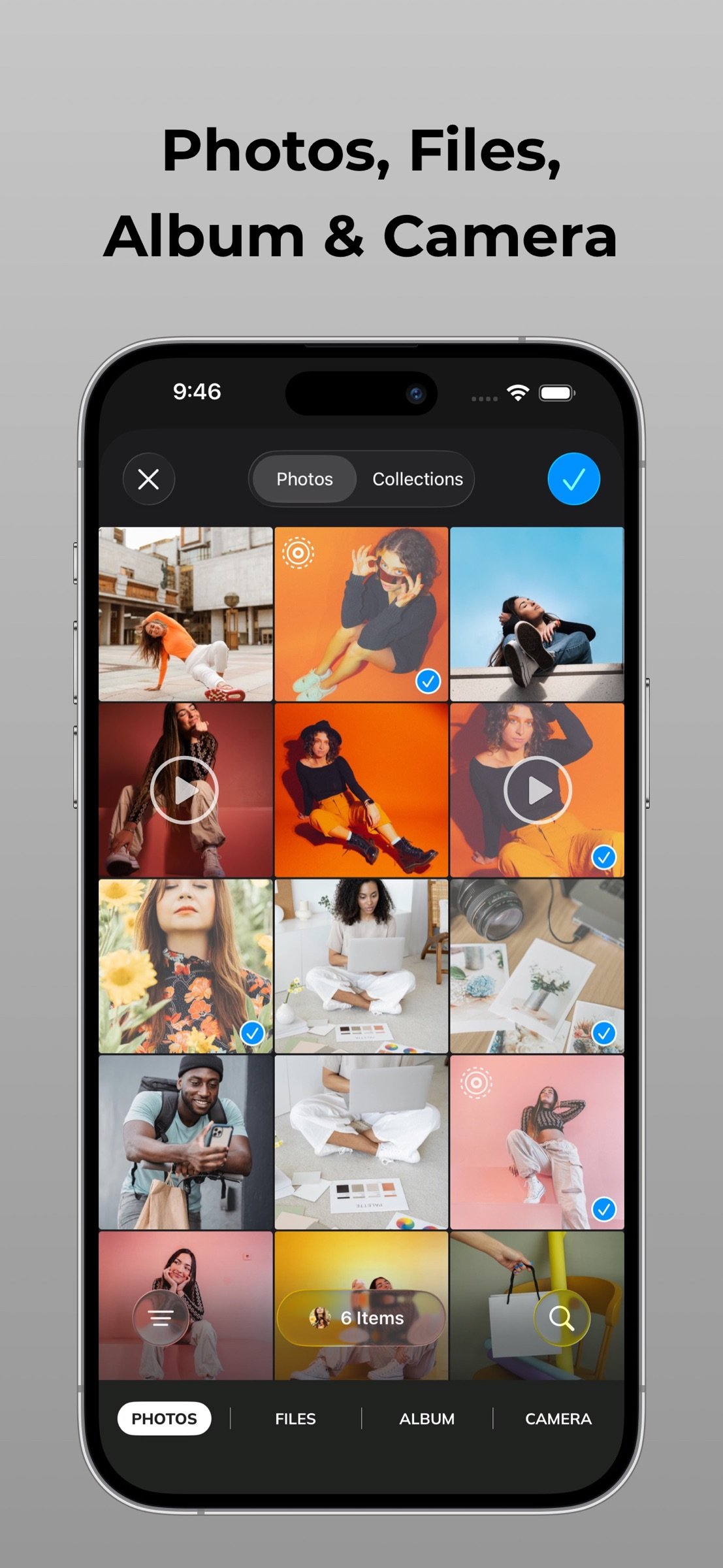
• Multiple photos and videos from Photo Library and Files
• Full album from the Photo Library
• Front or rear camera
Photo Format
• PNG, JPEG, HEIC, and TIFF photo formats
• Auto - reuse the original photo format when possible
• JPEG / HEIC compression quality: 0-100%
• TIFF compression: Zip, LZW, PackBits, Uncompressed
• DPI management
Video Format
• MP4, QuickTime (MOV), and M4V video formats
• Auto - reuse the original video format when possible
• Codec: Auto, H.264, and HEVC(H.265)
• Bitrate: Automatic or Manual
• Framerate: Automatic or Optimized (6, 12, 15, 24, 30, 48, 60) FPS
Canvas Tools
• Flip and Rotate with photo and video inside
• Position for Fill and Fit layout mode
• Fill Color for Fit mode
Color Management
• Full color preservation / best match for Automatic (HDR) color profile
• Color Space: sRGB, Display P3, Adobe RGB, ProPhoto RGB, BT.2100
• Bit Depth: SDR (8-bit), HDR(10-bit) and 16-bit colors
• HDR Format: HDR10, Gain Map, Dolby Vision
Templates
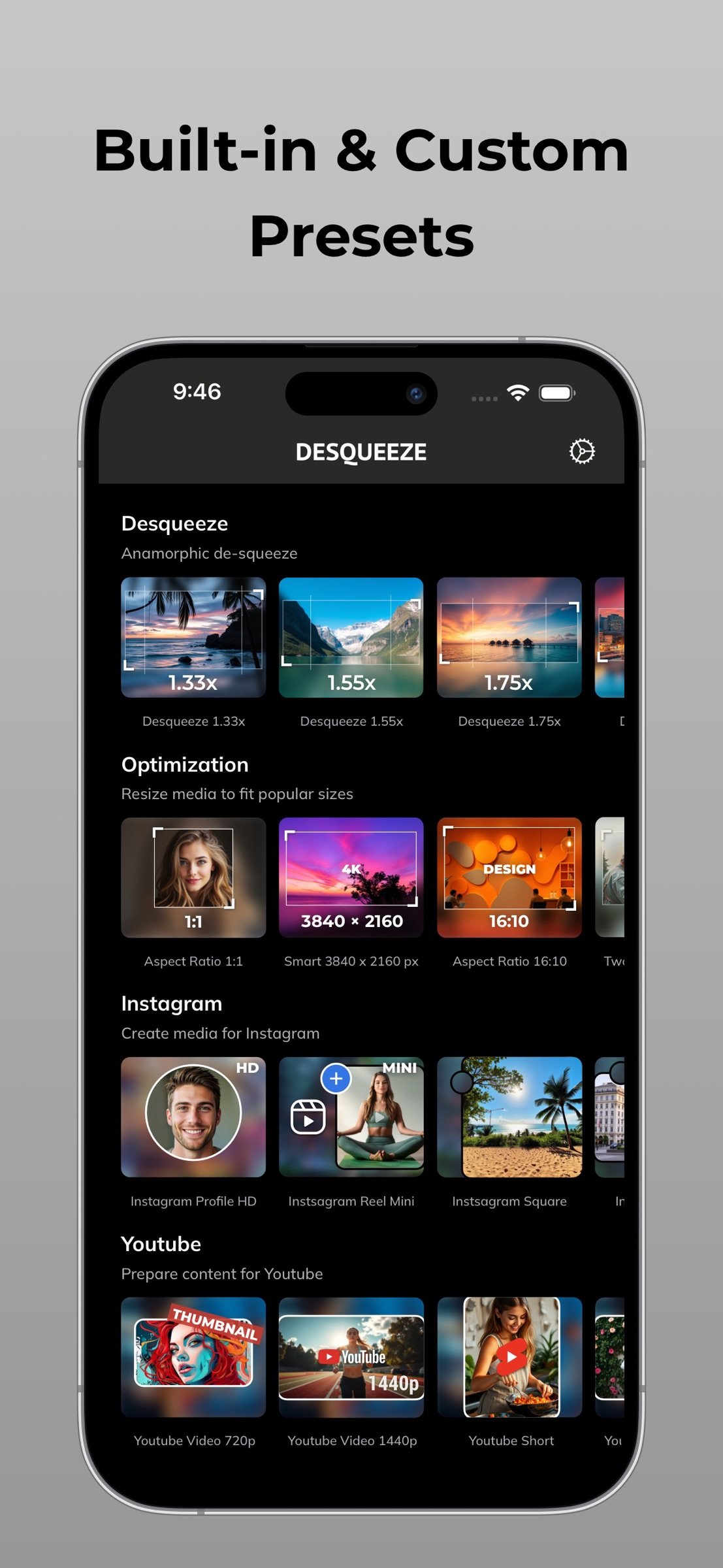
• 100+ social media, optimization, wallpaper, message, de-squeeze, including Instagram, YouTube, Facebook, X and other templates
• Custom / personal templates for your own tasks
• Template library customization for your workflows
Preview
• Photo viewer with zoom up to actual size
• Video player
Share / Export
• Save results to the Photo Library or Files app
• Share results via Instagram, Mail, Facebook, Messages, etc
• Specify filenames: original or custom
———
Device specific maximum target pixel size for photos and videos:
• Photos (8-bit): from 12,000 x 10,000 (12K) up to 18,000 x 12,000 (18K)
• Videos: from 4096 x 2160 (4K Cinematic) up to 7680 x 4320 (8K)
Note: Maximum size for 16-bit photos is lower due to hardware limitations.
———
Contact & Links
• Contact us by Email: contact@desqueeze.com
• Follow us on Twitter and Facebook: @desqueeze
• Visit our Website: [link removed]
• Terms of Use: [link removed]
• Privacy Policy: [link removed]
License: Commercial
FEATURES:
Resample / Resize
• Enter a new size in pixels, aspect ratios, and percentages
• Resample and resize in three different ways: Stretch, Fill, and Fit
• Choose between Normal and Smart size for more flexible sizing
• Batch resample and resize an unlimited number of photos and videos
• Precision Lanczos and Bicubic interpolation math for crystal-clear upscaling
• De-squeeze anamorphic photos and videos
• Preserve Live Photo format or convert it to still image or video
Import Sources
• Multiple photos and videos from Photo Library and Files
• Full album from the Photo Library
• Front or rear camera
Photo Format
• PNG, JPEG, HEIC, and TIFF photo formats
• Auto - reuse the original photo format when possible
• JPEG / HEIC compression quality: 0-100%
• TIFF compression: Zip, LZW, PackBits, Uncompressed
• DPI management
Video Format
• MP4, QuickTime (MOV), and M4V video formats
• Auto - reuse the original video format when possible
• Codec: Auto, H.264, and HEVC(H.265)
• Bitrate: Automatic or Manual
• Framerate: Automatic or Optimized (6, 12, 15, 24, 30, 48, 60) FPS
Canvas Tools
• Flip and Rotate with photo and video inside
• Position for Fill and Fit layout mode
• Fill Color for Fit mode
Color Management
• Full color preservation / best match for Automatic (HDR) color profile
• Color Space: sRGB, Display P3, Adobe RGB, ProPhoto RGB, BT.2100
• Bit Depth: SDR (8-bit), HDR(10-bit) and 16-bit colors
• HDR Format: HDR10, Gain Map, Dolby Vision
Templates
• 100+ social media, optimization, wallpaper, message, de-squeeze, including Instagram, YouTube, Facebook, X and other templates
• Custom / personal templates for your own tasks
• Template library customization for your workflows
Preview
• Photo viewer with zoom up to actual size
• Video player
Share / Export
• Save results to the Photo Library or Files app
• Share results via Instagram, Mail, Facebook, Messages, etc
• Specify filenames: original or custom
———
Device specific maximum target pixel size for photos and videos:
• Photos (8-bit): from 12,000 x 10,000 (12K) up to 18,000 x 12,000 (18K)
• Videos: from 4096 x 2160 (4K Cinematic) up to 7680 x 4320 (8K)
Note: Maximum size for 16-bit photos is lower due to hardware limitations.
———
Contact & Links
• Contact us by Email: contact@desqueeze.com
• Follow us on Twitter and Facebook: @desqueeze
• Visit our Website: [link removed]
• Terms of Use: [link removed]
• Privacy Policy: [link removed]
License: Commercial
| Release info | Update on Nov 05, 2026 |
|---|---|
| Release notes | Update 4.9.7 includes stability improvements and minor localization changes. |
| Listing data | App Store |
Reviews
No reviews yet. Be the first to review Desqueeze PRO.
Used Desqueeze PRO? Tell other visitors what you thought.
Log in to write a reviewOther products by this publisher
- "No Distractions" for YouTube 4.10 ----
- #Bible 11.6 "Incredible App - My sister shared this app with me a few weeks ago and it is truly incredible.
- #filmphotography 1.4.2 So, you decided to shoot on film?
- $quirrel 1.5.1 $quirrel Budget & Finance helps you plan each paycheck, track spending, manage debt, and see what is safe to spend before the next payday.
- % Percentage Calculator Pro 1.41 This is the Pro version of % Percentage Calculator.
Most viewed iOS Photo & Video
-
1
 ShortDiShow 2.0
Drama Quest Island — An offline interactive short-drama adventure.
-
2
 Infuse 8.5.10
Infuse: Enterprise provides the same great features as the standard version of Infuse and includes permanent access to all Pro features via a traditional paid app.
-
3
 AI Video Generator 2.0.3
Vixel – AI Video Generator
-
4
 OPlayer 4.8
Play all your videos directly without having to convert them!
-
5
 Necrometer II 1.2
Necrometer II is a paranormal investigation companion designed for ghost hunters and researchers.
-
6
 CapCut 20.1.0
CapCut offers easy-to-use video editing functions, in-APP fonts and effects, advanced features such as keyframe animation, smooth slow-motion, chroma key, and stabilization, to help you capture and snip moments.
-
7
 Ai Photo 1.1.2
AI Photo Retouch – BG Eraser
- 8 #filmphotography 1.4.2 So, you decided to shoot on film?
-
9
 Treblo 1.6.5
Make songs with the world's best AI music model.
-
10
 Pop Dot Comics 1.48
Create a comic worthy of the Sunday newspaper or your favorite pulp-fiction cover.
Most downloaded iOS Photo & Video
-
1
Infuse 8.5.10
Infuse: Enterprise provides the same great features as the standard version of Infuse and includes permanent access to all Pro features via a traditional paid app.
-
2
 DJI Fly 1.21.18
DJI Fly is designed to help pilots fly drones with ease.
-
3
 Analog Radio 3.0
The iPhone and iPad devices don't have the FM/AM radio antenna installed.
-
4
 TurboCollage Automatic 1.2.4
#1 Easy automatic photo collage maker for iPhone & iPad.
-
5
 Rozeta Sequencer Suite 1.3.16
Rozeta is a suite of MIDI sequencers and controllers that lets you explore a new, freeform approach to sequencing and controlling mobile music apps.
-
6
 ReelyGo 1.1.42
ReelyGo: Your Daily Drama Escape
-
7
Treblo 1.6.5
Make songs with the world's best AI music model.
-
8
Pop Dot Comics 1.48
Create a comic worthy of the Sunday newspaper or your favorite pulp-fiction cover.
-
9
 AGAIN. Rehearsal Notes 2.0.1
AGAIN. is the rehearsal app that remembers why the band stopped — and, new in Version 2, who said what in a writing session or a table read.
-
10
 Sun Scout 1.5.0
If your work or play requires sunlight, Sun Scout is built for you.