
11downloads
0this week
FreeCommercial
0reviews
Screenshots
About DeskX
DeskX — Your desktop, anywhere.
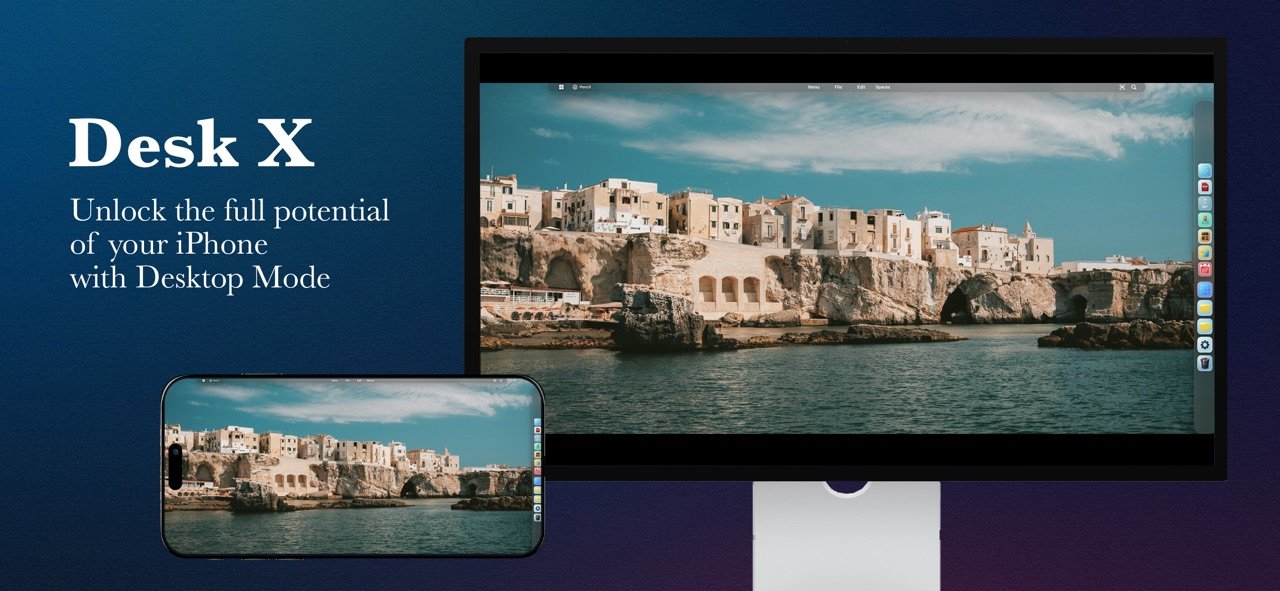
Turn your iPhone or iPad into a multi-window workspace with icons, folders, files, a Dock, widgets and overlapping windows. A flexible desktop experience inspired by Liquid Glass.
BUILT FOR iPHONE DUO
• Fully open: use a complete multi-window desktop on the large inner display, without an external monitor.
• 90° mode: fold the device to use a digital trackpad and control your desktop in a new way.
• SideView: a dedicated view designed for the foldable form factor.
On iPad, the desktop runs directly on the built-in display. On other iPhones, desktop mode requires a compatible external monitor.
YOUR DESKTOP, YOUR WAY
• Desktop icons, folders and files within easy reach.
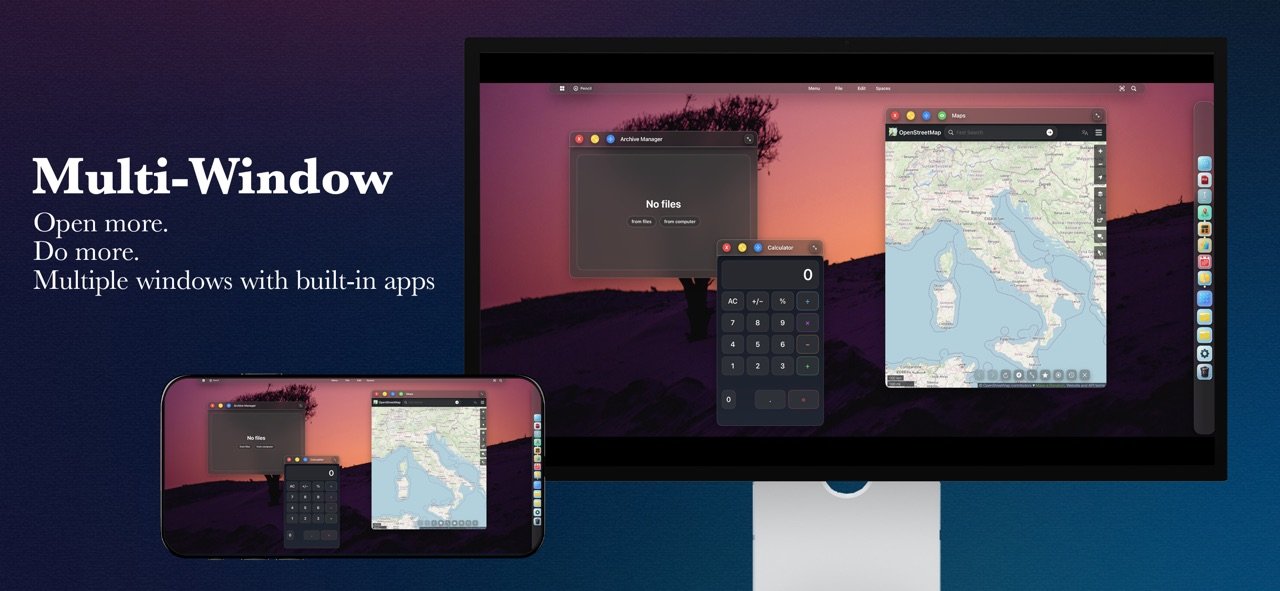
• Open, move, resize and overlap multiple windows.
• Customizable Dock for quick access to favorite tools.
• File Manager: import, rename, tag and organize content.
• Multi-tab browser with downloads and full-screen mode.
• Web Apps: create shortcuts to favorite websites with their own icons.
• Spaces: separate desktops for work, study and downtime.
• Pencil Overlay: draw and annotate over windows and the browser.
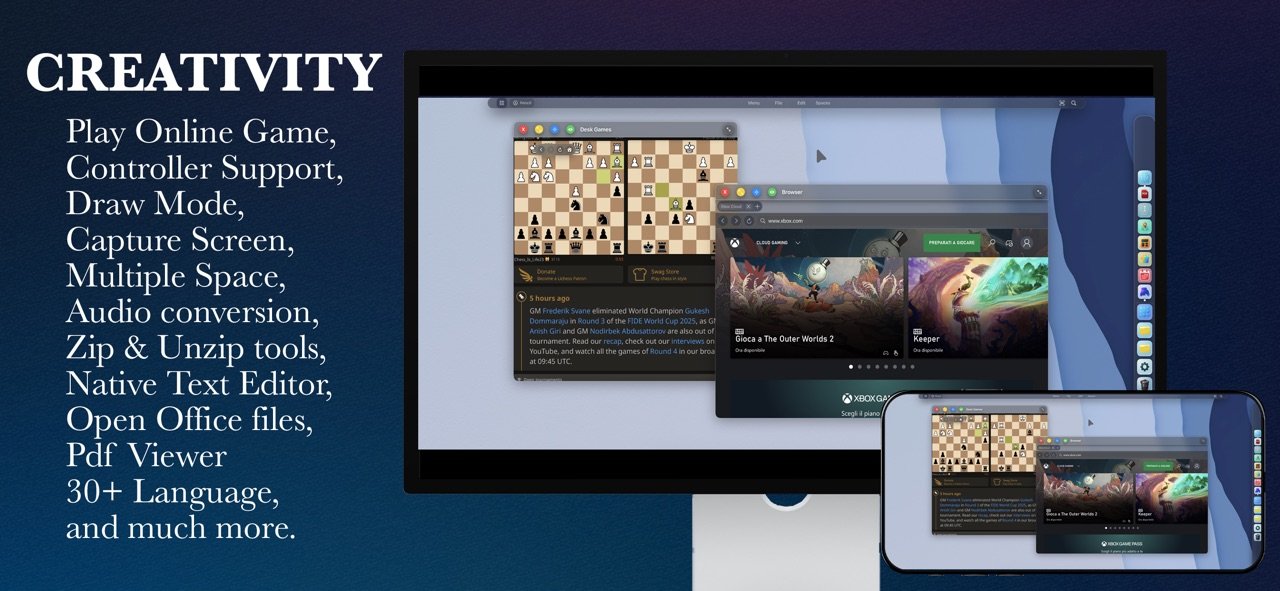
• Controller support for compatible games in the browser and Web Apps, including cloud gaming.
• Passcode protection and backup/restore of your desktop environment.
WIDGETS
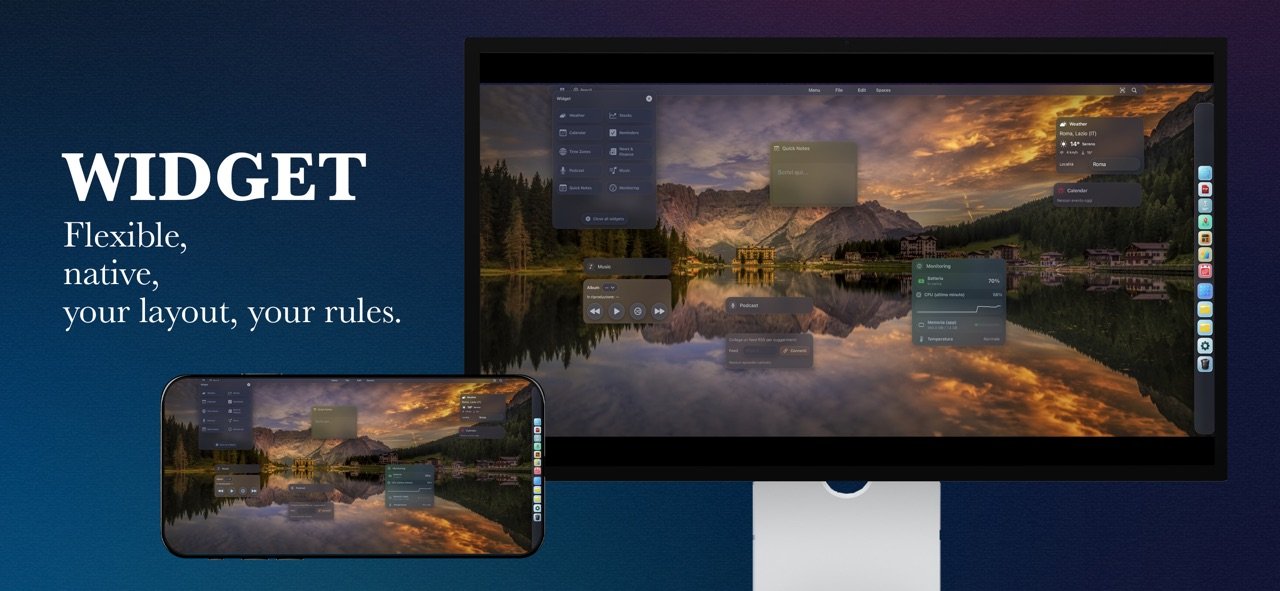
Add and arrange Weather, Stocks, Calendar, Reminders, Time Zones, News & Finance, Podcasts, Music, Quick Notes and Monitoring widgets.
BUILT-IN TOOLS
Archive Manager (create/extract ZIP files); AudioWorkFlow (convert audio and organize albums); Glass Office Viewer (view documents, spreadsheets and presentations); OpenMaps (OpenStreetMap-based maps); AI WebApps (links to ChatGPT and Google AI Studio); VideoEditor Online (CapCut Online and Canva links); Text Editor (export as PDF or images); Calculator; DeskGames (links to online games).
MAKE IT YOURS
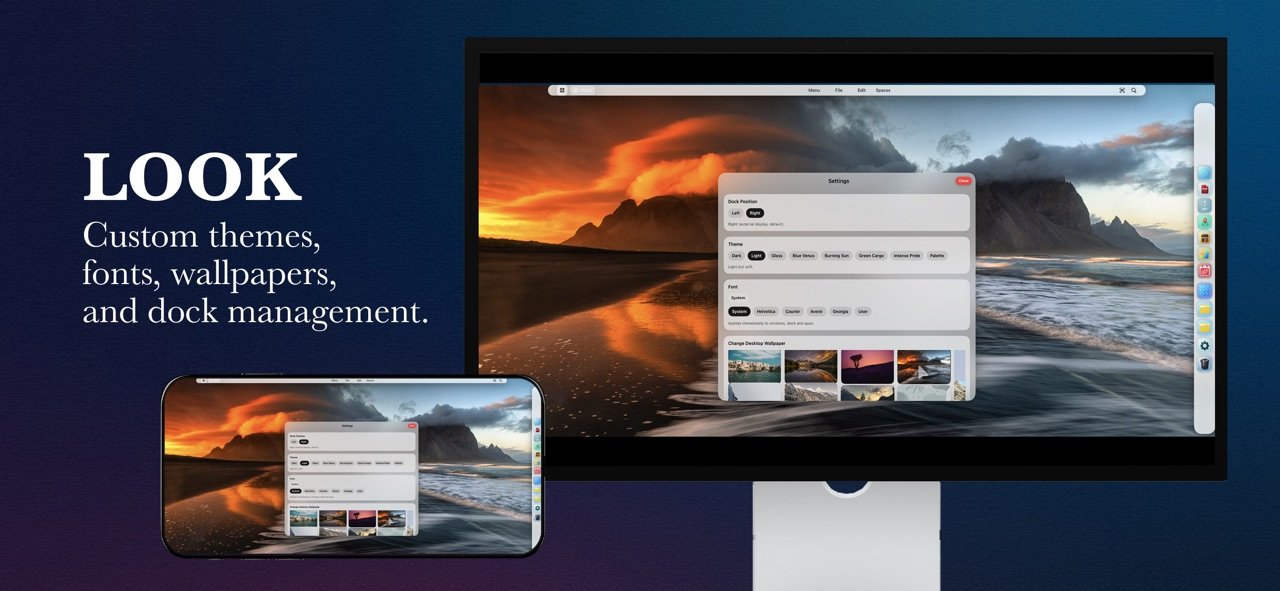
Choose Light, Dark, Liquid Glass, Neon or Minimal themes. Import wallpapers and customize fonts, color palettes and interface details.
COMPATIBILITY
• iPhone Duo: inner-screen desktop, 90° digital trackpad and SideView.
• iPad: built-in display or external monitor.
• Other iPhones: external monitor required; without one, the app displays its start screen.
• Lightning: HDMI through a Lightning Digital AV Adapter.
• USB-C: HDMI/DisplayPort through compatible adapters or docks.
The workspace adapts to the connected screen resolution. Certified accessories are recommended; some adapters may limit resolution, audio or HDCP-protected content.
IMPORTANT
DeskX provides a desktop environment within the app; it does not replace iOS/iPadOS or control windows from other system apps. AI WebApps, VideoEditor Online and DeskGames link to third-party online services that may require internet access, an account and acceptance of their own terms and privacy policies. OpenMaps uses OpenStreetMap data — © OpenStreetMap contributors. Glass Office Viewer supports common document formats; compatibility and features may vary.
DeskX. Open up new possibilities.
License: Commercial
Turn your iPhone or iPad into a multi-window workspace with icons, folders, files, a Dock, widgets and overlapping windows. A flexible desktop experience inspired by Liquid Glass.
BUILT FOR iPHONE DUO
• Fully open: use a complete multi-window desktop on the large inner display, without an external monitor.
• 90° mode: fold the device to use a digital trackpad and control your desktop in a new way.
• SideView: a dedicated view designed for the foldable form factor.
On iPad, the desktop runs directly on the built-in display. On other iPhones, desktop mode requires a compatible external monitor.
YOUR DESKTOP, YOUR WAY
• Desktop icons, folders and files within easy reach.
• Open, move, resize and overlap multiple windows.
• Customizable Dock for quick access to favorite tools.
• File Manager: import, rename, tag and organize content.
• Multi-tab browser with downloads and full-screen mode.
• Web Apps: create shortcuts to favorite websites with their own icons.
• Spaces: separate desktops for work, study and downtime.
• Pencil Overlay: draw and annotate over windows and the browser.
• Controller support for compatible games in the browser and Web Apps, including cloud gaming.
• Passcode protection and backup/restore of your desktop environment.
WIDGETS
Add and arrange Weather, Stocks, Calendar, Reminders, Time Zones, News & Finance, Podcasts, Music, Quick Notes and Monitoring widgets.
BUILT-IN TOOLS
Archive Manager (create/extract ZIP files); AudioWorkFlow (convert audio and organize albums); Glass Office Viewer (view documents, spreadsheets and presentations); OpenMaps (OpenStreetMap-based maps); AI WebApps (links to ChatGPT and Google AI Studio); VideoEditor Online (CapCut Online and Canva links); Text Editor (export as PDF or images); Calculator; DeskGames (links to online games).
MAKE IT YOURS
Choose Light, Dark, Liquid Glass, Neon or Minimal themes. Import wallpapers and customize fonts, color palettes and interface details.
COMPATIBILITY
• iPhone Duo: inner-screen desktop, 90° digital trackpad and SideView.
• iPad: built-in display or external monitor.
• Other iPhones: external monitor required; without one, the app displays its start screen.
• Lightning: HDMI through a Lightning Digital AV Adapter.
• USB-C: HDMI/DisplayPort through compatible adapters or docks.
The workspace adapts to the connected screen resolution. Certified accessories are recommended; some adapters may limit resolution, audio or HDCP-protected content.
IMPORTANT
DeskX provides a desktop environment within the app; it does not replace iOS/iPadOS or control windows from other system apps. AI WebApps, VideoEditor Online and DeskGames link to third-party online services that may require internet access, an account and acceptance of their own terms and privacy policies. OpenMaps uses OpenStreetMap data — © OpenStreetMap contributors. Glass Office Viewer supports common document formats; compatibility and features may vary.
DeskX. Open up new possibilities.
License: Commercial
| Release info | Update on Nov 13, 2026 |
|---|---|
| Release notes | - Native support for external displays! Enjoy an interface optimized for your monitor’s resolution via both USB-C and HDMI to view your content across the entire display. - Pop-up blocker! Most of those annoying pop-ups that appear when you visit a website or try to watch a streaming video will no longer appear! - In external display mode, your device now acts as a touchpad with a switch and access to the on-screen keyboard. - Lock Mode! Sometimes you may need to lock your device to prevent accidental touches; now you can lock and unlock it using the convenient button in the top-right corner of the top bar. - Full-screen content enabled You can watch videos, movies, and social media in full screen across your entire display without interruptions. - Capturing and saving screenshots and video recordings is now instantaneous. - Fixed an issue that caused screenshots to be captured incorrectly. - Minor bug fixes |
| Listing data | App Store |
Reviews
No reviews yet. Be the first to review DeskX.
Used DeskX? Tell other visitors what you thought.
Log in to write a reviewOther products by this publisher
- "No Distractions" for YouTube 4.10 ----
- #Bible 11.6 "Incredible App - My sister shared this app with me a few weeks ago and it is truly incredible.
- #filmphotography 1.4.2 So, you decided to shoot on film?
- $quirrel 1.5.1 $quirrel Budget & Finance helps you plan each paycheck, track spending, manage debt, and see what is safe to spend before the next payday.
- % Percentage Calculator Pro 1.41 This is the Pro version of % Percentage Calculator.
Most viewed iOS Productivity
-
1
 WordPress 27.4
Manage or create your WordPress blog or website right from your iOS device: create and edit posts and pages, upload your favorite photos and videos, view stats and reply to comments.
- 2 Voice Translator - Alive 1.6 Translation app that turns your iPhone into an interpreter instantly.
-
3
 Claude by Anthropic 1.261113.19
Meet Claude, your AI problem solver and thinking partner.
-
4
 Life360 26.43.5
Whether at home, online, or on the move, our comprehensive family safety features bring peace of mind to your loved ones AND help safeguard your personal belongings.
-
5
 WristMemo 2.0
WristMemo turns your Apple Watch into an all-day voice recorder.
- 6 "No Distractions" for YouTube 4.10 ----
-
7
 Colicine 1.3.0
Have you ever been there—
- 8 (beat) for iOS 0.5.10 An elegant Fountain screenwriting app, created by a screenwriter for screenwriters.
-
9
 DeepSeek 2.8.0
Experience seamless interaction with DeepSeek's official AI assistant for free!
-
10
 Howbout 16.7.2
The shared calendar for friends, couples, and family
Most downloaded iOS Productivity
- 1 Voice Translator - Alive 1.6 Translation app that turns your iPhone into an interpreter instantly.
-
2
DeepSeek 2.8.0
Experience seamless interaction with DeepSeek's official AI assistant for free!
-
3
 SessionsAI 1.2.1
Sessions AI is a private AI workspace that runs entirely on your iPhone, iPad, or Mac.
-
4
 Voices AI 1.16.15
Discover Voices, the premier voice transformation app designed exclusively for iOS.
-
5
 Block Distracting Websites 1.11
"It's a great way to save time, and stop browsing Reddit when you should be doing coursework."
-
6
 Plot Digitizer 1.4.1
Plot Digitizer is an app to extract numerical data from plot images.
-
7
 Google Docs 1.2026.45104
Create, edit, and collaborate on online documents with the Google Docs app.
-
8
 MyHyundai with Bluelink 5.4.5
The MyHyundai app makes getting information about your Hyundai vehicle easier than ever.
-
9
 Pixy Mood Tracker 1.110.0
Track your mood, one pixel at a time.
-
10
 ScreenRecess 1.0.0
A gentle nudge to put your device down when it’s hard to stop.