
DeskSign 1.0.1
Fold your iPhone Duo into a tent on your desk — or stand any iPhone up — and DeskSign turns the screen into a sign facing the room.
Download
0.60 MB
1downloads
1this week
FreeCommercial
0reviews
Screenshots
About DeskSign
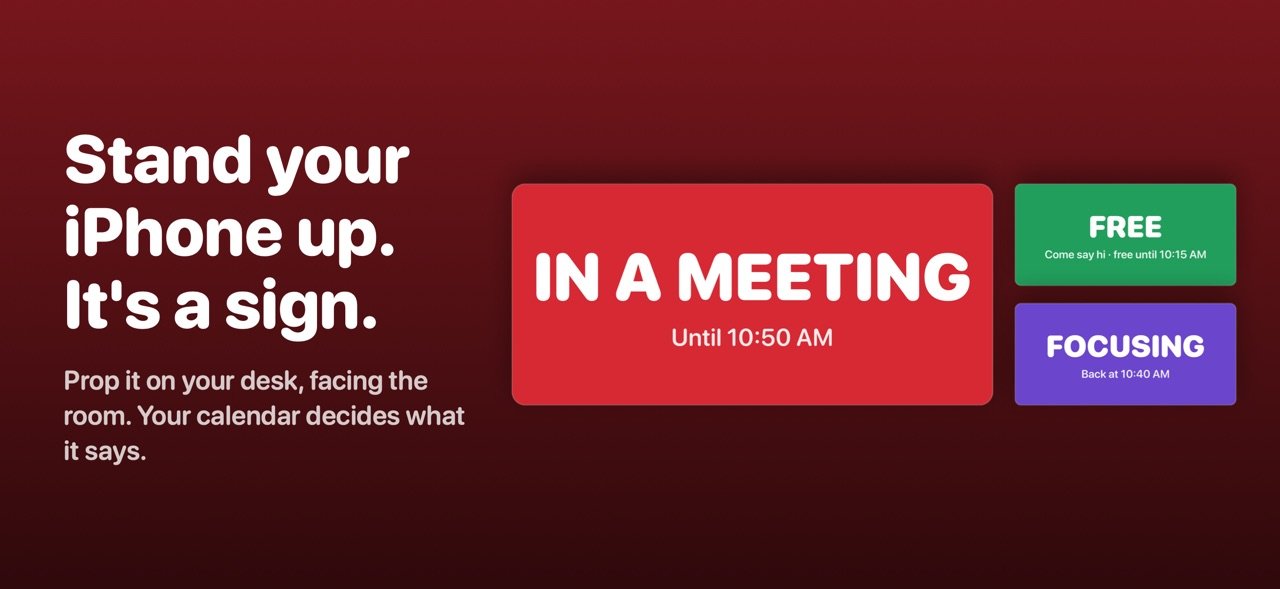
Fold your iPhone Duo into a tent on your desk — or stand any iPhone up — and DeskSign turns the screen into a sign facing the room. In big, bold colour it shows whether you're in a meeting, focusing or free — straight from your calendar — so family, roommates and coworkers know when to come say hi, without asking.
Built for iPhone Duo
DeskSign fills the outer screen, facing the room, and keeps it awake while it stands. No stand, no gadget — the phone is the sign. On the inner screen, when it's partly open, text stays clear of the fold. On any other iPhone, prop it on a stand; the screen stays on while DeskSign is open.
THREE KINDS OF SIGN
• Calendar — busy or free, automatically
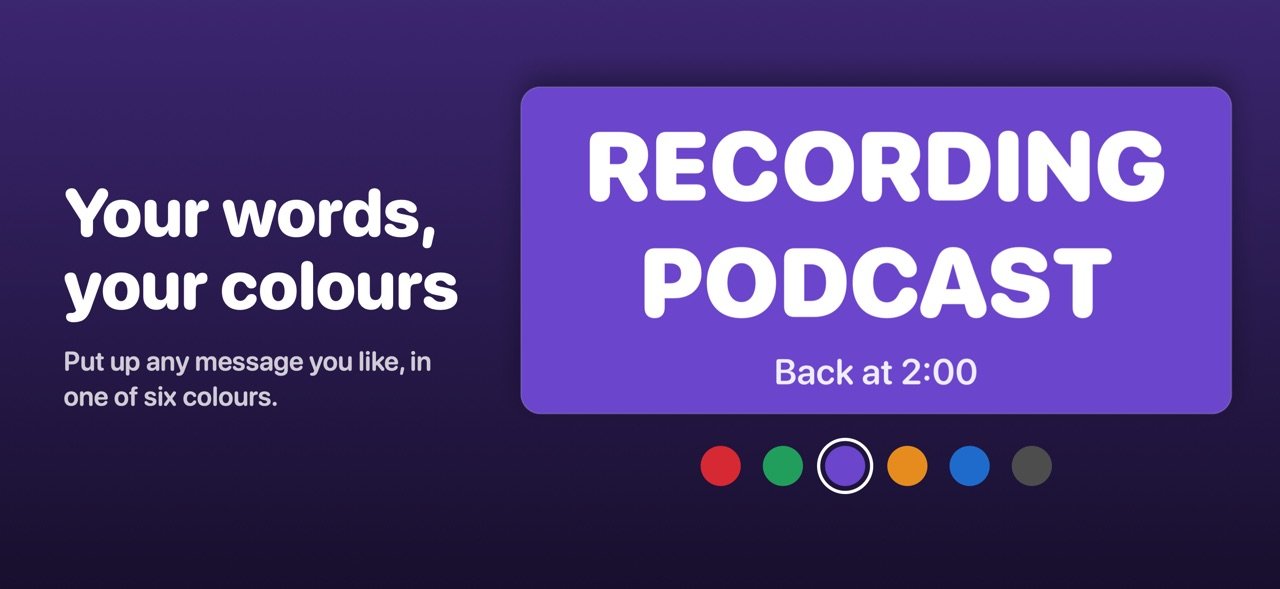
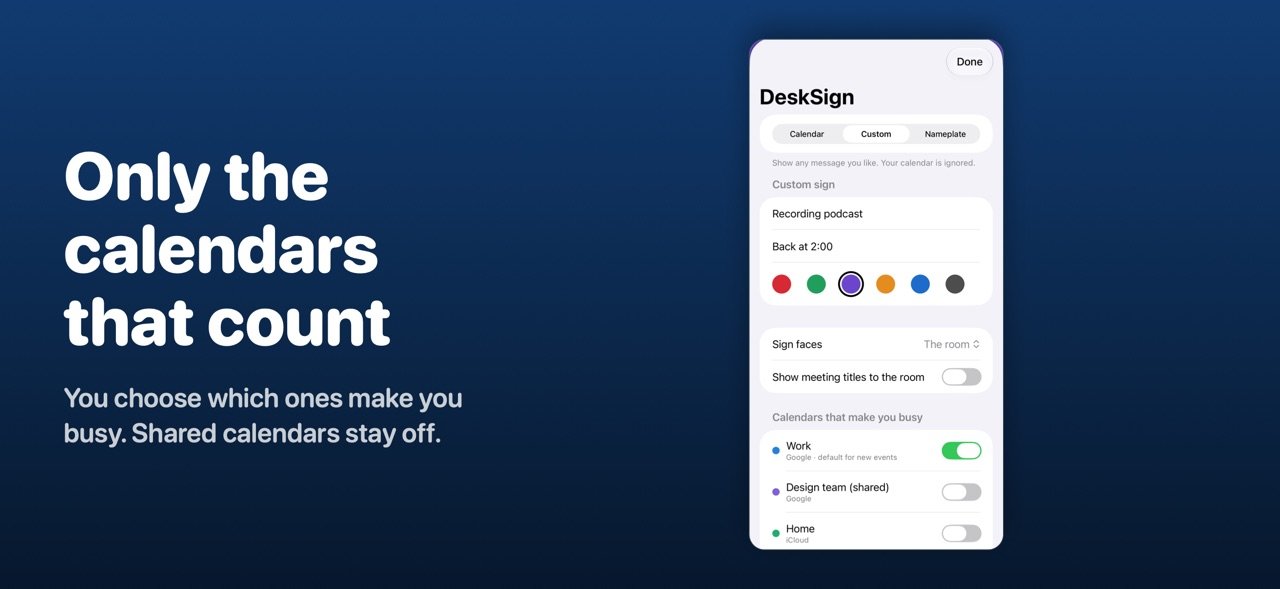
• Custom message — anything you like, such as "Recording podcast", in one of six colours
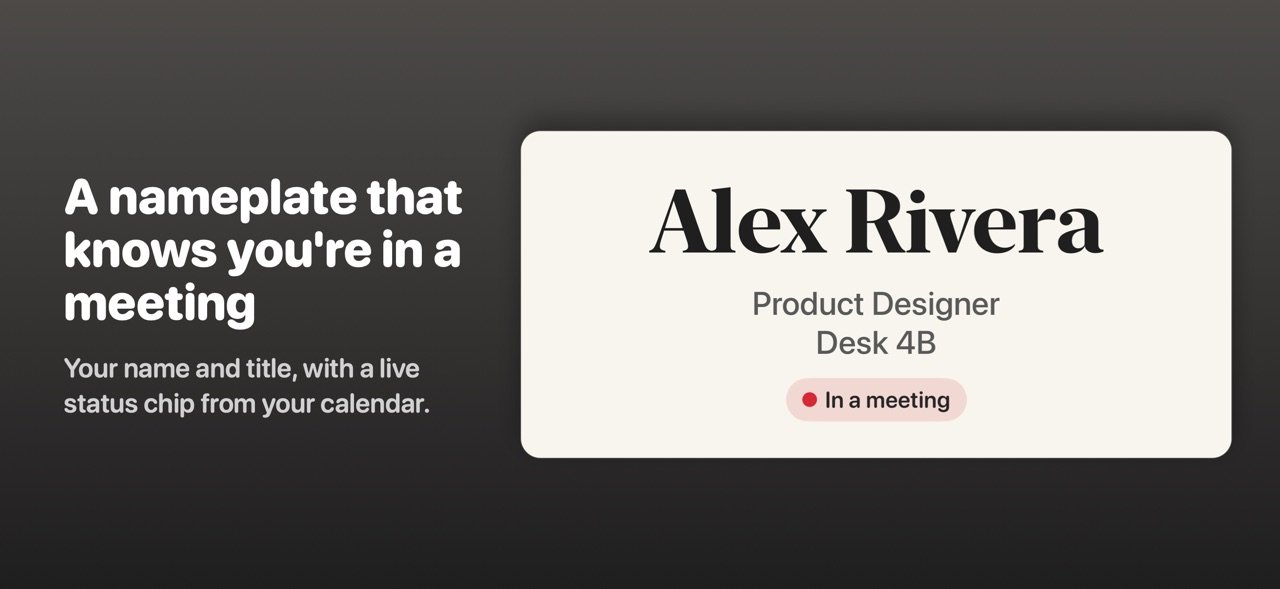
• Nameplate — your name, your title or team and an optional third line, with your live status underneath if you want it
AUTOMATIC FROM YOUR CALENDAR
• "In a meeting — until 2:30" in red while you're busy
• "Focusing — back at 3:00" for events titled Focus, Deep work or Heads down
• "Free — come say hi" in green when you're not, plus "free until 4:00" when something's coming up
• "Out today" for vacation and out-of-office days
• Back-to-back meetings show as one block, so "until" means until you're actually free
• Declined events and "show as free" holds never make you look busy
• All-day events only mark you out if they're set to Out of Office, or say so in the title ("Vacation", "PTO", "Sick") and aren't set to show as Free — a deadline reminder won't
CHOOSE WHICH CALENDARS COUNT
Right after you connect, DeskSign asks which calendars are yours. Only your main calendar starts on, so calendars other people share with you — family, team, holidays — won't make you look busy until you say so. Birthdays never do.
WORKS WITH ANY CALENDAR ON YOUR IPHONE
iCloud, Google, Outlook, Exchange — whatever you've added to the Calendar app.
IN YOUR OWN WORDS
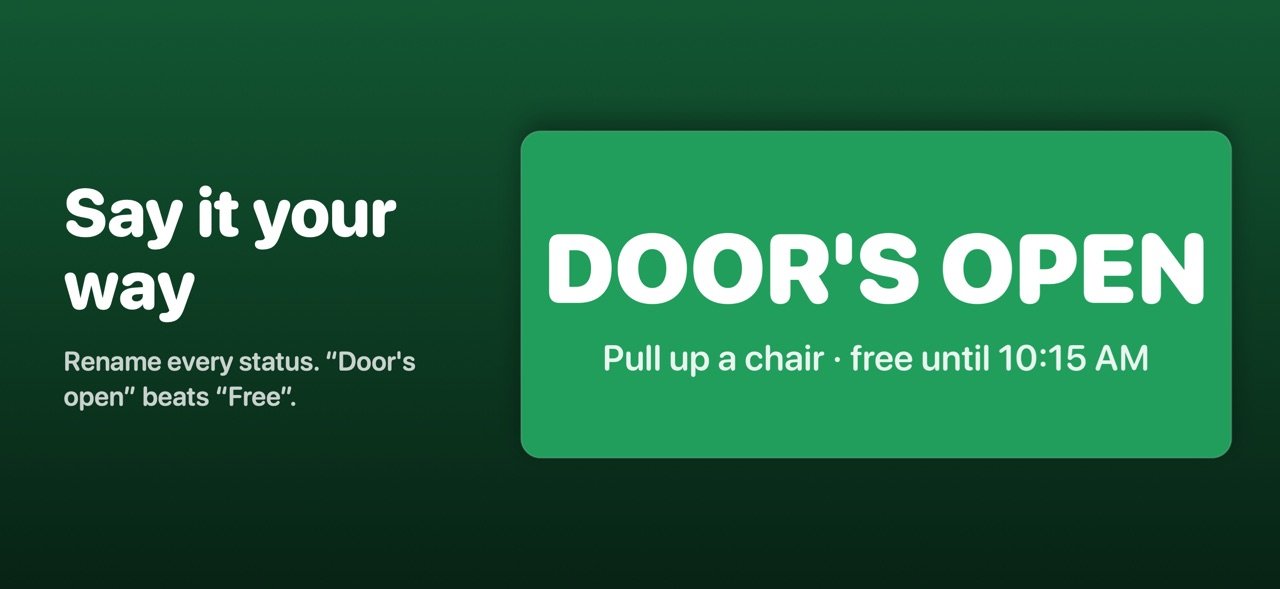
Change what the sign says for Free, In a meeting, Focusing and Out — "Heads down", "Knock anytime", "On leave". Times like "until 2:30" are added for you.
SET IT BY HAND
On a calendar sign, or a nameplate showing your status, press and hold and pick one: on a call, recording, do not disturb, at lunch, back in 10, come on in. It beats your calendar until it runs out or you clear it.
YOUR COUNTDOWN
Double-tap to turn the sign toward you and see how long is left in your meeting, or how long until the next one. A "Why" line shows which event set your status.
PRIVATE BY DESIGN
• Your calendar never leaves your iPhone — no account, no servers
• Meeting titles stay hidden from the room unless you choose to show them
• No ads, no tracking, no data collected
License: Commercial
Built for iPhone Duo
DeskSign fills the outer screen, facing the room, and keeps it awake while it stands. No stand, no gadget — the phone is the sign. On the inner screen, when it's partly open, text stays clear of the fold. On any other iPhone, prop it on a stand; the screen stays on while DeskSign is open.
THREE KINDS OF SIGN
• Calendar — busy or free, automatically
• Custom message — anything you like, such as "Recording podcast", in one of six colours
• Nameplate — your name, your title or team and an optional third line, with your live status underneath if you want it
AUTOMATIC FROM YOUR CALENDAR
• "In a meeting — until 2:30" in red while you're busy
• "Focusing — back at 3:00" for events titled Focus, Deep work or Heads down
• "Free — come say hi" in green when you're not, plus "free until 4:00" when something's coming up
• "Out today" for vacation and out-of-office days
• Back-to-back meetings show as one block, so "until" means until you're actually free
• Declined events and "show as free" holds never make you look busy
• All-day events only mark you out if they're set to Out of Office, or say so in the title ("Vacation", "PTO", "Sick") and aren't set to show as Free — a deadline reminder won't
CHOOSE WHICH CALENDARS COUNT
Right after you connect, DeskSign asks which calendars are yours. Only your main calendar starts on, so calendars other people share with you — family, team, holidays — won't make you look busy until you say so. Birthdays never do.
WORKS WITH ANY CALENDAR ON YOUR IPHONE
iCloud, Google, Outlook, Exchange — whatever you've added to the Calendar app.
IN YOUR OWN WORDS
Change what the sign says for Free, In a meeting, Focusing and Out — "Heads down", "Knock anytime", "On leave". Times like "until 2:30" are added for you.
SET IT BY HAND
On a calendar sign, or a nameplate showing your status, press and hold and pick one: on a call, recording, do not disturb, at lunch, back in 10, come on in. It beats your calendar until it runs out or you clear it.
YOUR COUNTDOWN
Double-tap to turn the sign toward you and see how long is left in your meeting, or how long until the next one. A "Why" line shows which event set your status.
PRIVATE BY DESIGN
• Your calendar never leaves your iPhone — no account, no servers
• Meeting titles stay hidden from the room unless you choose to show them
• No ads, no tracking, no data collected
License: Commercial
| Release info | Update on Nov 07, 2026 |
|---|---|
| Release notes | • Three kinds of sign: your calendar status, a custom message in the colour of your choice, or a desk nameplate with your name, title and (optionally) your live status. • Choose which calendars count. DeskSign now asks which calendars are yours, and only your main calendar starts on — so family, team and holiday calendars won't make you look busy or "out" unless you turn them on. Birthdays never do. • Write your own words for each status — "Heads down", "On leave", "Knock anytime". • On iPhone Duo, signs now keep their text clear of the fold when the phone is partly open. • A "Why" line on the facing-you screen shows which event set your status. |
| Listing data | App Store |
Reviews
No reviews yet. Be the first to review DeskSign.
Used DeskSign? Tell other visitors what you thought.
Log in to write a reviewOther products by this publisher
- "No Distractions" for YouTube 4.10 ----
- #Bible 11.6 "Incredible App - My sister shared this app with me a few weeks ago and it is truly incredible.
- #filmphotography 1.4.2 So, you decided to shoot on film?
- $quirrel 1.5.1 $quirrel Budget & Finance helps you plan each paycheck, track spending, manage debt, and see what is safe to spend before the next payday.
- % Percentage Calculator Pro 1.41 This is the Pro version of % Percentage Calculator.
Most viewed iOS Productivity
-
1
 WordPress 27.4
Manage or create your WordPress blog or website right from your iOS device: create and edit posts and pages, upload your favorite photos and videos, view stats and reply to comments.
- 2 Voice Translator - Alive 1.6 Translation app that turns your iPhone into an interpreter instantly.
-
3
 Claude by Anthropic 1.261106.19
Meet Claude, your AI problem solver and thinking partner.
- 4 "No Distractions" for YouTube 4.10 ----
- 5 (beat) for iOS 0.5.10 An elegant Fountain screenwriting app, created by a screenwriter for screenwriters.
-
6
 DeepSeek 2.7.5
Experience seamless interaction with DeepSeek's official AI assistant for free!
-
7
 Life360 26.42.0
Whether at home, online, or on the move, our comprehensive family safety features bring peace of mind to your loved ones AND help safeguard your personal belongings.
-
8
 Howbout 16.7.0
The shared calendar for friends, couples, and family
-
9
 Voices AI 1.16.15
Discover Voices, the premier voice transformation app designed exclusively for iOS.
-
10
 Plot Digitizer 1.4.1
Plot Digitizer is an app to extract numerical data from plot images.
Most downloaded iOS Productivity
- 1 Voice Translator - Alive 1.6 Translation app that turns your iPhone into an interpreter instantly.
-
2
 SessionsAI 1.2.1
Sessions AI is a private AI workspace that runs entirely on your iPhone, iPad, or Mac.
-
3
DeepSeek 2.7.5
Experience seamless interaction with DeepSeek's official AI assistant for free!
-
4
Voices AI 1.16.15
Discover Voices, the premier voice transformation app designed exclusively for iOS.
-
5
 Block Distracting Websites 1.11
"It's a great way to save time, and stop browsing Reddit when you should be doing coursework."
-
6
Plot Digitizer 1.4.1
Plot Digitizer is an app to extract numerical data from plot images.
-
7
 Google Docs 1.2026.43105
Create, edit, and collaborate on online documents with the Google Docs app.
-
8
 Pixy Mood Tracker 1.110.0
Track your mood, one pixel at a time.
-
9
 VPN 2.61.0
VPN - Super Unlimited Proxy is a free VPN and proxy app for iPhone, iPad, Mac and Apple Vision Pro.
-
10
Life360 26.42.0
Whether at home, online, or on the move, our comprehensive family safety features bring peace of mind to your loved ones AND help safeguard your personal belongings.