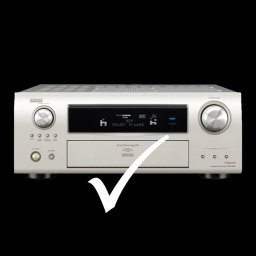
DeRemote for Denon and Marantz 3.9.5
DeRemote turns your iPhone, iPad or iPod Touch into a fast and reliable remote control for your Denon or Marantz AV Receiver.
Download
8.11 MB
18downloads
1this week
FreeCommercial
0reviews
Screenshots
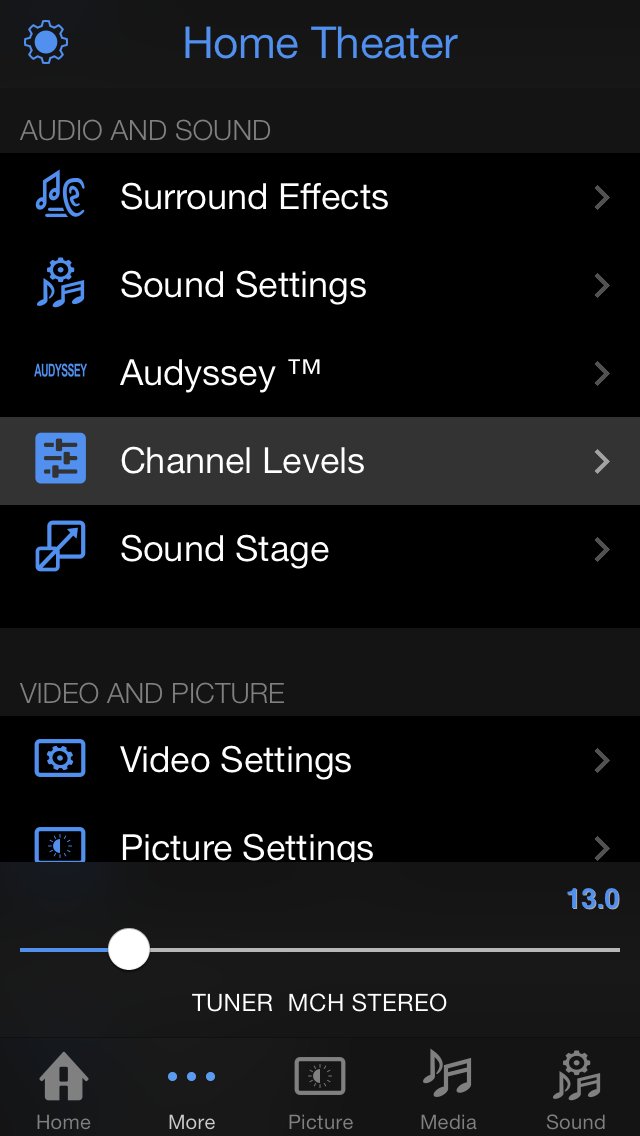
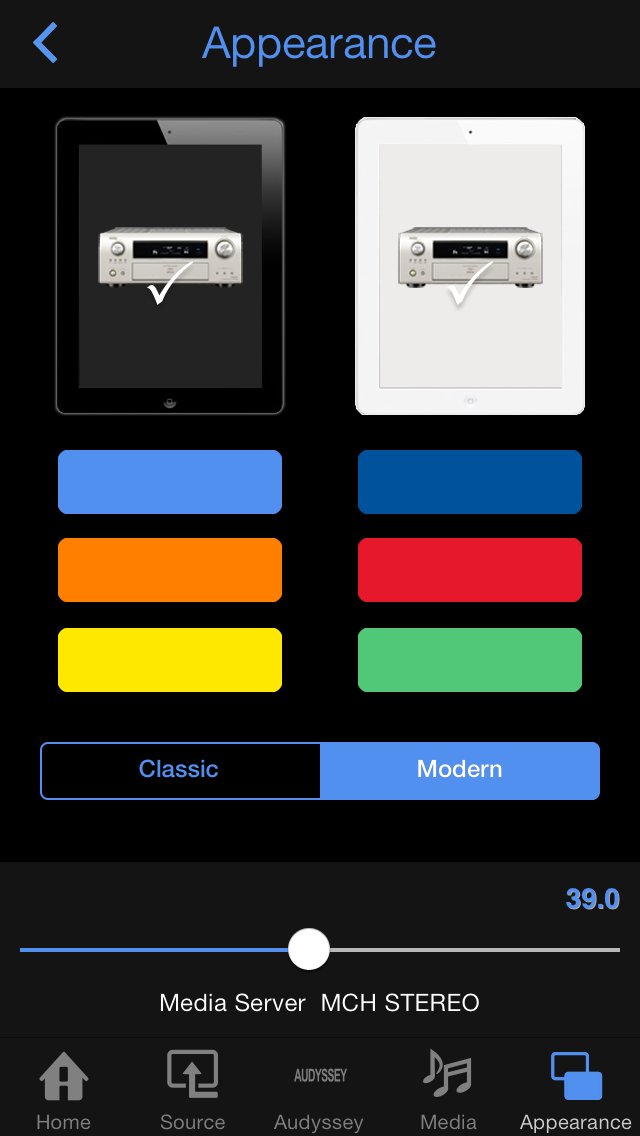
About DeRemote for Denon and Marantz
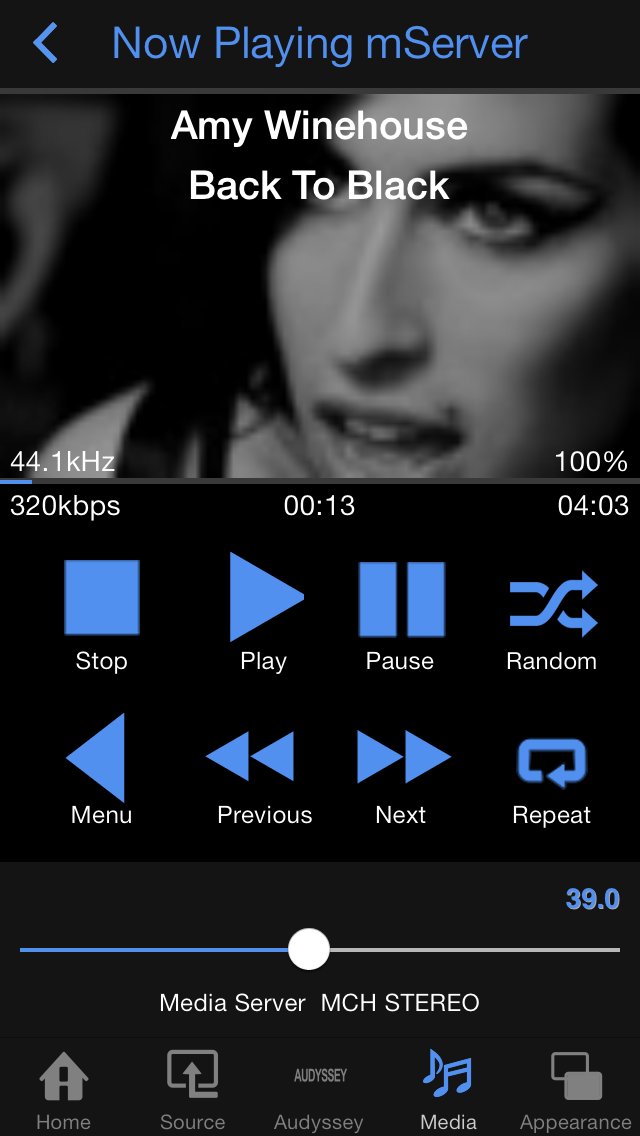
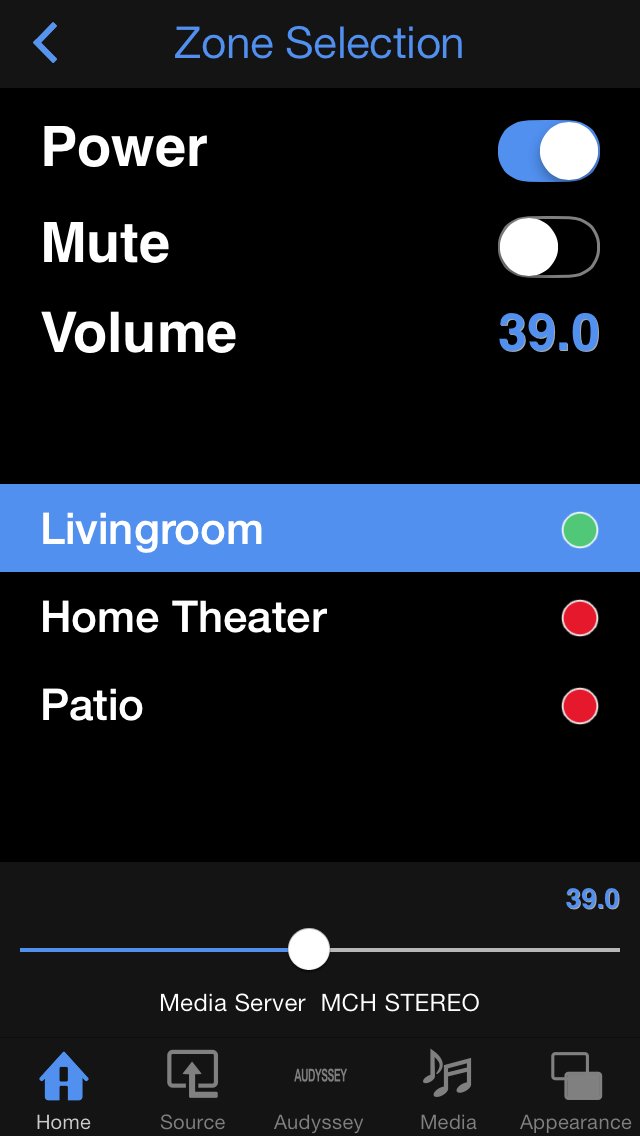
DeRemote turns your iPhone, iPad or iPod Touch into a fast and reliable remote control for your Denon or Marantz AV Receiver. You get quick and easy access to all zone, source, preset, audio and video settings and experience your audio/video system like never before.
DeRemote requires a Denon or Marantz Amplifier or Receiver with BUILT-IN LAN. Following models are supported:
Denon: (incl. 'W' and 'ci' models):
* AVR-S710, AVR-S910, AVR-X1200, AVR-X2200, AVR-X3200, AVR-X4200, AVR-X5200, AVR-X6200, AVR-X7200
* AVR-S700, AVR-S900, AVR-X1100, AVR-X2100, AVR-X3100, AVR-X4100,
* AVR-E300, AVR-E400, AVR-X1000, AVR-X2000, AVR-X3000, AVR-X4000, AVR-4520
* AVR-1613, AVR-1713, AVR-1913, AVR-2113, AVR-2313, AVR-3313
* AVR-1912, AVR-2112, AVR-2312, AVR-3312
* AVR-3311, AVR-4311
* AVR-3310, AVR-4310, AVR-4810
* AVR-3808, AVR-4308, AVR-5308, AVC-4320
* AVR-4306, AVR-4806
* AVR-990, AVR-991
* AVR-A100, AVx-A1HD, AVC-A1XV, AVC-A11X
Marantz:
* SR5010, SR6010, SR7010
* SR5009, SR6009, SR7009, AV7702, AV8802
* SR5008, SR6008, SR7008, AV7701, AV8801
* SR5007, SR6007, SR7007
* SR5006, SR6006
* SR7005, AV7005
* NR1602, NR1603, NR1604, NR1605, NR1606
* NR1504, NR1505, NR1506
McIntosh:
* MX121
Before purchasing, please contact support@deremote.com if your model is not listed.
Please note that all AppStore reviews are anonymous and do not provide a way for developers to respond to support or refund requests. In addition to your review, please do contact support@deremote.com if anything is not working as expected.
Note: following models are NOT supported:
• S32/302 does not provide the same remote control protocol as the AVR/AVC series
• AVR-4303, AVR-3806, AVR-19x1 and AVR-23x1 do not have LAN support
• Cara S-5DB doesn’t support the remote control protocol on the LAN-port
• DNP-720 and Nx7004 doesn’t support the full remote control protocol on the LAN-port
• MCR-60x and RCD-N7 / CEOL does not provide the same remote control protocol as the AVR/AVC series
Note: some Home Automation solutions like Control4 and Crestron take exclusive ownership of the Denon/Marantz remote control interface and therefor won't work in combination with DeRemote. Please contact support@deremote.com if you run into this compatibility issue.
-----
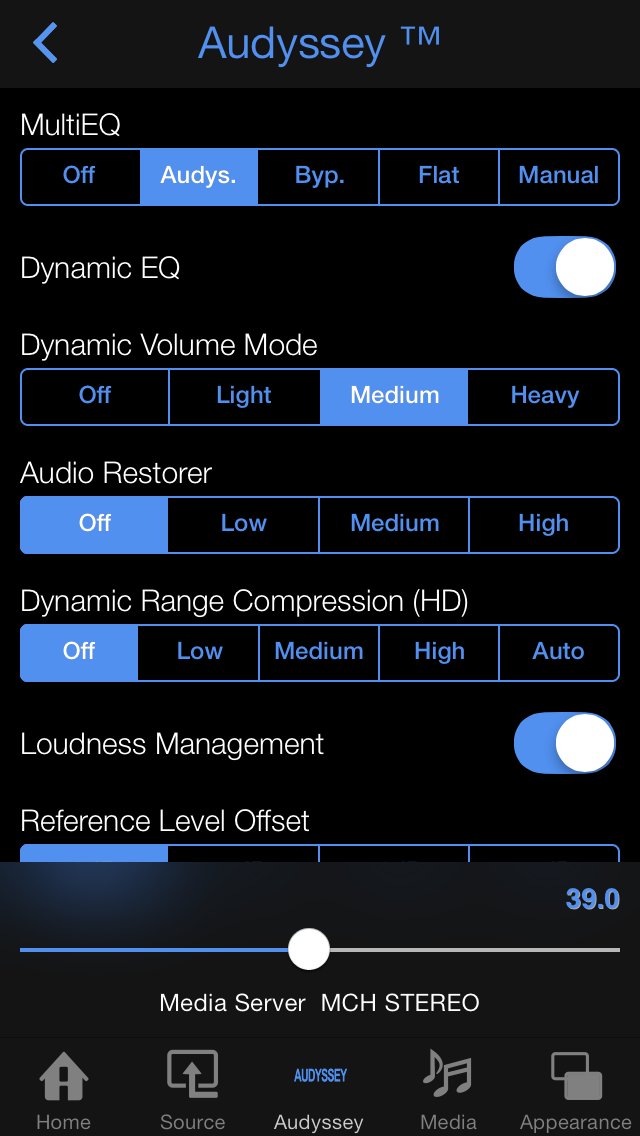
With DeRemote you can remotely control your LAN connected Denon or Marantz receiver or amplifier from your iPhone, iPod Touch or iPad. It is designed for everyday usage and allows full bidirectional control of Power, Volume, Surround Mode, Audio/Video Source, AM/FM Radio Presets and Internet Radio Presets. Additionally it gives full access to all Audio, Video, Surround, Audessey, Sleep and Quick Select settings.
Via the Media Navigation Panel, you can easily browse Internet Radio stations and connected Media Servers or USB drives. Internet Radio Stations can be stored as preset on your Denon.
DeRemote automatically detects your Denon amplifiers and receivers and correctly handles dynamic IP addresses (DHCP). It supports multiple Denon and Marantz unit and zones.
For more information, download the user manual from [link removed] or see [link removed].
** Denon and Marantz are registered trademarks of D&M Holdings, Inc. D&M Holdings does not support, endorse or have been involved in the development of this application. No claim to any copyright, ownership or license to D&M Holdings intellectual property is made. **
License: Commercial
DeRemote requires a Denon or Marantz Amplifier or Receiver with BUILT-IN LAN. Following models are supported:
Denon: (incl. 'W' and 'ci' models):
* AVR-S710, AVR-S910, AVR-X1200, AVR-X2200, AVR-X3200, AVR-X4200, AVR-X5200, AVR-X6200, AVR-X7200
* AVR-S700, AVR-S900, AVR-X1100, AVR-X2100, AVR-X3100, AVR-X4100,
* AVR-E300, AVR-E400, AVR-X1000, AVR-X2000, AVR-X3000, AVR-X4000, AVR-4520
* AVR-1613, AVR-1713, AVR-1913, AVR-2113, AVR-2313, AVR-3313
* AVR-1912, AVR-2112, AVR-2312, AVR-3312
* AVR-3311, AVR-4311
* AVR-3310, AVR-4310, AVR-4810
* AVR-3808, AVR-4308, AVR-5308, AVC-4320
* AVR-4306, AVR-4806
* AVR-990, AVR-991
* AVR-A100, AVx-A1HD, AVC-A1XV, AVC-A11X
Marantz:
* SR5010, SR6010, SR7010
* SR5009, SR6009, SR7009, AV7702, AV8802
* SR5008, SR6008, SR7008, AV7701, AV8801
* SR5007, SR6007, SR7007
* SR5006, SR6006
* SR7005, AV7005
* NR1602, NR1603, NR1604, NR1605, NR1606
* NR1504, NR1505, NR1506
McIntosh:
* MX121
Before purchasing, please contact support@deremote.com if your model is not listed.
Please note that all AppStore reviews are anonymous and do not provide a way for developers to respond to support or refund requests. In addition to your review, please do contact support@deremote.com if anything is not working as expected.
Note: following models are NOT supported:
• S32/302 does not provide the same remote control protocol as the AVR/AVC series
• AVR-4303, AVR-3806, AVR-19x1 and AVR-23x1 do not have LAN support
• Cara S-5DB doesn’t support the remote control protocol on the LAN-port
• DNP-720 and Nx7004 doesn’t support the full remote control protocol on the LAN-port
• MCR-60x and RCD-N7 / CEOL does not provide the same remote control protocol as the AVR/AVC series
Note: some Home Automation solutions like Control4 and Crestron take exclusive ownership of the Denon/Marantz remote control interface and therefor won't work in combination with DeRemote. Please contact support@deremote.com if you run into this compatibility issue.
-----
With DeRemote you can remotely control your LAN connected Denon or Marantz receiver or amplifier from your iPhone, iPod Touch or iPad. It is designed for everyday usage and allows full bidirectional control of Power, Volume, Surround Mode, Audio/Video Source, AM/FM Radio Presets and Internet Radio Presets. Additionally it gives full access to all Audio, Video, Surround, Audessey, Sleep and Quick Select settings.
Via the Media Navigation Panel, you can easily browse Internet Radio stations and connected Media Servers or USB drives. Internet Radio Stations can be stored as preset on your Denon.
DeRemote automatically detects your Denon amplifiers and receivers and correctly handles dynamic IP addresses (DHCP). It supports multiple Denon and Marantz unit and zones.
For more information, download the user manual from [link removed] or see [link removed].
** Denon and Marantz are registered trademarks of D&M Holdings, Inc. D&M Holdings does not support, endorse or have been involved in the development of this application. No claim to any copyright, ownership or license to D&M Holdings intellectual property is made. **
License: Commercial
| Release info | New Release on Sep 24, 2015 |
|---|---|
| Release notes | NOTE: please keep 'Search Google for Album Art' disabled as Google is no longer supporting this service and switching it on will cause the app to crash. * Support for Side-By-Side and Slide-Over on supported iPad models * Improved support for latest Denon/Marantz models * Additional tabbar buttons on the iPad panels (12 instead of 9 in landscape mode) * Option to disable Shake To Mute (see iPhone/iPad Settings -> DeRemote) * Fixes issue with sharing DeRemote Configuration |
| Listing data | App Store |
Reviews
No reviews yet. Be the first to review DeRemote for Denon and Marantz.
Used DeRemote for Denon and Marantz? Tell other visitors what you thought.
Log in to write a reviewOther products by this publisher
- "No Distractions" for YouTube 4.10 ----
- #Bible 11.6 "Incredible App - My sister shared this app with me a few weeks ago and it is truly incredible.
- #filmphotography 1.4.2 So, you decided to shoot on film?
- $quirrel 1.5.1 $quirrel Budget & Finance helps you plan each paycheck, track spending, manage debt, and see what is safe to spend before the next payday.
- % Percentage Calculator Pro 1.41 This is the Pro version of % Percentage Calculator.
Most viewed iOS Photo & Video
-
1
 ShortDiShow 2.0
Drama Quest Island — An offline interactive short-drama adventure.
-
2
 Infuse 8.5.10
Infuse: Enterprise provides the same great features as the standard version of Infuse and includes permanent access to all Pro features via a traditional paid app.
-
3
 AI Video Generator 2.0.3
Vixel – AI Video Generator
-
4
 OPlayer 4.8
Play all your videos directly without having to convert them!
-
5
 Necrometer II 1.2
Necrometer II is a paranormal investigation companion designed for ghost hunters and researchers.
-
6
 CapCut 20.1.0
CapCut offers easy-to-use video editing functions, in-APP fonts and effects, advanced features such as keyframe animation, smooth slow-motion, chroma key, and stabilization, to help you capture and snip moments.
-
7
 Ai Photo 1.1.2
AI Photo Retouch – BG Eraser
- 8 #filmphotography 1.4.2 So, you decided to shoot on film?
-
9
 Treblo 1.6.5
Make songs with the world's best AI music model.
-
10
 Pop Dot Comics 1.48
Create a comic worthy of the Sunday newspaper or your favorite pulp-fiction cover.
Most downloaded iOS Photo & Video
-
1
Infuse 8.5.10
Infuse: Enterprise provides the same great features as the standard version of Infuse and includes permanent access to all Pro features via a traditional paid app.
-
2
 DJI Fly 1.21.18
DJI Fly is designed to help pilots fly drones with ease.
-
3
 Analog Radio 3.0
The iPhone and iPad devices don't have the FM/AM radio antenna installed.
-
4
 TurboCollage Automatic 1.2.4
#1 Easy automatic photo collage maker for iPhone & iPad.
-
5
 Rozeta Sequencer Suite 1.3.16
Rozeta is a suite of MIDI sequencers and controllers that lets you explore a new, freeform approach to sequencing and controlling mobile music apps.
-
6
 ReelyGo 1.1.42
ReelyGo: Your Daily Drama Escape
-
7
Treblo 1.6.5
Make songs with the world's best AI music model.
-
8
Pop Dot Comics 1.48
Create a comic worthy of the Sunday newspaper or your favorite pulp-fiction cover.
-
9
 AGAIN. Rehearsal Notes 2.0.1
AGAIN. is the rehearsal app that remembers why the band stopped — and, new in Version 2, who said what in a writing session or a table read.
-
10
 Sun Scout 1.5.0
If your work or play requires sunlight, Sun Scout is built for you.