20downloads
0this week
FreeCommercial
0reviews
Screenshots
About Depth Of Field Calculator
Camera list updated to beginning October 2024. If yours is not listed please email stating which one is missing and I will be happy to add it to the next release.
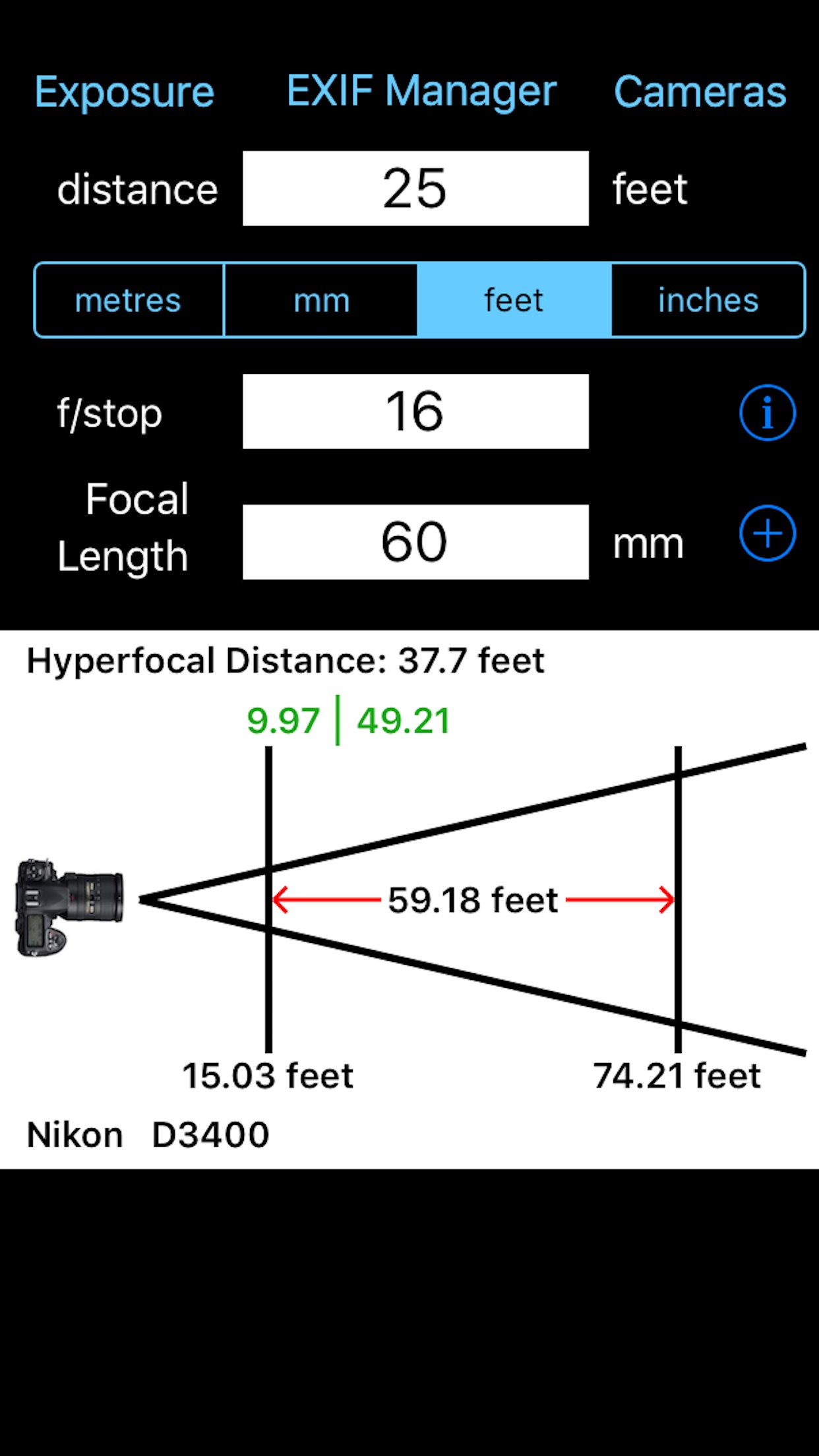
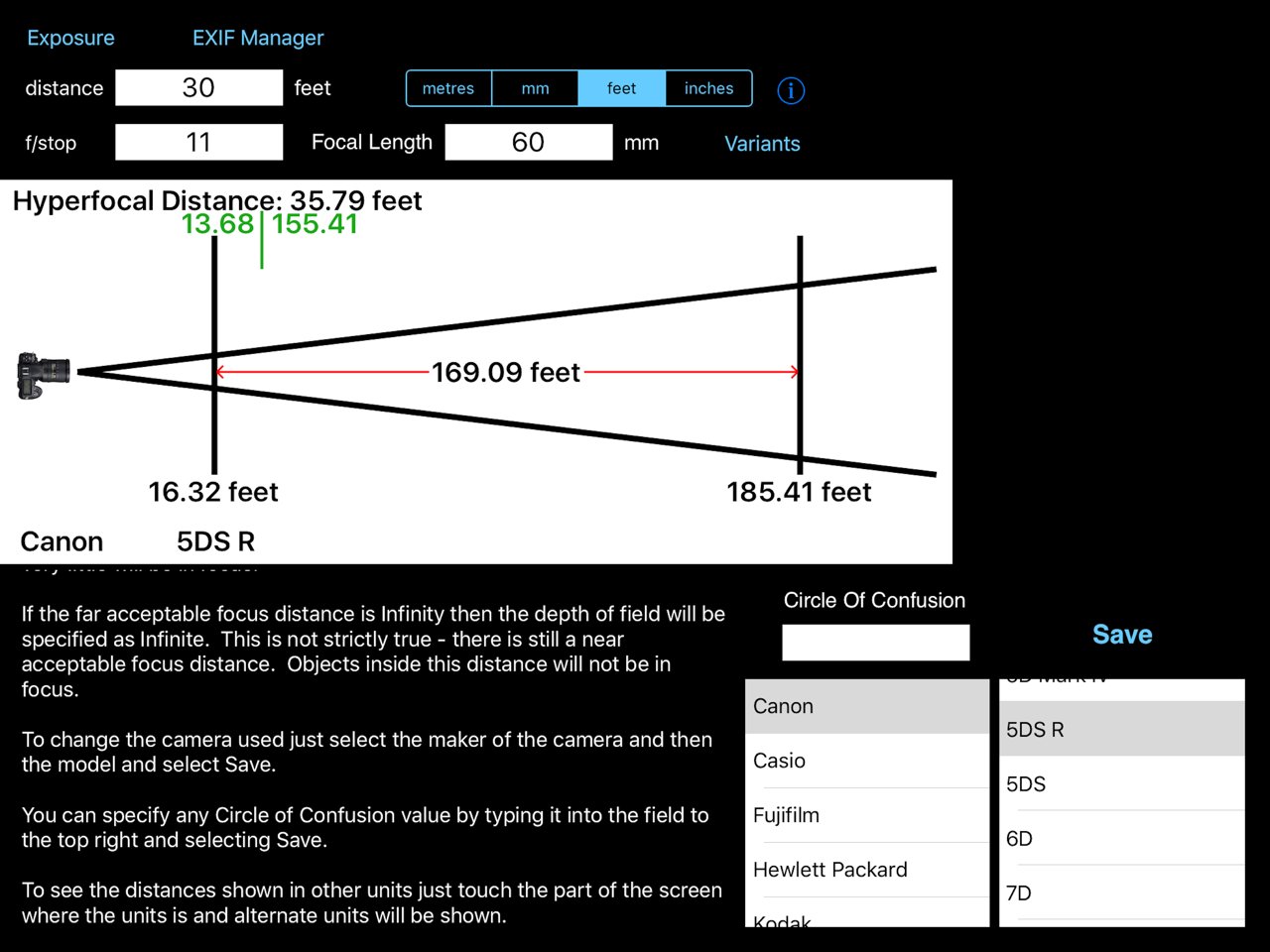
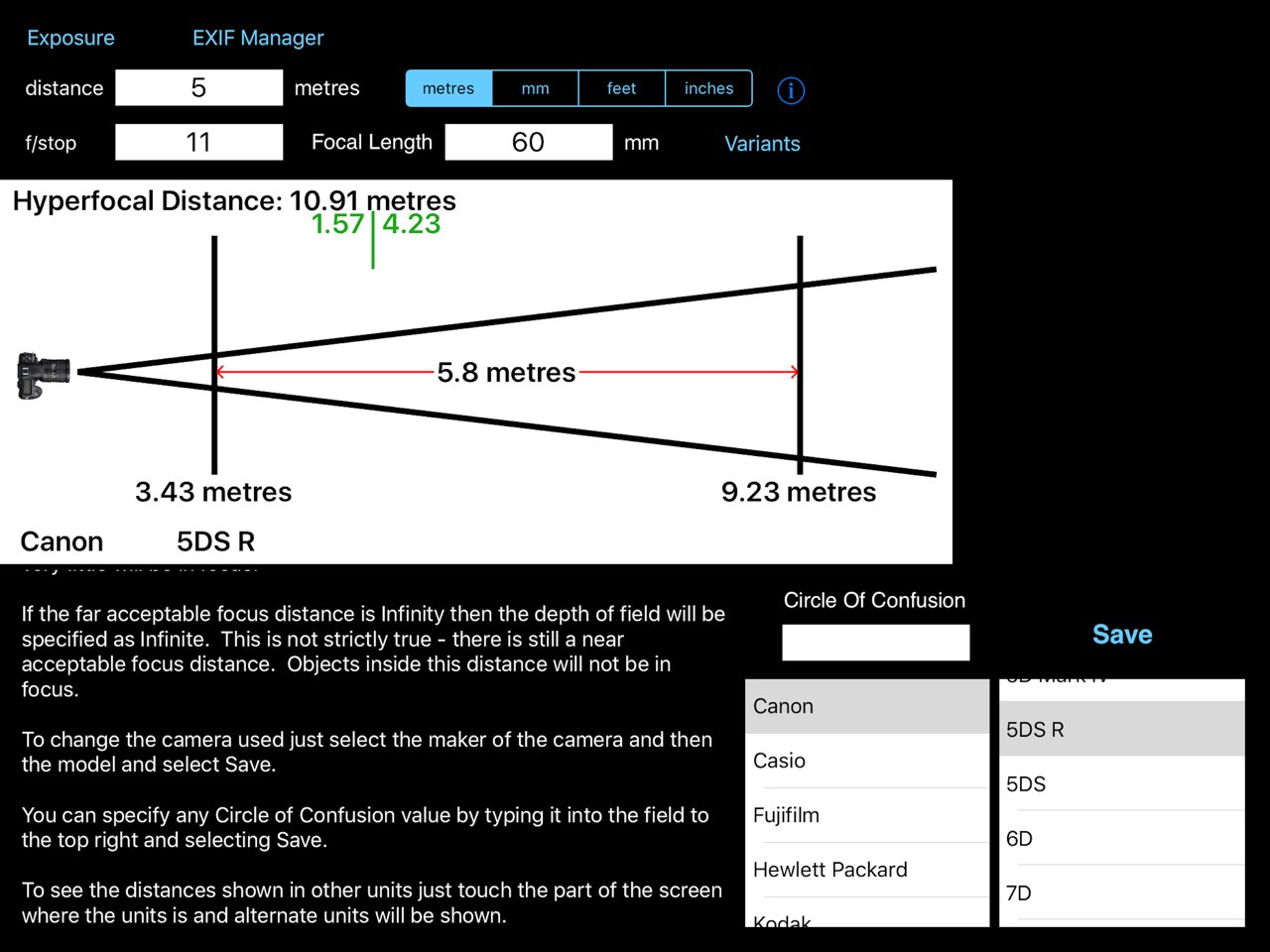
Ever taken a picture and wished that either more of it had been in focus or the exact reverse and that less had been in focus? Of course you have I certainly have. But what settings on your camera give which results and what if you change one of those settings what is the Depth of Field then. You can calculate it all yourself but it is not easy. This App takes all of those problems and makes it easy to find the answers. Just type in the distance to the subject, the focal length being used and the f-stop and the App calculates the near and far distances of acceptable focus and therefore the depth of field. This is all shown on an easy to understand diagram.
An example is: You are trying to take a photo of a bee on a flower and all but the bee is to be out of focus. Set the distance of the subject to be 200 mm (20 cm, approx 8 inches), set the f-stop to be f/5.6 and set the focal length at 50 mm. The App calculates that the depth of field is 3.41 mm (0.3 cm, a small fraction of an inch). The bee will be partially in focus but bees are more than 3.4 mm across so that depth of field is probably not what you were looking for. Set the camera to f/22 and now the depth of field is 13.39 mm (1.39 cm or just over half an inch) now this is much closer to what you wanted. Now maybe the whole of bee is in focus but still all of its surroundings are out of focus.
This App will help you take much better photographs by being able to understand the relationship between the settings on your camera and the depth of field that they produce. The diagram shown is better than a thousand words of text (as the saying goes). You can now easily see what effect a change in the settings will make.
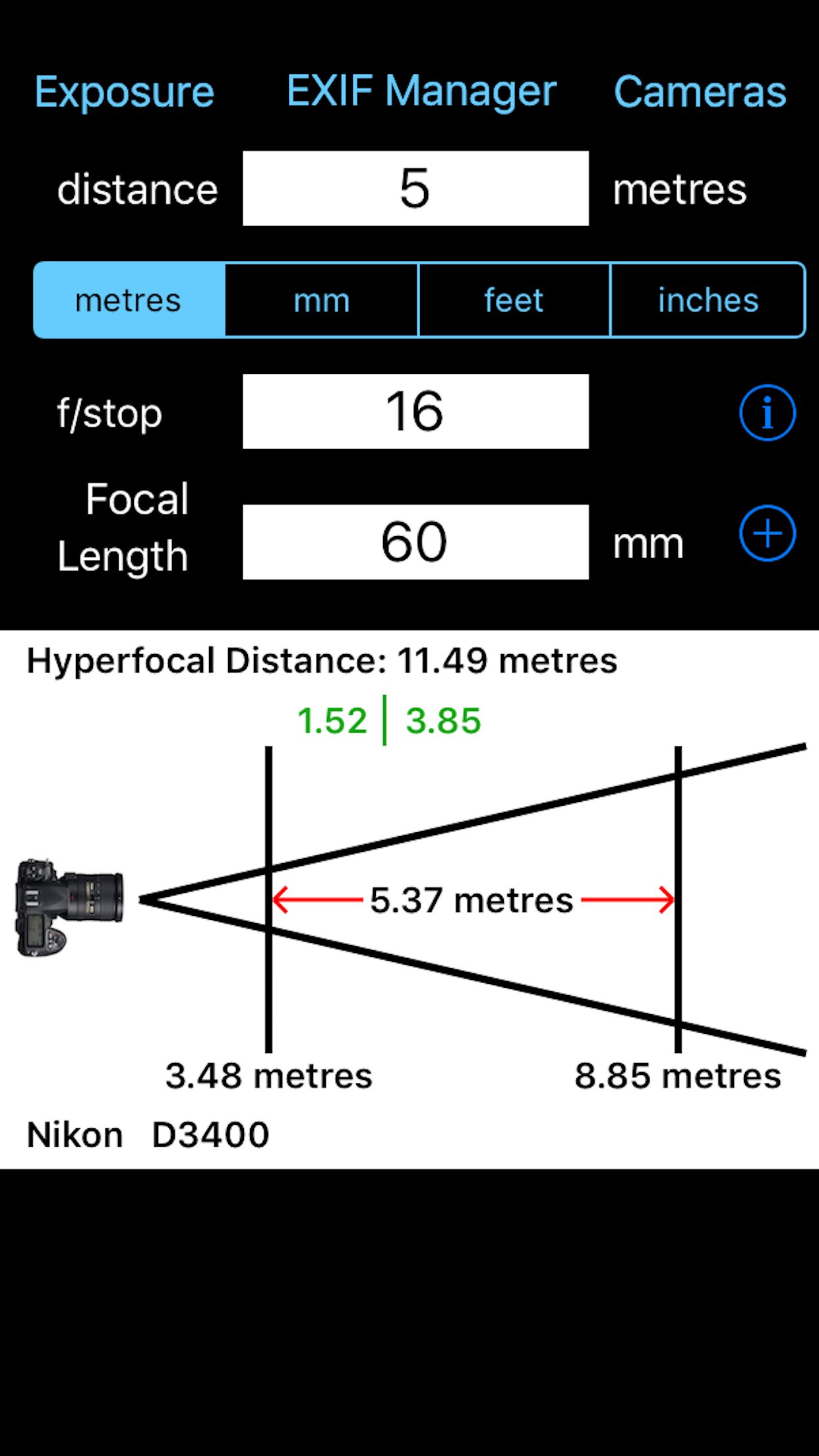
The Depth of Field Calculator allows you to quickly calculate the near and far distances of acceptable focus. Just select the distance you are focused at, the f/stop and the len's focal length and the diagram shows you at what distance acceptable focus starts and at what distance it ends. You can select to express the focus distance in metres, millimetres, feet and inches. Unlike other Apps this App does not use picker wheels for the f/stop and focal length values so you can enter whatever values you want.
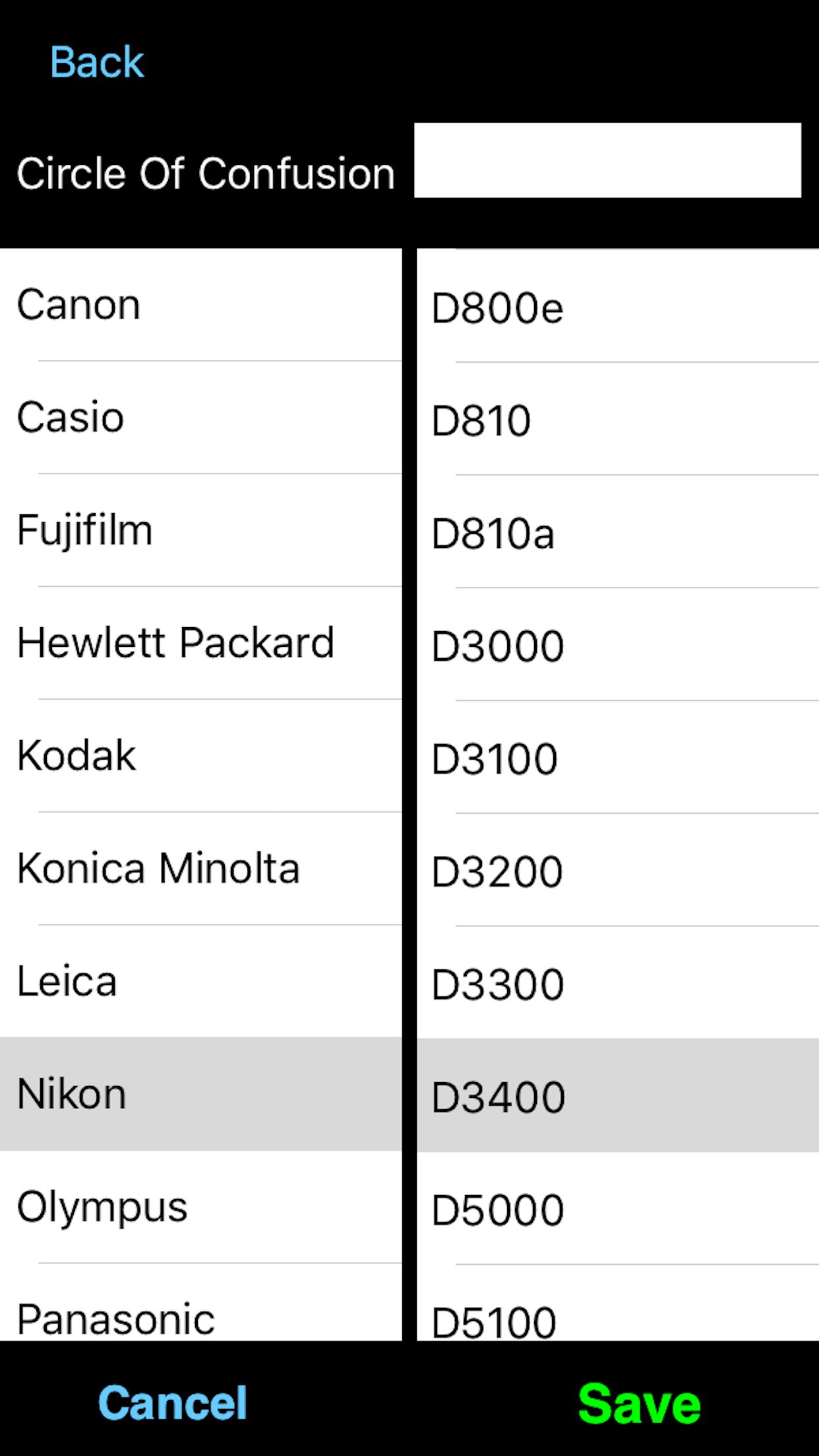
The only other thing you have to do is select the camera you are using. The Camera button takes you to a page with the makers of cameras listed to the left. Select the maker of your camera and then scroll down the list to the model. Select Save and you are now ready to calculate the correct values. The calculations work using a value called the Circle of Confusion. This changes depending on the camera make and model.
If you camera is not listed then email and it will be added. You can generally find your Circle of Confusion value on the web. Once you know this value just set it manually in field at the top and Save.
You can manually specify the Circle of Confusion to use. Just select the field at the top and type in the value required. Select OK and then select Save. The user-defined Circle of Confusion will be used.
License: Commercial
Ever taken a picture and wished that either more of it had been in focus or the exact reverse and that less had been in focus? Of course you have I certainly have. But what settings on your camera give which results and what if you change one of those settings what is the Depth of Field then. You can calculate it all yourself but it is not easy. This App takes all of those problems and makes it easy to find the answers. Just type in the distance to the subject, the focal length being used and the f-stop and the App calculates the near and far distances of acceptable focus and therefore the depth of field. This is all shown on an easy to understand diagram.
An example is: You are trying to take a photo of a bee on a flower and all but the bee is to be out of focus. Set the distance of the subject to be 200 mm (20 cm, approx 8 inches), set the f-stop to be f/5.6 and set the focal length at 50 mm. The App calculates that the depth of field is 3.41 mm (0.3 cm, a small fraction of an inch). The bee will be partially in focus but bees are more than 3.4 mm across so that depth of field is probably not what you were looking for. Set the camera to f/22 and now the depth of field is 13.39 mm (1.39 cm or just over half an inch) now this is much closer to what you wanted. Now maybe the whole of bee is in focus but still all of its surroundings are out of focus.
This App will help you take much better photographs by being able to understand the relationship between the settings on your camera and the depth of field that they produce. The diagram shown is better than a thousand words of text (as the saying goes). You can now easily see what effect a change in the settings will make.
The Depth of Field Calculator allows you to quickly calculate the near and far distances of acceptable focus. Just select the distance you are focused at, the f/stop and the len's focal length and the diagram shows you at what distance acceptable focus starts and at what distance it ends. You can select to express the focus distance in metres, millimetres, feet and inches. Unlike other Apps this App does not use picker wheels for the f/stop and focal length values so you can enter whatever values you want.
The only other thing you have to do is select the camera you are using. The Camera button takes you to a page with the makers of cameras listed to the left. Select the maker of your camera and then scroll down the list to the model. Select Save and you are now ready to calculate the correct values. The calculations work using a value called the Circle of Confusion. This changes depending on the camera make and model.
If you camera is not listed then email and it will be added. You can generally find your Circle of Confusion value on the web. Once you know this value just set it manually in field at the top and Save.
You can manually specify the Circle of Confusion to use. Just select the field at the top and type in the value required. Select OK and then select Save. The user-defined Circle of Confusion will be used.
License: Commercial
| Release info | New Release on Dec 20, 2025 |
|---|---|
| Release notes | Added many new cameras |
| Listing data | App Store |
Reviews
No reviews yet. Be the first to review Depth Of Field Calculator.
Used Depth Of Field Calculator? Tell other visitors what you thought.
Log in to write a reviewOther products by this publisher
- "No Distractions" for YouTube 4.10 ----
- #Bible 11.6 "Incredible App - My sister shared this app with me a few weeks ago and it is truly incredible.
- #filmphotography 1.4.2 So, you decided to shoot on film?
- $quirrel 1.5.1 $quirrel Budget & Finance helps you plan each paycheck, track spending, manage debt, and see what is safe to spend before the next payday.
- % Percentage Calculator Pro 1.41 This is the Pro version of % Percentage Calculator.
Most viewed iOS Photo & Video
-
1
 ShortDiShow 2.0
Drama Quest Island — An offline interactive short-drama adventure.
-
2
 Infuse 8.5.10
Infuse: Enterprise provides the same great features as the standard version of Infuse and includes permanent access to all Pro features via a traditional paid app.
-
3
 AI Video Generator 2.0.3
Vixel – AI Video Generator
-
4
 OPlayer 4.8
Play all your videos directly without having to convert them!
-
5
 Necrometer II 1.2
Necrometer II is a paranormal investigation companion designed for ghost hunters and researchers.
-
6
 CapCut 20.1.0
CapCut offers easy-to-use video editing functions, in-APP fonts and effects, advanced features such as keyframe animation, smooth slow-motion, chroma key, and stabilization, to help you capture and snip moments.
-
7
 Ai Photo 1.1.2
AI Photo Retouch – BG Eraser
- 8 #filmphotography 1.4.2 So, you decided to shoot on film?
-
9
 Treblo 1.6.5
Make songs with the world's best AI music model.
-
10
 Pop Dot Comics 1.48
Create a comic worthy of the Sunday newspaper or your favorite pulp-fiction cover.
Most downloaded iOS Photo & Video
-
1
Infuse 8.5.10
Infuse: Enterprise provides the same great features as the standard version of Infuse and includes permanent access to all Pro features via a traditional paid app.
-
2
 DJI Fly 1.21.18
DJI Fly is designed to help pilots fly drones with ease.
-
3
 Analog Radio 3.0
The iPhone and iPad devices don't have the FM/AM radio antenna installed.
-
4
 TurboCollage Automatic 1.2.4
#1 Easy automatic photo collage maker for iPhone & iPad.
-
5
 Rozeta Sequencer Suite 1.3.16
Rozeta is a suite of MIDI sequencers and controllers that lets you explore a new, freeform approach to sequencing and controlling mobile music apps.
-
6
 ReelyGo 1.1.42
ReelyGo: Your Daily Drama Escape
-
7
Treblo 1.6.5
Make songs with the world's best AI music model.
-
8
Pop Dot Comics 1.48
Create a comic worthy of the Sunday newspaper or your favorite pulp-fiction cover.
-
9
 AGAIN. Rehearsal Notes 2.0.1
AGAIN. is the rehearsal app that remembers why the band stopped — and, new in Version 2, who said what in a writing session or a table read.
-
10
 Sun Scout 1.5.0
If your work or play requires sunlight, Sun Scout is built for you.