Deco 3.1.1
Make wallpapers, widgets, and watch faces with your photos, text, emoji, and stickers.
Download
189.15 MB
22downloads
3this week
FreeFreeware
0reviews
Screenshots
About Deco
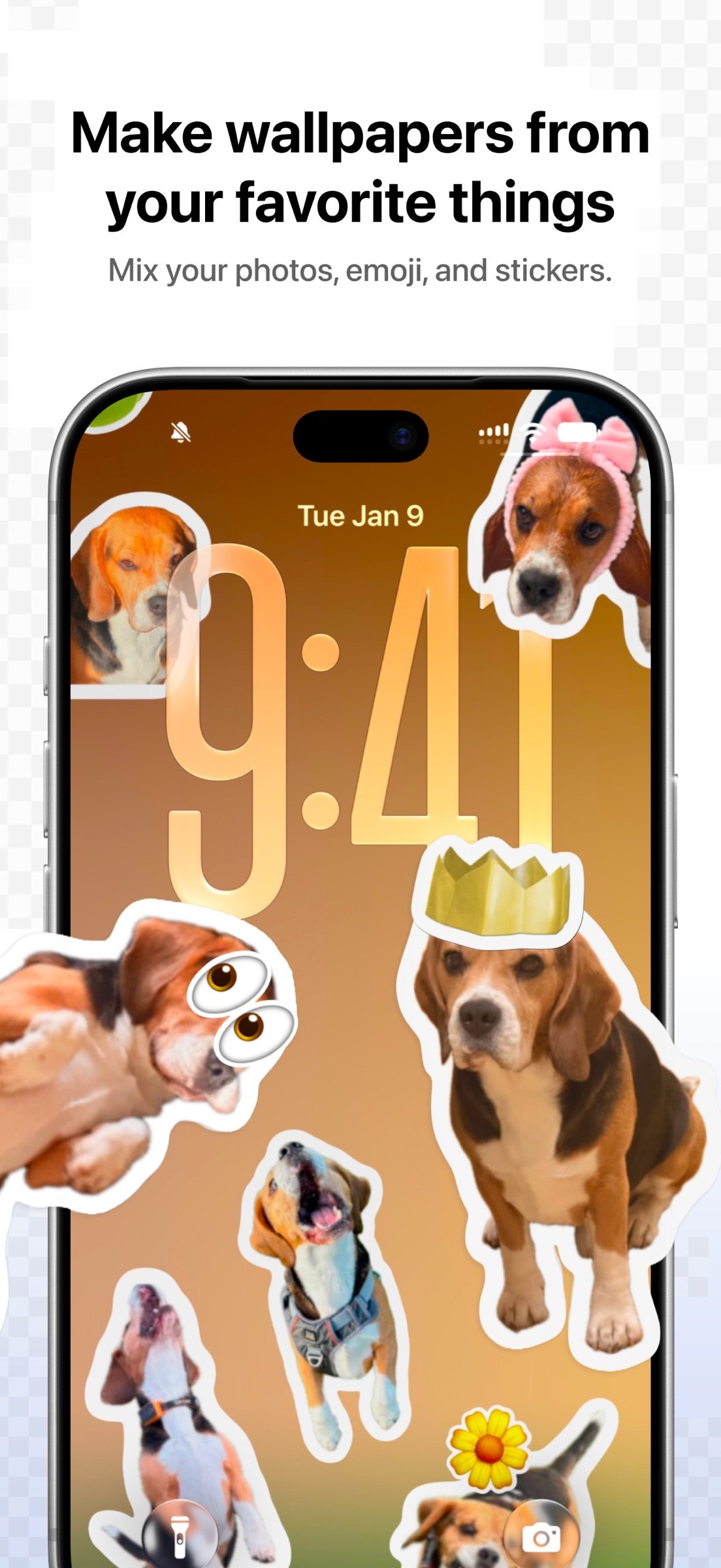
Make wallpapers, widgets, and watch faces with your photos, text, emoji, and stickers. Create something for your own screens or share it with friends.
MAKE IT YOURS
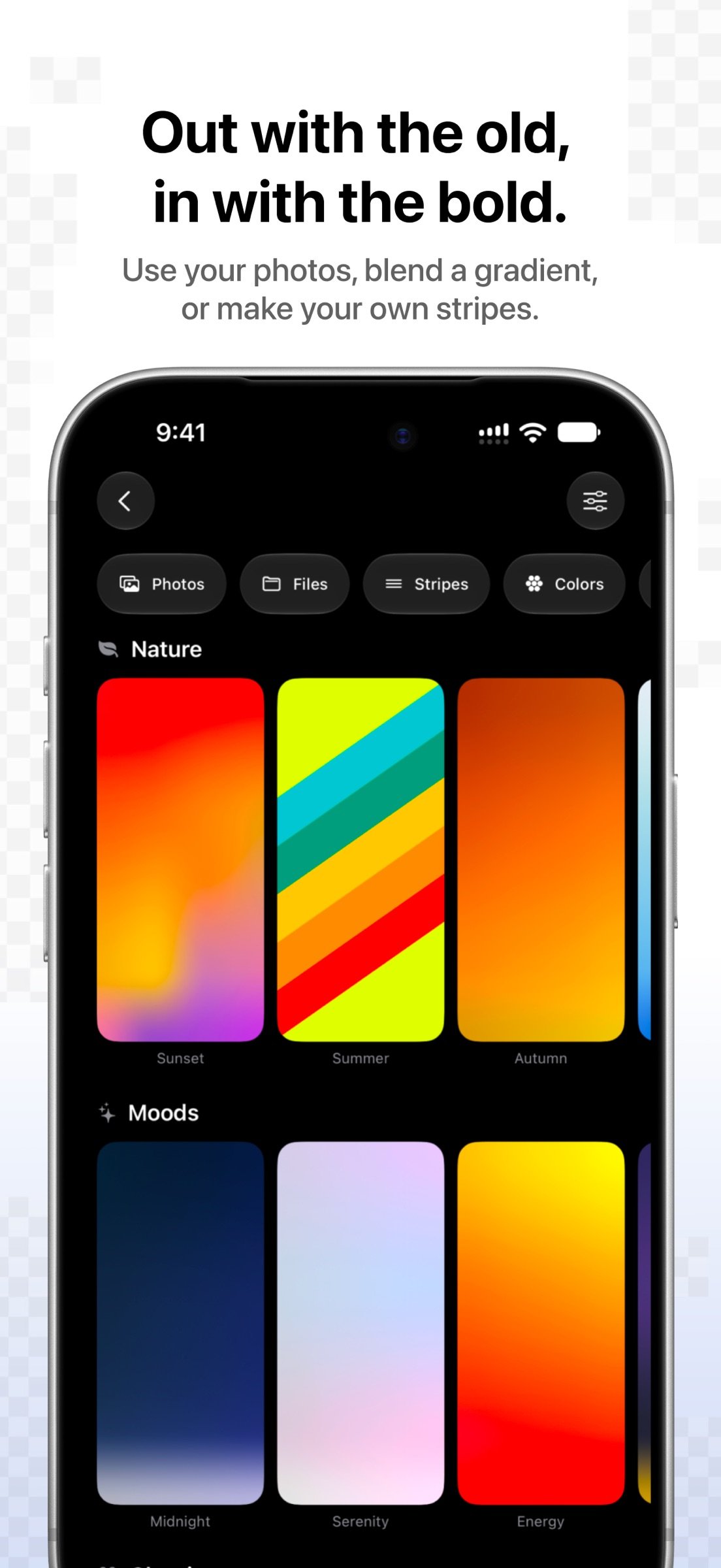
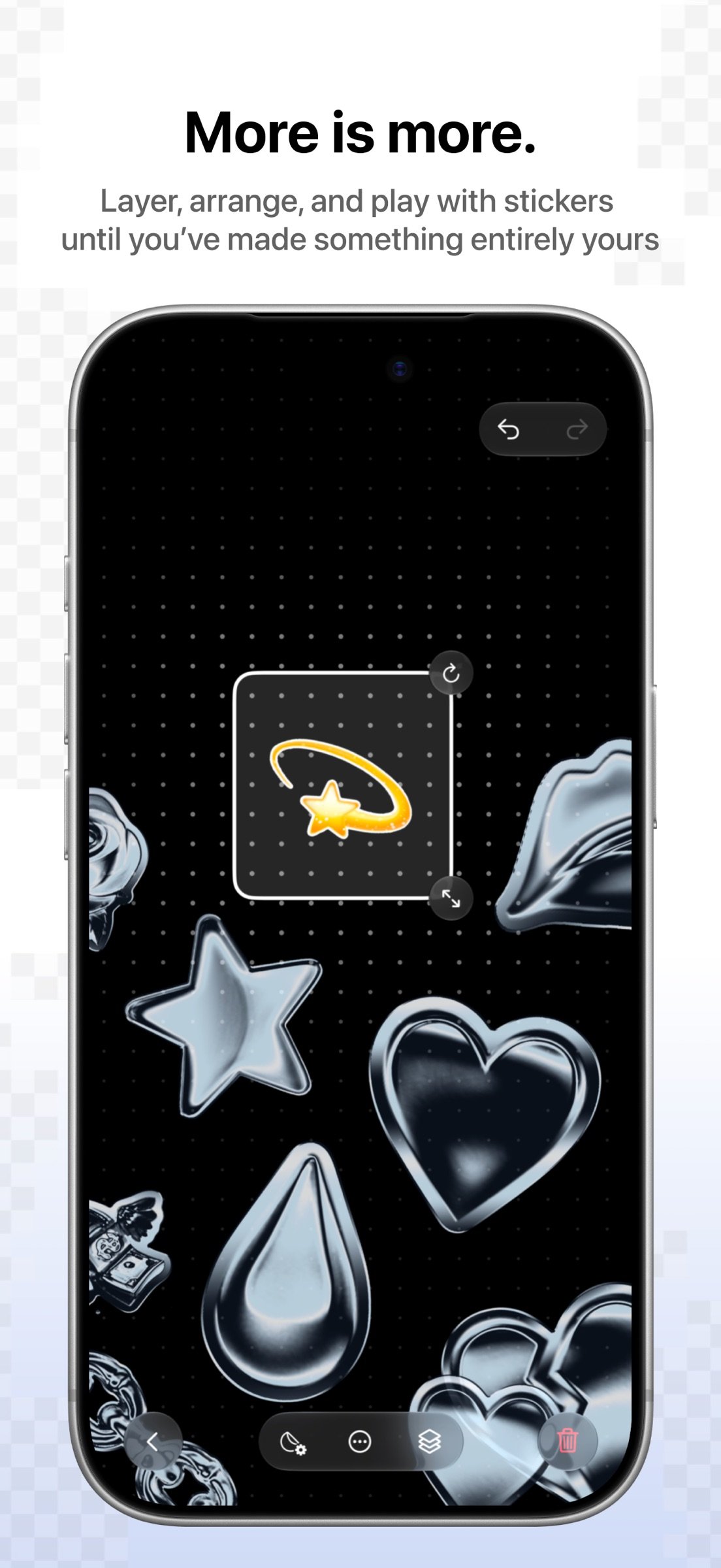
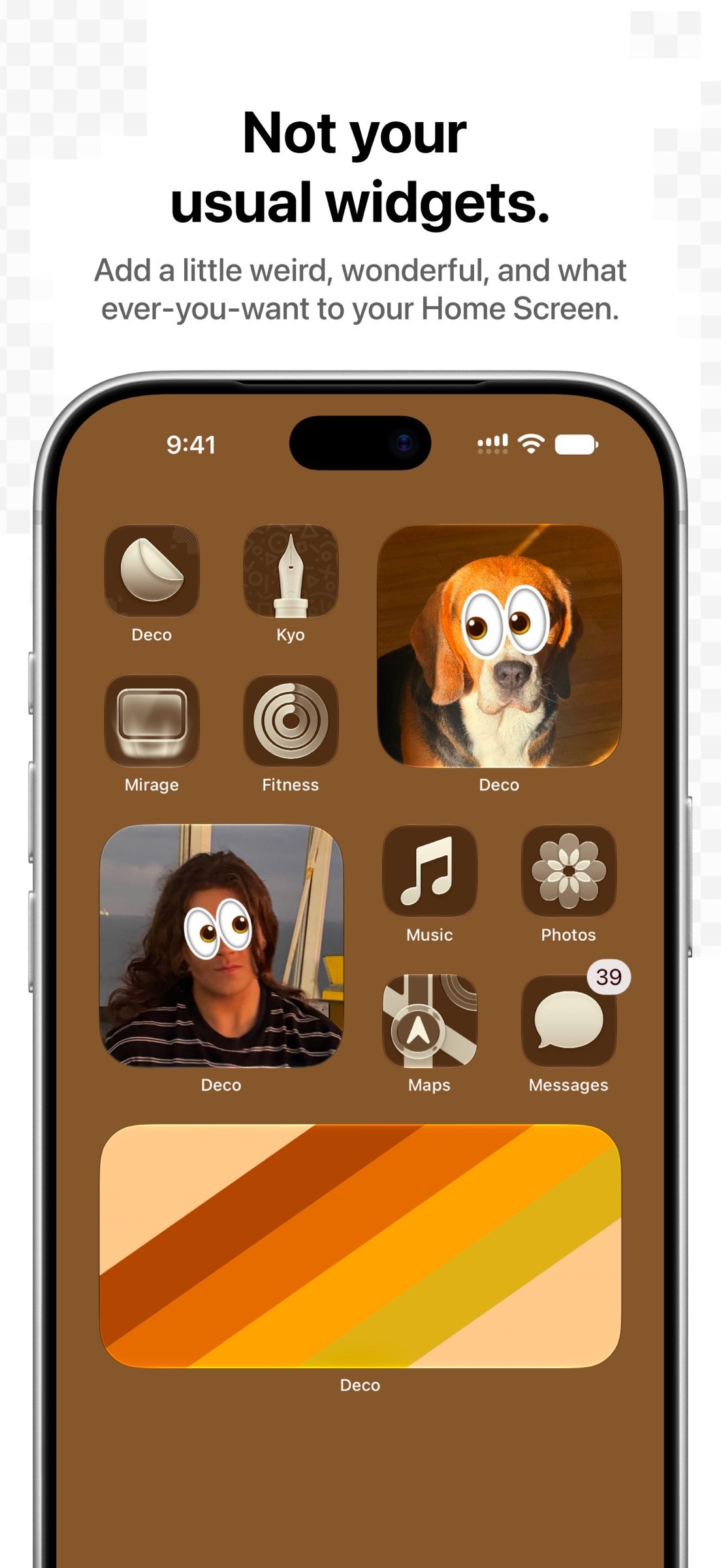
Start with a photo, a gradient, stripes, or a solid color. Turn photo cutouts, words, and emoji into stickers. Choose fonts, colors, outlines, and finishes, then move, resize, rotate, and layer your stickers.
WALLPAPERS, WIDGETS, AND WATCH FACES
Make wallpapers for iPhone and iPad or choose custom dimensions. Create Home Screen widgets with a separate layout for each size. Export your artwork as an Apple Watch face. Use your saved stickers in Messages, too.
CREATE AND SHARE
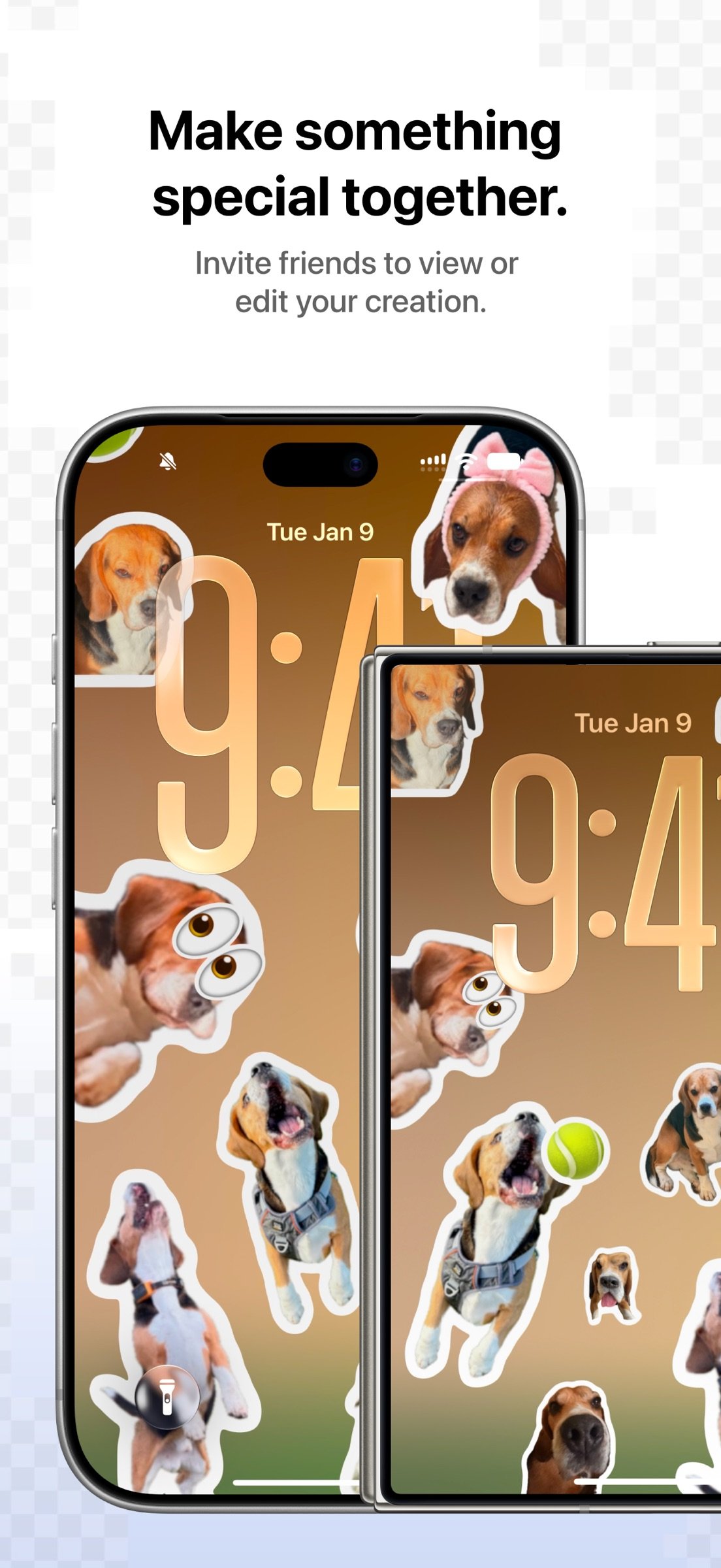
Send an image, share an editable copy, or invite friends to a shared creation. Choose who can view or edit. Friends can join for free.
ADD MOVEMENT AND TEXTURE
Create Live Photo wallpapers with animated sticker effects. Try finishes including chrome, holographic, glitter, embroidery, and risograph, and preview animations as you work.
KEEP YOUR COLLECTION WITH YOU
Keep your creations and sticker library across your devices with iCloud. Search for artwork by what its images show, explore guides and ideas, and use Shortcuts to create and work with your designs.
DECO PLUS
Start free with up to three wallpapers, two widgets, and ten saved stickers. Unlock more with Deco Plus, available as a one-time purchase. Every price option includes the same Plus features. If you bought Deco before version 3.0, you keep your paid access.
Privacy Policy: [link removed]
Terms of Use: [link removed]
MAKE IT YOURS
Start with a photo, a gradient, stripes, or a solid color. Turn photo cutouts, words, and emoji into stickers. Choose fonts, colors, outlines, and finishes, then move, resize, rotate, and layer your stickers.
WALLPAPERS, WIDGETS, AND WATCH FACES
Make wallpapers for iPhone and iPad or choose custom dimensions. Create Home Screen widgets with a separate layout for each size. Export your artwork as an Apple Watch face. Use your saved stickers in Messages, too.
CREATE AND SHARE
Send an image, share an editable copy, or invite friends to a shared creation. Choose who can view or edit. Friends can join for free.
ADD MOVEMENT AND TEXTURE
Create Live Photo wallpapers with animated sticker effects. Try finishes including chrome, holographic, glitter, embroidery, and risograph, and preview animations as you work.
KEEP YOUR COLLECTION WITH YOU
Keep your creations and sticker library across your devices with iCloud. Search for artwork by what its images show, explore guides and ideas, and use Shortcuts to create and work with your designs.
DECO PLUS
Start free with up to three wallpapers, two widgets, and ten saved stickers. Unlock more with Deco Plus, available as a one-time purchase. Every price option includes the same Plus features. If you bought Deco before version 3.0, you keep your paid access.
Privacy Policy: [link removed]
Terms of Use: [link removed]
| Release info | Update on Oct 25, 2026 |
|---|---|
| Release notes | Make every screen your own. Deco 3.0 brings a fresh look and more ways to turn your ideas into wallpapers, widgets and watch faces—with flexible sizes and iCloud to keep your creations close. Free to download, with even more to explore through Deco Plus. Editing - Clearer placement and spacing for adjustment labels when editing backgrounds and stickers. - Clearer sticker previews in light and dark mode, with smoother transitions when switching editing controls. - Easier access to Save while editing, with the status bar hidden. - Refined canvas transitions when opening a creation or switching iPhone Duo displays. Previews and exports - Swipeable wallpaper and widget preview stacks with clearer edges, and a compact device menu for wallpapers. - Simpler iPhone Duo orientation controls, with universal or separate inner and outer display exports. - Wallpaper previews match the display you’re using when you fold or unfold iPhone Duo. - Smoother transitions when Live effect previews repeat. Settings and links - On supported devices, widgets and wallpapers are named automatically by default. - Simpler iCloud status in Settings. - Direct links to tabs and Explore articles, with a fix for errors when opening Deco through its app link. Fixes - Fixed wallpaper deletion getting stuck while checking sharing. - Fixed photo widgets turning sideways when reopened after saving. Availability changes - The free wallpaper allowance is now one wallpaper. - Removed the companion Apple Watch app. Apple Watch face export remains available on iPhone. |
| Listing data | App Store |
Reviews
No reviews yet. Be the first to review Deco.
Used Deco? Tell other visitors what you thought.
Log in to write a reviewOther products by this publisher
- "No Distractions" for YouTube 4.10 ----
- #Bible 11.6 "Incredible App - My sister shared this app with me a few weeks ago and it is truly incredible.
- #filmphotography 1.4.2 So, you decided to shoot on film?
- $quirrel 1.5.1 $quirrel Budget & Finance helps you plan each paycheck, track spending, manage debt, and see what is safe to spend before the next payday.
- % Percentage Calculator Pro 1.41 This is the Pro version of % Percentage Calculator.
Most viewed iOS Photo & Video
-
1
 ShortDiShow 2.0
Drama Quest Island — An offline interactive short-drama adventure.
-
2
 Infuse 8.5.10
Infuse: Enterprise provides the same great features as the standard version of Infuse and includes permanent access to all Pro features via a traditional paid app.
-
3
 AI Video Generator 2.0.3
Vixel – AI Video Generator
-
4
 OPlayer 4.8
Play all your videos directly without having to convert them!
-
5
 Necrometer II 1.2
Necrometer II is a paranormal investigation companion designed for ghost hunters and researchers.
-
6
 CapCut 20.1.0
CapCut offers easy-to-use video editing functions, in-APP fonts and effects, advanced features such as keyframe animation, smooth slow-motion, chroma key, and stabilization, to help you capture and snip moments.
-
7
 Ai Photo 1.1.2
AI Photo Retouch – BG Eraser
- 8 #filmphotography 1.4.2 So, you decided to shoot on film?
-
9
 Treblo 1.6.5
Make songs with the world's best AI music model.
-
10
 Pop Dot Comics 1.48
Create a comic worthy of the Sunday newspaper or your favorite pulp-fiction cover.
Most downloaded iOS Photo & Video
-
1
Infuse 8.5.10
Infuse: Enterprise provides the same great features as the standard version of Infuse and includes permanent access to all Pro features via a traditional paid app.
-
2
 DJI Fly 1.21.18
DJI Fly is designed to help pilots fly drones with ease.
-
3
 Analog Radio 3.0
The iPhone and iPad devices don't have the FM/AM radio antenna installed.
-
4
 TurboCollage Automatic 1.2.4
#1 Easy automatic photo collage maker for iPhone & iPad.
-
5
 Rozeta Sequencer Suite 1.3.16
Rozeta is a suite of MIDI sequencers and controllers that lets you explore a new, freeform approach to sequencing and controlling mobile music apps.
-
6
 ReelyGo 1.1.42
ReelyGo: Your Daily Drama Escape
-
7
Treblo 1.6.5
Make songs with the world's best AI music model.
-
8
Pop Dot Comics 1.48
Create a comic worthy of the Sunday newspaper or your favorite pulp-fiction cover.
-
9
 AGAIN. Rehearsal Notes 2.0.1
AGAIN. is the rehearsal app that remembers why the band stopped — and, new in Version 2, who said what in a writing session or a table read.
-
10
 Sun Scout 1.5.0
If your work or play requires sunlight, Sun Scout is built for you.