
26downloads
2this week
FreeCommercial
0reviews
Screenshots

About DeckFilter
See which games in your Steam library play well on Steam Deck. Check how long they take to finish, find settings other players use, and spot deals on your wishlist.
Filter your backlog
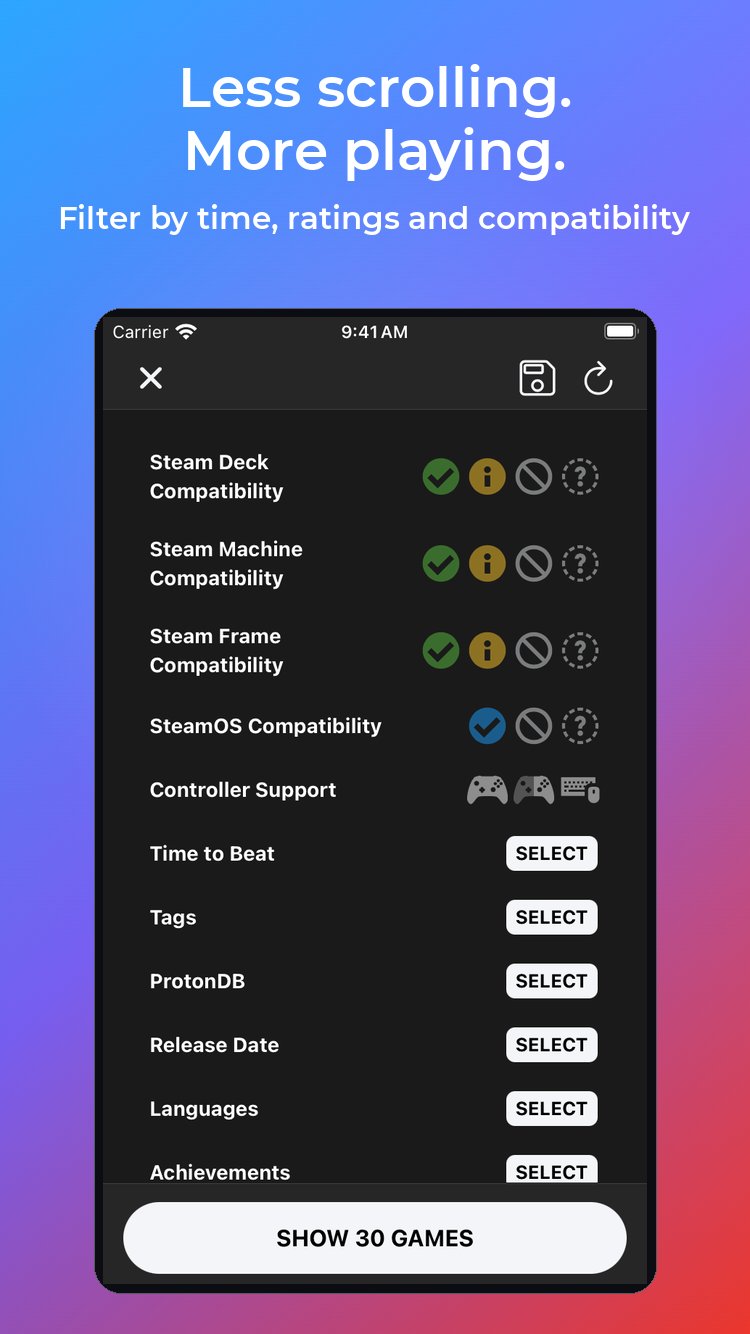
Filter by Steam genre, community tags, review rating, controller support, or release date. Include the tags you want and exclude the ones you dislike. For a long flight, try finding an unplayed, Deck Verified game under five hours with subtitles in your language. Save your filters and sort order as defaults. If you still can’t decide, let the random picker choose from your results.
Check compatibility and performance
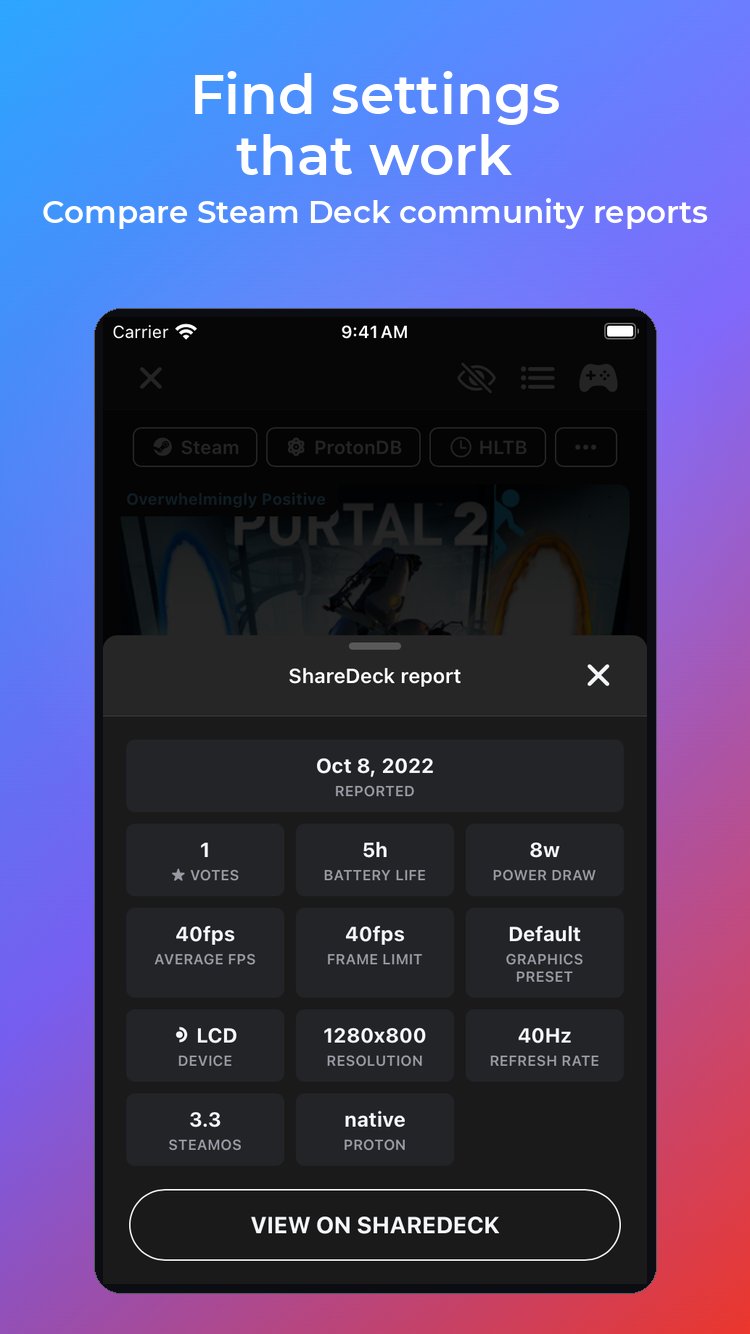
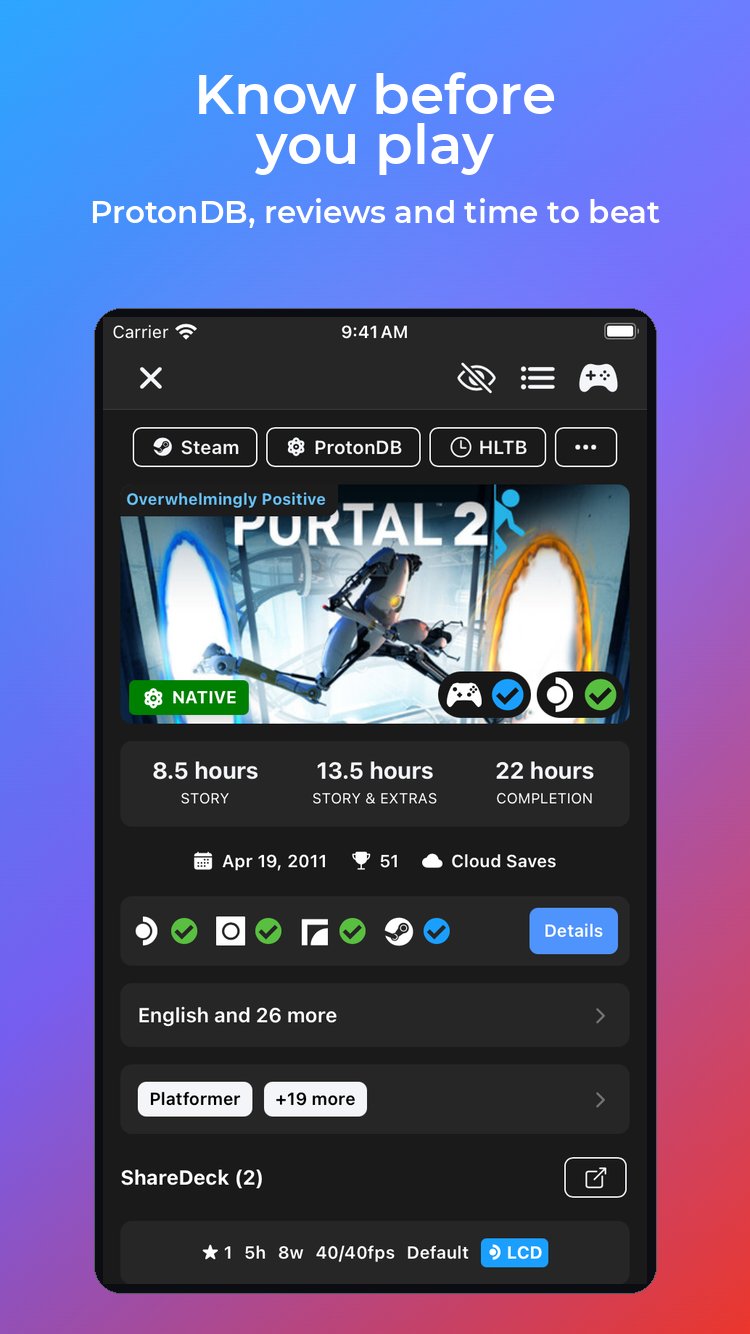
See why Valve marked a game Verified or Playable, then check its ProtonDB rating. You can also filter by SteamOS, Steam Machine, or Steam Frame compatibility. Read reports from SteamDeckHQ, ShareDeck, and DeckVerifiedGames to see the settings players used and, where reported, the frame rates and battery life they got.
See how much time a game takes
Compare your own playtime with HowLongToBeat estimates for the main story, the story plus extras, or a completionist run. Find library games where you’re a few achievements away from earning them all. Game details also show Steam Cloud support and languages for menus, full audio, and subtitles.
Compare wishlist deals
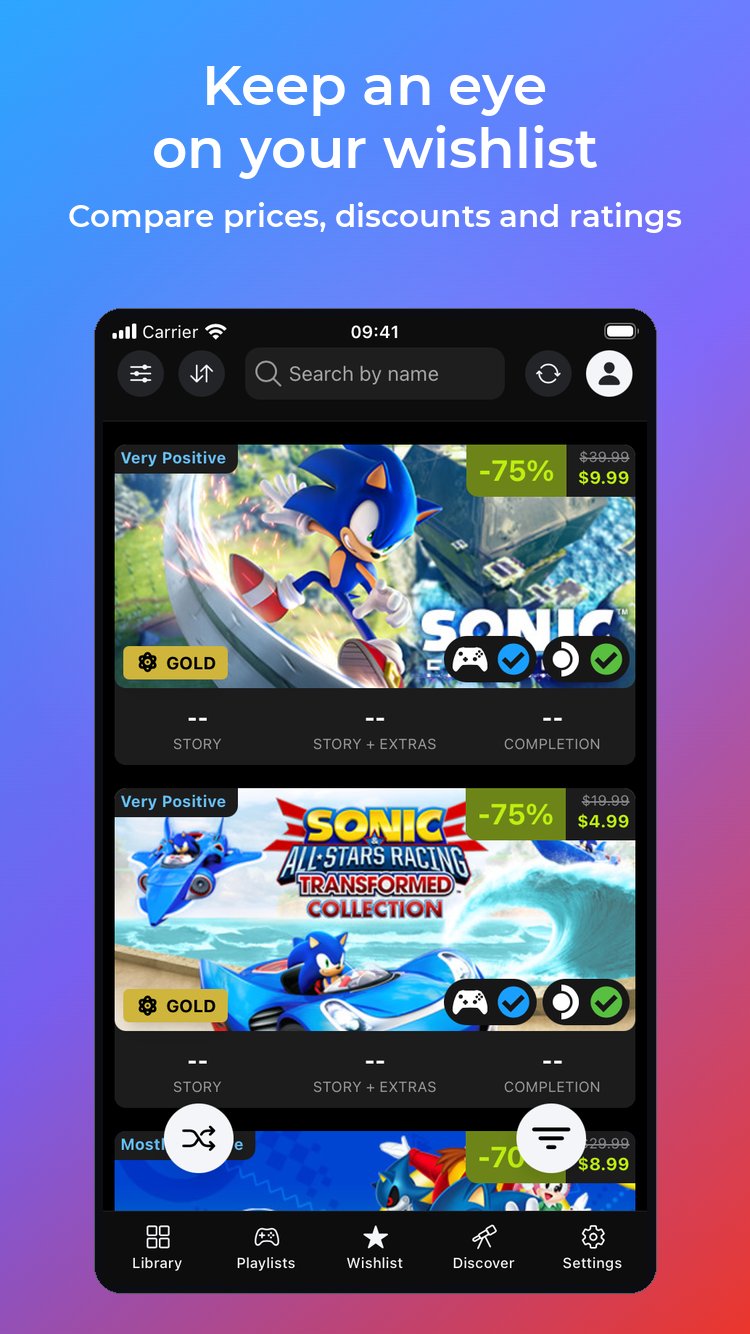
See Steam prices for your selected store country. Find games within your budget or with a playable demo. Sort your wishlist by price or discount, or put the sales ending soonest at the top. Compare offers from IsThereAnyDeal and GG.deals where available.
Organize your library and Steam Family games
Sync your Steam library and wishlist manually or set either to refresh automatically. Import games and playtime from your Steam Family, look up who owns a shared game, or filter for titles you can borrow. Hide library games, restore them later, or review items skipped during sync.
Build playlists and discover games
Bookmark games from your library and organize them into playlists. Sync your playlists to restore them on another device using the same Steam account. For new ideas, browse featured creator playlists or search the Steam Store in Discover. Open Steam guides, discussions, and SteamDB from a game’s details.
Use DeckFilter in any of Steam’s 31 platform languages, including Arabic with a right-to-left layout. Choose which details appear on game cards, set your starting tab, and switch between light and dark mode.
DeckFilter is an independent companion for Steam Deck players and is not affiliated with Valve or Steam.
License: Commercial
| Release info | Update on Nov 24, 2026 |
|---|---|
| Release notes | - New: Use DeckFilter in all 31 Steam platform languages - New: View Steam genres in game details and filters - New: See frame rate charts for Steam Deck LCD and OLED - New: Read DeckSettings.com community reports - New: Browse release notes in Settings - Improvement: More reliable Steam tag syncing and saved filters - Fix: Recover missing game details and correct Family Sharing exclusions - Change: Include VR games in library sync |
| Listing data | App Store |
Reviews
No reviews yet. Be the first to review DeckFilter.
Used DeckFilter? Tell other visitors what you thought.
Log in to write a reviewOther products by this publisher
- "No Distractions" for YouTube 4.10 ----
- #Bible 11.6.1 "Incredible App - My sister shared this app with me a few weeks ago and it is truly incredible.
- #filmphotography 1.4.2 So, you decided to shoot on film?
- #LookBusy Fake Calendar Events 1.0.6 Look Busy scans your work calendar for open time slots and fills them with realistic-looking (but secretly fake) work events.
- #Small Talk Is Canceled 1.0.2 #Small Talk Is Canceled — Conversations That Matter
Most viewed iOS Photo & Video
-
1
 Restore Old Photos 1.1.0
Bring old family photos back to life, privately on your iPhone or iPad.
-
2
 Infrared Developer 1.2
Infrared Developer is a photo editor built for infrared photography.
-
3
 ShortDiShow 2.0
Drama Quest Island — An offline interactive short-drama adventure.
-
4
 Face Witness 1.0.4
FaceWitness lets you create a face by putting together individual features.
-
5
 makeART Coloring Book 1.0
Color something beautiful.
-
6
 Infuse 8.5.11
Infuse: Enterprise provides the same great features as the standard version of Infuse and includes permanent access to all Pro features via a traditional paid app.
-
7
 AI Video Generator 2.0.3
Vixel – AI Video Generator
- 8 #filmphotography 1.4.2 So, you decided to shoot on film?
-
9
 OPlayer 4.8
Play all your videos directly without having to convert them!
-
10
 CapCut 20.3.0
CapCut is an all-in-one video editing solution that offers essential editing features, creative effects, AI tools, filters, stickers, and fonts, and a wide range of video templates to empower users to easily create incredible videos regardless of th…
Most downloaded iOS Photo & Video
-
1
 DJI Fly 1.21.18
DJI Fly is designed to help pilots fly drones with ease.
-
2
Infuse 8.5.11
Infuse: Enterprise provides the same great features as the standard version of Infuse and includes permanent access to all Pro features via a traditional paid app.
-
3
 ReelyGo 1.1.60
ReelyGo: Your Daily Drama Escape
-
4
 Analog Radio 3.0
The iPhone and iPad devices don't have the FM/AM radio antenna installed.
-
5
 TurboCollage Automatic 1.2.4
#1 Easy automatic photo collage maker for iPhone & iPad.
-
6
 Rozeta Sequencer Suite 1.3.16
Rozeta is a suite of MIDI sequencers and controllers that lets you explore a new, freeform approach to sequencing and controlling mobile music apps.
-
7
 Treblo 1.6.7
Make songs with the world's best AI music model.
-
8
 Pop Dot Comics 1.48
Create a comic worthy of the Sunday newspaper or your favorite pulp-fiction cover.
-
9
 Sun Scout 1.5.0
If your work or play requires sunlight, Sun Scout is built for you.
-
10
 AGAIN. Rehearsal Notes 2.0.1
AGAIN. is the rehearsal app that remembers why the band stopped — and, new in Version 2, who said what in a writing session or a table read.