9downloads
0this week
FreeCommercial
0reviews
Screenshots
About Decalcomanie
Paint. Fold. Discover.
Rediscover the delight of pressing paint between folded paper. Decalcomanie turns your iPhone into a sheet of paper and a wooden palette, ready for a little creative play.
SQUEEZE YOUR COLORS
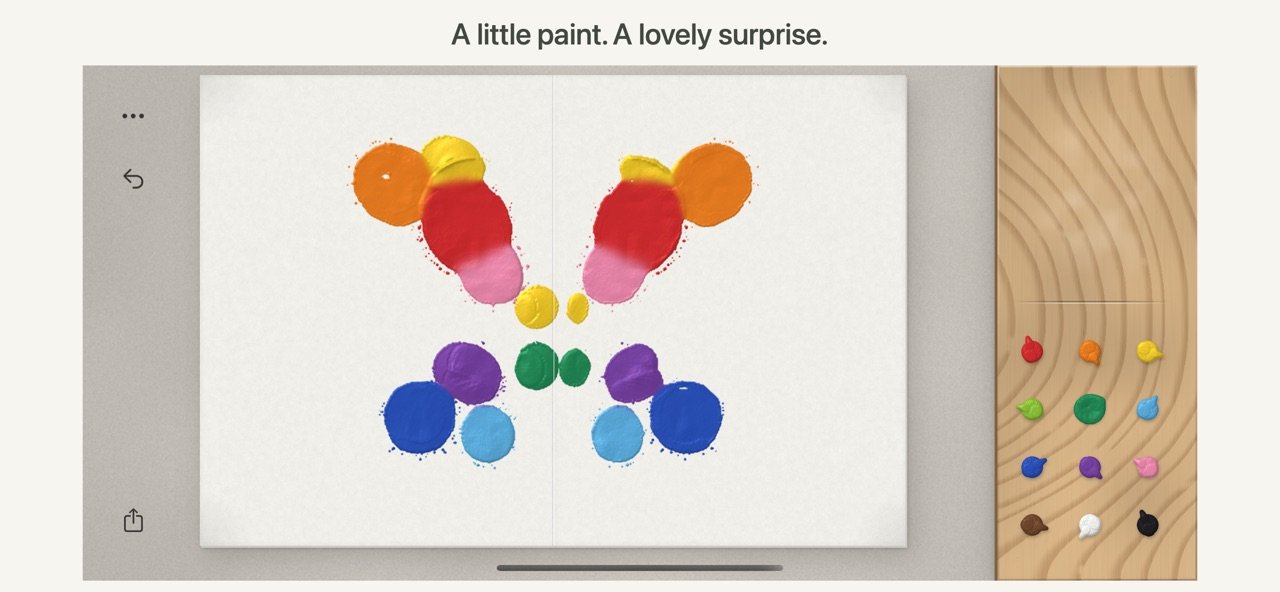
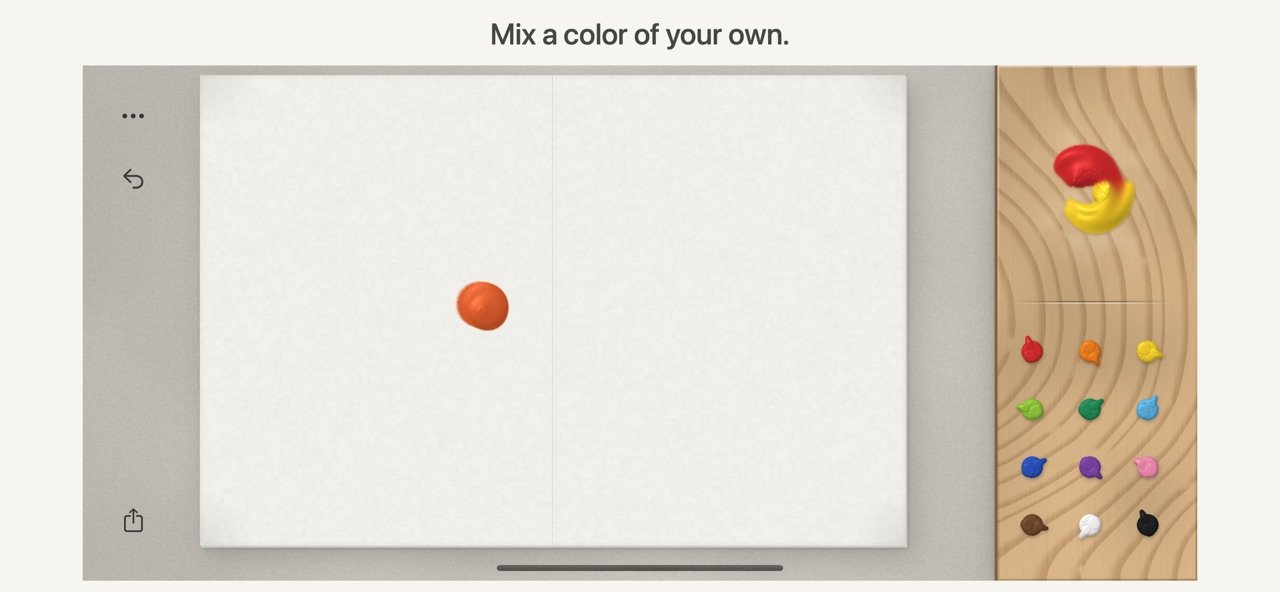
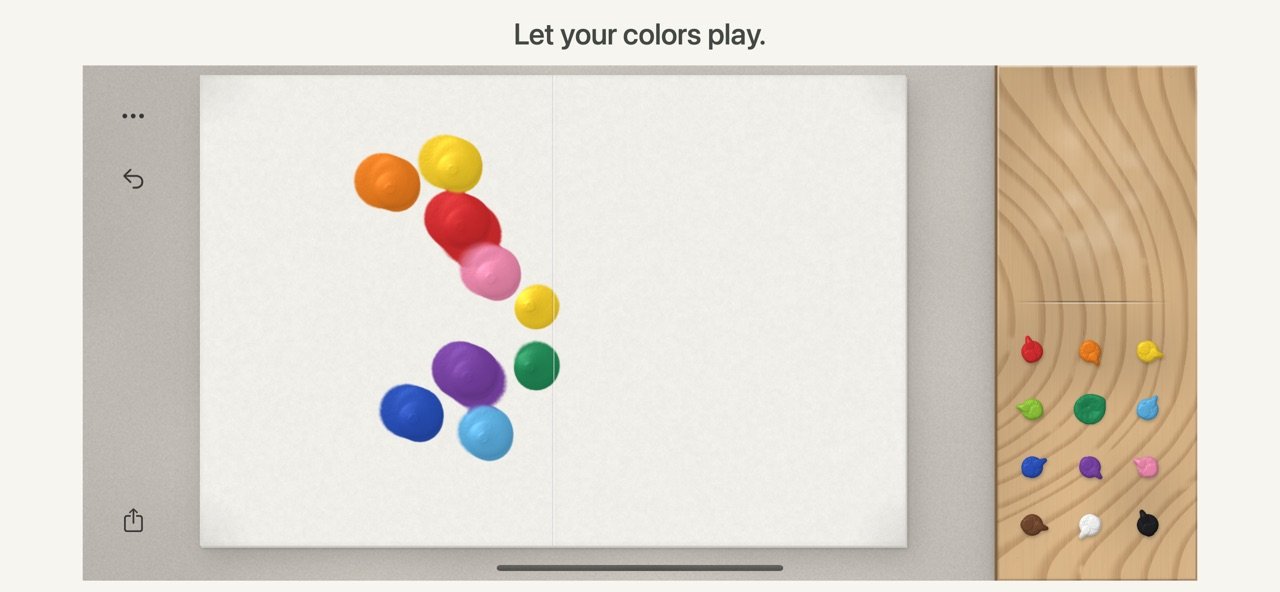
Choose from 12 colors. Hold to build up a drop of paint, or move your finger to leave a flowing trail. Drag colors onto the palette and rub them together to make your own shades.
FOLD, PRESS AND REVEAL
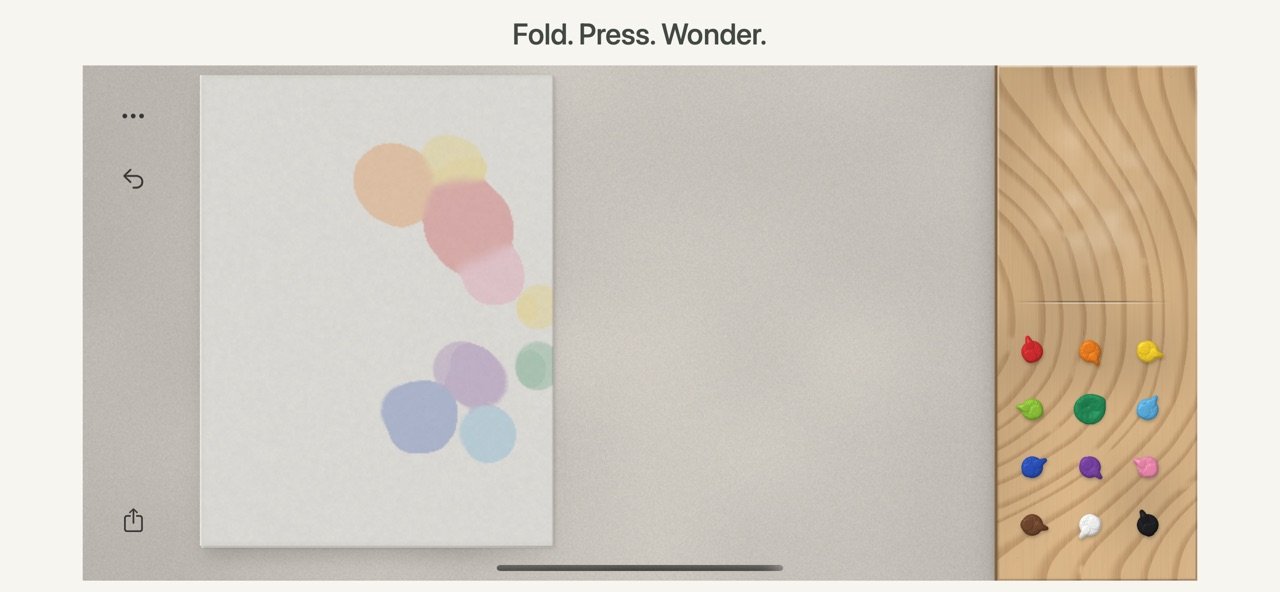
Pull a bottom corner to fold the paper. Press and rub the folded sheet to spread the paint, then gently peel it open. Discover mirrored shapes, unexpected blends and delicate textures in every reveal.
MAKE ROOM FOR SURPRISE
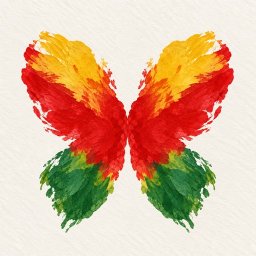
A butterfly, a flower, or something only you can see. There is no template to follow and no score to chase. Start with a few colors and see where they lead.
SHARE THE MOMENT
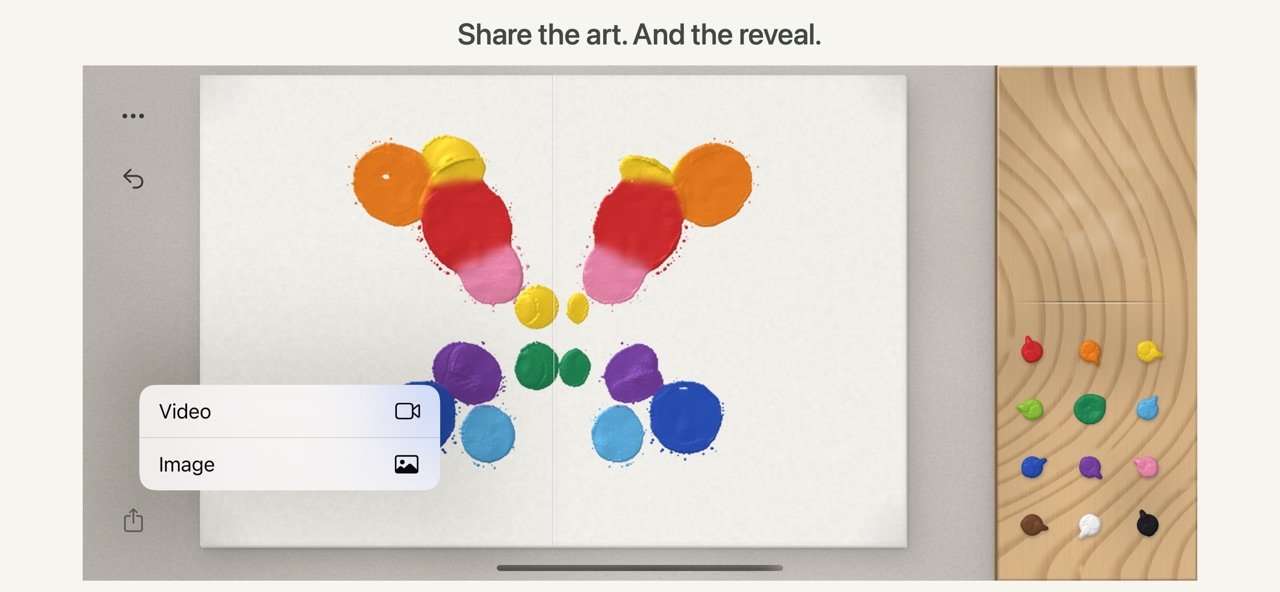
Save your artwork as an image, or turn the making into a short video that brings your painting and final reveal together. Save to Photos or share through your favorite apps.
A SIMPLE, TACTILE SPACE
• Textured paper, rich paint and a wooden mixing palette
• Haptic feedback as you paint, fold, press and unfold on supported iPhones
• One-step undo for your most recent paper action
• Gentle visual hints that show you how to begin
• No account required; create offline
Hold your iPhone sideways, choose a color and make your first mark.
License: Commercial
Rediscover the delight of pressing paint between folded paper. Decalcomanie turns your iPhone into a sheet of paper and a wooden palette, ready for a little creative play.
SQUEEZE YOUR COLORS
Choose from 12 colors. Hold to build up a drop of paint, or move your finger to leave a flowing trail. Drag colors onto the palette and rub them together to make your own shades.
FOLD, PRESS AND REVEAL
Pull a bottom corner to fold the paper. Press and rub the folded sheet to spread the paint, then gently peel it open. Discover mirrored shapes, unexpected blends and delicate textures in every reveal.
MAKE ROOM FOR SURPRISE
A butterfly, a flower, or something only you can see. There is no template to follow and no score to chase. Start with a few colors and see where they lead.
SHARE THE MOMENT
Save your artwork as an image, or turn the making into a short video that brings your painting and final reveal together. Save to Photos or share through your favorite apps.
A SIMPLE, TACTILE SPACE
• Textured paper, rich paint and a wooden mixing palette
• Haptic feedback as you paint, fold, press and unfold on supported iPhones
• One-step undo for your most recent paper action
• Gentle visual hints that show you how to begin
• No account required; create offline
Hold your iPhone sideways, choose a color and make your first mark.
License: Commercial
| Release info | New Release on Oct 18, 2026 |
|---|---|
| Release notes | Made for iPhone Duo: close the phone to fold the paper, then open it to peel your painting apart. Plus small improvements. |
| Listing data | App Store |
Reviews
No reviews yet. Be the first to review Decalcomanie.
Used Decalcomanie? Tell other visitors what you thought.
Log in to write a reviewOther products by this publisher
- "No Distractions" for YouTube 4.10 ----
- #Bible 11.6 "Incredible App - My sister shared this app with me a few weeks ago and it is truly incredible.
- #filmphotography 1.4.2 So, you decided to shoot on film?
- $quirrel 1.5.1 $quirrel Budget & Finance helps you plan each paycheck, track spending, manage debt, and see what is safe to spend before the next payday.
- % Percentage Calculator Pro 1.41 This is the Pro version of % Percentage Calculator.
Most viewed iOS Photo & Video
-
1
 ShortDiShow 2.0
Drama Quest Island — An offline interactive short-drama adventure.
-
2
 Infuse 8.5.10
Infuse: Enterprise provides the same great features as the standard version of Infuse and includes permanent access to all Pro features via a traditional paid app.
-
3
 AI Video Generator 2.0.3
Vixel – AI Video Generator
-
4
 OPlayer 4.8
Play all your videos directly without having to convert them!
-
5
 Necrometer II 1.2
Necrometer II is a paranormal investigation companion designed for ghost hunters and researchers.
-
6
 CapCut 20.1.0
CapCut offers easy-to-use video editing functions, in-APP fonts and effects, advanced features such as keyframe animation, smooth slow-motion, chroma key, and stabilization, to help you capture and snip moments.
-
7
 Ai Photo 1.1.2
AI Photo Retouch – BG Eraser
- 8 #filmphotography 1.4.2 So, you decided to shoot on film?
-
9
 Treblo 1.6.5
Make songs with the world's best AI music model.
-
10
 Pop Dot Comics 1.48
Create a comic worthy of the Sunday newspaper or your favorite pulp-fiction cover.
Most downloaded iOS Photo & Video
-
1
Infuse 8.5.10
Infuse: Enterprise provides the same great features as the standard version of Infuse and includes permanent access to all Pro features via a traditional paid app.
-
2
 DJI Fly 1.21.18
DJI Fly is designed to help pilots fly drones with ease.
-
3
 Analog Radio 3.0
The iPhone and iPad devices don't have the FM/AM radio antenna installed.
-
4
 TurboCollage Automatic 1.2.4
#1 Easy automatic photo collage maker for iPhone & iPad.
-
5
 Rozeta Sequencer Suite 1.3.16
Rozeta is a suite of MIDI sequencers and controllers that lets you explore a new, freeform approach to sequencing and controlling mobile music apps.
-
6
 ReelyGo 1.1.42
ReelyGo: Your Daily Drama Escape
-
7
Treblo 1.6.5
Make songs with the world's best AI music model.
-
8
Pop Dot Comics 1.48
Create a comic worthy of the Sunday newspaper or your favorite pulp-fiction cover.
-
9
 AGAIN. Rehearsal Notes 2.0.1
AGAIN. is the rehearsal app that remembers why the band stopped — and, new in Version 2, who said what in a writing session or a table read.
-
10
 Sun Scout 1.5.0
If your work or play requires sunlight, Sun Scout is built for you.