
DeArrow for YouTube 2.3.9
DeArrow is a browser extension for crowdsourcing better titles and thumbnails on YouTube.
Download
18.83 MB
9downloads
0this week
FreeCommercial
0reviews
Screenshots
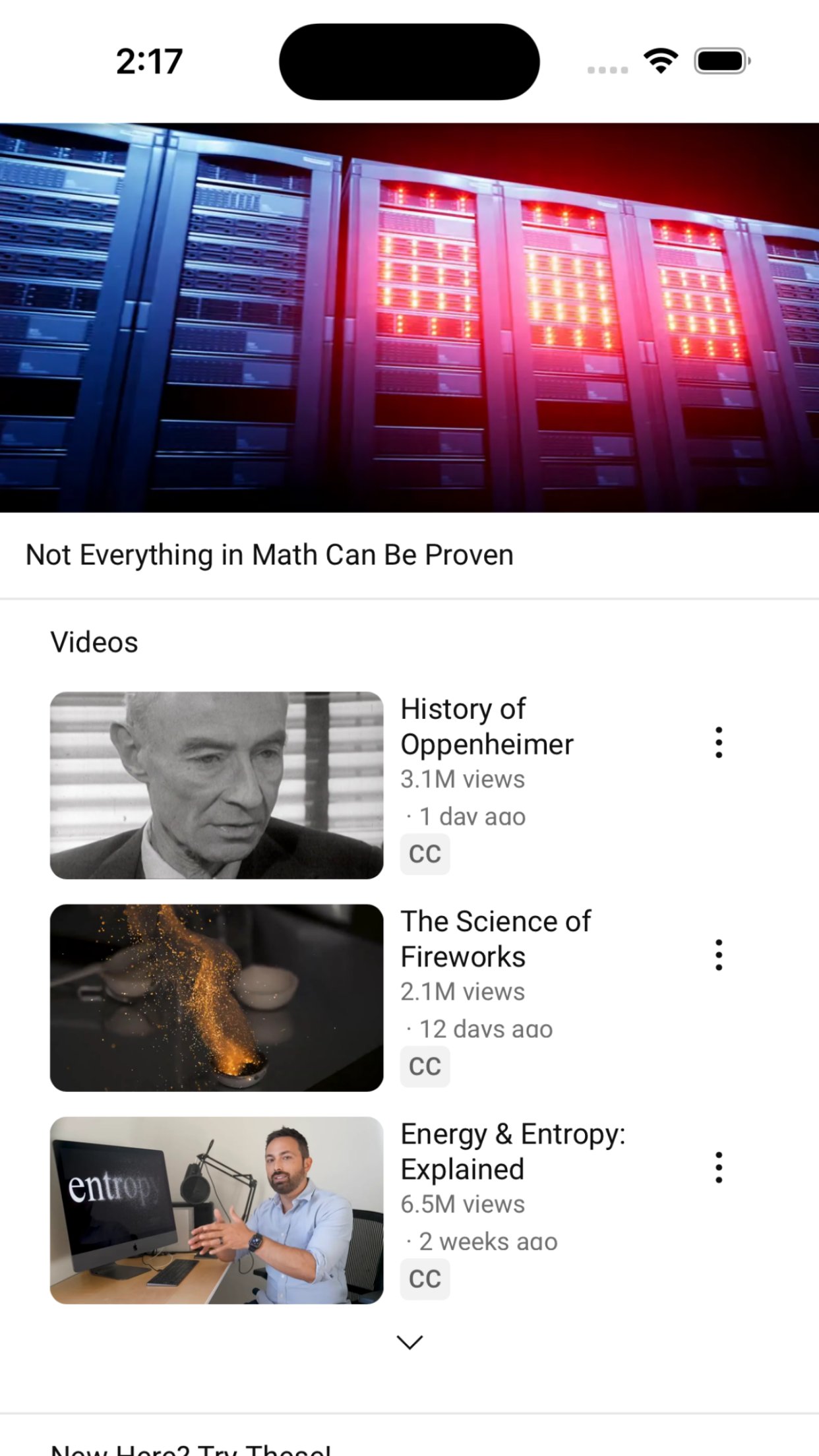
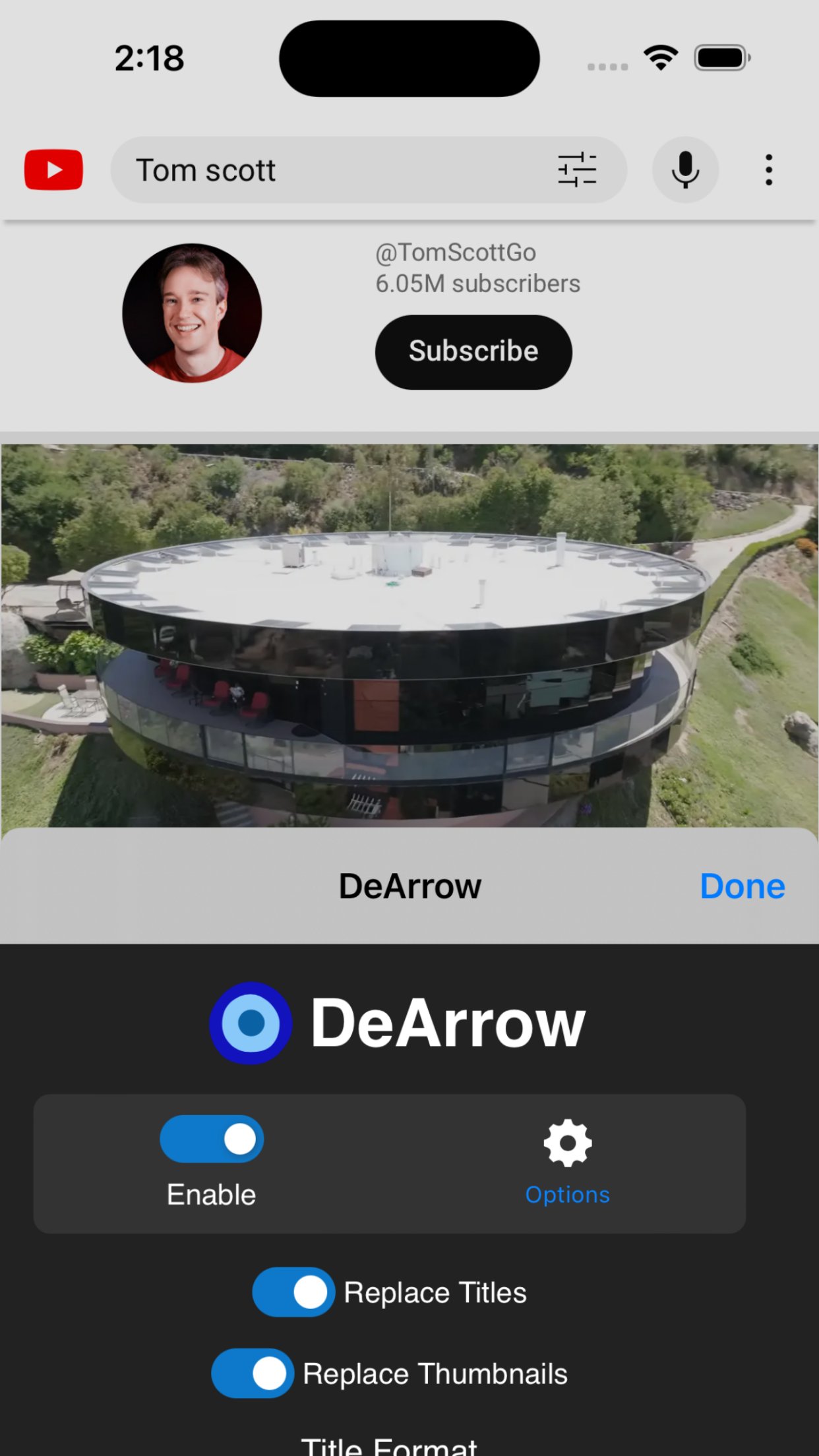
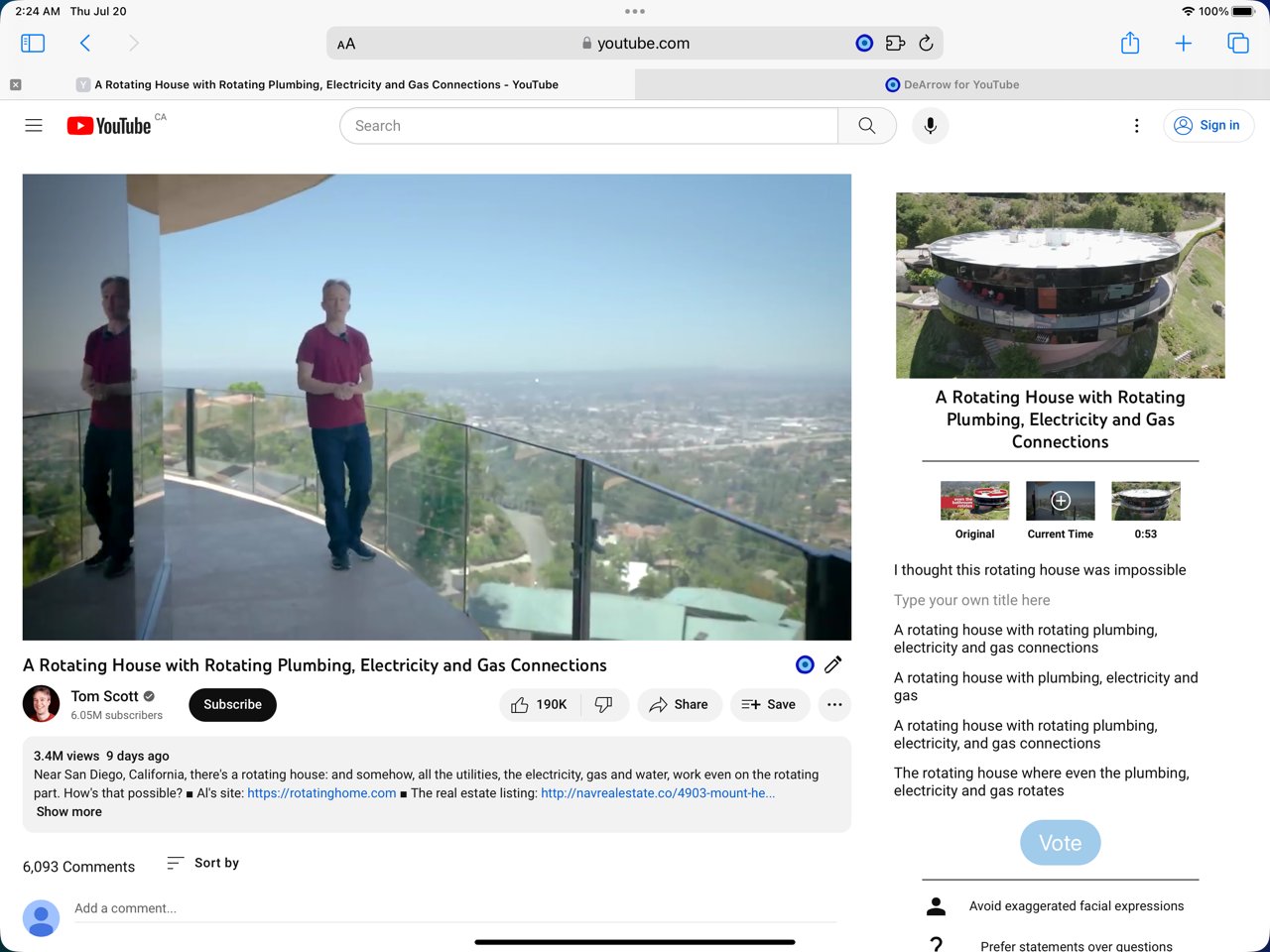
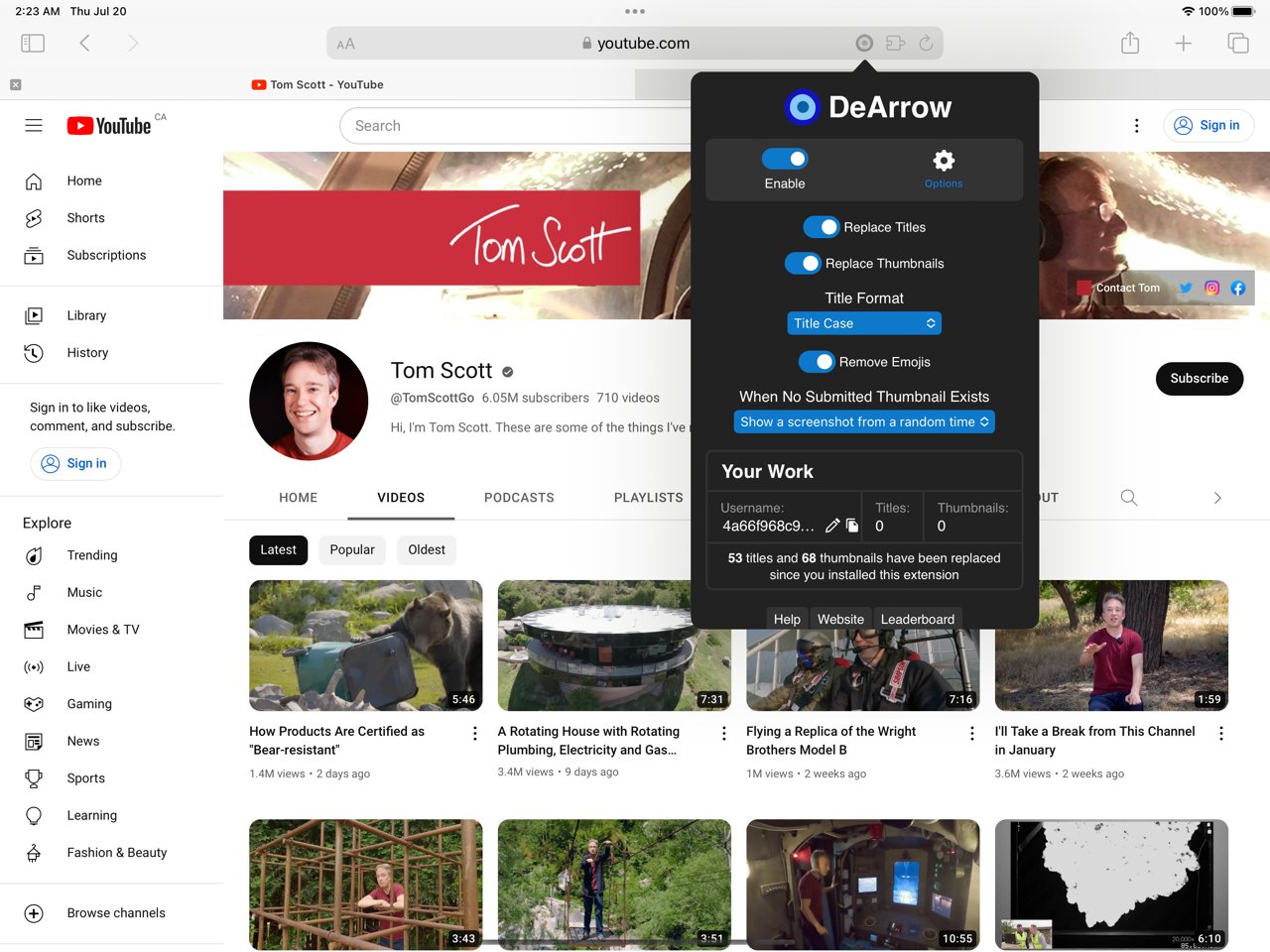
About DeArrow for YouTube
DeArrow is a browser extension for crowdsourcing better titles and thumbnails on YouTube.
The goal of DeArrow is to make titles accurate and reduce sensationalism.
Titles can be any arbitrary text. Thumbnails are screenshots from specific timestamps in the video. These are user submitted and voted on.
By default, if there are no submissions, it will format the original title to the user-specified format, and set a screenshot from a random timestamp as the thumbnail. This can be configured in the options to disable formatting, or show the original thumbnail by default.
If the original thumbnail is actually good, you can still vote for it in the submission menu, and then it will act like a submission.
No more dealing with clickbait, arrows, or annoying faces.
Users can submit better titles and thumbnails for each video and vote on them.
How does DeArrow differ from Clickbait Remover for YouTube?
- Unlike Clickbait Remover, DeArrow's main purpose is for crowdsourcing better titles and thumbnails
- When a crowdsourced title is not available, DeArrow will auto-format it according to your setting, but does it in a more sophisticated way than Clickbait Remover. Instead of only setting all words to lower case, or capitalizing every word, DeArrow supports casing systems such as "Title Case" and "Sentence case". These will still allow acronyms and proper names to remain capitalized.
- When a crowdsourced thumbnail is not available, DeArrow by default shows a screenshot at a random timestamp in the video. Clickbait Remover's thumbnails use YouTube auto-generated thumbnails, and while they are seemingly random, they are chosen by a machine learning algorithm to favor faces with expressions, and other overstimulating features. DeArrow uses truly random timestamps generated by its own server. DeArrow will also check the SponsorBlock database to ensure the randomized thumbnail is not inside of a sponsor segment.
---
Source code: [link removed]
Permissions:
Access your data for youtube.com, www.youtube-nocookie.com:
- Used to modify the YouTube webpage
This add-on may also **ask*" to access data for any website:
- You can add your own instances of 3rd party YouTube front-ends, and it will ask for permission to modify each site you add
- It will never ask for permission for all sites, only the sites you request
- Invidious support is not finished at the moment
License: Commercial
The goal of DeArrow is to make titles accurate and reduce sensationalism.
Titles can be any arbitrary text. Thumbnails are screenshots from specific timestamps in the video. These are user submitted and voted on.
By default, if there are no submissions, it will format the original title to the user-specified format, and set a screenshot from a random timestamp as the thumbnail. This can be configured in the options to disable formatting, or show the original thumbnail by default.
If the original thumbnail is actually good, you can still vote for it in the submission menu, and then it will act like a submission.
No more dealing with clickbait, arrows, or annoying faces.
Users can submit better titles and thumbnails for each video and vote on them.
How does DeArrow differ from Clickbait Remover for YouTube?
- Unlike Clickbait Remover, DeArrow's main purpose is for crowdsourcing better titles and thumbnails
- When a crowdsourced title is not available, DeArrow will auto-format it according to your setting, but does it in a more sophisticated way than Clickbait Remover. Instead of only setting all words to lower case, or capitalizing every word, DeArrow supports casing systems such as "Title Case" and "Sentence case". These will still allow acronyms and proper names to remain capitalized.
- When a crowdsourced thumbnail is not available, DeArrow by default shows a screenshot at a random timestamp in the video. Clickbait Remover's thumbnails use YouTube auto-generated thumbnails, and while they are seemingly random, they are chosen by a machine learning algorithm to favor faces with expressions, and other overstimulating features. DeArrow uses truly random timestamps generated by its own server. DeArrow will also check the SponsorBlock database to ensure the randomized thumbnail is not inside of a sponsor segment.
---
Source code: [link removed]
Permissions:
Access your data for youtube.com, www.youtube-nocookie.com:
- Used to modify the YouTube webpage
This add-on may also **ask*" to access data for any website:
- You can add your own instances of 3rd party YouTube front-ends, and it will ask for permission to modify each site you add
- It will never ask for permission for all sites, only the sites you request
- Invidious support is not finished at the moment
License: Commercial
| Release info | New Release on Jun 10, 2026 |
|---|---|
| Release notes | - Fix thumbnail replacements on /live/ pages - Fix thumbnail replacements when resizing the page - Add compatibility with mr beastify and similar extensions |
| Listing data | App Store |
Reviews
No reviews yet. Be the first to review DeArrow for YouTube.
Used DeArrow for YouTube? Tell other visitors what you thought.
Log in to write a reviewOther products by this publisher
- "No Distractions" for YouTube 4.10 ----
- #Bible 11.6 "Incredible App - My sister shared this app with me a few weeks ago and it is truly incredible.
- #filmphotography 1.4.2 So, you decided to shoot on film?
- $quirrel 1.5.1 $quirrel Budget & Finance helps you plan each paycheck, track spending, manage debt, and see what is safe to spend before the next payday.
- % Percentage Calculator Pro 1.41 This is the Pro version of % Percentage Calculator.
Most viewed iOS Productivity
-
1
 WordPress 27.4
Manage or create your WordPress blog or website right from your iOS device: create and edit posts and pages, upload your favorite photos and videos, view stats and reply to comments.
- 2 Voice Translator - Alive 1.6 Translation app that turns your iPhone into an interpreter instantly.
-
3
 Claude by Anthropic 1.261113.19
Meet Claude, your AI problem solver and thinking partner.
-
4
 Life360 26.43.5
Whether at home, online, or on the move, our comprehensive family safety features bring peace of mind to your loved ones AND help safeguard your personal belongings.
-
5
 WristMemo 2.0
WristMemo turns your Apple Watch into an all-day voice recorder.
- 6 "No Distractions" for YouTube 4.10 ----
-
7
 Colicine 1.3.0
Have you ever been there—
- 8 (beat) for iOS 0.5.10 An elegant Fountain screenwriting app, created by a screenwriter for screenwriters.
-
9
 DeepSeek 2.8.0
Experience seamless interaction with DeepSeek's official AI assistant for free!
-
10
 Howbout 16.7.2
The shared calendar for friends, couples, and family
Most downloaded iOS Productivity
- 1 Voice Translator - Alive 1.6 Translation app that turns your iPhone into an interpreter instantly.
-
2
DeepSeek 2.8.0
Experience seamless interaction with DeepSeek's official AI assistant for free!
-
3
 SessionsAI 1.2.1
Sessions AI is a private AI workspace that runs entirely on your iPhone, iPad, or Mac.
-
4
 Voices AI 1.16.15
Discover Voices, the premier voice transformation app designed exclusively for iOS.
-
5
 Block Distracting Websites 1.11
"It's a great way to save time, and stop browsing Reddit when you should be doing coursework."
-
6
 Plot Digitizer 1.4.1
Plot Digitizer is an app to extract numerical data from plot images.
-
7
 Google Docs 1.2026.45104
Create, edit, and collaborate on online documents with the Google Docs app.
-
8
 MyHyundai with Bluelink 5.4.5
The MyHyundai app makes getting information about your Hyundai vehicle easier than ever.
-
9
 Pixy Mood Tracker 1.110.0
Track your mood, one pixel at a time.
-
10
 ScreenRecess 1.0.0
A gentle nudge to put your device down when it’s hard to stop.