
0downloads
0this week
FreeCommercial
0reviews
Screenshots
About Daybearing
New in 1.2: iCloud Sync, encrypted on your device.
Your day, the same on iPhone, iPad and Mac -- plus keyboard control, Undo, and Clear List for when the day changes.
?.?.?.?.?.?.?.?.?.?.?.?.?.?.?.?.?.?.?.?.?.?.?.?.?.?.?.?.?.?.?.?.
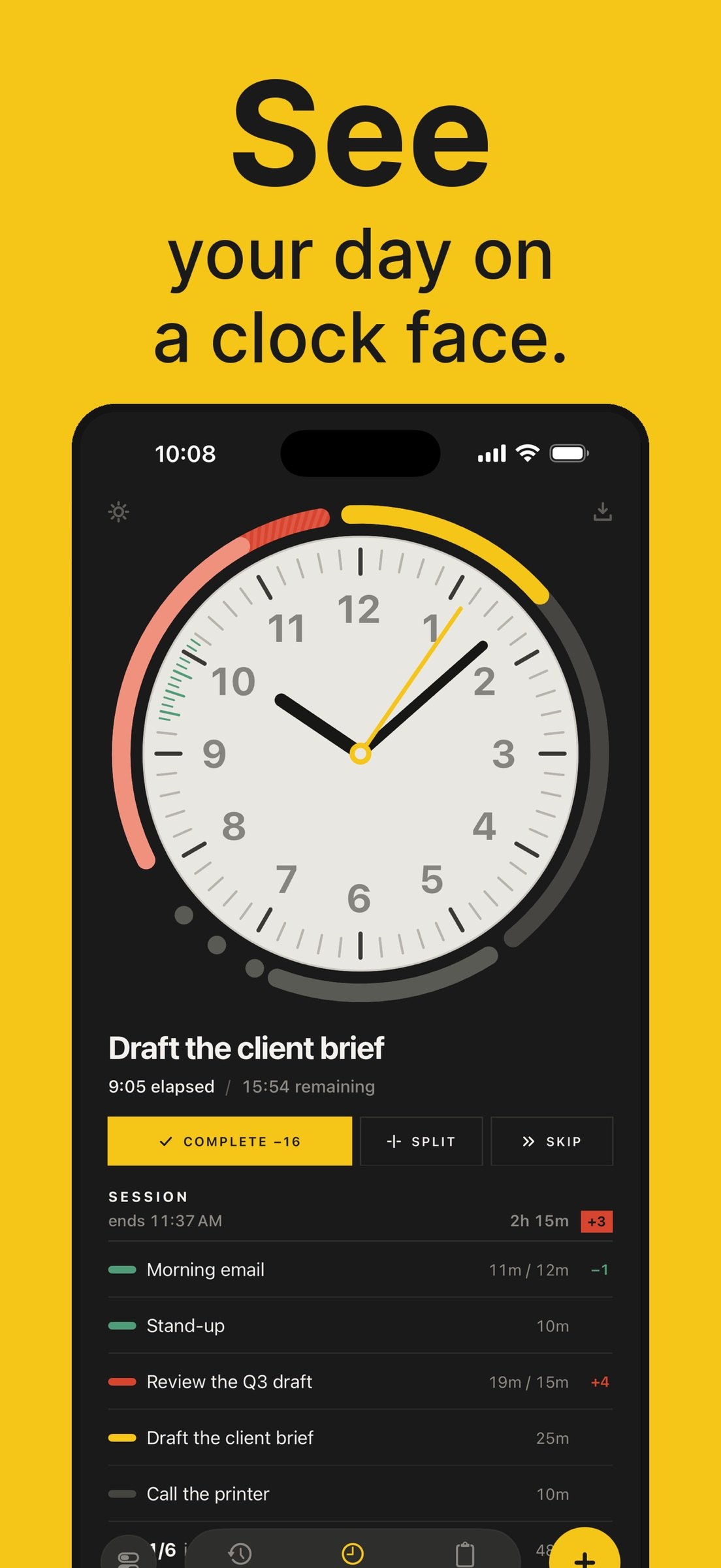
Daybearing is a clock face for your day.
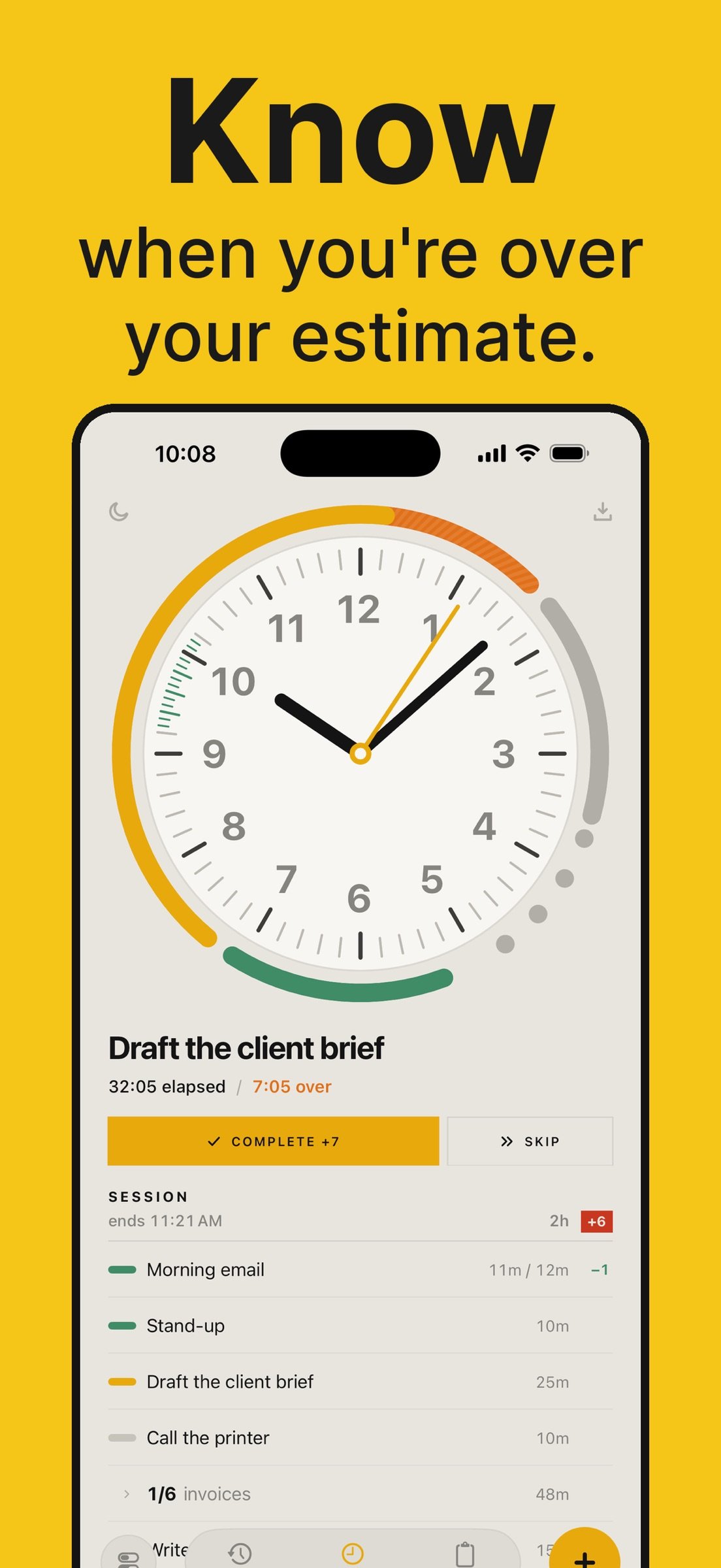
Say what you're doing and how long you think it will take. Each task becomes an arc on the clock, in the hour where it will actually happen. Run over and the arc keeps growing, in orange. One glance tells you if you're on pace.
HOW IT WORKS
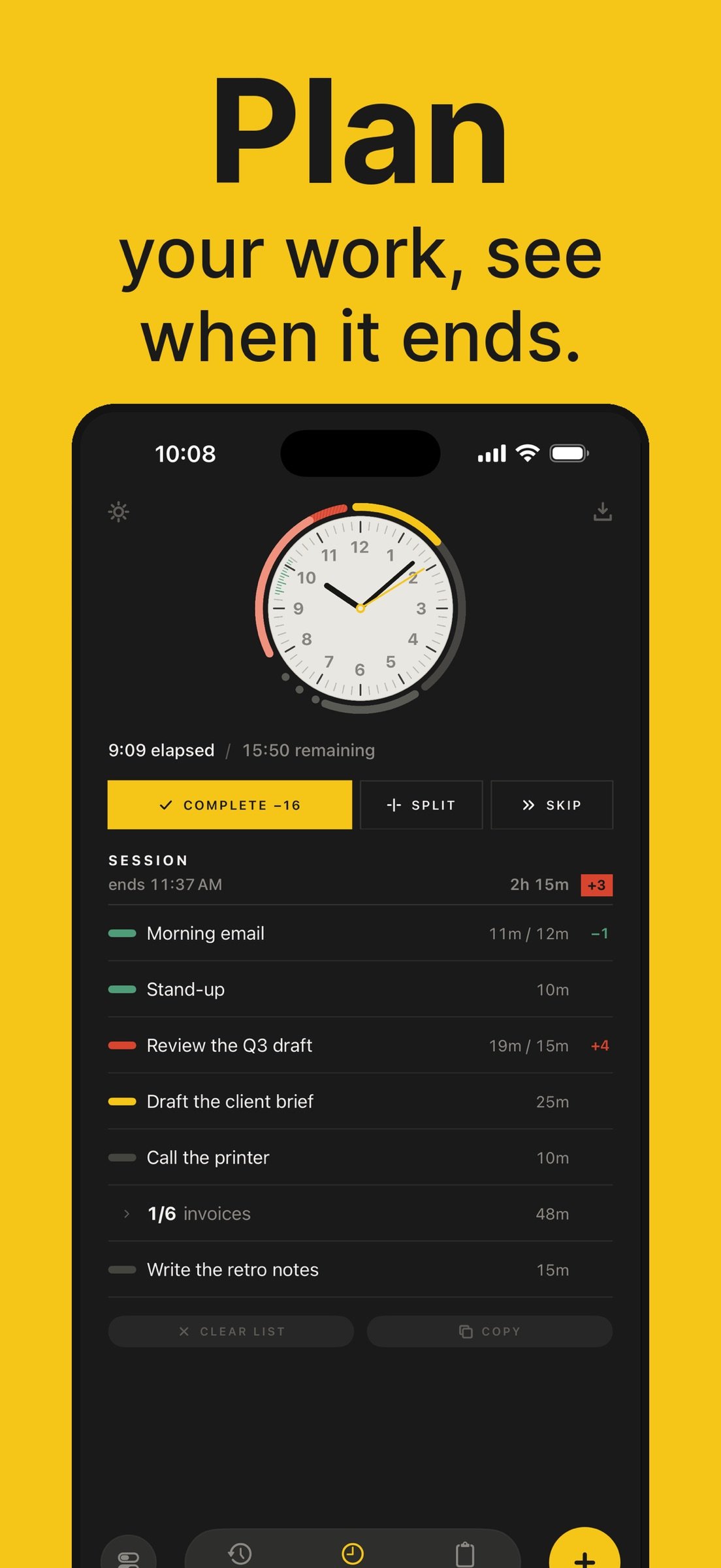
Type a task name and set its duration with the time ruler. Tap Start. When you finish, tap Complete and the next task begins in the same instant, so no time slips away between them.
You can also paste in a list of tasks to quickly add tasks from other apps. Daybearing recognizes numbers at the end of a task name as the duration for that task, so you can quickly edit a task list and paste it in.
The pace chip says how far ahead or behind your plan the day is.
You can save tasks for later in the Plan tab, and view and export your history in the Past tab.
ON IPHONE, IPAD AND MAC
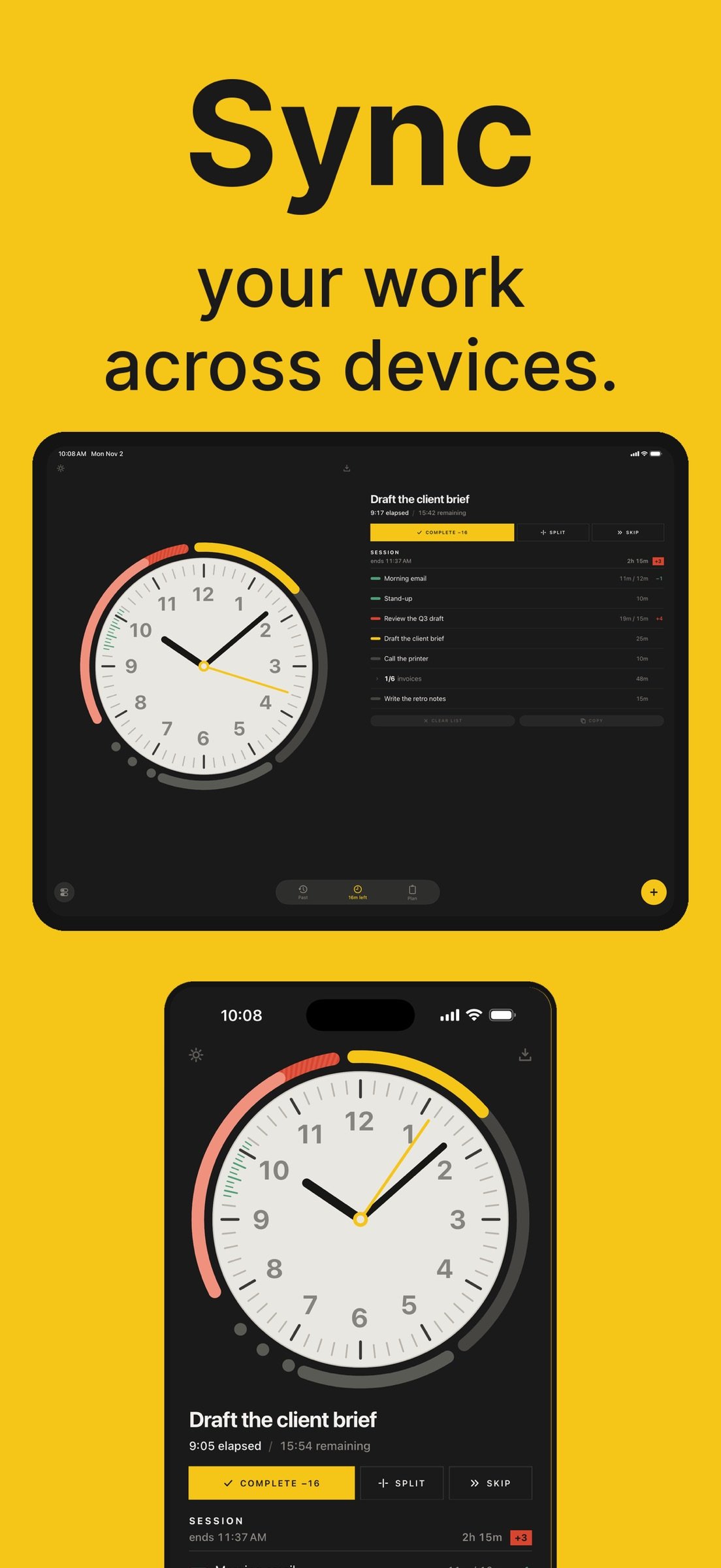
o iCloud Sync, off by default. Start a task on your iPhone, and your iPad and Mac show it running.
o Private by design. Everything is encrypted on your device before it leaves, with a key only your devices hold. No account to make, and Remove Data from iCloud deletes the copy whenever you like.
o On iPad, the dial sits beside your task list. On Mac, and on iPad with a keyboard, you can do it all from the keys.
WHAT IT DOES NOT DO
There is no pause. Daybearing shows your work against real time, and real time doesn't stop. A timer you can stop measures how long you had it running, not how long the work took. If you need to stop, Set Down ends the session, logs the part you did, and puts the rest back in the queue.
There are no subtasks, tags, categories or statistics screens.
There is no subscription, no in-app purchase and no advertising. One time purchase.
MORE FEATURES:
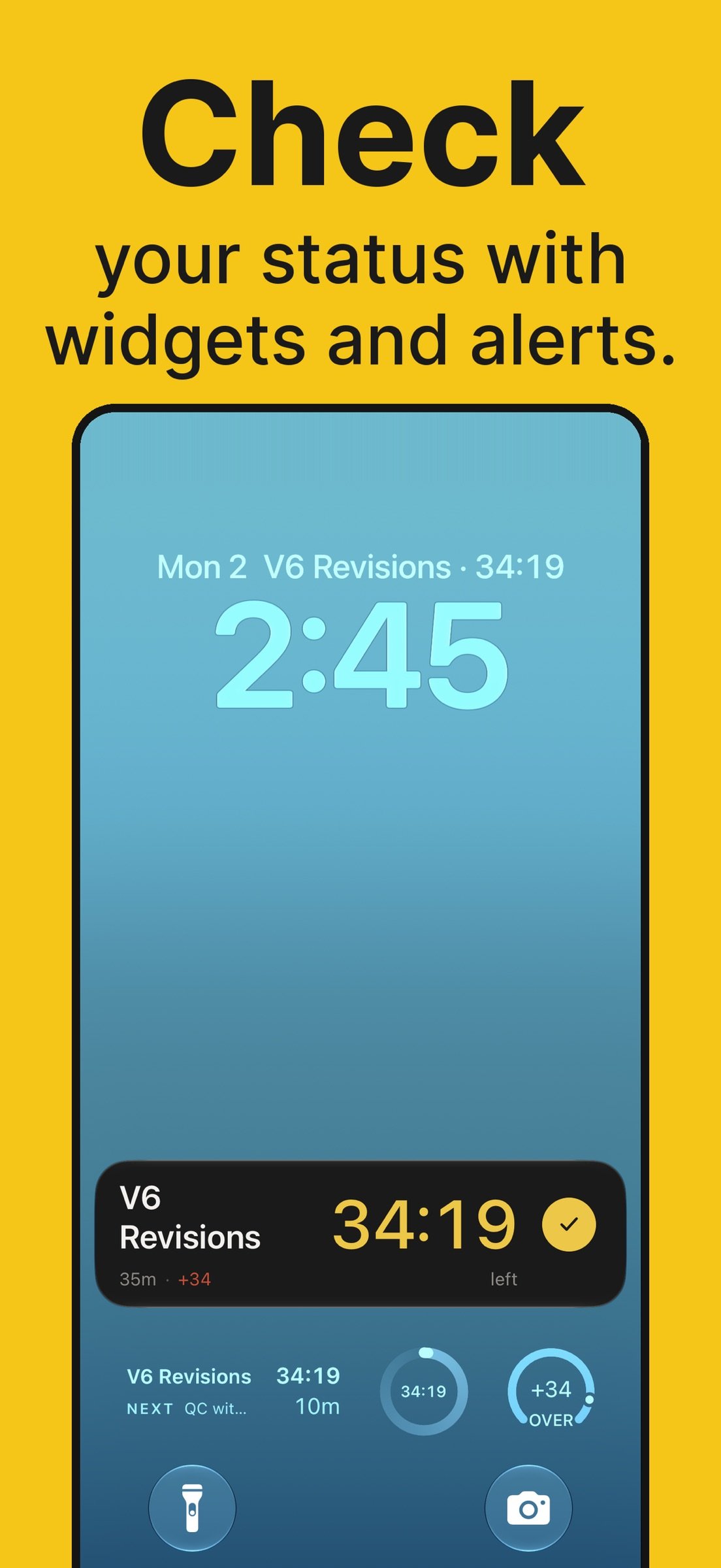
o A Live Activity for the running task, on the Lock Screen and in the Dynamic Island, with a Complete button so you can finish without opening the app.
o Home Screen widgets
o Lock Screen widgets
o Siri and Shortcuts: automate and connect your other work with Daybearing.
o Notifications - Act on your tasks when their time is up.
o Desk Mode: set the phone down and see the task and the dial from across the desk.
o Undo: ten seconds to take back a task you finished by mistake.
o Routines: save tasks to your Plan and copy them into today with one tap.
o Batch entry for repeated work: set a pace for large volumes of similar tasks.
o An optional chime when a task reaches its estimate.
o CSV export
o Six themes, light and dark.
o VoiceOver support and adjustable text sizing.
License: Commercial
Your day, the same on iPhone, iPad and Mac -- plus keyboard control, Undo, and Clear List for when the day changes.
?.?.?.?.?.?.?.?.?.?.?.?.?.?.?.?.?.?.?.?.?.?.?.?.?.?.?.?.?.?.?.?.
Daybearing is a clock face for your day.
Say what you're doing and how long you think it will take. Each task becomes an arc on the clock, in the hour where it will actually happen. Run over and the arc keeps growing, in orange. One glance tells you if you're on pace.
HOW IT WORKS
Type a task name and set its duration with the time ruler. Tap Start. When you finish, tap Complete and the next task begins in the same instant, so no time slips away between them.
You can also paste in a list of tasks to quickly add tasks from other apps. Daybearing recognizes numbers at the end of a task name as the duration for that task, so you can quickly edit a task list and paste it in.
The pace chip says how far ahead or behind your plan the day is.
You can save tasks for later in the Plan tab, and view and export your history in the Past tab.
ON IPHONE, IPAD AND MAC
o iCloud Sync, off by default. Start a task on your iPhone, and your iPad and Mac show it running.
o Private by design. Everything is encrypted on your device before it leaves, with a key only your devices hold. No account to make, and Remove Data from iCloud deletes the copy whenever you like.
o On iPad, the dial sits beside your task list. On Mac, and on iPad with a keyboard, you can do it all from the keys.
WHAT IT DOES NOT DO
There is no pause. Daybearing shows your work against real time, and real time doesn't stop. A timer you can stop measures how long you had it running, not how long the work took. If you need to stop, Set Down ends the session, logs the part you did, and puts the rest back in the queue.
There are no subtasks, tags, categories or statistics screens.
There is no subscription, no in-app purchase and no advertising. One time purchase.
MORE FEATURES:
o A Live Activity for the running task, on the Lock Screen and in the Dynamic Island, with a Complete button so you can finish without opening the app.
o Home Screen widgets
o Lock Screen widgets
o Siri and Shortcuts: automate and connect your other work with Daybearing.
o Notifications - Act on your tasks when their time is up.
o Desk Mode: set the phone down and see the task and the dial from across the desk.
o Undo: ten seconds to take back a task you finished by mistake.
o Routines: save tasks to your Plan and copy them into today with one tap.
o Batch entry for repeated work: set a pace for large volumes of similar tasks.
o An optional chime when a task reaches its estimate.
o CSV export
o Six themes, light and dark.
o VoiceOver support and adjustable text sizing.
License: Commercial
| Release info | New Release on Nov 04, 2026 |
|---|---|
| Release notes | New in 1.2: iCloud Sync, encrypted on your device. Your day, the same on iPhone, iPad and Mac — plus keyboard control, Undo, and Clear List for when the day changes. |
| Listing data | App Store |
Reviews
No reviews yet. Be the first to review Daybearing.
Used Daybearing? Tell other visitors what you thought.
Log in to write a reviewOther products by this publisher
- "No Distractions" for YouTube 4.10 ----
- #Bible 11.6 "Incredible App - My sister shared this app with me a few weeks ago and it is truly incredible.
- #filmphotography 1.4.2 So, you decided to shoot on film?
- $quirrel 1.5.1 $quirrel Budget & Finance helps you plan each paycheck, track spending, manage debt, and see what is safe to spend before the next payday.
- % Percentage Calculator Pro 1.41 This is the Pro version of % Percentage Calculator.
Most viewed iOS Productivity
-
1
 WordPress 27.4
Manage or create your WordPress blog or website right from your iOS device: create and edit posts and pages, upload your favorite photos and videos, view stats and reply to comments.
- 2 Voice Translator - Alive 1.6 Translation app that turns your iPhone into an interpreter instantly.
-
3
 Claude by Anthropic 1.261113.19
Meet Claude, your AI problem solver and thinking partner.
-
4
 Life360 26.43.5
Whether at home, online, or on the move, our comprehensive family safety features bring peace of mind to your loved ones AND help safeguard your personal belongings.
-
5
 WristMemo 2.0
WristMemo turns your Apple Watch into an all-day voice recorder.
- 6 "No Distractions" for YouTube 4.10 ----
-
7
 Colicine 1.3.0
Have you ever been there—
- 8 (beat) for iOS 0.5.10 An elegant Fountain screenwriting app, created by a screenwriter for screenwriters.
-
9
 DeepSeek 2.8.0
Experience seamless interaction with DeepSeek's official AI assistant for free!
-
10
 Howbout 16.7.2
The shared calendar for friends, couples, and family
Most downloaded iOS Productivity
- 1 Voice Translator - Alive 1.6 Translation app that turns your iPhone into an interpreter instantly.
-
2
DeepSeek 2.8.0
Experience seamless interaction with DeepSeek's official AI assistant for free!
-
3
 SessionsAI 1.2.1
Sessions AI is a private AI workspace that runs entirely on your iPhone, iPad, or Mac.
-
4
 Voices AI 1.16.15
Discover Voices, the premier voice transformation app designed exclusively for iOS.
-
5
 Block Distracting Websites 1.11
"It's a great way to save time, and stop browsing Reddit when you should be doing coursework."
-
6
 Plot Digitizer 1.4.1
Plot Digitizer is an app to extract numerical data from plot images.
-
7
 Google Docs 1.2026.45104
Create, edit, and collaborate on online documents with the Google Docs app.
-
8
 MyHyundai with Bluelink 5.4.5
The MyHyundai app makes getting information about your Hyundai vehicle easier than ever.
-
9
 Pixy Mood Tracker 1.110.0
Track your mood, one pixel at a time.
-
10
 ScreenRecess 1.0.0
A gentle nudge to put your device down when it’s hard to stop.