8downloads
1this week
FreeCommercial
0reviews
Screenshots
About Dawcade
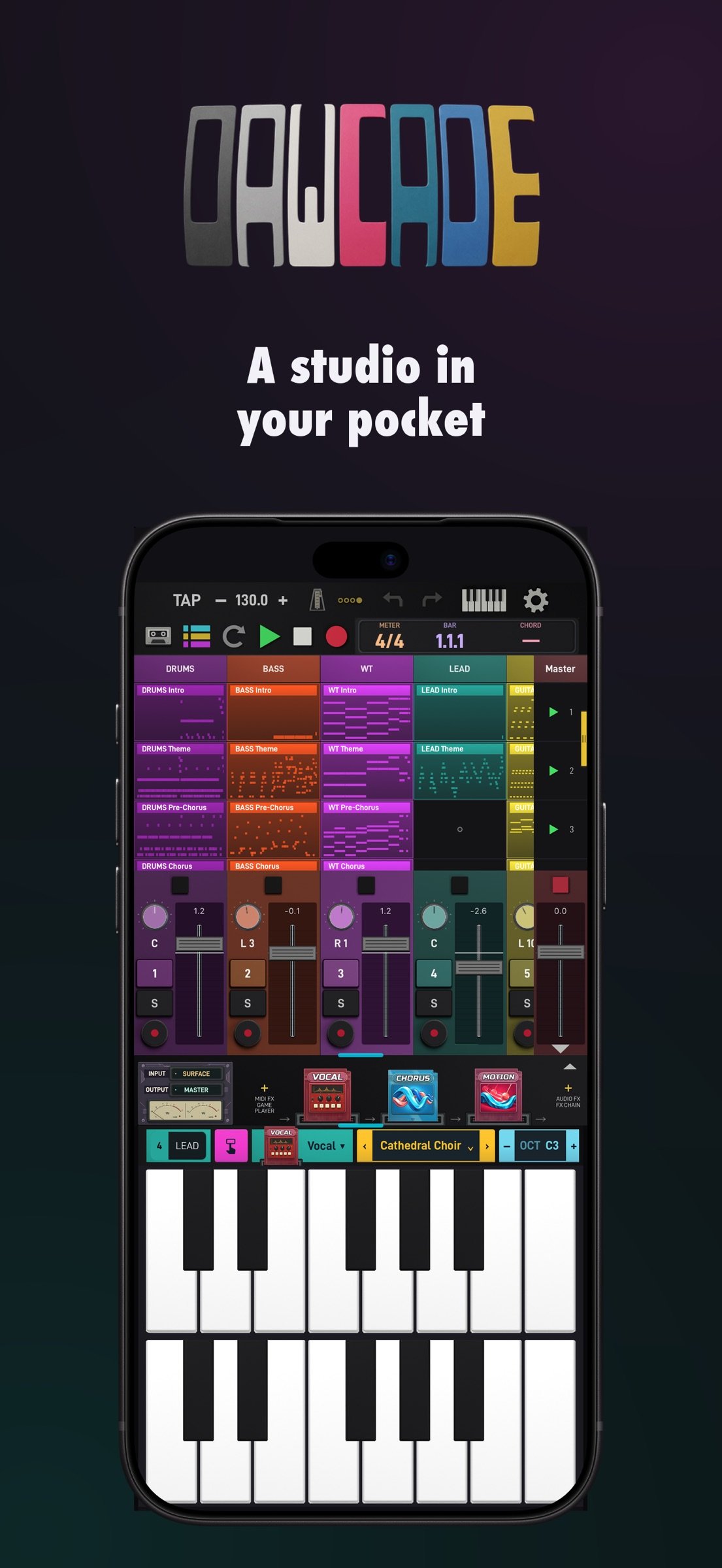
Dawcade is a complete music studio that fits in your pocket. Record, sequence, mix and arrange anywhere — everything runs on your device alone. No account, no subscription, no cloud, nothing to unlock. Buy it once and everything is there.
TWO WAYS TO BUILD A TRACK
Session view lets you launch clips and scenes freely while you find the arrangement by playing it. Arrangement view puts the same material on a timeline when you are ready to commit. Clips move between the two, so nothing has to be decided up front.
INSTRUMENTS
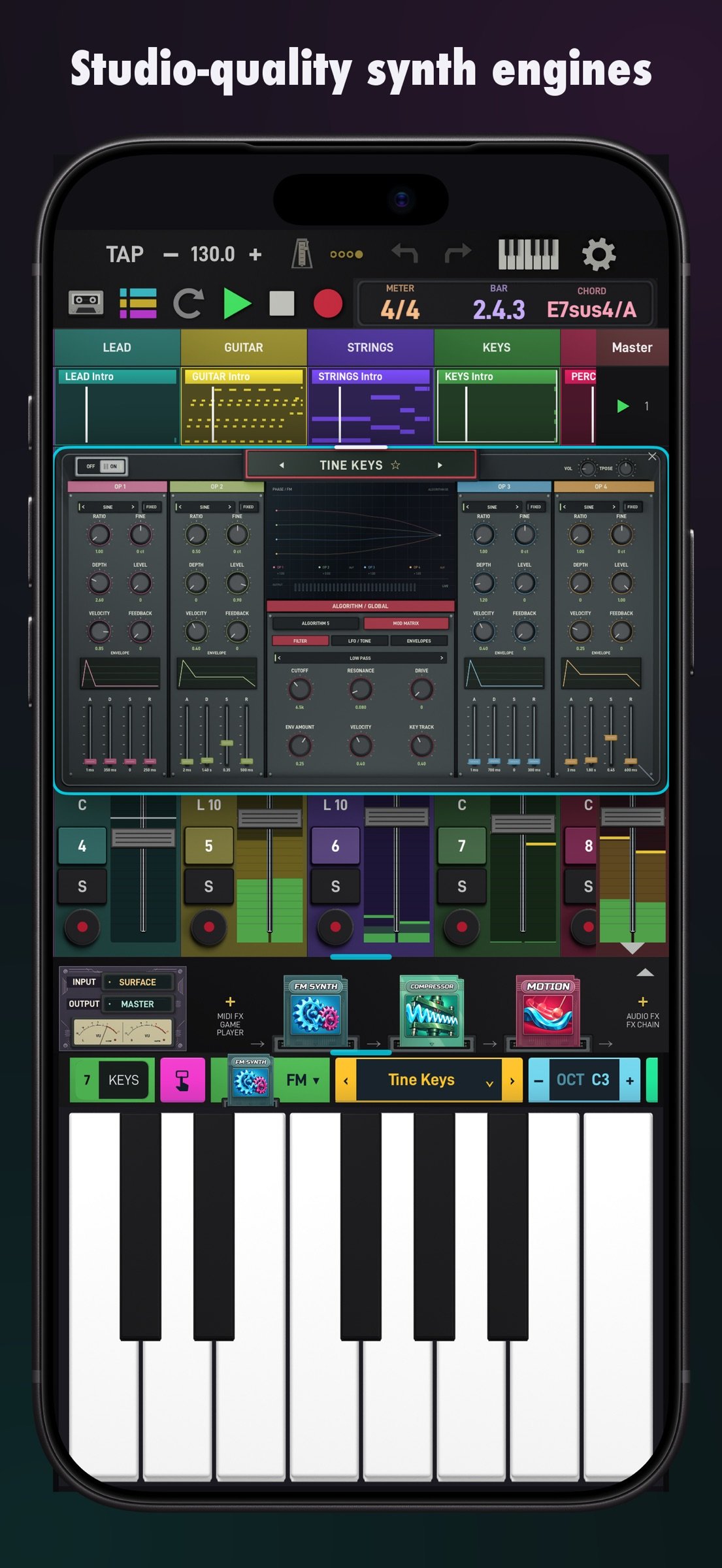
More than fifty instruments and effects ship with the app. Wavetable, virtual analog, FM, phase distortion, vector, spectral, supersaw, granular, physical modelling and chip synthesis all have purpose-built editors rather than a generic parameter list. Sampled acoustic instruments cover piano, electric piano, organ, guitar, bass, strings, brass and woodwinds.
DRUMS AND SAMPLING
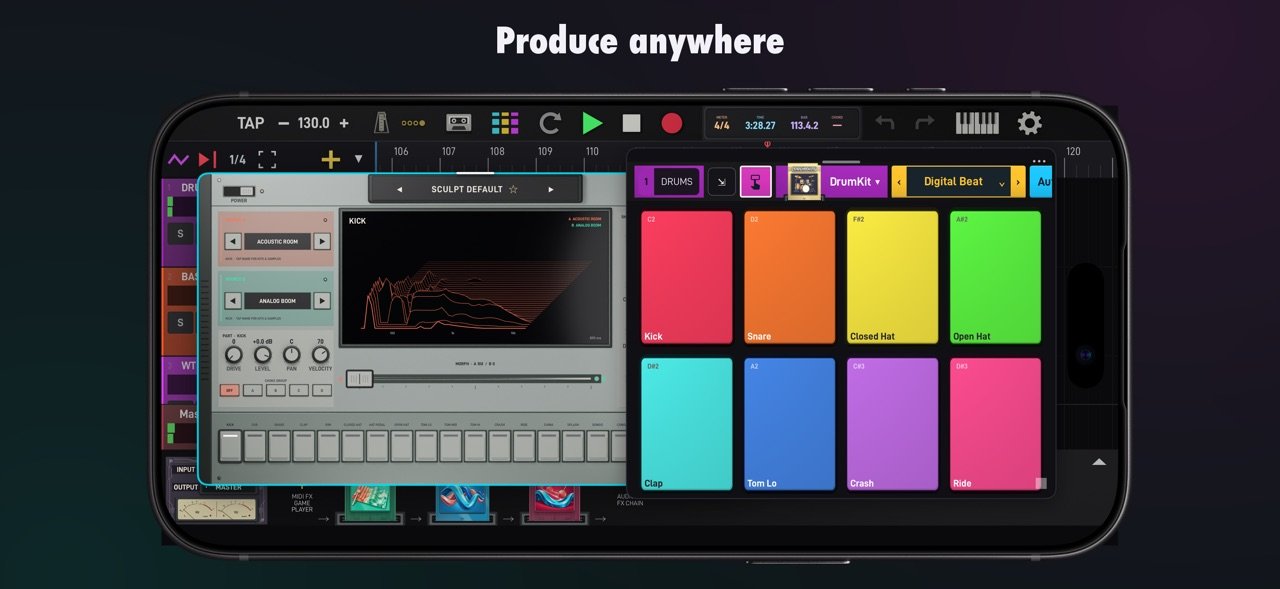
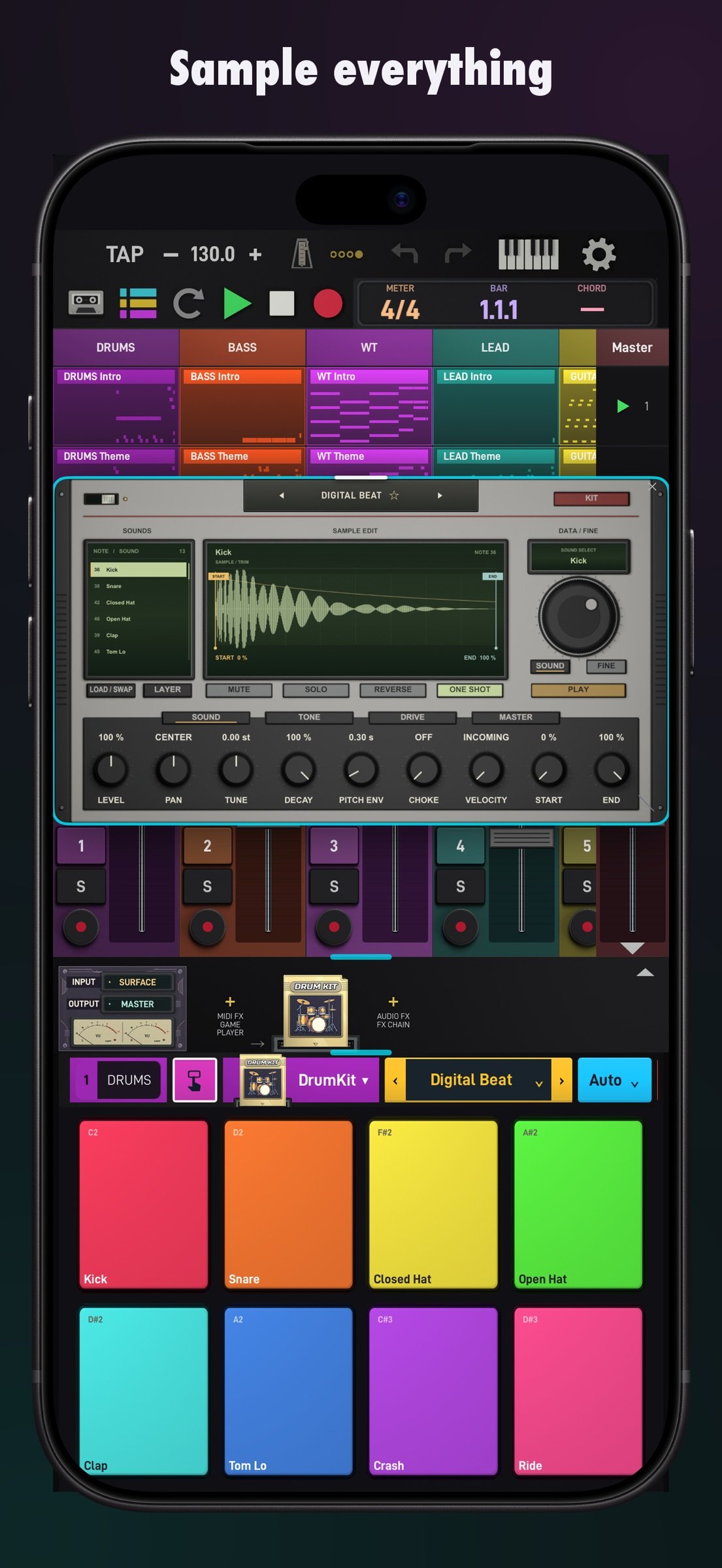
A library of factory drum kits, each with per-pad tuning, envelope, filter, pan and send controls. The sampler loads your own audio, and the drum surface can be played as pads or programmed as a step sequencer.
PLAY SURFACES
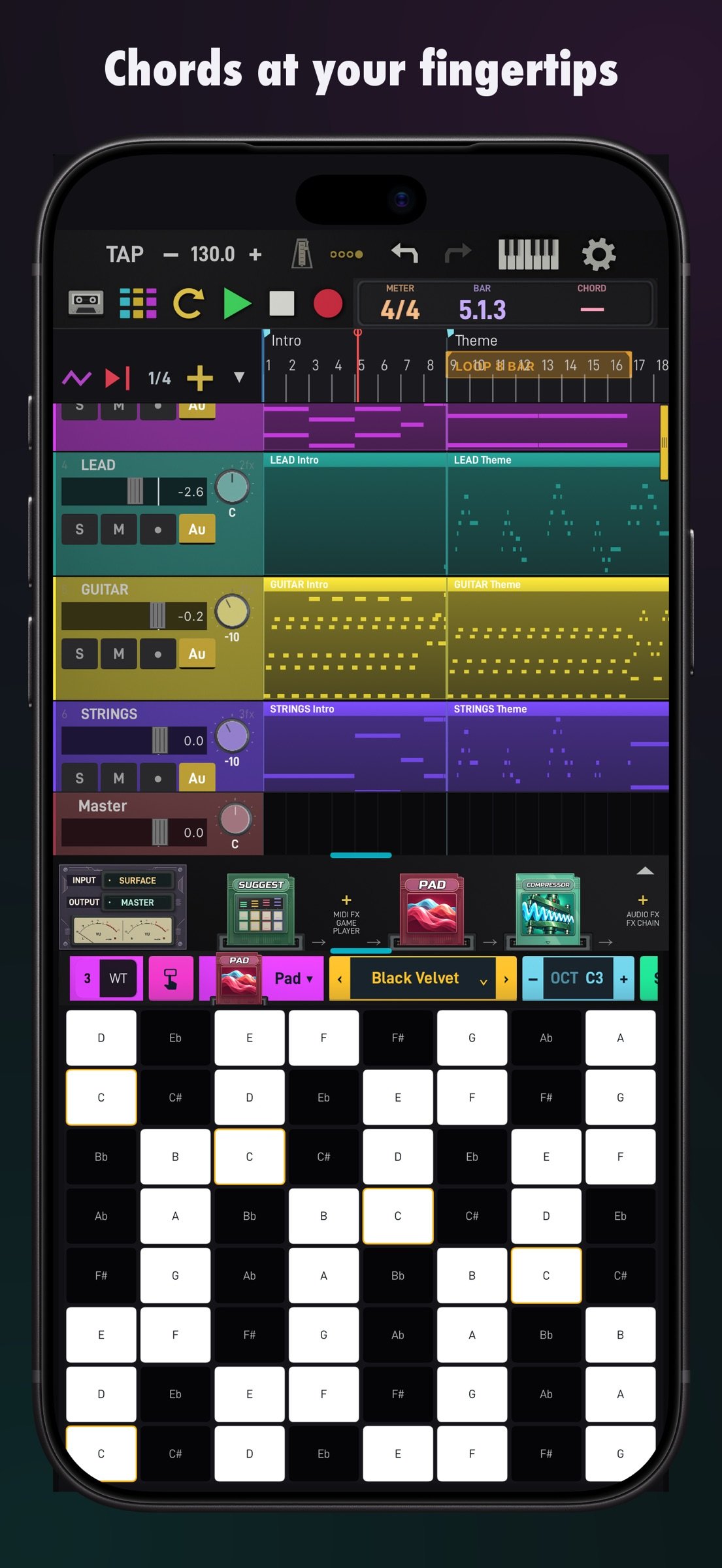
Sixteen selectable play surfaces sit under the mixer instead of a single fixed keyboard. Alongside the piano keyboard there is a chord pad grid, a Tonnetz lattice, a circle of fifths, a strum surface, a fretboard, a bowed-string surface, an XY pad, and generative surfaces that keep playing while you shape them. Every surface follows the project key and scale, so wrong notes are opt-in.
MIXING AND AUTOMATION
Per-channel volume, pan, mute, solo and record arm, with return channels and sends. Twenty-four audio effects including compressor, multiband compressor, limiter, transient shaper, parametric EQ, reverb, plate reverb, delay, filter delay, grain delay, chorus, flanger, phaser, distortion, amp cabinet, bitcrusher, vocoder, resonator, frequency shifter, auto filter, beat repeat, gate, spectral and step effects. Any parameter can be automated on the timeline.
MIDI AND GENERATORS
Class-compliant USB and Bluetooth MIDI controllers are supported for input, and Dawcade sends MIDI back to control surfaces that have pad or key lighting. Insert an arpeggiator with classic, Markov and Euclidean generators, or a scale-quantiser, ahead of any instrument.
RECORDING
Record audio through the microphone or an audio interface, straight into a channel. Count-in, pre-roll and post-roll are configurable, and takes land as clips you can move, trim and reuse.
PRIVACY
Dawcade does not ask for an account and does not collect personal data. Crash and error reports are the only thing that leaves the device, they are not linked to your identity, and they are processed in the European Union. Your projects, recordings and samples stay on your device.
Requires iOS 17 or later. Includes a demo project and a guided tour on first launch.
License: Commercial
TWO WAYS TO BUILD A TRACK
Session view lets you launch clips and scenes freely while you find the arrangement by playing it. Arrangement view puts the same material on a timeline when you are ready to commit. Clips move between the two, so nothing has to be decided up front.
INSTRUMENTS
More than fifty instruments and effects ship with the app. Wavetable, virtual analog, FM, phase distortion, vector, spectral, supersaw, granular, physical modelling and chip synthesis all have purpose-built editors rather than a generic parameter list. Sampled acoustic instruments cover piano, electric piano, organ, guitar, bass, strings, brass and woodwinds.
DRUMS AND SAMPLING
A library of factory drum kits, each with per-pad tuning, envelope, filter, pan and send controls. The sampler loads your own audio, and the drum surface can be played as pads or programmed as a step sequencer.
PLAY SURFACES
Sixteen selectable play surfaces sit under the mixer instead of a single fixed keyboard. Alongside the piano keyboard there is a chord pad grid, a Tonnetz lattice, a circle of fifths, a strum surface, a fretboard, a bowed-string surface, an XY pad, and generative surfaces that keep playing while you shape them. Every surface follows the project key and scale, so wrong notes are opt-in.
MIXING AND AUTOMATION
Per-channel volume, pan, mute, solo and record arm, with return channels and sends. Twenty-four audio effects including compressor, multiband compressor, limiter, transient shaper, parametric EQ, reverb, plate reverb, delay, filter delay, grain delay, chorus, flanger, phaser, distortion, amp cabinet, bitcrusher, vocoder, resonator, frequency shifter, auto filter, beat repeat, gate, spectral and step effects. Any parameter can be automated on the timeline.
MIDI AND GENERATORS
Class-compliant USB and Bluetooth MIDI controllers are supported for input, and Dawcade sends MIDI back to control surfaces that have pad or key lighting. Insert an arpeggiator with classic, Markov and Euclidean generators, or a scale-quantiser, ahead of any instrument.
RECORDING
Record audio through the microphone or an audio interface, straight into a channel. Count-in, pre-roll and post-roll are configurable, and takes land as clips you can move, trim and reuse.
PRIVACY
Dawcade does not ask for an account and does not collect personal data. Crash and error reports are the only thing that leaves the device, they are not linked to your identity, and they are processed in the European Union. Your projects, recordings and samples stay on your device.
Requires iOS 17 or later. Includes a demo project and a guided tour on first launch.
License: Commercial
| Release info | New Release on Nov 04, 2026 |
|---|---|
| Release notes | Band, assistant and guided missions update. • Band: a band on the master channel writes full takes in your song's key and tempo, can follow what you play (JAM) and sends takes to the arrangement. • Assistant: write chords, parts and variations, or Make a song into new or existing channels. Tap an empty lane to pick bars and set the LENGTH. The optional on-device ASK assistant answers questions and edits your song; it asks before downloading and shows progress. • On-device AI tools: Separate Stems, Clean Up Voice, Remove Reverb, Detect Tempo and Tap to drums. Drums get Make a variation. • Guide: new missions (Start from a song, Make your own, Just explore) and first-run tips. Highlight rings never hide behind windows, tap outside to close a card, and cards ignore taps while you are playing. • Sound presets now save the instrument, macros and channel effects, with a SOUNDS / PRESETS tab. • Arrangement: automation lane on every channel; double-tap channel headers to select several and move, duplicate or delete them together; drag clips between channels; pinch vertically to resize channels. • Piano roll: edits keep every MIDI detail (channels, release velocity, pedal, pitch bend, pressure); the zoom strip lines up with the grid. • Library: drop a sample on empty space to create a new audio channel; Places can be dragged too. • Performance: faster launch with less memory, no freezes while exporting, piano sounds load in the background. • Audio Units: all 35 Dawcade instruments (with their sampled pianos, strings, brass, drums and guitar, plus Modular Synth) and all 37 audio effects now open in other AUv3 hosts; effects report their latency to the host. • Fixes: changing or clearing an instrument can be undone; removing a card closes its screen; a call during recording stops cleanly and keeps the take; audio recovers after interruptions or a wired device disconnect; Amp and Spectral controls respond where you touch; Sampler samples are no longer lost after an app update. |
| Listing data | App Store |
Reviews
No reviews yet. Be the first to review Dawcade.
Used Dawcade? Tell other visitors what you thought.
Log in to write a reviewOther products by this publisher
- "No Distractions" for YouTube 4.10 ----
- #Bible 11.6 "Incredible App - My sister shared this app with me a few weeks ago and it is truly incredible.
- #filmphotography 1.4.2 So, you decided to shoot on film?
- $quirrel 1.5.1 $quirrel Budget & Finance helps you plan each paycheck, track spending, manage debt, and see what is safe to spend before the next payday.
- % Percentage Calculator Pro 1.41 This is the Pro version of % Percentage Calculator.
Most viewed iOS Photo & Video
-
1
 ShortDiShow 2.0
Drama Quest Island — An offline interactive short-drama adventure.
-
2
 Infuse 8.5.10
Infuse: Enterprise provides the same great features as the standard version of Infuse and includes permanent access to all Pro features via a traditional paid app.
-
3
 AI Video Generator 2.0.3
Vixel – AI Video Generator
-
4
 OPlayer 4.8
Play all your videos directly without having to convert them!
-
5
 Necrometer II 1.2
Necrometer II is a paranormal investigation companion designed for ghost hunters and researchers.
-
6
 CapCut 20.1.0
CapCut offers easy-to-use video editing functions, in-APP fonts and effects, advanced features such as keyframe animation, smooth slow-motion, chroma key, and stabilization, to help you capture and snip moments.
-
7
 Ai Photo 1.1.2
AI Photo Retouch – BG Eraser
- 8 #filmphotography 1.4.2 So, you decided to shoot on film?
-
9
 Treblo 1.6.5
Make songs with the world's best AI music model.
-
10
 Pop Dot Comics 1.48
Create a comic worthy of the Sunday newspaper or your favorite pulp-fiction cover.
Most downloaded iOS Photo & Video
-
1
Infuse 8.5.10
Infuse: Enterprise provides the same great features as the standard version of Infuse and includes permanent access to all Pro features via a traditional paid app.
-
2
 DJI Fly 1.21.18
DJI Fly is designed to help pilots fly drones with ease.
-
3
 Analog Radio 3.0
The iPhone and iPad devices don't have the FM/AM radio antenna installed.
-
4
 TurboCollage Automatic 1.2.4
#1 Easy automatic photo collage maker for iPhone & iPad.
-
5
 Rozeta Sequencer Suite 1.3.16
Rozeta is a suite of MIDI sequencers and controllers that lets you explore a new, freeform approach to sequencing and controlling mobile music apps.
-
6
 ReelyGo 1.1.42
ReelyGo: Your Daily Drama Escape
-
7
Treblo 1.6.5
Make songs with the world's best AI music model.
-
8
Pop Dot Comics 1.48
Create a comic worthy of the Sunday newspaper or your favorite pulp-fiction cover.
-
9
 AGAIN. Rehearsal Notes 2.0.1
AGAIN. is the rehearsal app that remembers why the band stopped — and, new in Version 2, who said what in a writing session or a table read.
-
10
 SSS IPTV, Simple, Smart Super 1.0.2
An Easiest way to watch TV Online or Movies or Series, Bring your Own list M3u,