
Curved Text 1.12.2
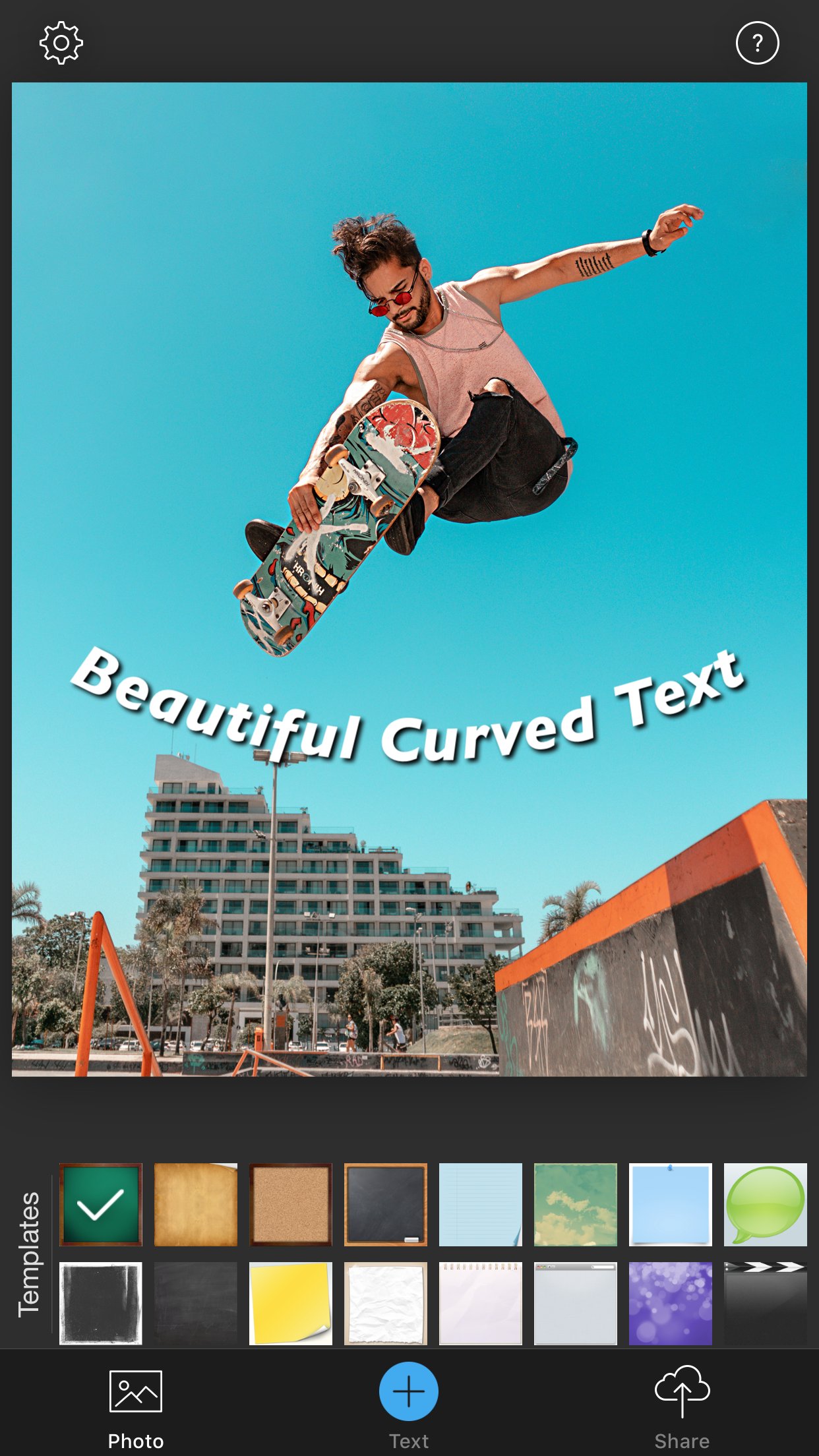
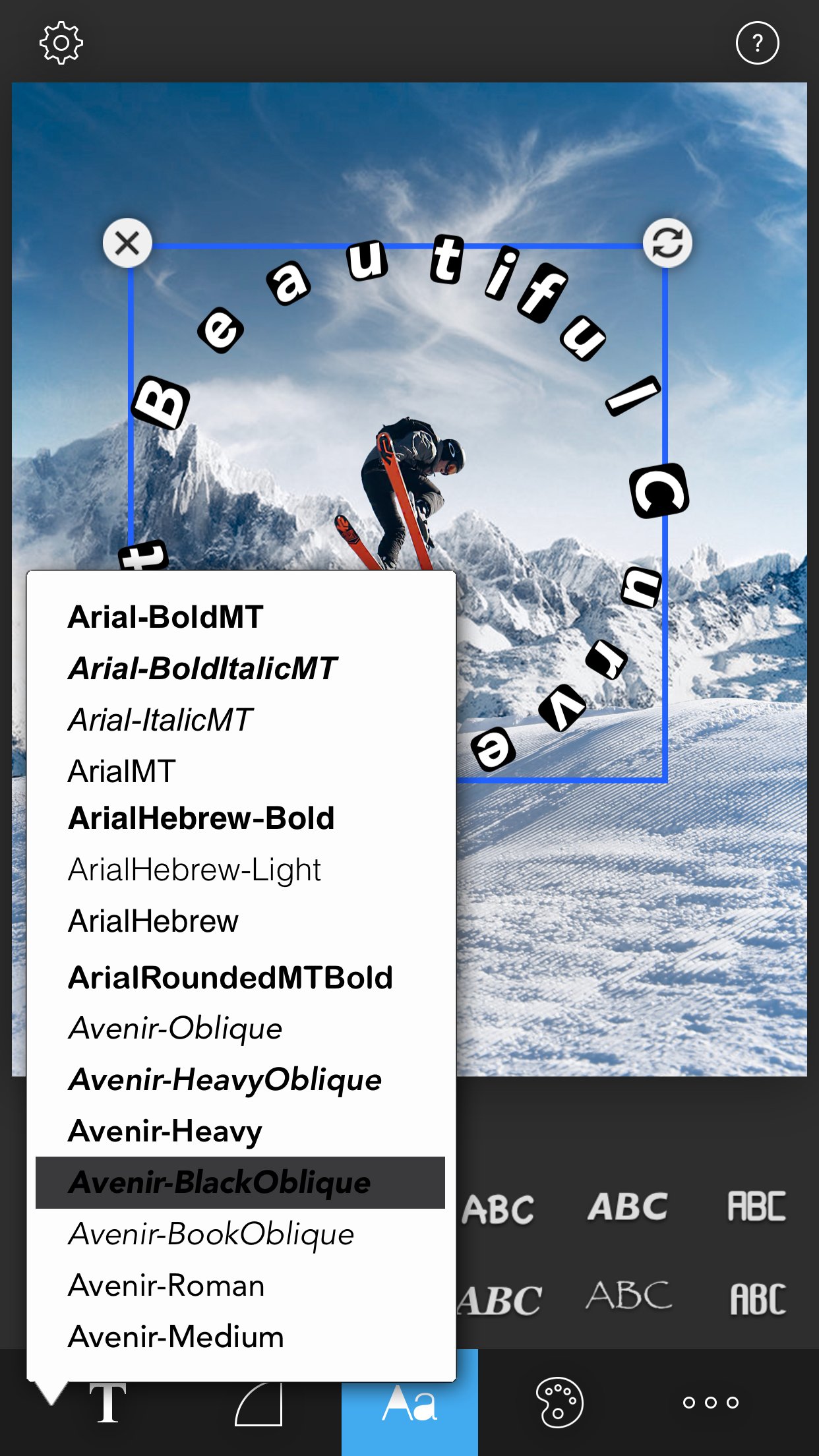
[Curved Text] helps you to add beautiful curved texts on your photo.
Download
75.43 MB
15downloads
1this week
FreeCommercial
0reviews
Screenshots
About Curved Text
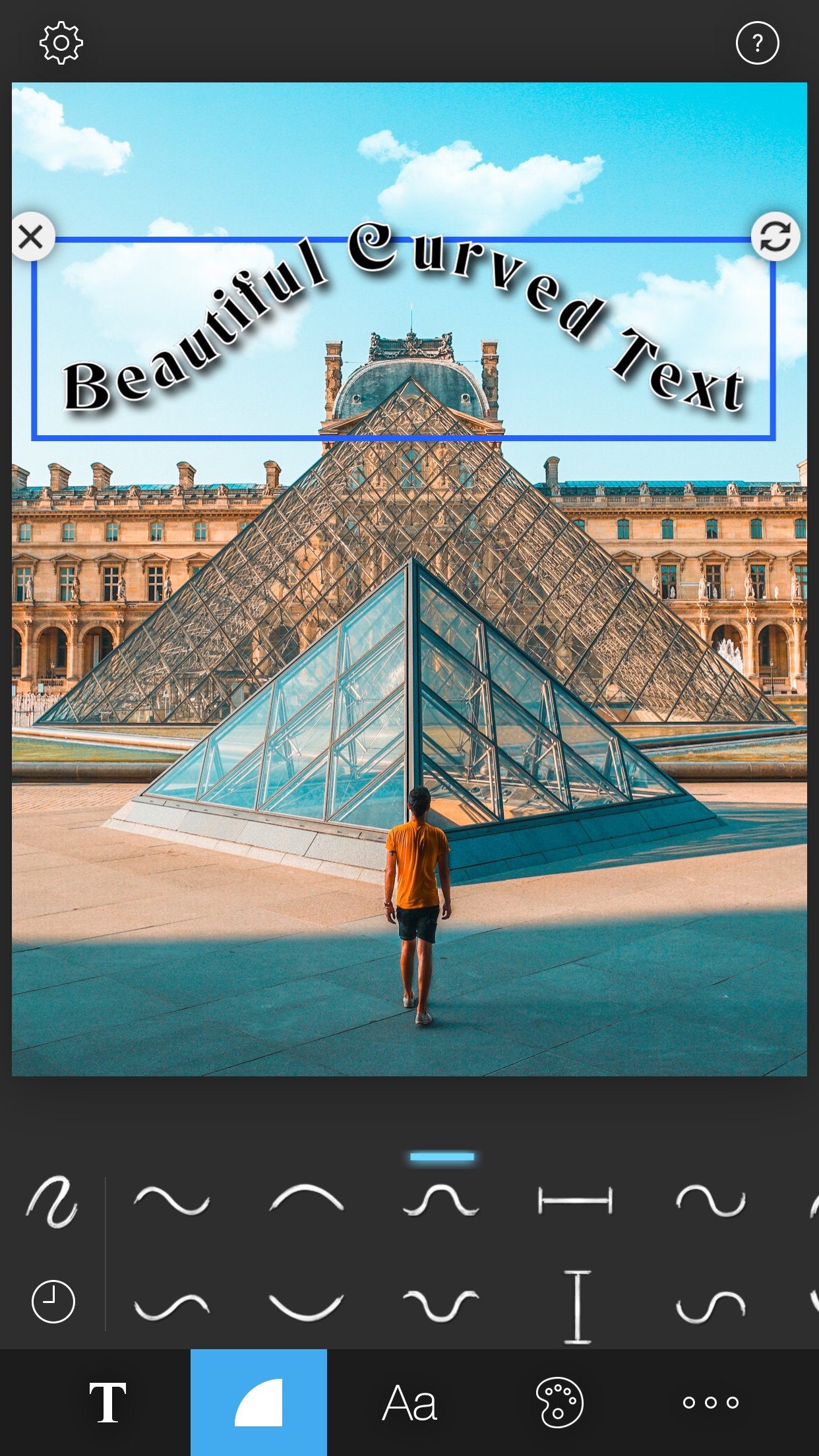
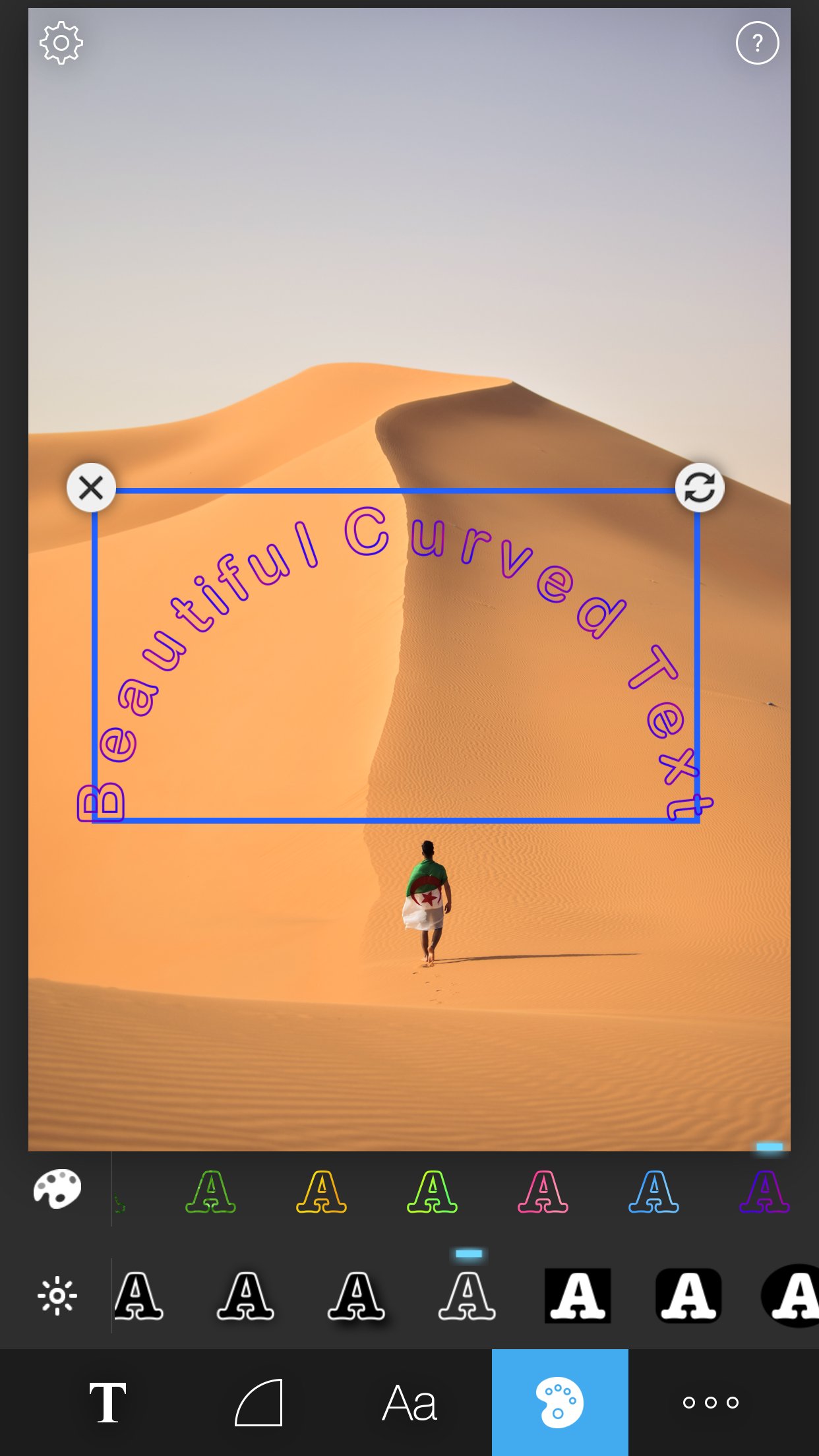
[Curved Text] helps you to add beautiful curved texts on your photo. With tons of curve shapes, text styles, artistic fonts and background templates, you can add unique texts in ways you've never imagined. You can also apply effects, frames and stickers to your photo with powerful photo editor.
[Features]
? Beautiful curve shapes
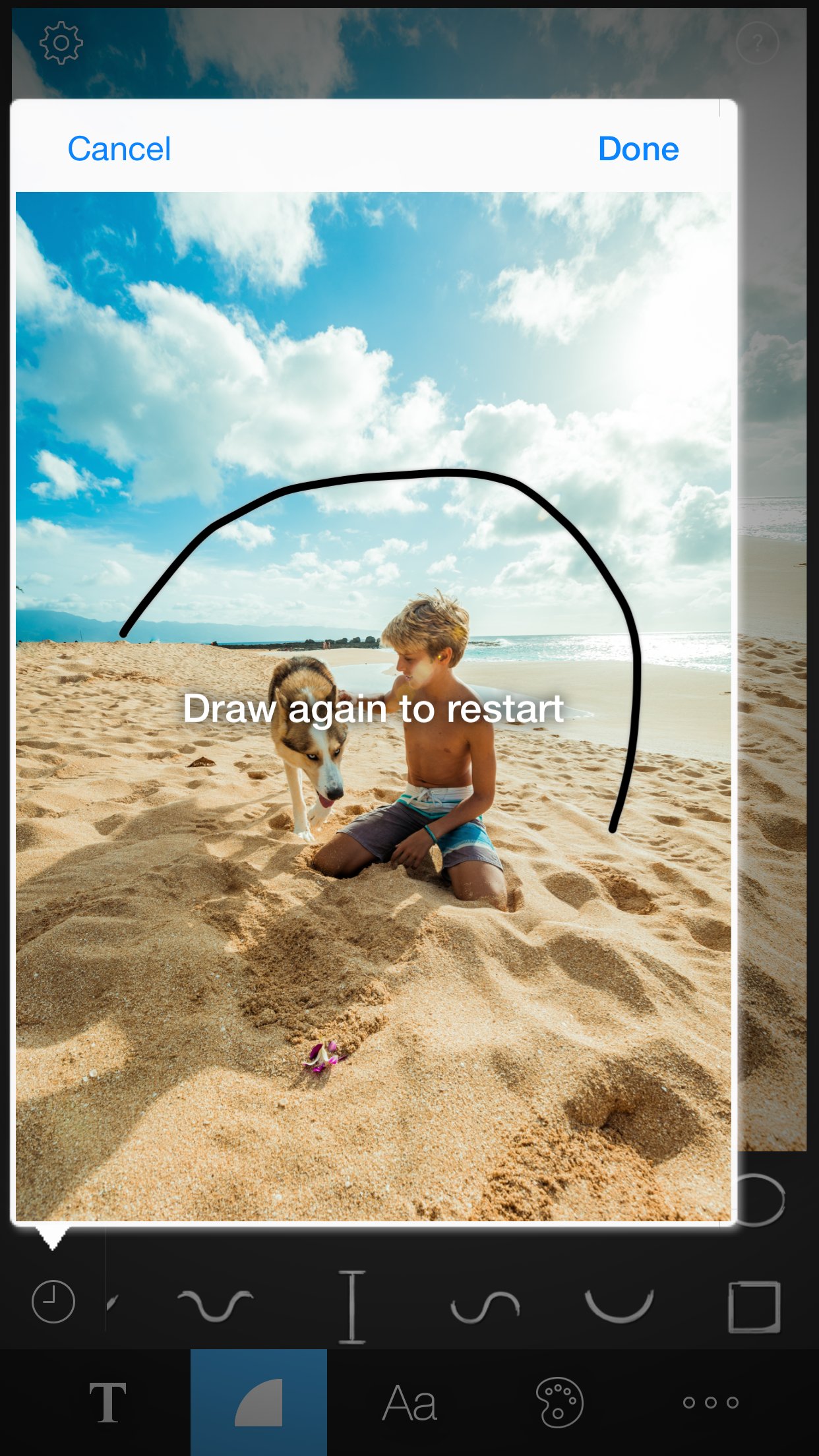
- Free draw
- Wave
- Arc
- Bell
- Horizontal/Vertical Line
- Semi Circle
- Circle
- Rectangle
? Create custom curve with your finger touch
? Unlimited number of texts - not just one text!
? Tons of artistic fonts (including all iOS fonts)
? Custom Font - Add any font you want
? Beautiful text styles and colors including gradient color
? Move, resize and rotate each text
? Tons of background templates - optimized for Instagram
? Powerful photo editor - effects, frames and stickers
? Save as full resolution
? Export texts as watermark
? Upload to SNS
** Custom Font - Add any font you want
1. Using iTunes
- Open iTunes
- Connect your device to your PC
- Go to [Devices/Your Device/Apps/File Sharing/CurvedText]
- Copy your fonts to app
2. Using Email
- Create email and attach your fonts in your PC
- Send it to yourself
- Open it in your iPhone email app
- Select [Curved Text] in the list
[User Reviews]
- "I've been waiting for an app like this to come along and Curved Text is very well done and simple to use"
- "Great set of fonts and works perfect"
- "Add curved writing to your messages and photos!"
- "So amazing words can't describe it!!! The point is... IT'S AMAZING!!!"
License: Commercial
| Release info | New Release on Dec 17, 2019 |
|---|---|
| Release notes | - Minor bug fix |
| Listing data | App Store |
Reviews
No reviews yet. Be the first to review Curved Text.
Used Curved Text? Tell other visitors what you thought.
Log in to write a reviewOther products by this publisher
- "No Distractions" for YouTube 4.10 ----
- #Bible 11.6.1 "Incredible App - My sister shared this app with me a few weeks ago and it is truly incredible.
- #filmphotography 1.4.2 So, you decided to shoot on film?
- #LookBusy Fake Calendar Events 1.0.6 Look Busy scans your work calendar for open time slots and fills them with realistic-looking (but secretly fake) work events.
- #Small Talk Is Canceled 1.0.2 #Small Talk Is Canceled — Conversations That Matter
Most viewed iOS Photo & Video
-
1
 ShortDiShow 2.0
Drama Quest Island — An offline interactive short-drama adventure.
-
2
 Face Witness 1.0.4
FaceWitness lets you create a face by putting together individual features.
-
3
 Infuse 8.5.10
Infuse: Enterprise provides the same great features as the standard version of Infuse and includes permanent access to all Pro features via a traditional paid app.
-
4
 AI Video Generator 2.0.3
Vixel – AI Video Generator
- 5 #filmphotography 1.4.2 So, you decided to shoot on film?
-
6
 OPlayer 4.8
Play all your videos directly without having to convert them!
-
7
 CapCut 20.2.0
CapCut offers easy-to-use video editing functions, in-APP fonts and effects, advanced features such as keyframe animation, smooth slow-motion, chroma key, and stabilization, to help you capture and snip moments.
-
8
 Necrometer II 1.3
Necrometer II is a paranormal investigation companion designed for ghost hunters and researchers.
-
9
 Ai Photo 1.1.2
AI Photo Retouch – BG Eraser
-
10
 Analog Radio 3.0
The iPhone and iPad devices don't have the FM/AM radio antenna installed.
Most downloaded iOS Photo & Video
-
1
 DJI Fly 1.21.18
DJI Fly is designed to help pilots fly drones with ease.
-
2
Infuse 8.5.10
Infuse: Enterprise provides the same great features as the standard version of Infuse and includes permanent access to all Pro features via a traditional paid app.
-
3
 TurboCollage Automatic 1.2.4
#1 Easy automatic photo collage maker for iPhone & iPad.
-
4
 ReelyGo 1.1.60
ReelyGo: Your Daily Drama Escape
-
5
Analog Radio 3.0
The iPhone and iPad devices don't have the FM/AM radio antenna installed.
-
6
 Rozeta Sequencer Suite 1.3.16
Rozeta is a suite of MIDI sequencers and controllers that lets you explore a new, freeform approach to sequencing and controlling mobile music apps.
-
7
 AGAIN. Rehearsal Notes 2.0.1
AGAIN. is the rehearsal app that remembers why the band stopped — and, new in Version 2, who said what in a writing session or a table read.
-
8
 Pop Dot Comics 1.48
Create a comic worthy of the Sunday newspaper or your favorite pulp-fiction cover.
-
9
 Treblo 1.6.6
Make songs with the world's best AI music model.
-
10
 Sun Scout 1.5.0
If your work or play requires sunlight, Sun Scout is built for you.