
2downloads
2this week
FreeCommercial
0reviews
Screenshots
About Culla
Culla is a fast way to cull a shoot on your iPhone or iPad. Open a memory card, an external disk or a folder in Files, or an album in your Photos library, and start right away: there's nothing to import and no catalog to build.
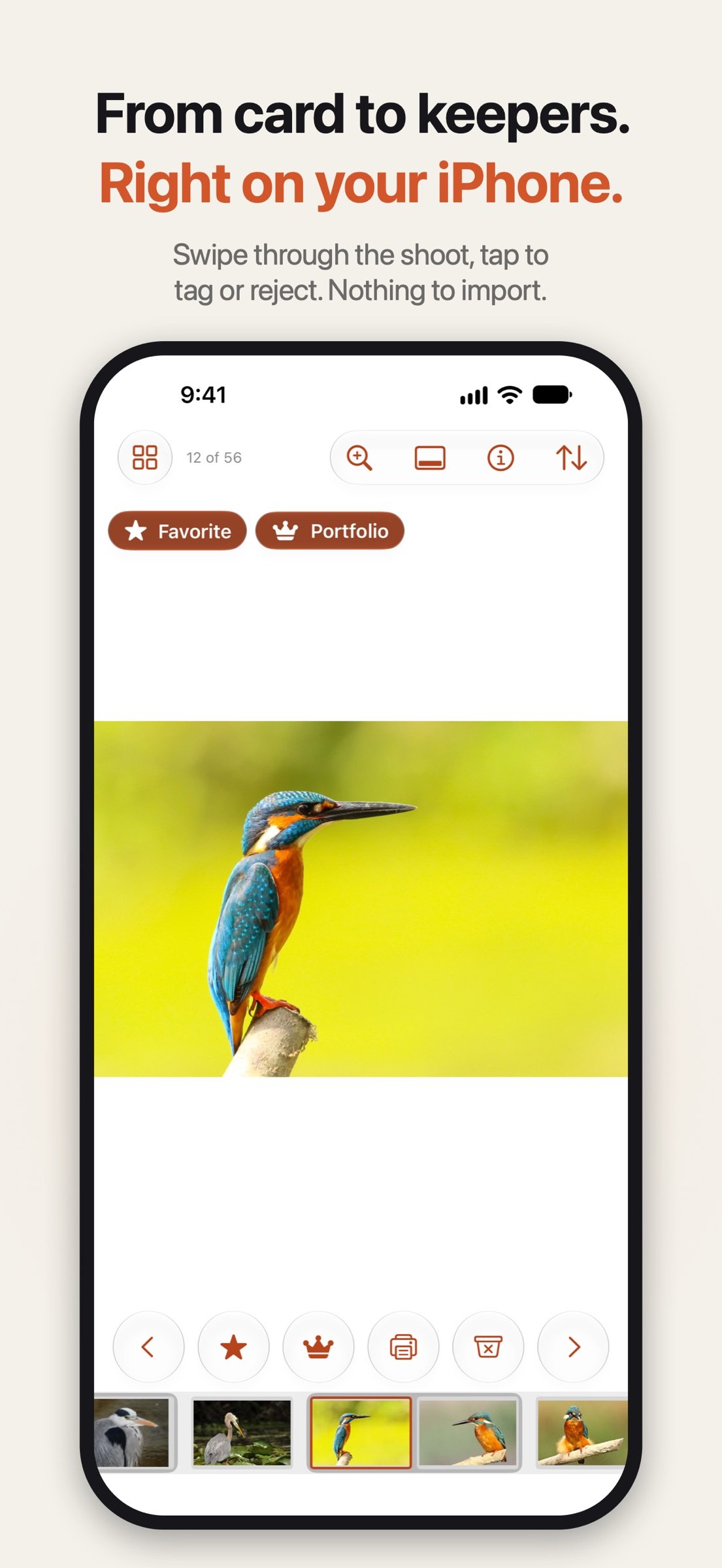
Look at each photo once and decide: keep it, reject it or tag it. One tap per decision, and the next photo is already on screen. Or open the grid and deal with a dozen at once.
RIGHT ON THE CARD
• Connect a card reader or a disk and open it in Files. Photos appear while Culla is still indexing, and file changes made elsewhere are reflected automatically.
• Rejecting never deletes: rejected photos are moved into a hidden folder next to the originals, so they stay rejected wherever you open the card next. Restoring moves them back, one by one or all at once.
• Tags and Smart Cull results are kept on the card too. Start on your iPhone or iPad, finish on your Mac.
• When you're sure, permanently delete all rejected photos or just the selected ones, with confirmation.
MADE FOR TOUCH
• Swipe to the next photo. Reject, Restore and your tags are buttons under it, and a swipe never rejects anything.
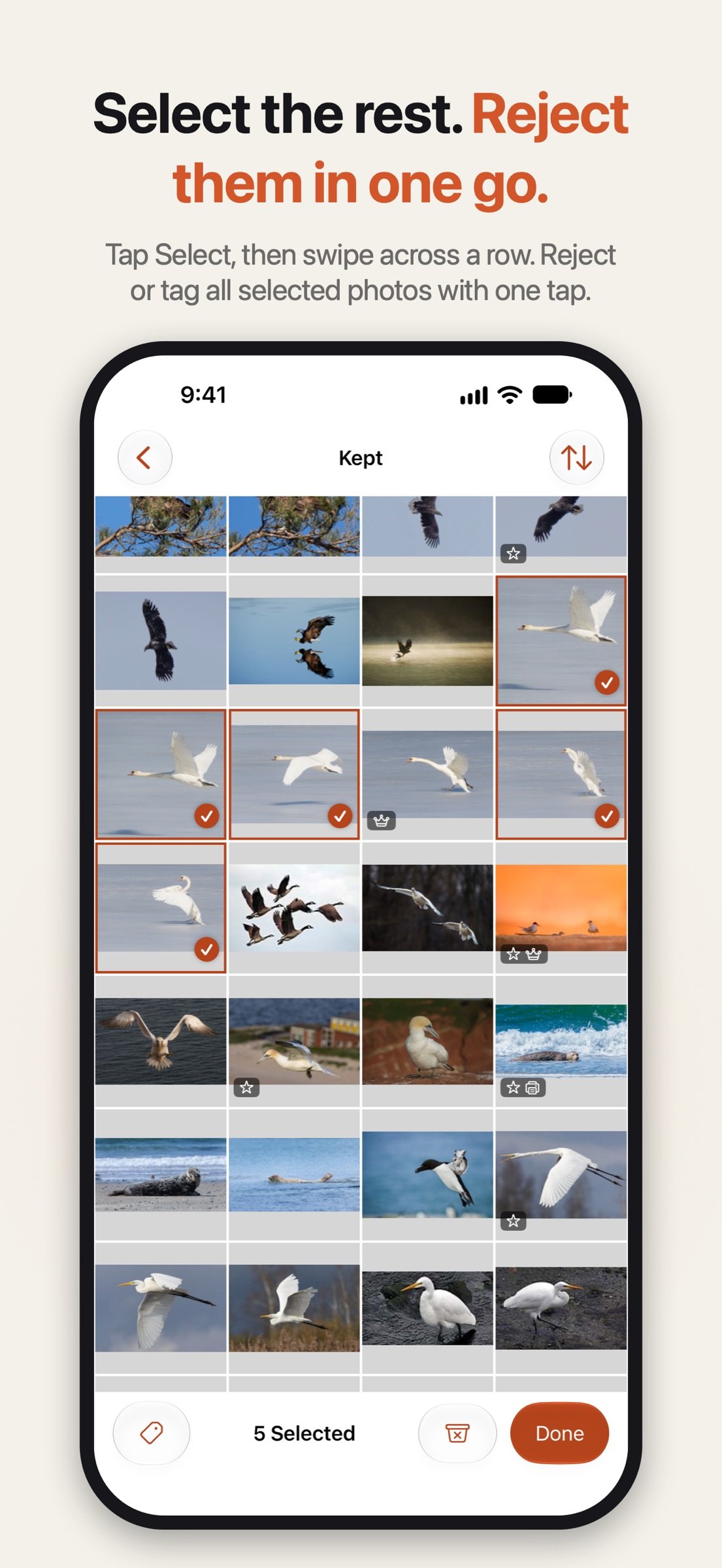
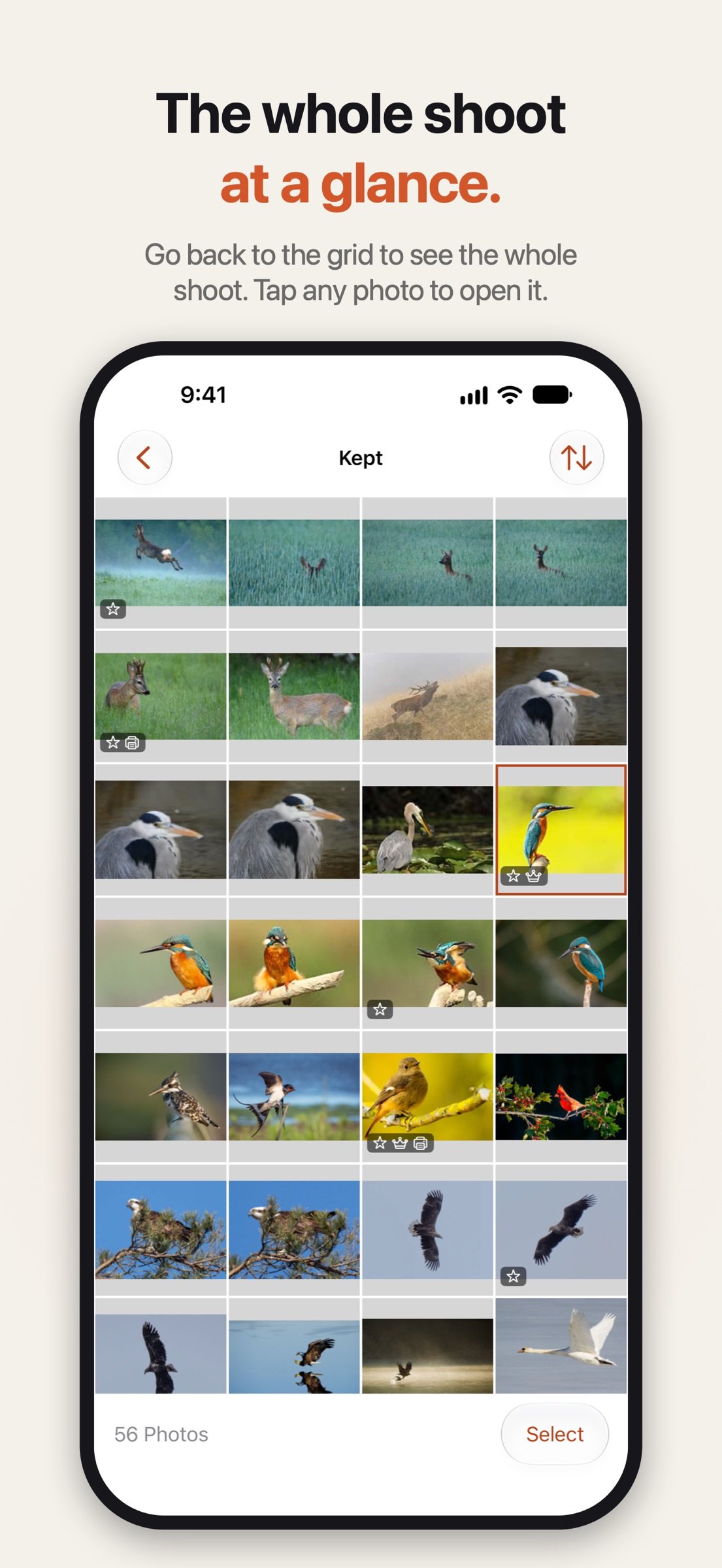
• The grid shows the whole collection. Tap Select and swipe across photos to select a group, then reject, restore or tag them in one go. A swipe from the left edge goes back.
• Spread two fingers or double-tap to zoom in and check focus: Culla loads the full-resolution image while you look.
• Touch and hold an arrow to jump to the first or last photo.
• Shake to undo. Undo and redo are unlimited, for every decision.
• On iPad with a keyboard, the menus and customizable shortcuts are there too.
• VoiceOver, larger text, Increase Contrast and Reduce Motion are supported.
TAGS
• A Favorite tag is ready to go, and you can add your own with a name and an icon.
• A tag can stand for a star rating or a color label. Culla writes it to the photo's XMP sidecar, so Lightroom, Capture One, Photo Mechanic and darktable see your cull. If a sidecar can't be saved, Culla tells you. Ratings set on Fujifilm or Sony cameras are read too.
• Each tag has its own collection next to All, Kept and Rejected. Reject all photos with a tag at once, move them into a folder, or export them.
SMART CULL
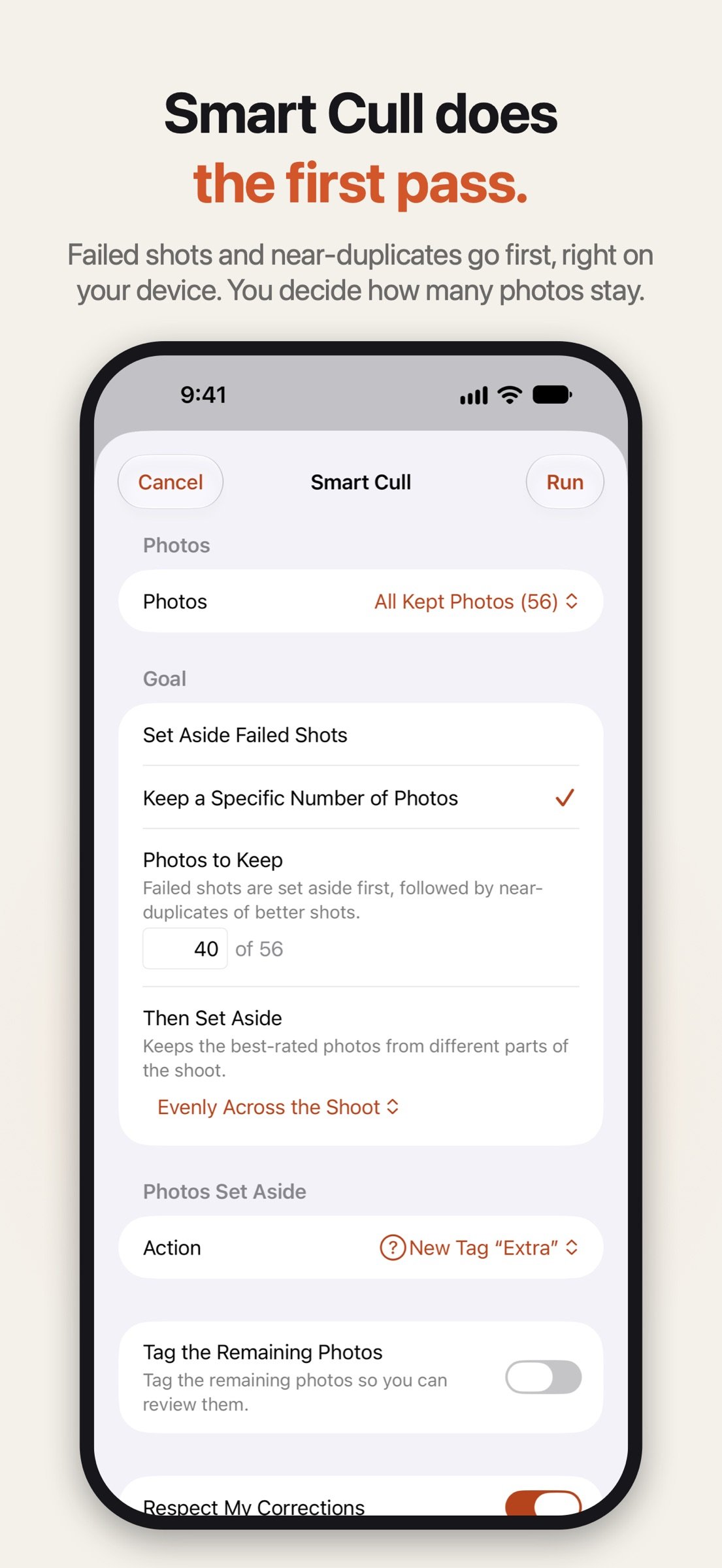
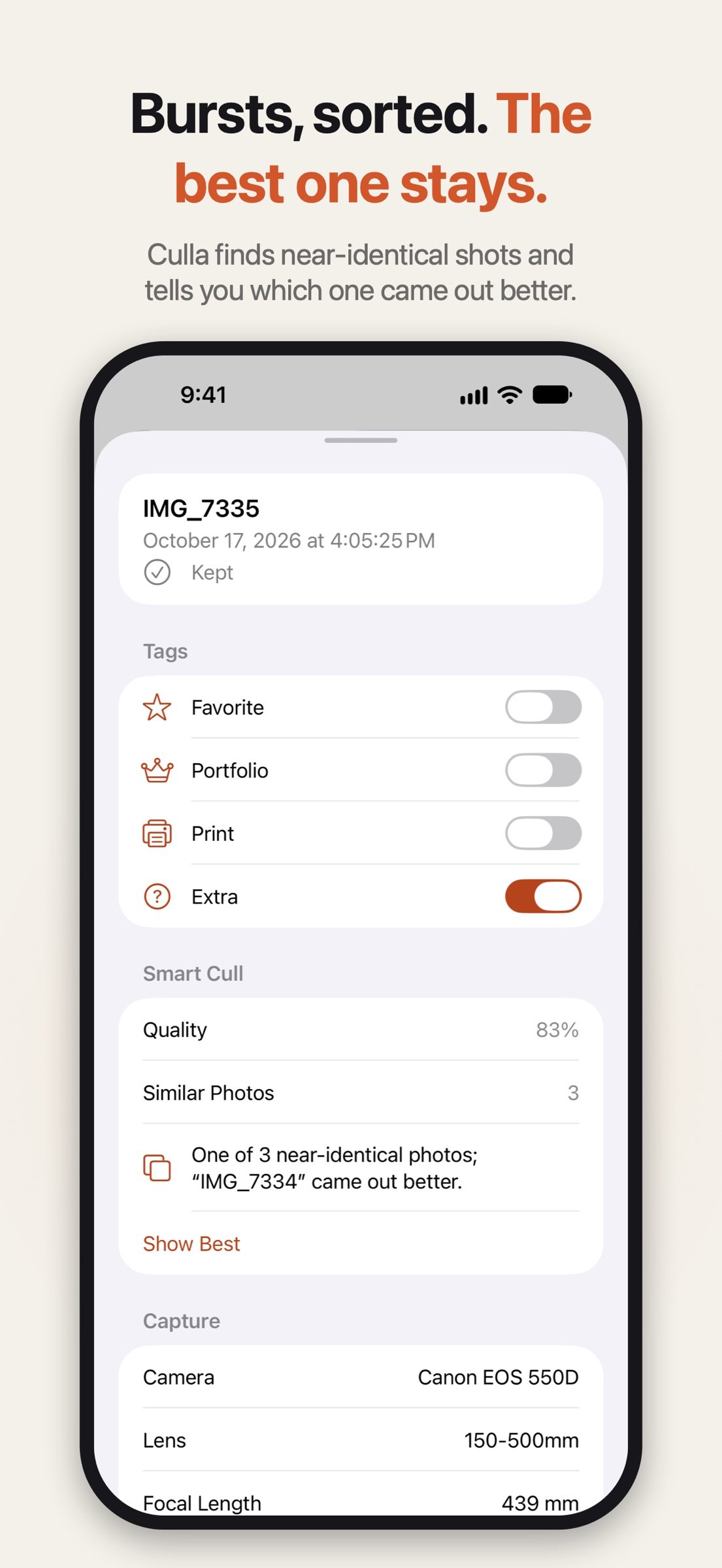
• Set aside failed shots: blurred, badly exposed and other clearly poor photos, as strictly as you like.
• Or keep a specific number of photos: failed shots go first, then near-duplicates of a better shot, then photos are removed evenly or the lowest-rated go first.
• Tag or reject the photos set aside. One Undo reverses the whole run.
• The analysis runs on your device, in the background, as soon as a project is open.
PHOTOS LIBRARY
• Cull any album the same way. The Favorite tag syncs both ways with Favorites in Photos.
• Rejected photos are only marked. They're deleted when you ask and go to Recently Deleted.
BUILT FOR RAW SHOOTERS
• RAF, CR3, CR2, NEF, ARW, ORF, RW2, DNG and other RAW formats, plus JPEG, HEIC, PNG, TIFF and WebP.
• A RAW file, its JPEG or HEIC twin and the .xmp sidecar are one photo and always move together.
• Sort by capture time, even across several cameras, or by file name.
• The inspector shows camera, lens, exposure and all files belonging to the photo, plus its XMP rating, label, keywords, creator and copyright, serial numbers, firmware and, on Nikon, the shutter count.
ONE PURCHASE, EVERY DEVICE
• Culla runs on iPhone, iPad and Mac, and one purchase covers all of them.
In English, French, German, Russian and Spanish. No account, no tracking. Culla never sends your photos anywhere.
License: Commercial
| Release info | Update on Nov 20, 2026 |
|---|---|
| Release notes | Culla 1.4: we finally see the big picture. And we picked up French and German, just to impress you. o The grid: the screen you see before opening a photo now shows the whole collection. Tap Select and swipe across photos to select a group, or touch and hold for the menu. Then reject, restore or tag them all in one go. Commitment issues, solved. o Changed your mind about all of them? Shake once to undo the action for the whole batch. We don't hold grudges. o In Rejected, delete just the photos you've selected. Breaking up with a few, not with everyone. o A swipe from the left edge goes back through collections, photos and the grid. Going back is always allowed here. o The inspector now reads the XMP: rating, label, title, description, keywords, creator, copyright. Plus serial numbers, firmware and the shutter count on Nikon. We like to know who we're dealing with. o If a rating or label can't be saved to a .xmp sidecar, Culla now says so instead of sulking in silence. Communication is key. o Culla now speaks French and German, and we've polished its Russian and Spanish. Bonjour. Hallo. Hola again. o On iPad with a keyboard: ?G grid, ?E photo, ?[ and ?] back and forward. Tag shortcuts can no longer include ?. Existing ones are kept but no longer work, so assign a new shortcut. Still one tap per decision and zero imports. We just learned to look at more than one of you at a time. |
| Listing data | App Store |
Reviews
No reviews yet. Be the first to review Culla.
Used Culla? Tell other visitors what you thought.
Log in to write a reviewOther products by this publisher
- "No Distractions" for YouTube 4.10 ----
- #Bible 11.6.1 "Incredible App - My sister shared this app with me a few weeks ago and it is truly incredible.
- #filmphotography 1.4.2 So, you decided to shoot on film?
- #LookBusy Fake Calendar Events 1.0.6 Look Busy scans your work calendar for open time slots and fills them with realistic-looking (but secretly fake) work events.
- #Small Talk Is Canceled 1.0.2 #Small Talk Is Canceled — Conversations That Matter
Most viewed iOS Photo & Video
-
1
 ShortDiShow 2.0
Drama Quest Island — An offline interactive short-drama adventure.
-
2
 Face Witness 1.0.4
FaceWitness lets you create a face by putting together individual features.
-
3
 Infuse 8.5.10
Infuse: Enterprise provides the same great features as the standard version of Infuse and includes permanent access to all Pro features via a traditional paid app.
-
4
 AI Video Generator 2.0.3
Vixel – AI Video Generator
- 5 #filmphotography 1.4.2 So, you decided to shoot on film?
-
6
 OPlayer 4.8
Play all your videos directly without having to convert them!
-
7
 CapCut 20.3.0
CapCut is an all-in-one video editing solution that offers essential editing features, creative effects, AI tools, filters, stickers, and fonts, and a wide range of video templates to empower users to easily create incredible videos regardless of th…
-
8
 Ai Photo 1.1.2
AI Photo Retouch – BG Eraser
-
9
 Necrometer II 1.3
Necrometer II is a paranormal investigation companion designed for ghost hunters and researchers.
-
10
 Analog Radio 3.0
The iPhone and iPad devices don't have the FM/AM radio antenna installed.
Most downloaded iOS Photo & Video
-
1
 DJI Fly 1.21.18
DJI Fly is designed to help pilots fly drones with ease.
-
2
Infuse 8.5.10
Infuse: Enterprise provides the same great features as the standard version of Infuse and includes permanent access to all Pro features via a traditional paid app.
-
3
 ReelyGo 1.1.60
ReelyGo: Your Daily Drama Escape
-
4
 TurboCollage Automatic 1.2.4
#1 Easy automatic photo collage maker for iPhone & iPad.
-
5
Analog Radio 3.0
The iPhone and iPad devices don't have the FM/AM radio antenna installed.
-
6
 Rozeta Sequencer Suite 1.3.16
Rozeta is a suite of MIDI sequencers and controllers that lets you explore a new, freeform approach to sequencing and controlling mobile music apps.
-
7
 AGAIN. Rehearsal Notes 2.0.1
AGAIN. is the rehearsal app that remembers why the band stopped — and, new in Version 2, who said what in a writing session or a table read.
-
8
 Pop Dot Comics 1.48
Create a comic worthy of the Sunday newspaper or your favorite pulp-fiction cover.
-
9
 Treblo 1.6.6
Make songs with the world's best AI music model.
-
10
 Sun Scout 1.5.0
If your work or play requires sunlight, Sun Scout is built for you.