CSV2QBO 4.0.155
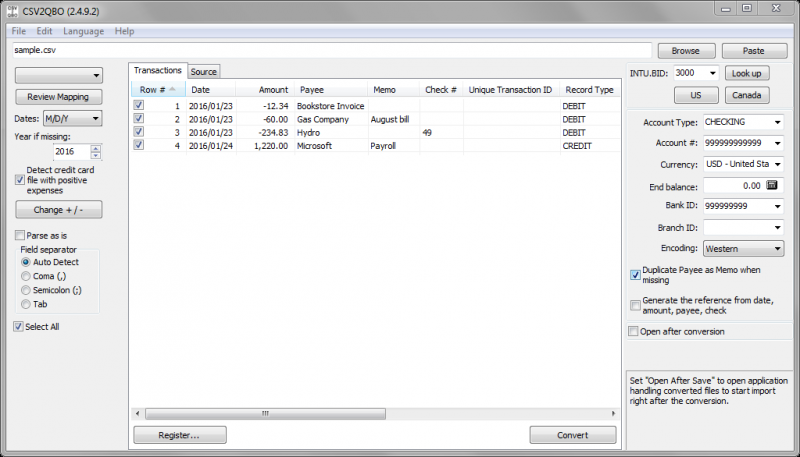
Need to import transactions, but the format is not supported? Convert CSV/XLS/XLSX to QBO and import into QuickBooks. Work directly in Excel and copy data into the converter and convert.
Product Specifications
| User Rating: | item has less then 1 vote |
|
| FileCart Rating | Not yet Rated | |
| Submitted by: | propersoft | |
| Homepage | Visit Homepage | |
| License | Shareware | |
| Price | $49.99 | |
| Downloads | 638 | |
| OS Support | Windows Install and Uninstall | |
| File Name | csv2qbo_setup.exe | |
| File Size | 3.19 MB ( 3,264 KB ) | |
| Published | Apr 01, 2015 (11 years ago) | |
| Updated | Feb 09, 2017 (10 years ago) | |
Follow Us!
Latest Searches
SCHOOLS OF CULTURAL STUDIES 1 minute ago
doppler radar 1 minute ago
vesting acquisition 3 minutes ago
air fryer chicken 5 minutes ago
reality tv shows about average teenagers 6 minutes ago
steven anderson using vulgar words on pulpit 6 minutes ago
key tf2 6 minutes ago
oml jobs 13 minutes ago
promoção 40 anos ubisoft vai até quando? 17 minutes ago
Popular Searches
id cards 602 times
2025 495 times
2024 386 times
Softperfect 330 times
5g spf sonicwall compatible copper module 310 times
2026 303 times
Gypsy 2.0 Onlyfans Leaked Photos 302 times
targetamazon credit card.asp?highlight=0 275 times
Who is Music 271 times
Product Details
| Requirements: | Microsoft Windows 7/8/8.1/10 |
| Release Info: | Major Update on Sep 23, 2020 |
| Release Notes: | Maintenance release |
| Related Tags: | XLS to QBO CSV to QBO XLSX to QBO convert CSV to QBO CSV to QBO converter |
Reviews
Reviews of CSV2QBO 4.0.155
You can be the first to write a review of CSV2QBO!Other products submitted by this publisher
Need to import transactions, but the format is not supported? Convert CSV, XLS, XLSX, PDF, QFX, OFX, QBO, QIF, MT940, STA to OFX and import into Xero, QB Online, Sage One, YNAB, AccountEdge, Banktivity, Ace Money.
Bank2PDFBank2PDF is an useful utility to convert your OFX, QFX, QIF, QBO files to PDF. Simply browse for your file, review transactions, save it or copy to clipboard.
Bank2QBOFinally, the solution to import your transactions. Convert CSV, XLS, XLSX, PDF, QFX, OFX, QBO, QIF, MT940, STA to QBO/IIF/CSV and import into QuickBooks. Created QBO files are regular Web Connect files for QuickBooks.
Bank2QFXFinally, the solution to import your transactions. Convert CSV, XLS, XLSX, PDF, QFX, OFX, QBO, QIF, MT940, STA to QFX and import into Quicken. Created QFX files are regular Web Connect files for Quicken.
Bank2QIFFinally, the solution to import your transactions. Convert CSV, XLS, XLSX, PDF, QFX, OFX, QBO, QIF, MT940, STA to QIF and import into Quicken PC, Banktivity, Quicken 2007 Mac, LessAccounting, YNAB, NetSuite, MYOB, AceMoney.