CopyIt The Grid Drawing Method 8.3
First released in 2010, CopyIt is the original and most feature-rich grid drawing app.
Download
31.47 MB
10downloads
2this week
FreeCommercial
0reviews
Screenshots
About CopyIt The Grid Drawing Method
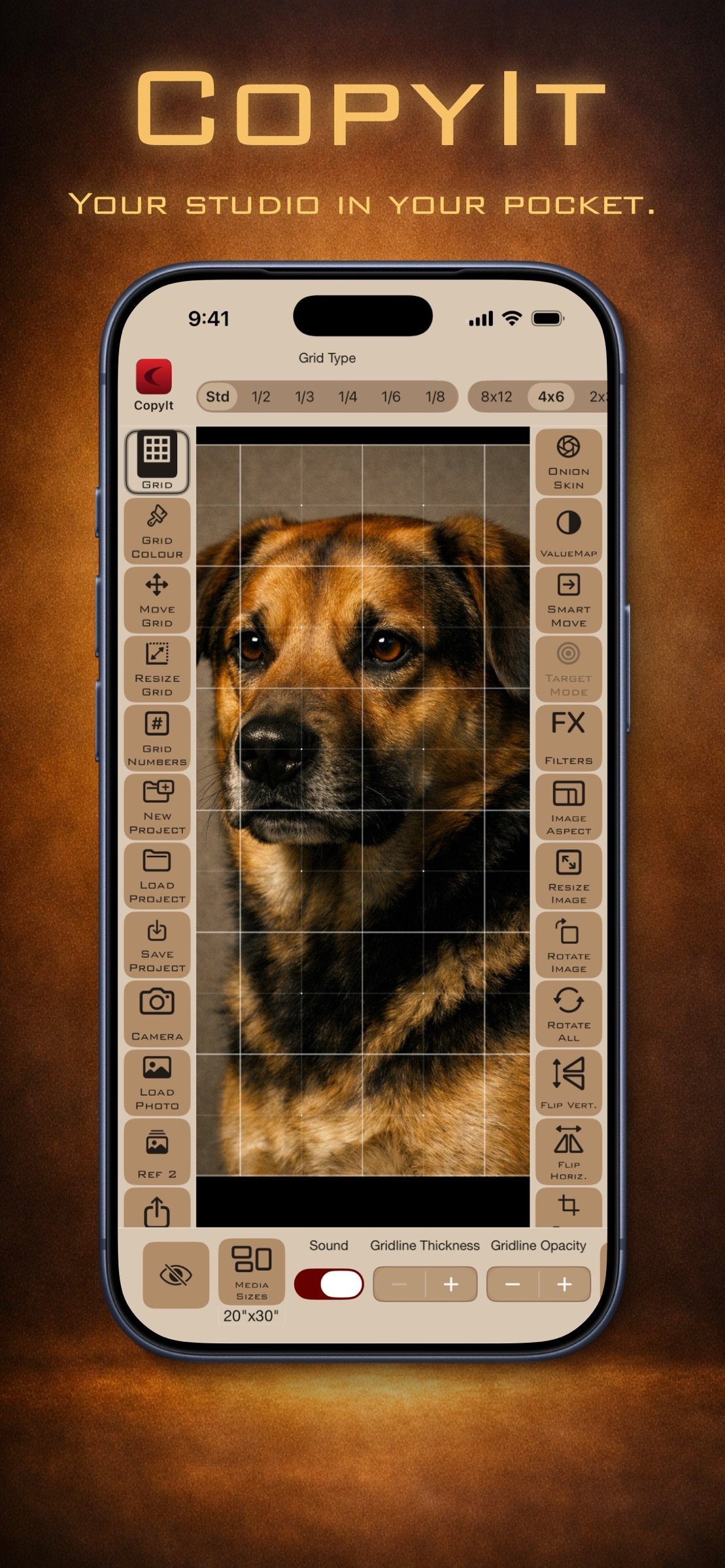
First released in 2010, CopyIt is the original and most feature-rich grid drawing app. Trusted by artists, teachers, and students worldwide, CopyIt brings the centuries-old grid drawing technique into the digital age, making it easier than ever to copy, enlarge, or reduce reference images with precision.
Why CopyIt?
The grid method, used by masters like Leonardo da Vinci, breaks images into manageable sections so you can focus on lines and shapes square by square. CopyIt eliminates the need to print and mark up photos, offering zoom, filters, and digital tools that enhance accuracy and detail. Whether you're a beginner or experienced artist, CopyIt helps you achieve results with confidence.
Key Features
o Universal App: Works on iPhone, iPad, and Apple Silicon Macs
o Flexible Grids: 6 grid types, customisable rows/columns, adjustable colors, transparency, and guidelines
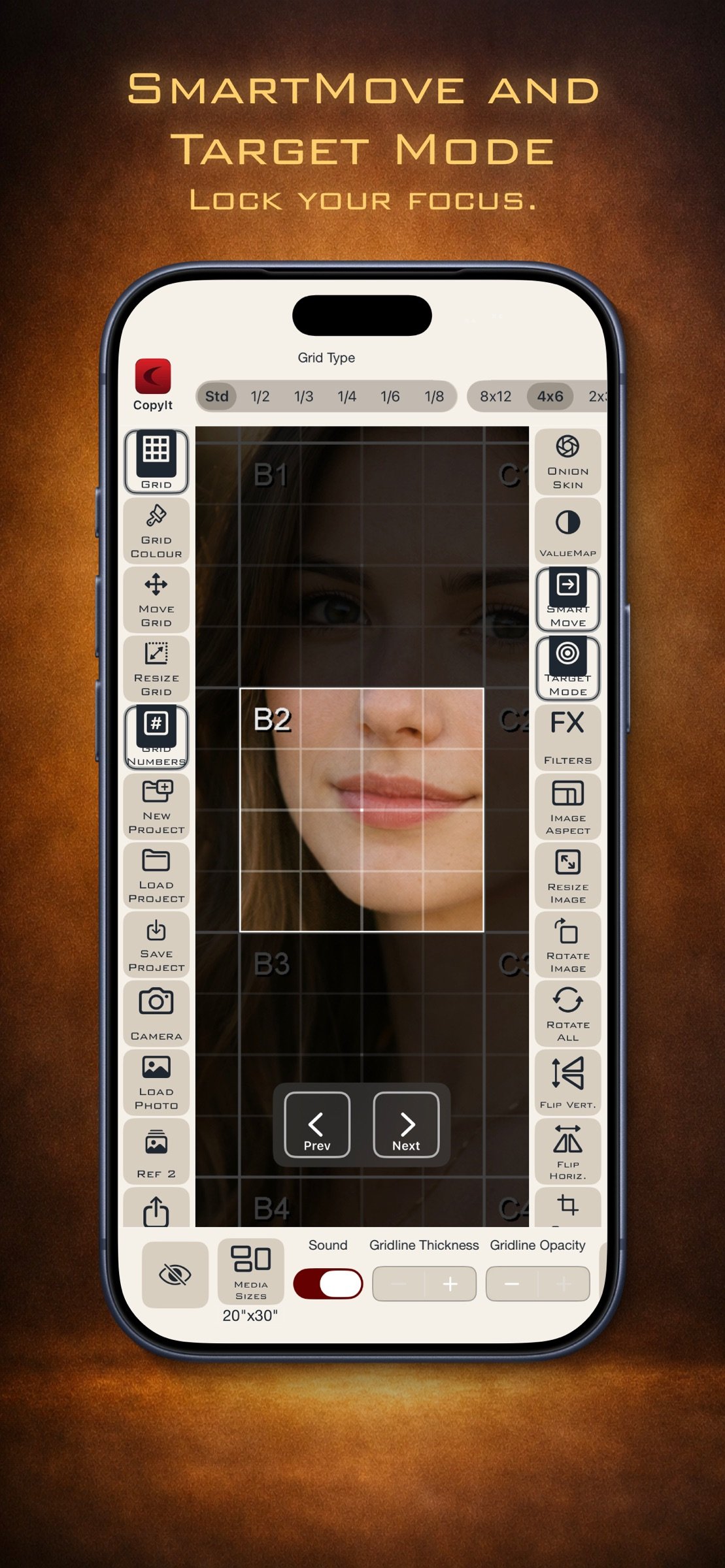
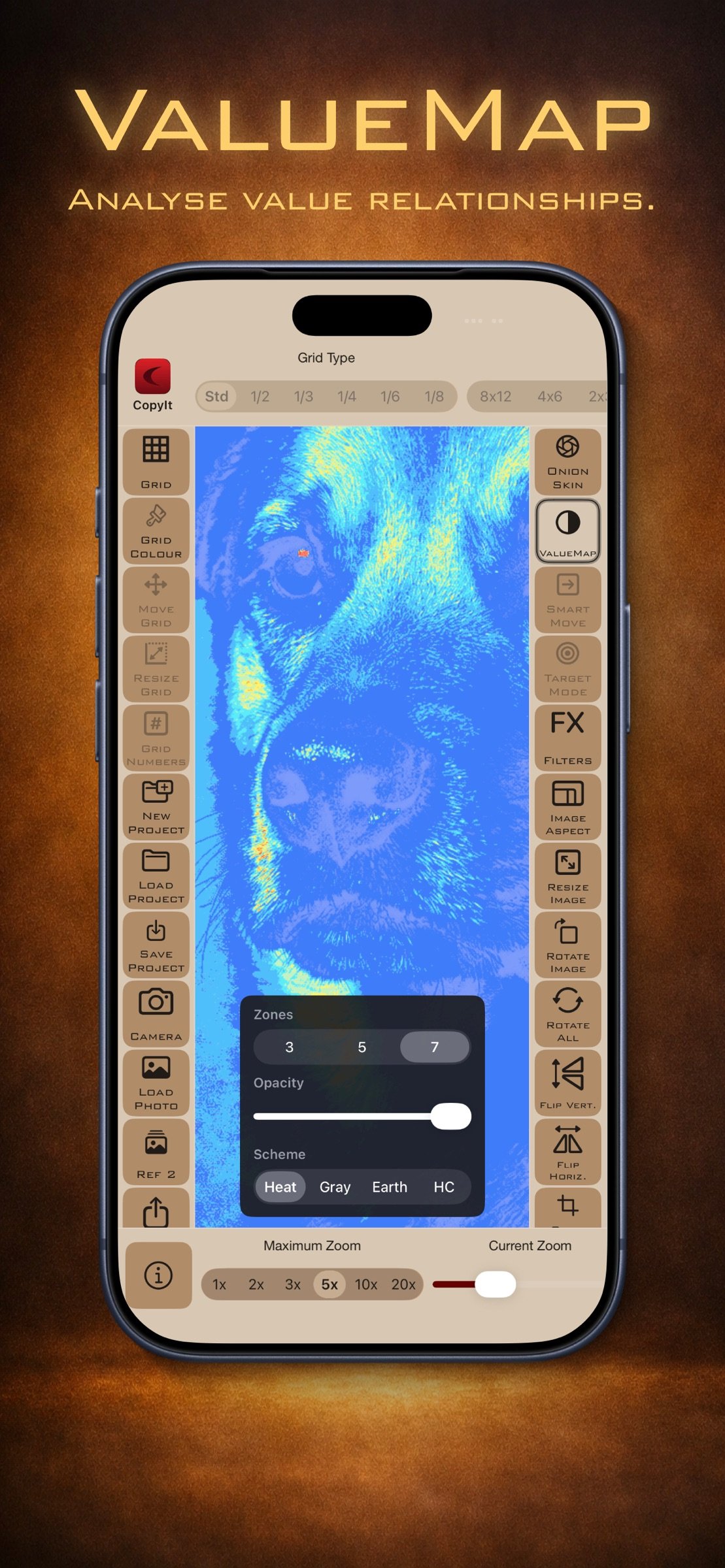
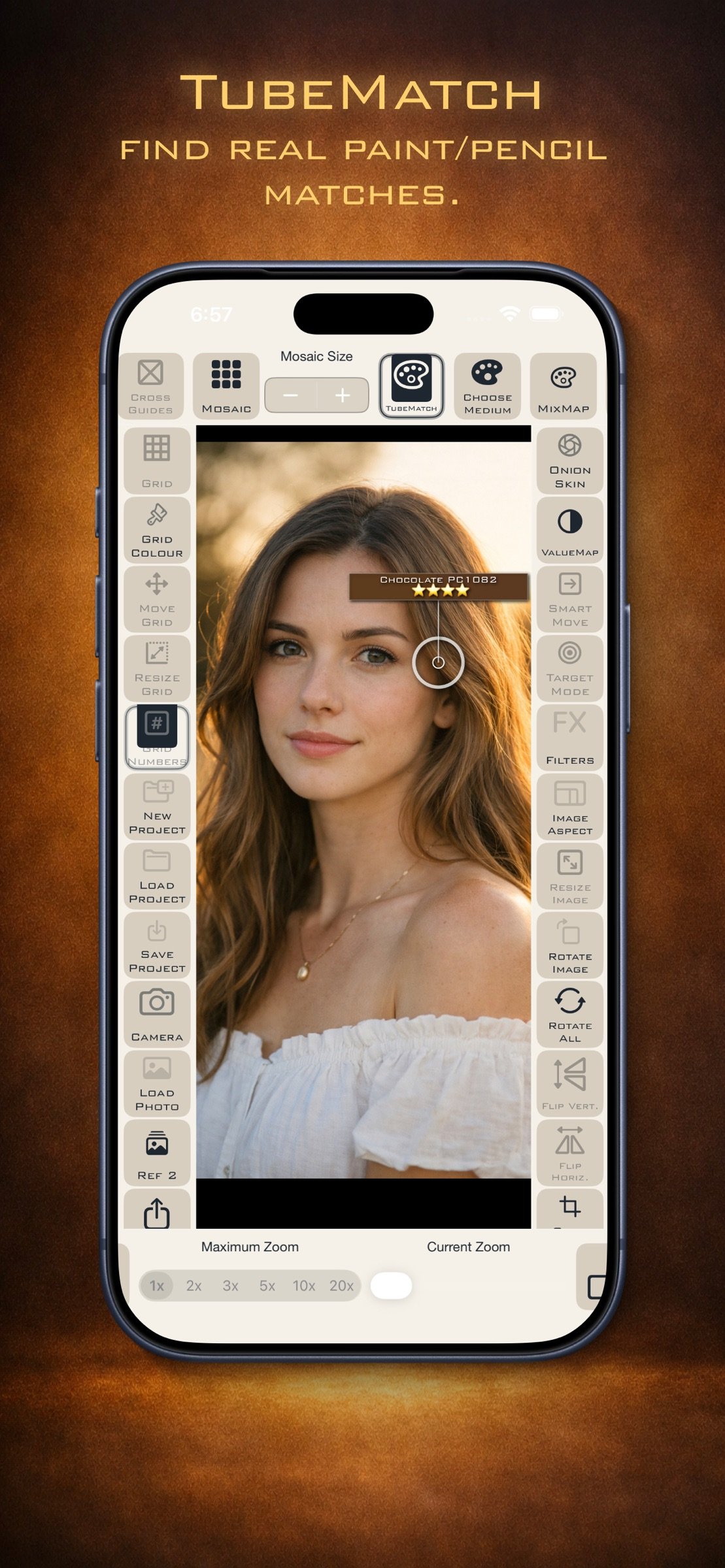
o Smart Tools: SmartMove zoom, Target mode, digital ruler, perspective lines, Crosshair, MixMap and TubeMatch(TM) for colour matching
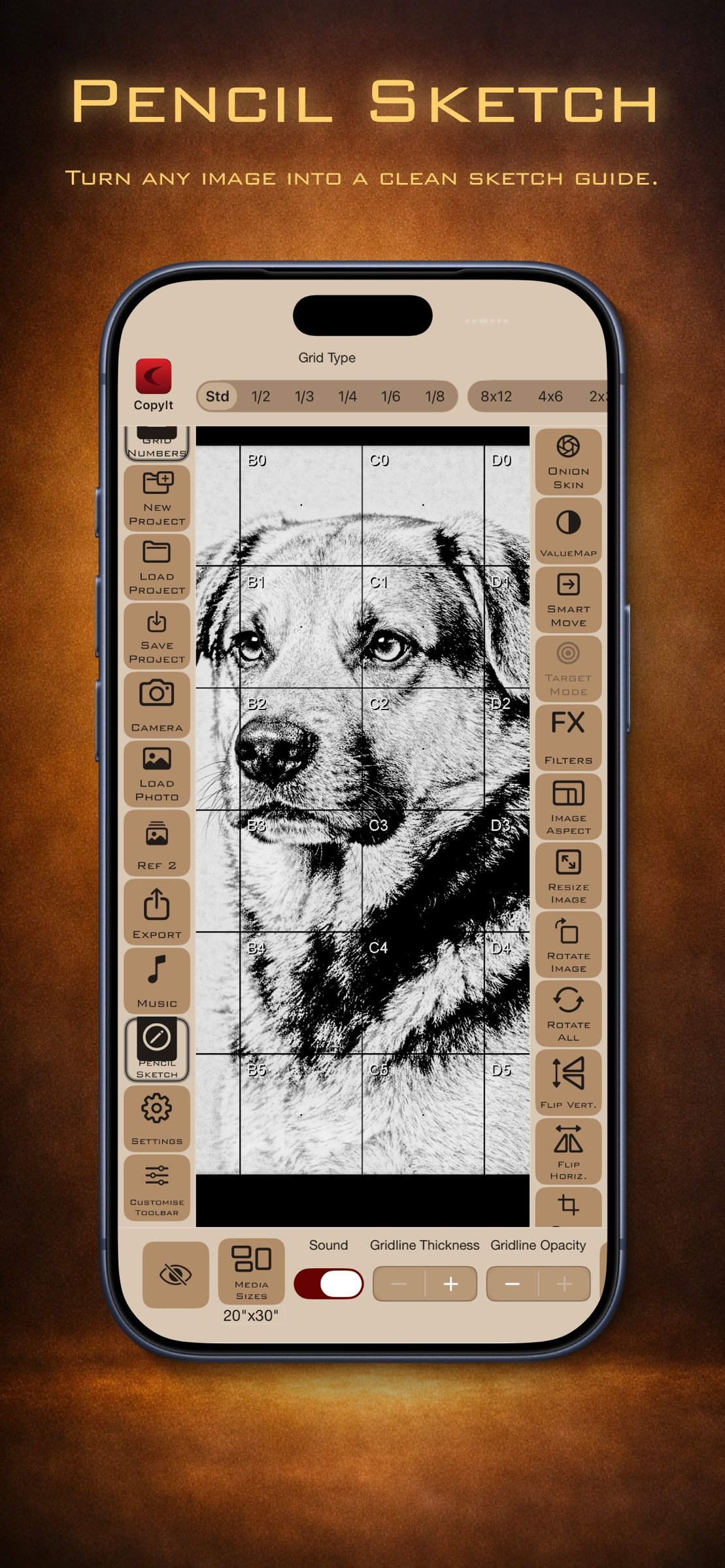
o Filters & Effects: Pencil Sketch, Onion Skin overlay, flips, rotations, and multiple image aspects
o Import & Export: Capture with front/back cameras, load projects or albums, save and share via AirDrop, email, or social platforms
o Customization: Portrait/landscape orientation, fullscreen mode, adjustable zoom (x1-x20), media sizes in imperial/metric
o Support: In-app help and a new tutorial
Designed for Success
CopyIt transforms the traditional grid method into a modern workflow tool. By working square by square, you can scale images accurately, refine details, and build confidence in your drawing skills.
Connect with us:
o Facebook: facebook.com/CopyItTheGridDrawingMethod
Terms of Use:
[link removed]
License: Commercial
| Release info | New Release on Apr 28, 2026 |
|---|---|
| Release notes | - A second reference layer with opacity control can now be used as an overlay to the original reference image. You can load a second image and/or add annotations (text, lines, rect, ellipses, freehand/Apple Pencil, colours). This allows for endless combinations. For example, you can load the same image again and using the opacity control combined with CopyIt features like Pencil Sketch, Mosaic, Filters, ValueMap etc., it provides another level of insight into studying your subject. You could also load in a photo of your work-in-progress as the second reference and fade between the two to check accuracy. - Mosaic now works with Greyscale and Negative Greyscale Filters (turn on the filter first, then Mosaic) so you can use Tonal Strip for block value studies. - Added preset toolbar colour schemes: Classic Grey, Slate Contrast, Ivory Draft, Blueprint, Forest Studio, Oxford Plum, Sandstone, Harbor Teal, Merlot, Mist and Custom. - Grid Size presets are now always available and automatically best suit the current Media Size. Old presets become custom columns/rows. - Create your own MixMap custom colours with your own label using RGB or HEX format. - SmartMove movement buttons have been added (Previous/Next) to quickly navigate the grid cells. The button panel can be dragged and repositioned when active. - Free Art Teacher resources have been added to the CopyIt webpage (lesson plans and student handouts). Visit https://www.nigelgreensapps.com/copyit - Improved visibility of some interface controls. - General bug fixes. |
| Listing data | App Store |
Reviews
No reviews yet. Be the first to review CopyIt The Grid Drawing Method.
Used CopyIt The Grid Drawing Method? Tell other visitors what you thought.
Log in to write a reviewOther products by this publisher
- "No Distractions" for YouTube 4.10 ----
- #Bible 11.6.1 "Incredible App - My sister shared this app with me a few weeks ago and it is truly incredible.
- #filmphotography 1.4.2 So, you decided to shoot on film?
- #LookBusy Fake Calendar Events 1.0.6 Look Busy scans your work calendar for open time slots and fills them with realistic-looking (but secretly fake) work events.
- #Small Talk Is Canceled 1.0.2 #Small Talk Is Canceled — Conversations That Matter
Most viewed iOS Productivity
-
1
 WordPress 27.4
Manage or create your WordPress blog or website right from your iOS device: create and edit posts and pages, upload your favorite photos and videos, view stats and reply to comments.
- 2 Voice Translator - Alive 1.6 Translation app that turns your iPhone into an interpreter instantly.
-
3
 Life360 26.45.0
Whether at home, online, or on the move, our comprehensive family safety features bring peace of mind to your loved ones AND help safeguard your personal belongings.
-
4
 Claude by Anthropic 1.261119.19
Meet Claude, your AI problem solver and thinking partner.
-
5
 WristMemo 2.0
WristMemo turns your Apple Watch into an all-day voice recorder.
- 6 "No Distractions" for YouTube 4.10 ----
-
7
 Colicine 1.3.0
Have you ever been there—
- 8 (beat) for iOS 0.5.10 An elegant Fountain screenwriting app, created by a screenwriter for screenwriters.
-
9
 DeepSeek 2.9.0
Experience seamless interaction with DeepSeek's official AI assistant for free!
-
10
 Howbout 16.8.0
The shared calendar for friends, couples, and family
Most downloaded iOS Productivity
- 1 Voice Translator - Alive 1.6 Translation app that turns your iPhone into an interpreter instantly.
-
2
 SessionsAI 1.2.1
Sessions AI is a private AI workspace that runs entirely on your iPhone, iPad, or Mac.
-
3
DeepSeek 2.9.0
Experience seamless interaction with DeepSeek's official AI assistant for free!
-
4
 Voices AI 1.16.17
Discover Voices, the premier voice transformation app designed exclusively for iOS.
-
5
 Block Distracting Websites 1.11
"It's a great way to save time, and stop browsing Reddit when you should be doing coursework."
-
6
 Plot Digitizer 1.4.1
Plot Digitizer is an app to extract numerical data from plot images.
-
7
 Google Docs 1.2026.47103
Create, edit, and collaborate on online documents with the Google Docs app.
-
8
 MyHyundai with Bluelink 5.4.6
The MyHyundai app makes getting information about your Hyundai vehicle easier than ever.
-
9
 Pixy Mood Tracker 1.110.0
Track your mood, one pixel at a time.
-
10
 Minder 1.4
Minder turns your phone into a pair of eyes that watch you work.