
7downloads
1this week
FreeCommercial
0reviews
Screenshots
About Copterus #1 Autopilot for DJI
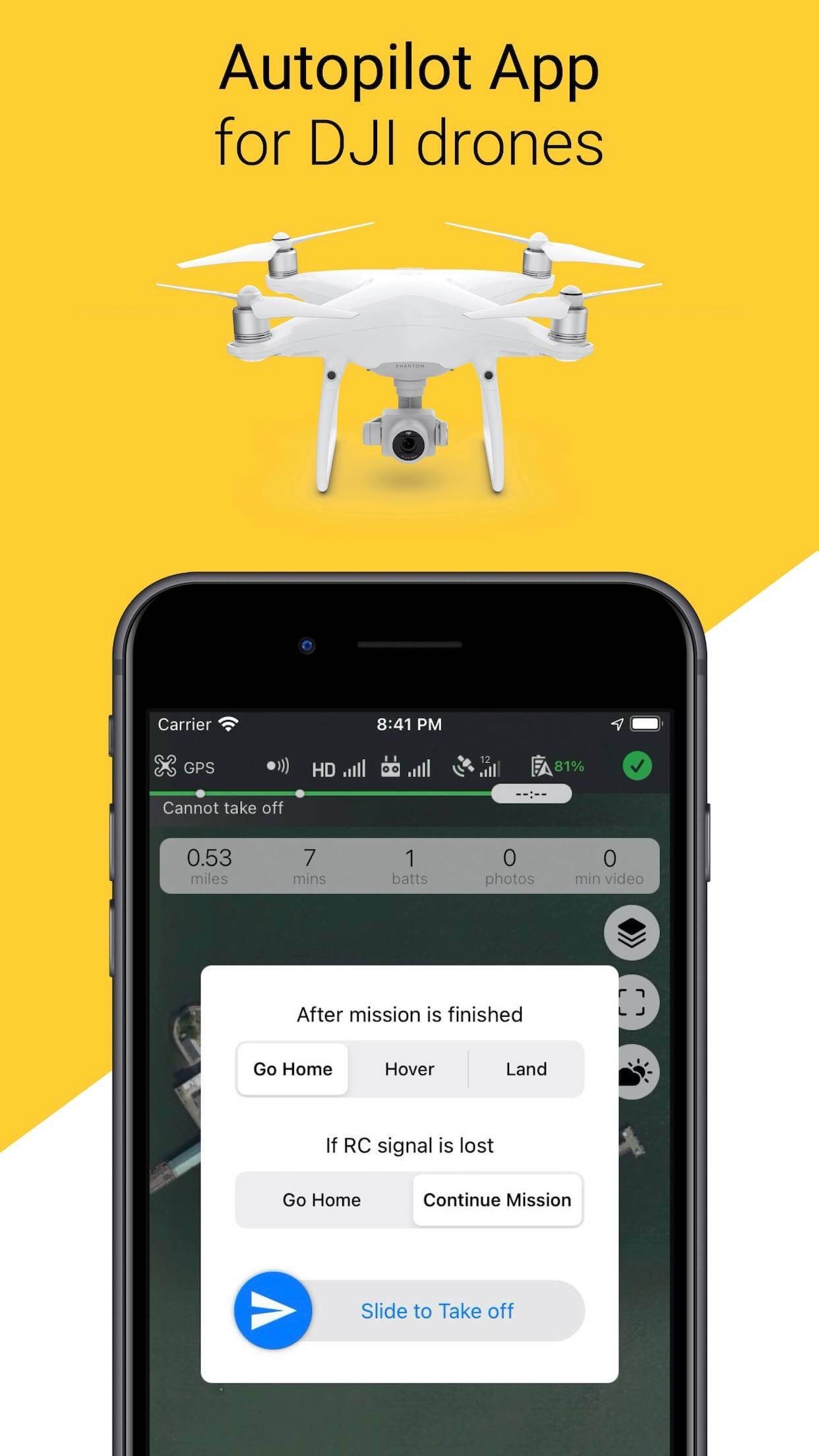
Autopilot flight app for DJI drones.
Plan and fly automated missions:
- Linear waypoints with in-point actions
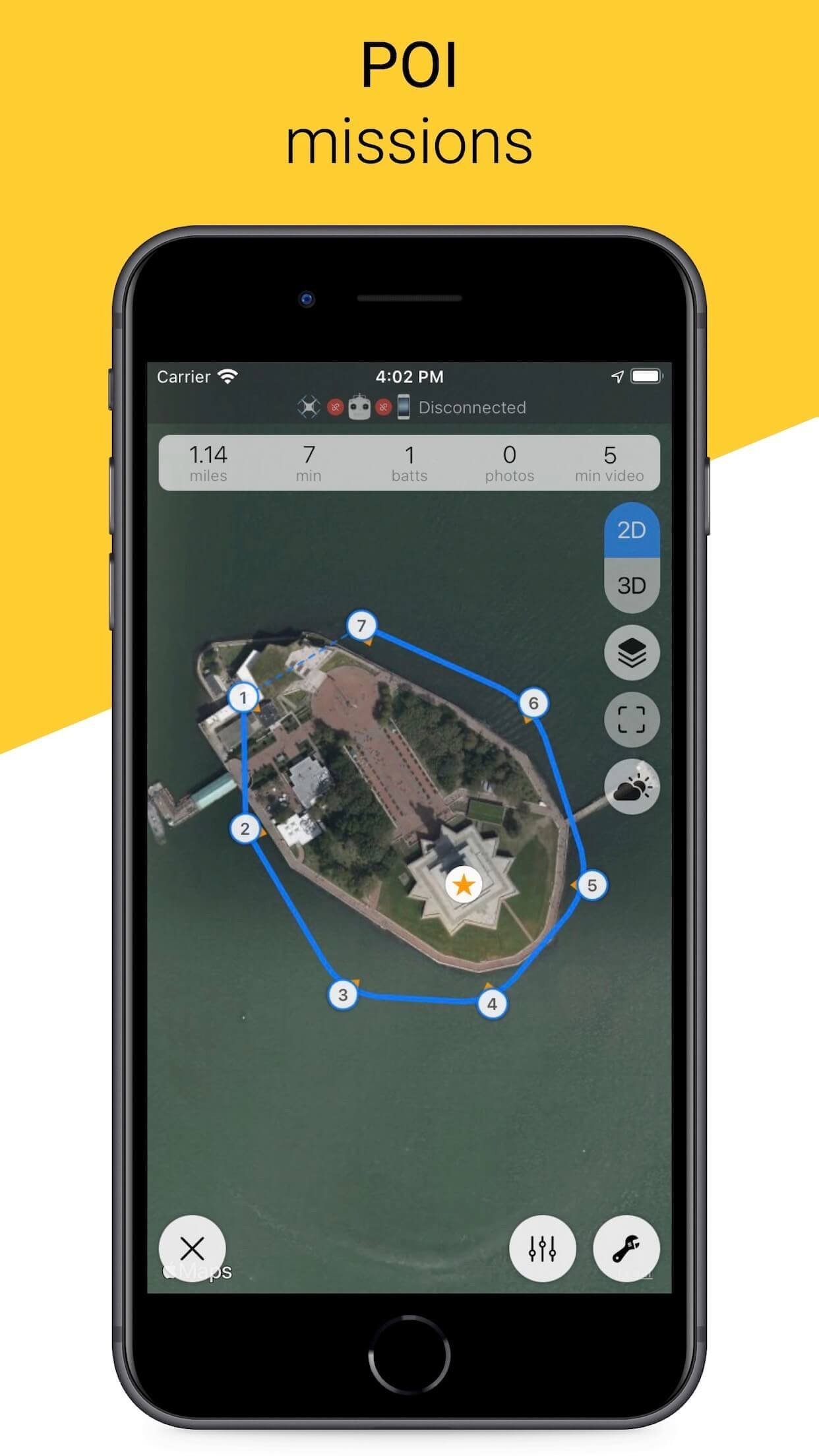
- Waypoints with auto heading to POI
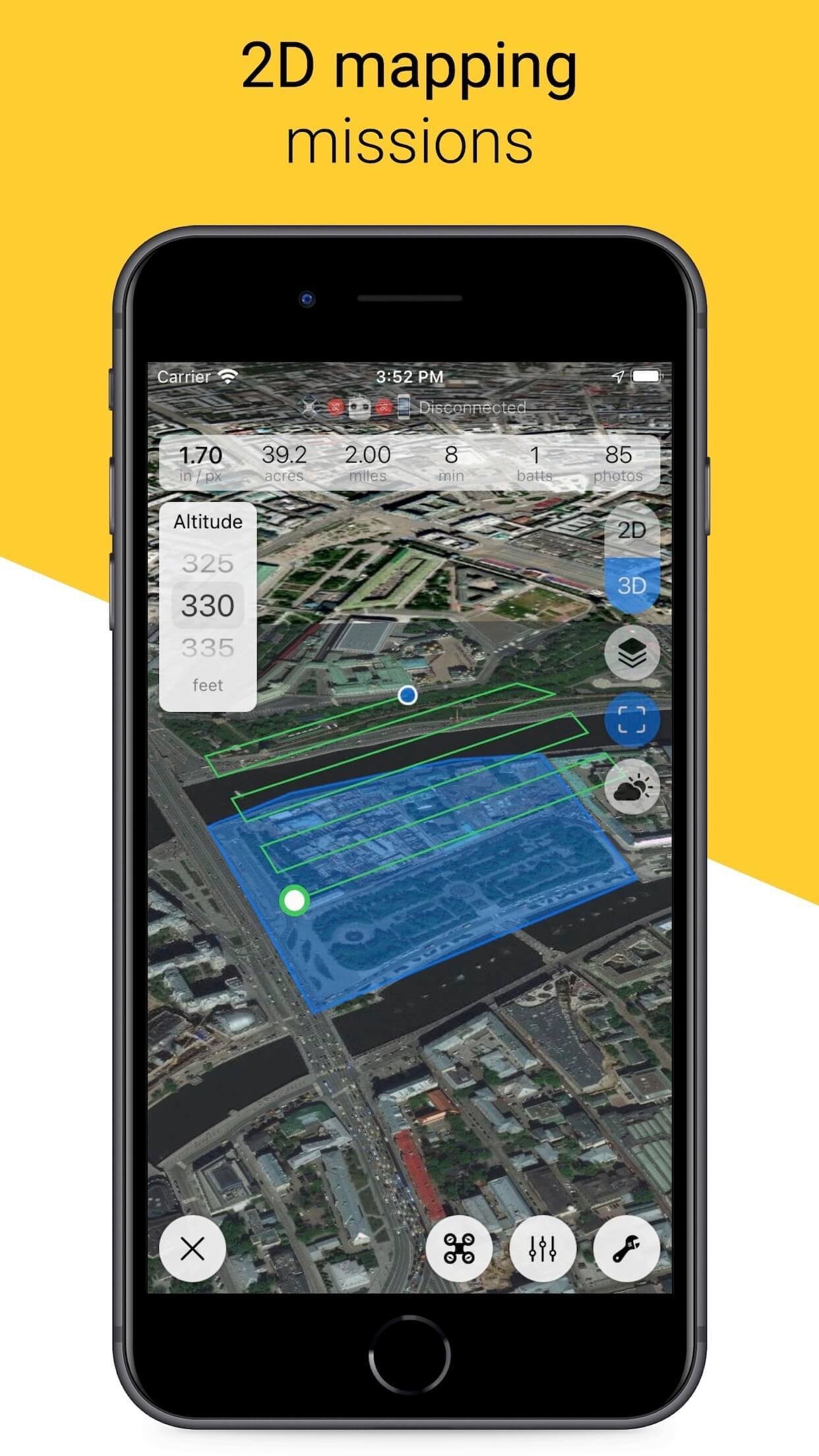
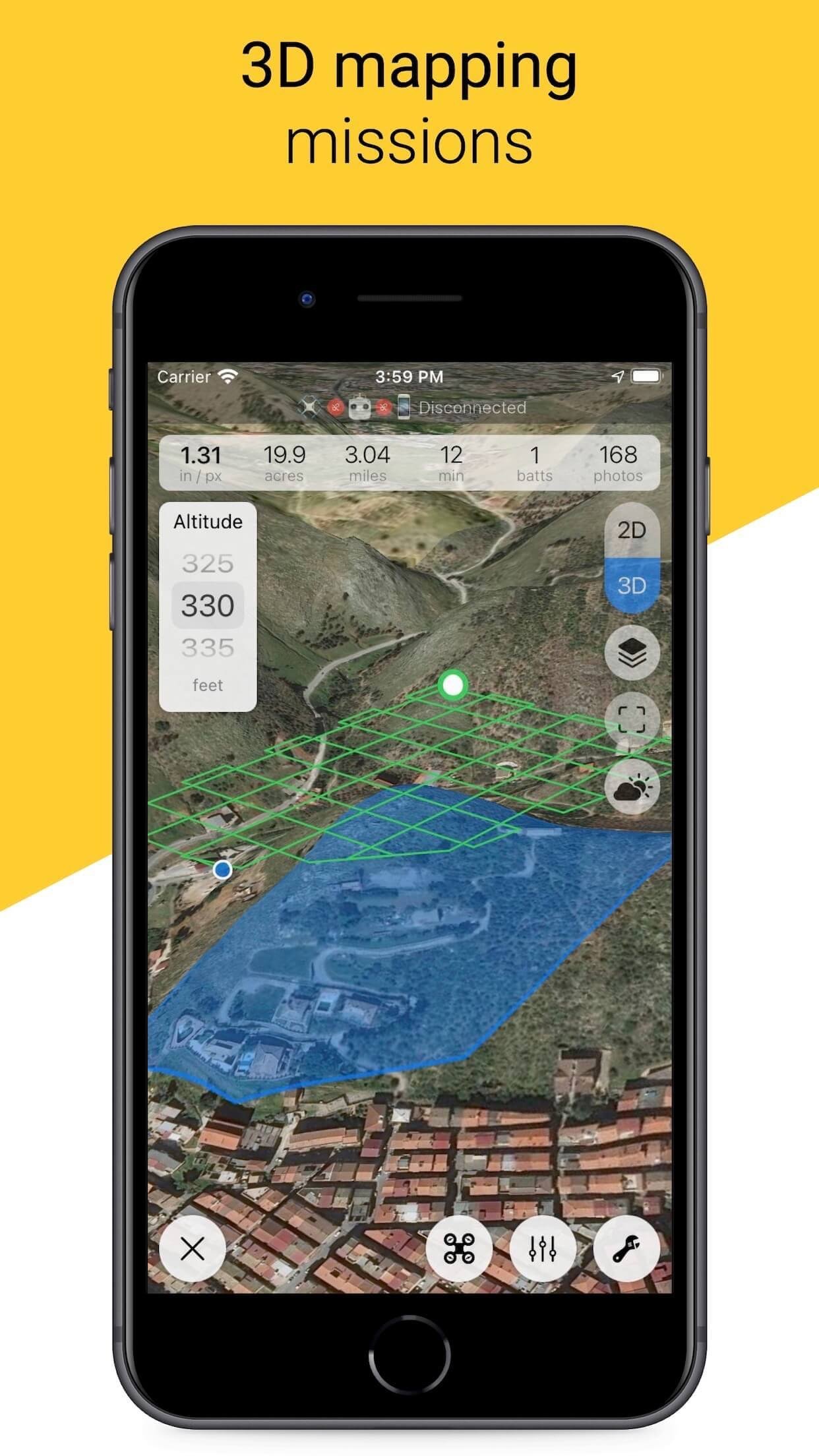
- Survey grid and double grid for area 2D/3D mapping
... more info below
Supports almost all DJI drones (see full list below). Mini 2 is not supported.
* Icing on the ?ake *
- No ads
- No logins and signups
- No subscriptions
- No extra feature unlocks
- Unlimited missions to plan, save and fly
- Unlimited drones and batteries to save and monitor
- Easy safety settings
- Seamless data sync between all your iOS devices using iCloud
* Supported DJI Drones *
- Spark
- Mavic Mini 1
- Mini SE, Mini 2
- Mavic Air, Air 2, Air 2S
- Mavic Pro, 2 Pro, Zoom, Enterprise
- Phantom 4 Standard, Advanced, Pro, Pro V2, RTK, Multispectral
- Inspire V.1 (Pro, RAW), V.2
- Matrice 100, 200, 200 V2, 210, 210 V2, 210 RTK, 210 RTK V2, 300 RTK, 600, 600 Pro
- Flight controllers: A3, N3
- Agras with A3 controller
* Supported DJI Cameras *
DJI Zenmuse X3, X4 S, X5, X5 R, X5 S, X7, XT, XT S, XT2, Z3, Z30, H20, HT20
* IMPORTANT! *
Before takeoff, make sure your planned flight path is free of any obstacles. Especially if you fly a drone without/disabled vision system or at night.
What's inside:
* Area Mapping *
Survey missions for 2D orthophoto and 3D area reconstruction. Draw custom polygon, set altitude, tune front and side overlaps and you are ready to fly with just one tap.
Use Copterus app to capture aerial images. Then process them with your favorite photogrammetry software (Metashape Pro, WebODM, Pix4D, Drone Deploy, MapsMadeEasy, SimActive etc) to get orthomosaic maps, digital terrain and elevation models (DTM, DEM).
- Follow terrain feature
- Automatic flight planning based on camera parameters, overlaps and altitude
- Estimates for GSD, flight time, number of photos and batteries
- Multiple flights for massive areas
- Custom start/finish positions
- Pause mission and move backwards to retake some photos
- Automatic takeoff or start mission after manual takeoff
- Plan beforehand and try any DJI drone and camera to fit your mission
- Land, hover or return after flight
- Go Home on connection loss or continue mission (Spark, Mini and Air 2 do not support connectionless mode)
* Waypoints Mission *
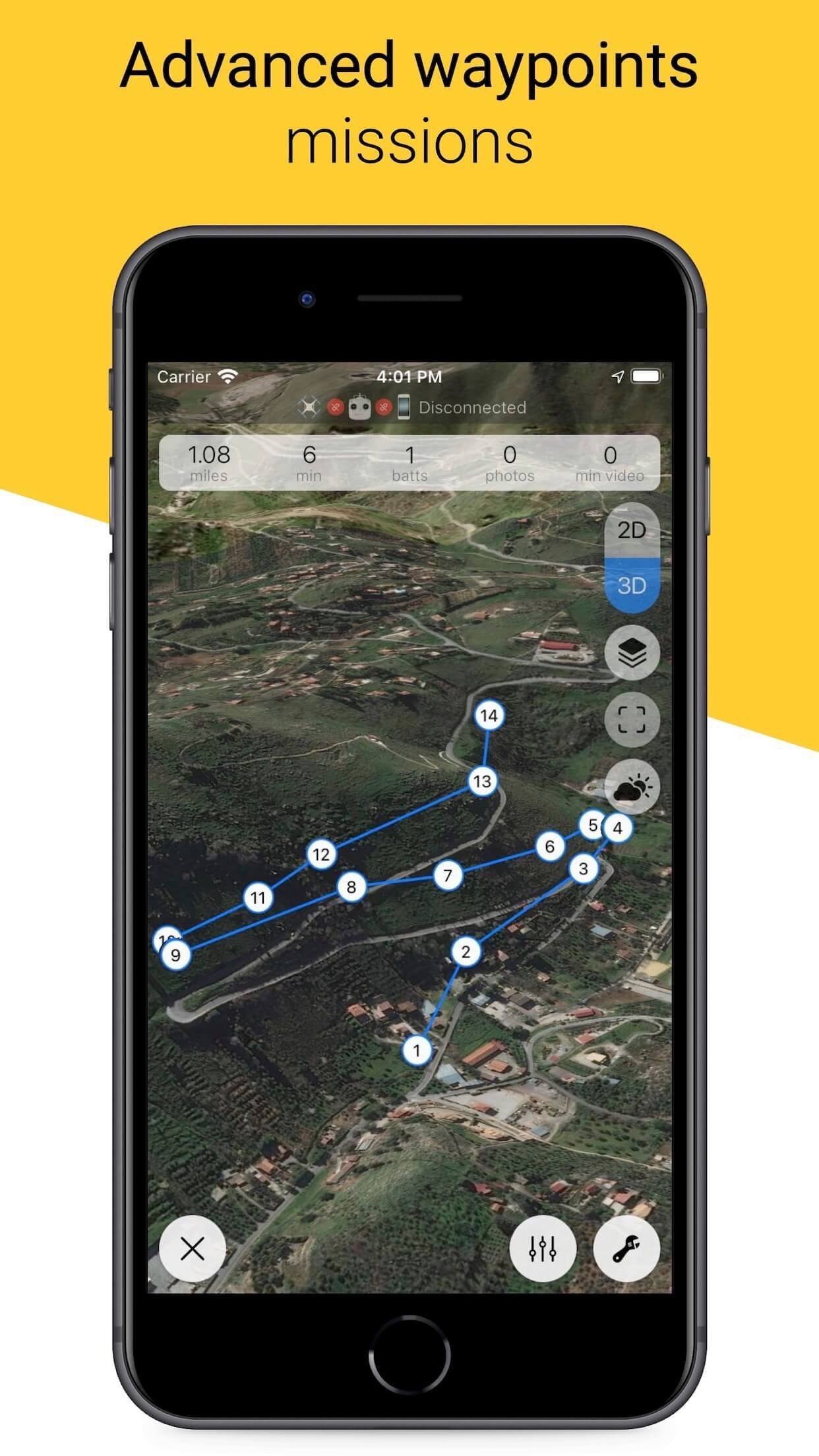
For smooth and repeatable time-lapse videos and photos (even seasonal time-lapse), photo reports from the same exact positions, search and rescue operations, aerial monitoring and video surveillance.
Tap desired locations to draw a flight path. Set common mission params, then tune points' altitude, heading, gimbal position and add some actions.
- In-point actions: wait, take photo, start/stop video, rotate aircraft (yaw), set gimbal angle. Up to 15 in each waypoint)
- Round-repeat waypoint actions up to 15 times
- Custom actions timeout
- Point-to-point or curved flight path with adjustable turn radius near each point
- Ability to control drone's speed with RC joystick during automated flight
- Set autospeed to 0 and move drone with RC joystick along its planned path - just like a cable camera
- Auto-repeat mission up to 15 times
- Go Home on connection loss or continue mission (Spark, Mini and Air 2 do not support this mode)
* POI Mission *
- Add point of interest (POI) to waypoint mission for auto heading
* KML Import *
- Create mapping or waypoint mission from KML polygon or line respectively
- One file can contain multiple KML features, choose one on import
* Drones and Batteries Management *
- All system states and info, errors and warnings
- Batteries health info. Checked and saved on each connection, available anytime
- Multi-battery support
- Save your drones and batteries to track state
* Weather and Sun *
- Hourly weather forecast with wind warnings
- Sunrise and sunset time
Check Copterus app website for more info: copterus.app
Feel free to send your questions or requests:
support@copterus.app
License: Commercial
| Release info | New Release on Jul 10, 2023 |
|---|---|
| Release notes | Fixed some errors |
| Listing data | App Store |
Reviews
No reviews yet. Be the first to review Copterus #1 Autopilot for DJI.
Used Copterus #1 Autopilot for DJI? Tell other visitors what you thought.
Log in to write a reviewOther products by this publisher
- "No Distractions" for YouTube 4.10 ----
- #Bible 11.6.1 "Incredible App - My sister shared this app with me a few weeks ago and it is truly incredible.
- #filmphotography 1.4.2 So, you decided to shoot on film?
- #LookBusy Fake Calendar Events 1.0.6 Look Busy scans your work calendar for open time slots and fills them with realistic-looking (but secretly fake) work events.
- #Small Talk Is Canceled 1.0.2 #Small Talk Is Canceled — Conversations That Matter
Most viewed iOS Photo & Video
-
1
 ShortDiShow 2.0
Drama Quest Island — An offline interactive short-drama adventure.
-
2
 Face Witness 1.0.4
FaceWitness lets you create a face by putting together individual features.
-
3
 Infuse 8.5.10
Infuse: Enterprise provides the same great features as the standard version of Infuse and includes permanent access to all Pro features via a traditional paid app.
-
4
 AI Video Generator 2.0.3
Vixel – AI Video Generator
- 5 #filmphotography 1.4.2 So, you decided to shoot on film?
-
6
 OPlayer 4.8
Play all your videos directly without having to convert them!
-
7
 CapCut 20.3.0
CapCut is an all-in-one video editing solution that offers essential editing features, creative effects, AI tools, filters, stickers, and fonts, and a wide range of video templates to empower users to easily create incredible videos regardless of th…
-
8
 Ai Photo 1.1.2
AI Photo Retouch – BG Eraser
-
9
 Necrometer II 1.3
Necrometer II is a paranormal investigation companion designed for ghost hunters and researchers.
-
10
 Analog Radio 3.0
The iPhone and iPad devices don't have the FM/AM radio antenna installed.
Most downloaded iOS Photo & Video
-
1
 DJI Fly 1.21.18
DJI Fly is designed to help pilots fly drones with ease.
-
2
Infuse 8.5.10
Infuse: Enterprise provides the same great features as the standard version of Infuse and includes permanent access to all Pro features via a traditional paid app.
-
3
 TurboCollage Automatic 1.2.4
#1 Easy automatic photo collage maker for iPhone & iPad.
-
4
 ReelyGo 1.1.60
ReelyGo: Your Daily Drama Escape
-
5
Analog Radio 3.0
The iPhone and iPad devices don't have the FM/AM radio antenna installed.
-
6
 Rozeta Sequencer Suite 1.3.16
Rozeta is a suite of MIDI sequencers and controllers that lets you explore a new, freeform approach to sequencing and controlling mobile music apps.
-
7
 AGAIN. Rehearsal Notes 2.0.1
AGAIN. is the rehearsal app that remembers why the band stopped — and, new in Version 2, who said what in a writing session or a table read.
-
8
 Pop Dot Comics 1.48
Create a comic worthy of the Sunday newspaper or your favorite pulp-fiction cover.
-
9
 Treblo 1.6.6
Make songs with the world's best AI music model.
-
10
 Sun Scout 1.5.0
If your work or play requires sunlight, Sun Scout is built for you.