
10downloads
5this week
FreeCommercial
0reviews
Screenshots
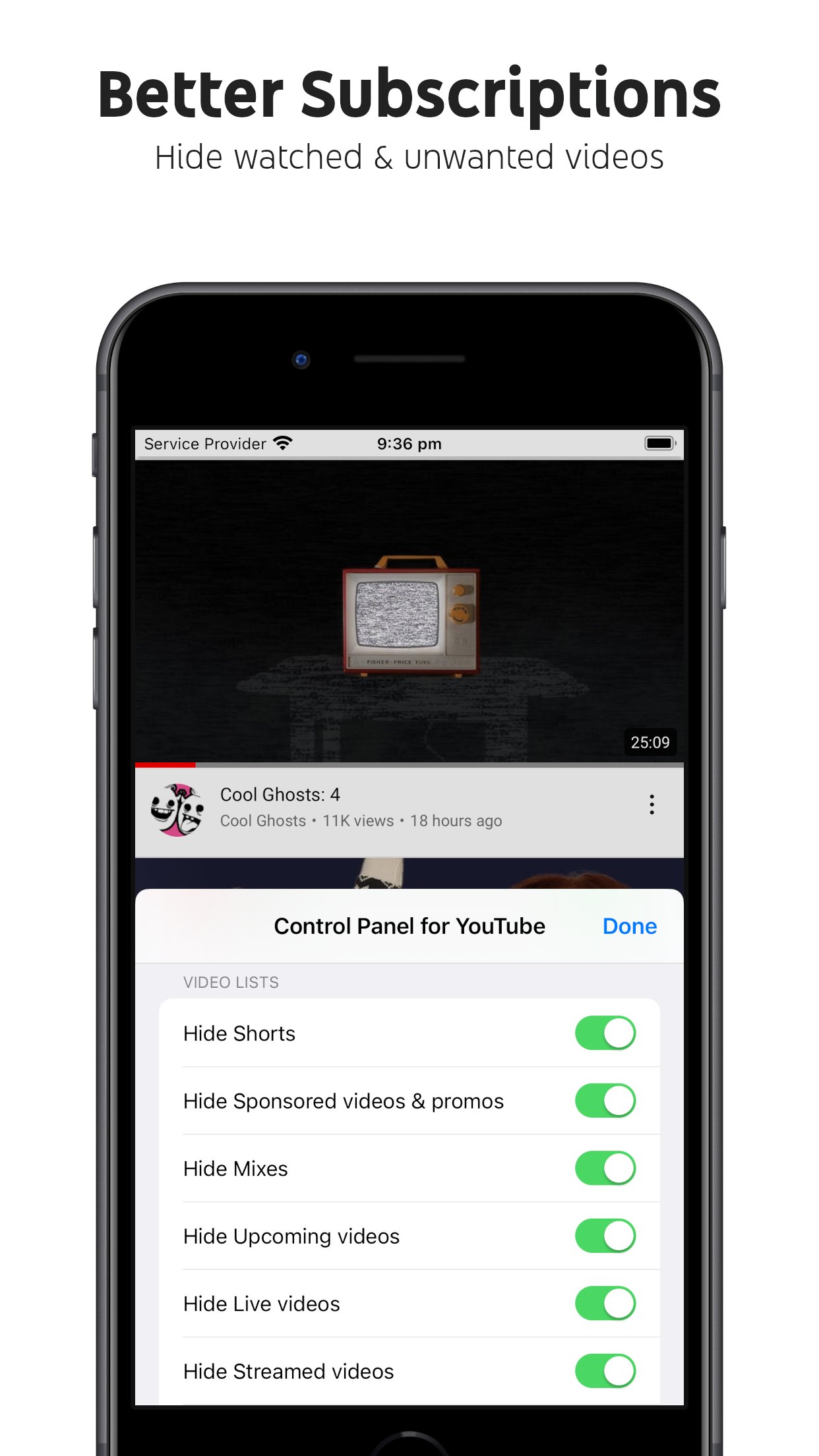


About Control Panel for YouTube
Ads:
• Block ads
• Hide Sponsored videos & promos
• Hide Merch, Offers etc. (desktop version)
YouTube experiments:
• Restore Subscriptions link in sidebar (desktop version)
• Restore order of sidebar items (desktop version)
• Restore small thumbnails in Related (desktop version)
• Restore "Upload date" search filter (desktop version)
New video player UI:
• Disable new progress bar and controls (desktop version) - Note: this will stop working when YouTube removes the old player UI
• Hide new full screen controls
• Hide "More videos" in full screen
• Always use compact Play button (desktop version)
• Remove background from controls (desktop version)
• Restore Miniplayer button (desktop version)
• Restore corner click to toggle full screen (desktop version)
• Hide full screen title (desktop version)
• Hide full screen like/dislike buttons (desktop version)
Annoyances:
• Hide AI summaries
• Remove pink gradient from progress bars
• Hide information panels
• Hide Premium upsells
• Disable video previews (desktop version)
• Disable themed hover effects (desktop version)
• Automatically pause channel trailers (desktop version)
• Allow background playback (mobile version)
• Hide Open App links (mobile version)
Video lists:
• Hide suggested sections
• Hide Live videos
• Hide Streamed videos
• Hide Mixes
• Hide Playlists
• Hide Movies and TV
• Hide Upcoming videos
• Hide Members only videos
• Hide Collaborations in Subscriptions
• Hide Auto-dubbed videos in Related
• Hide watched videos
• Hide hidden videos - Hides the "Undo" button after 5 seconds
• Hide channels - Adds "Hide channel" to video menus
• Disable Home feed
• Search thumbnail size (desktop version)
• Minimum grid items per row (desktop version)
• Hide Posts in Home (mobile version)
Video pages:
• Disable Autoplay
• Disable Ambient mode
• Hide Related videos
• Hide the Next button
• Hide channel watermark
• Hide Share/Thanks/Clip etc.
• Hide Ask button
• Hide video metadata
• Hide Comments
• Always use theater mode (desktop version)
• Full size theater mode (desktop version)
• Disable enlarged UI in theater mode (desktop version)
• Always use original audio (desktop version)
• Hide video end cards (desktop version)
• Hide video endscreen content (desktop version)
• Hide Premium Jump ahead button (desktop version)
• Hide Chat (desktop version)
• Add Take snapshot to video menu (JPEG / PNG) (desktop version)
• Make Transcript downloadable (desktop version)
Shorts:
• Hide Shorts
• Redirect Shorts to the normal player
• Hide suggested actions
• Hide link to related Short by the same channel
• Always show progress bar
• Stop Shorts looping
• Hide Remix button (desktop version)
• Hide Shorts metadata until hover (desktop version)
• Minimum Shorts per row (desktop version)
UI tweaks:
• Show full video titles
• Use square corners for thumbnails and videos
• Hide categories in Home
• Hide channel banner images
• Hide Search with your voice
• Enforce theme (desktop version)
• Link YouTube logo to Subscriptions (desktop version)
• Tidy Guide sidebar (desktop version)
• Hide "Latest" bar in Subscriptions (desktop version)
• Use grid view for Subscriptions & Search (portrait only) (mobile version)
• Hide Explore button in Home (mobile version)
• Hide channel list in Subscriptions (mobile version)
Embedded videos:
• Hide Share button
• Hide pause overlay
License: Commercial
• Block ads
• Hide Sponsored videos & promos
• Hide Merch, Offers etc. (desktop version)
YouTube experiments:
• Restore Subscriptions link in sidebar (desktop version)
• Restore order of sidebar items (desktop version)
• Restore small thumbnails in Related (desktop version)
• Restore "Upload date" search filter (desktop version)
New video player UI:
• Disable new progress bar and controls (desktop version) - Note: this will stop working when YouTube removes the old player UI
• Hide new full screen controls
• Hide "More videos" in full screen
• Always use compact Play button (desktop version)
• Remove background from controls (desktop version)
• Restore Miniplayer button (desktop version)
• Restore corner click to toggle full screen (desktop version)
• Hide full screen title (desktop version)
• Hide full screen like/dislike buttons (desktop version)
Annoyances:
• Hide AI summaries
• Remove pink gradient from progress bars
• Hide information panels
• Hide Premium upsells
• Disable video previews (desktop version)
• Disable themed hover effects (desktop version)
• Automatically pause channel trailers (desktop version)
• Allow background playback (mobile version)
• Hide Open App links (mobile version)
Video lists:
• Hide suggested sections
• Hide Live videos
• Hide Streamed videos
• Hide Mixes
• Hide Playlists
• Hide Movies and TV
• Hide Upcoming videos
• Hide Members only videos
• Hide Collaborations in Subscriptions
• Hide Auto-dubbed videos in Related
• Hide watched videos
• Hide hidden videos - Hides the "Undo" button after 5 seconds
• Hide channels - Adds "Hide channel" to video menus
• Disable Home feed
• Search thumbnail size (desktop version)
• Minimum grid items per row (desktop version)
• Hide Posts in Home (mobile version)
Video pages:
• Disable Autoplay
• Disable Ambient mode
• Hide Related videos
• Hide the Next button
• Hide channel watermark
• Hide Share/Thanks/Clip etc.
• Hide Ask button
• Hide video metadata
• Hide Comments
• Always use theater mode (desktop version)
• Full size theater mode (desktop version)
• Disable enlarged UI in theater mode (desktop version)
• Always use original audio (desktop version)
• Hide video end cards (desktop version)
• Hide video endscreen content (desktop version)
• Hide Premium Jump ahead button (desktop version)
• Hide Chat (desktop version)
• Add Take snapshot to video menu (JPEG / PNG) (desktop version)
• Make Transcript downloadable (desktop version)
Shorts:
• Hide Shorts
• Redirect Shorts to the normal player
• Hide suggested actions
• Hide link to related Short by the same channel
• Always show progress bar
• Stop Shorts looping
• Hide Remix button (desktop version)
• Hide Shorts metadata until hover (desktop version)
• Minimum Shorts per row (desktop version)
UI tweaks:
• Show full video titles
• Use square corners for thumbnails and videos
• Hide categories in Home
• Hide channel banner images
• Hide Search with your voice
• Enforce theme (desktop version)
• Link YouTube logo to Subscriptions (desktop version)
• Tidy Guide sidebar (desktop version)
• Hide "Latest" bar in Subscriptions (desktop version)
• Use grid view for Subscriptions & Search (portrait only) (mobile version)
• Hide Explore button in Home (mobile version)
• Hide channel list in Subscriptions (mobile version)
Embedded videos:
• Hide Share button
• Hide pause overlay
License: Commercial
| Release info | Update on Nov 05, 2026 |
|---|---|
| Release notes | • Hide suggested sections now also hides Watch & Play in Related on desktop • Fixed hiding the new Experiencing interruptions? popup on desktop • Fixed more Experiencing interruptions? artificial player delays on desktop |
| Listing data | App Store |
Reviews
No reviews yet. Be the first to review Control Panel for YouTube.
Used Control Panel for YouTube? Tell other visitors what you thought.
Log in to write a reviewOther products by this publisher
- "No Distractions" for YouTube 4.10 ----
- #Bible 11.6 "Incredible App - My sister shared this app with me a few weeks ago and it is truly incredible.
- #filmphotography 1.4.2 So, you decided to shoot on film?
- $quirrel 1.5.1 $quirrel Budget & Finance helps you plan each paycheck, track spending, manage debt, and see what is safe to spend before the next payday.
- % Percentage Calculator Pro 1.41 This is the Pro version of % Percentage Calculator.
Most viewed iOS Productivity
-
1
 WordPress 27.4
Manage or create your WordPress blog or website right from your iOS device: create and edit posts and pages, upload your favorite photos and videos, view stats and reply to comments.
- 2 Voice Translator - Alive 1.6 Translation app that turns your iPhone into an interpreter instantly.
-
3
 Claude by Anthropic 1.261109.19
Meet Claude, your AI problem solver and thinking partner.
- 4 "No Distractions" for YouTube 4.10 ----
- 5 (beat) for iOS 0.5.10 An elegant Fountain screenwriting app, created by a screenwriter for screenwriters.
-
6
 WristMemo 2.0
WristMemo turns your Apple Watch into an all-day voice recorder.
-
7
 DeepSeek 2.7.5
Experience seamless interaction with DeepSeek's official AI assistant for free!
-
8
 Life360 26.43.0
Whether at home, online, or on the move, our comprehensive family safety features bring peace of mind to your loved ones AND help safeguard your personal belongings.
-
9
 Howbout 16.7.0
The shared calendar for friends, couples, and family
-
10
 Plot Digitizer 1.4.1
Plot Digitizer is an app to extract numerical data from plot images.
Most downloaded iOS Productivity
- 1 Voice Translator - Alive 1.6 Translation app that turns your iPhone into an interpreter instantly.
-
2
DeepSeek 2.7.5
Experience seamless interaction with DeepSeek's official AI assistant for free!
-
3
 SessionsAI 1.2.1
Sessions AI is a private AI workspace that runs entirely on your iPhone, iPad, or Mac.
-
4
 Voices AI 1.16.15
Discover Voices, the premier voice transformation app designed exclusively for iOS.
-
5
 Block Distracting Websites 1.11
"It's a great way to save time, and stop browsing Reddit when you should be doing coursework."
-
6
Plot Digitizer 1.4.1
Plot Digitizer is an app to extract numerical data from plot images.
-
7
 Google Docs 1.2026.45104
Create, edit, and collaborate on online documents with the Google Docs app.
-
8
 Pixy Mood Tracker 1.110.0
Track your mood, one pixel at a time.
-
9
 VPN 2.61.0
VPN - Super Unlimited Proxy is a free VPN and proxy app for iPhone, iPad, Mac and Apple Vision Pro.
-
10
 MyHyundai with Bluelink 5.4.5
The MyHyundai app makes getting information about your Hyundai vehicle easier than ever.