
9downloads
4this week
FreeCommercial
0reviews
Screenshots
About Continuous Player
Pick an album in your Photos library. Everything inside plays, one after another, without stopping.
No tapping every clip to start it again, no black screen the moment a video ends.
Made for showing your kids only the videos in one folder, looking back at a trip with its photos and videos together, or leaving your footage running while you work.
PICK AN ALBUM, THAT'S IT
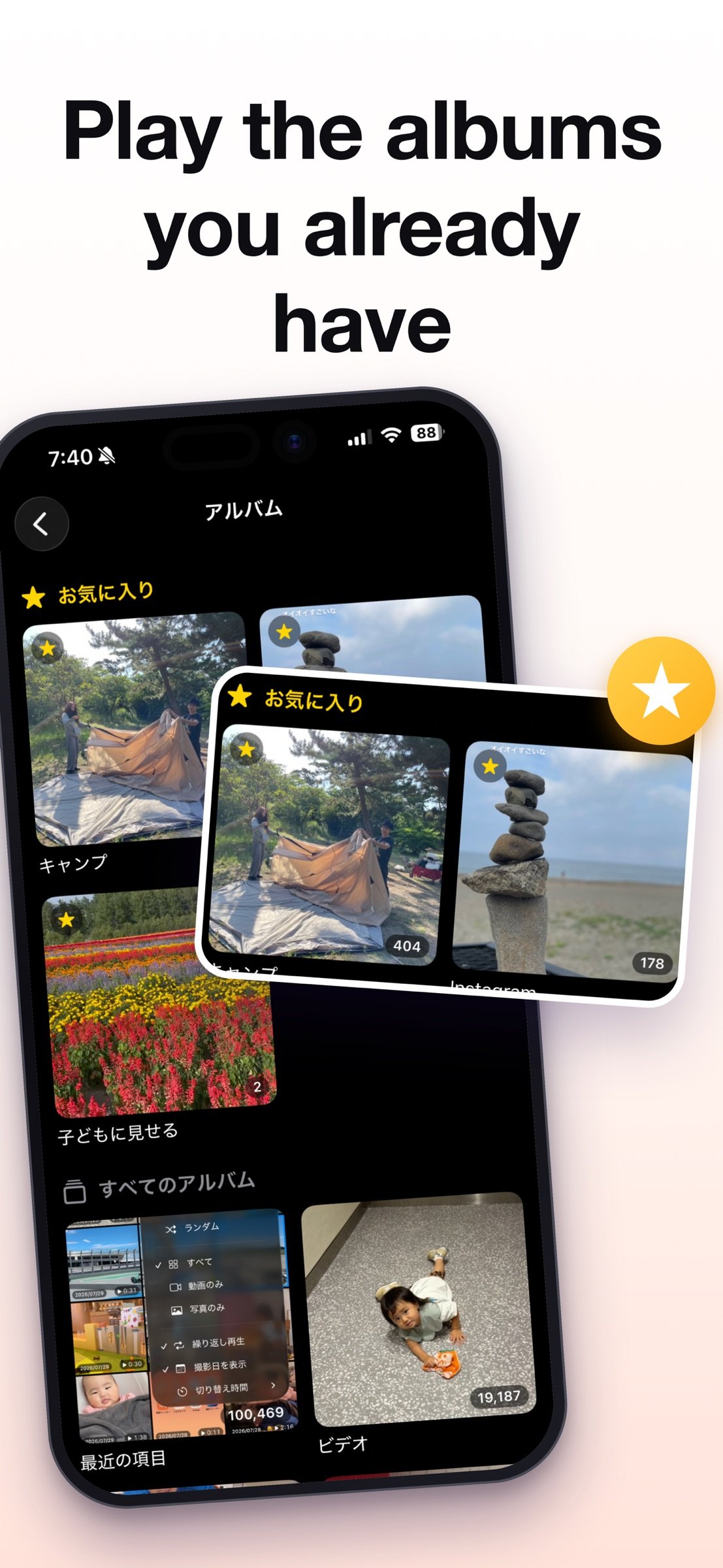
- Play an album from Photos as it is. No importing, no converting
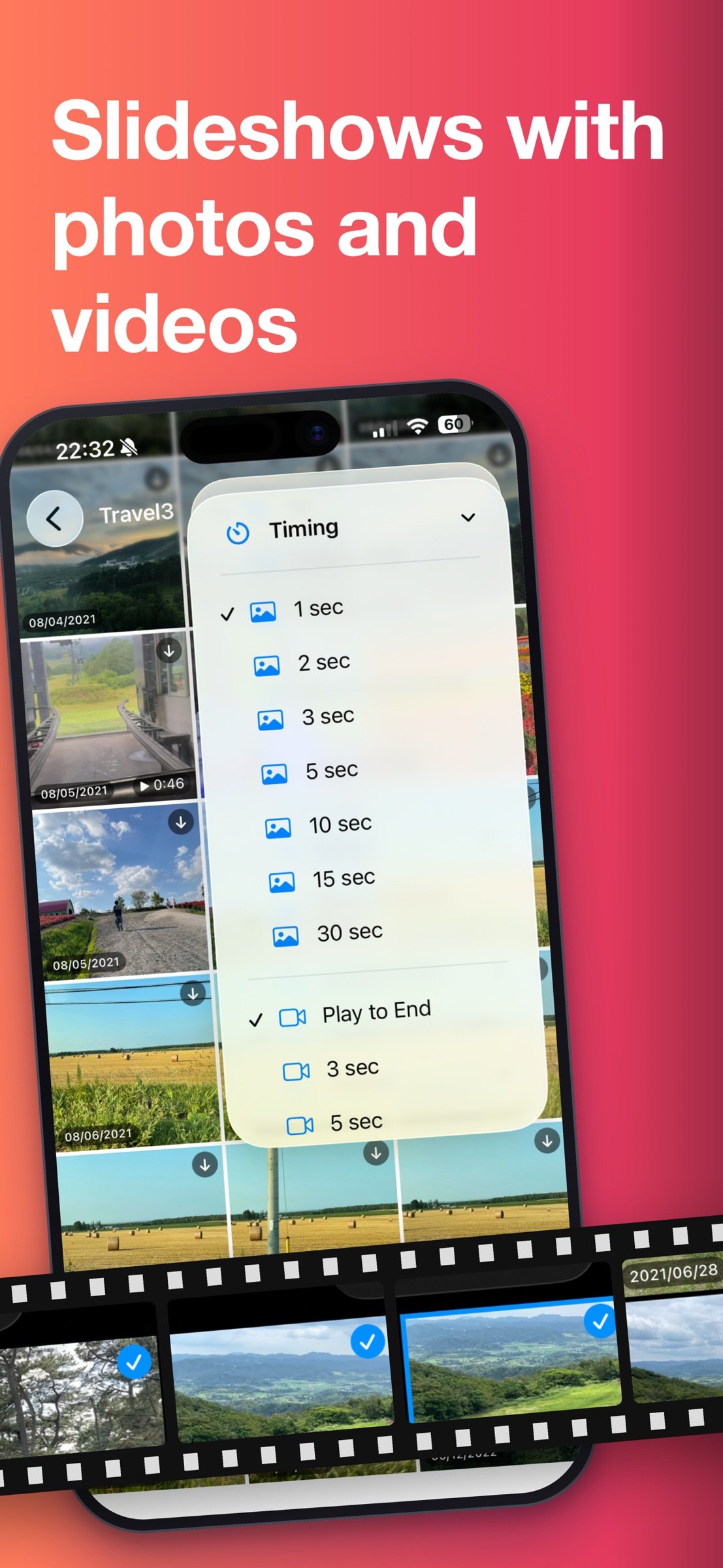
- Videos and photos mixed together play as one queue (photos stay on screen for as long as you set)
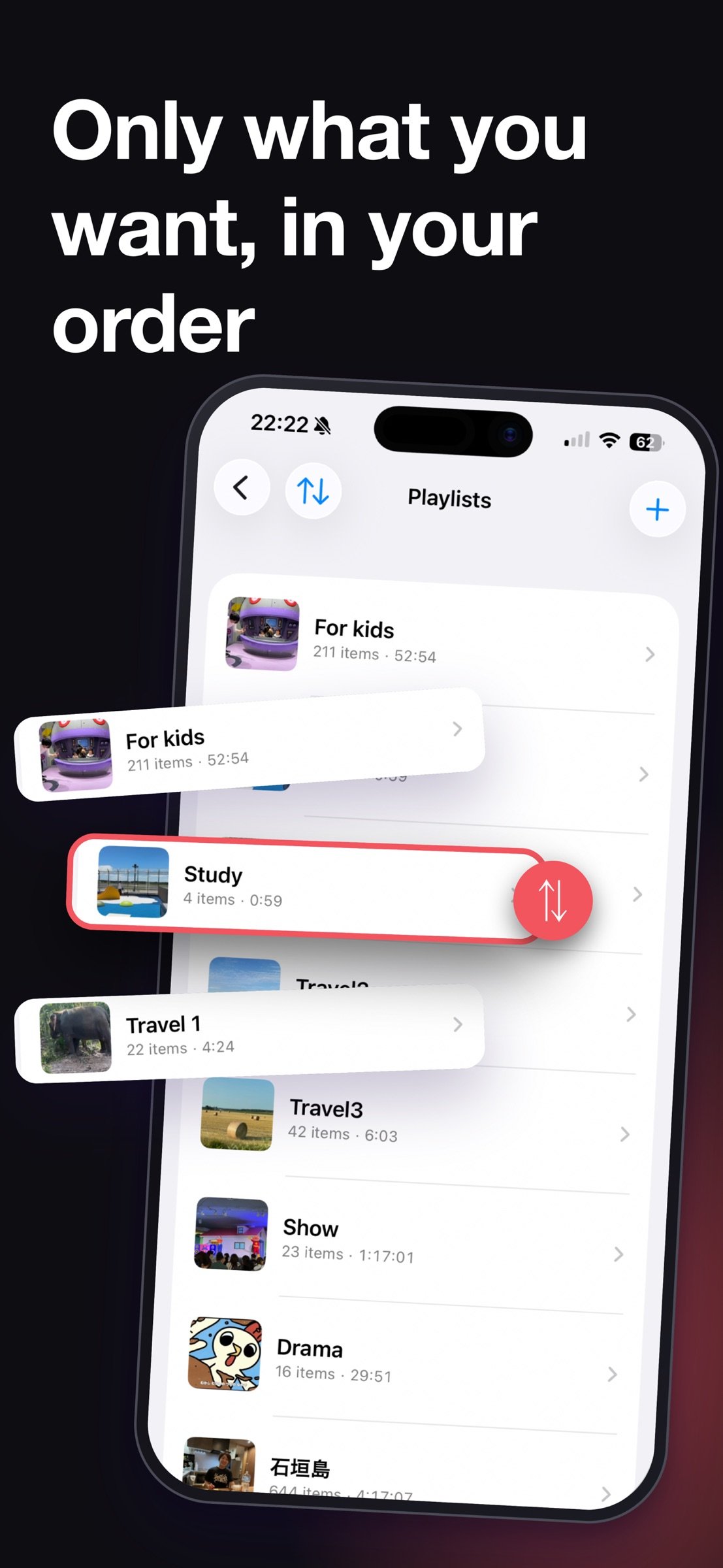
- Or build a playlist of just the items you want, in the order you want
TUNE THE PLAYBACK
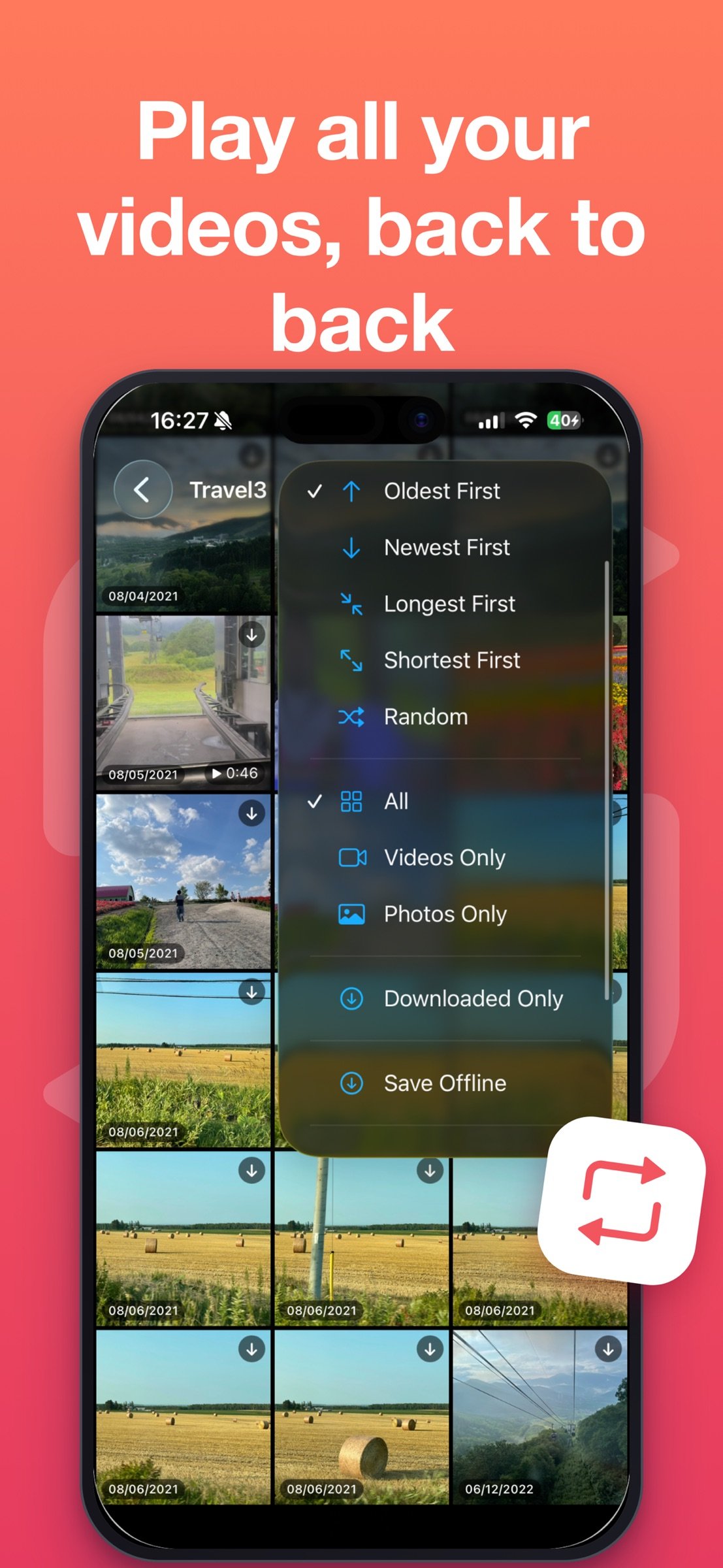
- Sort: date taken (oldest or newest first), duration (longest or shortest first), random
- Filter: everything, videos only, or photos only
- Filter by date taken: today, the last 3, 7 or 30 days, or an exact range you pick
- Timing: how long a photo stays on screen (1-30 sec), and when to move on from a video (play in full, or 3-60 sec)
- Repeat: off, the whole album or playlist, or just the video you're on
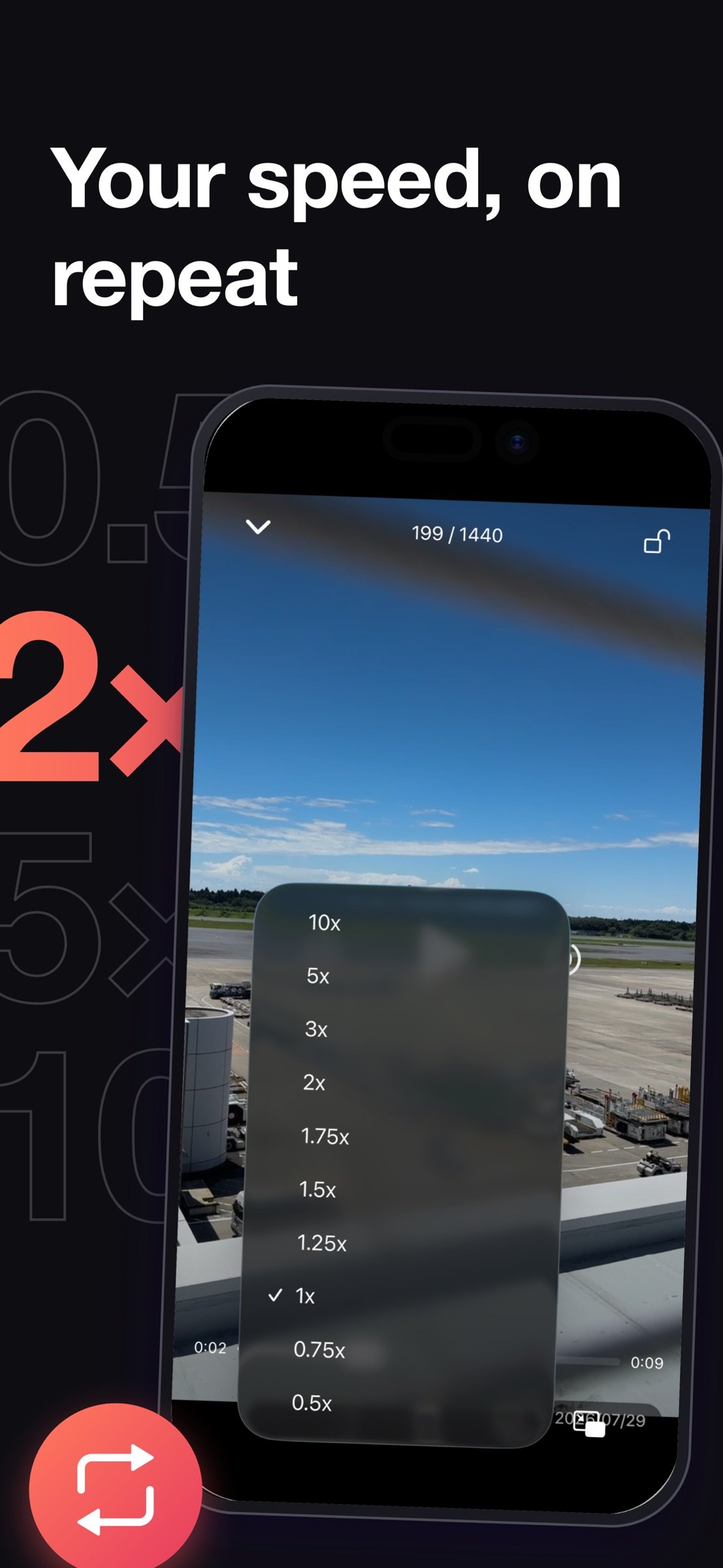
- Speed: 0.5x to 2.0x in 0.25 steps, plus 3x, 5x and 10x
PLAY IT OFFLINE
- Copy videos and photos onto the device and they play where there's no signal
- Filter to "downloaded only" to play just what you saved, back to back
- Keep it running on the move or on a plane, without watching your data
A LOCK FOR HANDING IT TO A CHILD
- Lock the playback screen so taps and swipes no longer interrupt anything
- Unlocking takes a long press, so it won't come undone by accident
- To keep them from leaving the app entirely, pair it with Guided Access in iOS Settings
FIND YOUR WAY BACK
- Pin favorite albums to the top of the list
- The last video or photo you played is marked, so you know where you left off
- Show the date taken on thumbnails and during playback (optional)
- Calendar view: thumbnails sit on the days they were taken. Tap a day to play from there, jump to any month, or tap Today to come back
WHILE IT PLAYS
- Press and hold either edge of the screen to fast-forward at twice your chosen speed, only while held
- Double-tap the right or left side to skip 10 seconds forward or back
- Background playback: sound keeps going with the screen off, with controls on the Lock Screen and in Control Center
- Picture in Picture: keep it running in a small window while you use other apps
LIVE CAPTIONS
- The audio is recognized as it plays and shown as captions over the video
- Switch the language it listens for without stopping playback - it doesn't have to match the app's language
- Recognition happens entirely on your device. No audio is sent anywhere
- When it can't make anything out, it tells you why
NO ADS, NO IN-APP PURCHASES, NO TRACKING
Buy it once and it's yours. No ads. No in-app purchases. Nothing about you is collected or sent anywhere. Your videos and photos are read and played on your device.
LANGUAGES
Japanese, English, Simplified Chinese, Traditional Chinese, Korean, Spanish, German, French, Italian, Portuguese (Brazil), Dutch, Polish. You can set the app's language separately from your device language.
BEFORE YOU START
- Access to your photo library is required. Limited access (selected photos only) works fine
- Live captions need permission for speech recognition
- Items kept in iCloud but not on your device are downloaded as they play, which uses data
License: Commercial
No tapping every clip to start it again, no black screen the moment a video ends.
Made for showing your kids only the videos in one folder, looking back at a trip with its photos and videos together, or leaving your footage running while you work.
PICK AN ALBUM, THAT'S IT
- Play an album from Photos as it is. No importing, no converting
- Videos and photos mixed together play as one queue (photos stay on screen for as long as you set)
- Or build a playlist of just the items you want, in the order you want
TUNE THE PLAYBACK
- Sort: date taken (oldest or newest first), duration (longest or shortest first), random
- Filter: everything, videos only, or photos only
- Filter by date taken: today, the last 3, 7 or 30 days, or an exact range you pick
- Timing: how long a photo stays on screen (1-30 sec), and when to move on from a video (play in full, or 3-60 sec)
- Repeat: off, the whole album or playlist, or just the video you're on
- Speed: 0.5x to 2.0x in 0.25 steps, plus 3x, 5x and 10x
PLAY IT OFFLINE
- Copy videos and photos onto the device and they play where there's no signal
- Filter to "downloaded only" to play just what you saved, back to back
- Keep it running on the move or on a plane, without watching your data
A LOCK FOR HANDING IT TO A CHILD
- Lock the playback screen so taps and swipes no longer interrupt anything
- Unlocking takes a long press, so it won't come undone by accident
- To keep them from leaving the app entirely, pair it with Guided Access in iOS Settings
FIND YOUR WAY BACK
- Pin favorite albums to the top of the list
- The last video or photo you played is marked, so you know where you left off
- Show the date taken on thumbnails and during playback (optional)
- Calendar view: thumbnails sit on the days they were taken. Tap a day to play from there, jump to any month, or tap Today to come back
WHILE IT PLAYS
- Press and hold either edge of the screen to fast-forward at twice your chosen speed, only while held
- Double-tap the right or left side to skip 10 seconds forward or back
- Background playback: sound keeps going with the screen off, with controls on the Lock Screen and in Control Center
- Picture in Picture: keep it running in a small window while you use other apps
LIVE CAPTIONS
- The audio is recognized as it plays and shown as captions over the video
- Switch the language it listens for without stopping playback - it doesn't have to match the app's language
- Recognition happens entirely on your device. No audio is sent anywhere
- When it can't make anything out, it tells you why
NO ADS, NO IN-APP PURCHASES, NO TRACKING
Buy it once and it's yours. No ads. No in-app purchases. Nothing about you is collected or sent anywhere. Your videos and photos are read and played on your device.
LANGUAGES
Japanese, English, Simplified Chinese, Traditional Chinese, Korean, Spanish, German, French, Italian, Portuguese (Brazil), Dutch, Polish. You can set the app's language separately from your device language.
BEFORE YOU START
- Access to your photo library is required. Limited access (selected photos only) works fine
- Live captions need permission for speech recognition
- Items kept in iCloud but not on your device are downloaded as they play, which uses data
License: Commercial
| Release info | Update on Nov 05, 2026 |
|---|---|
| Release notes | New • Now optimized for iPhone Duo. Enjoy your videos and photos on the large unfolded screen. |
| Listing data | App Store |
Reviews
No reviews yet. Be the first to review Continuous Player.
Used Continuous Player? Tell other visitors what you thought.
Log in to write a reviewOther products by this publisher
- "No Distractions" for YouTube 4.10 ----
- #Bible 11.6 "Incredible App - My sister shared this app with me a few weeks ago and it is truly incredible.
- #filmphotography 1.4.2 So, you decided to shoot on film?
- $quirrel 1.5.1 $quirrel Budget & Finance helps you plan each paycheck, track spending, manage debt, and see what is safe to spend before the next payday.
- % Percentage Calculator Pro 1.41 This is the Pro version of % Percentage Calculator.
Most viewed iOS Photo & Video
-
1
 ShortDiShow 2.0
Drama Quest Island — An offline interactive short-drama adventure.
-
2
 Infuse 8.5.10
Infuse: Enterprise provides the same great features as the standard version of Infuse and includes permanent access to all Pro features via a traditional paid app.
-
3
 AI Video Generator 2.0.2
Vixel – AI Video Generator
-
4
 OPlayer 4.8
Play all your videos directly without having to convert them!
-
5
 Necrometer II 1.2
Necrometer II is a paranormal investigation companion designed for ghost hunters and researchers.
-
6
 CapCut 20.1.0
CapCut offers easy-to-use video editing functions, in-APP fonts and effects, advanced features such as keyframe animation, smooth slow-motion, chroma key, and stabilization, to help you capture and snip moments.
-
7
 Ai Photo 1.1.2
AI Photo Retouch – BG Eraser
-
8
 Treblo 1.6.0
Make songs with the world's best AI music model.
-
9
 Pop Dot Comics 1.48
Create a comic worthy of the Sunday newspaper or your favorite pulp-fiction cover.
- 10 #filmphotography 1.4.2 So, you decided to shoot on film?
Most downloaded iOS Photo & Video
-
1
Infuse 8.5.10
Infuse: Enterprise provides the same great features as the standard version of Infuse and includes permanent access to all Pro features via a traditional paid app.
-
2
 DJI Fly 1.21.18
DJI Fly is designed to help pilots fly drones with ease.
-
3
 Analog Radio 3.0
The iPhone and iPad devices don't have the FM/AM radio antenna installed.
-
4
 TurboCollage Automatic 1.2.4
#1 Easy automatic photo collage maker for iPhone & iPad.
-
5
Treblo 1.6.0
Make songs with the world's best AI music model.
-
6
 ReelyGo 1.1.42
ReelyGo: Your Daily Drama Escape
-
7
 Rozeta Sequencer Suite 1.3.16
Rozeta is a suite of MIDI sequencers and controllers that lets you explore a new, freeform approach to sequencing and controlling mobile music apps.
-
8
 AGAIN. Rehearsal Notes 2.0.1
AGAIN. is the rehearsal app that remembers why the band stopped — and, new in Version 2, who said what in a writing session or a table read.
-
9
Pop Dot Comics 1.48
Create a comic worthy of the Sunday newspaper or your favorite pulp-fiction cover.
-
10
 SSS IPTV, Simple, Smart Super 1.0.2
An Easiest way to watch TV Online or Movies or Series, Bring your Own list M3u,