
3downloads
3this week
FreeCommercial
0reviews
Screenshots
About ConsoleMacros PX
A macro recorder for PS5 & PS4. Requires a PSN account and console on the same local network. Use any Bluetooth or USB controller: DualSense, DualShock 4, Xbox Wireless...
Designed for personal, non-competitive use and accessibility assistance.
HOW IT WORKS
1. Connect a controller to your iPhone, iPad or Mac
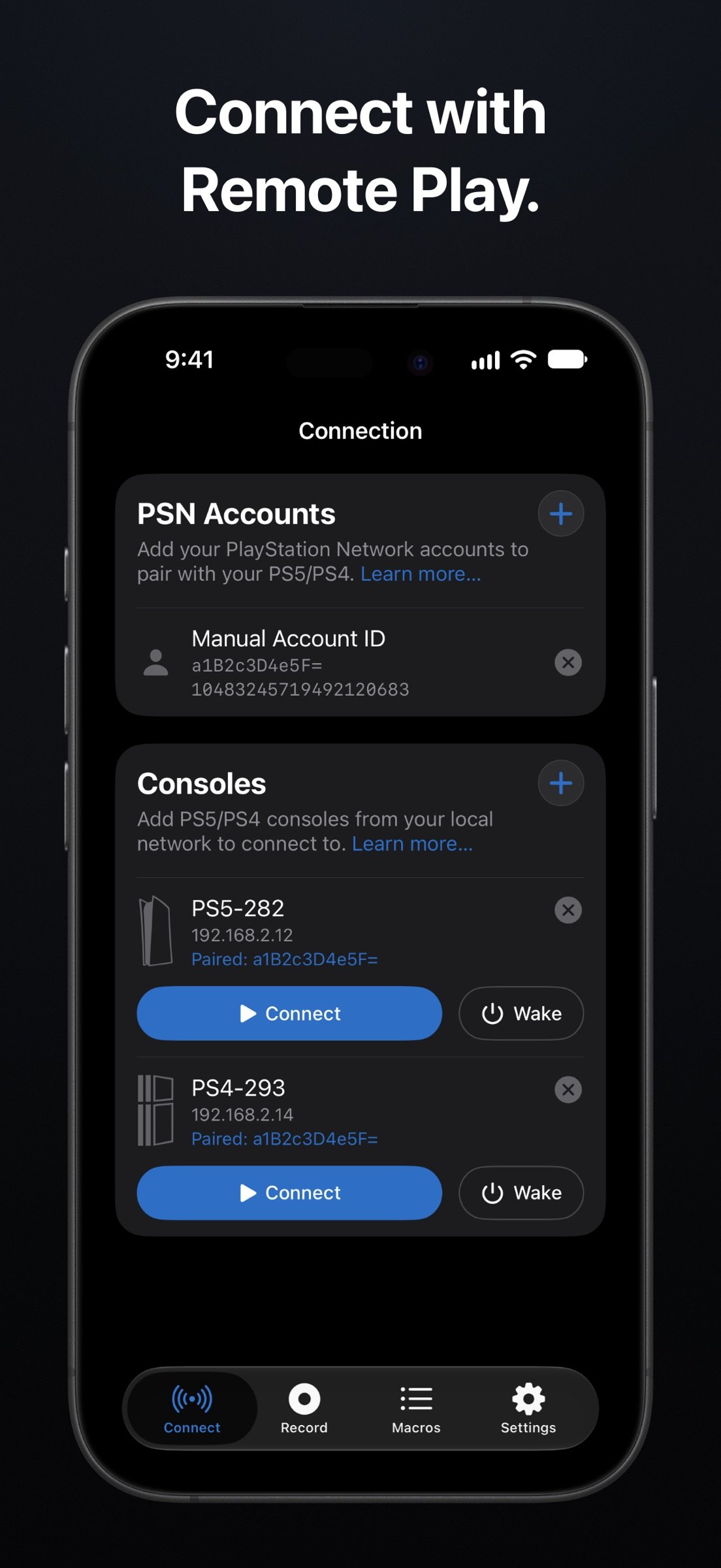
2. Connect the app to your PS5 or PS4 via Remote Play on the same local network
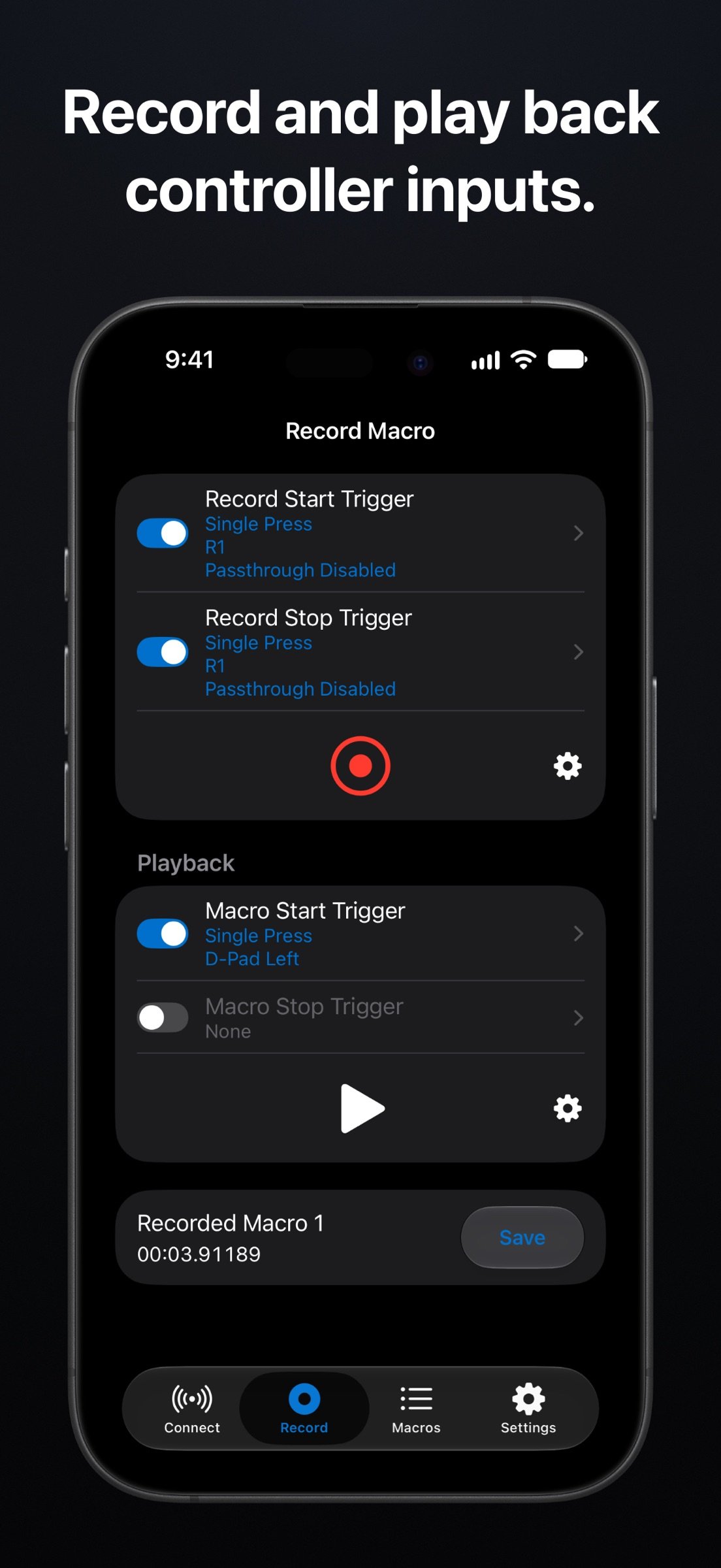
3. Record controller inputs or create new macros
4. Play them back with configurable triggers
IMPORTANT
This app is not intended for use as a video gameplay streaming app. It sends controller inputs, plays game audio and enables voice chat. Console video appears only on the Image Trigger capture screen.
WARNING
Using macros or other input features of the App during online multiplayer gameplay may violate the terms of service of the game or platform and may result in account suspensions or bans. You are responsible for ensuring that your use of the App complies with the PlayStation Network terms of service and any applicable terms or policies governing the games you play. See the Terms of Use for full details.
RECORDING
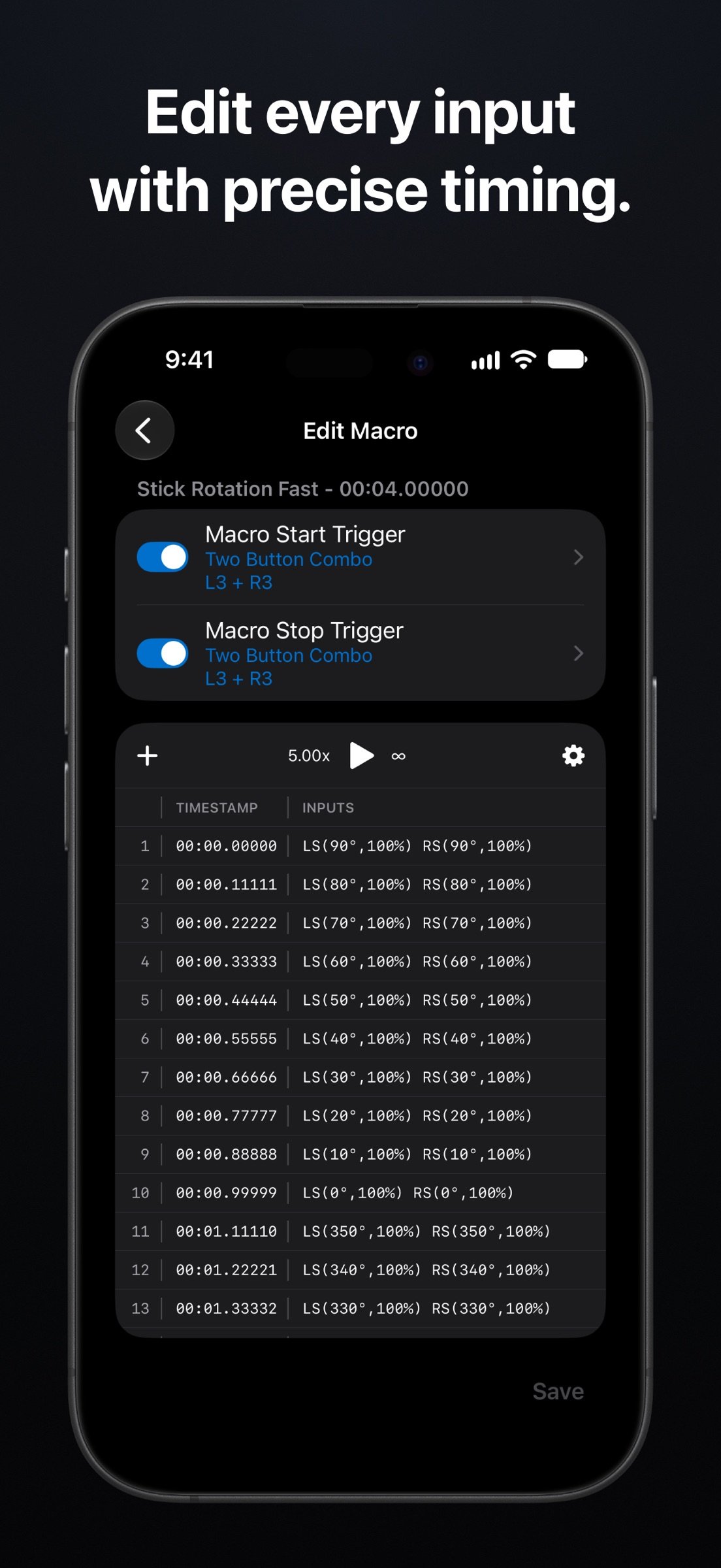
• Record macros from any combination of buttons, analog triggers, stick movements and touchpad inputs with sub-ms timestamp precision.
• Filter recording inputs and set start/stop notifications.
MACRO PLAYBACK
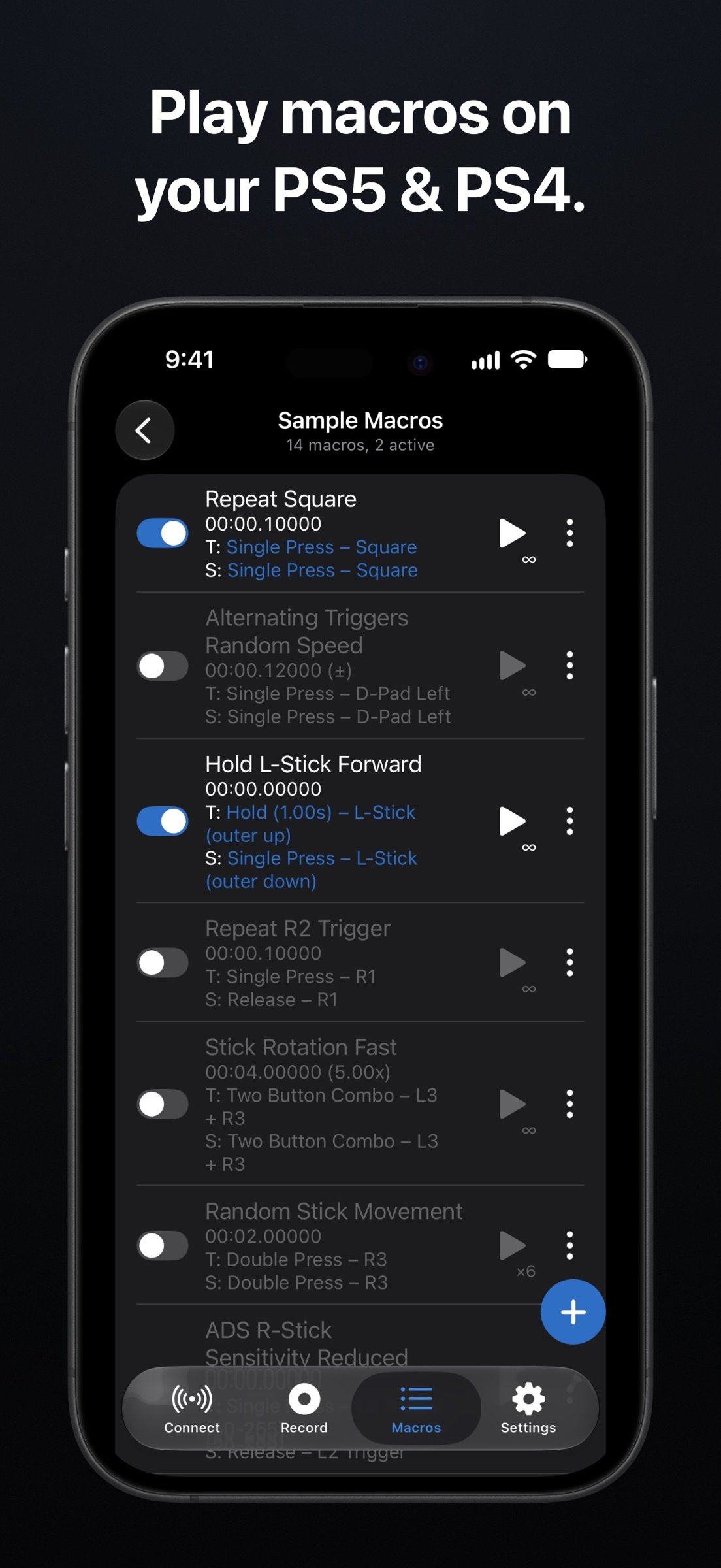
• Play macros at adjustable speed
• Infinite looping
• Randomize speed and stick values
• Adjust controller stick sensitivity
• Run up to 10 active macros per folder
• Custom start/stop triggers
MACRO EDITING
• Build new macros or edit recorded ones
• Multi-select cut/copy/paste/delete input entries within or across macros
• Export and import macros as JSON files
INPUT TRIGGERS
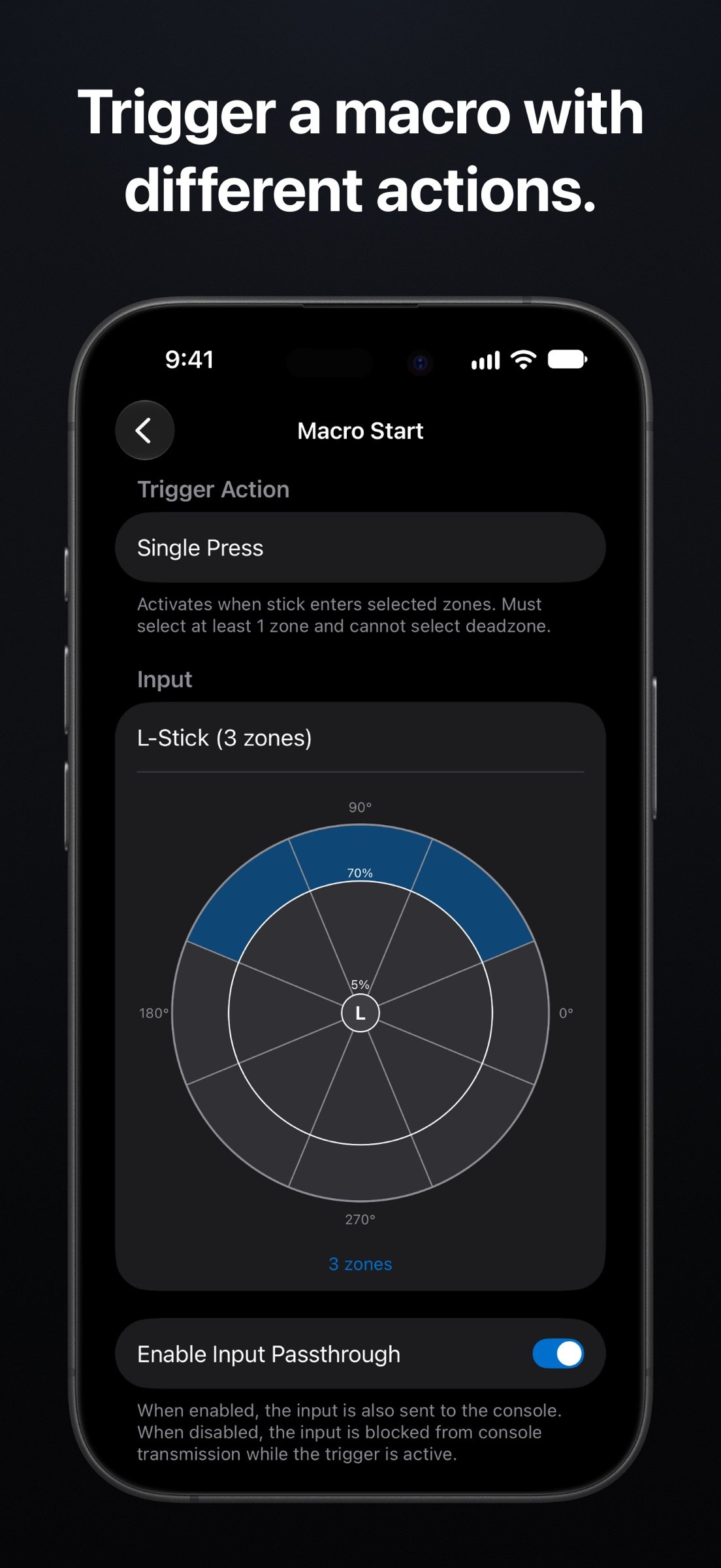
• Configurable triggers: single press, double press, hold, release, two button combo, custom combo
• Buttons, analog triggers or 8-direction stick zones
• Passthrough lets you choose whether the trigger input reaches the console
SOUND & IMAGE TRIGGERS
Sound Triggers use on-device recognition to identify 500+ predefined sounds (chimes, alarms, music cues, etc.). Image Triggers detect on-screen visual elements you capture from console video. Set either to trigger a macro.
INPUT SETTINGS
• Configure L2/R2 and stick deadzones, clamp values, invert or swap axes.
• PS Button custom trigger
• Up to 20 button mappings, applied to both live input and triggers.
ADDITIONAL FEATURES
• Microphone support for voice chat during Remote Play
• Macro playback and your console connection continue when the app is minimized
• Controller test & diagnosis screen
REQUIREMENTS
• A PS5 or PS4 console with Remote Play enabled
• A PlayStation Network account
• Device and console on the same local Wi-Fi network
• A Bluetooth or USB controller
LEARN MORE
Community: reddit.com/r/ConsoleMacros
Documentation & guides: www.consolemacros.com
Terms of Use: www.consolemacros.com/terms.html
Contact for bugs, feature requests or general feedback: support@adaptiveplay.app
DISCLAIMER
PS5, PS4, PS, PlayStation, PlayStation 5, PlayStation 4, DualShock, DualSense, PS Remote Play, and PSN are trademarks or registered trademarks of Sony Interactive Entertainment Inc. Xbox, Xbox Wireless Controller, Xbox One, and Xbox Series X|S are trademarks or registered trademarks of Microsoft Corporation. ConsoleMacros PX is in no way endorsed by, sponsored by, or affiliated with Sony Interactive Entertainment Inc., Microsoft Corporation, or any of their respective subsidiaries, logos, or trademarks.
License: Commercial
Designed for personal, non-competitive use and accessibility assistance.
HOW IT WORKS
1. Connect a controller to your iPhone, iPad or Mac
2. Connect the app to your PS5 or PS4 via Remote Play on the same local network
3. Record controller inputs or create new macros
4. Play them back with configurable triggers
IMPORTANT
This app is not intended for use as a video gameplay streaming app. It sends controller inputs, plays game audio and enables voice chat. Console video appears only on the Image Trigger capture screen.
WARNING
Using macros or other input features of the App during online multiplayer gameplay may violate the terms of service of the game or platform and may result in account suspensions or bans. You are responsible for ensuring that your use of the App complies with the PlayStation Network terms of service and any applicable terms or policies governing the games you play. See the Terms of Use for full details.
RECORDING
• Record macros from any combination of buttons, analog triggers, stick movements and touchpad inputs with sub-ms timestamp precision.
• Filter recording inputs and set start/stop notifications.
MACRO PLAYBACK
• Play macros at adjustable speed
• Infinite looping
• Randomize speed and stick values
• Adjust controller stick sensitivity
• Run up to 10 active macros per folder
• Custom start/stop triggers
MACRO EDITING
• Build new macros or edit recorded ones
• Multi-select cut/copy/paste/delete input entries within or across macros
• Export and import macros as JSON files
INPUT TRIGGERS
• Configurable triggers: single press, double press, hold, release, two button combo, custom combo
• Buttons, analog triggers or 8-direction stick zones
• Passthrough lets you choose whether the trigger input reaches the console
SOUND & IMAGE TRIGGERS
Sound Triggers use on-device recognition to identify 500+ predefined sounds (chimes, alarms, music cues, etc.). Image Triggers detect on-screen visual elements you capture from console video. Set either to trigger a macro.
INPUT SETTINGS
• Configure L2/R2 and stick deadzones, clamp values, invert or swap axes.
• PS Button custom trigger
• Up to 20 button mappings, applied to both live input and triggers.
ADDITIONAL FEATURES
• Microphone support for voice chat during Remote Play
• Macro playback and your console connection continue when the app is minimized
• Controller test & diagnosis screen
REQUIREMENTS
• A PS5 or PS4 console with Remote Play enabled
• A PlayStation Network account
• Device and console on the same local Wi-Fi network
• A Bluetooth or USB controller
LEARN MORE
Community: reddit.com/r/ConsoleMacros
Documentation & guides: www.consolemacros.com
Terms of Use: www.consolemacros.com/terms.html
Contact for bugs, feature requests or general feedback: support@adaptiveplay.app
DISCLAIMER
PS5, PS4, PS, PlayStation, PlayStation 5, PlayStation 4, DualShock, DualSense, PS Remote Play, and PSN are trademarks or registered trademarks of Sony Interactive Entertainment Inc. Xbox, Xbox Wireless Controller, Xbox One, and Xbox Series X|S are trademarks or registered trademarks of Microsoft Corporation. ConsoleMacros PX is in no way endorsed by, sponsored by, or affiliated with Sony Interactive Entertainment Inc., Microsoft Corporation, or any of their respective subsidiaries, logos, or trademarks.
License: Commercial
| Release info | New Release on Nov 06, 2026 |
|---|---|
| Listing data | App Store |
Reviews
No reviews yet. Be the first to review ConsoleMacros PX.
Used ConsoleMacros PX? Tell other visitors what you thought.
Log in to write a reviewOther products by this publisher
- "No Distractions" for YouTube 4.10 ----
- #Bible 11.6.1 "Incredible App - My sister shared this app with me a few weeks ago and it is truly incredible.
- #filmphotography 1.4.2 So, you decided to shoot on film?
- $quirrel 1.5.1 $quirrel Budget & Finance helps you plan each paycheck, track spending, manage debt, and see what is safe to spend before the next payday.
- % Percentage Calculator Pro 1.41 This is the Pro version of % Percentage Calculator.
Most viewed iOS Photo & Video
-
1
 ShortDiShow 2.0
Drama Quest Island — An offline interactive short-drama adventure.
-
2
 Infuse 8.5.10
Infuse: Enterprise provides the same great features as the standard version of Infuse and includes permanent access to all Pro features via a traditional paid app.
-
3
 AI Video Generator 2.0.3
Vixel – AI Video Generator
-
4
 OPlayer 4.8
Play all your videos directly without having to convert them!
-
5
 CapCut 20.2.0
CapCut offers easy-to-use video editing functions, in-APP fonts and effects, advanced features such as keyframe animation, smooth slow-motion, chroma key, and stabilization, to help you capture and snip moments.
-
6
 Necrometer II 1.2
Necrometer II is a paranormal investigation companion designed for ghost hunters and researchers.
-
7
 Ai Photo 1.1.2
AI Photo Retouch – BG Eraser
- 8 #filmphotography 1.4.2 So, you decided to shoot on film?
-
9
 Analog Radio 3.0
The iPhone and iPad devices don't have the FM/AM radio antenna installed.
-
10
 Pop Dot Comics 1.48
Create a comic worthy of the Sunday newspaper or your favorite pulp-fiction cover.
Most downloaded iOS Photo & Video
-
1
 DJI Fly 1.21.18
DJI Fly is designed to help pilots fly drones with ease.
-
2
Infuse 8.5.10
Infuse: Enterprise provides the same great features as the standard version of Infuse and includes permanent access to all Pro features via a traditional paid app.
-
3
Analog Radio 3.0
The iPhone and iPad devices don't have the FM/AM radio antenna installed.
-
4
 TurboCollage Automatic 1.2.4
#1 Easy automatic photo collage maker for iPhone & iPad.
-
5
 ReelyGo 1.1.42
ReelyGo: Your Daily Drama Escape
-
6
 Rozeta Sequencer Suite 1.3.16
Rozeta is a suite of MIDI sequencers and controllers that lets you explore a new, freeform approach to sequencing and controlling mobile music apps.
-
7
 Treblo 1.6.6
Make songs with the world's best AI music model.
-
8
Pop Dot Comics 1.48
Create a comic worthy of the Sunday newspaper or your favorite pulp-fiction cover.
-
9
 AGAIN. Rehearsal Notes 2.0.1
AGAIN. is the rehearsal app that remembers why the band stopped — and, new in Version 2, who said what in a writing session or a table read.
-
10
 Sun Scout 1.5.0
If your work or play requires sunlight, Sun Scout is built for you.