
10downloads
3this week
FreeCommercial
0reviews
Screenshots


About Comic Life 3
The Most Powerful Photo Comic Creation App Available.
"Of the comic book apps I’ve used, Comic Life, [...], has the most features and works best on an iPad because of the bigger screen... I love the way the app allows you to edit tiny details, from the shape and style of word bubbles to the size and placement of each story cell." - Kit Eaton, The New York Times
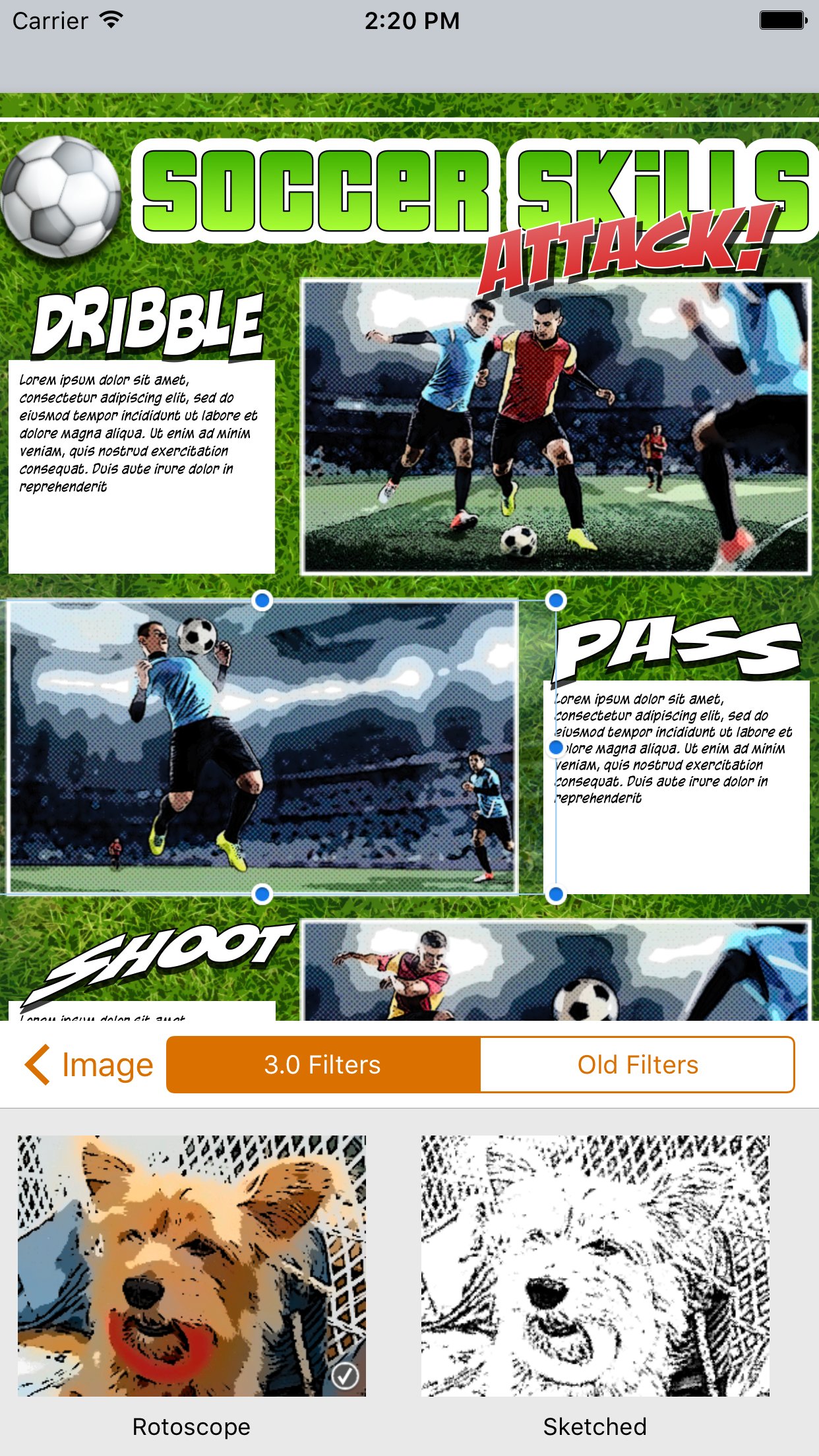
- Introducing an integrated Script Editor*, next generation image filters and built in Instant Alpha tool.
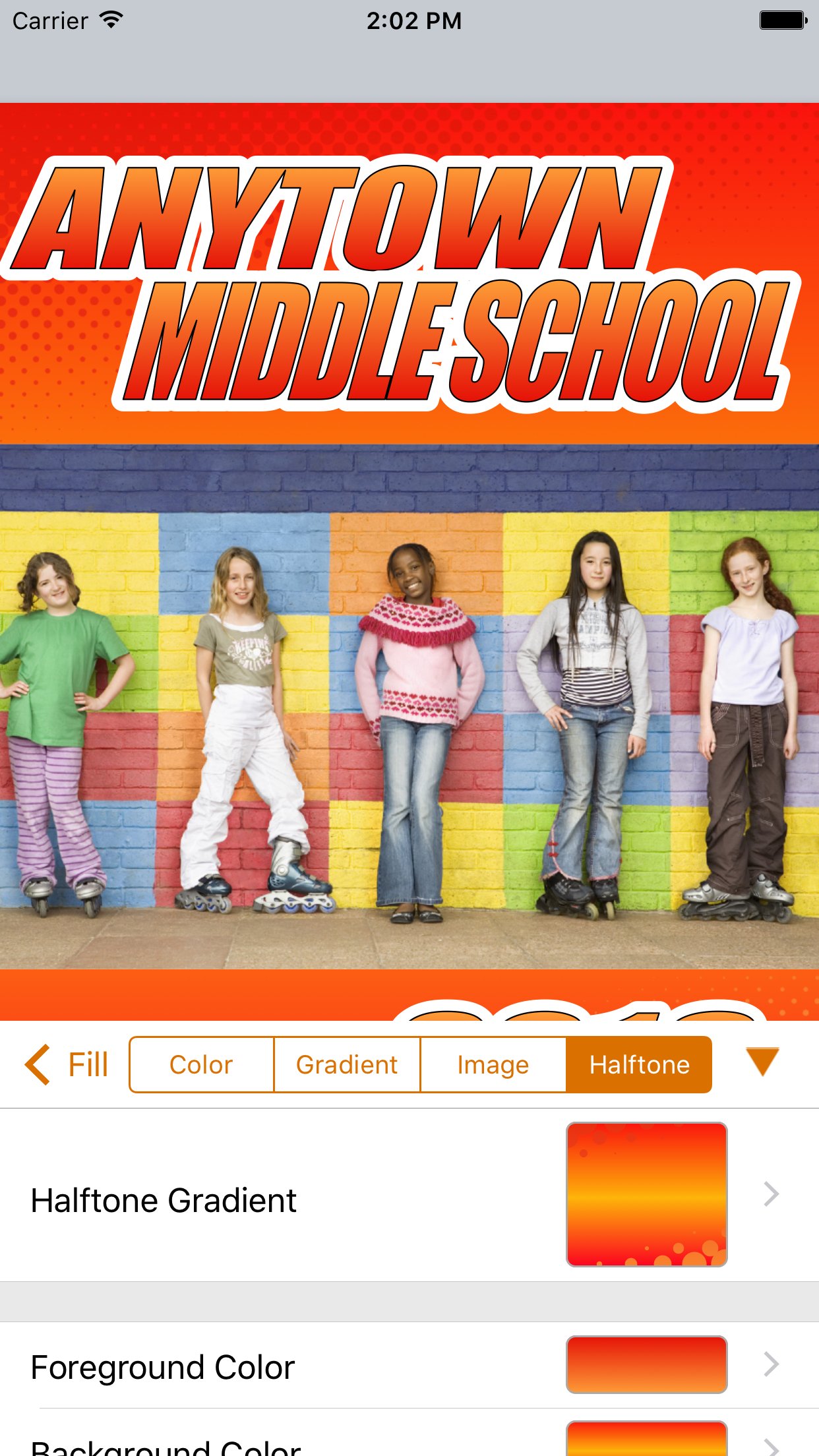
- New graphics features include speedlines, halftones, updated stroke options and more!
- Dozens of fully customizable templates.
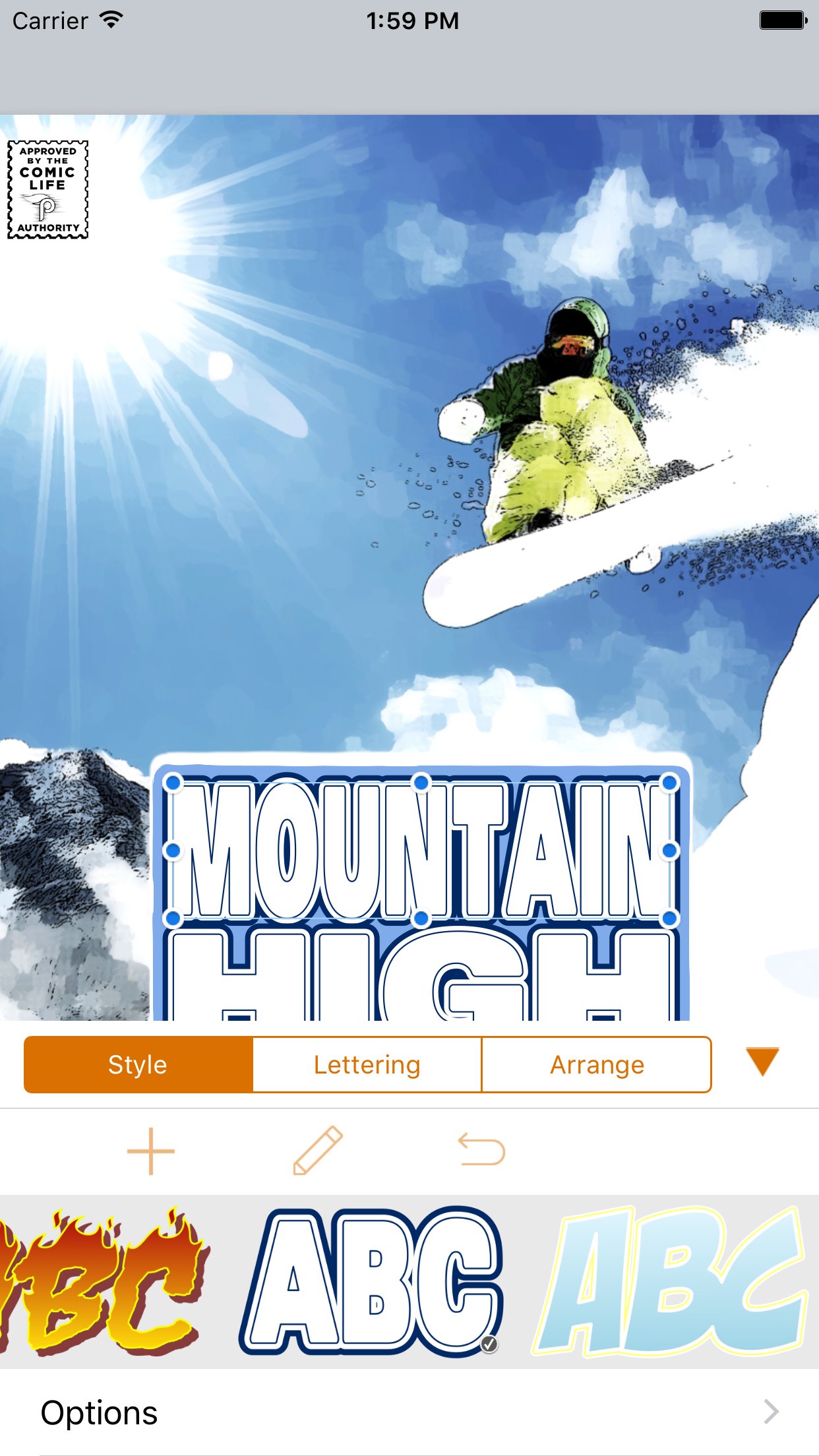
- Everything you need at your fingertips: speech balloons, photo filters, comic lettering, templates, shapes, shadows and effects.
Download Comic Life 3 to create dynamic comics with your photos.
Packed with fonts, templates, balloons, captions, and lettering art, Comic Life is a fun, powerful and easy-to-use app that makes creating comics easier than ever. And now you can build your comics anywhere you like!
Easily go from taking photos to creating full comics all on one device with full page templates and panel layouts. Create original stories with the integrated Script Editor then drag and drop your words to the comic page when you're done.
Bring in photos from your photo library or access web photos via Flickr integration, and the app’s powerful editing and design tools to get exactly the look you want.
When your work of art is complete, use the integrated reader to review pages on your device. Or share with your friends and family. Choose from Facebook, Twitter, email or open your comic in another app as a PDF.
New Tools and Features in Comic Life 3
Script Editor* that recognizes elements as you type
17 Advanced parametric image filters
Dozens of full templates with hundreds of panel layout options.
Instant Alpha tool built in so you can knock out image backgrounds
Speedlines, halftones, and textures
Fully customizable fill and borders for balloons, lettering, captions, panels and shapes
New balloon variety slider for even more customization
Customizable gradient builder
Draw shapes
Over 60 font options
Load photos directly from photo library
Integrated camera feature to instantly add photos to your comic
Supports multi-page comics
Using Comic Life you can:
- Read your comics with the integrated e-reader.
- Create photo comics in the full featured comic editor.
- Share your comics on Facebook, Twitter, via Mail, AirDrop and iTunes File Share.
- Transfer your comics to Mac or Windows and keep working with Comic Life 3 on your desktop or laptop.
- Send your comics to a printer on your wireless network.
- Choose from full page layouts including panels, titles and captions along with complimentary styles for a high end look.
- Drag and Drop elements anywhere in your comic page.
- Easily add photos from your library with the Place Photo button in panels.
- Curve and place balloon tails precisely with advanced tail controls.
- Resize and rotate images, clip them in panels along with balloons, captions, and lettering.
- Create multilayered color gradients to design the perfect style for lettering, captions or background.
- Use smart shapes to add common shapes and the free form shape drawing tool to create any line or shape you can imagine.
- Work without worry of losing your creation as documents are automatically saved whenever a change is made.
* This feature is available on iPad only
License: Commercial
"Of the comic book apps I’ve used, Comic Life, [...], has the most features and works best on an iPad because of the bigger screen... I love the way the app allows you to edit tiny details, from the shape and style of word bubbles to the size and placement of each story cell." - Kit Eaton, The New York Times
- Introducing an integrated Script Editor*, next generation image filters and built in Instant Alpha tool.
- New graphics features include speedlines, halftones, updated stroke options and more!
- Dozens of fully customizable templates.
- Everything you need at your fingertips: speech balloons, photo filters, comic lettering, templates, shapes, shadows and effects.
Download Comic Life 3 to create dynamic comics with your photos.
Packed with fonts, templates, balloons, captions, and lettering art, Comic Life is a fun, powerful and easy-to-use app that makes creating comics easier than ever. And now you can build your comics anywhere you like!
Easily go from taking photos to creating full comics all on one device with full page templates and panel layouts. Create original stories with the integrated Script Editor then drag and drop your words to the comic page when you're done.
Bring in photos from your photo library or access web photos via Flickr integration, and the app’s powerful editing and design tools to get exactly the look you want.
When your work of art is complete, use the integrated reader to review pages on your device. Or share with your friends and family. Choose from Facebook, Twitter, email or open your comic in another app as a PDF.
New Tools and Features in Comic Life 3
Script Editor* that recognizes elements as you type
17 Advanced parametric image filters
Dozens of full templates with hundreds of panel layout options.
Instant Alpha tool built in so you can knock out image backgrounds
Speedlines, halftones, and textures
Fully customizable fill and borders for balloons, lettering, captions, panels and shapes
New balloon variety slider for even more customization
Customizable gradient builder
Draw shapes
Over 60 font options
Load photos directly from photo library
Integrated camera feature to instantly add photos to your comic
Supports multi-page comics
Using Comic Life you can:
- Read your comics with the integrated e-reader.
- Create photo comics in the full featured comic editor.
- Share your comics on Facebook, Twitter, via Mail, AirDrop and iTunes File Share.
- Transfer your comics to Mac or Windows and keep working with Comic Life 3 on your desktop or laptop.
- Send your comics to a printer on your wireless network.
- Choose from full page layouts including panels, titles and captions along with complimentary styles for a high end look.
- Drag and Drop elements anywhere in your comic page.
- Easily add photos from your library with the Place Photo button in panels.
- Curve and place balloon tails precisely with advanced tail controls.
- Resize and rotate images, clip them in panels along with balloons, captions, and lettering.
- Create multilayered color gradients to design the perfect style for lettering, captions or background.
- Use smart shapes to add common shapes and the free form shape drawing tool to create any line or shape you can imagine.
- Work without worry of losing your creation as documents are automatically saved whenever a change is made.
* This feature is available on iPad only
License: Commercial
| Release info | New Release on Feb 23, 2024 |
|---|---|
| Release notes | Import from iCloud Drive now supported PNG export options Various bug fixes and improvements |
| Listing data | App Store |
Reviews
No reviews yet. Be the first to review Comic Life 3.
Used Comic Life 3? Tell other visitors what you thought.
Log in to write a reviewOther products by this publisher
- "No Distractions" for YouTube 4.10 ----
- #Bible 11.6 "Incredible App - My sister shared this app with me a few weeks ago and it is truly incredible.
- #filmphotography 1.4.2 So, you decided to shoot on film?
- $quirrel 1.5.1 $quirrel Budget & Finance helps you plan each paycheck, track spending, manage debt, and see what is safe to spend before the next payday.
- % Percentage Calculator Pro 1.41 This is the Pro version of % Percentage Calculator.
Most viewed iOS Photo & Video
-
1
 ShortDiShow 2.0
Drama Quest Island — An offline interactive short-drama adventure.
-
2
 Infuse 8.5.10
Infuse: Enterprise provides the same great features as the standard version of Infuse and includes permanent access to all Pro features via a traditional paid app.
-
3
 AI Video Generator 2.0.2
Vixel – AI Video Generator
-
4
 OPlayer 4.8
Play all your videos directly without having to convert them!
-
5
 Necrometer II 1.2
Necrometer II is a paranormal investigation companion designed for ghost hunters and researchers.
-
6
 CapCut 20.1.0
CapCut offers easy-to-use video editing functions, in-APP fonts and effects, advanced features such as keyframe animation, smooth slow-motion, chroma key, and stabilization, to help you capture and snip moments.
-
7
 Ai Photo 1.1.2
AI Photo Retouch – BG Eraser
-
8
 Treblo 1.6.0
Make songs with the world's best AI music model.
-
9
 Pop Dot Comics 1.48
Create a comic worthy of the Sunday newspaper or your favorite pulp-fiction cover.
- 10 #filmphotography 1.4.2 So, you decided to shoot on film?
Most downloaded iOS Photo & Video
-
1
Infuse 8.5.10
Infuse: Enterprise provides the same great features as the standard version of Infuse and includes permanent access to all Pro features via a traditional paid app.
-
2
 DJI Fly 1.21.18
DJI Fly is designed to help pilots fly drones with ease.
-
3
 Analog Radio 3.0
The iPhone and iPad devices don't have the FM/AM radio antenna installed.
-
4
 TurboCollage Automatic 1.2.4
#1 Easy automatic photo collage maker for iPhone & iPad.
-
5
Treblo 1.6.0
Make songs with the world's best AI music model.
-
6
 ReelyGo 1.1.42
ReelyGo: Your Daily Drama Escape
-
7
 Rozeta Sequencer Suite 1.3.16
Rozeta is a suite of MIDI sequencers and controllers that lets you explore a new, freeform approach to sequencing and controlling mobile music apps.
-
8
 AGAIN. Rehearsal Notes 2.0.1
AGAIN. is the rehearsal app that remembers why the band stopped — and, new in Version 2, who said what in a writing session or a table read.
-
9
Pop Dot Comics 1.48
Create a comic worthy of the Sunday newspaper or your favorite pulp-fiction cover.
-
10
 SSS IPTV, Simple, Smart Super 1.0.2
An Easiest way to watch TV Online or Movies or Series, Bring your Own list M3u,