12downloads
1this week
FreeFreeware
0reviews
Screenshots
About Color studio
A coloring book for kids, made for iPhone and iPad. Little Colors includes 990 offline coloring pages, playful drawing tools and parent controls in one purchase. No ads, subscriptions or in-app purchases.
990 PICTURES. THREE DIFFICULTY LEVELS.
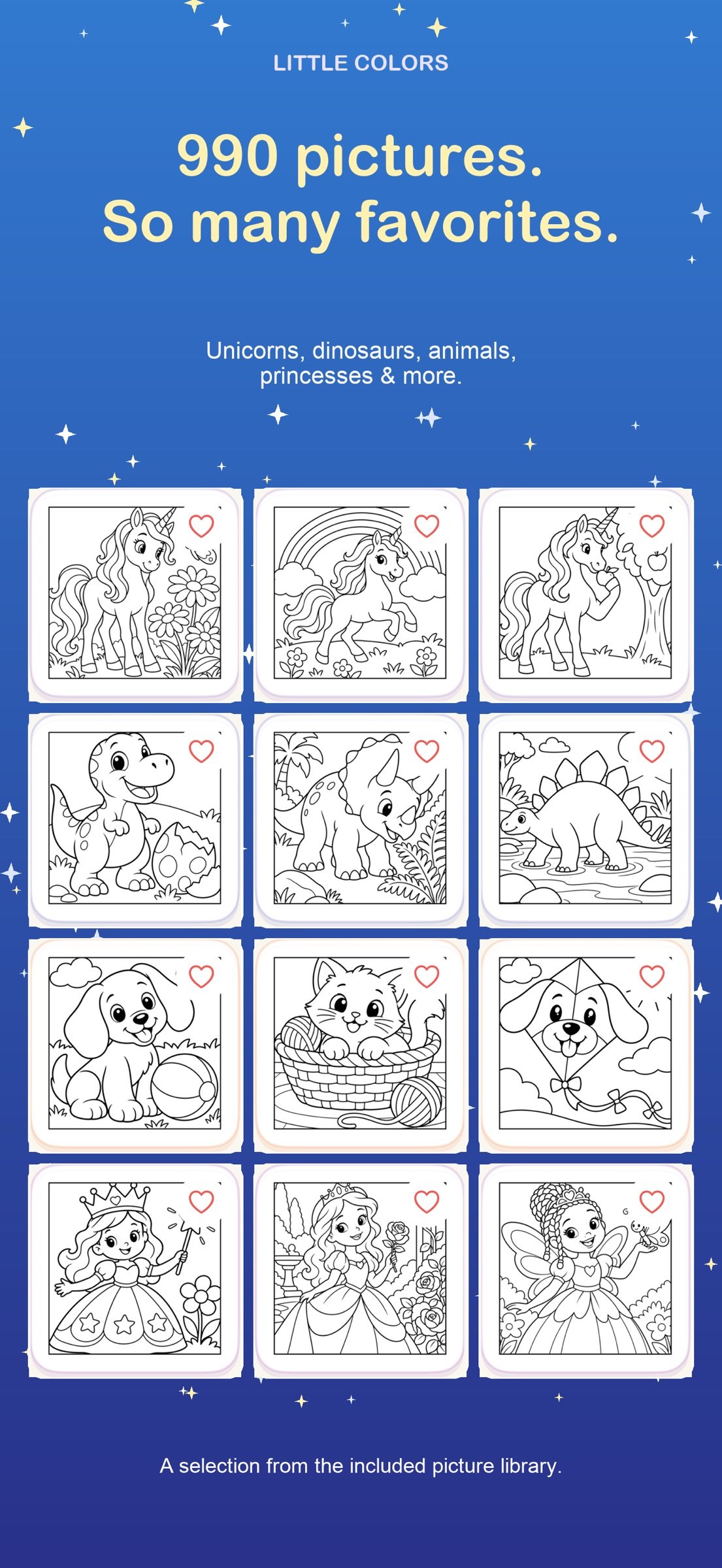
Explore animals, dinosaurs, princesses, flowers, bugs, cars and unicorns. Choose Easy, Medium or Hard, with 50 pictures per difficulty in each of the original six categories and 30 unicorn pictures per difficulty. Start with simple shapes or take your time with detailed scenes.
PAINT, DRAW AND ADD SPARKLE
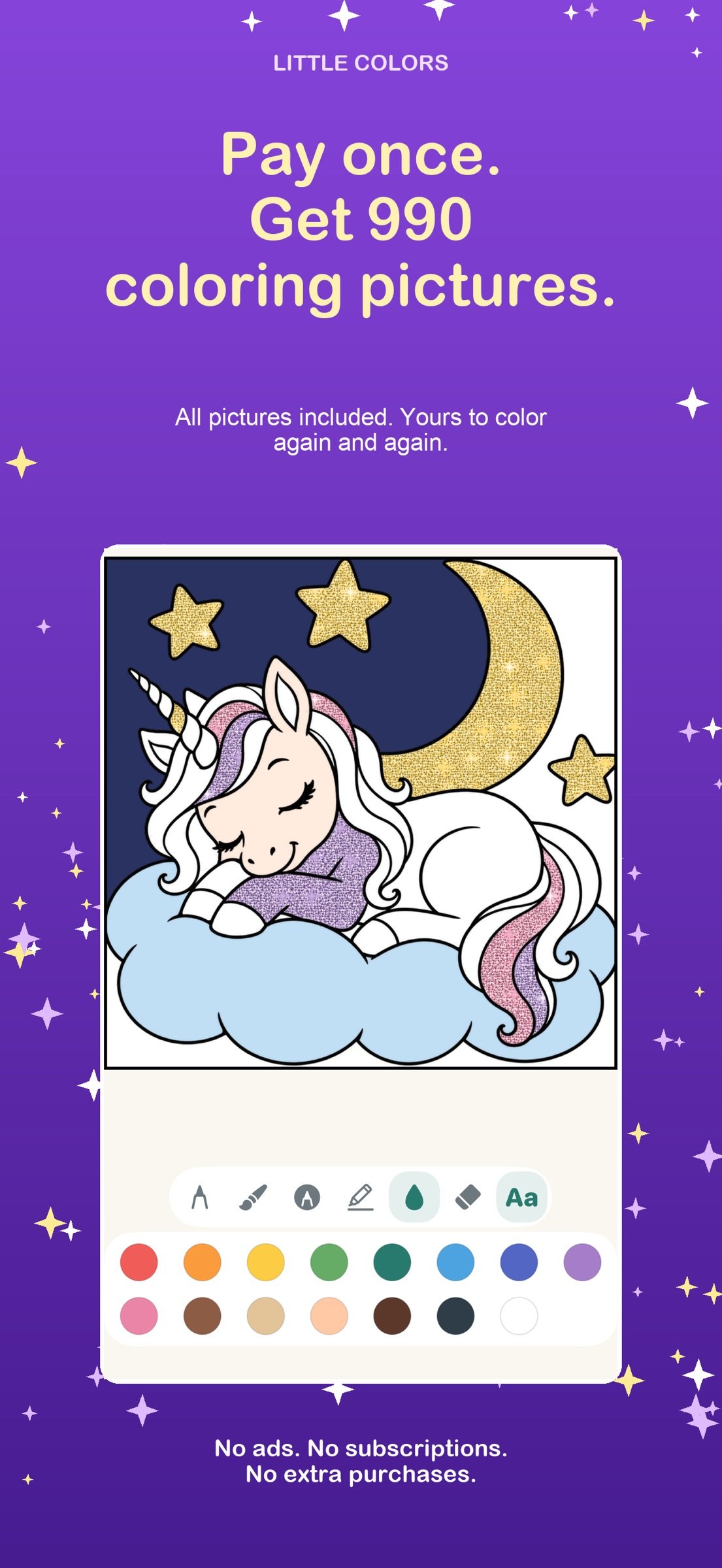
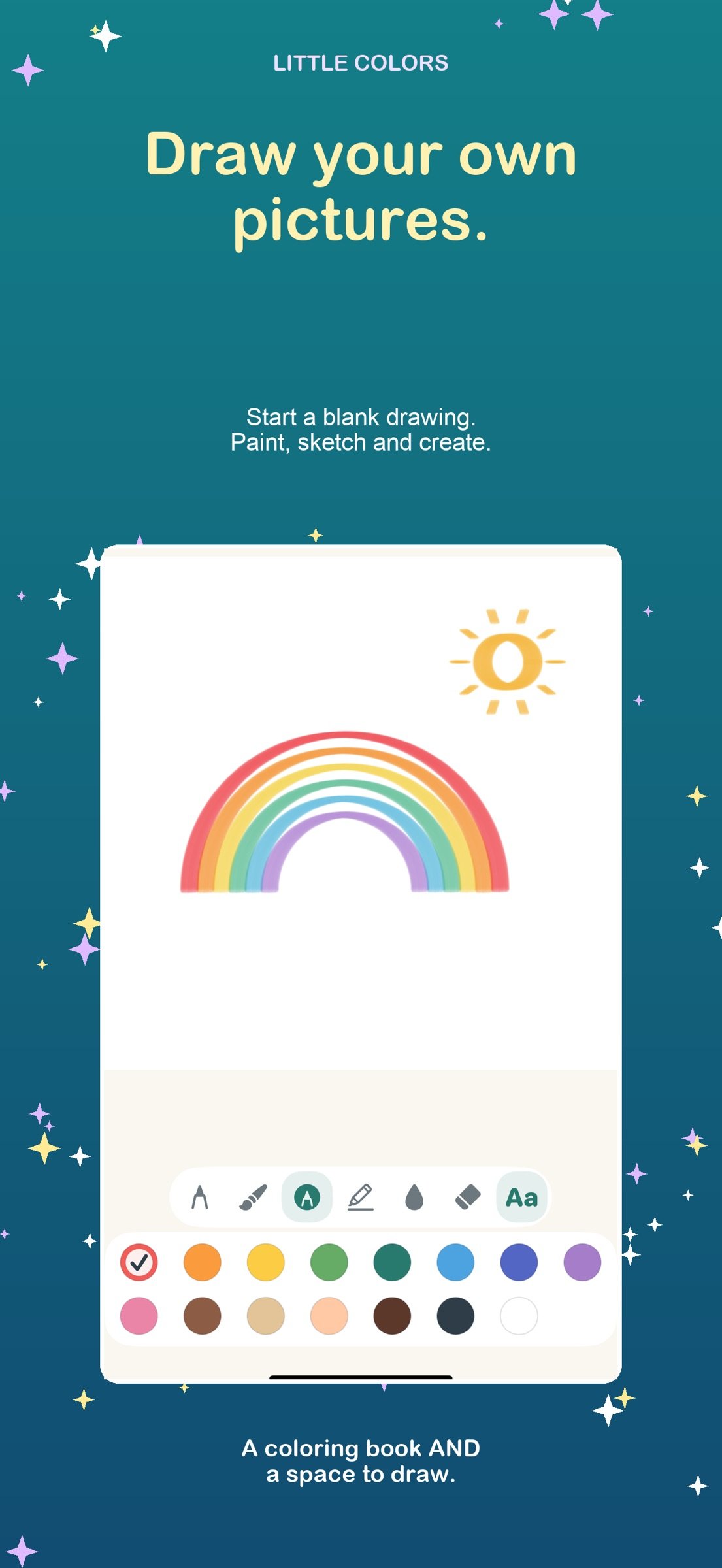
Use pencil, crayon, marker and paint, or tap the bucket to fill a shape. Coloring strokes stay within their starting area to help little hands. Zoom in for tiny details, undo a stroke, and try again.
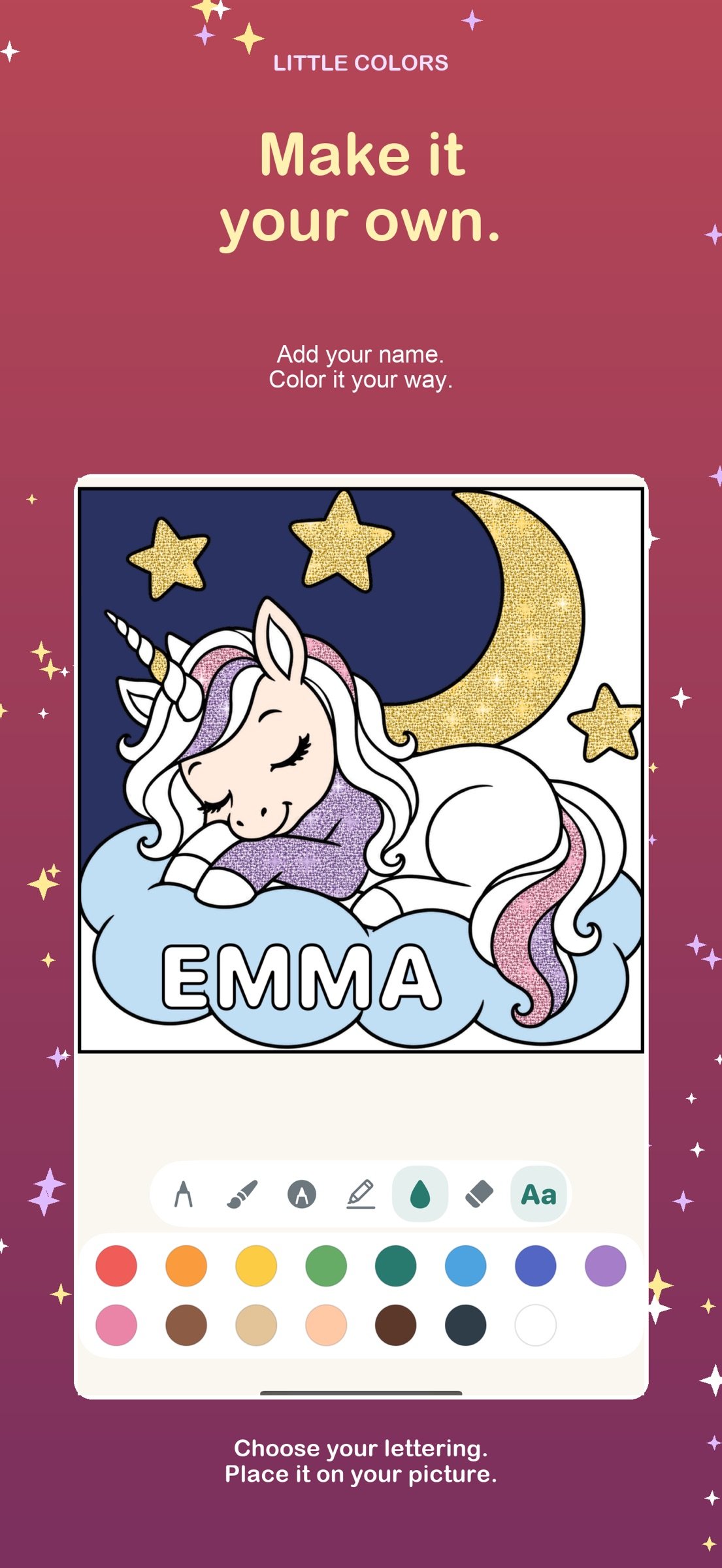
Pick a color, hold it to choose lighter or darker shades, and add glitter with twinkling sparkles. Use your finger or a compatible Apple Pencil on iPad.
MAKE IT YOUR OWN
Start a blank drawing or add words to a picture. Choose from four hollow-letter fonts, move and resize your letters, then color them in.
Save a colored copy and enjoy coloring the original again. Revisit earlier versions in each picture's coloring history, and keep favorite pictures together with a heart.
PARENT CONTROLS FOR GENTLE BREAKS
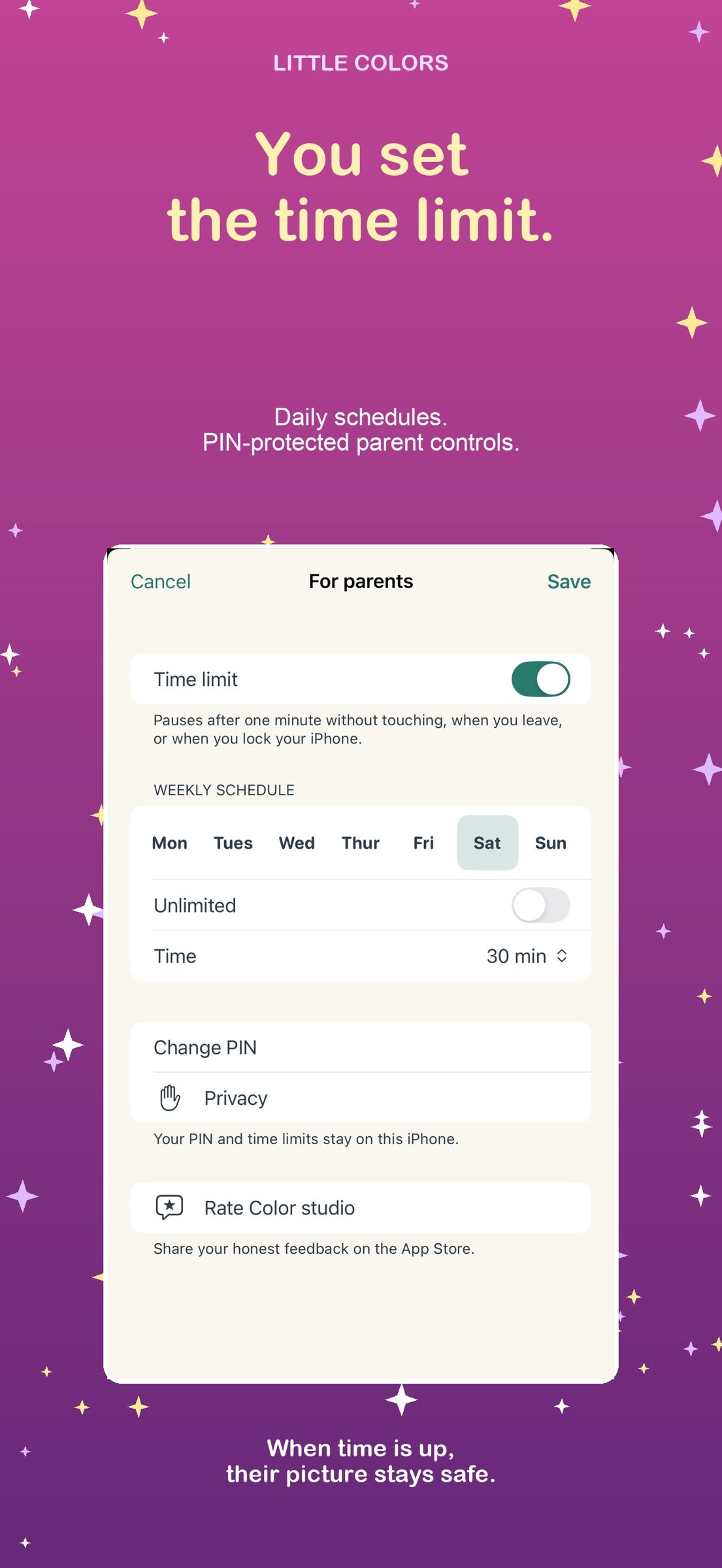
Protect settings with a PIN and set a daily time limit for each day of the week. The timer pauses when the app is in the background, the device is locked, or there has been no interaction for a minute.
When it's time for a break, your child's picture stays safe. Parents can unlock with their PIN and choose extra minutes for that day. Sharing artwork also requires a parent check.
ONE PURCHASE. READY OFFLINE.
All 990 pictures are included and work without an internet connection. No account required. No ads to interrupt coloring, no subscriptions and no extra picture packs to buy.
Available in English, Spanish, French, German, Korean and Japanese.
Made for iPhone and iPad in portrait or landscape. Requires iOS 17.0 or iPadOS 17.0 or later. Apple Pencil is optional on compatible iPads. Artwork and parent settings are stored locally on your device. Export pictures you want to keep before deleting the app.
License: Free
| Release info | Update on Nov 18, 2026 |
|---|---|
| Release notes | Updated App Store screenshots show more of the included picture library. Enjoy the same 990 coloring pictures, glitter, drawing tools and parent controls. Your saved artwork stays with you. |
| Listing data | App Store |
Reviews
No reviews yet. Be the first to review Color studio.
Used Color studio? Tell other visitors what you thought.
Log in to write a reviewOther products by this publisher
- "No Distractions" for YouTube 4.10 ----
- #Bible 11.6.1 "Incredible App - My sister shared this app with me a few weeks ago and it is truly incredible.
- #filmphotography 1.4.2 So, you decided to shoot on film?
- #LookBusy Fake Calendar Events 1.0.6 Look Busy scans your work calendar for open time slots and fills them with realistic-looking (but secretly fake) work events.
- #Small Talk Is Canceled 1.0.2 #Small Talk Is Canceled — Conversations That Matter
Most viewed iOS Photo & Video
-
1
 ShortDiShow 2.0
Drama Quest Island — An offline interactive short-drama adventure.
-
2
 Face Witness 1.0.4
FaceWitness lets you create a face by putting together individual features.
-
3
 Infuse 8.5.10
Infuse: Enterprise provides the same great features as the standard version of Infuse and includes permanent access to all Pro features via a traditional paid app.
-
4
 AI Video Generator 2.0.3
Vixel – AI Video Generator
- 5 #filmphotography 1.4.2 So, you decided to shoot on film?
-
6
 OPlayer 4.8
Play all your videos directly without having to convert them!
-
7
 CapCut 20.2.0
CapCut offers easy-to-use video editing functions, in-APP fonts and effects, advanced features such as keyframe animation, smooth slow-motion, chroma key, and stabilization, to help you capture and snip moments.
-
8
 Necrometer II 1.3
Necrometer II is a paranormal investigation companion designed for ghost hunters and researchers.
-
9
 Ai Photo 1.1.2
AI Photo Retouch – BG Eraser
-
10
 Analog Radio 3.0
The iPhone and iPad devices don't have the FM/AM radio antenna installed.
Most downloaded iOS Photo & Video
-
1
 DJI Fly 1.21.18
DJI Fly is designed to help pilots fly drones with ease.
-
2
Infuse 8.5.10
Infuse: Enterprise provides the same great features as the standard version of Infuse and includes permanent access to all Pro features via a traditional paid app.
-
3
 TurboCollage Automatic 1.2.4
#1 Easy automatic photo collage maker for iPhone & iPad.
-
4
 ReelyGo 1.1.60
ReelyGo: Your Daily Drama Escape
-
5
Analog Radio 3.0
The iPhone and iPad devices don't have the FM/AM radio antenna installed.
-
6
 Rozeta Sequencer Suite 1.3.16
Rozeta is a suite of MIDI sequencers and controllers that lets you explore a new, freeform approach to sequencing and controlling mobile music apps.
-
7
 AGAIN. Rehearsal Notes 2.0.1
AGAIN. is the rehearsal app that remembers why the band stopped — and, new in Version 2, who said what in a writing session or a table read.
-
8
 Pop Dot Comics 1.48
Create a comic worthy of the Sunday newspaper or your favorite pulp-fiction cover.
-
9
 Treblo 1.6.6
Make songs with the world's best AI music model.
-
10
 Sun Scout 1.5.0
If your work or play requires sunlight, Sun Scout is built for you.