0downloads
0this week
FreeCommercial
0reviews
Screenshots
About CNC Nexus
CNC Nexus – The Ultimate CNC Machinist Toolkit
1. CNC Nexus is a powerful, all-in-one CNC utility and learning platform designed for machinists, engineers, students, and shop professionals. Built with real-world machining experience in mind, CNC Nexus combines precision tools, smart calculations, and interactive learning features into a single, clean and easy-to-use app.
Whether you are programming, setting up a job, estimating costs, or learning the fundamentals of machining, CNC Nexus helps you work faster, smarter, and with greater confidence.
2. Advanced CNC Calculators
Get accurate results instantly with professional-grade tools:
3. Advanced Speeds & Feeds calculator with material selection
4. Material Removal Rate (MRR) calculator
5. Thread calculator for quick machining references
6. Cutting time estimator for real-world cycle planning
7. Unit converter for fast conversions on the shop floor
Every tool is designed with simplicity and precision, making it ideal for both beginners and experienced machinists.
Geometry & Shop Utilities
CNC Nexus includes essential utilities used daily in machining:
8. Bolt hole circle calculator with full coordinate output
9. Triangle solver for quick trigonometry calculations
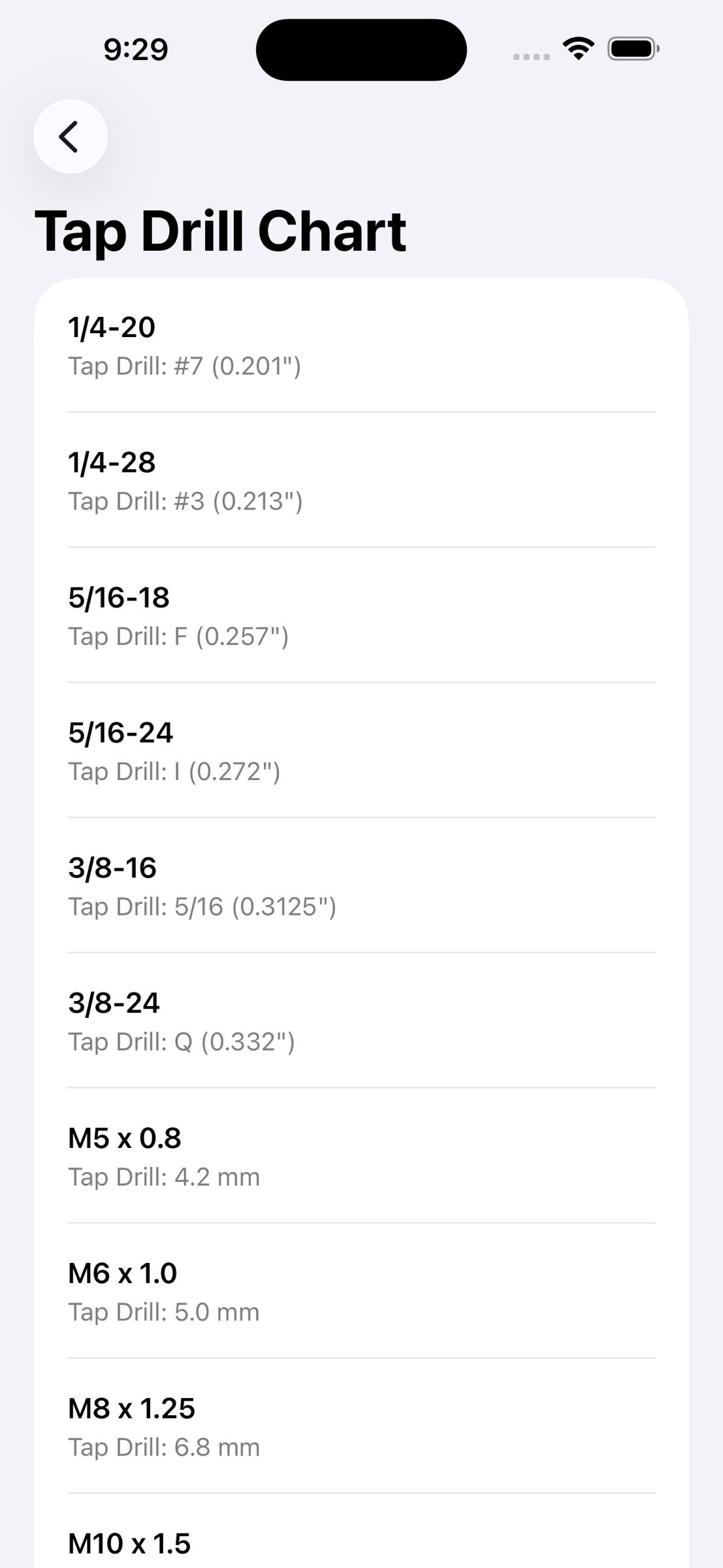
10. Tap drill chart with both imperial and metric sizes
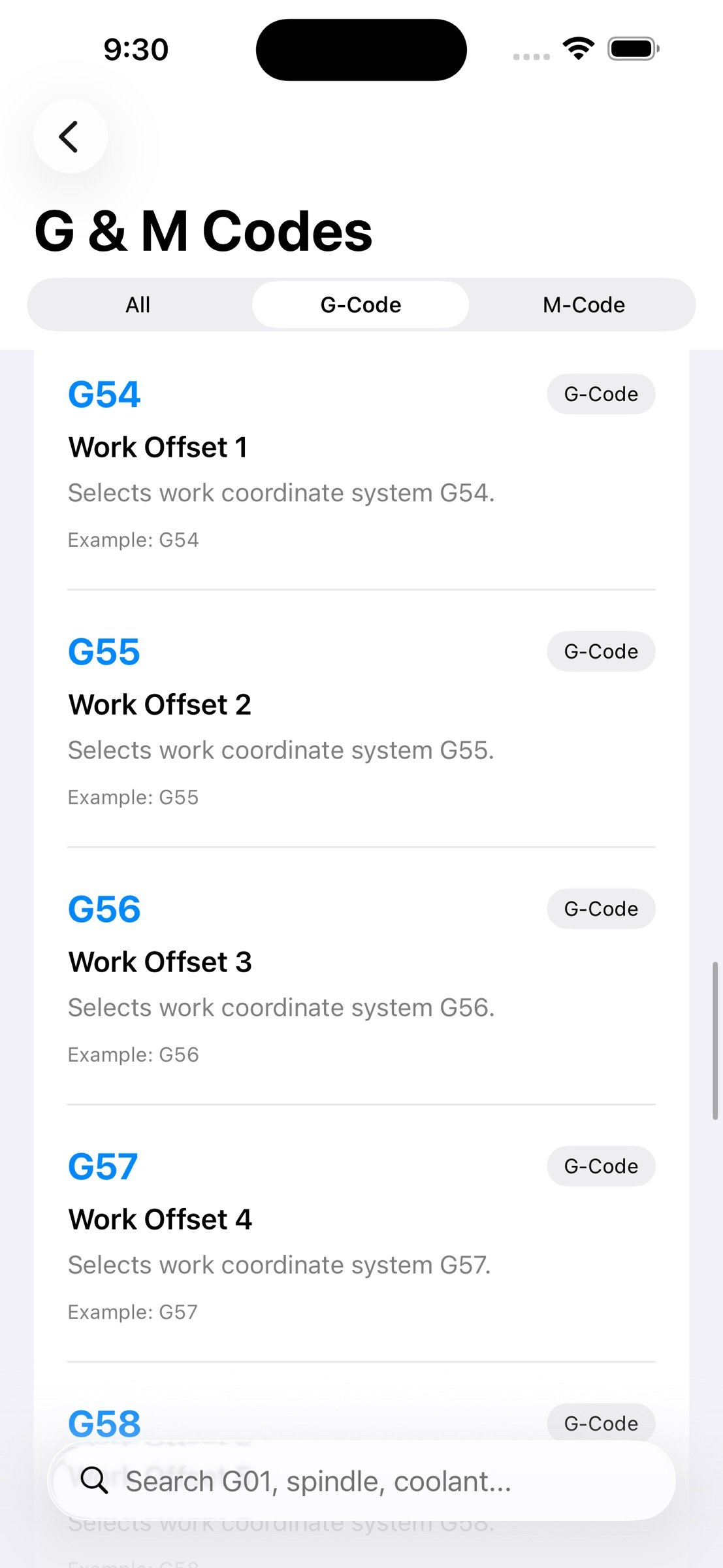
11. G-Code and M-Code reference library with detailed explanations
These tools eliminate the need for manual calculations and scattered references, saving time and reducing errors.
Smart CNC Features
Go beyond basic calculators with intelligent tools:
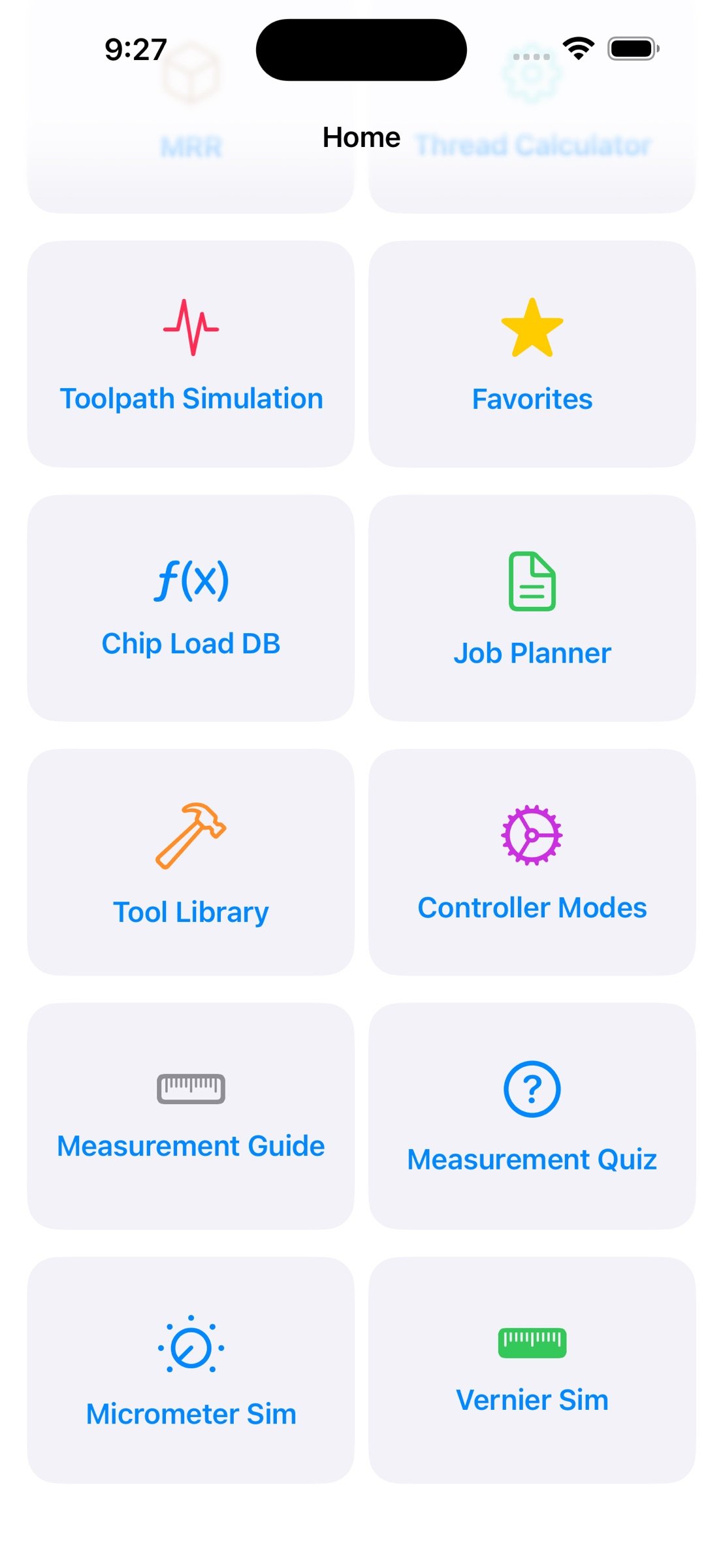
12. Chip Load Database with automatic recommendations
13. CNC Job Planner and Cost Estimator for quoting and production planning
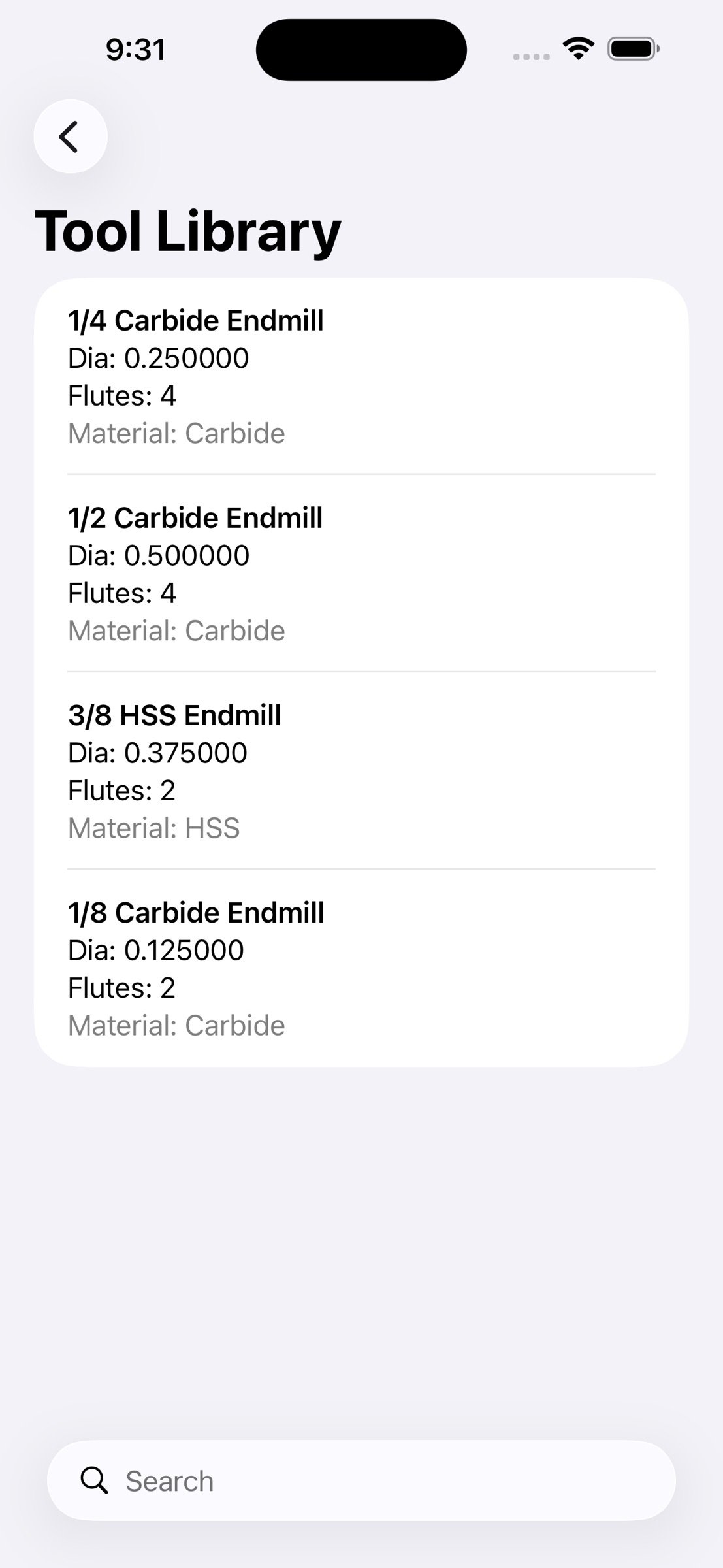
14. Tool Library with real machining tool data
15. Controller-specific modes (Fanuc, Haas) for accurate programming references
These features bring real shop workflow into your pocket.
16. Toolpath Simulation
17. Visualize machining operations with a simple toolpath simulator:
Enter start and end coordinates
18. Calculate tool path distance
19. Estimate machining time
20. View dynamic tool path preview
Perfect for quick planning and understanding motion before running a job.
Interactive Learning Tools
CNC Nexus is not just a tool—it’s a learning platform:
21. Interactive Micrometer Simulator with real-time measurement
22. Vernier Caliper Simulator with drag-based measurement
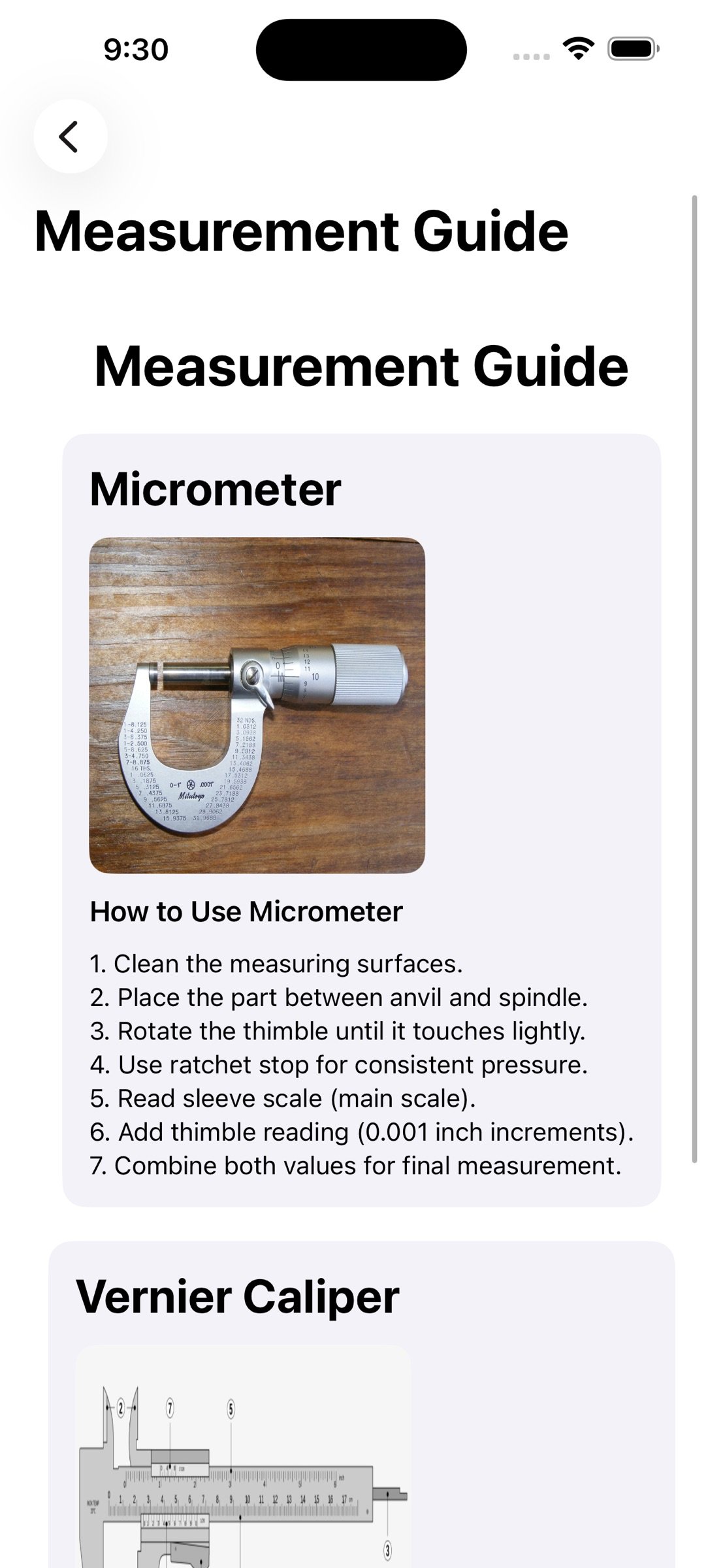
23. Measurement Guide with step-by-step instructions
24. Quiz mode to test your understanding
These features help students and new machinists build strong fundamentals.
Share & Save
25. Save important calculations to Favorites
Keep your workflow organized and accessible
Built for Machinists
CNC Nexus is designed using real shop experience to ensure:
Clean, minimal interface
Fast performance
Accurate results
Practical, everyday usability
Why CNC Nexus?
Unlike basic calculator apps, CNC Nexus combines tools, simulation, and learning into one seamless experience. It reduces setup time, improves accuracy, and helps machinists at every level—from beginners to professionals.
Start machining smarter today.
Download CNC Nexus and take control of your workflow.
License: Commercial
1. CNC Nexus is a powerful, all-in-one CNC utility and learning platform designed for machinists, engineers, students, and shop professionals. Built with real-world machining experience in mind, CNC Nexus combines precision tools, smart calculations, and interactive learning features into a single, clean and easy-to-use app.
Whether you are programming, setting up a job, estimating costs, or learning the fundamentals of machining, CNC Nexus helps you work faster, smarter, and with greater confidence.
2. Advanced CNC Calculators
Get accurate results instantly with professional-grade tools:
3. Advanced Speeds & Feeds calculator with material selection
4. Material Removal Rate (MRR) calculator
5. Thread calculator for quick machining references
6. Cutting time estimator for real-world cycle planning
7. Unit converter for fast conversions on the shop floor
Every tool is designed with simplicity and precision, making it ideal for both beginners and experienced machinists.
Geometry & Shop Utilities
CNC Nexus includes essential utilities used daily in machining:
8. Bolt hole circle calculator with full coordinate output
9. Triangle solver for quick trigonometry calculations
10. Tap drill chart with both imperial and metric sizes
11. G-Code and M-Code reference library with detailed explanations
These tools eliminate the need for manual calculations and scattered references, saving time and reducing errors.
Smart CNC Features
Go beyond basic calculators with intelligent tools:
12. Chip Load Database with automatic recommendations
13. CNC Job Planner and Cost Estimator for quoting and production planning
14. Tool Library with real machining tool data
15. Controller-specific modes (Fanuc, Haas) for accurate programming references
These features bring real shop workflow into your pocket.
16. Toolpath Simulation
17. Visualize machining operations with a simple toolpath simulator:
Enter start and end coordinates
18. Calculate tool path distance
19. Estimate machining time
20. View dynamic tool path preview
Perfect for quick planning and understanding motion before running a job.
Interactive Learning Tools
CNC Nexus is not just a tool—it’s a learning platform:
21. Interactive Micrometer Simulator with real-time measurement
22. Vernier Caliper Simulator with drag-based measurement
23. Measurement Guide with step-by-step instructions
24. Quiz mode to test your understanding
These features help students and new machinists build strong fundamentals.
Share & Save
25. Save important calculations to Favorites
Keep your workflow organized and accessible
Built for Machinists
CNC Nexus is designed using real shop experience to ensure:
Clean, minimal interface
Fast performance
Accurate results
Practical, everyday usability
Why CNC Nexus?
Unlike basic calculator apps, CNC Nexus combines tools, simulation, and learning into one seamless experience. It reduces setup time, improves accuracy, and helps machinists at every level—from beginners to professionals.
Start machining smarter today.
Download CNC Nexus and take control of your workflow.
License: Commercial
| Release info | New Release on Oct 22, 2026 |
|---|---|
| Release notes | The tap drill chart now covers every standard thread, with each drill shown in both inch and mm. New thread series UNEF (extra fine), #12-32 through 1-11/16-18 UN constant pitch (8-UN, 12-UN) and 1-14 UNS Metric fine threads: M8×1, M10×1.25, M12×1.5, M14×1.25 and more NPT / NPTF pipe threads, 1/16" to 4" BSPP (G) and BSPT (R) pipe threads STI helical insert drills, inch and metric Expanded sizes UNC now runs up to 4" UNF adds #12-28 and sizes up to 1-1/2" Metric coarse now covers M1 through M64 New features Cut Tap / Form (Roll) Tap switch with the correct drill for each Thread engagement % shown on every size The closest metric drill for inch threads, and the closest inch drill for metric threads Custom calculator with selectable thread engagement (50–85%) New Drill Sizes tab: every number, letter, fractional and metric drill with decimal and mm equivalents Smarter search: try “1/4 20”, “M6x1”, “NPT” or “G1/2” |
| Listing data | App Store |
Reviews
No reviews yet. Be the first to review CNC Nexus.
Used CNC Nexus? Tell other visitors what you thought.
Log in to write a reviewOther products by this publisher
- "No Distractions" for YouTube 4.10 ----
- #Bible 11.6 "Incredible App - My sister shared this app with me a few weeks ago and it is truly incredible.
- #filmphotography 1.4.2 So, you decided to shoot on film?
- $quirrel 1.5.1 $quirrel Budget & Finance helps you plan each paycheck, track spending, manage debt, and see what is safe to spend before the next payday.
- % Percentage Calculator Pro 1.41 This is the Pro version of % Percentage Calculator.
Most viewed iOS Productivity
-
1
 WordPress 27.4
Manage or create your WordPress blog or website right from your iOS device: create and edit posts and pages, upload your favorite photos and videos, view stats and reply to comments.
- 2 Voice Translator - Alive 1.6 Translation app that turns your iPhone into an interpreter instantly.
-
3
 Claude by Anthropic 1.261111.19
Meet Claude, your AI problem solver and thinking partner.
-
4
 WristMemo 2.0
WristMemo turns your Apple Watch into an all-day voice recorder.
- 5 "No Distractions" for YouTube 4.10 ----
- 6 (beat) for iOS 0.5.10 An elegant Fountain screenwriting app, created by a screenwriter for screenwriters.
-
7
 Life360 26.43.0
Whether at home, online, or on the move, our comprehensive family safety features bring peace of mind to your loved ones AND help safeguard your personal belongings.
-
8
 Colicine 1.3.0
Have you ever been there—
-
9
 DeepSeek 2.8.0
Experience seamless interaction with DeepSeek's official AI assistant for free!
-
10
 Howbout 16.7.2
The shared calendar for friends, couples, and family
Most downloaded iOS Productivity
- 1 Voice Translator - Alive 1.6 Translation app that turns your iPhone into an interpreter instantly.
-
2
DeepSeek 2.8.0
Experience seamless interaction with DeepSeek's official AI assistant for free!
-
3
 SessionsAI 1.2.1
Sessions AI is a private AI workspace that runs entirely on your iPhone, iPad, or Mac.
-
4
 Voices AI 1.16.15
Discover Voices, the premier voice transformation app designed exclusively for iOS.
-
5
 Block Distracting Websites 1.11
"It's a great way to save time, and stop browsing Reddit when you should be doing coursework."
-
6
 Plot Digitizer 1.4.1
Plot Digitizer is an app to extract numerical data from plot images.
-
7
 Google Docs 1.2026.45104
Create, edit, and collaborate on online documents with the Google Docs app.
-
8
 Pixy Mood Tracker 1.110.0
Track your mood, one pixel at a time.
-
9
 MyHyundai with Bluelink 5.4.5
The MyHyundai app makes getting information about your Hyundai vehicle easier than ever.
-
10
 ScreenRecess 1.0.0
A gentle nudge to put your device down when it’s hard to stop.